
إذا كانت فريقك يعيش بالفعل في Slack، فإن إجبار الناس على فتح لوحة تحكم دردشة منفصلة لكل تنبيه، أو تسليم عميل محتمل، أو إجابة على سؤال متكرر، أو تصعيد الدعم عادة ما يكون خطأ في التصميم. ينخفض معدل التبني بسرعة عندما تعيش الروبوتات في مكان لا يعمل فيه الفريق. في عام 2026، فإن أقوى إعدادات الروبوتات ليست تلك التي تحتوي على أكثر العروض اللامعة. بل هي تلك التي تضع الإجابات، والتوجيه، والإجراءات التالية حيث يعمل الفريق بالفعل.
لهذا السبب تهم تكامل روبوتات الدردشة مع Slack. أحيانًا تقوم ببناء مساعد حقيقي أصلي لـ Slack يجيب على الأسئلة داخل القنوات أو الرسائل المباشرة. وأحيانًا تقوم بربط روبوت موقع ويب، أو روبوت Messenger، أو روبوت مكتب المساعدة بحيث تهبط المحادثات الجديدة في خيوط Slack مع سياق كافٍ ليتمكن إنسان من التصرف. هذه هياكل مختلفة، لكنها تحل نفس المشكلة التشغيلية: الكثير من العمل الجماعي لا يزال يموت في الفجوة بين “الروبوت قام بالتقاطه” و“شخص ما تعامل معه بالفعل.”
تم كتابة هذا الدليل للشركات في الولايات المتحدة والمملكة المتحدة التي تستخدم بالفعل Slack للعمل اليومي. سأركز على الجزء الذي يحتاج المشترون فعلاً إلى المساعدة فيه: أي المنصات تستحق المقارنة، كيفية ربط روبوت دردشة بـ Slack دون إحداث فوضى أمنية، متى يكون Slackbot كافيًا، ومتى يجب عليك الانتقال إلى منشئ طرف ثالث بدلاً من ذلك.
لماذا ربط روبوتات الدردشة بـ Slack في عام 2026
لم تعد Slack مجرد تطبيق دردشة للفريق. بالنسبة للعديد من الشركات، أصبحت الواجهة التشغيلية للاستجابة للحوادث، وطلبات الخدمة الداخلية، وتنبيهات المبيعات، والموافقات، وتصعيد العملاء. عندما يتمكن الروبوت من تسليم العمل إلى Slack بشكل سلس، يتحسن وقت الاستجابة لأن الناس يتوقفون عن التبديل بين علامات التبويب لمعرفة ما يحتاج إلى اهتمام.
النجاح العملي ليس “الذكاء الاصطناعي في Slack” كشعار. النجاح أكثر تحديدًا:
- الحصول على المساعدة الداخلية يصبح أسرع. يمكن للموظفين طلب إعادة تعيين كلمات المرور، والإجابات على السياسات، والوصول إلى التطبيقات، أو التحقق من الحالة في نفس المكان الذي يتواصلون فيه مع زملائهم.
- توجيه الدعم يصبح أكثر وضوحًا. يمكن لروبوت موجه للعملاء جمع نوع المشكلة، والأولوية، ورقم الطلب، ولقطات الشاشة، ثم إدخال ملخص منظم في القناة الصحيحة في Slack بدلاً من إرسال نصوص الدردشة الخام عبر البريد الإلكتروني.
- تسريع متابعة المبيعات. عندما يظهر عميل محتمل عالي النية على موقعك، غالبًا ما تكون Slack أسرع وسيلة لتنبيه مالك الحساب، وتعيين الخطوة التالية، والحفاظ على توافق الفريق في سلسلة واحدة.
- تظهر فشل الروبوتات. روبوت الدردشة الذي يتعطل يكون أقل خطورة عندما يرى الإنسان عملية التسليم في Slack على الفور ويمكنه التدخل.
هناك ثلاثة أنماط شائعة للتكامل، ومن المفيد فصلها قبل أن تشتري أي شيء:
- مساعد داخلي أصلي في Slack: يعيش الروبوت داخل Slack ويساعد الموظفين في الأسئلة، سير العمل، أو الموافقات.
- دردشة العملاء مع توجيه Slack: يعيش الروبوت على موقعك الإلكتروني، أو مركز المساعدة، أو Messenger، أو قناة أخرى، وSlack هو طبقة الاستجابة الداخلية.
- إعداد هجين: تدعم نفس المنصة روبوت دردشة خارجي ومساعد داخلي في Slack، عادةً مع مصادر معرفة مشتركة ومنطق تسليم.
هذا التمييز يغير الأداة المناسبة تمامًا. إذا كان هدفك هو “توجيه الدردشة الحية إلى الفريق”، فقد يكون نظام إدارة علاقات العملاء أو منصة الدعم مع جسر Slack قوي كافي. إذا كان هدفك هو “السماح للموظفين بطلب المساعدة من روبوت الذكاء الاصطناعي في الموارد البشرية وتكنولوجيا المعلومات مباشرة داخل Slack”، فأنت بحاجة إلى شيء أقرب إلى منصة مساعد داخلي. إذا كنت لا تزال ترسم تلك البنية الأكبر، فإن دليل الدردشة الآلية بدون كود هو المكان الأفضل لرسم منطق المحادثة قبل أن تختار طبقة Slack.
نقطة أخرى صريحة قبل المقارنات: لا يوجد مسار جاد “لا حاجة للتسجيل” لنشر روبوت دردشة حقيقي في Slack. يحتاج إعداد الإنتاج إلى مساحة عمل Slack، وتفويض التطبيق، والوصول إلى القنوات، وعادةً ما يحتاج إلى موافقة المسؤول. إذا جعل بائع ما أتمتة Slack تبدو مجهولة وفورية، فأنت على الأرجح تنظر إلى بيئة عرض، وليس نظام يمكن لفريقك الوثوق به.
أفضل 7 منصات دردشة بوت Slack مقارنة
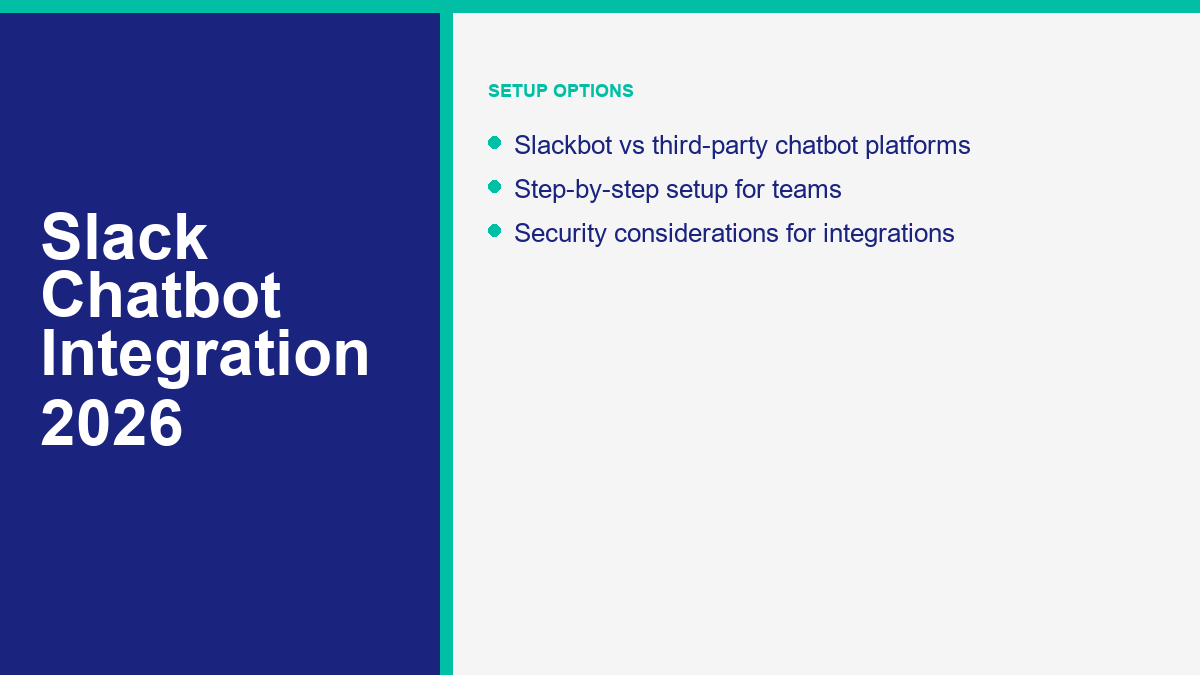
اعتبارًا من أبريل 2026، هذه هي خيارات بوت Slack السبعة التي سأضعها في قائمة مختصرة جدية. أنا أدمج أدوات Slack الأصلية، ومنصات الدعم الفني، ومنشئي الذكاء الاصطناعي بدون كود عن قصد لأن المشترين عادة ما يقارنون بين الثلاثة بمجرد أن يدركوا أن المشكلة هي “أتمتة الفريق في Slack”، وليس فقط “أريد بوتًا”.”
| المنصة | أفضل لـ | كيف يعمل مع Slack | مستوى بدون كود | السعر الابتدائي العام | التحذير الرئيسي |
|---|---|---|---|---|---|
| مجموعة Slack الأصلية | عمليات العمل الداخلية، أسئلة وأجوبة خفيفة، الموافقات، الملخصات | Slackbot، منشئ سير العمل، دليل التطبيقات، وعمليات سير العمل التي يتم تشغيلها بواسطة الويب داخل Slack | مرتفع | يبدأ مجانًا؛ خطط مدفوعة من $7.25 لكل مستخدم شهريًا سنويًا | أفضل عندما يبدأ العمل وينتهي في Slack، أضعف في رحلات العملاء متعددة القنوات |
| Botpress | وكلاء ذكاء اصطناعي مخصصون في القنوات، والخيوط، والرسائل المباشرة | Official Slack integration with OAuth or manual app setup, webhook support, thread replies | مرتفع | $0 plus AI spend; Plus from $79 per month billed annually | You still need to manage scopes, knowledge quality, and Slack API limits |
| Workativ Assistant | IT and HR support for employees | Deploys internal support bots into Slack or Teams with workflow automation and knowledge retrieval | مرتفع | Magic plan $0; Business $349 per month | Most useful when connected to ITSM, HRIS, or identity systems, not as a simple chat toy |
| Zendesk | Support teams that already run ticketing in Zendesk | Create tickets from Slack, receive ticket updates, use side conversations, and run Answer Bot article suggestions | Medium | Suite plans start at $19 per agent per month; AI-heavy plans cost more | Best value if Zendesk is already your support system of record |
| Intercom | Slack-based customer communities and AI-assisted support | Mirrors Slack conversations into Intercom, lets Fin respond, and keeps messages synced in threads | Medium | $29 per seat per month annually, plus $0.99 per Fin outcome | Strong support automation, but usage pricing matters once Fin volume climbs |
| HubSpot Service Hub | CRM-linked live chat and sales or service handoff | Routes live chats and record activity into Slack; teams can reply through Slack threads | مرتفع | Free plan available; Starter from $15 per seat per month | Better for routed conversations than for a fully custom Slack-native AI assistant |
| Botsify | Budget-conscious teams that want one AI agent across channels | Deploys one prompt-based agent across Slack, website, Messenger, WhatsApp, and more | مرتفع | Personal plan from $49 per month | Convenient and broad, but governance is lighter than the enterprise-first stacks |
The shortest honest takeaway from that table is this: Slack itself is the best starting point if your automations are mostly internal and process-driven. Botpress is the most flexible build-your-own option. Workativ is strongest for employee support. Zendesk, Intercom, and HubSpot are smart when Slack is a handoff layer for support or CRM work. Botsify is the budget wildcard if you want one agent across several channels without stitching together multiple vendors.
Slack Native Tools for Internal Team Automation
Slack’s own stack is better than many teams assume, especially now that Workflow Builder is much more capable. Slack’s help documentation is explicit that workflows are a no-code way to automate everyday processes, and the workflow builder now supports triggers from links, schedules, messages, emoji reactions, people joining channels, and webhooks from outside Slack. For a surprising number of internal automations, that is enough.
This option makes sense when your bot is really a structured workflow with a little intelligence around it. Think new-hire onboarding steps, PTO request collection, internal incident triage, or a recurring reminders system that posts status prompts into a channel. Slackbot also now acts more like a personal work agent on eligible paid plans, which gives teams a native way to search, summarize, and create content without installing a separate chatbot vendor.
The limitation is architectural. Slack native tools are excellent when Slack is the whole environment. They are less compelling if you need richer knowledge grounding, a customer-facing bot, or cross-channel orchestration. Once the bot has to talk to your site, Messenger, helpdesk, CRM, and Slack together, the native stack becomes part of the system instead of the whole system.
Botpress for Custom AI Agents in Channels, Threads, and DMs
Botpress is the strongest choice in this list if you want a real custom AI agent inside Slack but you do not want to engineer every piece by hand. Its official Slack integration supports both easy OAuth authorization and a manual configuration route for teams that want to use their own Slack app. That matters because mature teams eventually care about scopes, branding, token control, and environment separation.
What I like here is the operational detail. Botpress does not just say “we integrate with Slack.” The official integration docs walk through reply threading, custom display name and avatar, webhook configuration, and the exact scopes and event subscriptions needed for manual setups. That is the kind of documentation that usually signals a product teams can actually run in production.
Botpress becomes especially attractive when your Slack bot needs more than canned Q&A. If you want knowledge retrieval, conditional logic, handoff, tables, external actions, and a path to more sophisticated AI orchestration, it gives you room to grow. The tradeoff is that you still have to do the boring work properly: permissions, testing, and knowledge tuning. Botpress lowers the engineering burden, but it does not remove the need for system design.
Workativ Assistant for IT Helpdesk and HR FAQ in Slack
Workativ is narrowly focused in a useful way. It is built for employee support automation, not broad consumer chatbot marketing. That focus shows up in the positioning: internal support, no-code workflow automation, knowledge retrieval, and deployment to Slack or Teams. If your main Slack use case is “employees ask HR and IT for the same things all day,” Workativ belongs on the shortlist immediately.
Typical fits are password resets, account unlocks, access requests, onboarding checklists, leave balance questions, payroll FAQ, and software approvals. These are strong chatbot jobs because the questions repeat, the next steps are predictable, and the workflow value is operational instead of cosmetic. Public pricing still starts with a small Magic entry tier and moves to a Business plan at $349 per month, which is not impulse-buy territory but is reasonable compared with the cost of tickets and interruptions if the support volume is real.
I would not use Workativ for a generic marketing chatbot comparison. I would use it when the objective is clear employee deflection in Slack. That clarity is its strength.
Zendesk for Ticket-Creation, Side Conversations, and Knowledge Suggestions in Slack
Zendesk is less about “talk to an AI bot in Slack all day” and more about making Slack useful inside a support operation. The Slack for Zendesk integration lets teams create tickets from Slack, receive ticket notifications in channels, add internal notes from threads, and use Answer Bot to suggest help center articles in selected channels. If your support team already lives in Zendesk, this is a very practical integration.
The internal use case is particularly strong. Engineers, success managers, or account teams often spot issues in Slack first, long before someone opens the official support tool. Turning a Slack message into a ticket without forcing people to copy and paste details into another interface is a real operational improvement, not a novelty feature. Side conversations are also useful because they keep secondary discussion connected to the ticket without dumping everything into the customer-facing thread.
The caveat is obvious: Zendesk is best when Zendesk is already the center of gravity. If you are not running support in Zendesk, buying it just to get a Slack chatbot layer makes little sense.
Intercom for Slack Communities and AI-Assisted Customer Support
Intercom’s Slack channel integration is newer and more interesting than many older comparisons suggest. It is not just a one-way notifier. The current help docs describe AI-powered support in Slack, real-time sync between Slack threads and Intercom conversations, ticket handling, private and multi-workspace support, and controls around Fin data connectors. In other words, this is a real support channel bridge.
Intercom is especially useful if customers or community members already talk to you in Slack, such as paid communities, partner workspaces, or Slack Connect setups. Instead of forcing that conversation back into email or a widget, Intercom can mirror the discussion into the inbox where Fin and human agents already work. That usually produces cleaner reporting, more consistent handoff, and less channel confusion.
The billing model matters, though. Intercom’s public pricing starts at $29 per full seat per month on the Essential plan, and Fin is billed at $0.99 per outcome. That can be fair if Fin is resolving meaningful work, but teams should model volume before they celebrate the starting price.
HubSpot Service Hub for CRM-Aware Chatflows Routed Into Slack
HubSpot is a strong answer when the real need is not a Slack-native chatbot, but a website or service chatbot that should wake up the team in Slack with full CRM context. HubSpot’s Slack integration can sync inboxes with Slack channels so incoming live chats show up in Slack, and teams can reply to visitors directly through the Slack thread while the conversation still logs back to the inbox. That is a clean design for sales and service teams that already run in HubSpot.
This is one of the better options for smaller businesses because there is a genuine low-end path. Service Hub has a free tier, Starter begins at $15 per seat per month, and the setup is accessible to non-developers. If your website chatbot already qualifies leads or captures support questions, Slack becomes the internal operating surface instead of a separate system to manage.
The constraint is scope. HubSpot can route, notify, and keep CRM context visible in Slack extremely well, but it is not the first tool I would choose to build a highly custom internal Slack agent that behaves more like an employee copilot than a routed chatflow.
Botsify for Budget-Conscious Teams That Want One Agent Across Slack and Other Channels
Botsify has changed its pitch in a useful direction. Instead of acting like a classic flow-builder-only chatbot tool, it now leans hard into prompt-based AI agents that can deploy across Slack, website chat, Messenger, WhatsApp, Instagram, Telegram, and more. The current public pricing is straightforward enough for small teams to evaluate quickly: the Personal plan starts at $49 per month and includes two AI agents, 6,000 credits, scheduling, document and web search, and Slack in the supported channel list.
The appeal is obvious if your team wants one budget-friendly agent to do internal Slack work and customer-facing work elsewhere. That single-agent model can be a faster way to get value than maintaining separate bot tools for every channel. The platform also emphasizes integrations through MCPs, which is a useful sign if you need the bot to pull actions or context from outside Slack.
I would still treat Botsify as the scrappier option in this group. That is not an insult. It is a fit statement. Smaller teams that want to move quickly may find that attractive. Larger teams with strict governance and approval requirements may prefer Slack native tools, Botpress, or a more established service stack.
How to Connect Your Chatbot to Slack Without Breaking Your Workflow
The biggest implementation mistake is starting from a vendor screen instead of the workflow. Before you connect anything, decide where the conversation starts, where it should escalate, and who owns the result. Slack bot projects fail less from bad AI and more from muddled operational design.
- Choose the right Slack role for the bot. Decide whether Slack is the primary chat surface, the escalation channel, or just the place where alerts and summaries land. A bot that should answer employees directly is built differently from a bot that should only notify a support channel.
- Map the destination channels before you touch permissions. Create a simple routing map such as
#it-help,#hr-ops,#sales-hot-leads، و#support-escalations. If every conversation lands in one noisy channel, the integration will feel worse than email. - Pick the integration path that matches your stack. Use Slack Workflow Builder if the job starts and ends in Slack. Use a builder like Botpress or Workativ if you need a conversational agent in Slack. Use HubSpot, Zendesk, Intercom, or a webhook bridge if the chatbot already lives outside Slack.
- Install or authorize the Slack app with the smallest useful scope. Do not ask for broad channel history, private channel access, and user data unless the workflow really depends on it. Slack’s platform model is built around scopes for a reason.
- Decide how the bot should reply. Direct message, public channel, private channel, or thread. For most operational teams, thread-first behavior is cleaner because it keeps the main channel readable. Botpress, for example, explicitly supports thread reply configuration for this reason.
- Connect the knowledge source and the action layer separately. One system answers questions. Another system takes action. Those are often different. A good HR bot may read policy docs but create requests in another tool. A good sales alert bot may summarize the lead but push ownership into a CRM.
- Build human handoff early, not after complaints start. Every Slack bot needs an exit route such as “create ticket,” “mention owner,” “route to live chat queue,” or “open a side conversation.” A bot without a handoff path is just a delay machine.
- Test in a private channel with ugly real-world prompts. Do not only test polished demo questions. Test typos, half-sentences, screenshots without context, duplicate requests, and questions that should be refused. Slack usage is casual, so the bot has to survive messy input.
- Publish usage rules with the rollout. Tell people what the bot is for, where it should be used, what it can access, and what still belongs in the ticketing system. Ambiguity creates bad user behavior faster than bad NLP.
- Measure one operational outcome after launch. Pick a real metric: tickets deflected, time to first response, approval turnaround, handoff time, or lead response speed. If you cannot point to one of those moving, you probably built an interesting demo instead of a useful system.
A Go-Live Checklist That Catches Most Bad Slack Bot Launches
- The bot has a named owner, not just a vendor login.
- Private channels that need notifications have the app explicitly invited.
- Permissions were reviewed by someone with security responsibility.
- The bot knows where to escalate questions it cannot solve.
- Replies are thread-based unless channel-level posting is intentionally required.
- Tokens, webhook URLs, and signing secrets are stored outside public code and docs.
- One metric is being tracked for the first 30 days.
If you do only those seven things, you eliminate most of the avoidable chaos that makes Slack chatbot projects look worse than they are.
Slack Chatbot Use Cases That Save Internal Teams Real Time
IT Helpdesk That Resolves the Easy Requests Before a Portal Is Opened
This is still the highest-confidence internal chatbot use case. Employees do not want to open a separate portal for every small problem, and IT does not want to burn staff time on repetitive requests that already have a known path. A Slack bot can answer setup questions, explain policy, collect device details, link to approved software, trigger password-reset workflows, or create the right ticket with context already attached.
The design rule here is simple: automate the repeatable front half, not the exception-heavy back half. Let the bot gather operating system, urgency, screenshot, location, and impacted service. Then either resolve automatically or create a structured ticket. That alone reduces back-and-forth substantially.
HR FAQ That Stops Managers From Becoming the Search Engine
HR gets flooded with questions that should be easy to answer but are scattered across PDFs, policy pages, and tribal knowledge. Slack is where employees ask those questions anyway, so it makes sense to meet them there. Good HR bots answer leave policy, onboarding steps, holiday schedules, payroll deadlines, benefits basics, and policy links without requiring the employee to know which document to search.
The important caveat is governance. HR chatbots should be very clear about what they can answer directly, what they can summarize from policy, and what needs a human because it touches confidential or case-specific information. A bot that sounds authoritative on sensitive HR questions without proper boundaries is a liability.
Sales Alerts That Reach the Right Rep While the Lead Is Still Warm
Slack is an excellent destination for lead alerts when the message is structured properly. A bad alert says, “New lead submitted the form.” A useful alert says, “New demo request from a 70-person SaaS company in London, asked about pricing and Slack integration, wants contact this week, owner unassigned.” That gives the team something actionable, not just something loud.
This is why routed chatbot alerts outperform generic notifications. The chatbot can collect qualification data before the alert ever hits Slack. Then Slack can handle claim logic, ownership, escalation, and follow-up reminders. Sales teams care less about “AI” than about whether a hot lead gets answered before a competitor does.
Customer Support Routing That Keeps Internal Teams Fast Without Exposing the Mess to Customers
Customer-facing chatbot conversations are often messy underneath even when the experience feels smooth to the customer. There may be failed answers, confidence thresholds, routing rules, attached screenshots, order lookups, and internal approvals. Slack is useful here because it can become the internal coordination layer while the customer sees a cleaner interface somewhere else.
A good routing flow looks like this: the bot identifies the issue type, checks whether it is safe to answer directly, attempts self-service if appropriate, then posts a structured escalation into the correct Slack channel when a person is needed. The human does not have to ask the customer to repeat the order number, product, or issue type because the bot already collected it.
This is one reason not every team needs a full Slack-native chatbot. If your customers are on your website, Messenger, or a helpdesk widget, Slack may still be the best internal operating layer even though it is not the public chat surface.
Slackbot vs Third-Party Chatbots: Which One Fits Your Team
Teams ask this question too late. They usually install a third-party tool first, then realize Slackbot and Workflow Builder could have handled half the requirement. Or they stay native too long and end up bending Slack into a customer support platform it was never meant to be.
| Question | Slackbot and Workflow Builder | منصة دردشة طرف ثالث |
|---|---|---|
| أفضل حالة استخدام | Internal automations, reminders, lightweight Q&A, approvals | Richer AI agents, multichannel support, knowledge-heavy use cases, external handoff |
| Setup speed | Fastest if the workflow is entirely inside Slack | Fast for templates, slower if you need app scopes, knowledge, and system actions |
| Conversation depth | Good for structured workflows and native AI help | Better for branching, memory, retrieval, handoff, and channel orchestration |
| Customer-facing channels | Poor fit | Strong fit |
| Admin and security overhead | Lower, especially if you stay inside Slack | Higher because another vendor, app scopes, tokens, and data flow are involved |
| Cost profile | Usually lower for simple internal jobs | Usually higher, but justified when the bot replaces real manual work across channels |
| When to choose it | When the work starts and ends in Slack | When Slack is only one part of the workflow or the bot needs more brains and control |
My rule is simple. Use Slack native tools first if the problem is a process problem. Use a third-party chatbot if the problem is a conversation problem. Process problems are things like reminders, approvals, forms, notifications, and status updates. Conversation problems are things like support triage, policy Q&A, AI retrieval, multistep qualification, and cross-channel handoff.
Once you frame it that way, the buying decision gets cleaner. Slackbot is not “basic” and third-party tools are not “advanced” by default. They solve different jobs.
Security Rules for Slack Chatbot Integrations That Deserve Attention
Security work is where teams most often cut corners because the bot looks harmless in a demo. Slack app security is not special magic. It is the usual integration discipline: least privilege, approved installs, protected tokens, verified requests, and clear data boundaries. Slack’s own developer documentation is direct about this. OAuth scopes determine access, token rotation adds protection, Slack signs requests, and secrets should never live in client-side code or public repositories.
Ask for the Minimum Slack Scopes You Can Defend
If the bot only needs to post alerts into one channel, do not request broad history access across the workspace. If it needs to answer direct questions in DMs, be explicit about that. Granular permissions matter because over-scoped apps are harder to approve and harder to justify later. They are also harder to unwind once nobody remembers why the app had access to half the workspace.
Admin Approval and Channel Access Are Part of the Design
Slack workspaces with app approval enabled force users to request apps before admins approve them. That is not bureaucratic friction. That is a control you should expect in serious environments. Private channels are similar. The bot does not magically belong there. The app needs to be invited, and some integrations only work in those channels after that explicit step. Build these approval moments into the rollout plan instead of treating them like post-launch chores.
Rotate Tokens and Verify Requests
Slack explicitly recommends token rotation and request verification, and mature third-party platforms have already adapted to that model. If you are building your own bridge or running a custom Slack app, verify signatures on incoming requests, store tokens securely, and rotate them on a schedule. Incoming webhook URLs deserve the same treatment as passwords because they can be abused if exposed.
Control What the Bot Can Read, Quote, and Export
This matters more with AI than with older command bots. A Slack chatbot that can read channels, files, and connected data sources can also surface information people did not expect to see in a quick answer. Limit knowledge sources deliberately. Keep HR, legal, finance, and security content in separate lanes where appropriate. If the bot connects to external data, document what is indexed, what is summarized, and what is off-limits.
For UK teams, this is also where UK GDPR questions become real rather than theoretical. If the bot processes personal data, stores conversation history, or sends customer details into another vendor, that is no longer “just a chat feature.” It is part of your data handling architecture.
Design the Failure Path, Not Just the Happy Path
Security is not only about unauthorized access. It is also about what happens when the bot is wrong. Decide which questions the bot should refuse, which requests require human approval, and how the team can audit what happened. Zendesk side conversations, HubSpot thread logs, and Intercom mirrored threads are useful partly because they make the operational trail easier to follow later.
How to Build a Custom Slack Bot Without Code
You do not need a development team to get a useful Slack chatbot live, but you do need to pick the right no-code layer. There are three sane routes.
Use Slack Workflow Builder When the Job Lives Entirely in Slack
This is the cleanest starting point for internal automations. Workflow Builder is a no-code system for collecting information, sending messages, branching on conditions, and triggering actions with links, schedules, webhooks, reactions, and channel events. If the task is something like incident intake, request collection, status updates, onboarding steps, or approval routing, start here before you spend money elsewhere.
Slack even supports webhook-triggered workflows, which means an external app can kick off a Slack process without you building a custom bot service. That is a strong option when the external system only needs to start a Slack workflow, not run a full conversation inside Slack.
Use a No-Code AI Builder When You Need Retrieval, Memory, and Handoff
Once the bot needs a knowledge base, richer conversation flow, thread behavior, or action-taking beyond simple forms and reminders, a dedicated builder is the better route. Botpress and Workativ are the strongest options in this list for that job. Botsify is a lighter, budget-friendly version of the same idea. The question to ask is not “Can this connect to Slack?” Almost all of them can. The better question is “Can this bot stay useful after week three, when people stop asking only the demo questions?”
If your plan also includes Messenger, website chat, forms, and routed follow-up, keep the external channel where the customer already is and use Slack as the internal handoff layer. That is often cleaner than rebuilding the entire experience inside Slack. If your team is comparing that kind of multi-channel setup, review ميزات MessengerBot Pro with that exact lens: customer-facing automation on the front end, structured team coordination on the Slack side.
Use Webhook Bridges When Your Customer Bot Lives Somewhere Else
This is the route many teams overlook. You may not need a Slack-native chatbot at all. If your lead gen bot, support bot, or Messenger flow already works where customers actually talk to you, the better architecture may be to push qualified summaries, escalations, and owner alerts into Slack through webhooks, workflow starts, or middleware like Zapier. That keeps the customer experience in the right channel while giving the team a faster internal response surface.
That pattern is especially useful for smaller teams because it prevents a common mistake: rebuilding the same bot twice, once for customers and again for internal staff, before the first version has even proven ROI.
Where Small Teams Should Start First
If you are a small team and want the safest first move, start with one narrow Slack use case. Internal FAQ, lead alerts, or support escalation are better first projects than a grand all-company assistant. Slack native tools or HubSpot’s lower-end plans are the easiest starting points if the workflow is still fairly structured. Botpress is the smarter next step when you know the bot needs real conversation depth.
If your public chatbot already lives on Messenger, website chat, or forms and Slack is mainly where your team coordinates the response, do not rebuild the whole stack inside Slack just because the idea sounds cleaner on a whiteboard. Compare عرض تسعير MessengerBot against the cost of a Slack-first rebuild, and choose the path that keeps customer conversations in the right place while still handing your team clean, actionable work inside Slack.
الأسئلة الشائعة
هل يمكنني دمج روبوت الدردشة مع سلاك؟
نعم. يمكنك دمج روبوت الدردشة مع Slack بعدة طرق مختلفة: بناء روبوت محلي لـ Slack، أو ربط روبوت دردشة خاص بمكتب المساعدة أو CRM بحيث يتم توجيه المحادثات إلى Slack، أو استخدام webhooks ومحفزات سير العمل لدفع الأحداث المنظمة إلى قنوات Slack. يعتمد الإعداد الصحيح على ما إذا كان Slack هو السطح الرئيسي للدردشة أو مجرد طبقة نقل داخلية.
ما هو أفضل روبوت دردشة Slack للفرق؟
أفضل روبوت دردشة Slack يعتمد على الوظيفة. تعتبر أدوات Slack الأصلية هي أفضل نقطة انطلاق لعمليات العمل الداخلية الخفيفة. Botpress هو أقوى مُنشئ مخصص لوكلاء الذكاء الاصطناعي داخل Slack. Workativ هو الأفضل لدعم موظفي تكنولوجيا المعلومات والموارد البشرية. Zendesk وIntercom وHubSpot أفضل عندما يكون Slack داعمًا لعملية تذاكر أو مجتمع أو CRM بدلاً من أن يكون منصة الروبوت بالكامل.
كم يكلف دمج روبوت الدردشة في Slack؟
Costs range from free to enterprise-level quickly. Slack itself starts with a free tier and paid plans from about $7.25 per user per month annually. Botpress has a free plan plus AI spend. HubSpot has a free tier and Starter from $15 per seat per month. Botsify starts at $49 per month. Workativ’s public plans begin at $0 and $349 per month. Support platforms like Intercom and Zendesk add seat pricing and, in some cases, AI usage costs on top.
هل من الآمن توصيل روبوت الدردشة بـ Slack؟
يمكن أن يكون آمناً إذا تعاملت معه كما هو الحال في أي تكامل جاد. راجع النطاقات بعناية، وقيّد تثبيت التطبيقات من خلال موافقة المسؤول حيثما كان ذلك مناسباً، واحمِ الرموز وعناوين URL الخاصة بالويب هوك، وتحقق من الطلبات الواردة من Slack، وحدد القنوات أو مصادر البيانات التي يمكن للروبوت الوصول إليها. عادةً ما يأتي الخطر من التطبيقات ذات الأذونات المفرطة وضعف الانضباط في التنفيذ، وليس من Slack نفسه.
هل يمكنني إنشاء روبوت Slack مخصص بدون برمجة؟
نعم. يمكن لمُنشئ سير العمل في Slack التعامل مع العديد من الأتمتة الداخلية بدون كود، ويمكن أن تضيف منصات عدم الحاجة إلى كود مثل Botpress وWorkativ وHubSpot وBotsify سلوكًا أغنى للدردشة الآلية. تحتاج فقط إلى تطوير تقليدي عندما تريد منطق خلفي مخصص جدًا، أو قيود أمان غير عادية، أو تكاملات مصممة بشكل عميق لا يمكن أن تدعمها أدوات عدم الحاجة إلى كود بشكل نظيف.



 العربية
  English
  Tagalog
  简体中文
简体中文  हिन्दी
  Português do Brasil
  Español de México
  Français
  বাংলা
বাংলা  香港中文
香港中文  繁體中文
繁體中文  Nederlands
  Deutsch
  Bahasa Indonesia
  日本語
日本語  한국어
한국어  Polski
  Русский
  Español
  Tiếng Việt