
The space of conversational artificial intelligence has expanded rapidly, shifting from simple, script-driven chat systems to complex platforms that support personal entertainment, creative storytelling, and virtual companion interaction. In 2026, many individuals seek systems that offer deeply customized, consistent, and creative roleplay experiences. While business operators use conversational agents to handle customer queries and manage sales funnels, a growing number of consumers utilize AI tools to build distinct characters, run interactive text games, and practice creative writing in a private setting. Among the applications gaining search interest in this category is PixelChat AI. This platform allows users to design unique AI personas, customize specific dialogue dynamics, and converse with tens of thousands of characters created by a global community.
For anyone considering this platform, understanding its technical setup, pricing structure, safety options, and how it compares to other virtual companion applications is essential. This review provides a detailed analysis of the platform, examining its features, data policies, and cost options in 2026. Additionally, for professional teams or digital marketers looking for automation solutions, this guide explains how personal entertainment engines differ from commercial communication setups. By identifying these differences, you can choose the correct tool for your business or personal needs.
What Is PixelChat AI and How Did It Start?
PixelChat AI is an online platform designed for interactive roleplay, creative writing, and virtual companion conversation. Unlike productivity tools built to draft marketing emails, clean data, or generate software code, PixelChat AI focuses on personal entertainment and character-driven interactions. The core of the platform is the custom character creator. Users can design digital characters with specific backstories, personality profiles, relationship styles, and communication habits. Once created, these characters interact with users in real-time, responding dynamically to user prompts while maintaining their designed personalities.
The platform emerged as part of the broader wave of consumer AI apps that prioritize open-ended conversation and custom roleplay. The creators of PixelChat AI aimed to build a system where users could easily share their custom characters with a wider community, resulting in a library that now holds over 70,000 community-created characters. These cover a wide range of genres, including historical figures, fantasy creatures, anime characters, and custom-designed conversational partners. Because of this open-sharing model, users can explore diverse dialogue styles and try different narrative prompts without having to create every character from scratch.
In 2026, PixelChat AI operates primarily through web browsers and mobile application frameworks. It serves as an entertainment portal rather than a business utility. Its target audience consists of writers, roleplayers, and casual chat enthusiasts who want to experiment with conversational AI in a private, flexible environment. Unlike platforms that impose rigid guidelines on conversation topics or limit character creation to basic templates, PixelChat AI offers a high degree of customization, allowing users to define the exact parameters of their interactive stories.
How PixelChat AI Works: Core Conversation Technology
Under the hood, PixelChat AI uses large language models that have been optimized for conversational consistency, narrative depth, and personality retention. When you send a message to a character, the system processes your input alongside the character’s system instructions, which include their backstory, personality traits, and past conversation history. The AI then generates a response that matches the character’s designated voice and tone. The platform utilizes advanced natural language processing (NLP) to parse your input and ensure that the AI responds in a way that respects the context of the scene.
To ensure that conversations remain natural and engaging over long periods, PixelChat AI utilizes memory retention systems. Standard language models often struggle with context limits, meaning they forget details discussed earlier in the chat. PixelChat AI addresses this by implementing a context window that tracks key details, relationship progress, and narrative choices. When you discuss a specific event or preference, the system indexes this information, allowing the character to refer back to it during subsequent interactions. This memory structure reduces the need for repetitive explanations, creating a more realistic flow of dialogue. The premium version of the platform increases this context window, allowing the AI to remember details over hundreds of messages.
Additionally, the platform uses special consistency algorithms to prevent characters from drifting away from their designed personalities. If a character is configured to be formal and distant, the model filters out overly casual phrases. If a character is designed to be energetic and enthusiastic, the system boosts punctuation markers and exclamation points. This customization gives users control over the conversational experience, ensuring that the AI behaves exactly as intended throughout the roleplay. By adjusting these weights, creators can build complex characters that react uniquely to different user prompts.
Key Features of PixelChat AI
PixelChat AI provides several interactive features designed to enhance character creation and user engagement. These tools are updated for 2026, offering a modern set of controls for custom chat experiences.
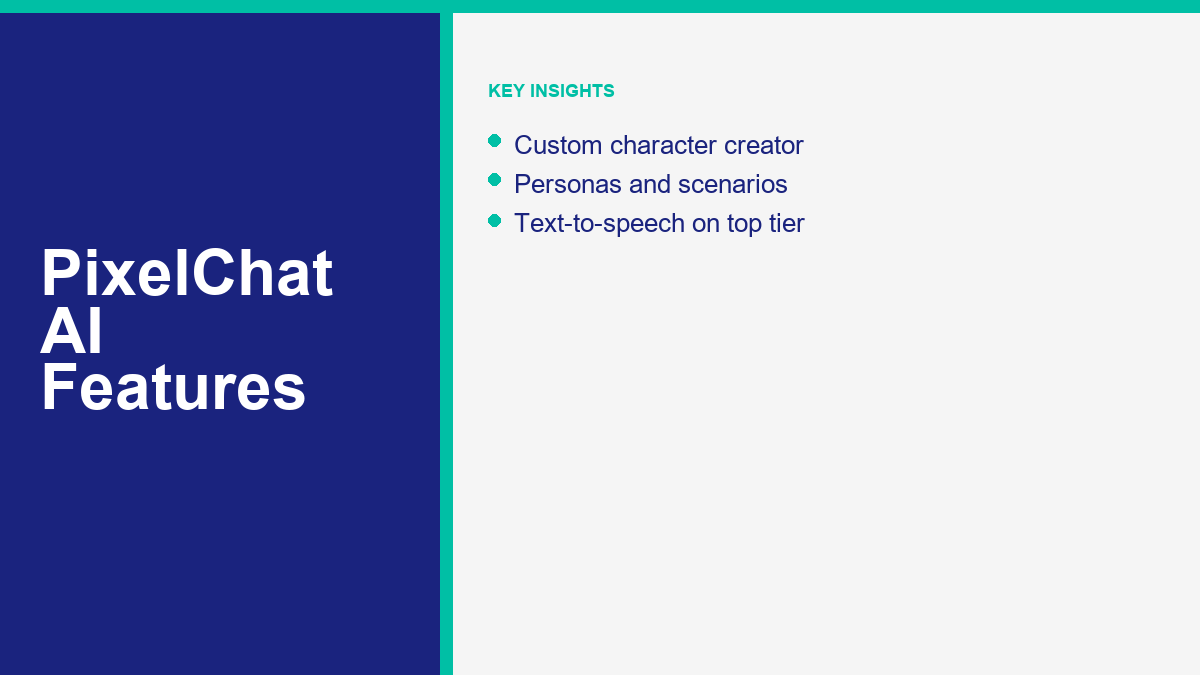
First, the character creation suite is highly detailed. When building a bot, you can specify its name, write a comprehensive backstory, define its core motivation, and set specific dialogue examples. The dialogue examples are particularly useful, as they show the AI exactly how the character should structure its sentences, handle slang, or use specific vocabulary. You can also upload a custom avatar image and set the initial greeting message that starts the chat. This initial message is crucial because it establishes the starting point and mood for the entire roleplay session.
Second, the platform supports user personas. A persona is a profile that defines your own identity within the chat, including your name, backstory, and appearance. By setting up a persona, you ensure that the AI characters know who they are talking to without you needing to explain your details in the chat. This feature is highly beneficial for roleplayers who switch between different stories or want to interact with characters under different names. You can maintain multiple personas and switch between them depending on the character you are chatting with.
Third, PixelChat AI offers robust scenario customization. Before starting a chat, you can set the environment, time period, and initial conflict for the conversation. For instance, you can specify that the chat takes place in a quiet library during a rainstorm or on a spaceship traveling to another galaxy. The AI reads this scenario description and weaves it into the character’s responses, maintaining the setting throughout the roleplay. This context-aware generation ensures that the characters remain grounded in the physical environment defined by the user.
Finally, the platform includes community features that allow users to share their creations. You can browse popular characters, search for specific tags, and rate bots created by other users. Characters can be set to public, unlisted (accessible only via a direct link), or completely private, giving you full control over who can interact with your designs. The community portal is updated in real-time, showcasing trending characters and highlighting new, highly-rated creations.
Is PixelChat AI Safe, Private, and Legit?
When using any AI companion platform, safety and privacy are critical factors to evaluate. PixelChat AI operates as a legitimate platform, using standard security protocols to protect user accounts and handle transactions. However, because the system stores chat histories on cloud servers to maintain character memory, users must exercise caution regarding the information they share.
First, you should never input sensitive personal data into the chat. Avoid sharing real names, home addresses, financial details, passwords, or professional secrets with AI characters. Even though PixelChat AI uses secure databases, AI conversations are processed by cloud servers, and sharing private info carries inherent risks. Treat the chat box as a public-facing text field and keep all interactions fictional or general. This precaution is standard for all consumer-facing AI apps, as data transmission and storage can be vulnerable to security risks.
Second, pay attention to content settings and age-appropriate use. Like most open-ended character-chat apps, PixelChat AI allows free-form roleplay, so a conversation is only as suitable as the character and prompts you choose. The app is geared toward teen and adult users rather than young children, and it does not apply the strict, locked-down filters found on education-focused AI tools. If you are a parent, treat it like any social or chat app: supervise younger users, review the character a minor is interacting with, and use any available content controls in the account settings.
Third, regarding content ownership, characters created on the platform remain linked to your account. You can delete your characters or make them private at any time. PixelChat AI’s terms of service state that the platform uses chat data to improve its models, which is standard practice across the AI industry. If you want maximum privacy, you should check the account settings to opt-out of data training features if available. Be sure to review the updated privacy settings regularly to ensure your account matches your comfort level.
PixelChat AI Pricing: Free Access vs. Premium Subscription
PixelChat AI uses a freemium model to distribute its features. This approach allows casual users to test the conversational engine and character creator without paying, while charging a subscription fee for heavy users who require advanced capabilities and faster response times.
The Free Tier provides basic access to the platform. Free users can browse the community directory, create their own characters, and send text messages. However, free accounts are subject to limitations. During periods of high traffic, free users may experience delays or wait times before characters respond. Additionally, the context memory for free accounts is typically capped at a lower level, meaning characters may forget past details more quickly during long chat sessions. The free tier also includes ads, which help support the hosting and computing costs of the platform.
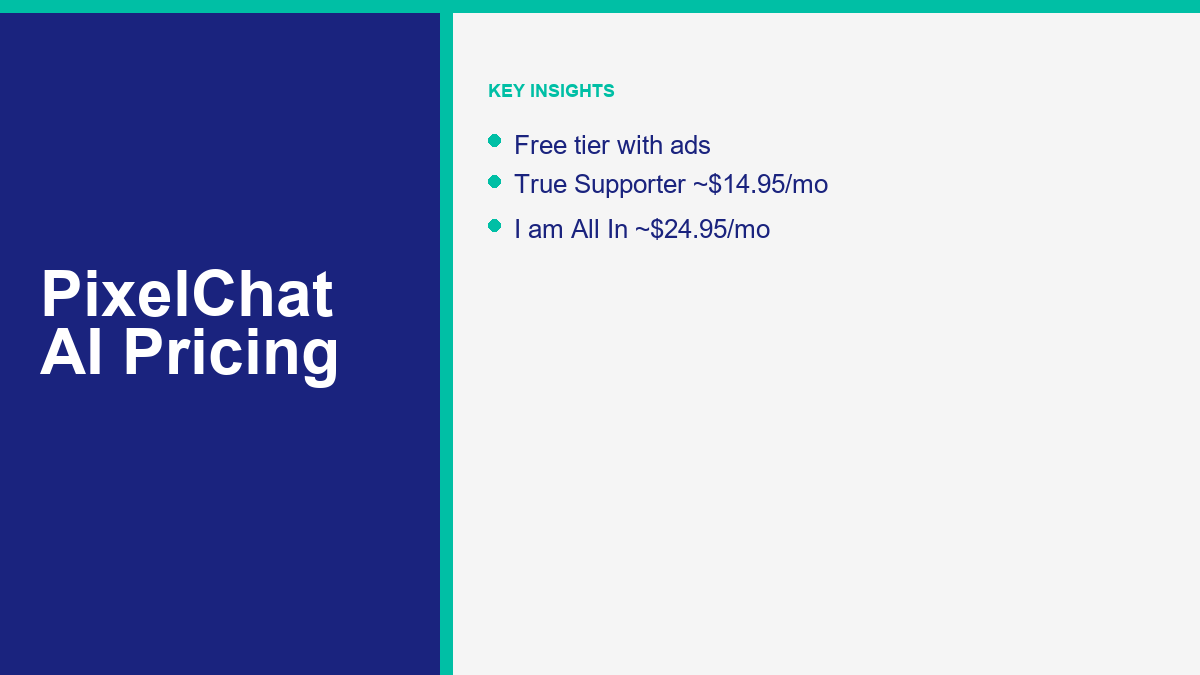
The paid plans remove these limits across three tiers. The entry “Get A Taste” tier adds an ad-free interface, a 4K context memory, and up to 10 user personas. “True Supporter,” priced around $14.95 per month, raises memory to 8K with Semantic Memory 2.0, longer responses (about 300 tokens), access to advanced AI models, 50 personas, and conversation images for select characters. The top “I’m All In” tier, around $24.95 per month, extends memory to 16K and adds text-to-speech voices, priority generation, the PixelXL model, 100 personas, and conversation images for all characters. (Plan names and prices can change, so confirm current details on the official site before subscribing.)
To help you compare the options, here is a breakdown of the free and paid tiers on PixelChat AI in 2026:
| Stufe | Approx. Price | Context Memory | Key Perks |
|---|---|---|---|
| Kostenlos | $0 | Standard (shorter window) | Create & chat, browse the community, ad-supported |
| Get A Taste | Entry paid tier | 4K | Ad-free, up to 10 user personas |
| True Supporter | ~$14.95 / month | 8K | Semantic Memory 2.0, ~300-token responses, advanced models, 50 personas, conversation images (select characters) |
| I’m All In | ~$24.95 / month | 16K | Text-to-speech, priority generation, PixelXL model, 100 personas, conversation images (all characters) |
For casual roleplayers, the free tier offers a great way to explore the platform. However, if you plan to write long, detailed stories or want to ensure your custom characters remember complex details over weeks of interaction, upgrading to the premium tier is a practical choice.
How to Sign Up and Get Started
Registering for PixelChat AI is a simple process that takes only a few minutes. You can start by visiting the official website or downloading the mobile application from the Google Play Store.
To create an account, click the sign-up button on the home page. You can register using an email address and password, or you can link a Google account for faster registration. Once you confirm your email, you will be directed to the main dashboard, where you can set up your user profile.
After logging in, your first step should be to configure your user persona. Go to the profile settings, select the persona option, and fill in your name, physical description, and brief backstory. This ensures that every character you chat with starts the conversation with context about who you are. This simple setup step saves you from repeating personal details in the future.
Next, you can browse the community page to find a character that matches your interests. You can search by tags, such as fantasy, comedy, history, or adventure. When you find a character, click on their profile and select the chat button to begin. You can send a simple greeting to start the roleplay, and the AI will respond based on its designed personality and the initial scenario. If you prefer to build your own character, click the create button, fill in the backstory and description fields, and save the character as private or unlisted to test it before sharing it with the community.
PixelChat AI vs. Character AI, Kindroid, and Nomi AI
When evaluating PixelChat AI, comparing it to other leading platforms in the companion space helps highlight its strengths and weaknesses. The primary competitors in 2026 are Character AI, Kindroid, and Nomi AI.
Character AI is the largest platform in this category, offering a massive community library and fast response times. However, Character AI enforces strict content moderation filters that block mature or sensitive themes. PixelChat AI is more flexible, allowing mature content while maintaining a simpler interface. If you find Character AI’s filters too restrictive, PixelChat AI represents a solid alternative. For a list of other options, check out our guide on character AI alternatives in 2026: the best apps like character AI.
Kindroid AI is known for its highly detailed, realistic avatar generation and advanced language models that excel in long-form roleplay. While Kindroid offers deep immersion, it requires a higher subscription cost and has a steeper learning curve for character creation. PixelChat AI is more accessible for beginners who want to chat immediately without configuring complex prompt variables. For a detailed review of Kindroid, read about Kindroid AI in 2026: companion app guide, pricing, and safety.
Nomi AI is recognized for its outstanding memory retention and emotional intelligence, making it excellent for building long-term relationships with digital companions. However, Nomi AI is highly focused on individual companions rather than a large directory of community-created characters. PixelChat AI, by contrast, is built around community sharing and rapid character discovery. You can view our breakdown of Nomi AI: what it is, how it works, and what it costs in 2026 to see how its companion system differs from PixelChat AI.
For general utility or productivity chatbots, consult the list of the best free AI chatbots in 2026: 15 tools you can use without paying a cent. While these companion apps are designed for entertainment, businesses looking to build functional customer communication workflows should MessengerBot-Preise anzeigen oder schauen Sie sich MessengerBot Pro Funktionen to see how dedicated professional automation platforms can streamline business operations.
Tips for Having Better Conversations on PixelChat AI
To get the most out of your chats on PixelChat AI, using proper formatting and prompting techniques can significantly improve the quality of the AI’s responses. By structuring your inputs clearly, you help the language model maintain the narrative flow.
First, use standard roleplay formatting. Wrap physical actions and thoughts in asterisks and write direct dialogue in quotation marks. For example, you can write: *I walk into the quiet office and sit down at the desk.* “Hello, can you help me with this project?” This formatting helps the AI separate what your character is doing from what they are saying, leading to cleaner responses. It also helps the AI generate its own physical descriptions and speech patterns in a structured format.
Second, provide descriptive inputs. Simple, one-word messages like “Hi” or “Ok” do not give the AI enough context to generate an interesting response. Instead, write 2-3 sentences that describe your character’s reaction, their surrounding environment, or their emotional state. The more detail you provide, the richer the AI’s response will be. Longer messages encourage the AI to respond with equal detail, preventing dry or repetitive loops.
Third, manage the character’s memory. If a character forgets a past event, weave the detail back into your next prompt rather than correcting the AI directly. For example, instead of saying “You forgot that we met yesterday,” write: *I remind you of our meeting yesterday as we walk along the street.* This keeps the narrative immersive without breaking the roleplay. You can also utilize the built-in memory management features of the premium tier to lock key facts in place.
Finally, adjust the character’s settings if you are the creator. If the responses start to sound repetitive, update the backstory description with new details or add fresh dialogue examples. Small changes to the character’s profile can refresh their conversational style and prevent the dialogue from stalling. Regularly tweaking your bots ensures they remain interesting conversational partners over months of use.
Häufig gestellte Fragen
Is PixelChat AI free to use?
Yes, PixelChat AI offers a free tier that allows users to create custom characters, browse the community directory, and send text messages. However, free users may experience response delays during busy hours and have smaller memory limits. To remove these limits and access advanced features, users can upgrade to a premium subscription.
Can I use PixelChat AI on my phone?
Yes, PixelChat AI is accessible on mobile devices. You can use the platform through your mobile web browser, or you can download the official application from the Google Play Store for a native mobile experience.
Is PixelChat AI safe for kids?
PixelChat AI is geared toward teen and adult users rather than young children. Because it allows open-ended roleplay and does not use the strict filters found on education-focused tools, a conversation is only as appropriate as the character and prompts chosen. Parents should supervise younger users, review who a minor is chatting with, and use any available content controls in the settings.
How do I make my PixelChat character remember details better?
To improve character memory, you can upgrade to the premium subscription, which unlocks larger context windows and memory managers. Additionally, you should write clear backstories and weave past events back into your prompts to remind the character of important facts during the chat.
Can I build private characters on PixelChat AI?
Yes, when you create a character, you can set its visibility to private, unlisted, or public. Private characters are only visible to you, while unlisted characters can be shared with others via a direct link. Public characters are added to the community directory for anyone to use.



 Deutsch
  English
  Tagalog
  简体中文
简体中文  العربية
  हिन्दी
  Português do Brasil
  Español de México
  Français
  বাংলা
বাংলা  香港中文
香港中文  繁體中文
繁體中文  Nederlands
  Bahasa Indonesia
  日本語
日本語  한국어
한국어  Polski
  Русский
  Español
  Tiếng Việt