

Puntos Clave
- Creación de Bots de Kik Maestro: Aprende el proceso paso a paso para crear tu propio bot de Kik, desde configurar tu cuenta hasta lanzar y monitorear el rendimiento.
- Mejorar el compromiso del usuario: Utiliza bots de Kik para disponibilidad 24/7, interacciones personalizadas y soporte multimedia para mantener a los usuarios comprometidos y satisfechos.
- Perspectivas de Costos: Entiende el rango de costos asociados con el desarrollo de bots de Kik, desde bots básicos hasta avanzados, y los factores que influyen en los precios.
- Comandos Amigables para el Usuario: Implementa comandos intuitivos y mecanismos de retroalimentación para asegurar interacciones fluidas de los usuarios con tu bot de Kik.
- Explora Herramientas Esenciales: Descubre plataformas clave como Dialogflow y Chatfuel que facilitan el proceso de creación de bots sin necesidad de habilidades de programación.
Bienvenido a la guía definitiva sobre cómo hacer un bot de Kik, donde desentrañaremos el fascinante mundo de los bots de Kik y te empoderaremos con el conocimiento para crear el tuyo propio. Ya sea que tengas curiosidad sobre los conceptos básicos de los bots de Kik, estés ansioso por aprender cómo integrarlos en tu comunicación, o te preocupen los costos y la legalidad del desarrollo de bots, este artículo te tiene cubierto. Exploraremos temas esenciales como el proceso paso a paso de construir un bot de Kik, las herramientas que necesitas y cómo añadir bots a tu experiencia de Kik sin problemas. Además, profundizaremos en los aspectos financieros de la creación de bots y navegaremos por el panorama legal para asegurarnos de que cumplas con las políticas de Kik. Al final de esta guía, no solo entenderás cómo hacer un bot de Kik sino que también descubrirás consejos para crear comandos amigables para el usuario y dónde encontrar las mejores opciones en la tienda de bots de Kik. ¡Prepárate para dominar el arte de los bots de Kik!
Entendiendo los Fundamentos de los Bots de Kik
Los bots de Kik son programas automatizados diseñados para interactuar con los usuarios en la plataforma de mensajería Kik. Aprovechan la inteligencia artificial para proporcionar respuestas, involucrar a los usuarios y facilitar diversas tareas, haciendo que la comunicación sea más eficiente. Al entender cómo funcionan los bots de Kik, puedes aprovechar sus capacidades para mejorar tu experiencia de mensajería.
¿Qué son los bots de Kik y cómo funcionan?
Para crear un bot de Kik, sigue estos pasos detallados:
- Configura tu Cuenta de Kik: Asegúrate de tener una cuenta de Kik. Descarga la aplicación de Kik desde la App Store o Google Play, y regístrate si aún no lo has hecho.
- Accede al Panel de Control de Bots de Kik:
- Abre la aplicación de Kik y toca el ícono de engranaje para acceder a la configuración.
- Selecciona "Tu Código de Kik" y escanea el código de Kik proporcionado en el sitio web de desarrolladores de Kik para acceder al chatbot de Botsworth.
- Crea tu Bot:
- Después de escanear, elige "Sí" para abrir el Panel de Control de Bots.
- Haz clic en "Crear un Bot" para comenzar el proceso de creación del bot.
- Configura tu Bot:
- Completa los detalles requeridos como el nombre del bot, descripción y avatar.
- Elige la configuración apropiada para tu bot, incluyendo opciones de privacidad y preferencias de interacción del usuario.
- Desarrolla la Funcionalidad de tu Bot:
- Utiliza Amazon Lex u otros marcos de chatbot para definir las respuestas y capacidades del bot. Amazon Lex permite el procesamiento del lenguaje natural, lo que permite que tu bot entienda las consultas de los usuarios de manera efectiva.
- Implement features such as text responses, quick replies, and rich media sharing to enhance user engagement.
- Prueba Tu Bot:
- Before launching, thoroughly test your bot to ensure it responds accurately and provides a seamless user experience. Use Kik’s testing tools to simulate conversations.
- Lanza Tu Bot:
- Once testing is complete, publish your bot on Kik. Promote it through social media and other channels to attract users.
- Monitorear y optimizar:
- After launch, monitor user interactions and feedback. Use analytics tools to track performance and make necessary adjustments to improve functionality and user satisfaction.
For further insights on bot development, consider reviewing resources from the Kik Developer Portal and Amazon Lex documentation, which provide comprehensive guides and best practices for creating effective chatbots.
The benefits of using Kik bots for communication
Utilizing Kik bots for communication offers numerous advantages:
- Disponibilidad 24/7: Kik bots can engage users at any time, ensuring that inquiries are addressed promptly, even outside of regular business hours.
- Mejora del Compromiso del Usuario: By providing interactive experiences, Kik bots can keep users engaged, leading to higher satisfaction and retention rates.
- Comunicación rentable: Automating responses reduces the need for extensive customer service teams, allowing businesses to save on operational costs.
- Personalización: Kik bots can be programmed to deliver personalized messages based on user behavior and preferences, enhancing the overall user experience.
Incorporating Kik bots into your communication strategy can significantly improve efficiency and user satisfaction, making them a valuable tool for any business looking to enhance its digital presence.
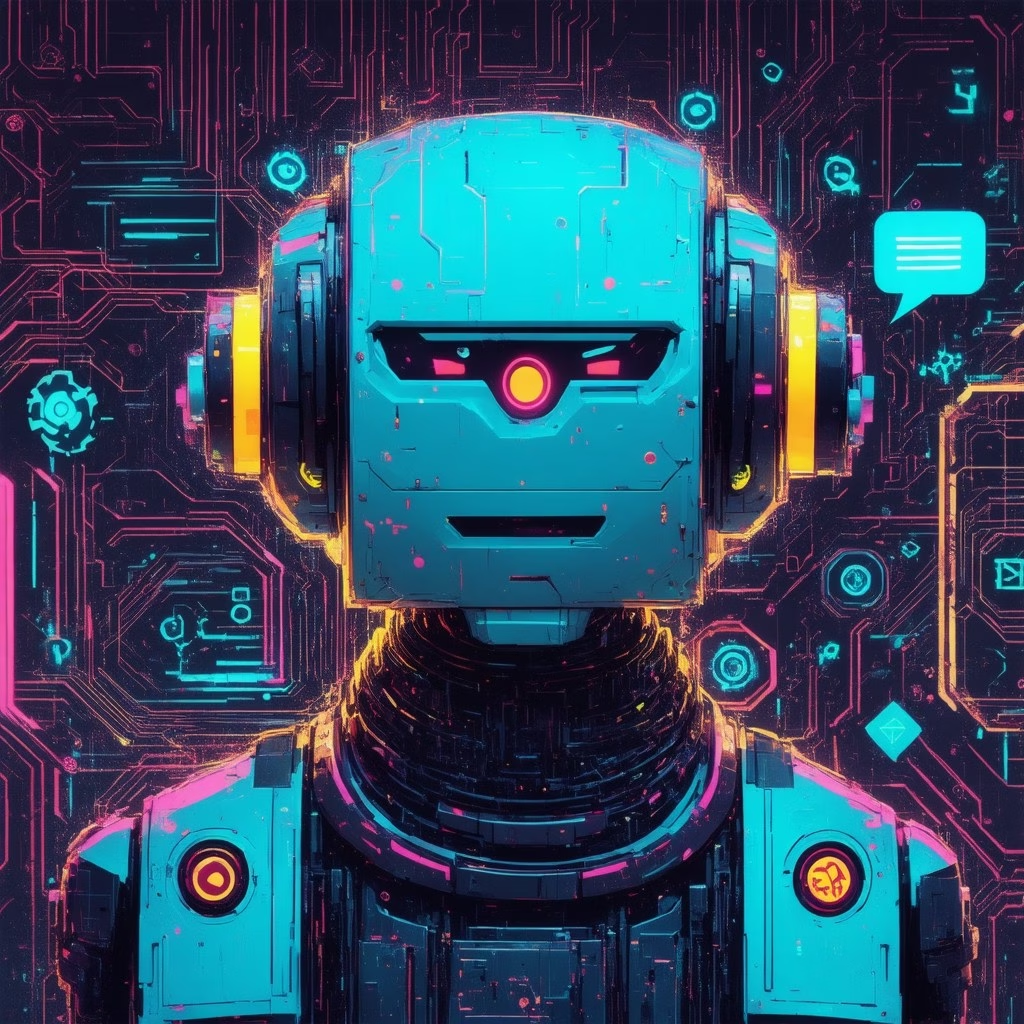
Creating Your Own Kik Bot
Step-by-step guide on how to make a Kik bot
Yes, you can definitely create your own chatbot without any coding experience! Here’s a comprehensive guide to help you get started:
1. **Choose a No-Code Platform**: There are several user-friendly platforms that allow you to build chatbots without programming skills. Some popular options include:
– **ChatbotBuilder.net**: This platform offers a simple drag-and-drop interface, making it easy to design your chatbot and customize its responses based on your specific needs.
– **ManyChat**: Ideal for creating chatbots for Facebook Messenger, ManyChat provides templates and automation tools to engage users effectively.
– **Tidio**: This tool integrates with websites and offers live chat features alongside chatbot functionalities, enhancing customer interaction.
2. **Define Your Chatbot’s Purpose**: Before building, clarify what you want your chatbot to achieve. Whether it’s for customer service, lead generation, or providing information, having a clear goal will guide your design.
3. **Design Conversational Flows**: Map out the potential conversations your chatbot will have. Use flowcharts to visualize user interactions and ensure that the bot can handle various scenarios effectively.
4. **Train Your Chatbot**: Utilize the training features of your chosen platform to input custom data and responses. This will help your chatbot understand user queries better and provide relevant answers.
5. **Test and Iterate**: Once your chatbot is built, conduct thorough testing to identify any issues or areas for improvement. Gather feedback from users and make necessary adjustments to enhance performance.
6. **Launch and Monitor**: After testing, launch your chatbot and monitor its interactions. Use analytics tools provided by the platform to track user engagement and refine your bot over time.
For more detailed guidance, you can refer to resources like the Asistente de Chat AI y Escritor AI, which provide insights into best practices and advanced features for chatbot development. By leveraging these tools and strategies, you can create an effective and engaging chatbot tailored to your needs.
Essential tools and platforms for bot creation
When embarking on your journey to make a Kik bot, selecting the right tools is crucial. Here are some essential platforms that can streamline your bot creation process:
– **Kik Bot Shop**: This is a great starting point for exploring existing Kik bots and understanding what functionalities are popular among users. You can find inspiration and ideas for your own bot by browsing through the offerings in the Kik Bot Shop.
– **Dialogflow**: A powerful tool by Google that allows you to create conversational interfaces. It supports natural language processing, making it easier for your Kik bot to understand user inputs and respond appropriately.
– **Chatfuel**: This platform is particularly user-friendly for beginners. It offers a visual interface for building bots and is perfect for those looking to create a Kik bot without any coding knowledge.
– **Botpress**: An open-source platform that provides flexibility and control over your bot’s functionalities. It’s ideal for developers who want to customize their Kik bot extensively.
By utilizing these tools, you can effectively streamline the process of creating your Kik bot, ensuring it meets your specific needs and engages users effectively.
Integrating Bots into Your Kik Experience
How to add bots on Kik: A simple walkthrough
To add bots on Kik, follow these detailed steps:
1. **Open the Kik App**: Launch the Kik application on your device and log in to your account.
2. **Access the Chat List**: On the home screen, locate the chat list. This is where you can see your existing conversations.
3. **Select the “+” Icon**: Tap the “+” icon, typically found at the top right corner of the chat list. This will open up additional options.
4. **Choose “Discover Bots”**: From the menu that appears, select the “Discover Bots” option. This section showcases a variety of bots available for interaction.
5. **Browse Available Bots**: You will see a list of bots categorized by popularity or functionality. Take your time to explore the options available.
6. **Select a Bot**: Once you find a bot that interests you, tap on its profile or name to view more details about its features and capabilities.
7. **Start Chatting**: After selecting the bot, you can initiate a conversation by tapping the “Chat” button. Follow any prompts provided by the bot to engage with its services.
For a more comprehensive experience, consider exploring bots that can enhance your Kik interactions, such as those that provide games, news updates, or customer service. According to a study by Business Insider, chatbots are increasingly becoming integral to social media platforms, improving user engagement and satisfaction (Business Insider, 2023).
Exploring the Kik bots list for popular options
When diving into the Kik bots list, you’ll discover a plethora of options tailored to various interests and needs. Here are some popular categories of Kik bots you might want to explore:
– **Entertainment Bots**: These bots provide games, quizzes, and interactive storytelling experiences, making your conversations more engaging.
– **News and Information Bots**: Stay updated with the latest news, weather forecasts, or sports scores through bots that deliver real-time information.
– **Customer Service Bots**: Many brands utilize Kik bots to offer customer support, answering queries and assisting with issues directly within the app.
To find the best Kik bots, consider visiting the [Kik Bot Shop](https://messengerbot.app/) where you can browse through various bots and their functionalities. This resource can help you make informed decisions on which bots to integrate into your Kik experience, enhancing your communication and interaction on the platform.
Understanding the Costs of Bot Development
When considering how to make a Kik bot, understanding the associated costs is crucial. The cost of developing a chatbot in 2025 can vary significantly based on several factors, including the complexity of the chatbot, the technology stack used, and the development team’s expertise. Here’s a detailed breakdown of the costs associated with building a chatbot:
- Chatbots Básicos: For simple chatbots that handle basic queries and provide automated responses, costs typically range from $10,000 to $20,000. These chatbots often utilize predefined scripts and limited functionality.
- Chatbots Moderadamente Complejos: Chatbots that incorporate natural language processing (NLP) and can engage in more sophisticated conversations generally cost between $30,000 and $75,000. These bots may also integrate with existing systems and databases for enhanced functionality.
- Chatbots Avanzados: Fully functional chatbots with advanced features such as machine learning capabilities, personalized user experiences, and multi-channel support can range from $75,000 to $150,000. These chatbots often require extensive development time and ongoing maintenance.
- Costos Continuos: In addition to initial development costs, businesses should consider ongoing expenses such as hosting, updates, and customer support, which can add an additional 15-20% of the initial development cost annually.
Varios factores influyen en estos costos:
- Equipo de Desarrollo: The choice between hiring an in-house team versus outsourcing to a specialized agency can impact costs significantly.
- Technology Stack: The choice of platforms (e.g., Messenger Bot, Slack, or custom solutions) and tools used for development can also affect pricing.
- Necesidades de Integración: Chatbots that need to integrate with CRM systems, payment gateways, or other software will incur higher costs due to the complexity involved.
In conclusion, the total cost to create a chatbot in 2025 can range from $10,000 for basic models to upwards of $150,000 for advanced systems, depending on the specific requirements and features desired. For more detailed insights, refer to industry reports and case studies from sources such as Gartner and Forrester Research, which provide comprehensive analyses of chatbot development trends and costs.
Factors Influencing the Pricing of Kik Bots
When you decide to make a Kik bot, it’s essential to consider various factors that can influence the pricing:
- Funcionalidad: The more features you want, the higher the cost. Basic functionalities will be less expensive compared to advanced features like AI integration or multi-platform support.
- Personalización: Custom-built bots tailored to specific needs will typically cost more than off-the-shelf solutions available in the Kik Bot Shop.
- Mantenimiento y Actualizaciones: Ongoing support and updates are necessary to keep your bot running smoothly, which adds to the overall cost.
Understanding these factors will help you budget effectively and make informed decisions when you set out to make a Kik bot.

Building a Basic Kik Bot
Cuando decides make a Kik bot, it’s essential to focus on the key features that will enhance user interaction and engagement. A well-designed Kik bot can significantly improve communication and provide a seamless experience for users. Here are some critical aspects to consider:
Key Features to Include When You Make a Kik Bot
- Respuestas automáticas: Implementing automated responses is crucial for ensuring that users receive timely answers to their inquiries. This feature can help maintain engagement and reduce response times.
- Comandos Amigables para el Usuario: Crafting intuitive commands is vital. Users should easily understand how to interact with your bot. Consider using simple phrases or keywords that trigger specific actions.
- Personalización: Incorporating personalization features can enhance user experience. Tailoring responses based on user preferences or previous interactions can make conversations feel more engaging.
- Soporte multimedia: Allow your Kik bot to send images, videos, or GIFs. This can make interactions more dynamic and visually appealing, capturing users’ attention effectively.
- Mecanismo de Retroalimentación: Implement a way for users to provide feedback on their experience with the bot. This can help you refine and improve the bot over time.
Tips for Making Kik Bot Commands User-Friendly
Creating user-friendly commands is essential for the success of your Kik bot. Here are some tips to ensure that users can easily navigate and interact with your bot:
- Keep Commands Short: Use concise commands that are easy to remember. Avoid complex phrases that may confuse users.
- Provide Examples: Offer examples of commands within the bot’s introduction or help section. This can guide users on how to interact effectively.
- Usa Lenguaje Natural: Design commands that mimic natural conversation. This can make users feel more comfortable and encourage them to engage with the bot.
- Test with Real Users: Before launching your Kik bot, conduct user testing to gather feedback on command usability. This can help identify any areas for improvement.
- Actualizaciones periódicas: Continuously update the commands based on user feedback and changing trends. This ensures that your Kik bot remains relevant and user-friendly.
Building a Basic Kik Bot
Creating a Kik bot can be an exciting venture, allowing you to automate interactions and enhance user engagement. Here’s a step-by-step guide on how to make a Kik bot that meets your needs.
Key Features to Include When You Make a Kik Bot
- Define el Propósito de tu Bot: Determine the primary function of your Kik bot, whether it’s for customer support, entertainment, or information dissemination.
- Comandos Amigables para el Usuario: Design commands that are intuitive and easy for users to remember, such as “/help” or “/start.”
- Personalización: Incorporate features that allow the bot to address users by their names and remember past interactions.
- Soporte multimedia: Enable your Kik bot to send images, videos, and links to enrich conversations.
- Mecanismo de Retroalimentación: Include a way for users to provide feedback on their experience with the bot, helping you to improve its functionality.
Tips for Making Kik Bot Commands User-Friendly
- La simplicidad es clave: Keep commands short and straightforward to avoid confusion.
- Usa un lenguaje claro: Ensure that the language used in commands is clear and easily understandable.
- Provide Examples: Offer examples of commands in the bot’s introduction to guide users on how to interact.
- Test with Real Users: Conduct user testing to gather insights on how intuitive your commands are and make adjustments as necessary.
How to Create a Basic Chat Bot
Key Features to Include When You Make a Kik Bot
When you decide to make a Kik bot, it’s essential to incorporate key features that enhance user interaction and functionality. Here are some vital features to consider:
– **User-Friendly Interface**: Ensure that your Kik bot has an intuitive interface that allows users to navigate easily. A simple design can significantly improve user experience.
– **Automated Responses**: Implement automated responses to common queries. This feature helps in providing instant answers, making your bot more efficient.
– **Personalization**: Use user data to personalize interactions. Tailoring responses based on user preferences can increase engagement and satisfaction.
– **Multimedia Support**: Allow your bot to send images, videos, and GIFs. This capability can make conversations more engaging and visually appealing.
– **Feedback Mechanism**: Include a way for users to provide feedback on their experience. This can help you improve the bot over time.
By focusing on these features, you can create a Kik bot that not only meets user expectations but also stands out in the crowded Kik bot landscape.
Tips for Making Kik Bot Commands User-Friendly
Creating user-friendly commands is crucial for the success of your Kik bot. Here are some tips to ensure your commands are effective:
– **Keep Commands Simple**: Use straightforward language for commands. Avoid jargon or complex phrases that might confuse users.
– **Provide Clear Instructions**: When users interact with your bot, offer clear instructions on how to use commands. This can be in the form of a welcome message or a help command.
– **Limit Command Options**: Too many options can overwhelm users. Limit the number of commands to the most essential ones to streamline the experience.
– **Use Consistent Formatting**: Maintain a consistent format for commands. This helps users remember how to interact with your bot effectively.
– **Test and Iterate**: Regularly test your commands with real users and gather feedback. Use this information to refine and improve the command structure.
By implementing these strategies, you can enhance the usability of your Kik bot, making it more accessible and enjoyable for users.



 Español de México
  English
  Tagalog
  简体中文
简体中文  العربية
  हिन्दी
  Português do Brasil
  Français
  বাংলা
বাংলা  香港中文
香港中文  繁體中文
繁體中文  Nederlands
  Deutsch
  Bahasa Indonesia
  日本語
日本語  한국어
한국어  Polski
  Русский
  Español
  Tiếng Việt