
Si buscaste aplicación de mensajería gratuita, hay una buena posibilidad de que te refieras a una de dos cosas: quieres la descarga oficial gratuita de Facebook Messenger, o quieres la mejor aplicación de mensajería gratuita que no te atrapará en APKs falsos, tarifas sorpresa o privacidad débil. Esas no son la misma pregunta, y la mayoría de las páginas las confunden.
Official app-store listings and first-party product pages were reviewed on October 23, 2026. Features, account options and paid extras can vary by country, device and account; check the linked source before installing or subscribing. If you want the broader feature breakdown for Meta’s own app beyond the download angle, start with the guía completa de la aplicación Messenger.
The short version is simple. A legit free messenger download should come from the App Store, Google Play, or the app’s official download page. Not from a random APK mirror, not from a “Messenger Pro unlocked” blog post, and not from a third-party Windows installer that quietly ships extra junk with it. An unofficial installer may put your account access, contacts or device permissions at risk.
La verdadera decisión se reduce a tres cosas: dónde están ya tus contactos, cuánta privacidad realmente necesitas y qué costos ocultos estás dispuesto a tolerar cuando “gratis” deja de significar simple.
Qué hace que una aplicación de mensajería sea verdaderamente gratuita en 2026 (Anuncios, Datos, Compensaciones)
Una aplicación de mensajería gratuita en 2026 puede significar cuatro cosas diferentes. Puede ser gratuita para instalar. Puede ser gratuita para enviar mensajes sin suscripción. Puede estar libre de anuncios. O puede estar libre de bloqueo de cuenta y requisitos de número de teléfono. Muy pocas aplicaciones te ofrecen las cuatro a la vez.
WhatsApp dice que más de 3 mil millones de personas en más de 180 países la utilizan, y su descripción oficial aún enmarca la aplicación como gratuita sin tarifas de suscripción, aunque también señala que pueden aplicarse cargos de datos. Messenger también sigue siendo gratuito para descargar, con la lista de Google Play de Meta mostrando 5B+ descargas y características como llamadas, compartir archivos de 100 MB y edición de mensajes de 15 minutos. Las preguntas frecuentes de Telegram dicen que la aplicación principal se mantiene gratuita, pero también explica que la empresa ahora se financia parcialmente a través de mensajes patrocinados en algunos canales públicos y a través de Telegram Premium. La lista de Signal en la App Store sigue siendo la opción más clara de “gratis significa gratis” porque dice que el servicio se financia con donaciones, no con anunciantes o inversores. Sesión va aún más lejos en la privacidad de registro al decir que no se requiere número de teléfono ni correo electrónico para crear una cuenta.
| Aplicación | Ruta de descarga gratuita legítima | Lo que es realmente gratuito | Principal compensación | Mejor para |
|---|---|---|---|---|
| Mensajero | Google Play / App Store / ayuda oficial de Meta | Mensajería, llamadas, grupos, intercambio de archivos | Facebook-linked account model; regional sign-up options differ | Personas que ya viven en Facebook y Messenger |
| Página de descarga de Google Play / App Store / WhatsApp | Mensajería, llamadas, uso en múltiples dispositivos, sin suscripción | Identidad de número de teléfono, sin modelo verdadero de nombre de usuario primero | Familia, chat transfronterizo, mensajería para clientes de pequeñas empresas | |
| Telegram | App Store / Google Play / telegram.org | Mensajería básica, grupos gigantes, canales, bots, sincronización en múltiples dispositivos | El modelo de privacidad es más débil que Signal a menos que uses Chats Secretos | Usuarios avanzados, comunidades, creadores |
| Señal | App Store / signal.org / listado oficial de Android | Mensajería, llamadas, grupos, fuerte privacidad por defecto | Efecto de red más pequeño que Messenger o WhatsApp | Usuarios con enfoque en la privacidad |
| Sesión | Sitio oficial / iPhone / Android / escritorio | Mensajería sin registro de número de teléfono o correo electrónico | Base de usuarios de nicho y menor adopción general | Personas que quieren la menor exposición de identidad |
Así que cuando alguien dice que quiere un descarga gratuita de la aplicación de mensajería, la mejor pregunta es esta: ¿gratis en comparación con qué? Si te refieres a sin compra de la aplicación y sin suscripción mensual, Messenger, WhatsApp, Telegram, Signal, LINE, KakaoTalk y Viber califican. Si te refieres a sin anuncios, sin presión de seguimiento y sin camino de upsell pagado, la lista se acorta mucho.
Facebook Messenger: A Widely Used Free Messenger App in 2026
If your search really means el Messenger gratuito de Facebook, the answer is still yes: Messenger is free to download on iPhone and Android, and Meta’s official Google Play listing still shows 5B+ downloads. Meta also says you can find and connect with friends on Facebook and Messenger with no phone number needed, which still makes it one of the easiest apps for people who want social-graph messaging instead of contact-list messaging.
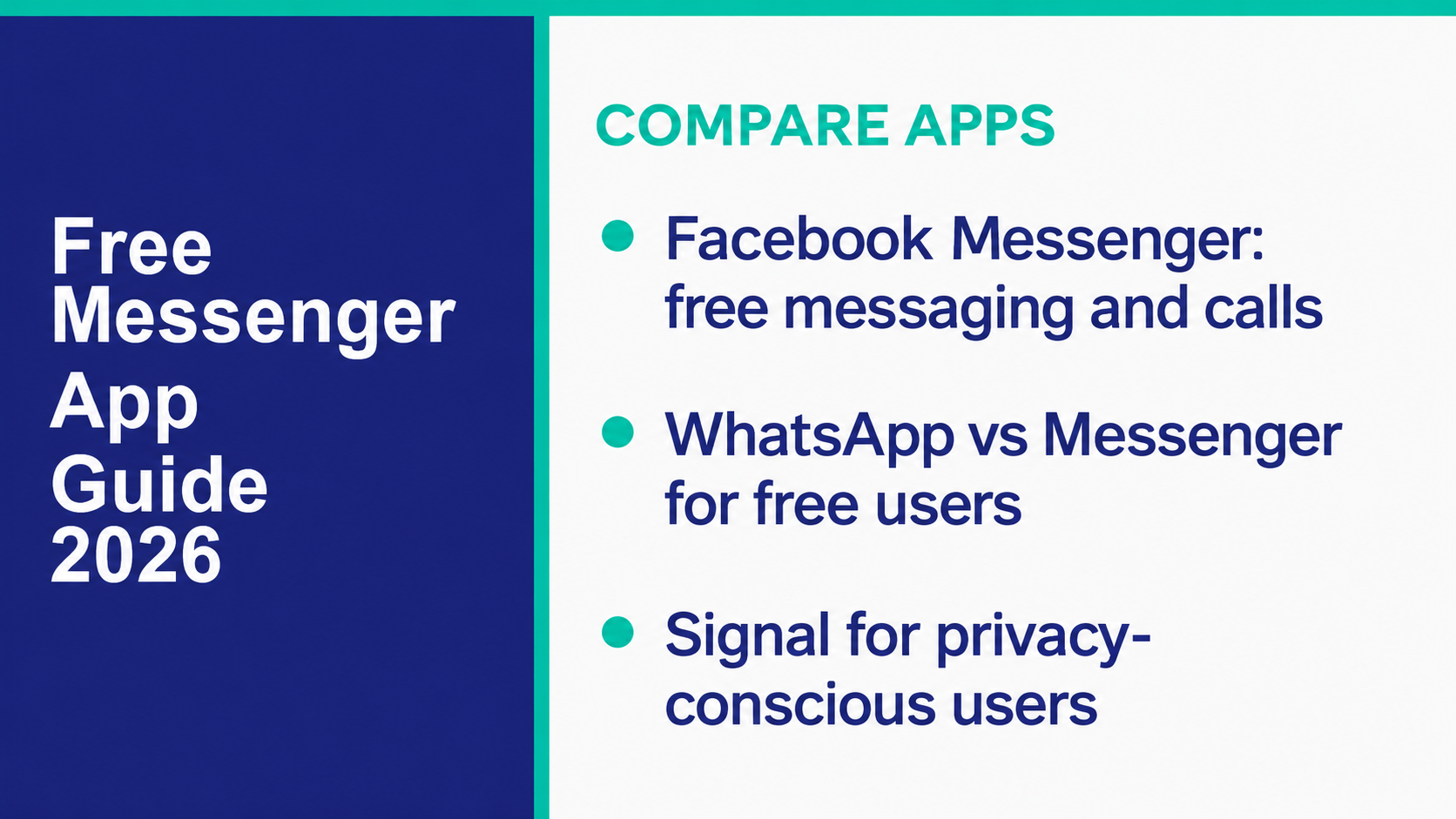
Messenger is still strong for three reasons. First, it rides on top of Facebook’s identity system, so a lot of people already have it. Second, it works well for mixed use: personal chats, family groups, creator channels, marketplace conversations, and business messages. Third, Meta keeps adding practical features instead of letting the app freeze in time. The current listing highlights HD photos, shared albums, files up to 100MB, QR-code adds, disappearing messages, and message editing for up to 15 minutes.
The biggest catch is the account model. Check Meta’s current Messenger account requirements rather than assuming that every sign-up screen is the same. Meta’s published European account choices describe a stand-alone Messenger account without Facebook information in the EU, EEA and Switzerland. Readers in the Philippines and the US should follow the options actually shown for their account, not assume a European option is available.
Privacy also depends on understanding the setup. Meta’s secure-storage explanation describes saving and restoring encrypted chat history across devices; the secure storage help page covers account-specific instructions. Meta’s published web troubleshooting guidance names Chrome, Safari, Firefox and Microsoft Edge, so this is not a Chrome-and-Edge-only feature. Check the current browser guidance if chat history is missing.
My practical recommendation is this. If your family, buyers, classmates, or customers already live inside Facebook, Messenger is still the lowest-friction free messenger app. If you want the full product breakdown, download options, and privacy caveats around Meta’s app specifically, the guía completa de la aplicación Messenger goes deeper than this download-focused version.
WhatsApp: How It Compares to Facebook Messenger for Free Use
WhatsApp is the cleanest answer for people who want a free messenger app that feels less tied to a social network. On its official About page, WhatsApp says more than 3 billion people in over 180 countries use the app. Its Google Play listing still says it is used by over 2B people, has 10B+ downloads, and supports secure voice and video calls with up to 32 people.
Compared with Messenger, WhatsApp feels simpler because the core idea has not changed: it is still contact-based messaging built around your phone number, not your Facebook profile. That makes it easier for cross-border families, remote teams, and small businesses that want one place for personal and business communication without also dragging in Marketplace threads, Facebook friend requests, or creator broadcasts.
Privacy is also easier to explain. WhatsApp’s security page says personal messages are protected by default privacy layers, and its About page still points to end-to-end encryption as a core product decision. In plain English, if privacy is your top reason for switching away from Messenger, WhatsApp is usually the easiest mass-market upgrade.
That said, WhatsApp is not better at everything. It is weaker than Messenger for reaching Facebook Pages, sellers, and businesses already active on Facebook. It also does not solve the phone-number issue. WhatsApp still uses your phone number as the account anchor, which is convenient for adoption and less ideal if you want more identity separation.
For readers in the Philippines, that tradeoff matters. If your conversations are family-heavy and international, WhatsApp is usually easier to keep consistent across different countries and carriers. If your conversations revolve around Facebook groups, page inboxes, and buy-and-sell threads, Messenger still wins on convenience. For readers in the US, WhatsApp is often the better free messenger download when you need one app that works across Android and iPhone without the iMessage divide.
Telegram: The Free Messenger App for Power Users
Telegram is the free messenger app I recommend when someone wants more control, more scale, and more flexibility than Messenger or WhatsApp usually give. Telegram’s own FAQ says it has over 1 mil millones de usuarios activos, supports groups for up to 200,000 personas, and lets you use the service across as many devices as you like at the same time.
That is why Telegram stays strong with creators, crypto communities, trading groups, fandoms, startup teams, and people who pass around giant files all day. Telegram’s App Store listing still emphasizes synced multi-device use, bots, and files up to 2 GB each, while the Premium FAQ highlights 4 GB uploads for paying users.
Free use is still real here. Telegram’s FAQ says private messaging is free and will stay free, with no subscription fees required for the core app. But Telegram is not “free” in the same clean sense as Signal. Telegram’s own FAQ says it monetizes partly through sponsored messages in certain public channels, and the App Store listing lists a $4.99 Telegram Premium purchase and a $35.99 annual option in the US storefront. Check the offer and billing period shown in your own app before paying.
This is also where privacy talk gets sloppy on the internet. Telegram is private enough for many normal users, but it is not the same as Signal. Telegram’s strongest privacy mode is Secret Chats, not every chat by default. If your priority is huge communities, cloud sync, bots, and power-user controls, Telegram is excellent. If your priority is “the strongest privacy defaults with the least explanation,” choose Signal instead.
The other reason Telegram works well for utility-minded users is download flexibility. Unlike many chat apps, it keeps official desktop and web options front and center on telegram.org. If you are searching for a free messenger download because you want an app on phone plus computer without fighting device limits, Telegram is one of the best answers in this guide.
Signal: Free Messenger With Privacy-First Defaults
Signal is the app I would hand to anyone who says, “I do not want the platform to be the business model.” Its App Store listing says the app is free, uses strong end-to-end encryption, supports group calls for up to 50 people, and supports group chats up to 1,000 people. The same listing also says Signal is independent, not for profit, and supported by donations rather than advertisers or investors.
That matters because most messenger-app comparisons get distracted by stickers, themes, and AI helpers. Signal’s real value is that the product incentives are different. You are not being pushed toward ads, channel monetization, or a social feed. You are using a communication tool that is built to know as little about you as possible.
Signal also improved the phone-number problem. Its official support documentation says usernames now let people start chats without you having to hand over your phone number, and by default your number is no longer visible to everyone you chat with. The standard phone-number registration flow still uses your number. Signal also documents an optional paid phone-numberless Android beta; that is a separate purchase-based route, not the free registration option described here.
So who should pick Signal? People handling sensitive conversations, journalists, activists, founders, legal teams, and regular users who are tired of the “free but noisy” tradeoff. The honest downside is adoption. Messenger and WhatsApp win on pure reach. Signal wins when you care more about how the app is built than how many random relatives already have it installed.
Free Messenger Apps That Work Without a Phone Number
This is the category where a lot of low-quality roundups get sloppy. If you mean strictly no phone number needed to sign up, the list is much shorter than people think. If you mean I want to chat without exposing my number to other people, the list gets a bit broader.
The cleanest strict answer is Sesión. Session’s official site says no phone number or email is required to sign up, because accounts use an Account ID instead. That makes Session one of the few legit free messenger apps in this guide that really fits the “without a phone number” headline in the literal sense.
After that, you move into partial answers:
- Signal: standard free registration uses a phone number, while Signal usernames let you start chats without sharing it with other people. The separately documented phone-numberless Android beta has a one-time purchase.
- Telegram: you still register with a phone number, but Telegram usernames let people find and message you without needing your number.
- Messenger: Meta’s app listing says no phone number is needed to connect with friends. Check the Messenger account requirements for your region; a stand-alone account option is documented for the EU, EEA and Switzerland.
If your goal is privacy from strangers rather than zero-number registration, Signal and Telegram are both workable. If your goal is true numberless sign-up, Session is the one I would mention first. Just be realistic about mainstream adoption. Session is a privacy tool first, not a universal default like WhatsApp or Messenger.
Free Messenger Apps for Businesses and Customer Support
For business use, “free messenger app” usually means one of two things: free customer chat on an app your audience already uses, or free starter tools before you outgrow them. Those are very different stages.
WhatsApp Business is still one of the strongest free starting points. The current lista de la App Store says the app is free to download, includes quick replies, away messages, labels, catalogs, and up to five linked web-based devices or phones on a standard account. It also lists optional Meta Verified purchases, including $14.99 in the US storefront. Check eligibility, the selected plan and its billing terms in your own account. For a solo business or small team, that is still one of the best free customer-support entry points anywhere.
Messenger for Pages is also more useful than people remember. Meta’s Business Suite app listing describes managing Facebook and Instagram activity, responding to messages and comments in one place, and automating responses. Check your Meta Business Suite Inbox for its connected channels and available automations; do not assume every account has the same controls. If your leads still come in through Facebook, this is where the free Facebook Messenger story gets practical instead of theoretical. The build path is straightforward: start with native automations, then graduate when you need branching flows, CRM syncing, or agent routing. If that is your lane, read the plataforma Messenger para empresas guide and the no-code Messenger auto reply tutorial.
LINE Official Account deserves a mention if your customers are in Japan, Taiwan, or Thailand. LINE’s help documentation says companies and stores can create official accounts that users add as friends, and its corporate page says LINE Messenger is the No. 1 messaging app in Japan, Taiwan, and Thailand. That is not a general US answer, but it is absolutely a real free-channel answer in the markets where LINE already owns the habit.
There is also a bigger trend worth noticing for Philippine readers. In Meta’s January 28, 2026 business update, the company said Business AIs in Mexico and the Philippines were already handling over one million weekly conversations. That does not mean every free business inbox is suddenly good enough. It does mean chat-based support is not a side channel anymore. It is operations.
If you are still at the “free tools plus fast replies” stage, the native apps are enough. If you are already losing leads because nobody answered in time, move past the free layer and compare systems instead. That is where the tutorial de bot de Messenger y Verificar Precios Actuales start becoming relevant.
Regional Free Messenger Apps You Might Not Know (LINE, KakaoTalk, Viber)
If your contacts are mostly in the US and Philippines, you can live your whole digital life inside Messenger, WhatsApp, Telegram, and Signal. But that still leaves out three regional apps that matter a lot once your friends, family, or customers spread across Asia and other markets.
LINE
LINE’s corporate information page says LINE Messenger is the No. 1 messaging app in Japan, Taiwan, and Thailand. Su main site still describes it as a free voice-call and free-message app, and its help center makes clear that official accounts are built into the ecosystem. If your travel, ecommerce, or customer-support footprint touches those markets, LINE is not niche. It is table stakes.
KakaoTalk
KakaoTalk’s App Store listing describes it as Korea’s No. 1 messenger, and Google Play muestra 100M+ downloads. KakaoTalk is free to download, but both store listings also show ads or in-app purchases, which tells you immediately that this is not a “purely free with no tradeoff” app.
Viber
Viber stays relevant because it is still widely recognized in parts of Europe, the Middle East, and many diaspora-heavy contact networks. Its Google Play listing shows 1B+ downloads, and its App Store page says Viber supports free messages, end-to-end encryption by default, group chats up to 250 members, and group calls up to 60 people. The same listing also shows Viber Out credits and subscriptions, so it is a real free messenger app with real paid extras attached.
My simple rule here is this: do not download regional apps because a blog called them “top alternatives.” Download them because your actual people are already there. That is the only reason a regional messenger becomes the best messenger.
The Hidden Costs of “Free” Messenger Apps (Data Usage, Privacy, Ads)
This is the part most “best free messenger app” pages dodge, because the real costs are less clickable than a download button.
First cost: mobile data. WhatsApp’s official About page and app listings still remind users that data charges may apply. Signal says the same thing in practice by noting that it uses your phone’s data connection so you avoid SMS and MMS fees. In the Philippines especially, that matters if you rely on prepaid mobile data instead of home Wi-Fi. A free app can still use a limited mobile-data allowance, especially for video calls.
Second cost: privacy model. Messenger’s Play listing says the app may share personal info and device IDs with third parties. Viber’s App Store privacy section lists tracking and advertising-related data handling. KakaoTalk’s store listings show ads or in-app purchases. Telegram’s FAQ says sponsored messages can appear in certain public channels. Signal is the outlier because its App Store listing says it is donation-supported instead of advertiser-supported.
Third cost: premium upsells. Telegram Premium is not required, but the US App Store listing lists a $4.99 Premium purchase and a $35.99 annual option. WhatsApp Business stays free at the app level, but its US App Store listing also includes optional Meta Verified purchases such as $14.99. Viber’s App Store listing lists credit packs and monthly calling subscriptions, including $1.99 USA and $5.99 worldwide options in the US storefront. Your checkout screen determines the exact coverage, price and billing terms. They are just the real edge where “free” turns into paid utility.
Fourth cost: fake downloads. This one is less visible and more dangerous. A free messenger app should come from an official store or official vendor page. If you are downloading “Messenger Premium APK” or “WhatsApp unlocked desktop setup” from a random mirror, the hidden cost may be malware, credential theft, or a cloned app that captures your messages. Use the official links in this guide and check the listed publisher before installing.
How to Pick the Right Free Messenger App for You
If you only want one answer, here it is: pick the app your real contacts already use, then use privacy and business needs as the tiebreaker. Most people do the reverse and end up on the “best” app that nobody around them actually answers on.
Here is the process I would use before any free messenger download:
- Check your network first. If your people are on Facebook, use Messenger. If your family is split across countries and phone platforms, use WhatsApp. If your communities live in channels and giant groups, use Telegram.
- Decide how much privacy you actually need. For maximum privacy defaults, pick Signal. For strong privacy with zero phone-number sign-up, pick Session. For ordinary messaging where convenience wins, Messenger or WhatsApp usually makes more sense.
- Look at device behavior. If you bounce between phone, tablet, and desktop all day, Telegram is still the easiest multi-device experience. WhatsApp is much better than it used to be, but it is still more phone-number-centered.
- Be honest about business use. If customers already message your Facebook Page, Messenger is practical. If customers already save your number and expect direct support, WhatsApp Business is stronger.
- Download only from official sources. App Store, Google Play, or the app’s own site. Check the publisher before installing.
- Ignore generic “top 10” rankings if they do not match your use case. The best free messenger app for a US family group is not automatically the best one for a Thailand customer-support account or a Korea-based creator community.
If you want the shortest recommendation grid, use this one:
- Best free Facebook-linked option: Mensajero
- Best all-around cross-platform option: WhatsApp
- Best for giant groups and channels: Telegram
- Best for privacy by default: Señal
- Best strict no-phone-number sign-up option: Sesión
- Best regional option for Japan, Taiwan, or Thailand: LINE
- Best regional option for Korea: KakaoTalk
- Best if your contacts already rely on it abroad: Viber
If your goal is no longer just chatting, but handling leads, support, or after-hours messages on Facebook, do not stop at the app level. Start with plataforma Messenger para empresas, use the Messenger auto reply guide for the fastest setup, and compare paid automation only when free inbox tools stop being enough at Verificar Precios Actuales.
Preguntas frecuentes
¿Cuál es la mejor aplicación de Messenger gratuita en 2026?
La mejor aplicación de mensajería gratuita en 2026 depende de tu caso de uso real. Messenger es la mejor opción si tu círculo ya está en Facebook. WhatsApp es la mejor opción versátil entre plataformas para la mayoría de las personas. Telegram es la mejor opción para usuarios avanzados y grupos grandes. Signal es la mejor opción si la privacidad importa más que el tamaño de la red.
¿Facebook Messenger sigue siendo gratuito para descargar?
Yes. Facebook Messenger is still free to download on iPhone and Android in 2026. Meta’s official store listings continue to describe Messenger as a free messaging app, and the Google Play listing shows 5B+ downloads. What is not free is the mobile data you use for calls, photos, and video.
¿Puedo usar WhatsApp sin pagar nada?
Yes, for normal personal use. WhatsApp’s official pages still describe the app as free with no subscription fees for messaging and calling over the internet. You may still pay for mobile data, and businesses can run into optional paid layers such as Meta Verified or platform costs around larger-scale business messaging.
¿Cuál es la aplicación de mensajería gratuita más privada?
Para la mayoría de las personas, Signal sigue siendo la aplicación de mensajería gratuita más fuerte y centrada en la privacidad porque está encriptada de extremo a extremo, es apoyada por donaciones y no está construida alrededor de la publicidad. Si tu requisito es un registro sin número de teléfono estricto, Session es el modelo de cuenta más privado, pero tiene un efecto de red mucho más pequeño que Signal.
¿Necesito una cuenta de Facebook para usar la aplicación Messenger?
Account options vary by region. Meta documents a stand-alone Messenger account without Facebook information for the EU, EEA and Switzerland. Elsewhere, check the account requirements and sign-up choices shown by Meta; do not assume a European option is available in the US or Philippines.


 Español de México
  English
  Tagalog
  简体中文
简体中文  العربية
  हिन्दी
  Português do Brasil
  Français
  বাংলা
বাংলা  香港中文
香港中文  繁體中文
繁體中文  Nederlands
  Deutsch
  Bahasa Indonesia
  日本語
日本語  한국어
한국어  Polski
  Русский
  Español
  Tiếng Việt