
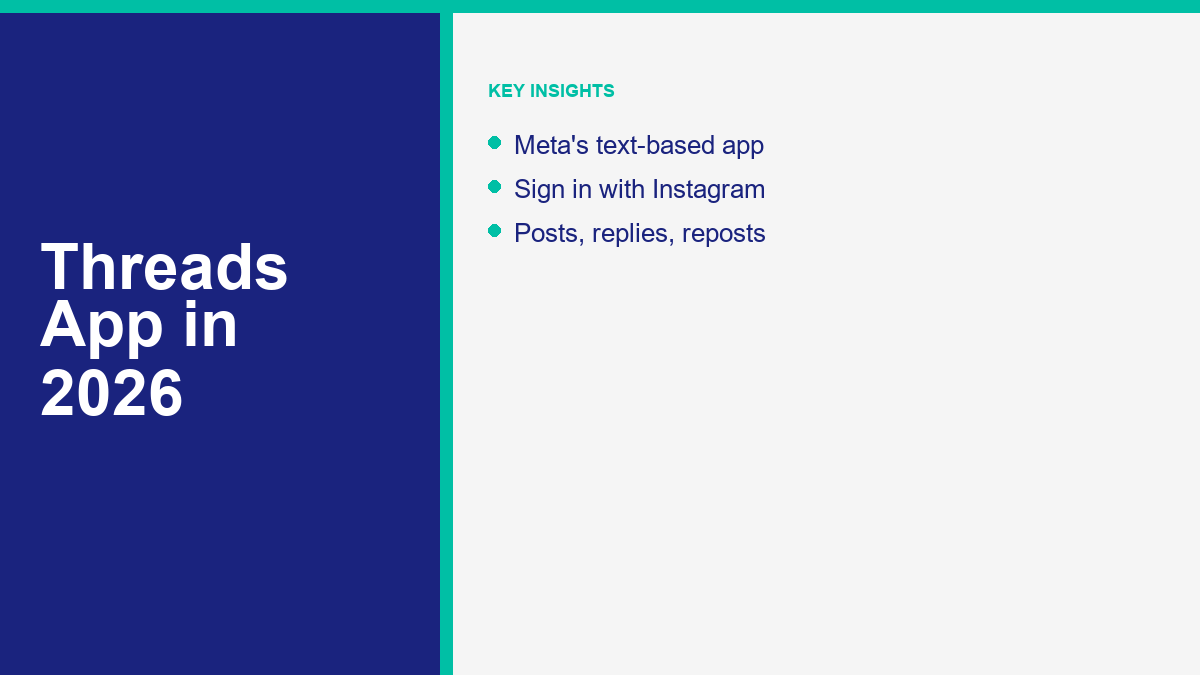
Meta’s text-based messaging platform, Threads, offers a public space for conversations, sharing text updates, and engaging with a global community. If you have been looking for an alternative to traditional microblogging platforms or want to expand your social media footprint, Threads provides a direct bridge to your existing Instagram network. By linking your Instagram account, you can quickly build a new audience without starting from zero. The app makes sharing posts, replying to others, and participating in public discussions straightforward and fast.
Understanding how the platform operates and making the most of its features can help you connect with followers, join trending discussions, and build your online presence. Using Threads for personal updates, brand building, or business outreach requires a clear understanding of its mechanics. This guide explains what the Threads app is, how to set up your profile, how to use its core features, and how it compares to other platforms in the microblogging space. By learning the tools and privacy settings available, you can create a safe, engaging, and growing presence on the platform.
As microblogging continues to adapt to decentralized protocols and changing user expectations, Threads has positioned itself as a major competitor in the social media space. Its growth is driven by its low barrier to entry and its integration with Instagram’s established visual ecosystem. If you are already active on Instagram, joining Threads allows you to maintain your brand identity while exploring a text-first conversational medium. Let us explore how you can utilize this network to expand your outreach and engage in public conversations.
What the Threads App Is
Threads is a text-focused social media platform developed by Meta. Launched as a companion to Instagram, the app serves as a space for real-time, public conversations. The primary format of Threads is short text posts, which can be accompanied by links, photos, videos, and audio clips. Unlike traditional social media networks that focus heavily on curated image grids or long-form video content, Threads prioritizes quick updates, public dialogue, and rapid replies. The design is clean and minimalist, focusing on the text and readability of conversations.
The core concept behind Threads is to create an open, conversational space that is tightly integrated with Instagram. When you join Threads, you do not need to build a follower list from scratch. Instead, you can import your Instagram username, verification status, and even your profile details with a single tap. This close connection makes it easy to migrate your existing audience and start engaging with people you already know. It also helps preserve your online identity across both platforms, ensuring that your branding remains consistent.
A defining characteristic of Threads is its progressive adoption of decentralized social networking protocols. Meta designed Threads to integrate with ActivityPub, the open protocol used to power the fediverse. This means that Threads is not just a closed garden. Meta has rolled out features that allow you to share your posts with other decentralized platforms, such as Mastodon. Through this integration, users on other fediverse servers can follow your Threads profile, view your posts, and reply to your updates without ever needing to register for a Threads or Instagram account. This integration represents a major shift toward an open web where different social networks can talk to each other.
By combining the visual infrastructure of Instagram with the type of text-based format found in microblogging, Threads aims to provide a friendly and conversational alternative for online discussions. It is built to support community engagement, allowing you to join public threads, follow creators, share your thoughts, and keep up with trends in a structured, easy-to-read layout. If you are familiar with how social feeds operate, you will find the interface highly intuitive, focusing on chronological and algorithmic content recommendations that keep you updated on what is happening across your network. The focus is on encouraging healthy, constructive conversations, which Meta supports through moderation tools and settings.
The platform has evolved from its initial launch into a feature-rich application that supports a wide range of media and communication styles. For sharing a brief thought, a series of detailed updates, a voice recording, or a high-quality video, Threads provides the appropriate tools. Its integration with the broader Meta ecosystem also means it benefits from robust security, spam prevention, and compliance frameworks. For users who want a text-based platform backed by a major technology company, Threads offers a stable and polished experience.
How to Join and Set Up Threads
Getting started with Threads is simple, especially if you already have an Instagram account. Because the two applications are connected, your Instagram profile serves as your passport to Threads. You can set up your account on a mobile device running iOS or Android, or you can complete the process through a web browser. The onboarding flow is designed to get you up and running in less than two minutes by automating the profile creation process.
To create your profile, follow these steps:
First, download the Threads app from the Apple App Store or Google Play Store, or go to the official website at threads.net. Once you open the application, you will see an option to log in using your Instagram account. If you have multiple Instagram profiles active on your device, you can select the specific account you want to link from a drop-down menu. Clicking this button initiates a secure handoff between the two applications, verifying your identity without requiring you to enter a new password.
Second, you will be prompted to customize your profile. You can choose to write a custom biography and add a link, or you can simply click the import button to copy your existing Instagram profile picture, bio, and links directly to Threads. This is especially useful for maintaining a consistent brand image. If your Instagram profile is verified with a blue badge, that verification status will automatically transfer to your Threads account as well, providing immediate credibility to your new profile.
Third, select your privacy settings. You must choose between a public profile and a private profile. A public profile allows anyone on or off Threads to see, share, and interact with your content, and it enables your posts to be distributed to the fediverse if you opt into sharing. A private profile limits visibility to your approved followers. Users who want to view your private posts must send a follow request, which you can approve or reject. This setting can be adjusted at any time in your account settings.
Fourth, the app will ask if you want to follow the same accounts you already follow on Instagram. You can choose to follow all of them automatically, follow a selected few, or skip this step entirely to build a completely new feed. Once you complete this selection, read the terms of service and click the button to join Threads. This completes the registration, and the app will load your primary feed, immediately populated with relevant content.
” alt=”A step-by-step setup screen of the Threads app showing Instagram sign-in and profile import options.”/>
After completing the setup, you are ready to post and engage. Your Threads feed will display a mix of posts from accounts you follow and recommended content selected by the platform’s algorithm. You can customize this experience at any time by toggling between the ‘For You’ and ‘Following’ tabs at the top of your screen. The ‘Following’ tab shows posts exclusively from accounts you follow in strict reverse-chronological order, providing a clean feed free of algorithmic suggestions. You can also customize your notification preferences to control how often you receive updates about likes, replies, and mentions.
Key Features and Capabilities of Threads
Threads is packed with features designed to encourage text-based conversations and multimedia sharing. As the platform evolves, Meta continues to add functionality that improves usability and security. Understanding these capabilities allows you to utilize the platform effectively, whether you are sharing personal stories or marketing a business. Here is a detailed overview of the primary capabilities you will use on a daily basis:
Text and Character Limits: Each post on Threads can be up to 500 characters long. This limit is more generous than the standard limits on several other text-sharing platforms, giving you more space to express your thoughts, explain concepts, or share updates without needing to truncate your wording. If you need more space, you can easily create a thread by clicking the add button to stack multiple posts together. Threads are visually linked, allowing your followers to read your complete message in sequence.
Multimedia-ondersteuning: While text is the primary focus, you are not limited to plain text. You can upload up to 10 photos or videos in a single post, allowing for carousel-style visual storytelling. Videos can be up to 5 minutes long, giving creators a robust way to share high-quality video updates. You can also attach active hyperlinks to direct traffic to external resources, articles, or conversion pages. The preview card for links is generated automatically, presenting a clean title and image for your shared URLs.
Voice Notes and Audio Posts: If you prefer speaking to typing, Threads allows you to record and post voice notes. When you record a voice note, the app automatically generates text transcriptions in real-time. This ensures that your voice posts are accessible to users who prefer to read or who have their sound muted while browsing their feed. The audio waveform is displayed alongside the text, creating a dynamic visual element in the feed.
Interactive Polls: You can add polls to your posts to gather feedback from your audience. Polls can feature up to four options and run for 24 hours. They are an excellent tool for increasing engagement, asking questions, and getting instant opinions from your followers. The results are displayed as percentages once a vote is cast, and the final tally is shown after the poll closes. Votes are anonymous, which encourages higher participation rates.
The Edit Button: Threads offers a free edit feature. You can edit any post within 5 minutes of publishing it. This is incredibly helpful for fixing typos, correcting links, or updating formatting without needing to delete the entire post and start over. An edit icon appears on modified posts to indicate that the text has been updated, but users cannot view the edit history, which maintains a clean layout.
Fediverse and Decentralized Sharing: Threads allows you to opt into fediverse sharing. This feature uses the ActivityPub protocol to share your content with users on other decentralized networks. When enabled, your posts are syndicated to the fediverse, allowing people on servers like Mastodon to follow your account, like your updates, and reply to your threads. This decentralized architecture represents a major shift in how social platforms connect, breaking down the walls of traditional closed networks. It allows you to reach a broader, more tech-savvy audience without managing multiple separate social media accounts.
Tags and Topic Search: Threads supports a tagging system that is slightly different from traditional hashtags. Instead of using the hash symbol, you can tag a word or phrase to categorize your post. Only one tag is allowed per post, which prevents tag spamming and keeps the focus on high-quality categorization. Users can click on a tag to view all posts filed under that specific topic, making content discovery simple and organized.
Threads vs X (Twitter)
While Threads and X (formerly Twitter) share many structural similarities, they differ significantly in their user experience, features, and overall culture. Both platforms are designed for quick text updates and public dialogue, but their underlying architectures and community guidelines create distinct environments. Choosing between them depends on your networking goals, preferred style of interaction, and safety requirements.
The most obvious difference lies in how you sign up. Threads requires an Instagram account, linking your social graph and identity directly to Meta’s ecosystem. X operates independently, allowing users to sign up using email, phone numbers, or third-party login tools, which supports a higher degree of anonymity. This distinction shapes the conversations on each platform. Threads tends to feel more personal and tied to real-world networks, whereas X is often a hub for anonymous commentary, breaking news, and intense public debate. Meta’s focus on maintaining a friendly environment means Threads uses algorithms that deprioritize political and hard-news content unless you actively search for it, whereas X highlights trending topics regardless of their nature.
Another key contrast is the approach to monetization and advertisements. X relies heavily on a premium subscription model (X Premium) to grant features like edit buttons, longer posts, and search verification badges. Threads, on the other hand, offers features like the edit button and voice transcriptions for free to all users, leveraging Instagram’s massive infrastructure to keep the platform free of paywalls. While ads are expected to expand on Threads, the current experience remains focused on organic community growth and content discovery, providing a cleaner feed for users who dislike intrusive advertising.
Below is a comparison table outlining the key differences between Threads and X in 2026:
| Kenmerk | Meta Threads | X (Twitter) |
|---|---|---|
| Character Limit | 500 characters | 280 characters (free) / up to 25,000 (premium) |
| Sign-up Requirement | Instagram account | Email, phone, or Google/Apple account |
| Post Editing | Free (within 5 minutes) | Paid (requires Premium subscription) |
| Decentralization | ActivityPub integration (opt-in) | Proprietary closed network |
| Video Limit | Up to 5 minutes | Up to 140 seconds (free) / hours (premium) |
| Direct Messaging | Relies on Instagram integration | Native inbox (supports encrypted chats) |
| Verification | Inherited from Meta Verified (Instagram) | Paid subscription (blue checkmark) |
” alt=”A comparison table or side-by-side mockup displaying key differences between Threads and X.”/>
Decentralization is another major point of divergence. Threads is actively integrating with ActivityPub, positioning itself as a core player in the decentralized social web. This allows users on other servers to interact with Threads content. X has chosen a proprietary path, keeping its data and user interactions strictly within its own application walls. For creators looking to reach audiences across multiple independent servers, Threads offers an open-access model that is unique among major social networks. This integration also appeals to users who value data portability and decentralized standards over ownership by a single entity.
The culture of each platform is also shaped by their moderation policies. Threads applies Meta’s community standards, which filter graphic content, harassment, and hate speech. This creates a safer, more brand-friendly environment that appeals to advertisers and general users. X has adopted a more permissive approach, which has led to a wider variety of content but also higher levels of toxicity. Understanding these cultural differences is important when deciding where to invest your time and build your community.
Managing Your Threads Profile and Privacy
Maintaining control over your online experience is essential on any public platform. Threads provides a suite of privacy tools and account settings to help you manage who can view your content, reply to your posts, and interact with your profile. Because of its integration with Instagram, many of your privacy choices are synchronized across both networks, streamlining your security management and ensuring that unwanted accounts cannot reach you on either app.
Managing Replies and Mentions: You can control who is allowed to reply to each of your posts. Before publishing, or even after the post is live, you can restrict replies to three groups: anyone, profiles you follow, or only profiles you mention in the post. This is a powerful feature for preventing unwanted interactions, minimizing spam, and keeping discussions constructive. You can also restrict mentions, choosing who can link back to your profile in their own posts.
Muting and Blocking Accounts: If you want to stop seeing posts from a specific account without blocking them, you can mute that profile. When you mute someone, their posts and replies will no longer appear in your feed, but they can still view your content. If you need to cut off interaction completely, you can block the account. Blocking someone on Threads also blocks them on Instagram, and vice versa. Your list of blocked accounts is shared across both platforms to ensure consistent security, making it easier to keep your online space clean.
Hidden Words and Filters: The Hidden Words tool allows you to filter out replies containing specific words, phrases, or emojis that you find offensive or irrelevant. You can use Meta’s default list of common offensive words or create a custom list tailored to your preferences. Any reply containing a word on your list will be automatically hidden from view, though you can choose to reveal hidden replies if you wish. This helps maintain a positive comment section on your posts.
Fediverse Sharing Controls: If you do not want your content shared outside of Meta’s network, you can disable the fediverse sharing option. By default, federation is opt-in, meaning your posts will not be shared with decentralized servers unless you explicitly enable the setting in your account menu. You can turn this setting on or off at any time, giving you control over how far your posts travel across the decentralized web. If you disable it after enabling it, Threads will request other servers to delete your data, though Meta cannot guarantee compliance from external servers.
Deactivating vs. Deleting Your Profile: When Threads first launched, deleting your Threads profile required deleting your entire Instagram account. Meta has since resolved this issue. You can now delete your Threads profile independently through the account settings menu. Deleting your profile will permanently remove your posts, replies, likes, and followers from Threads without affecting your Instagram account. If you want a temporary break, you can choose to deactivate your profile instead, which hides your content until you log back in. This separation provides users with greater control over their data and accounts.
Tips to Grow on Threads
Building an audience on Threads requires a mixture of consistent posting, genuine engagement, and strategic cross-promotion. Because the platform’s algorithm prioritizes active conversations, updates that generate replies and discussions tend to receive wider distribution in the ‘For You’ feed. Here are practical strategies you can use to grow your presence:
First, participate in existing conversations. Do not just post your own updates and leave. Spend time reading threads in your feed, replying to other creators, and adding value to trending discussions. Writing thoughtful, engaging replies is often the fastest way to get noticed by other users and gain new followers. Engage with accounts of all sizes to build relationships across the community.
Second, structure your posts for readability. Break up long walls of text into short, digestible paragraphs. Use bullet points or numbered lists where appropriate to make your content easy to scan. If you have a longer story or guide to share, write it as a thread. A thread allows you to publish sequential posts that users can click through, keeping them engaged for longer periods. Keep the formatting clean and avoid overusing emojis.
Third, use interactive elements. Write posts that ask questions, run polls, or invite users to share their experiences. The more replies your posts receive, the more likely the algorithm is to recommend your content to non-followers. Voice notes are also a great way to add a personal touch to your updates and stand out in a text-heavy feed. Focus on starting authentic conversations rather than just broadcasting links.
Fourth, leverage your Instagram presence. You can easily share your Threads posts directly to your Instagram Stories or feed. This cross-promotion alerts your Instagram followers that you are active on Threads, encouraging them to follow you there as well. To maximize engagement across all channels, you can also learn how to broadcast live using Instagram Live, driving your audience to follow your updates on Threads for post-stream discussions. This helps create a unified audience across both Meta platforms.
Fifth, use marketing automation tools to handle inquiries. For businesses looking to scale their social operations, manual message management can become overwhelming. By using automation, you can manage customer touchpoints seamlessly. If you are looking to build out your automation suite, you can compare top ManyChat alternatives to find a messaging platform that matches your business needs. Implementing these systems allows you to respond to leads instantly without spending all day in your inbox.
Sixth, connect your entire digital ecosystem. While Threads is a powerful channel, it works best when integrated with your broader online brand. When building a comprehensive online footprint, make sure to create a Facebook business page to centralize your operations. From there, you can set up an Instagram chatbot to automate DMs, ensuring that any user who clicks from Threads to your Instagram page is greeted instantly by an automated assistant. This seamless transition turns social media attention into qualified business leads.
To see the tools and plans we offer to help automate your social media marketing and chatbot workflows, feel free to See Our Plans on our pricing page. If you are ready to take your customer chat experiences to the next level, you can also check out our premium tools at Upgrade to Pro. For more tips and automated marketing strategies, you can Bekijk Onze Tutorials to explore step-by-step guides on social media automation. If you are interested in partnering with us to promote these tools, you can also Sluit je aan bij ons affiliate programma and earn commissions on referrals.
FAQ
Do I need an Instagram account to use Threads?
Yes, you must have an Instagram account to sign up for Threads. The two platforms are linked, allowing you to easily import your profile picture, bio, username, and verification status during onboarding.
Can I delete my Threads profile without deleting my Instagram account?
Yes, Meta allows you to delete your Threads profile independently through the account settings. This will permanently remove your Threads posts, replies, and followers without affecting your Instagram account.
How does fediverse sharing work on Threads?
Fediverse sharing is an opt-in feature that uses the ActivityPub protocol to syndicate your posts to decentralized networks. When enabled, users on other servers like Mastodon can follow your account and interact with your posts directly from their platform.
Can I send direct messages on Threads?
Threads does not have a native, independent direct messaging inbox. Instead, it integrates with Instagram’s messaging system. When you click the message icon on a Threads profile, you are redirected to send a DM via Instagram.
Is Threads free to use and does it have ads?
Threads is completely free to download and use. While Meta has kept the interface largely ad-free during its initial growth phases, the platform is expected to integrate advertisement slots over time, similar to Instagram and Facebook.


 Nederlands
  English
  Tagalog
  简体中文
简体中文  العربية
  हिन्दी
  Português do Brasil
  Español de México
  Français
  বাংলা
বাংলা  香港中文
香港中文  繁體中文
繁體中文  Deutsch
  Bahasa Indonesia
  日本語
日本語  한국어
한국어  Polski
  Русский
  Español
  Tiếng Việt