
Updated September 2026 — A reminder should make the next step obvious without making the customer hunt for the date, time, location, or reply option. This guide gives you ready-to-edit appointment reminder templates for text messages and email, then shows how to choose timing, handle confirmations, and recover gracefully when someone does not respond.
Use the examples as starting points, not as a reason to send the same sentence to every customer. A salon appointment, a dental visit, a consultation, and a video call each need different details. Keep the useful structure, replace the placeholders, and check your consent and channel rules before sending.
What a useful appointment reminder includes
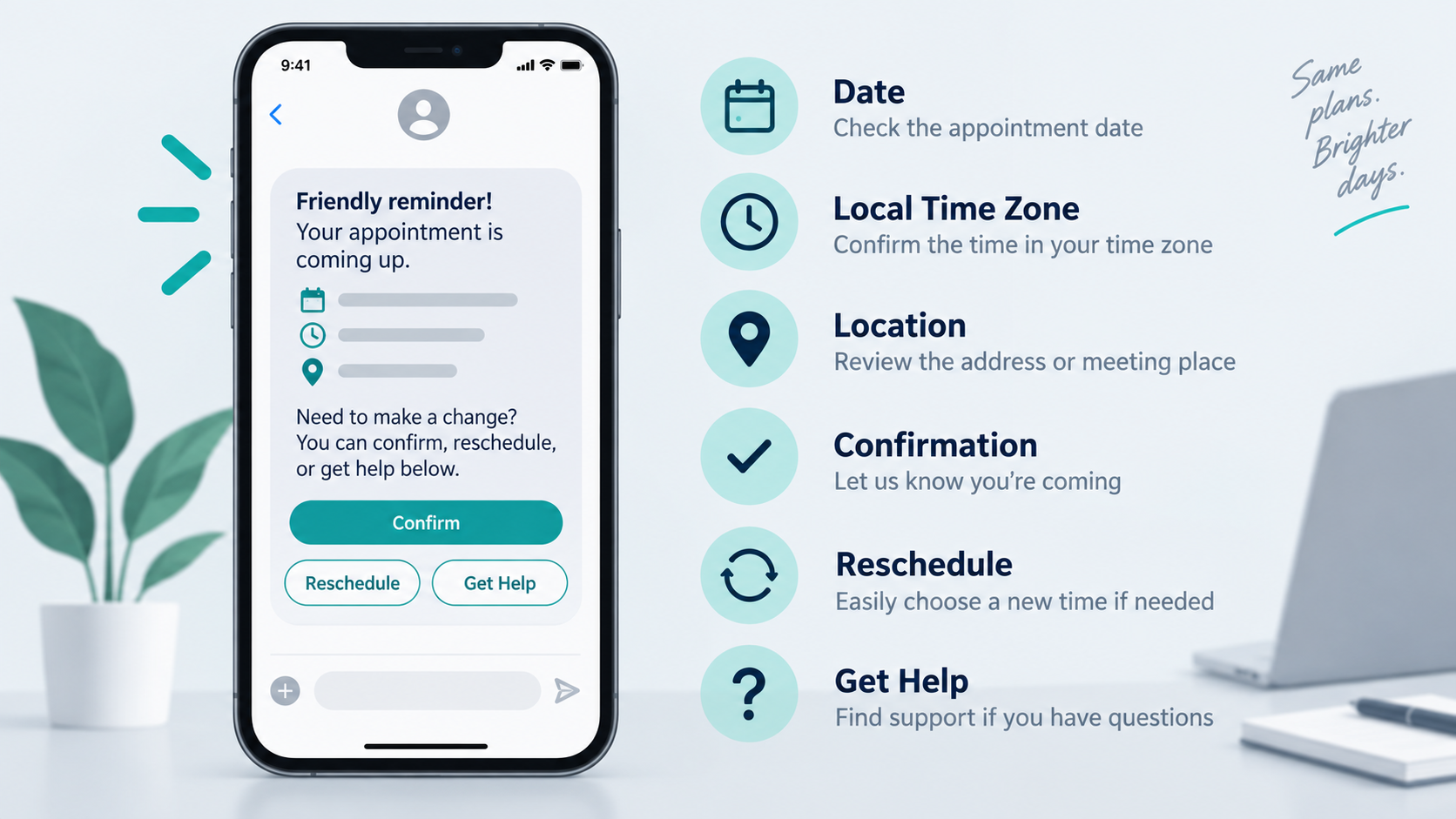
A good reminder answers the questions a customer is most likely to ask in the few seconds after opening it:
- Who: the business name or team the customer recognizes.
- Wat: the service, appointment type, or named provider.
- When: the local date, time, and time zone when a customer could reasonably be in another region.
- Waarbij: a street address, room, video link label, or a clear instruction to check the confirmed booking.
- What to do next: confirm, reschedule, arrive early, prepare a document, or reply for help.
- How to get help: a monitored phone number, inbox, or reply path that someone actually checks.
Keep private information out of the message unless the customer needs it for this appointment. A reference such as “your Thursday consultation” is often safer than adding a full account number. If you use a link, send customers to the same booking or support destination they saw when they scheduled; avoid adding a surprise redirect.
Short appointment reminder text templates
SMS works best when the message can be understood at a glance. The templates below use square brackets for fields your booking system or team should fill in before sending.
General confirmation
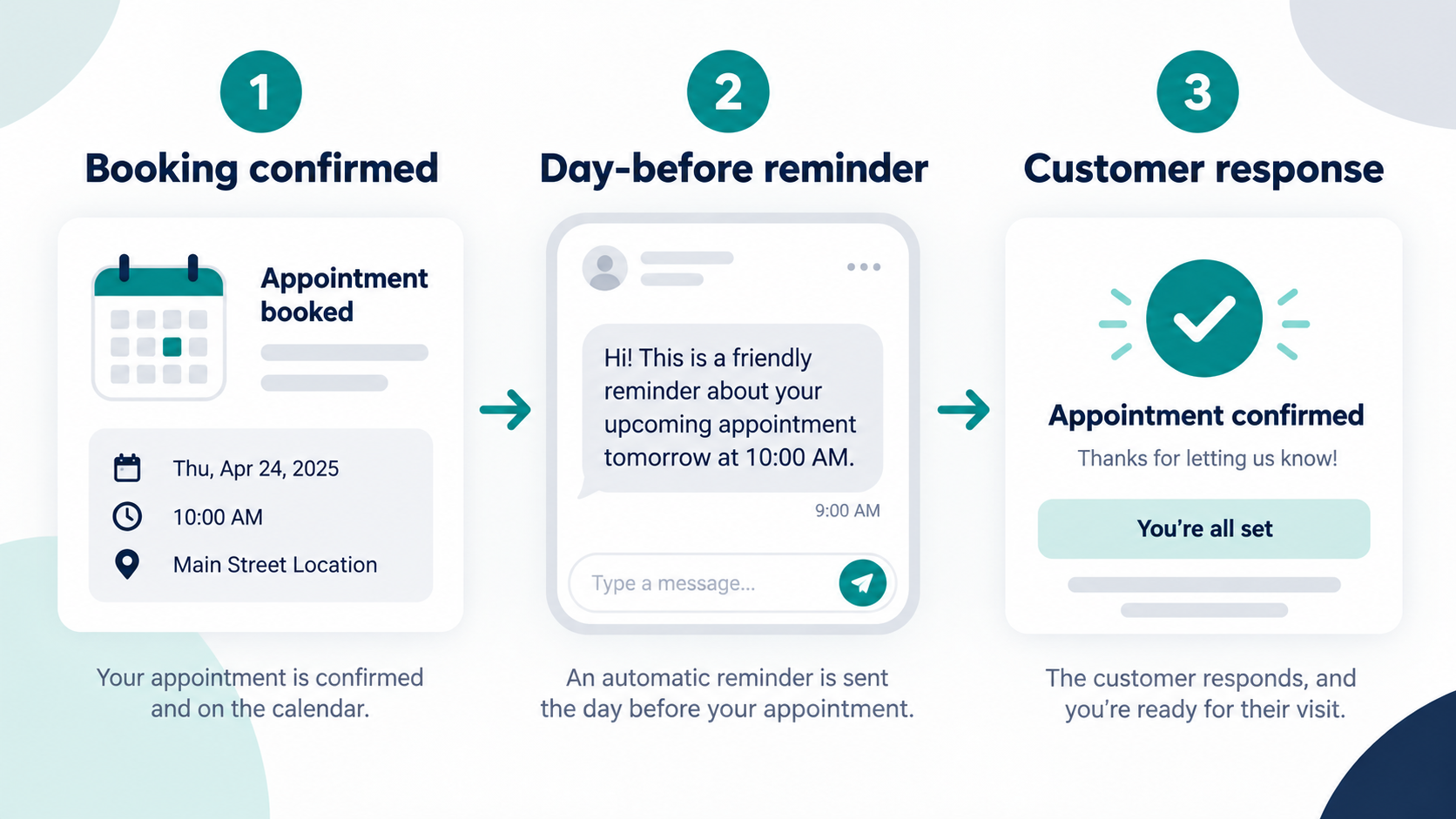
Hi [First name], this is [Business]. Your [service] appointment is [Day, date] at [time] [time zone] at [location]. Reply JA to confirm or [reschedule instruction]. Questions? Reply here or call [phone].
One-day reminder
Reminder from [Business]: we will see you tomorrow, [date], at [time] for [service]. Please arrive [arrival instruction]. Need a different time? [reschedule path].
Same-day reminder
Today at [time]: your [service] appointment with [Business], [location or video instruction]. Bring [one useful item] if needed. Reply HELP if you need directions or a change.
Video appointment
Hi [First name], your [service] call with [Business] starts [date] at [time] [time zone]. Open the meeting link from your confirmation email [x minutes] before the appointment. Reply here if the link is missing.
Appointment that needs preparation
Your [service] with [Business] is [date] at [time]. Please complete [short preparation] before you arrive. If you need accessibility help or a new time, reply [keyword] and our team will help.
Write the reply path in plain language. “Reply YES” is clear; “interact with the automated confirmation workflow” is not. If your system cannot read replies, do not promise that it can. Give the customer a real support route instead.
Appointment reminder email templates
Email gives you room to include directions, preparation, cancellation terms, and a calendar link. Put the appointment details near the top so the reader does not have to search through a long paragraph.
Simple confirmation email
Subject: Confirm your [service] appointment on [date]
Hi [First name],
Your appointment with [Business] is booked:
- Service: [service]
- Date and time: [date], [time] [time zone]
- Locatie: [address or meeting instructions]
- Duur: [duration, if known]
Please confirm or change the appointment before [cutoff, if applicable] using the booking link from your original confirmation. If you need assistance, reply to this email or call [phone].
Dank u,
[Business team]
Friendly day-before email
Subject: Tomorrow: [service] at [time]
Hi [First name],
This is a quick reminder that your [service] appointment is tomorrow, [date], at [time] [time zone]. We are at [location]. Please [arrival or preparation instruction].
If the time no longer works, use [reschedule path] as soon as possible so we can offer the slot to another customer. Reply to this message if you are unsure what to do.
Consultation with a preparation checklist
Subject: Before your [service] consultation on [date]
Hi [First name],
We look forward to speaking with you on [date] at [time]. To make the conversation useful, please have these items ready:
- [item or question one]
- [item or question two]
- [accessibility or language request, if relevant]
Your appointment details are [location or meeting instructions]. You can change the time here: [reschedule path].
Customer-friendly cancellation or reschedule message
Subject: Need to change your [service] appointment?
Hi [First name],
If you cannot make your [date] appointment, please use [reschedule path] or reply with a preferred day. We would rather help you find a workable time than have you worry about missing the visit. [Business-specific notice] applies, so contact us as soon as you know.
When to send a reminder
Timing depends on how far ahead customers book, how much preparation a visit needs, and how easy it is to fill a cancelled slot. A simple schedule to test is:
| Moment | Doel | Best message focus |
|---|---|---|
| Immediately after booking | Set expectations | Details, location, change path, and what happens next |
| Two to three days before | Catch calendar mistakes | Confirm the time and invite a change before the slot is close |
| The day before | Reduce forgotten appointments | Short recap, arrival time, preparation, and reply route |
| The day of | Remove last-minute friction | Directions, meeting link, parking, or a concise check-in instruction |
Do not send every reminder through every channel by default. Ask what the customer agreed to receive, honor opt-outs, and make the frequency easy to understand. Test the schedule with a small internal group before applying it to all appointments.
How to write reminders for different businesses
Salons, spas, and independent professionals
Include the service, provider, start time, address, parking or arrival note, and the easiest way to reschedule. A customer may have several services in one visit, so “your appointment” can be too vague. Keep the tone warm, but do not bury the time under personality copy. For the wider inquiry-to-booking process, see our salon marketing plan; a reminder belongs after staff have confirmed the appointment.
Clinics and dental practices
Use the wording and privacy practices required by your organization and jurisdiction. Limit the message to the appointment logistics. Do not put diagnoses, treatment details, or sensitive health information in a general reminder channel. Give patients a direct route to the office when a change requires staff help. For a practice-specific rollout, review our dental marketing plan and keep appointment confirmation with authorized staff.
Home services
Customers care about the arrival window, address, preparation, and what to do if the technician cannot access the property. State the window exactly as it appears in the booking record. If the team will call before arrival, say that only when the process is reliable.
Consultants and agencies
Explain who will attend, the meeting format, the intended outcome, and any short pre-read. Avoid promises about a deliverable that has not been agreed. A useful reminder helps the customer arrive prepared without turning the email into a sales pitch.
Confirmation, rescheduling, and no-response workflows
To avoid sending reminders for an unconfirmed slot, use our appointment-bot capability checklist before choosing a booking tool. Review request intake, availability checks, consent, staff handoffs and confirmation messages, then test the steps with a sample appointment. Collecting a preferred time does not confirm an available slot. Populate reminders from the confirmed booking record, and give staff a clear route to handle a requested change.
If a reply asks for a new appointment rather than confirming an existing one, use our appointment request and staff-confirmation checklist to plan the separate intake step. Staff should verify availability before confirming a new time; a reminder or an unanswered message is not a booking.
A reminder is only as helpful as the action behind it. Decide what each response means before you write the copy:
- Confirmed: mark the appointment as confirmed and stop duplicate nudges for that channel.
- Needs a change: offer the next safe scheduling step, not a vague “we will get back to you.”
- Unclear reply: route it to a person or a bounded help flow; do not guess what the customer meant.
- No response: send only the follow-up your consent and policy allow, then provide a human contact path.
- Opt-out: record the preference and suppress future reminders in that channel.
Keep an audit trail of the appointment state and the customer’s response without exposing private identifiers in reports or exported examples. Teams should be able to answer “what is booked, what changed, and who needs help?” without searching through raw message bodies.
Make the templates sound human
Start with the customer’s next decision, then remove anything that does not help them make it. Replace “This is an automated notification regarding your upcoming appointment” with “Your dental cleaning is tomorrow at 10:00 a.m.” Replace “Please be advised that changes may be subject to policy” with the actual change instruction and a contact route.
Use the customer’s first name only when the field is trustworthy. If the name is missing or malformed, fall back to a neutral greeting. Keep dates and times in a format the audience recognizes, and spell out the time zone when a remote appointment could cross regions.
Read the message on a small phone. Links should be recognizable, buttons should describe the action, and the key appointment details should remain visible before a long signature. The Bekijk Onze Tutorials area can help your team map reminder copy to the rest of a conversation workflow. If you are evaluating automation for customer conversations, review Upgrade to Pro only after confirming the current feature and plan details.
Measure the workflow without guessing
Track the operational outcomes that your booking system can actually verify:
- delivery or send status by channel;
- confirmed, rescheduled, cancelled, and unanswered appointments;
- time between a reminder and a response;
- staff follow-ups created by unclear replies;
- no-show counts using one consistent definition.
Compare like with like. A holiday week, a new booking source, a staffing change, or a seasonal appointment mix can move the numbers even when the reminder copy stays the same. Test one change at a time, such as the send window or the first sentence, and keep the original version available for rollback.
Do not promise that a reminder will prevent every no-show. The copy can make the appointment easier to remember and easier to change; it cannot control a customer’s circumstances.
Adapt one template without losing the essentials
Start with the smallest complete version, then make one controlled edit for the audience. For a first visit, explain where to go and what to bring. For a repeat appointment, the customer may need only the service, time, and change path. For a remote call, the meeting instructions matter more than a street address. The message should feel specific without becoming a data dump.
Keep the appointment time in one consistent format across booking, reminder, and calendar records. If a booking system converts time zones, check the rendered message with a test record from a different region. A one-hour error is more damaging than a less clever subject line. If the appointment is a window rather than a fixed time, label it as a window and explain how the customer will receive the arrival update.
Use conditional blocks only when the underlying data is reliable. If a provider name is optional, hide the entire “with [provider]” phrase when the field is empty. If a preparation item is not relevant to every service, show it only for the correct appointment type. Never leave brackets or internal field names in a customer message. A pre-send preview with a test record catches these errors quickly.
Keep cancellation language factual and respectful. State the notice period or fee only when the current policy supports it, and provide a route to ask for help. Do not threaten a customer for missing an appointment or suggest that a reminder creates a payment obligation that was not already disclosed. A calm change path is more useful than pressure.
Accessibility and privacy checks
Write dates in a format that is hard to misread, especially when the audience spans countries. “September 24 at 2:00 p.m. Pacific Time” is clearer than “09/24 at 2.” Avoid relying on emoji or color to communicate a required action. In email, make links descriptive and ensure the same action is available without an image loading.
Keep the content necessary for logistics. Do not place a full customer profile, payment detail, health detail, or private note in a general reminder. If staff need a richer record, keep that detail in the protected booking workspace and give the customer a support route that does not expose it. Review who can see delivery logs and exports, too; a secure template can still create risk if the reporting view is too broad.
Offer a human route for accessibility requests, language needs, and unusual scheduling situations. A keyword such as “HELP” is useful only if it reaches a monitored team or a tested handoff. Test the route after business hours and during staff coverage changes so the message does not promise a response that nobody can provide.
Build a small, reversible reminder program
Document the default sequence in one place: the trigger, delay, channel, template version, response mapping, opt-out behavior, and owner for exceptions. Give each template a plain-language name such as “day-before clinic visit” instead of an internal database label. When the copy changes, record what changed and keep the prior version available until the new one has passed a real test.
Run a test appointment through the full path before enabling a new reminder. Check the booking record, rendered text, link destination, reply handling, staff alert, and cancellation state. Test an empty optional field and a time-zone difference as well as the happy path. Confirm that the workflow does not send a duplicate when a customer reschedules or confirms more than once.
Review the first small cohort manually. Look for wrong times, missing locations, unhelpful replies, repeated nudges, and customers who asked for a person but received another automated message. Fix the data or workflow before increasing volume. This makes the program easier to roll back and gives the team a clear explanation when a customer asks what happened.
Use the same discipline for automation that you use for manual reminders: clear ownership, a tested escalation route, and a safe stop. If a booking integration changes, pause the affected template until a test record confirms that the required fields still map correctly. A reminder program earns trust through predictable details, not through the number of messages it sends.
Keep a short change log beside the templates. Record the date, the audience, the reason for the edit, and the test record used. That small habit helps a new team member understand why a field is present and makes it easier to compare performance without mixing different versions. It also gives you a clean rollback point when seasonal hours, locations, or booking rules change.
Appointment reminder checklist
- Confirm the appointment record has the correct customer, service, date, time, and time zone.
- Choose the channel the customer agreed to receive.
- Put the next action in one clear sentence.
- Use a monitored reply, phone, or rescheduling path.
- Remove sensitive details that are not needed for logistics.
- Test links, dates, merge fields, and opt-out handling.
- Preview the message on a narrow phone screen.
- Record the result and keep a reversible copy of the template.
For more customer-conversation setup ideas, you can Huidige Prijzen Controleren after reviewing the workflow requirements and the current plan details. Start with the smallest useful reminder sequence, then expand only when the response data shows that customers need another step.
Veelgestelde vragen
What should an appointment reminder say?
It should name the business and service, state the date and time with the relevant time zone, give the location or meeting instruction, and explain how to confirm, reschedule, or get help.
Should an appointment reminder be a text or an email?
Use the channel the customer agreed to receive and the one your team can monitor. Text is compact and timely; email is better for longer directions, preparation, and calendar information. Do not add a second channel simply because it is available.
How far in advance should I send a reminder?
Many businesses test an immediate confirmation, a day-before reminder, and an optional same-day logistics note. The right schedule depends on booking lead time, preparation, and how quickly a cancelled slot can be filled, so measure your own workflow and adjust one interval at a time.
What if a customer does not reply?
Follow the consent and contact policy you already use, then provide a clear human route. A no-response state should not be treated as confirmation, and the reminder should not claim that a reply was received when it was not.
Can I automate appointment reminders?
You can automate parts of the workflow when the booking data, consent, reply handling, and escalation path are tested. Keep a human review option for unclear or sensitive requests, and verify the current capabilities of any automation tool before promising a specific channel or action.
Source notes
Keep appointment details clear and review your email policy before adding promotions to reminders. The FTC guide to commercial and transactional email explains why message purpose matters; an existing booking relationship alone does not settle that question. Have the person responsible for your communication policy check the channel, message purpose, opt-out handling and monitored reply route before sending. These editable examples do not establish legal compliance.



 Nederlands
  English
  Tagalog
  简体中文
简体中文  العربية
  हिन्दी
  Português do Brasil
  Español de México
  Français
  বাংলা
বাংলা  香港中文
香港中文  繁體中文
繁體中文  Deutsch
  Bahasa Indonesia
  日本語
日本語  한국어
한국어  Polski
  Русский
  Español
  Tiếng Việt