
If you use Telegram to stay connected, share media, or build an online community, you have likely noticed the small star icon next to certain usernames. Telegram Premium, the platform’s paid subscription tier, has expanded its feature set significantly in 2026. While the free version of Telegram remains highly capable, the premium tier offers tools designed for power users, content creators, and businesses that need extra bandwidth and higher limits. We will look at exactly what features you get, the real cost of a subscription, and how to decide if the upgrade is worth your money.
What Is Telegram Premium and Why Does It Exist?
Telegram was launched in 2013 by Pavel and Nikolai Durov as a free, privacy-focused messaging platform. For the first decade of its existence, the service was funded primarily by Pavel Durov’s personal wealth. However, as the app’s user base grew to hundreds of millions of monthly active users, the cost of maintaining a global network of high-speed servers increased dramatically. To support sustainable growth and ensure the platform would not have to rely on intrusive third-party ads or sell user data, Telegram introduced its Premium subscription model in 2022. By 2026, this system has become a primary revenue driver that supports free users while giving paid subscribers access to advanced tools.
For businesses and developers, Telegram is not just a chat application; it is a powerful communication and automation hub. If you want to build automated tools for the platform, you can check out this Telegram bot tutorial to see how quickly you can get a basic automation running. Understanding how Telegram structures its services helps you build more effective integrations for your brand. The introduction of Premium was designed to maintain high performance across the entire network without compromising user privacy.
Rather than placing core features behind a paywall, Telegram opted to keep all existing features free. The Premium subscription simply expands limits and introduces non-essential, high-value additions. This means that casual users can continue using the application exactly as they always have, while power users can pay to remove restrictions that limit their daily workflows.
Key Features: What You Get with Telegram Premium
A Telegram Premium subscription in 2026 includes dozens of upgrades that affect how you send files, manage chats, and customize your profile. These features can be divided into performance upgrades, interface management, and visual personalization.
Double Limits on Channels, Folders, and Pins
One of the most immediate benefits of upgrading is the doubling of standard application limits. In the free version of Telegram, you can join up to 500 channels or groups. Premium subscribers can join up to 1,000. This is useful for researchers, marketers, and news consumers who need to monitor hundreds of distinct information sources. Additionally, you can create up to 20 chat folders (up from 10) and pack each folder with up to 200 chats (up from 100). If your inbox is constantly cluttered with work chats, personal messages, and public channels, this extra organization is a major benefit.
Premium also doubles your pin limits. Instead of being restricted to pinning 5 chats to the top of your inbox, you can pin up to 10. You can save up to 400 favorite GIFs (up from 200) and pin up to 10 stickers in your quick-access panel. For creators and managers who run multiple public pages, these doubled limits reduce the friction of daily communication.
Larger File Uploads for Massive Documents and Videos
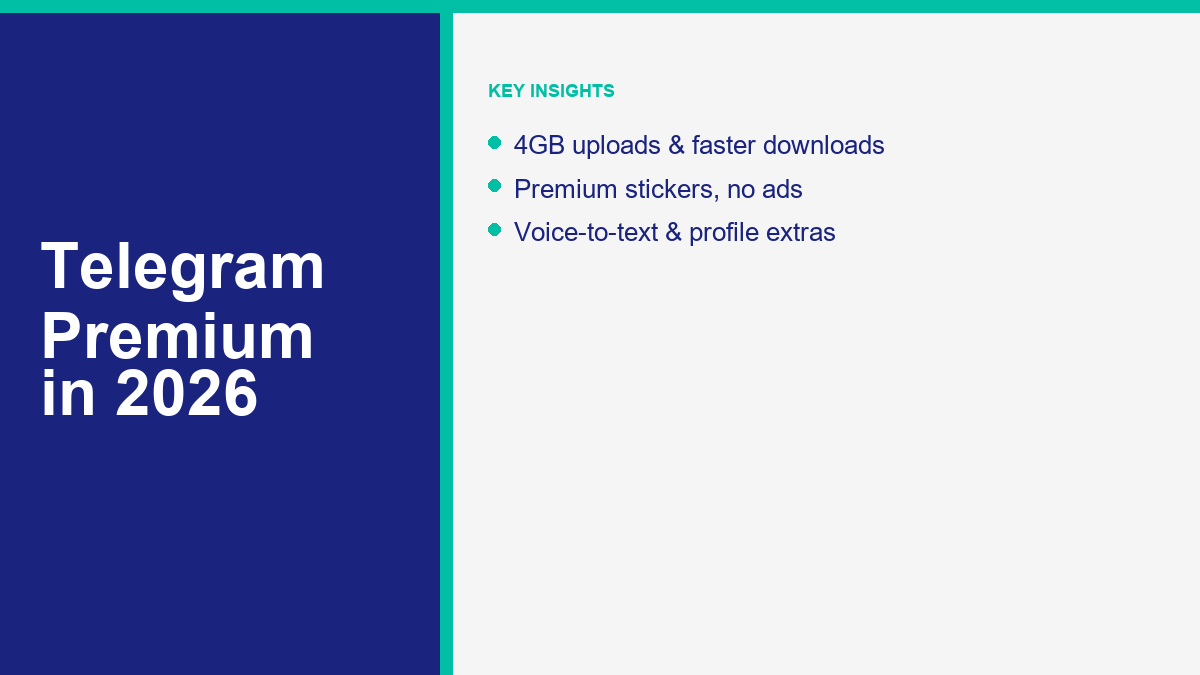
The free version of Telegram already offers a generous 2GB file upload limit, which is much larger than the limits on WhatsApp or email. Premium doubles this limit, allowing you to upload files up to 4GB in size. This features appeals directly to video editors, developers, database administrators, and designers who need to send large project assets without compressing them or uploading them to third-party cloud storage sites.
A 4GB file can hold hours of high-definition 4K video, massive software builds, or entire archives of project assets. Because Telegram provides unlimited cloud storage for your chats, this effectively turns the app into a secure, accessible backup drive for your large projects.
Faster Download Speeds Without Artificial Caps
Uploading a 4GB file is only useful if you can download it quickly. Telegram restricts download speeds for free users to balance server load. Premium subscribers get access to the fastest download speeds possible. If your internet service provider offers high-speed downloads, Telegram will use your full bandwidth to pull files from its servers. A large video file that might take twenty minutes to download on a free account can often be downloaded in a fraction of that time on a Premium subscription.
Voice-to-Text Transcriptions and Real-Time Translations
If you receive voice messages frequently but find yourself in situations where you cannot listen to them, the voice-to-text feature is a useful addition. Premium accounts display a small text icon next to every incoming voice or video message. Tapping this button generates a text transcription of the audio, allowing you to read the message in a quiet room or during a business meeting. In 2026, this tool has become highly accurate across multiple languages.
Furthermore, Premium provides real-time translation features. If you join a public channel or a group chat where the participants speak a different language, a translation bar will appear at the top of the chat. Tapping it translates the entire conversation as new messages arrive. This is a valuable tool for global business teams and international communities.
Premium Chat Management and Exclusive Aesthetic Customizations
To help you organize your inbox, Premium allows you to change your default chat folder. For example, you can set the app to open directly to a custom “Work” or “Clients” folder instead of showing all chats. You can also turn on settings to automatically archive and mute new chats from people who are not in your contacts, which is a great defense against unsolicited messages.
Subscribers also receive a suite of visual upgrades. These include:
- An exclusive star badge next to your name in chat lists, group member lists, and profiles.
- Animated profile pictures that play for other users in the chat list and inside conversations.
- Custom emoji statuses that appear next to your name, showing others if you are working, traveling, or offline.
- Unique full-screen animations for specific premium stickers.
- Exclusive app icons for your phone’s home screen.
How Much Does Telegram Premium Cost in 2026?
The cost of Telegram Premium in 2026 depends on the platform you use to subscribe. Because mobile app stores charge developers commission fees on in-app purchases, the subscription price is higher when purchased through standard mobile storefronts.
App Store and Google Play Subscriptions
If you subscribe directly through the iOS app or the version of Telegram downloaded from the Google Play Store, the price is generally around $4.99 per month in the United States. In other countries, the price is adjusted to reflect local currency values and purchasing power. For example, in the United Kingdom, it costs around £4.99, while in the Eurozone it is approximately €4.99. Subscribing this way is convenient because it is billed directly to your Apple or Google account, but it is not the most cost-effective method.
Subscribing Directly via @PremiumBot
To save money, you can subscribe using Telegram’s official payment bot, known as @PremiumBot. This bot is accessible on the desktop versions of the app (macOS and Windows) or on the Android version downloaded directly from Telegram’s website instead of the Google Play Store. Because direct credit card payments bypass Apple and Google’s payment processing fees, Telegram passes the savings on to you.
Subscribing through @PremiumBot reduces the cost to around $3.99 per month. The bot accepts credit cards, debit cards, and local payment methods depending on your region. The subscription is linked to your phone number, so once you pay via the bot on your computer, the Premium status instantly applies to your mobile app as well.
Annual vs. Monthly Payment Options
Telegram also offers an annual subscription option. Choosing to pay for a full year upfront provides a discount of up to 40% compared to paying monthly. When purchased annually via @PremiumBot, the price can drop to the equivalent of around $2.99 per month. If you are certain that you will use the premium features long-term, locking in the annual rate is the smartest financial decision.
For developers who build integrations, managing API access and bot settings is a separate process that does not require a premium account. If you want to set up your own bot, you can check out this guide to creating a Telegram bot to learn how the developer tools interact with these account billing systems and limits.
Telegram Free vs. Premium: A Head-to-Head Comparison
To help you visualize the differences between the two tiers, the table below outlines the core limits and features available to free users versus those available to Premium subscribers in 2026.
| Funkcja | Telegram Free Tier | Telegram Premium Tier |
|---|---|---|
| Maximum File Upload Size | 2 GB per file | 4 GB per file |
| Download Speed Limit | Capped speed | Unlimited (maximum speed) |
| Groups and Channels Limit | Up to 500 | Up to 1,000 |
| Pinned Chats | Up to 5 chats | Up to 10 chats |
| Chat Folders | Up to 10 folders | Up to 20 folders |
| Chats per Folder | Up to 100 chats | Up to 200 chats |
| Saved GIFs | Up to 200 GIFs | Up to 400 GIFs |
| Favorite Stickers | Up to 5 stickers | Up to 10 stickers |
| Public Links per Account | Up to 10 links | Up to 20 links |
| Ad Experience | Sponsored ads in large public channels | Completely ad-free experience |
| Voice-to-Text Transcription | Not available | Unlimited transcription |
| Real-Time Translation | Manual message translation | Real-time group and channel translation |
| Aesthetic Customization | Standard profile, icons, and badges | Premium badge, animated avatars, emoji status |
The comparison shows that the free tier is still generous compared to other messaging apps. However, for users who rely on the platform for heavy professional use, the differences in file limits, speeds, and account organizational limits are significant.
Is Telegram Premium Worth the Subscription Fee?
Deciding if Telegram Premium is worth the cost requires analyzing your specific usage habits. For many users, the free version is more than sufficient. For others, the time saved by the premium features easily offsets the monthly fee.
Who Benefits Most from Telegram Premium
The subscription is highly valuable for several specific groups:
- Digital Marketers and Channel Managers: If you run large public channels, the ability to join 1,000 channels, create 20 folders, and use advanced folder options makes managing your network much easier.
- Remote Teams and Professionals: If your team uses Telegram for project coordination, the 4GB file upload limit and uncapped download speeds are useful for sharing design assets, large datasets, and raw video files quickly.
- Heavy Media Consumers: If you use Telegram to download high-definition media, movies, or large software archives, the speed boost alone is worth the price of a monthly subscription.
- International Communicators: The real-time channel and group translation features allow you to follow global discussions and collaborate across language barriers without copying messages into external translation tools.
If you are looking at chat options for marketing or support, you might also want to look at ManyChat alternatives to find the best platforms that support broad-scale automation across multiple chat applications. Similarly, if your focus is on WhatsApp, checking out a darmowy przewodnik po chatbotach WhatsApp can help you compare capabilities before investing in a paid Telegram plan. Every platform has its strengths, and evaluating how each handles file limits and automated workflows will help you choose the correct tool for your business.
Who Should Stick to the Free Version
If you primarily use Telegram for:
- Texting friends and family
- Sending standard photos and occasional short videos
- Following a few news channels or public groups
Then the free version is more than enough. You will not gain much practical benefit from doubled limits, faster downloads, or aesthetic additions. The free tier of Telegram remains one of the most feature-rich free messaging apps available, and there is no pressure from the platform to upgrade to keep your core chat access.
How to Cancel or Manage Your Subscription Settings
If you subscribe to Telegram Premium and decide it is not a good fit, you can cancel your subscription at any time. The cancellation process depends on how you originally paid.
If you subscribed on an iPhone or iPad, open the Settings app, tap your Apple ID name at the top, select Subscriptions, tap Telegram, and select Cancel Subscription. The process is similar on Android: open the Google Play Store, tap your profile picture, select Payments & Subscriptions, tap Subscriptions, find Telegram, and select Cancel.
If you subscribed directly through @PremiumBot, open your Telegram app and search for the chat with the bot. Send the command `/stop` or tap the bot’s menu options to manage your billing settings. You will be redirected to a secure payment portal where you can cancel the recurring payment with a single click.
Once you cancel your subscription, your premium features will remain active until the end of your current billing cycle. After that, your account will downgrade back to the free tier. Any files larger than 2GB that you uploaded while subscribed will remain on Telegram’s cloud and will not be deleted, but you will not be able to upload new files larger than 2GB. Similarly, if you joined more than 500 channels, you will keep access to all of them, but you will not be able to join any new channels until you drop below the standard 500-channel limit.
Frequently Asked Questions About Telegram Premium
What happens to my files if I cancel my Telegram Premium subscription?
If you cancel your subscription, all files you uploaded while active will remain stored safely on Telegram’s cloud. Telegram does not delete files uploaded by former subscribers. However, once your account downgrades to the free tier, you will no longer be able to upload new files that exceed the standard 2GB limit, and your download speed for existing files will return to standard capped rates.
Can I gift a Telegram Premium subscription to another user?
Yes, Telegram allows you to purchase a gift subscription for any user in your contacts. You can do this by opening the user’s profile, tapping the menu button, and selecting Gift Premium. Gift subscriptions can be purchased in 3-month, 6-month, or 12-month increments and are paid upfront. The recipient will receive a special animated message in their chat, and their account will instantly upgrade to Premium.
Is there a free trial available for Telegram Premium?
Telegram does not typically offer a standard free trial for the Premium subscription. However, they occasionally run promotional campaigns or partner with local mobile carriers to offer promotional access. If you want to try the features, subscribing for a single month through the direct @PremiumBot is the most affordable way to test the tools without making a long-term financial commitment.
Does Telegram Premium protect my privacy better than the free tier?
Both the free and premium tiers of Telegram operate under the exact same privacy policy and security standards. Premium does not add extra encryption or change how Telegram handles your personal data. The main privacy benefit of Premium is the removal of sponsored messages in public channels, which provides a cleaner interface and prevents ad-tracking within the platform’s public broadcast system.
How does the direct payment bot save me money on the subscription?
When you subscribe using the official @PremiumBot, the payment is processed directly through a credit card or regional payment processor rather than through Apple’s App Store or Google’s Play Store. Because direct transactions bypass the 30% transaction fees charged by Apple and Google, Telegram passes these savings back to you by pricing the direct subscription significantly cheaper than the mobile app store version.



 Polski
  English
  Tagalog
  简体中文
简体中文  العربية
  हिन्दी
  Português do Brasil
  Español de México
  Français
  বাংলা
বাংলা  香港中文
香港中文  繁體中文
繁體中文  Nederlands
  Deutsch
  Bahasa Indonesia
  日本語
日本語  한국어
한국어  Русский
  Español
  Tiếng Việt