
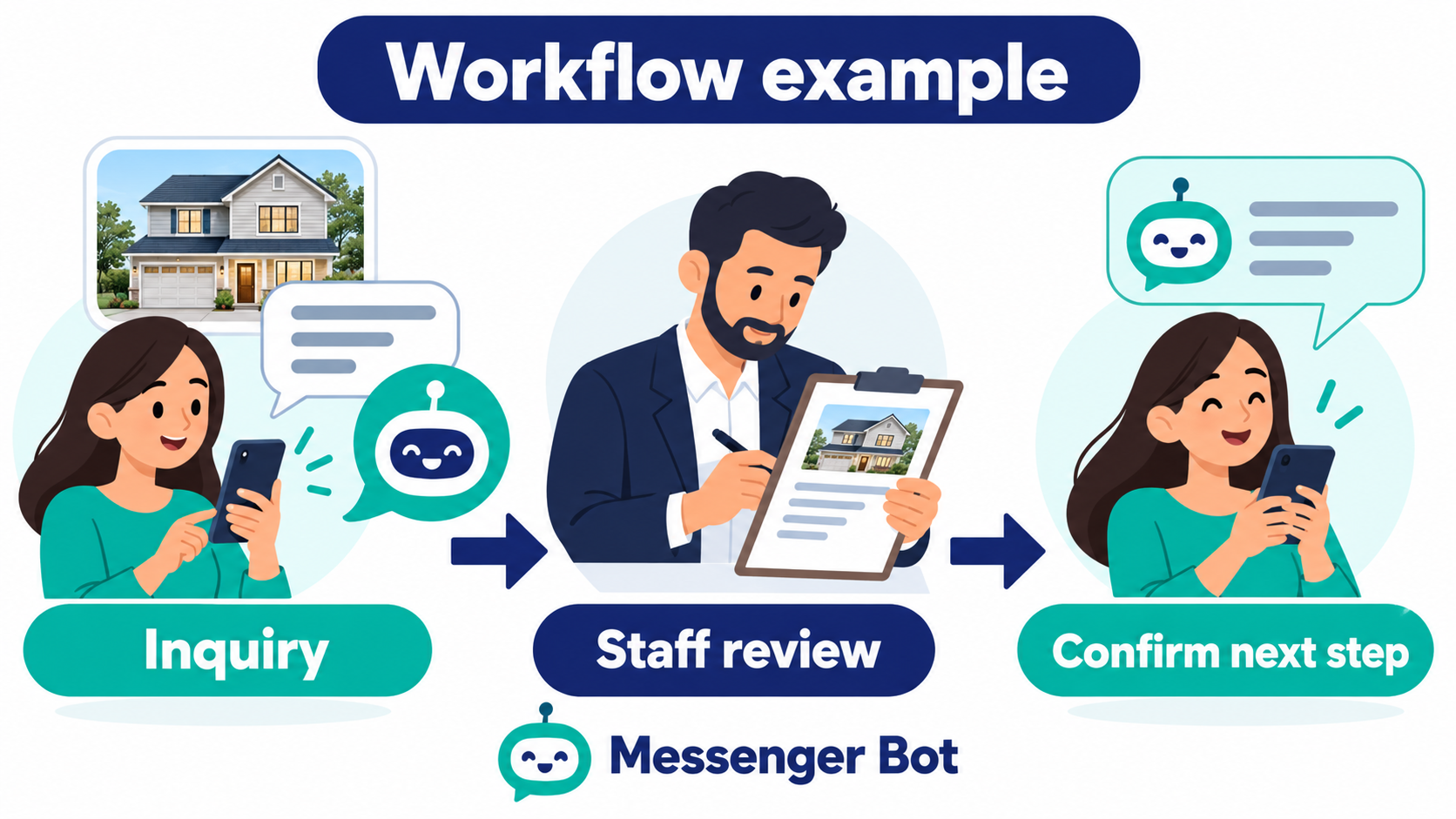
Effective real estate lead generation is about more than attracting potential buyers and sellers. A brokerage also needs a clear way to capture permission, understand the first question, respond promptly, and give the right team member enough context to continue. Referrals, open houses, listing portals, social media, and paid campaigns can all start conversations. Plan what happens after the first inquiry so a customer knows how to get a useful answer.
Build around clear intake, realistic response expectations, and accountable human follow-up rather than a promise of lead volume or a guaranteed conversion rate. Keep a person responsible for advice, pricing, offers, documents, and decisions that affect a customer. Start with one inquiry type, write its next steps, and check that the team can carry them out before expanding the workflow.
Start With the Lead Journey, Not a Tool
Before choosing software, map the path a new inquiry should take. A person may ask about a listing, request a showing, wonder whether an area fits a budget, ask about selling, or send a short message that needs clarification. Each case needs a useful first response and a clear owner. If the team cannot describe the next step on paper, adding automation will not resolve the missing responsibility.
Write down five stages: arrival, acknowledgement, qualification, assignment, and human follow-up. Arrival records the channel and the time. Acknowledgement confirms that the message reached the team without pretending that an agent has already reviewed it. Qualification collects only the context needed for assignment. Assignment identifies the person or team responsible for follow-up. Human follow-up answers the actual question and confirms what will happen next.
Define What Counts as a Useful Inquiry
A useful inquiry is not necessarily a long form submission. A short question about a listing can be worth answering without a completed questionnaire. A vague “is this available?” message may need one clarifying question rather than a large form. Agree on a small set of signals: buying, selling, renting, investing, property type, preferred area, timing, and the best permitted follow-up channel. Keep the signals understandable to the customer and easy for staff to interpret.
Separate an inquiry from a qualification decision. Use the collected context to identify who should review the request, not to make a final judgment about the customer. An agent should decide whether a showing discussion, valuation conversation, document review, or another next step is appropriate. An automated label is not a professional assessment or an eligibility decision.
Connect Capture, Qualification, and Response
Real estate teams can receive conversations from several sources at once. A referral or open-house inquiry may already include property context but still needs a named follow-up owner. A paid campaign needs a spending plan and a response plan. A social post may prompt a question that does not fit a listing form. Use the same ownership standards across sources while letting the opening questions reflect what the customer has already shared.
Use a Short, Polite Intake
The first automated step, if your chosen tool supports it, should explain why a question is being asked and make it easy to continue or request a person. A practical sequence might ask:
- Are you looking to buy, sell, rent, or learn about options?
- Which property type or area is most relevant?
- What timing would make the conversation useful?
- Would you prefer a call, email, or message follow-up?
- Is there anything the agent should know before replying?
Do not require a customer to answer every question before receiving help. Provide a way to request a person at each meaningful stage and test that request with your team. Avoid collecting bank details, identity documents, account passwords, or sensitive financial information in an initial chat. If a customer volunteers sensitive information, the human team should follow its approved handling and retention policy rather than asking the automation to interpret it.
Write an Honest Acknowledgement
An acknowledgement should set a clear expectation: the message arrived, a few details can help direct it, and human review is still needed. It should not imply that a property is available, that an application is approved, or that an agent has made a recommendation. Keep the distinction between an automated first response and professional advice visible.
Use different acknowledgements for a listing question, a seller request, and a general information request. The differences do not need to be complicated. If the next owner is known, name the role and the expected review window. If ownership is not yet confirmed, say that the request needs review instead of claiming that it has already reached a specialist.
For example, a listing acknowledgement could say: “Thanks for asking about this property. Please share the listing address or link if it is not already in your message. A team member needs to check availability before confirming a showing.” Adapt the wording to the team’s actual process; it is not a reservation or an agent’s availability confirmation.
Design a Response-Time Workflow
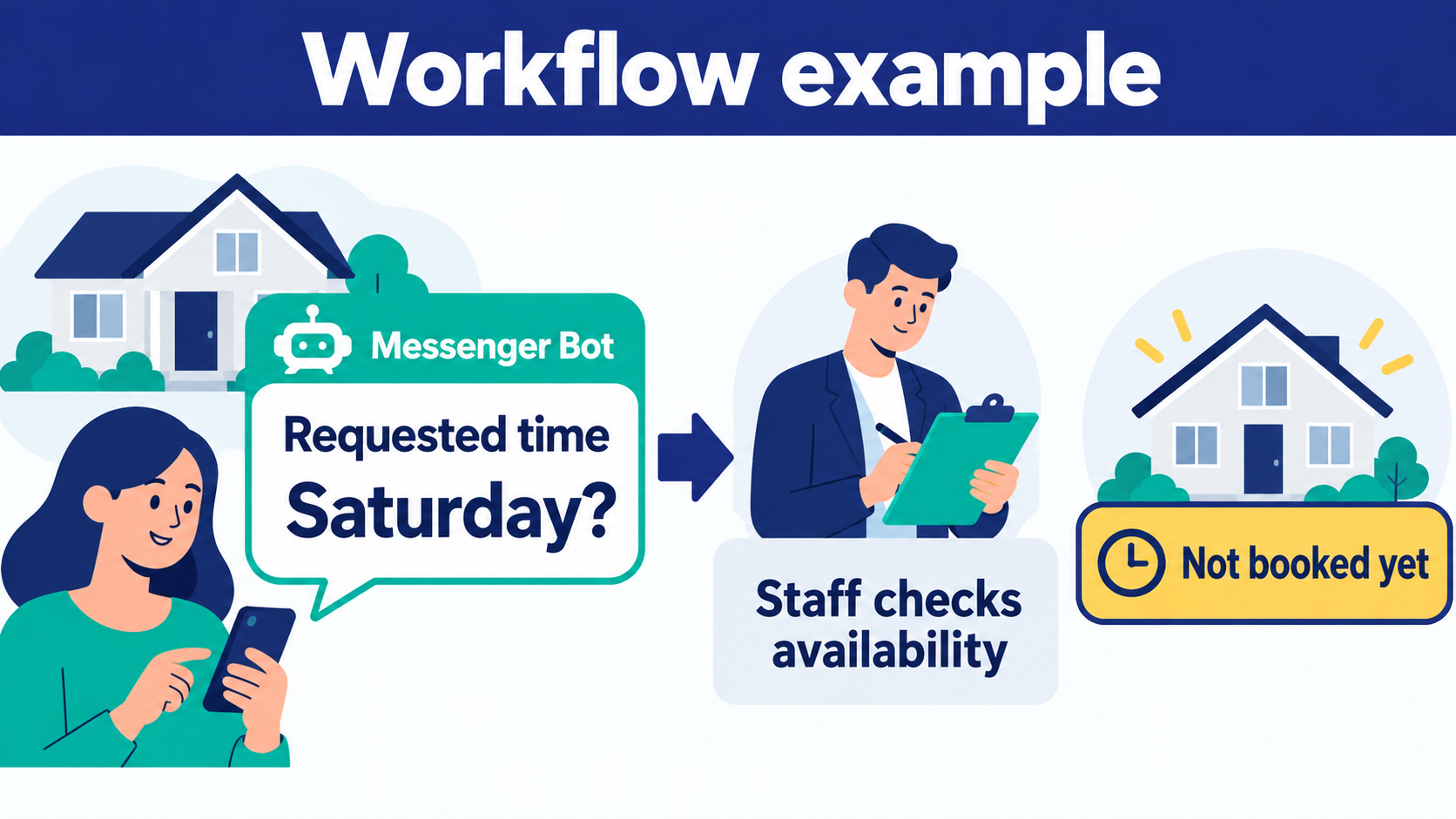
Separate a quick acknowledgement from a useful human answer. The goal is not to replace a person with a timer; it is to make responsibility visible while the team reviews the request. Record the arrival time, the first acknowledgement time, the assignment time, and the first human reply time. Those four moments help the team locate delays without treating an automated message as completed follow-up.
Create Response Windows
Set a normal response window that the team can keep. During business hours, a new inquiry may move from acknowledgement to assignment quickly. Outside that window, explain the team’s actual review hours and offer only information the team has approved for that situation. Do not promise a response time the team cannot support every day. If a delay occurs, a human should be able to update the customer rather than allowing an automated sequence to continue indefinitely.
Keep the First Reply Focused
The first human reply should answer the question that was actually asked. If the person asked about a showing, acknowledge the property and ask the smallest question needed to coordinate. If the person asked about selling, direct the conversation to the appropriate specialist. Avoid sending a generic brochure before the team understands the customer’s intent. Record the answer and agreed next step so another team member can continue without asking the same questions again.
Before using Bot de mensagens for this process, map your approved conversation steps and verify which of them the product supports in your intended setup. Do not assume that intake, assignment, or a pause for human review happens automatically. Teams can Navegue por nossos Tutoriais as a starting point for reviewing setup guidance, then test the exact customer and agent experience before using it for live inquiries.
Route Conversations and Protect the Human Handoff
Routing rules should be easy to explain. A seller inquiry can go to the person or team responsible for listing or valuation inquiries. A showing request can go to the person responsible for scheduling. A question about a specific area can go to the team member who handles that area. When the rule is uncertain, ask a team member to review the request instead of making a confident guess.
Give Agents the Right Context
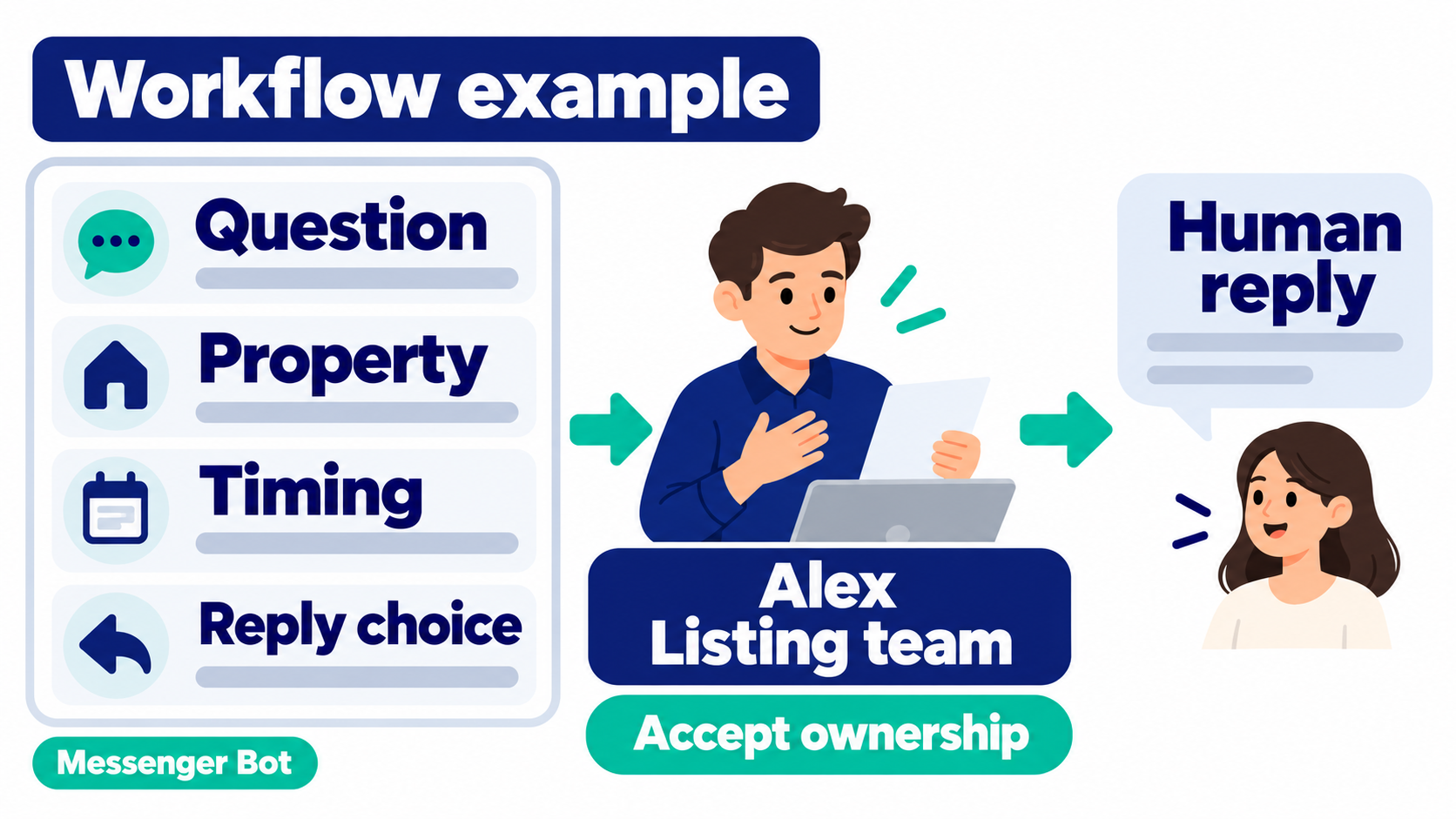
A handoff is useful when the agent can see the customer’s original question, the answers already provided, the requested property or area, the timing, and any explicit preference about follow-up. It is not useful when the agent receives an unexplained score or a long transcript with no summary. Keep the summary concise and make the original conversation available to the responsible person when needed.
Make ownership visible. Every open inquiry should have a person or team responsible for the next step, or be clearly awaiting human assignment. Before an agent takes over, check that the chosen process stops duplicate automated questions. If the customer changes direction, let the agent correct the assignment. Treat these as requirements to test, not capabilities to assume in any particular product.
Use a Handoff Note That Separates Requests From Confirmations
A practical note might read: “Customer asked to view the property linked in the conversation. Prefers a message reply and asked about a weekend visit. Availability has not been checked; no appointment is confirmed. Listing team to review the request and agree the next step with the customer.” This is a fictional planning example, not a record of a customer or a completed booking.
The useful distinction is between what the customer requested and what the team has confirmed. Keep those two fields separate in your working notes. Mark unanswered questions explicitly, and ask the receiving agent to acknowledge ownership. If nobody accepts the inquiry, it remains open for review rather than becoming a completed handoff because a notification was sent.
Handle Sensitive Requests With Care
Questions about financing, legal documents, fair-housing obligations, identity, access, or a complaint should move to an appropriate human owner. Do not use a general intake conversation to make a definitive legal or financial judgment. Acknowledge the request, preserve the customer’s stated question, and use the team’s approved review process. Avoid giving an answer simply to keep the conversation moving.
Privacy, Consent, and Safety Boundaries
Help customers understand what will happen with their information. Explain why a detail is needed, how a person will use it, and how to request human help. Provide a clear way to stop automated follow-up and check that staff can honor it. Avoid making a customer answer unnecessary questions or continue on a channel they no longer want.
Use the minimum information required for the next step. An initial listing question does not need a Social Security number, a bank account, a password, or a full identity document to establish which property the person means. Do not ask a customer to paste sensitive documents into a general message thread. Establish a separate approved process for any later verification, and do not make the intake sound like that process is already in place if it has not been reviewed.
Review permissions for every connected channel and document who can see a conversation. Staff should know how to correct an assignment, respond to an accidentally shared sensitive detail, and escalate a privacy concern. Set explicit retention responsibilities rather than assuming that a saved conversation can be kept indefinitely. These are workflow safeguards, not a claim that a particular tool or wording satisfies every applicable requirement.
Measure the Workflow Without Chasing Vanity Numbers
Choose a small measurement set that the team can define consistently. Track conversation volume by source, acknowledgement time, human-assignment time, first human reply time, intake completion, handoff completion, and customer-requested stop events. Compare those measures by channel and time window. Keep definitions stable so an apparent change is not simply a different way of counting.
Separate activity from outcome. More messages do not automatically mean better opportunities. A completed intake does not prove that a conversation is a qualified buyer or seller. Review a sample with the team and note whether the question, assignment, reply, and next step were appropriate. Use that review alongside totals; do not treat a fast automated response as evidence of a sale or an accepted appointment.
Use a Simple Review Cadence
Review operational measures weekly while a workflow is new. Look for unanswered conversations, duplicate questions, incorrect assignments, and handoffs that lack context. Review customer feedback and requests to stop alongside response time. When a pattern appears, change one part of the workflow, record the date, and compare a later window rather than claiming an immediate win.
Define completion in terms the team can verify. For example, count an assignment when a named person accepts responsibility, and count a human reply when that person sends a relevant response. An automated acknowledgement belongs in its own measure. If an inquiry lacks a responsible person, keep it visible as open work even if the intake questions were answered.
Adapt the Workflow to Common Real-Estate Scenarios
A single intake path can support several real-estate scenarios when the opening question makes the customer’s intent clear. For a listing inquiry, confirm the property or area and offer the next scheduling step. For a seller inquiry, ask whether the person wants a valuation conversation or general preparation guidance before routing the message. For a rental or investment question, route to the team that handles that type of request instead of assuming that the same script applies. If your team also manages rental properties, use our leasing inquiry and follow-up guide for that separate workflow.
An open-house attendee may already know the property and simply need a next step. A campaign inquiry may need context about the property type, timing, and preferred communication channel before an agent calls. For a referral, acknowledge the introduction without implying that the referring person has given permission for every future message. Vary the opening questions while keeping the same ownership and human-review boundaries.
| Inquiry | Minimum useful context | Human review owner | What still needs confirmation |
|---|---|---|---|
| Buyer or listing question | The property or area, original question, preferred reply channel, and timing if relevant. | The listing or buyer-inquiry team designated by the brokerage. | Availability, showing arrangements, and the next agreed action. A request is not a reservation. |
| Seller request | The property area, whether the person wants preparation guidance or a valuation discussion, and preferred contact method. | The team’s designated listing or seller-inquiry specialist. | The scope of the discussion and any professional assessment. Intake is not a valuation or an offer. |
| Rental inquiry | The property or rental area, the question, timing, and how the person wants a reply. | The team responsible for leasing inquiries. | Availability and the appropriate application or viewing process. Initial chat does not determine applicant eligibility. |
Use the comparison to plan responsibility, not to score people. If a request covers two categories, ask which question the customer wants answered first and have a person choose the appropriate next owner.
For showing requests that need a separate intake checklist, use our appointment request and staff-confirmation guide. Keep requested times separate from confirmed availability, and have a person agree the arrangements with the customer.
Make Handoffs Useful on Mobile
Keep questions short, use clear response options, and avoid forcing a person to re-enter information already visible in the conversation. On the team side, put the original request, property or area, timing, and unresolved question first. Check that an agent can read that context on a phone without searching through a long summary.
Test the flow with realistic short messages, incomplete answers, spelling variations, and a request to speak with a person. Confirm that the customer can stop, change direction, or ask a different question without being trapped in the original branch. A test set should include uncertain ownership and a delayed human response, not just a completed intake followed by an immediate reply.
Keep a dated change note for each workflow adjustment, including who changed it and what staff should do differently. Use the note during agent training and when investigating a customer question about the follow-up process.
Implementation Checklist for Property Teams
Use this checklist to turn one inquiry type into a process your team can review and test:
- List the channels that create real-estate inquiries and record their current owners.
- Write the acknowledgement customers will see and remove promises the team cannot keep.
- Choose only the intake questions needed to direct the request without collecting unnecessary sensitive data.
- Define the person or team responsible for each common inquiry type and a human-review fallback when intent is unclear.
- Set a realistic review window for business-hours and after-hours inquiries.
- Give agents the original question, collected context, unanswered questions, and an ownership confirmation step.
- Document how the team handles privacy requests, complaints, financial questions, and identity concerns.
- Choose stable measures for acknowledgement, accepted assignment, human reply, handoff, and requests to stop.
- Test duplicate-question prevention and human-review pauses in the exact setup before relying on them.
- Record the workflow owner, backup owner, and how to return to the previous process if the new one fails.
Begin with the customer’s question and an accountable person. Add automation only where the team has confirmed that it helps the next step without confusing the customer or removing necessary review. When a test fails, correct that part of the process before sending more inquiries through it.
Review Recursos do Messenger Bot against your requirements, verify the supported steps in your intended setup, and use Verificar Preços Atuais after the team understands the scope and human-review responsibilities.
Perguntas frequentes
What is real estate lead generation?
Real estate lead generation brings potential buyers and sellers into contact with a brokerage. A useful workflow captures the person’s question and permitted follow-up details, then gives a human team member responsibility for the next conversation. It does not guarantee lead volume, a client relationship, or a completed transaction.
Why should a brokerage measure acknowledgement and human reply separately?
An acknowledgement tells the customer that a message arrived; a human reply addresses the actual request. Record both so a quick automated message does not hide a delayed answer. Review assignment time as well, because an inquiry still needs a responsible person even when the first acknowledgement was sent.
How should automated systems hand off to human agents?
Plan a handoff that gives the receiving agent the original question, relevant intake details, unanswered questions, and the customer’s follow-up preference. Confirm that a named person accepts responsibility and test that duplicate automated questions stop. Do not assume a product transfers ownership or pauses replies automatically without checking the exact setup.
What information should a brokerage ask for in the first conversation?
Ask for the inquiry type, property or area, original question, timing when relevant, and preferred follow-up channel. Let the customer request a person without completing every question. Do not ask for passwords, bank details, identity documents, or other sensitive records in an initial general chat; use the team’s approved process if later verification is needed.
What should happen after hours or when no agent has accepted the inquiry?
Explain the team’s actual review hours and keep the inquiry visibly awaiting human assignment. Use a designated backup or review owner if the usual person is unavailable. Do not claim an appointment, availability check, or specialist handoff is complete. If the expected review is delayed, have a person update the customer and agree the next step.



 Português do Brasil
  English
  Tagalog
  简体中文
简体中文  العربية
  हिन्दी
  Español de México
  Français
  বাংলা
বাংলা  香港中文
香港中文  繁體中文
繁體中文  Nederlands
  Deutsch
  Bahasa Indonesia
  日本語
日本語  한국어
한국어  Polski
  Русский
  Español
  Tiếng Việt