
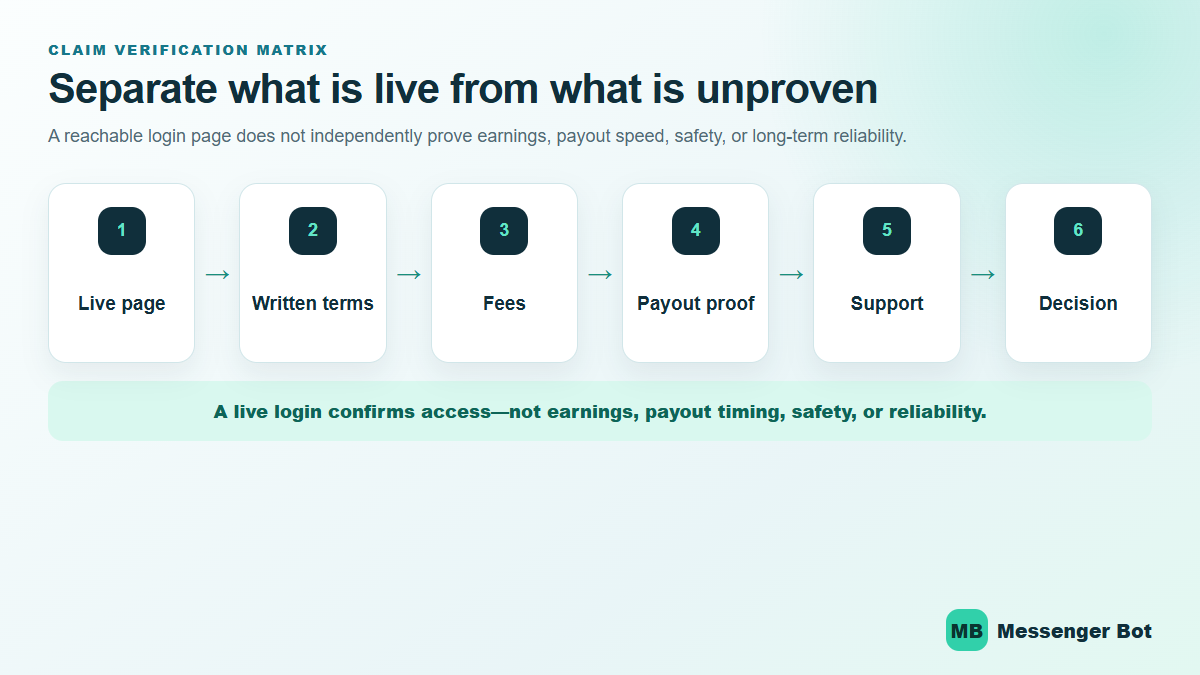
Independent review: This page explains the MathBot login and registration paths that were publicly reachable on July 30, 2026. It is not an endorsement, payment confirmation, or recommendation to register. A working website does not prove that a service is safe, reliable, profitable, or able to complete a withdrawal.
The Starter login page observed in this review was reachable at math-bot.com/login during this review. It displayed username and password fields, plus Reset PIN and Forgot Password options. That is the clearest dated access observation to the access question. The harder questions—what registration costs today, which paid tasks are available, how much a user could earn, and when a withdrawal would arrive—did not have consistent or independently verifiable public answers.
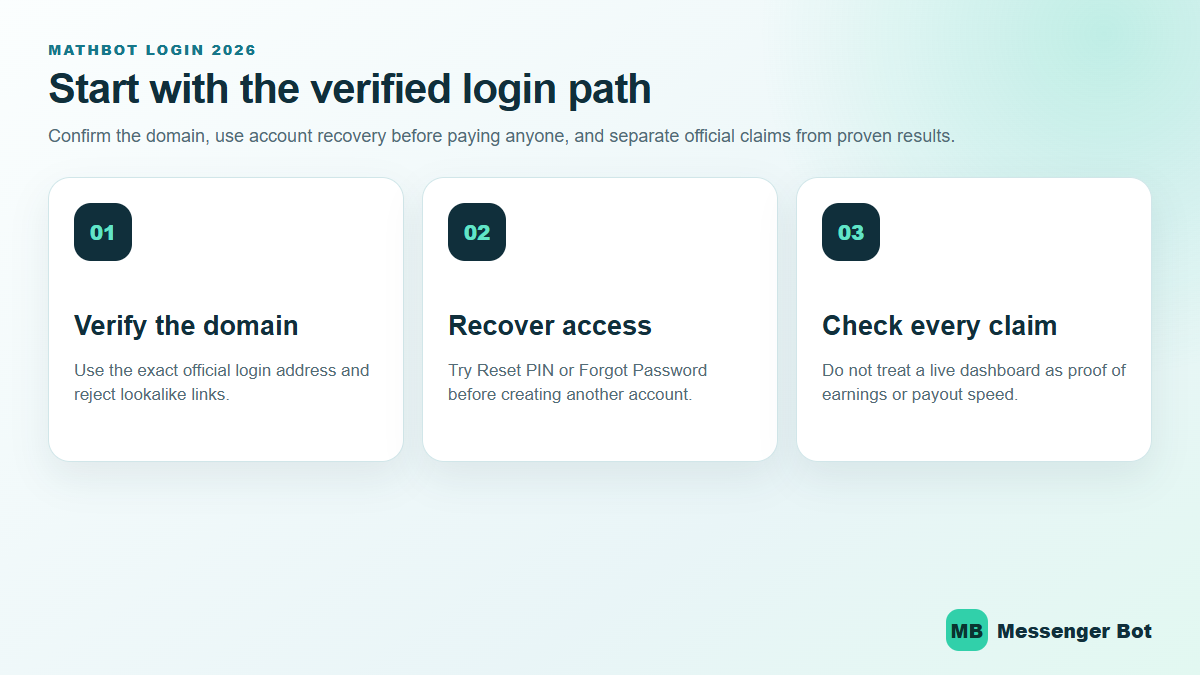
MathBot login: the observed Starter access path
For a Starter account, begin with the login page observed in this review rather than a link copied from a comment, group message, shortened URL, or advertisement. On July 30, 2026, the page presented four relevant options:
- a username field;
- a password field;
- a Reset PIN link;
- a Forgot Password link.
Confirm the hostname is exactly math-bot.com before entering account details. Lookalike domains can reproduce a familiar logo or form without belonging to the same operator. A padlock only means the connection is encrypted; it does not prove the business behind a page is trustworthy.
The observed site’s features page describes MathBot as browser-based and advertises a dashboard. No listing linked from the observed site for an Android or iOS app was verified in this review. Search results for similarly named math-learning applications belonged to unrelated developers, so they should not be treated as the app version of this service.
Starter and Premium are separate access paths
The observed Starter site links to a separate Premium property at mathbotv2.com. That Premium login showed username and password fields when reviewed. Do not assume that a Starter username, plan, task list, payout setting, or support path automatically applies to Premium. Our separate MathBot Premium access guide covers that property without mixing its claims into the Starter instructions.
Check a Math Bot Login Page Without Treating It as Verified
A working Math Bot login screen is an access point, not proof of who operates the service or whether its earning claims are dependable. This guide’s dated review observed access pages associated with the “Starter” and “Premium” labels, but it did not independently verify an operator identity or designate either site as an authorized operator page. Before entering anything, compare the full address with the dated evidence already documented on this page. Look for added words, misspellings, unusual subdomains, or a link shortened inside a social post.
Do not reuse a password from email, banking, social media, or another earning service. A separate domain should be treated as a separate security decision even when the branding looks similar. CISA’s phishing guidance recommends pausing when a message creates urgency, resisting the request to click or disclose information, and reporting suspicious messages. HTTPS can encrypt a connection, but the padlock alone does not establish that the person behind a site is trustworthy.
If anyone claiming to provide Math Bot support asks for a password, recovery code, wallet MPIN, or one-time password, stop. The GCash Help Center says GCash will not ask for an MPIN or OTP and warns about unexpected job or high-return offers that require a transfer first. Keep the distinction clear: this page explains observed access and safety checks; it does not endorse Math Bot, confirm legitimacy, or promise that a login will lead to paid tasks or withdrawals.
How to recover access without guessing
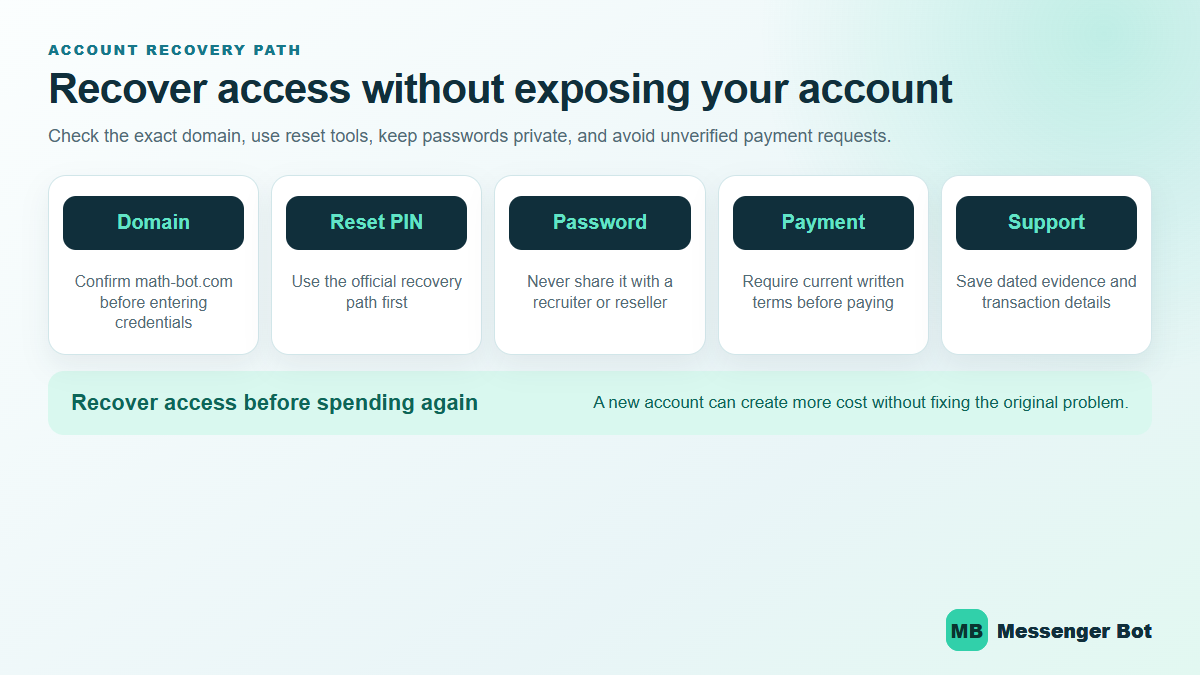
If the observed Starter page loads but the account does not open, use the recovery control that matches the problem. Reset PIN and Forgot Password are distinct links on the current login page. Follow the on-screen route instead of repeatedly entering credentials or sending account details to someone in a public group.
- Verify the domain. Open the observed Starter login shown in this dated review and check the complete hostname before entering anything.
- Choose the matching recovery path. Use Forgot Password for a password problem or Reset PIN for the separate PIN process shown by the site.
- Keep the recovery session private. Do not share one-time codes, reset links, passwords, PINs, wallet credentials, or identity documents in comments or direct messages.
- Record what the page actually says. If a fee, identity request, support instruction, or withdrawal term appears, save a dated screenshot for your own records.
- Stop when the route changes unexpectedly. A redirect to an unrelated hostname, a request for remote-device access, or pressure to pay outside the documented flow deserves independent verification.
Clearing browser data, trying another network, or disabling an extension can be reasonable general browser troubleshooting, but MathBot’s reviewed public pages did not document those actions as documented fixes. Do not interpret a generic troubleshooting step as evidence that an account is valid or that a payment issue will be resolved.
Registration is referral-dependent, not open free signup
The reviewed public evidence does not support describing MathBot registration as free or open to anyone from a generic registration page. The observed /register route returned a 404 response. The observed signup page loaded an invalid-invite state, while the onboarding page described a referral-based process.
根据 observed onboarding page as accessed on July 30, 2026, the process involves a referral link, a referrer, purchase of an activation code, entry of personal details, and account registration. The signup form displayed fields including username, email, full name, mobile number, and activation code. These are the operator’s instructions, not a recommendation from Messenger Bot to follow them.
The observed pages display conflicting Starter amounts
No single fixed “current Starter fee” can be responsibly stated from the accessible observed pages. The invite-dependent signup terms displayed a ₱140 non-refundable amount, while the 定价页面 displayed Starter at ₱160 and Premium at ₱360. Because those first-party pages conflict, confirm the amount, plan, recipient, and refund terms immediately before any payment. A screenshot from an older guide should not settle the conflict.
| Observed page reviewed | What it displayed | What it does not prove |
|---|---|---|
| Invite-dependent signup terms | ₱140 language and a non-refundable statement | That ₱140 is the only current amount for every invitation or plan |
| 定价页面 | Starter ₱160 and Premium ₱360 | That an advertised plan produces tasks, earnings, or a completed payout |
| Join-us page | Referral-link and activation-code registration steps | That any person offering a code is authorized or that payment is recoverable |
The signup terms also state that specific earnings or results are not guaranteed. That first-party disclaimer conflicts with articles or social posts that present a daily income range as predictable. Do not pay solely to “test” a payout claim. Resolve the amount conflict, non-refundable language, operator identity, privacy terms, support route, and authenticated account terms first.
Evaluate Referral and Activation Requests Before Paying
Some pages observed during review present referral-code or invitation steps rather than an open registration flow. If a page blocks registration without a code, that only describes the screen being shown. It does not prove that a referrer is authorized, that an activation request is necessary, or that a payment will unlock genuine work. Record the exact page, date, price, refund wording, stated operator, and support channel before deciding whether a claim can be checked.
Treat any pay-first work offer as high risk. The FTC’s job-scam guidance says honest employers do not ask people to pay to get a job and notes that social posts can advertise work-from-home schemes. If promoters describe an activation fee, recharge, or referral payment, ask what independently verifiable product or service is being purchased and what happens if no tasks or withdrawals are available. Screenshots, balance counters, testimonials, and recruiter messages are not independent payment proof.
Do not borrow money, transfer funds under time pressure, or share identity documents merely to test access. Registration, a referral code, or a successful login does not establish earnings, refunds, task availability, or withdrawal reliability. If those facts cannot be verified before payment, the safer choice is to stop and preserve your account and wallet information.
What the public task pages establish—and what they do not
The observed site exposed a captcha trial and a numbers trial without requiring an account during the review. Those pages establish that a visitor could see and try those two demonstration task types. They do not establish the volume of paid work after registration, a rate per task, a daily task limit, or the availability of a withdrawal.
The observed site markets simple-task earning, but its public signup terms do not guarantee earnings or results. No defensible daily or monthly earnings range was available from current primary sources or an independently reviewed sample. The previous version of this article contained projected daily totals, monthly ranges, and suggested task counts; those figures have been removed because the current evidence does not support them.
Claims about word solving, color guessing, advertiser tasks, or a universal Starter task catalog were not established by the current Starter sources reviewed. Referral income appears in the separate Premium property’s marketing, but that does not prove a universal Starter referral benefit. Treat plan-specific marketing as a prompt to inspect the exact authenticated plan—not as a guarantee.
Payout methods are self-reported, not payment proof
Messenger 是由 Meta Platforms, Inc.(前身为 Facebook, Inc.)开发的广泛使用的消息服务,旨在实现用户之间的无缝沟通。它允许个人发送文本消息、交换照片、视频、贴纸、音频文件和文档。用户还可以对消息进行反应,并与各种机器人进行互动,以增强互动体验。 observed features page listed GCash, Maya, GoTyme, bank transfer, credit card, and mobile load among its payout options on July 30, 2026. This is a dated first-party feature list. The review did not verify which methods apply to each plan, whether every method is currently available, what fees or thresholds apply, or whether a specific withdrawal completed.
No current public minimum payout was verified. No current public processing-time commitment was verified. A Premium page used weekday encashment language, but that does not establish Starter availability or a delivery-time commitment. Avoid planning around a threshold or deadline until the exact authenticated dashboard shows it and the operator’s current terms explain it.
A payment-method logo is not transaction evidence. A useful personal record would include the exact plan, dated dashboard terms, transaction reference, amount requested, fee shown, status history, and destination account—with private identifiers redacted before sharing. Even that record would describe one transaction, not guarantee another user’s outcome.
How to evaluate screenshots, testimonials, and group posts
Third-party posts can help identify questions to investigate, but they need context before they can support a financial claim. A dashboard screenshot may show a number without showing whether it is available, pending, promotional, or withdrawable. A wallet screenshot may omit the sender, date, account holder, fee, reversal status, or connection to a particular service. A referral testimonial also gives the promoter an incentive that should be disclosed.
For a stronger record, look for a continuous sequence rather than a single cropped image: the terms shown before the request, a redacted request record, the transaction reference, the destination entry, and the final status. Dates, plan names, and amounts should agree across the sequence. Sensitive identifiers should be hidden, but the redaction should not remove every field needed to understand what happened.
Even a well-documented transaction has limits. It may show that one account completed one action under one set of terms. It cannot prove that another account will see the same tasks, threshold, fee, support response, or processing time. It also cannot prove long-term sustainability or operator identity by itself. For another example of separating registration requirements from unresolved identity and payment claims, read our ECNL registration and evidence checks. That review does not verify MathBot or recommend joining either service.
Use these questions when reviewing a claim:
- Is the evidence dated, and does the date match the version of the service being discussed?
- Does it identify Starter or Premium without combining the two properties?
- Does it distinguish a displayed balance from an approved and delivered withdrawal?
- Can the original source be inspected, or is the claim circulating as a copied image?
- Is the promoter paid for referrals, activation codes, or signups?
- Are failed, delayed, reversed, or unsupported outcomes included in the sample?
- Does the conclusion stay within what the evidence shows, or does one example become a universal promise?
This standard is intentionally stricter than counting positive comments. Comments can be useful leads, but they are not an audited sample and may be duplicated, incentivized, outdated, or impossible to connect to the account and transaction described.
Evidence table: access facts, first-party claims, and unresolved risks
| Question | Evidence available on July 30, 2026 | Responsible conclusion |
|---|---|---|
| Does a Starter login page exist? | The observed login returned HTTP 200 and displayed username, password, Reset PIN, and Forgot Password. | The access route was reachable; reachability is not legitimacy or payout proof. |
| Is registration free? | Observed signup, pricing, and onboarding pages describe paid activation or plans. | No. Public trial tasks may be free to try, but account activation is described as paid. |
| What is the Starter amount? | Signup displayed ₱140 while pricing displayed ₱160. | The observed pages conflict; verify the exact current amount before paying. |
| Are paid tasks always available? | Captcha and numbers trial pages were public. | Trial availability does not prove paid-task supply after registration. |
| How much can a user earn? | No independently sampled, current earnings dataset was available; signup disclaims guaranteed results. | No defensible daily or monthly range can be stated. |
| How fast is a payout? | No reviewed public page supplied a Starter processing-time commitment. | Do not rely on specific timing estimates from unsourced posts. |
| Is the service legitimate or safe? | Observed pages were reachable; terms describe as-is access and permit change, suspension, or cessation. | Current access alone cannot establish legitimacy, safety, reliability, or sustainability. |
Privacy and account-safety checks before registration
The observed 隐私政策 describes collection that can include contact details, payment information, identity-verification data, device data, location data, usage records, and transaction information. The current terms state that users should be at least 18.
Before entering information, decide whether the requested data is proportionate to the service and whether the policy explains retention, sharing, correction, and deletion in a way you accept. Keep unique credentials for the account. Never reuse an email password, wallet PIN, banking password, or one-time code. Do not upload identity files through an unofficial chat or a link that cannot be traced to the documented domain.
The terms prohibit automated agents or scripts and allow suspension or termination. They do not establish every ban cause that has been repeated in informal guides. This review did not verify a public ban-rate, a detailed enforcement matrix, or claims that a specific device, network, VPN, speed, or shared account will always trigger action. Follow the current terms instead of treating an unsourced list as verified policy.
Support and documentation limits
The public /support route returned 404 during the review. The contact page pointed readers to Facebook and said support tickets are available to members. The documentation route was reachable but restricted to authorized developers. The terms say the service is provided as-is and disclaim an obligation to provide support or maintenance.
That combination matters before payment or data submission. A contact channel is not a response guarantee, and a social page does not prove that the person answering controls the account system or funds. If support is essential to your decision, verify the current authenticated path and response expectations before committing money or sensitive information.
A practical verification checklist
- 访问: Use the exact Starter or Premium hostname for the plan you intend to access.
- Invitation: Confirm why a referral and activation code are required and who receives any payment.
- Amount: Reconcile the ₱140 signup language with the ₱160 Starter price currently shown on the pricing page.
- Refunds: Read the non-refundable signup language and do not assume a public refund procedure exists.
- 隐私: Review the categories of personal, payment, identity, device, location, usage, and transaction data described by the policy.
- Tasks: Treat the captcha and numbers pages as trials only, not proof of paid-task supply.
- Earnings: Reject daily or monthly projections that lack a current, independently reviewable dataset.
- Payouts: Do not assume a minimum, fee, method, or processing time from an undated screenshot or referral post.
- 支持: Confirm the current members-only support path; the public support route was unavailable in this review.
- Records: Save dated terms and transaction records privately, with sensitive fields redacted from anything shared.
If your question is specifically whether the available evidence supports a trust conclusion, use our separate MathBot legitimacy-evidence review. Filipino readers can also use the MathBot Tagalog access guide. For a broader method that applies across earning-related services, see the platform safety and claim-verification guide.
MathBot login FAQ
Which MathBot Starter login was observed in this review?
The Starter login observed on July 30, 2026 was https://math-bot.com/login. It displayed username and password fields, Reset PIN, and Forgot Password. Verify the complete hostname before entering credentials.
Can I register for MathBot without a referral?
The current public evidence does not show open generic registration. The onboarding page describes a referral link and activation code, the generic register route returned 404, and the signup page showed an invalid-invite state without a valid invitation.
How much does MathBot registration cost?
Two observed pages displayed different Starter amounts during the same review: ₱140 on invite-dependent signup terms and ₱160 on the pricing page. Because the first-party pages conflict, confirm the exact amount and non-refundable terms immediately before paying.
Does MathBot pay through GCash?
The observed site’s features page listed GCash among several methods, but that is a self-reported feature—not proof of tier availability or a completed payout. No current public minimum or processing-time commitment was verified.
Is MathBot legitimate, safe, or guaranteed to earn money?
This review does not make that conclusion. Reachable login, pricing, and trial pages prove access to those pages only. The signup terms do not guarantee earnings or results, while the terms describe as-is access and permit changes, suspension, or cessation.
What should I do if the MathBot login does not work?
Verify the hostname, then use the recovery control shown on the observed page that matches the problem. Keep credentials and recovery codes private. If the support route is needed, note that the public support page returned 404 during this review and the contact page described Facebook and members-only tickets.



 简体中文
简体中文  English
  Tagalog
  العربية
  हिन्दी
  Português do Brasil
  Español de México
  Français
  বাংলা
বাংলা  香港中文
香港中文  繁體中文
繁體中文  Nederlands
  Deutsch
  Bahasa Indonesia
  日本語
日本語  한국어
한국어  Polski
  Русский
  Español
  Tiếng Việt