
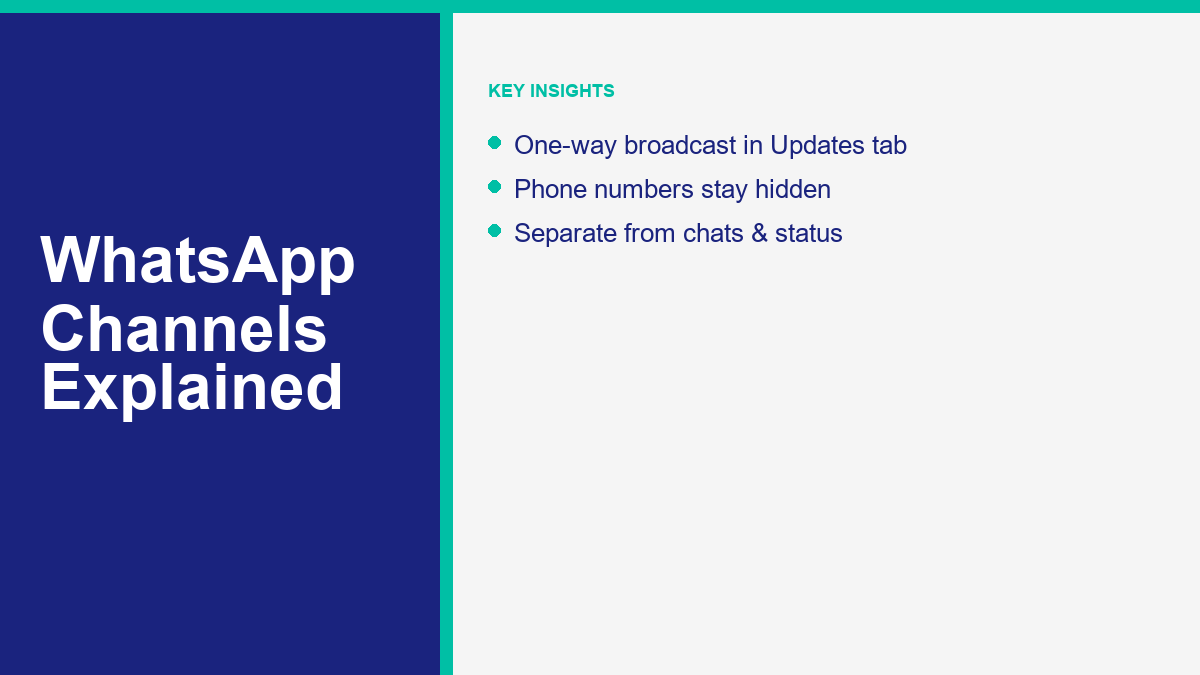
Keeping up with updates from your favorite creators, brands, and local organizations can feel like sorting through endless noise. Traditional group chats often descend into chaos with hundreds of people talking at once, while status updates disappear after twenty-four hours. Meta solved this communication bottleneck by introducing WhatsApp Channels, a one-way broadcast tool that lets you receive high-value updates directly within your app.
Since its global launch, this feature has changed how public figures, news outlets, and businesses communicate with their audiences. Instead of managing private messages or sending bulk alerts that clutter personal inboxes, creators can broadcast text, links, photos, videos, and polls to an unlimited number of followers. The best part is that it keeps contact details private, protecting the identity of both channel owners and their subscribers.
If you want to build your own broadcast audience or follow channels to get the latest news on topics you care about, understanding how this system works is essential. This guide covers how to locate and join the best channels, set up your own channel step-by-step, manage your privacy settings, and use advanced strategies to grow a broadcast audience in 2026. You will also learn how to integrate automated systems to handle follow-up queries, ensuring that you maintain strong connections with your followers without spending hours manually replying to messages.
What WhatsApp Channels Are
WhatsApp Channels are a broadcast transmission tool designed to help organizations, public figures, and content creators share updates with their subscribers. When you follow a channel, its updates appear in a dedicated area of the app called the Updates tab. This tab is separate from your personal chats and groups, keeping your daily conversations clean and organized.
The defining characteristic of a channel is that it operates as a one-way communication stream. Only the channel owner and designated administrators have the permission to send messages. Followers cannot send text messages, images, or files in response. Instead, followers can interact with the updates by reacting with emojis or participating in polls created by the administrators. This structure prevents the notification overload and conversational clutter associated with massive group chats.
Another key aspect is the duration of the content. Unlike standard chats where history is stored indefinitely on your device, WhatsApp Channel updates are temporary. Meta stores channel updates on its servers for up to thirty days before deleting them. This ensures that new followers do not get bogged down by years of outdated updates, while keeping server storage efficient.
Unlike private chats, channels are not end-to-end encrypted by default. Because the goal of a channel is to reach a broad, public audience, the messages are designed to be shared widely. However, Meta does encrypt the directory searches and keeps the list of channels you follow private from your contacts. In addition, some organizations may request end-to-end encryption for specific, highly sensitive broadcast channels, though the standard public channels visible in the directory do not use it.
For creators and brands, channels offer a direct line to their audience. Since there is no algorithmic feed deciding who sees your updates, your messages reach your followers in chronological order. Because channels are built directly into WhatsApp, your audience does not need to download a new application or sign up for a separate newsletter service to stay connected.
WhatsApp Channels vs. Groups vs. Status: The Core Differences
To get the most out of WhatsApp’s features, you must understand how channels differ from groups and status updates. While all three features allow you to share information with multiple people, they serve entirely different purposes and have different privacy models.
A WhatsApp Group is a multi-way communication space. It is designed for interactive conversations among family, friends, or small teams. In a group, any member can send messages, share media, and see the phone numbers of all other members. Groups are limited to 1,024 participants, and they are fully end-to-end encrypted.
A WhatsApp Status is a temporary update that you share with your personal contact list. It is the equivalent of a story on Instagram or Facebook. Status updates disappear automatically after twenty-four hours. You can control who sees your status via your privacy settings, but it is generally aimed at people who already have your phone number saved in their address book.
WhatsApp Channels, by contrast, are public or private broadcasts meant for one-to-many communication. They support an unlimited number of followers, and the personal information of the followers remains hidden. A follower cannot see who else is subscribed to the channel, nor can they see the admin’s personal phone number.
To make these distinctions clearer, here is a detailed breakdown of how these features compare:
| 功能 | WhatsApp Channels | WhatsApp Groups | WhatsApp Status |
|---|---|---|---|
| Direction | One-way broadcast (Admin to followers) | Multi-way conversation (All members) | One-way broadcast (To contacts) |
| Audience Limit | Unlimited followers | Up to 1,024 members | Visible to contacts list |
| Privacy (Followers) | Hidden from admins and other followers | Visible to all group members | Visible to contacts who view it |
| Privacy (Admins) | Phone number is hidden from followers | Phone number is visible to members | Phone number is visible (is in contacts) |
| Lifespan of Updates | Stored on servers for up to 30 days | Permanent (unless deleted manually) | Disappears after 24 hours |
| 通知 | Muted by default (Followers must unmute) | Active by default (Members can mute) | Silent (Appears in Updates tab) |
| 加密 | Not end-to-end encrypted by default | End-to-end encrypted | End-to-end encrypted |
This comparison highlights why channels are the preferred choice for broadcasting updates to a large public audience without compromising privacy.
” alt=”Comparison of WhatsApp Channels, Groups, and Status features”/>
How to Search, Find, and Follow WhatsApp Channels
Finding channels that match your interests is a simple process. Because Meta maintains a public directory of verified and active channels, you can explore options directly within the application.
To search for channels on your mobile device:
1. Open WhatsApp and tap the Updates tab.
2. Scroll down to the Channels section.
3. Tap the plus icon (+) and select Find channels.
4. Tap the search icon (magnifying glass) at the top of the screen to search for specific topics, brands, or names.
5. Use the filter tabs to refine your search:
– All: Displays all channels in the directory.
– Most active: Shows channels with high engagement and frequent updates.
– Popular: Ranks channels by their total follower count.
– New: Lists recently created channels.
– Country filter: Lets you change the directory location to see channels from other regions.
When you find a channel you want to follow, simply tap the plus icon (+) next to its name, or tap the channel to open it and tap Follow at the top right.
You can also join channels through direct invite links shared on websites, social media platforms, or emails. Clicking these links will open WhatsApp and take you directly to the channel page, where you can tap Follow to start receiving updates.
When you follow a channel, it is muted by default to prevent constant interruptions. To receive push notifications for new updates, open the channel and tap the bell icon at the top of the screen. This ensures that you never miss critical announcements while maintaining control over your notifications.
How to Create Your Own WhatsApp Channel Step-by-Step
Creating a channel allows you to share updates, news, and promotional content with a broad audience. The feature is available on standard personal accounts, WhatsApp Business accounts, and WhatsApp Web.
To create a channel on your phone (Android or iOS):
1. Open WhatsApp and go to the Updates tab.
2. Tap the plus icon (+) next to Channels and select Create channel.
3. Read the on-screen introduction and tap Continue to proceed.
4. Enter a name for your channel. The name can be changed at any time in the future.
5. Add a channel icon. You can upload a photo from your device gallery, take a new photo, or use an emoji or sticker.
6. Write a clear description of your channel. The description should explain the purpose of your channel and let potential followers know what kind of updates they can expect.
7. Tap Create channel to complete the setup.
To create a channel using WhatsApp Web or Desktop:
1. Open WhatsApp Web or Desktop and click the Channels icon.
2. Click the plus icon (+) and select Create channel.
3. Click Continue and enter your channel name, description, and icon.
4. Click Create channel to finish.
Once your channel is active, you can share it with others by tapping the channel name and selecting Channel link. Copy this link and distribute it across your marketing channels, website, and email signatures to attract subscribers.
For professional creators, using a WhatsApp Business account is recommended. The business version provides additional features, including the ability to link your channel directly to your business profile. It also allows multiple administrators to manage the channel, making it easier to coordinate broadcasts across a marketing team.
” alt=”Steps to create a new WhatsApp Channel”/>
Privacy and Security: What Admins and Followers Can See
Privacy is a central design element of the WhatsApp Channels system. Unlike groups, where personal details are shared openly, channels protect the identity of everyone involved.
For followers, your phone number, profile picture, and display name are kept completely hidden from other subscribers. They cannot see that you have followed the channel, nor can they view any of your profile details. Furthermore, the channel administrator cannot see your full phone number or profile name unless they already have your contact details saved in their personal phonebook. If you interact with updates by reacting with emojis, other followers will see the total reaction count, but they will not see which specific account left each reaction.
For administrators, the privacy protections are equally robust. Followers cannot see your personal phone number, profile picture, or status updates. Followers only see the channel name, channel description, and channel icon. This separation allows you to manage a public broadcast without revealing your private contact information.
To maintain general account security, admins and followers should perform regular maintenance on their primary application settings. If you ever lose access to your device or account, you should follow the WhatsApp message backup and recovery guide to restore your broadcast histories and settings safely.
In addition to hiding contact information, channels protect your list of followed accounts. None of your personal contacts can see which channels you follow. This information is kept private on your device. If you are concerned about read receipts or read markers in your individual chats, you can read our guide on controlling your read receipts and blue ticks to manage your active privacy indicators.
These privacy layers make channels a secure choice for businesses, public figures, and consumers who wish to share and consume content without exposing their personal digital footprints.
How to Grow Your WhatsApp Channel Audience in 2026
Building a significant subscriber base on a WhatsApp Channel requires a structured approach to content delivery and promotion. Because channels do not rely on algorithmic distribution, you must actively drive traffic to your channel link.
Focus on delivering exclusive value that followers cannot get on your other social media accounts. Share real-time updates, behind-the-scenes content, and early-access promotions. Using interactive elements, such as polls, is an excellent way to maintain engagement and gather feedback from your audience without cluttering the chat with replies.
Promote your channel link across your existing digital assets. Place a clear call to action on your website, send an announcement email to your newsletter subscribers, and pin the invite link to the top of your other social profiles. Cross-promotion is the most reliable way to convert your existing audience into active WhatsApp Channel subscribers.
Keep your updates concise and visual. Since most users read WhatsApp messages on their mobile screens, long blocks of text can lead to high unsubscribe rates. Use high-quality images, short video clips, and bulleted lists to make your updates scannable. Include clear links with call-to-action buttons when directing followers to external websites or store pages.
Analyze the emoji reactions on your posts to understand what content resonates best with your audience. If certain updates receive a high volume of positive reactions, adjust your content calendar to produce similar updates. Monitoring these signals helps you refine your content strategy and keep your audience engaged over the long term.
How to Integrate Automation and Chatbots with WhatsApp
While WhatsApp Channels provide a powerful way to broadcast messages to a large audience, they are limited to one-way communication. When followers read your updates, they may have follow-up questions, require support, or want to purchase a product mentioned in your broadcast. To handle these interactive requests, you need a two-way conversational system.
Integrating an automated chatbot on your standard WhatsApp Business number allows you to bridge the gap between broadcasting and customer service. When a follower clicks a link in your channel update, they can be directed to a chat window where a bot instantly answers their questions, qualifications, or transactions.
設置一個 free WhatsApp chatbot setup allows your business to reply to user inquiries instantly, without requiring manual intervention from your support team. These bots can handle basic FAQs, collect lead details, or direct users to specific product pages.
Before you begin deploying bots, make sure you understand the official developer guidelines and terms of service. You should consult our legal guidelines for WhatsApp bots to verify that your automated sequences comply with Meta’s messaging policies and do not risk account suspension.
When you are ready to expand your automation capabilities, you can explore professional options. To see how these tools fit your budget, 查看 MessengerBot 價格. These packages offer advanced features such as CRM integrations and automated reply sequences. If you want to check out specific tutorials on configuring these flows, you can 瀏覽我們的教程.
For organizations needing enterprise-grade automation and team access, upgrading your software suite is the logical next step. You can explore the full range of MessengerBot Pro 功能 to build advanced conversational workflows. If you want to expand your revenue streams while helping other businesses build their bots, you can also 加入我們的聯盟計畫 to earn commissions on software referrals.
Combining the broadcast power of channels with the interactive efficiency of automated chatbots creates a complete communication system. You can broadcast high-value news to keep your audience informed, while keeping an automated system ready to handle direct sales and support questions behind the scenes.
Frequently Asked Questions About WhatsApp Channels
Here are answers to the most common questions about finding, following, and managing WhatsApp Channels.
Are WhatsApp Channels free to use?
Yes, creating or following a WhatsApp Channel is completely free. Both standard and business users can set up channels without paying any fees, and followers do not have to pay to view updates.
Can followers reply to channel updates?
Followers cannot reply to channel updates with text messages. However, they can react to updates using emojis and vote in polls created by the channel administrators.
How long do channel updates stay visible?
WhatsApp stores channel updates on its servers for up to thirty days. After thirty days, the updates are automatically deleted and will no longer be visible in the channel history on followers’ devices.
Can I see who is following my WhatsApp Channel?
No, administrators cannot see the full list of followers. Admins can see the total number of followers and the profile pictures of followers who are already in their personal phone contacts, but other followers remain anonymous.
What is the difference between a WhatsApp Channel and a Broadcast List?
A Broadcast List sends messages to individual chats, and it only works if the recipient has your phone number saved in their contacts. A WhatsApp Channel is a public or private space in the Updates tab that anyone can follow, regardless of whether they have saved your contact details.



 香港中文
香港中文  English
  Tagalog
  简体中文
简体中文  العربية
  हिन्दी
  Português do Brasil
  Español de México
  Français
  বাংলা
বাংলা  繁體中文
繁體中文  Nederlands
  Deutsch
  Bahasa Indonesia
  日本語
日本語  한국어
한국어  Polski
  Русский
  Español
  Tiếng Việt