
Choosing a WordPress Chatbot for Support, Lead Capture, and Sales
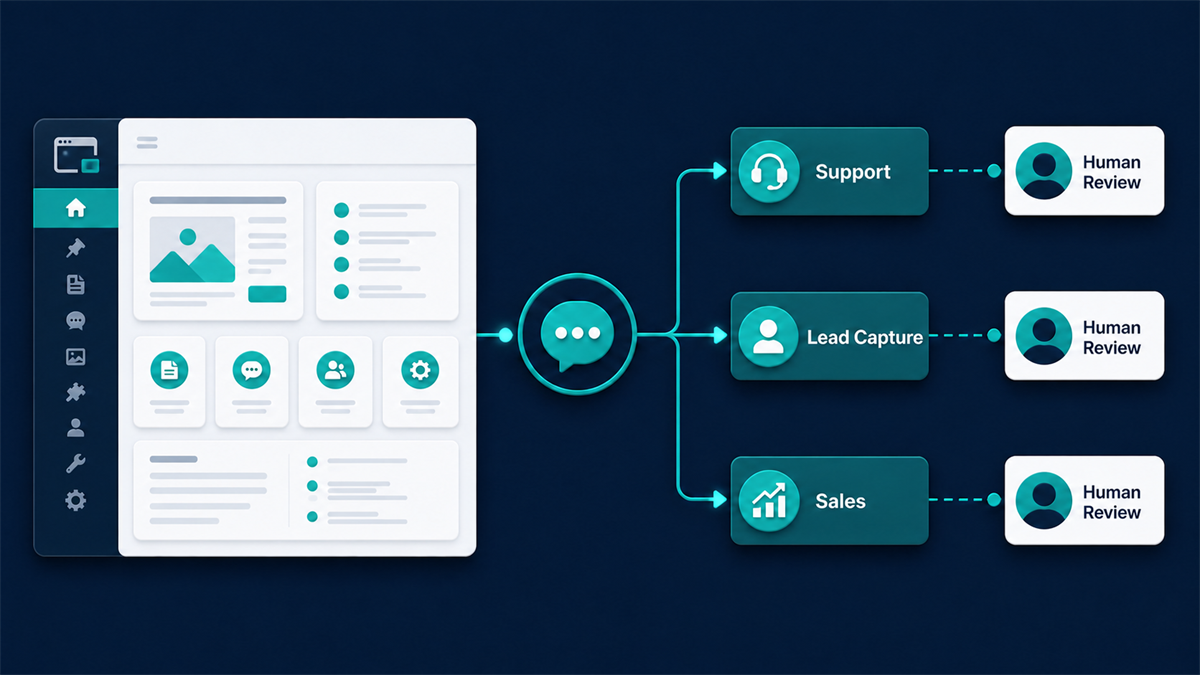
A WordPress chatbot can help a business answer routine questions, collect lead details, or guide a shopper toward the right next step. The useful starting point is not the longest feature list. It is the exact customer conversation the site needs to handle, the information required for that conversation, and the point where a person should take over.
Some tools focus on structured paths and forms. Others document connections to live chat, customer records, site content, or WooCommerce-oriented workflows. Those descriptions are a shortlist, not proof of results. The team still needs to confirm the enabled features, data flow, plan limits, page impact, and handoff behavior in its own WordPress configuration.
A retailer answering product questions has different requirements from a service business qualifying consultation requests. Set one primary outcome, a small set of measurable events, and a safe fallback before choosing a tool. This guide compares five documented options and gives you a practical test plan without naming a universal winner.
A Quick Decision Framework for WordPress Chatbots
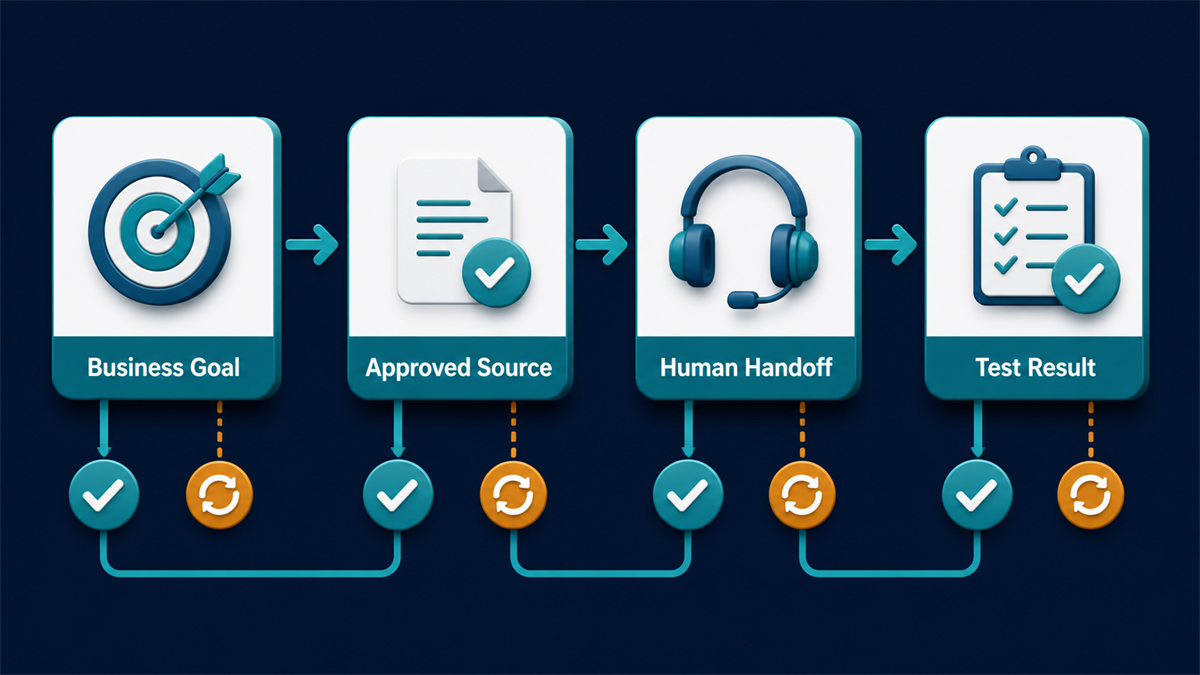
Selecting a conversational tool begins with defining the primary business objective. Site owners should evaluate potential solutions across five foundational pillars: architecture, data grounding, escalation paths, system integrations, and operator workload.
First, compare the exact deployment model. Some plugins manage more work inside WordPress; others connect the site to a separate service. Neither label proves where every message, identifier, or log travels. Review the documented data flow, enabled integrations, administration workflow, and external requests for the exact configuration you plan to use.
Second, identify the approved answer source. A support workflow may use written FAQs, selected pages, uploaded documents, or a manually built decision tree. Confirm exactly which sources the tool supports, how changes are refreshed, and what happens when the evidence is missing or conflicting. Test wrong, incomplete, and out-of-scope questions instead of assuming that access to content produces an accurate answer.
Third, test the handoff path. Ask whether the visitor can reach a person or a clear alternative contact method, what conversation context is retained, how availability is represented, and what happens after hours. Treat routing by department, availability, or topic as a feature to verify for the exact product and plan.
Fourth, map only the integrations the business needs. If lead details should reach another system, document the fields, consent, duplicate handling, failure behavior, and ownership before connecting it. A focused lead-qualification workflow is easier to test than a broad automation that sends data to several destinations.
Compare the current pricing model only after the required workflow is defined. Record the plan, included functions, billable units, trial or free-tier limits, add-ons, usage thresholds, and expected operator seats for the exact configuration. Recheck those details on the decision date instead of carrying a price or allowance forward from an older comparison. Estimate the operating cost of review, content updates, unanswered conversations, and handoff as well as the subscription price.
Finally, assess the operator workload. Record who reviews unanswered conversations, updates content, receives alerts, and owns fallbacks. A tool is a better fit when the daily review process is clear and the team can verify what happened without searching across unrelated dashboards.
Qualitative Comparison of Five Documented Options
The following table compares five solutions across operational categories, focusing on documented capabilities and workflows rather than volatile metrics.
| Solution | Support Deflection | 潛在客戶捕捉 | WooCommerce Fit | Live Handoff | Site-Content Grounding | Setup Model | Data-Flow Considerations |
|---|---|---|---|---|---|---|---|
| WPBot | Listing describes FAQ and site-search functions. | Listing describes built-in lead-capture options. | Listing describes optional WooCommerce and cart features. | Verify the exact handoff method and enabled add-ons. | Listing describes WordPress site-search and optional RAG features. | WordPress plugin with optional external integrations. | Architecture alone does not prove data locality; administrators must verify data flow. |
| ChatBot.com | Official pages describe visual chatbot workflows. | Can be evaluated for a structured qualification path. | Verify store actions and required integrations. | Verify handoff behavior for the selected configuration. | Verify supported sources and refresh behavior. | Connected service with an official WordPress workflow. | Review documented and observed external data flows. |
| Tidio | Plugin listing describes live chat and automated assistance. | Evaluate the documented automation features for lead capture. | Plugin listing describes WooCommerce-oriented features. | Plugin listing describes operator conversation handling. | Verify source options and answer boundaries. | Connected service with a WordPress plugin. | Review the vendor documentation and observed requests. |
| HubSpot | Plugin listing describes live chat and chatbot capabilities. | Plugin listing describes CRM and form connections. | Verify WooCommerce requirements separately. | Official chatflow guidance describes targeted placement; verify routing needs. | Verify which approved content sources a chatflow can use. | WordPress plugin connected to HubSpot tools. | Review contact, tracking, transcript, and consent behavior. |
| Jotform | Official pages describe customer-help workflows. | Evaluate the documented intake and form-oriented capabilities. | Official feature page describes WooCommerce-oriented uses. | Verify live and asynchronous handoff options. | Official page describes site-content training; verify exact sources. | Connected service with documented WordPress setup steps. | Review submission, training-source, and external-request handling. |
Evaluating WPBot for Native WordPress Operations
Fit to evaluate: WPBot belongs on the shortlist when a team wants a WordPress-admin workflow for FAQs, site search, or lead capture. Optional functions can change both requirements and data flow, so evaluate the exact configuration rather than the plugin name alone.
Vendor-documented feature: 該 official WPBot repository describes built-in FAQ, text-response, site-search, contact, and conversational-form functions. It also describes optional model, RAG, WooCommerce, live-chat, and multichannel features. Availability and data flow can differ by edition, add-on, service, and configuration, so verify the exact combination being evaluated.
Questions to verify: Identify every enabled external integration, the information sent to it, and the records retained in WordPress or elsewhere. Confirm which content types site search can use, how results are selected, and which optional functions require another account, add-on, or plan.
Staging test: Configure a small approved FAQ and content set. Ask answerable, ambiguous, and unsupported questions; check the cited destination and fallback. Compare page and server measurements before and after activation instead of assuming that the local workflow has no performance cost.
Evaluating ChatBot.com for Dedicated Automation
Fit to evaluate: ChatBot.com belongs on the shortlist when a team wants the documented visual workflow and WordPress connection. Confirm whether its separate workspace matches the people who will maintain the experience.
Vendor-documented feature: ChatBot.com documents an installation and connection workflow for WordPress. 它的 WordPress integration page describes building interactions in the service and placing the resulting experience on WordPress pages.
Questions to verify: Test the exact theme, cache, consent configuration, and selected pages. Review current plan access, transcript handling, retention, deletion, roles, external requests, and the behavior when the service or script is unavailable.
Staging test: Connect the integration to one staging page rather than enabling it site-wide. Build a short, reversible qualification path using the documented visual workflow; teams comparing that approach can also review this visual-builder evaluation. Complete the path on desktop and mobile, then compare the test answers and submitted fields with what the service records. Exercise an unsupported question, an unavailable script, and the intended handoff before expanding the test.
Evaluating Tidio for Unified Commerce and Support
Fit to evaluate: Tidio belongs on the shortlist when live chat, automated assistance, and WooCommerce-oriented features need to be considered together. Confirm the current plan and operator workflow before treating those capabilities as available.
Vendor-documented feature: 該 official Tidio WordPress listing describes live chat, automated assistance, WooCommerce-oriented functions, and multichannel features. Treat that listing as the vendor’s current feature description and verify the exact configuration needed for the intended workflow.
Questions to verify: Review the boundary between automated sequences and operator availability. Test what the visitor sees when the sequence cannot answer, when no operator is online, and when product, availability, or shipping information is missing or stale. Confirm which answers come from configured rules, approved content, or another enabled service instead of assuming a general AI label defines the behavior.
Staging test: Install the plugin in a WooCommerce staging environment and configure one documented product-inquiry or cart workflow. This ecommerce-chatbot evaluation can help frame the test, but the vendor’s current configuration remains controlling. Use test products and accounts, observe each trigger, compare displayed product details with the catalog, and verify the fallback and operator path without placing a real order.
Evaluating HubSpot for CRM-Centric Operations
Fit to evaluate: HubSpot belongs on the shortlist when the business already wants its WordPress forms, chat, and customer-record workflow connected to HubSpot tools. A basic FAQ use case may not justify that broader operating model.
Vendor-documented feature: 該 official HubSpot WordPress plugin listing describes CRM, forms, live chat, and chatbot capabilities. The official chatflow documentation explains how to place chatflows on WordPress pages. Verify any targeting or routing rule required by the planned use case.
Questions to verify: Measure the integration script on representative pages and confirm which contact, tracking, transcript, consent, and routing functions are enabled. Decide whether the broader customer-record workflow solves a real operating need; if the requirement is only a small FAQ, compare the maintenance, access, and data-flow cost with a narrower option.
Staging test: Configure a narrowly scoped service-inquiry chatflow with test data. Confirm page placement, consent behavior, field mapping, duplicate handling, access roles, fallback, and the exact record created by the selected configuration. Do not use real customer information for this test.
Evaluating Jotform for Structured Data Collection
Fit to evaluate: Jotform belongs on the shortlist when the primary job is structured intake or customer help and its documented WordPress setup matches the site. Verify whether the experience supports the exact fields, sources, and fallback the business requires.
Vendor-documented feature: 該 official Jotform feature page describes site-content training, visibility controls, customer-help workflows, and WooCommerce-oriented uses. The official setup guide documents the WordPress configuration and embedding steps.
Questions to verify: Map each conversational answer to the intended structured field and test validation, missing values, duplicate submissions, correction, and deletion. Review current retention, access, privacy, and training-source settings, including what the service documents about uploaded material and submitted records. Treat the observed configuration and current vendor terms as evidence; do not infer storage or security behavior from the interface alone.
Staging test: Use a non-sensitive test document and test form. Ask supported, ambiguous, and unsupported questions, then compare every answer and submitted field with the source. Confirm visibility controls, deletion, access, fallback, and what happens after the source document changes.
Native WordPress Plugins Versus Connected Services: An Architectural Decision
The deployment model influences administration, data flow, and performance, but it does not settle those questions by itself. Compare the exact plugin, enabled services, hosting limits, team workflow, and observed requests. A product can combine local and external components, so document the real configuration rather than assigning it to a simple “local” or “cloud” bucket.
A plugin described as native may manage some settings or content inside WordPress, but that description does not prove that every interaction stays on the site. Optional integrations, analytics, model connections, or support tools can create additional data flows. Verify which functions work locally, which require another service, where conversations are stored, and whether the plugin can access the specific posts, products, or documents needed for the intended workflow.
For a plugin-managed workflow, measure database, cache, background-task, and page-load effects under realistic test traffic. Also ask whether the WordPress dashboard gives the support team the conversation list, role controls, search, and history it needs. These are test results, not conclusions that follow from the word “native.”
A connected service normally adds an integration plugin or embedded script, but the practical effect depends on the vendor and configuration. Measure page impact, inspect actual external requests, and document which functions and records are handled outside WordPress before deciding whether the model fits the site.
A separate dashboard may help a team coordinate more than one channel, but channel support and inbox behavior must be verified rather than assumed. If social conversations matter, compare the documented WordPress workflow with a current ManyChat evaluation, then review access roles, retention, export, deletion, and handoff behavior for the shortlisted service.
Privacy, Security, and Data-Flow Checklist
A conversational interface can add messages, identifiers, cookies, scripts, records, and external requests to a site. Review the exact configuration against applicable requirements and the business’s own policies. The official WordPress privacy guidance 和 plugin-directory guidelines emphasize transparency, consent where required, collection limits, retention, security, and third-party handling; directory inclusion does not make a plugin or implementation legally compliant. Obtain qualified advice when the use case or jurisdiction requires it.
- Collection: List every requested field and passively collected identifier shown in documentation or observed during testing. Remove fields that are not needed for the stated customer outcome.
- Third parties: Document each external destination, purpose, and enabled integration. Review current vendor terms and settings for model use, analytics, support access, and subprocessors rather than assuming how submitted text is handled.
- 保留: Confirm whether message, lead, analytics, and backup retention can be configured. Set and document a period that fits the business’s purpose and applicable obligations.
- Export and deletion: Test how the team locates, exports, corrects, and deletes a test record across every connected system. Record gaps before collecting real visitor information.
- Roles: Give transcript, lead, configuration, and reporting access only to the people who need it. Test both permitted and blocked roles.
- Cookies and consent: Observe the page before and after the visitor’s preference is recorded. Confirm that the implementation matches the site notice, consent configuration, and applicable requirements.
- External requests and updates: Inspect loaded domains, script behavior, failure states, and page impact. Repeat the check after material plugin or service updates.
A Staged Installation and Test Plan
Test the selected tool away from customer traffic before a site-wide change. The objective is to evaluate one bounded workflow, find conflicts, and preserve a known rollback—not to treat installation as evidence that the experience is ready.
Step 1: Complete Backup and Staging Deployment
Create and verify a restorable backup of the WordPress database and relevant files before the test. Install the selected option only in a suitable non-public environment, record the version and configuration, and define the exact removal or restore steps. Use non-customer test data while the team evaluates the workflow and its data flow. Exercise representative templates and active plugins so theme, cache, security, consent, and checkout conflicts are found before any limited release.
Step 2: Role and Access Review
Configure internal access before activating the tool. Define who reviews new conversations, who may change responses, and who may view collected records. Test both permitted and blocked roles, remove unnecessary access, and document how temporary access is revoked.
Step 3: Form, Privacy, and Consent Verification
Review the proposed collection purpose, notice, consent behavior, and external requests with the people responsible for privacy and site policy. Use the staging environment to observe what loads under each preference. Update public disclosures only after the exact data flow and applicable requirements are confirmed.
Step 4: Mobile and Keyboard Accessibility Checks
Check desktop and small-screen layouts so the widget does not cover navigation, checkout controls, forms, notices, or primary actions. Complete the workflow with a keyboard, inspect focus order and labels, test zoom, and include assistive-technology review appropriate to the site. Record any limitation and keep another accessible contact path available.
Step 5: Real Handoff and Fallback Simulation
Test answerable, ambiguous, unrelated, and sensitive questions to reach the workflow’s boundaries. Confirm that an unsupported question produces a clear handoff or alternative contact method instead of a repeated guess. Record what context is retained, what the visitor is told, and what happens when no operator is available.
Step 6: Performance Impact Analysis
Compare repeatable page, script, and server measurements before and after activation on representative templates. Inspect mobile behavior, loaded domains, failures, and cache interaction. If an external script is expected to load asynchronously, verify that behavior rather than assuming it from the integration method.
Step 7: Analytics Configuration and Rollback Readiness
Choose a small measurement set such as completed qualification paths, requested handoffs, unanswered questions, and customer-reported issues. Verify event definitions without exposing message content unnecessarily. Document the exact disable and rollback steps, responsible person, backup, and post-rollback checks before a limited release.
Managing Human Handoff, Fallbacks, and System Maintenance
No bounded workflow answers every question. Define the safe stopping point and give the visitor an honest next action. During testing, verify whether the selected tool can pass useful context to a person, what information is omitted, and whether the handoff works for keyboard and mobile users.
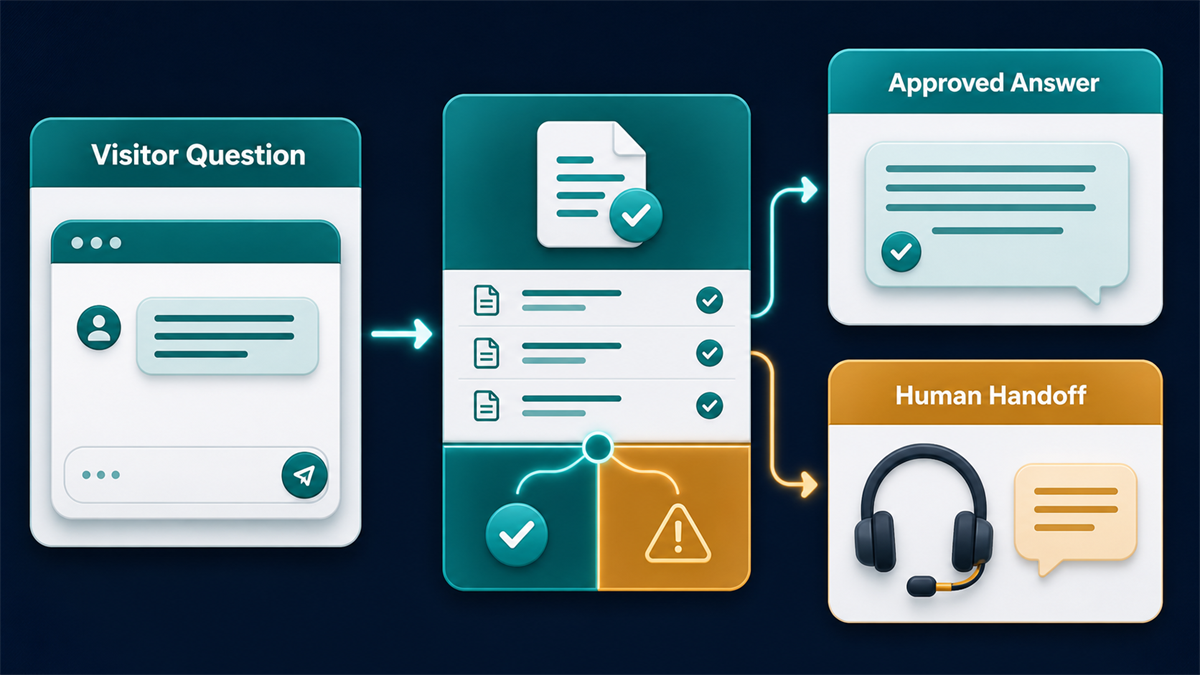
After hours, the experience should state availability accurately and offer an approved contact option. If the business chooses to collect follow-up details, request only the necessary fields, explain the purpose, and test where the record goes. Do not promise a response time the operating team cannot support.
Assign an owner to review unanswered questions, content changes, access, retention, script behavior, and fallbacks on a defined schedule. Use trends to decide whether to improve an answer source, narrow the workflow, or send a question to a person. Track the change and retest it; do not treat transcript review alone as proof of better outcomes.
Addressing the Retired Facebook Chat Plugin
If an older setup depended on Facebook’s WordPress chat path, confirm its current status before changing the site. The Facebook Chat Plugin for WordPress guide explains the historical integration and replacement questions. Treat that as a separate transition decision; it does not determine which broad WordPress chatbot is the best fit.
常見問題
Can a WordPress chatbot work without sending visitor data to another service?
Sometimes, but the word “native” is not enough evidence. Review the exact plugin’s documentation and observed network behavior to learn where messages, identifiers, logs, analytics, and optional model requests go. Disable unnecessary integrations during testing and document every external request before collecting visitor information.
Which WordPress chatbot options support WooCommerce workflows?
The WPBot, Tidio, and Jotform source pages describe WooCommerce-oriented capabilities, but the supported action varies by product, configuration, and current plan. Confirm whether the intended workflow can read approved catalog data, perform the exact cart or inquiry step, handle stale information, and fall back safely. Test with non-customer orders and do not infer inventory or order access from a general WooCommerce label.
What should a small business test before activating a chatbot site-wide?
Test one bounded workflow in a non-public environment. Compare page and server measurements, check theme and plugin conflicts, verify mobile and keyboard use, inspect data flow and consent behavior, test unsupported questions, and exercise the handoff and rollback. Repeat the checks on representative page types before considering a limited release.
How do live-agent handoff and after-hours automation differ?
A live handoff attempts to connect the visitor with an available person; an after-hours path states that a person is unavailable and offers an approved next step. Whether context, contact details, or a record is transferred depends on the tool and configuration. Test both paths, the no-operator case, missing fields, duplicate submissions, and the promise shown to the visitor.
What privacy questions should be answered before collecting leads in chat?
Document the purpose, requested fields, observed identifiers, cookies or storage, external destinations, roles, retention, export, correction, and deletion behavior. Review current vendor terms and settings for analytics, support access, model use, and subprocessors. Confirm that the site notice and consent configuration match the observed implementation and applicable requirements.
結論與下一步
Choose the option that passes the exact workflow, data-flow, handoff, accessibility, ownership, and rollback checks—not the one with the broadest label. A plugin-managed or connected model can each be appropriate after its real configuration is reviewed and tested.
Start with one customer outcome and a clear fallback. If your use case is structured business messaging with controlled follow-up, Check Current Pricing for Messenger Bot, then confirm that the available product workflow matches the requirements documented during this evaluation.


 繁體中文
繁體中文  English
  Tagalog
  简体中文
简体中文  العربية
  हिन्दी
  Português do Brasil
  Español de México
  Français
  বাংলা
বাংলা  香港中文
香港中文  Nederlands
  Deutsch
  Bahasa Indonesia
  日本語
日本語  한국어
한국어  Polski
  Русский
  Español
  Tiếng Việt