
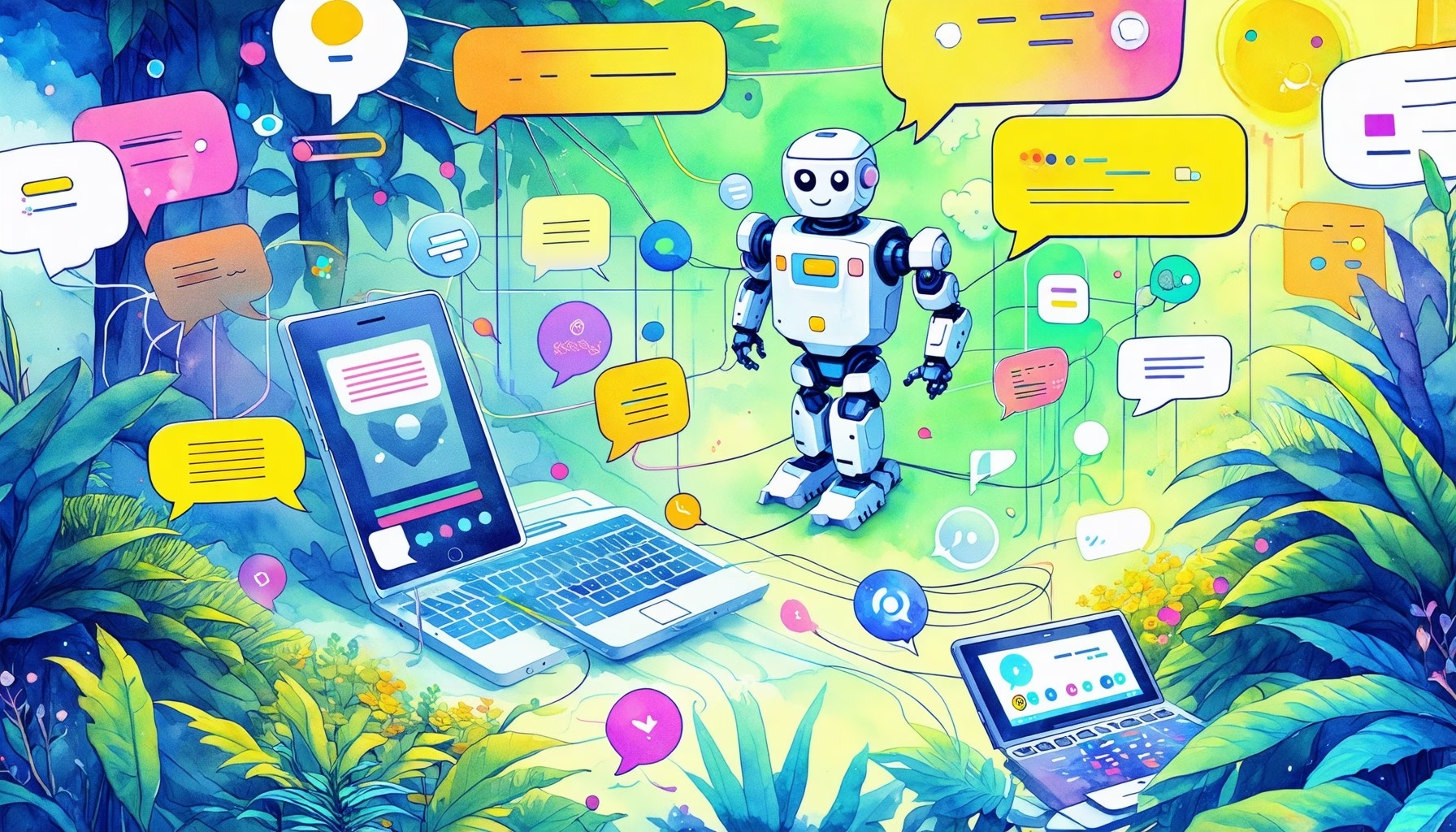
Automating customer interactions on your Facebook Page is one of the most effective ways to save time, increase responsiveness, and boost sales. Using a Facebook 聊天機器人 allows you to engage with users instantly, answer common questions, and guide prospects through your marketing funnel without manual intervention. Whether you want to configure simple greetings or build complex automated conversational systems, setting up a facebook messenger 機器人 is a practical process when approached systematically.
This guide explains the foundational principles of Facebook Messenger automation, walks you through setting up a bot from scratch, and discusses how to select a reliable facebook 聊天機器人建構工具. By understanding the rules established by Meta and implementing structured conversational flows, you can create a reliable automated helper that supports your support staff and sales teams day and night.
Integrating an automated system onto your Facebook page is no longer an advanced tactic reserved only for enterprise brands. Today, companies of all sizes rely on simple, responsive tools to manage customer communications, improve responsiveness, and turn casual page visitors into active leads. The ability to reply instantly to user requests is key to maintaining high search rankings and high user engagement. If your business page takes several hours to answer a basic question about pricing or availability, your prospective customers will likely find another business that is ready to serve them immediately.
What a Facebook Chat Bot Actually Does in 2026
一 Facebook 聊天機器人 is an automated software application designed to interact with users who message a business page. Rather than waiting for a human agent to read and reply to a query, the bot processes the incoming message and instantly delivers a predefined response or executes a specific action. These systems interact via Meta’s Messenger platform, using structured menus, quick-reply buttons, and dynamic text blocks to simulate a natural conversation. This setup allows you to handle thousands of conversations simultaneously, ensuring that no customer is left waiting in an empty inbox.
Modern bots operate beyond simple keyword matching. While early versions simply scanned for specific terms, contemporary solutions use structured flows and visual trees to determine user intent. When a user clicks a button or types a query, the bot evaluates the input against your configured pathways to deliver relevant information, such as business hours, product catalog links, or shipping policies. If the query requires human oversight, the system seamlessly marks the conversation for a team member to take over, sending a notification to your staff so they can step in without losing the context of the chat.
Additionally, bots collect user preferences, qualify incoming leads, and initiate follow-up sequences. By capturing details like email updates, phone numbers, or specific product interests directly in the chat, the bot acts as a front-line filter. This ensures that your human team only spends time addressing complex, high-value inquiries while repetitive queries are handled automatically, maintaining a fast response rate that users appreciate. This balance between automation and human interaction is the cornerstone of effective conversational marketing, allowing your business to scale operations without dramatically increasing your support staff payroll.
These platforms also allow you to trigger internal tags and organize users based on their choices. For example, if a user indicates they are looking for support rather than sales, the bot tags them as “Support Lead” and places them in a specific queue. This level of organization makes post-chat management simple, helping your team run targeted campaigns or follow up with specific segments based on the exact path they took through the bot’s messaging tree.
Why Messenger Still Matters for Customer Conversations
Messenger remains a primary hub for customer communication, representing a direct line of contact with billions of active users globally. For businesses, this translates to high engagement levels and lower friction compared to traditional communication channels. Unlike email, which often goes unread or lands in spam, or phone calls, which require immediate availability, Messenger provides an asynchronous environment where interactions feel natural and convenient. Customers appreciate the convenience of being able to send a quick message while browsing their social media feed and receiving an answer almost immediately.
For audiences in high-volume regions like the Philippines, Messenger is often the preferred channel for inquiring about online services, checking orders, or finding earning opportunities. In high-RPM markets like the United States and the United Kingdom, users look to Messenger for rapid customer service responses and immediate answers. A business that fails to respond quickly on this platform risk losing prospective buyers to competitors who utilize automated systems. The speed of response is often the deciding factor in whether a customer purchases from you or moves on to another page.
通過使用一個 facebook 頁面聊天機器人, you provide a responsive experience that aligns with user expectations. Instant replies build trust, keep users engaged, and prevent them from leaving your page to search elsewhere. When customer inquiries are answered in seconds, conversion rates improve, and your page maintains a high responsiveness badge, signalizing to new visitors that your support is active and attentive. This visible indicator of fast support encourages more users to message your page, creating a positive cycle of interaction and lead generation that fuels your sales funnel.
Furthermore, Messenger is deeply integrated with the broader Meta ecosystem, including Facebook ads and Instagram profiles. You can run click-to-messenger ads that direct users straight from their news feed into a conversation with your bot, creating a seamless path from discovery to interaction. This integration reduces customer acquisition costs by bypassing traditional landing pages, allowing you to capture user details and initiate a dialogue directly within the messaging interface.
Meta’s Current Rules Every Facebook Chatbot Must Follow
Operating a facebook 聊天機器人建構工具 requires strict adherence to Meta’s developer policies and messaging guidelines. The most critical rule to understand is the 24-hour messaging window. When a user sends a message to your Facebook Page, your bot has exactly 24 hours to reply with promotional or non-promotional content. Once this window closes, you cannot send standard automated messages or promotional broadcasts to that user, protecting people from spam. This rule is designed to keep Messenger a high-quality environment for personal communication rather than a dumping ground for automated advertisements.
To communicate with users outside this 24-hour window, you must utilize specific Message Tags allowed by Meta. These tags include post-purchase updates, confirmed event updates, and account updates. Each tag serves a narrow purpose, and misusing them to send promotional material or advertisements can result in Meta restricting or blocking your Page’s messaging capabilities. Understanding these boundaries ensures your setup remains safe and functional over the long term. If you need to send promotional materials after the 24-hour window, you must secure the user’s explicit consent via a One-Time Notification (OTN) or recurring notification opt-in, which allows you to send a single message on a specific topic later.
Meta also monitors page feedback scores and block rates. If users frequently block or report your bot for sending unwanted messages, your page’s reach may be restricted. To prevent this, always include a clear opt-out option in your automated messages, allowing users to stop receiving alerts if they choose. Respecting user preferences is essential for maintaining page health and keeping your automated helper running without interruptions. A healthy page score not only protects your messaging permissions but also ensures your organic posts continue to reach your audience effectively.
It is also vital to keep in mind that all automated messaging platforms must comply with Meta’s technical rate limits. If your bot sends too many messages in a short period, Meta may temporarily throttle your connection. This is why reliable platforms implement queuing systems to pace message delivery, ensuring that your page does not trigger automated safety filters. Staying compliant requires both an understanding of policy rules and the selection of a technically sound platform.
How to Set Up a Facebook Chat Bot Step by Step
Setting up a bot involves a few sequential steps, beginning with your Page configuration and ending with flow design. First, ensure you have administrative access to the Facebook Page you want to automate. Navigate to the page settings, verify that messaging is enabled, and make sure that your page is published so the bot can interact with public users. If you do not have a page yet, you will need to create one representing your business. You should also populate the page with basic business details like address, hours, and contact info, as this helps verify your page’s authenticity with Meta.
Next, choose your automation platform. To connect the platform, you will grant it permissions to manage your page’s messaging settings through Facebook’s secure connection portal. Once connected, the tool will register a webhook with Meta, allowing it to receive incoming messages in real-time. You can then begin building your main messaging workflows, starting with a friendly welcome message that outlines what your bot can do. This welcome message is critical, as it is the first interaction users have with your automation, so keep it welcoming and clear about the options available.
After configuring your initial flows, you must thoroughly test the interaction. Use a separate personal account to message your business page and verify that the greeting triggers correctly, buttons route to the proper steps, and fallback messages handle unexpected inputs gracefully. Make sure to test all possible user paths, including what happens when someone types random text instead of clicking a button. If you need step-by-step guidance on advanced routing or connecting webhooks, you can 瀏覽我們的教程 to find detailed walkthroughs and configuration tips.
Once the basic flow is confirmed, you can add more complexity by designing specific pathways for different query types. For example, you can create a pathway for users asking about shipping times and another for users looking to book a service. Keep your flows organized and name each block clearly so you can easily edit specific sections of your setup in the future as your business needs evolve.
Free vs Paid Facebook Chatbot Options: What You Actually Give Up Going Free
When selecting a platform, you will encounter both free tiers and paid subscription plans. Free options are ideal for small pages or businesses testing automation for the first time. They typically allow you to set up basic greetings, configure automatic answers for a handful of frequently asked questions, and manage a small number of active subscribers. However, free accounts often come with limitations that impact long-term scalability. For example, a free plan might limit you to a few dozen subscribers or prevent you from sending broadcasts, which can restrict your marketing reach as your audience grows.
With a free setup, you usually give up access to advanced automation features, such as deep integrations, custom data capture, and unlimited subscriber lists. Free plans may also include the builder’s logo on your welcome menus or quick-reply headers, which can look less professional. Furthermore, advanced AI capabilities and bulk messaging options are almost exclusively reserved for paid tiers due to the processing resources they require. If your business depends on sending timely updates to large groups of users, a free account will quickly become a bottleneck that limits your operational efficiency.
Upgrading to a paid plan unlocks the full capabilities of your automation tool, allowing you to design unrestricted conversation trees and utilize advanced user segmenting. This ensures you can customize every aspect of the user journey, from initial greeting to final conversion, without running into artificial platform limits. To compare options and choose the plan that aligns with your operational budget, you can 查看 MessengerBot 價格 and evaluate the features available at each level, ensuring you only pay for what your business actually needs. This allows you to scale your system’s capabilities in step with your business growth.
Remember that pricing structures vary significantly between platforms. Some builders charge based on the total number of subscribers in your database, while others charge a flat monthly fee for unlimited contacts but limit the number of active flows you can build. It is best to review these models carefully and estimate your expected traffic volume before committing to a specific subscription tier.
Choosing the Right Chatbot Builder for Your Facebook Page
選擇合適的 facebook 聊天機器人建構工具 is crucial for ensuring a reliable messaging experience. The tool you choose must offer a stable connection to Meta’s API, ensuring webhooks trigger instantly without dropping messages. A visual drag-and-drop flow builder is highly recommended, as it allows you to visualize the conversation flow and easily make adjustments without writing complex code. A good builder should also offer pre-built templates for common industries, which can save you hours of design time during the initial setup phase.
Another factor to consider is the platform’s ability to handle complex conditional logic. For example, your bot should be able to check if a user is contacting you during business hours and deliver a different message if your office is closed. Look for platforms that support quick replies, persistent menus, and rich media attachments like images or cards, which make the conversation more engaging and easier to navigate for the user. A robust system should also support tags and custom fields, allowing you to save user preferences and segment your audience for targeted follow-ups.
For businesses looking to implement professional-grade automation, upgrading to a specialized tier provides the scalability and advanced tools needed for heavy traffic. These premium plans often include better support, higher API limits, and deeper system integration options that allow you to connect your chatbot to external software tools. To review the premium capabilities designed for larger pages, check out the MessengerBot Pro 功能 to see how visual flow creation, advanced customer tags, and user segment tools can streamline your customer interactions.
You should also look for a platform that prioritizes security and data privacy. The builder will handle customer names, email addresses, and messaging histories, so it must comply with current data protection regulations. Check if the platform offers clear documentation on how data is handled and stored, and make sure they provide tools to help you comply with user requests for data deletion or account removal.
Facebook Chat Bot Flows That Actually Help Sales and Support
To get the most value out of your setup, design flows that directly address the goals of your visitors. A common sales flow starts with a quick qualifier, asking users what product category they are interested in, followed by interactive cards displaying popular options. This keeps users engaged and guides them toward making a purchase decision while they are actively thinking about your business. By presenting relevant choices directly in the chat, you reduce the steps a customer needs to take, making the buying process as smooth as possible.
For customer support, design a triage flow that helps users resolve common issues independently. When a user clicks a “Support” button, your bot can present a menu of common topics, such as order tracking, return policies, or billing questions. By providing immediate answers to these common questions, your bot handles a significant portion of support tickets, leaving your human staff free to focus on complex cases. This not only lowers your support costs but also improves customer satisfaction by providing instant answers at any hour of the day or night.
Remember to always include a path to connect with a human. If a user gets confused or has a unique problem, the bot should offer a clear button to request assistance from a support agent. When clicked, the bot can pause its automated responses and send an alert to your inbox, ensuring the customer receives personal attention and is never left feeling frustrated by an endless loop. A smooth handoff process ensures that automation supports, rather than replaces, high-quality customer care.
Another effective flow is the lead capture sequence. When users express interest in a particular service, the bot can request their contact information and automatically log it into your CRM. You can configure the bot to ask questions like “What is the best email to send this quote to?” or “What size is your team?” to gather valuable context before your sales team reaches out for a discovery call.
Adding AI to a Facebook Chat Bot Without Losing Customer Trust
Integrating artificial intelligence into your chat bot can make interactions feel more natural, allowing the bot to understand varied customer phrases rather than relying solely on rigid buttons. When using AI, it is best to adopt a Bring Your Own Key (BYOK) model, which lets you connect your preferred AI service credentials directly to your chatbot builder. This keeps your costs manageable and gives you full control over the AI model’s settings. You only pay for the exact resources you use, avoiding marked-up API fees from third-party middle agencies.
However, AI must be implemented carefully to maintain customer trust. AI models can sometimes generate incorrect answers or present information in a tone that does not align with your brand. To prevent this, always set clear boundaries for the AI. Instruct the system to only answer questions based on your provided business information and to politely decline to answer unrelated queries. Testing your AI prompts extensively in a private sandbox before deploying them to your public page is critical for catching errors before they affect real customers.
Clearly labeling your bot as an automated assistant is another best practice. Users appreciate transparency; letting them know they are chatting with a bot sets realistic expectations and reduces frustration if the bot cannot immediately resolve their issue. When combined with a reliable human handoff flow, AI becomes a powerful asset that enhances your service without risking customer satisfaction. Your customers will value the honesty, and your team will benefit from the pre-qualified information collected by the AI before they take over the conversation.
Keep in mind that AI should not replace structured menus entirely. A hybrid approach often works best. Use AI to handle open-ended text inputs, but always display quick-reply buttons that users can click to get back on track if the conversational model fails to understand their query. This layout provides the flexibility of natural language alongside the reliable structure of standard flow builders.
Common Facebook Chat Bot Problems and How to Fix Them
Even well-designed bots can occasionally encounter issues that disrupt communication. One common problem is when a bot fails to respond to user messages. This is usually caused by a disconnected page token, which can happen if you change your Facebook account password or modify your page permissions. Re-authorizing the connection in your chatbot builder dashboard typically resolves this issue immediately. It is a good practice to periodically check your dashboard connections to ensure that Meta’s updates have not disrupted your webhooks.
Another issue is double-responding, where the bot sends duplicate answers to a single message. This often occurs when multiple automation platforms are connected to the same Facebook Page, causing both systems to reply to the same webhook event. To fix this, inspect your page’s advanced messaging settings in Meta Business Suite and ensure that only one primary receiver is active for handoffs. Removing old, unused applications from your page settings is also recommended to prevent background conflicts from interfering with your active automation tool.
Sometimes, users can get stuck in an automated loop if a flow is poorly configured. This happens if a button points to a dead end or if a loop sends the user back to the starting greeting without a way to exit. Regularly audit your conversational flows and ensure that every path has a clear exit or a button to message a live representative, keeping the user experience smooth and frustration-free. Regular testing using different test profiles can help you catch these looping paths before your audience encounters them.
Finally, keep an eye on message delay errors. If your chatbot platform’s servers experience high latency, responses may arrive several seconds after a user clicks a button. This delay can lead users to click the button multiple times, worsening the lag. Choosing a builder with a strong server infrastructure and reliable uptime history minimizes these issues and ensures a snappy interface.
When Your Facebook Chat Bot Needs More Than Meta’s Native Tools
Meta offers basic built-in automation options directly within the Meta Business Suite, such as automated instant replies and away messages. While these native tools are convenient for small businesses with basic needs, they lack the advanced capabilities required for dynamic customer experiences. Native tools cannot handle complex conditional flows, save custom user data, or integrate with third-party business software. They are designed for simple message-answering rather than complete workflow automation.
If you need to qualify leads, route inquiries based on user selections, or trigger sequences based on user behavior, you will need a dedicated chatbot builder. External platforms allow you to create rich conversational experiences with custom variables, delay timers, and visual flow builders that make managing complex scenarios simple. This added flexibility is essential for businesses looking to scale their Messenger operations. A dedicated builder also allows you to store customer data across sessions, ensuring that your bot remembers previous interactions and can personalize the conversation accordingly.
Using a specialized platform also ensures you can manage customer lists effectively, tagging users based on their interactions and sending targeted updates within Meta’s guidelines. Transitioning from native tools to a third-party builder is a natural step as your page traffic grows and your customer interaction strategies become more refined. By investing in a comprehensive automation builder, you gain the analytical insight and design control necessary to turn simple social messages into organized business pipelines.
Dedicated builders also support integrations with tools like Google Sheets, CRM platforms, and email marketing software. This allows you to transfer data collected during a Messenger conversation directly into your primary sales pipeline, ensuring your sales team has all the information they need to close deals without manual copy-pasting.
Measuring Whether Your Facebook Chat Bot Is Working
To ensure your automated system is delivering value, you must monitor its performance metrics regularly. Key performance indicators to track include your bot’s resolution rate, which measures the percentage of conversations resolved without human intervention. A high resolution rate indicates that your FAQ flows are clear and address the most common customer questions effectively. This directly correlates to a reduction in customer support costs and faster resolution times for your users.
Track engagement metrics as well, such as the open and click-through rates on your quick-reply buttons. If users are dropping off early in a flow, it may suggest that your messages are too long or that the options provided are not relevant to their needs. Adjusting the copy and simplifying the choices can help improve completion rates and keep users moving through your flows. Analyzing where users exit your conversations allows you to refine your wording and make your menus more intuitive.
Finally, measure the direct impact on your business operations. This includes monitoring the reduction in average support response time and tracking leads or sales generated directly through the bot. By reviewing these metrics, you can make informed adjustments to your flows, ensuring your bot continues to support your business goals and deliver a positive experience for your customers. Regular performance reports will help you justify the time and resources invested in your messaging automation.
Additionally, pay attention to user feedback scores and page ratings. If users find your bot helpful, they are more likely to leave positive reviews on your page, which boosts your organic search visibility. Conversely, if users leave frustrated feedback, it is an indicator that your flows need refinement or that your human handoff path is too difficult to access.
常見問題
How do I test my Facebook Messenger bot?
You can test your bot by using a personal Facebook account to send a message to your business page. It is best to test all buttons, quick replies, and fallback options to ensure the conversation routes correctly and does not result in dead ends.
What happens if a user messages my page outside business hours?
A chatbot builder can detect the time of the message and deliver an automated away message. This lets the user know when your team will return and can provide links to helpful resources or FAQs in the meantime.
Can I collect email addresses through a Facebook chat bot?
Yes, you can configure your bot to ask users for their email addresses or contact details during a conversation. These details can then be automatically synced to your customer management software to follow up with updates.
Does Meta charge for using the Messenger API?
Meta does not charge businesses to send standard messages to users who have initiated a conversation with their page. However, you must comply with the 24-hour messaging window to avoid restrictions or blocking.
Can I connect multiple Facebook pages to one chatbot builder?
Most professional chatbot builders allow you to manage multiple pages from a single dashboard. You can create separate flows and settings for each page, keeping your customer interactions organized and centralized.
關鍵要點
- Instant replies built with a 免費Facebook聊天機器人 or paid tools help you maintain an active online presence without manual effort.
- Complying with Meta’s 24-hour messaging rule is essential to prevent page restrictions and maintain a reliable communication channel.
- Design flows focused on user outcomes, such as quick FAQs for customer support and simple qualifiers for lead generation.
- Implement a Bring Your Own Key (BYOK) AI model if you want to add conversational flexibility while maintaining full control over your credentials and budget.
- Regularly test and update your messaging routes to prevent user loops and ensure there is always a clear path to connect with a human agent.



 繁體中文
繁體中文  English
  Tagalog
  简体中文
简体中文  العربية
  हिन्दी
  Português do Brasil
  Español de México
  Français
  বাংলা
বাংলা  香港中文
香港中文  Nederlands
  Deutsch
  Bahasa Indonesia
  日本語
日本語  한국어
한국어  Polski
  Русский
  Español
  Tiếng Việt