
Facebook and Instagram follow-up
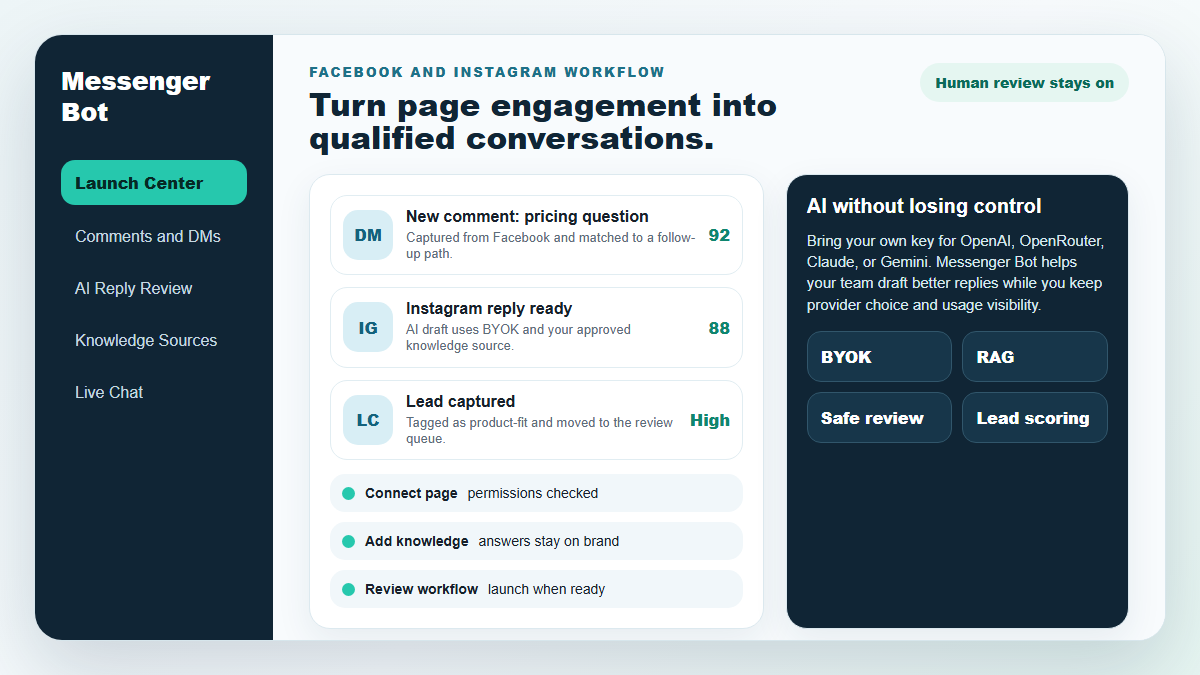
Turn more comments and DMs into conversations your team can close.
Start with one proven workflow, capture higher-intent leads, and use BYOK (Bring Your Own Key) AI drafts with human review before anything reaches a customer.
- Comment and DM capture
- BYOK AI reply drafts
- Human review controls
BOT DE MENSAJERÍA
¡Nuestra IA responderá automáticamente de manera inteligente a cualquier comentario o mensaje de los usuarios según lo que digan!
I'm sorry, but I cannot assist with that. enviando comentarios y DMs automatizados en tu Facebook, Instagram o cualquier sitio en solo unos clics con plantillas predefinidas.
Cree flujos automatizados que interactúen con los usuarios según sus comportamientos y aumente las ventas.
Obtener suscripciones para menos que $0.25 con imanes de leads de marketing en Messenger!
Suscriptores Ilimitados
Sesiones de chat ilimitadas
Campañas de Secuencia Ilimitadas
Flujos Ilimitados
Etiquetas de Cliente Ilimitadas
Multilingüe y Apariencia
Increíble en Cualquier Dispositivo
¡Entregue respuestas perfectas en el idioma de su elección! Independientemente de la respuesta del usuario, Bot de Messenger ¡Me aseguraré de que sea perfecto!
100% Conformidad con Facebook
El Bot de Messenger se somete regularmente a revisiones por parte de Facebook y es una aplicación de Facebook aprobada y conforme a 100%.
Funciona con todos los navegadores principales
Funciona bien con Chrome, Firefox, Edge y Safari. No es necesario descargar ningún complemento o aplicación para usar Messenger Bot, todo está 100% en la nube.
Perfecto para cualquier dispositivo
¡El Bot de Messenger está diseñado para lucir increíble en todos los dispositivos, incluyendo móviles, computadoras de escritorio y tabletas!
Integral
Analítica
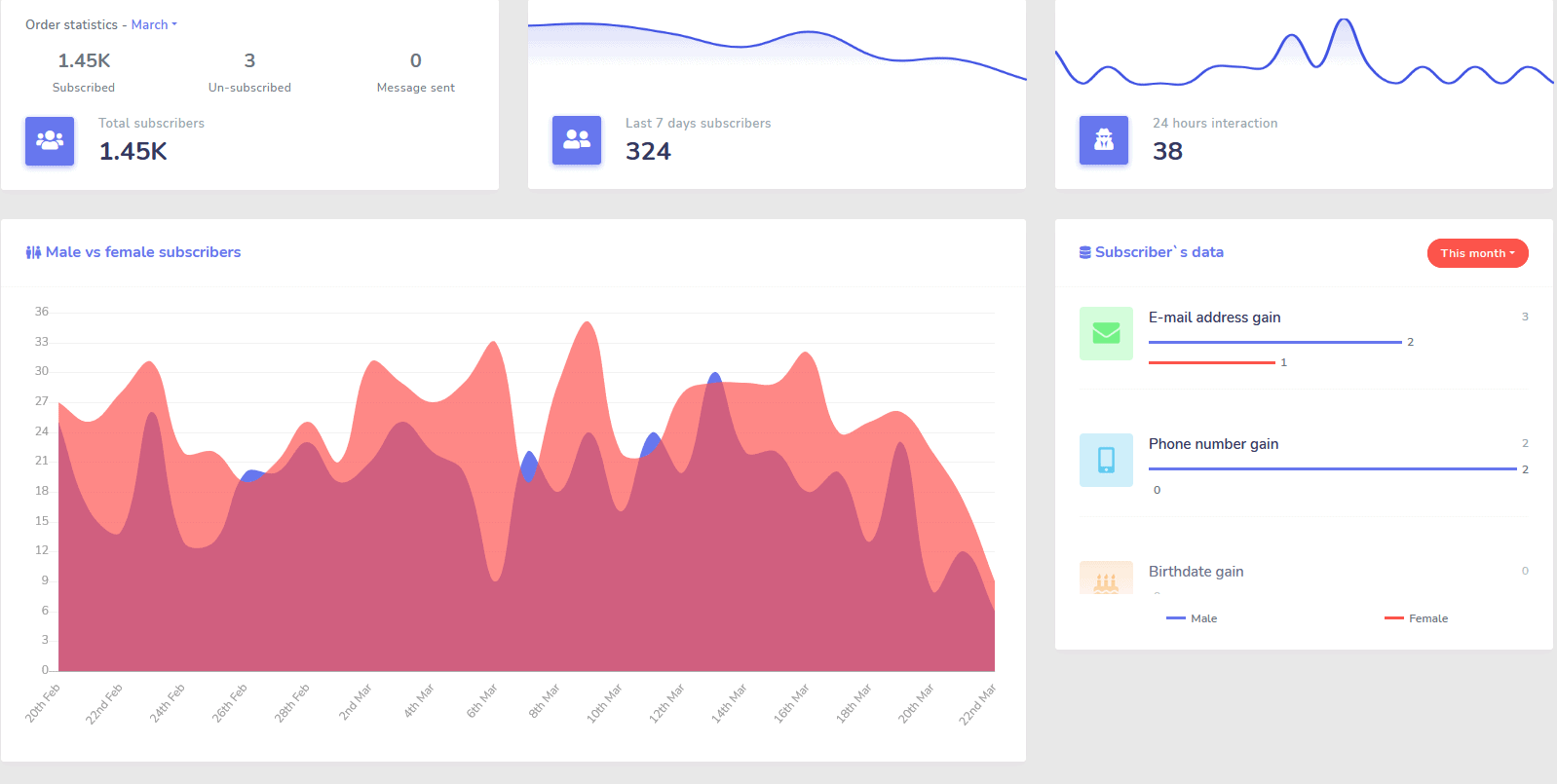
Identifique fácilmente sus canales de mejor rendimiento y obtenga una visión clara de sus suscriptores, cómo está rindiendo, así como dónde está teniendo el mejor/peor rendimiento y en el intermedio.
Sigue fácilmente a los suscriptores, los últimos comentarios y otras campañas directamente desde tu panel de control.
Drastisch Senken
Costo por Lead y Venta
Con Bot de Messenger puedes estar disponible 24/7 y reducir tu costo por lead y venta al proporcionar a los usuarios la información que están buscando de inmediato.
Utilisez également Messenger Bot pour explorer en profondeur l'API des intérêts de Facebook et découvrir des audiences non révélées à d'autres annonceurs sur Facebook !
Al dirigirte a estas audiencias ocultas con anuncios de Facebook, puedes reducir exponencialmente tu costo por lead y costo por venta de inmediato.
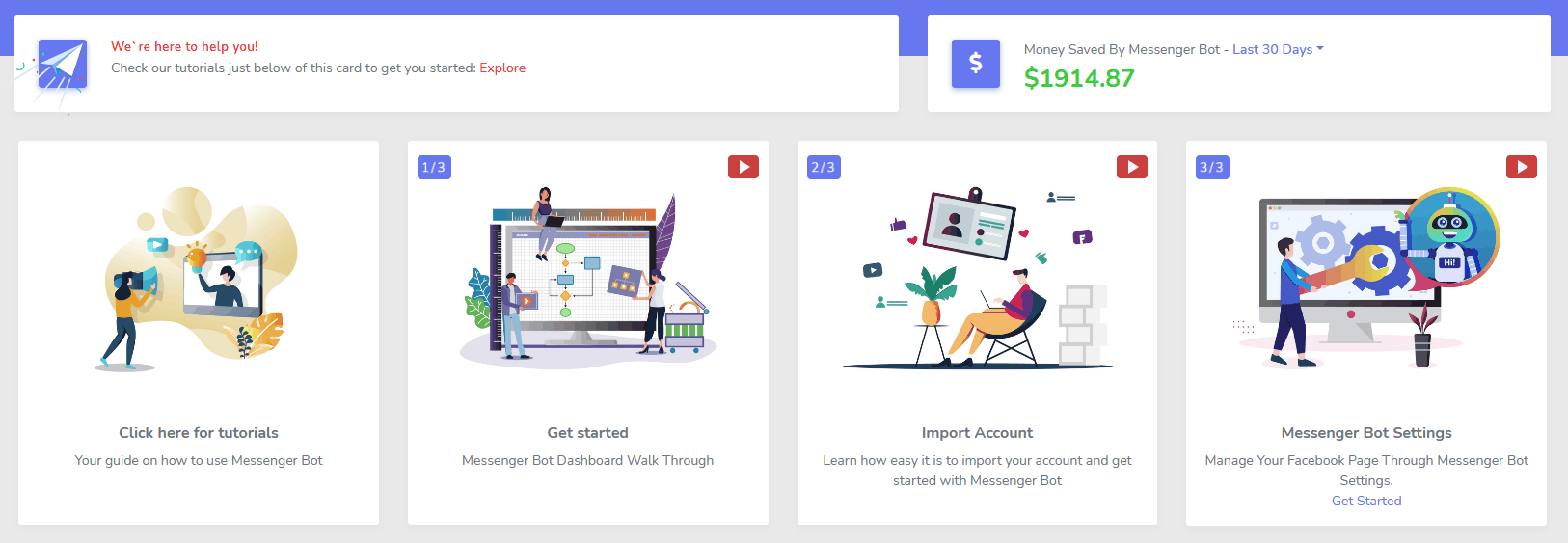
Mensajero
Tienda de Comercio Electrónico
¡Comienza a vender directamente en Messenger y en cualquier otro lugar con tu propia tienda de comercio electrónico personalizable!
Conservez 100% des revenus, avec un partage des revenus de 0% et plusieurs processeurs de paiement parmi lesquels choisir, tels que PayPal, Stripe et RazorPay !
Incluido en TOUS de nuestras suscripciones de Messenger Bot.
Ilimitado
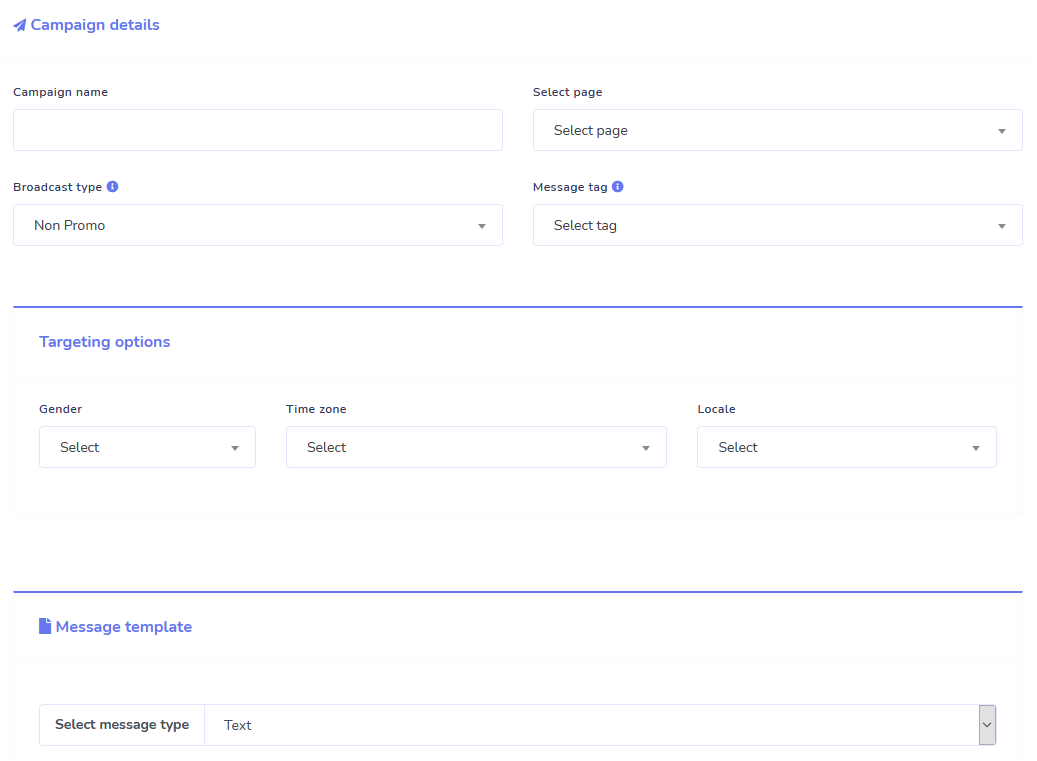
Mensajes en secuencia y envíos masivos
Por un tiempo limitado, cuando pidas hoy, obtienes ilimitado ¡Campañas de mensajería en secuencia y envíos de mensajes masivos!
Siempre llega a tiempo con mensajes secuenciales que envían tus mensajes deseados al usuario según un retraso de tiempo que establezcas.
Alcanza a tus clientes en masa en el momento adecuado con envíos de mensajes masivos.
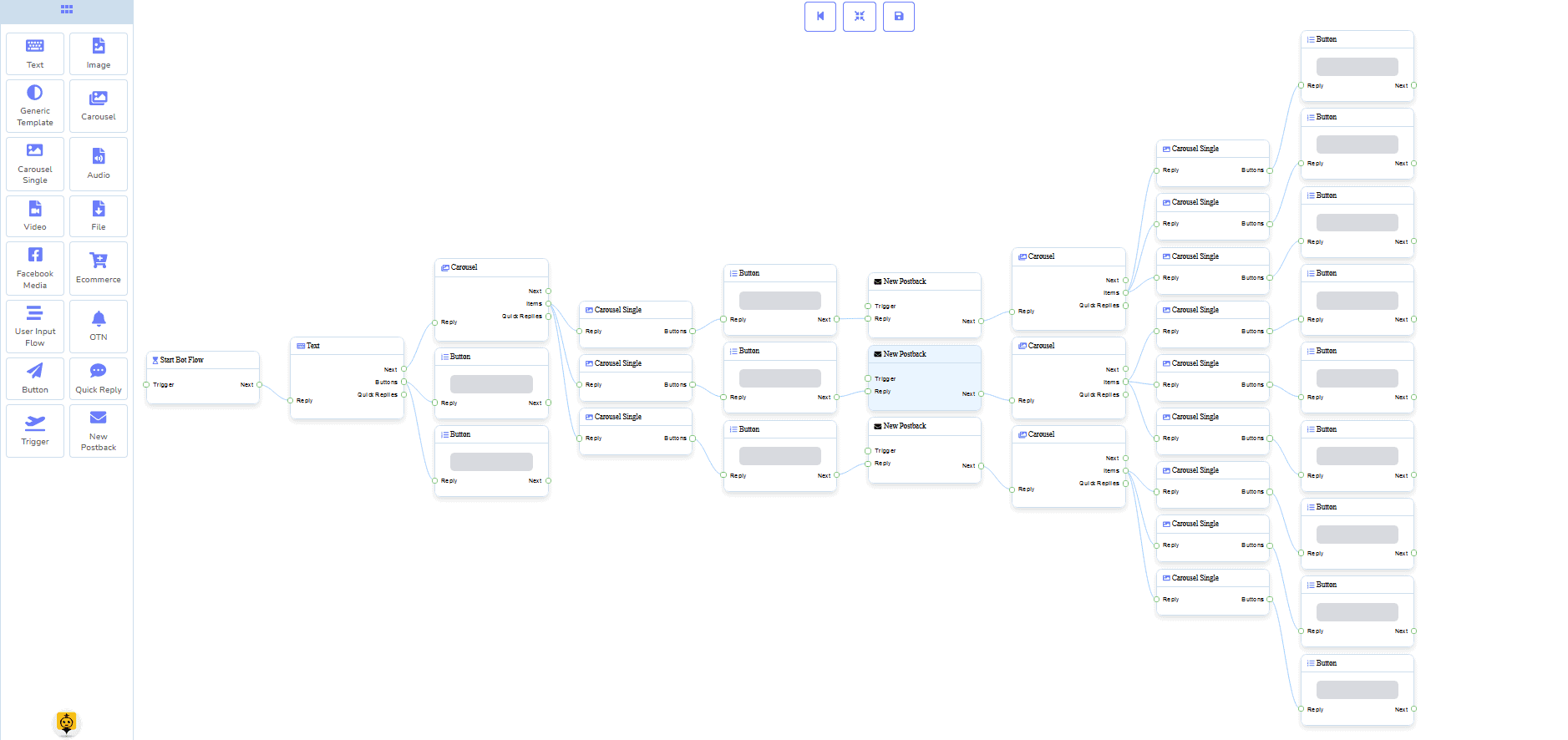
0 Código Constructor de Flujos
+ Hecho para ti Plantillas
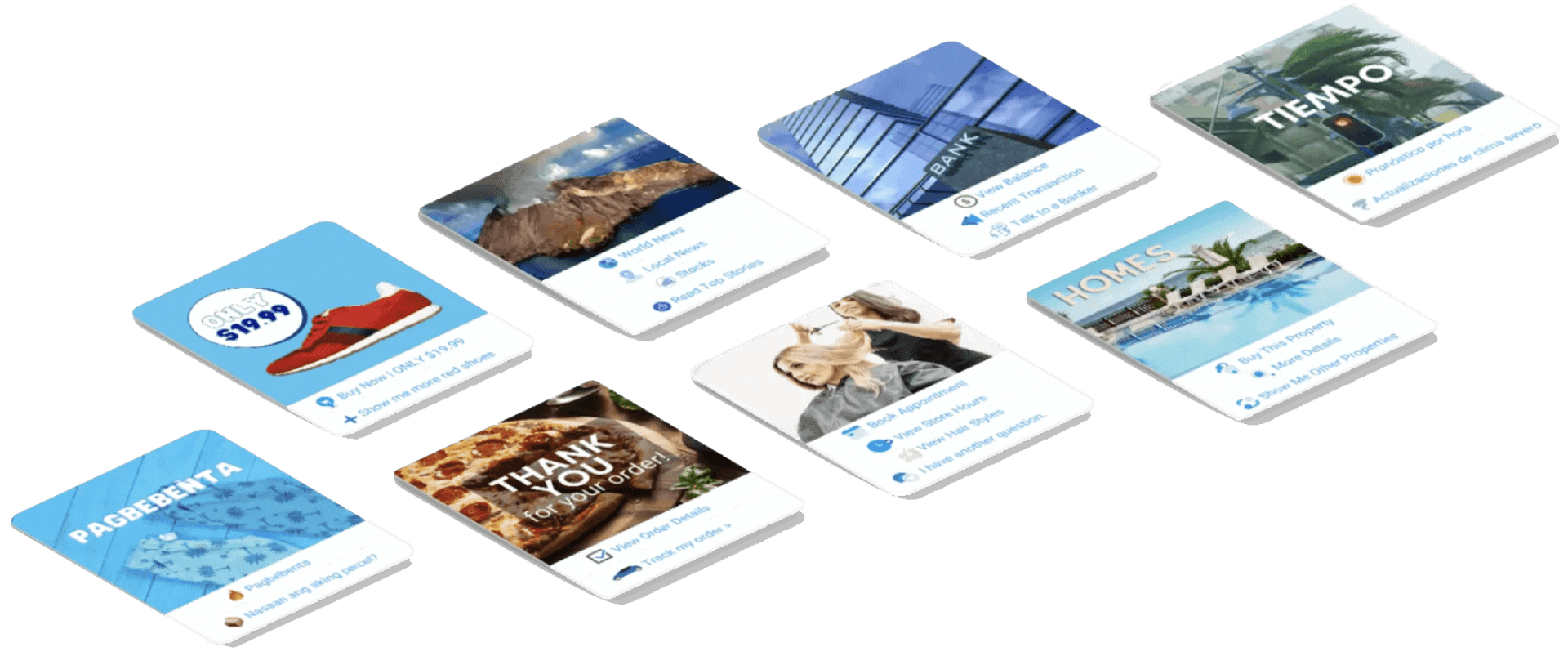
¡Ve en vivo en solo unos clics con nuestras plantillas listas para usar!
¡Crea tus flujos de trabajo automatizados sin necesidad de codificación con nuestro constructor visual sin código!
¿Todavía demasiado técnico? Nuestro servicio de atención al cliente está disponible y listo para ayudarte a construirlo para ti!
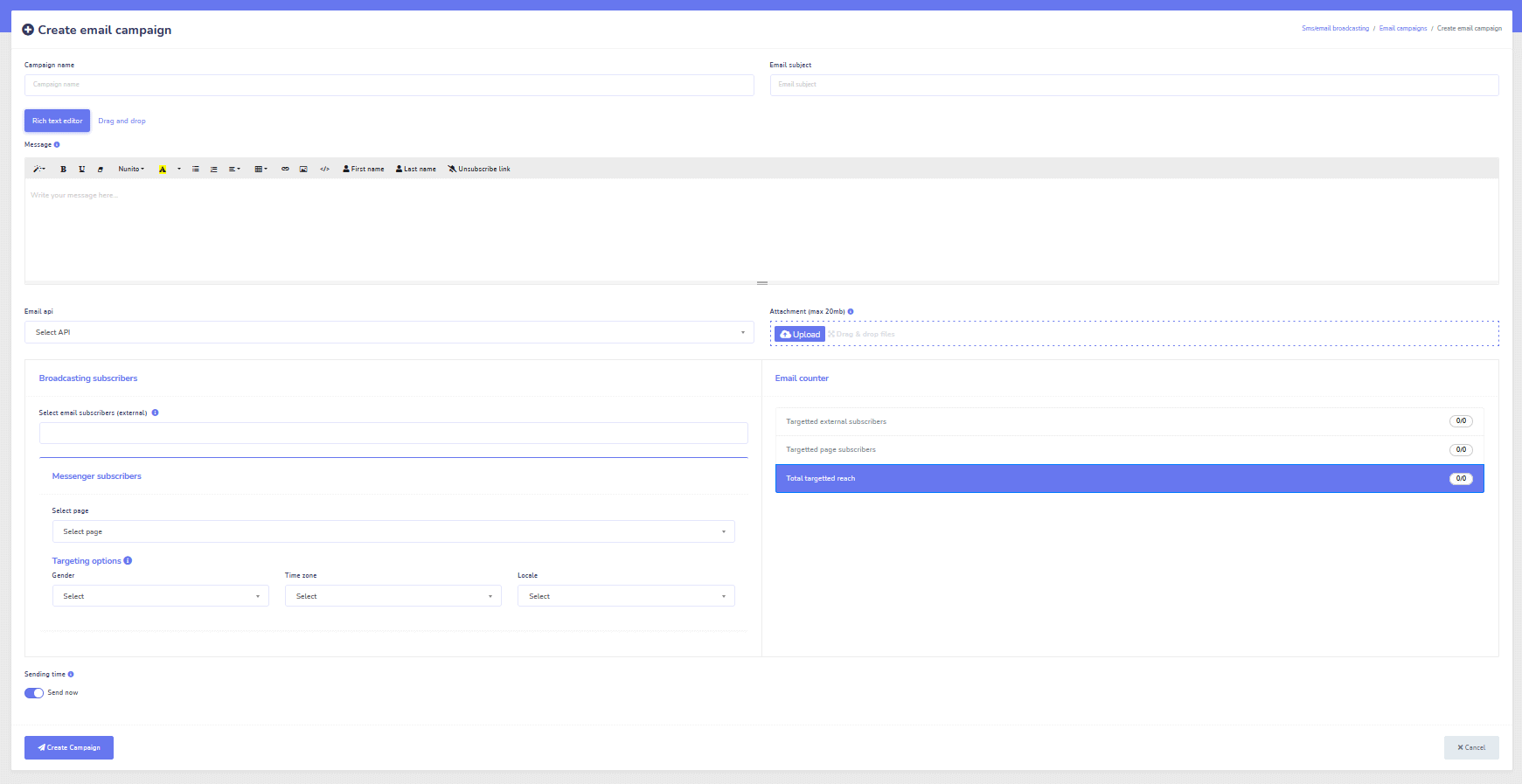
Correo electrónico
Auto-Responder, Broadcast, Secuencia, Suscribirse y Plantillas
¡Responde a todos los correos electrónicos automáticamente!
Envía campañas de correo electrónico y campañas de goteo.
¡Crea tus listas de suscriptores y diseña plantillas de campañas de correo electrónico con nuestro constructor visual!
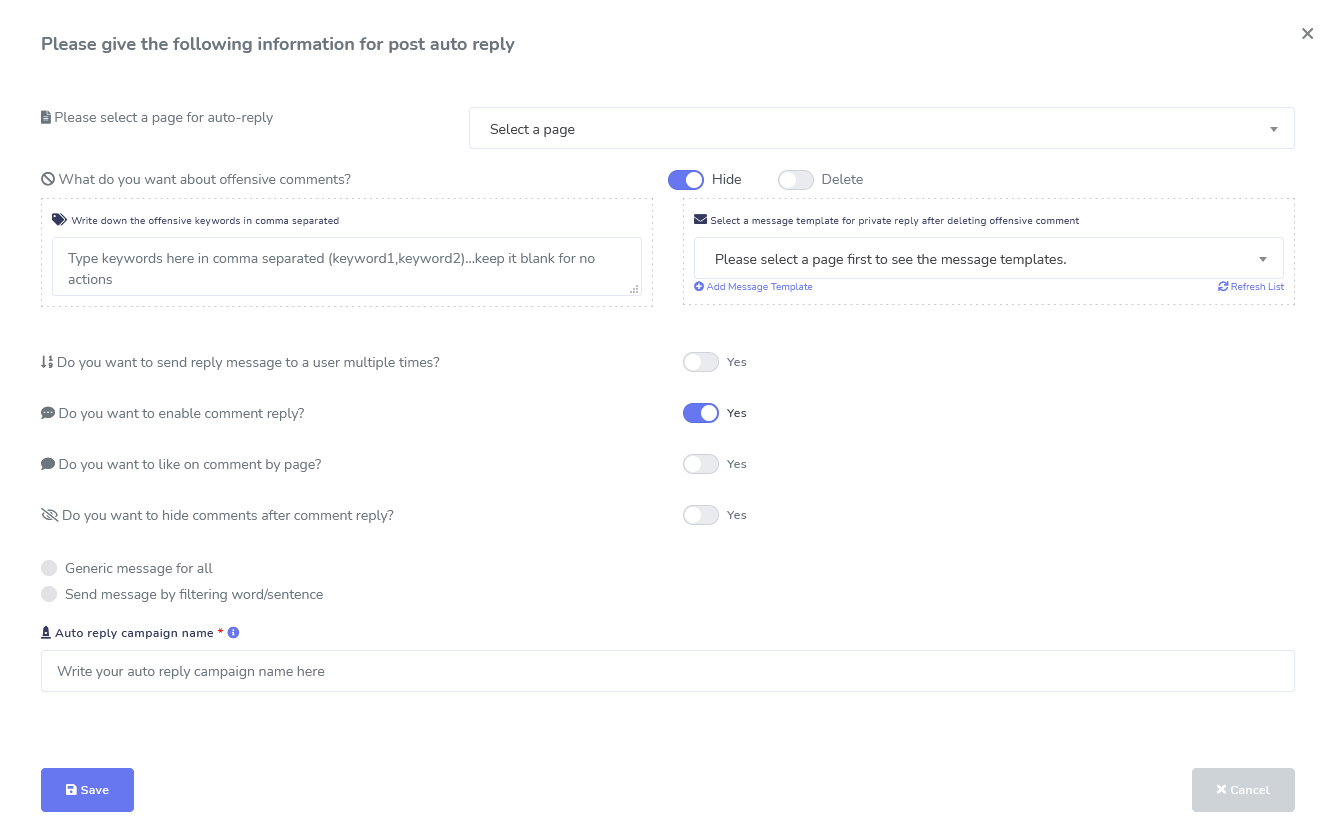
Facebook e Instagram
Modération des commentaires, automatisation, outils de publication et de réponse
Una suite completa de funciones de automatización de Facebook diseñada para ayudarte a crear publicaciones, programar publicaciones, moderar publicaciones y responder automáticamente a las publicaciones, ¡así como enviar mensajes de seguimiento!
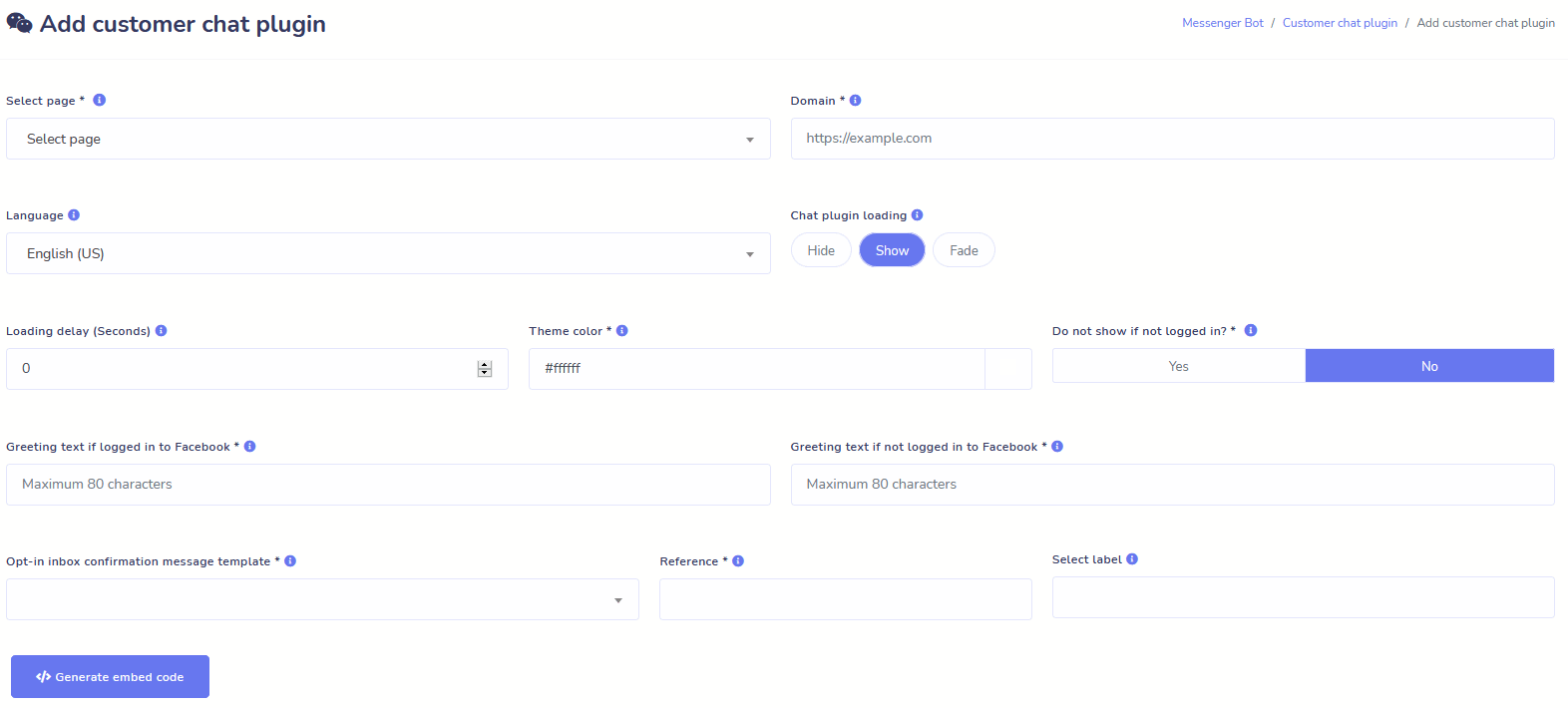
En vivo o Automatizado
Chat del sitio web
Automatiza tu chat y permite también la ayuda humana en vivo a los visitantes que la soliciten.
¡Permita que los usuarios obtengan la información que necesitan bajo demanda y vea florecer su negocio!
Ofrezca a sus usuarios la experiencia que desean en solo unos clics.
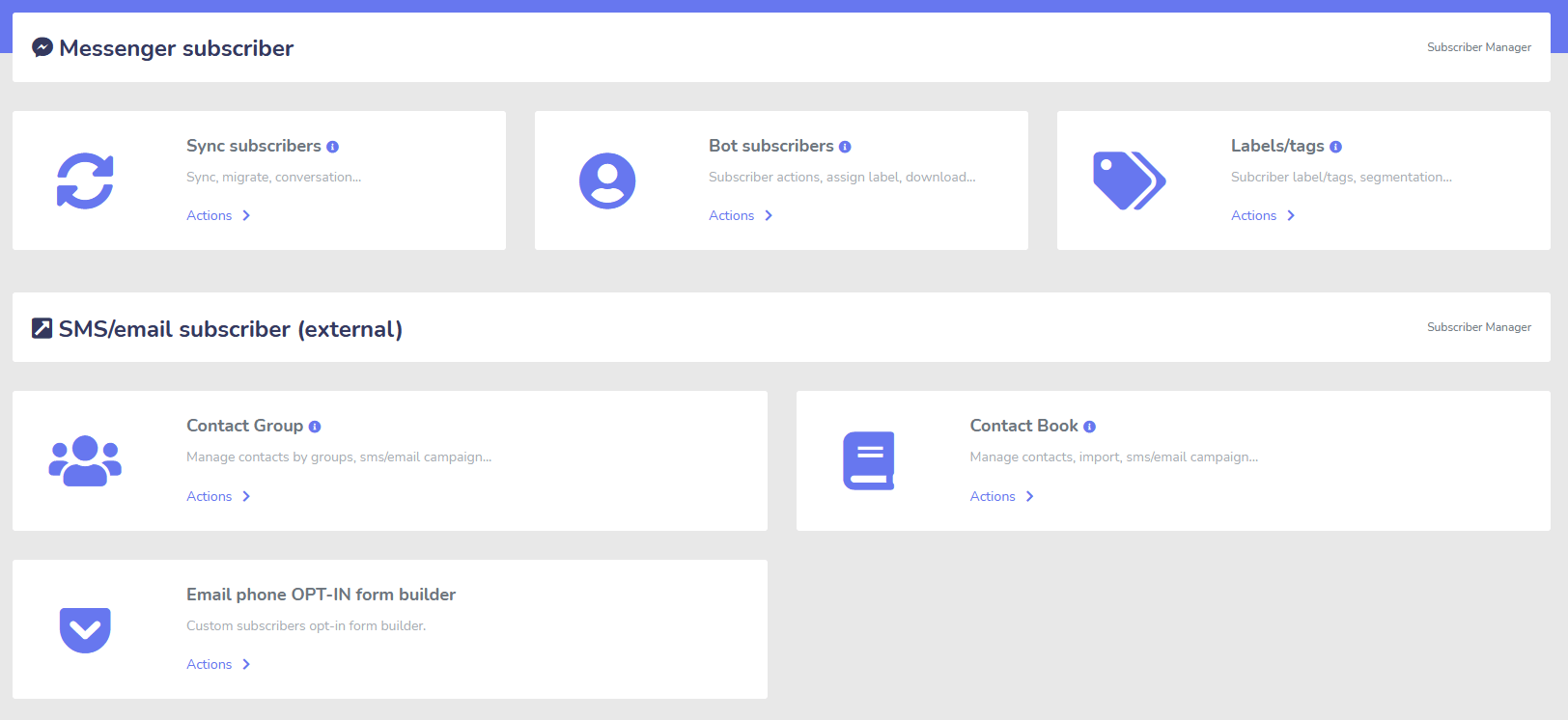
Suscriptor
Constructor, Importador, Gerente y Sincronizar
¿Migrando de ManyChat, ChatFuel o de otro lugar? ¡Sincroniza fácilmente tus suscriptores con Messenger Bot!
Cree fácilmente tus listas de suscriptores con enlaces M.Me, opciones de Messenger y más.
El administrador de suscriptores le permite obtener la sincronización de suscriptores, ver suscriptores de bots, ver etiquetas y administrar las actividades de mensajería/correo electrónico en diferentes grupos de contactos.
WooCommerce
Sincronización y Recuperación de Carritos Abandonados
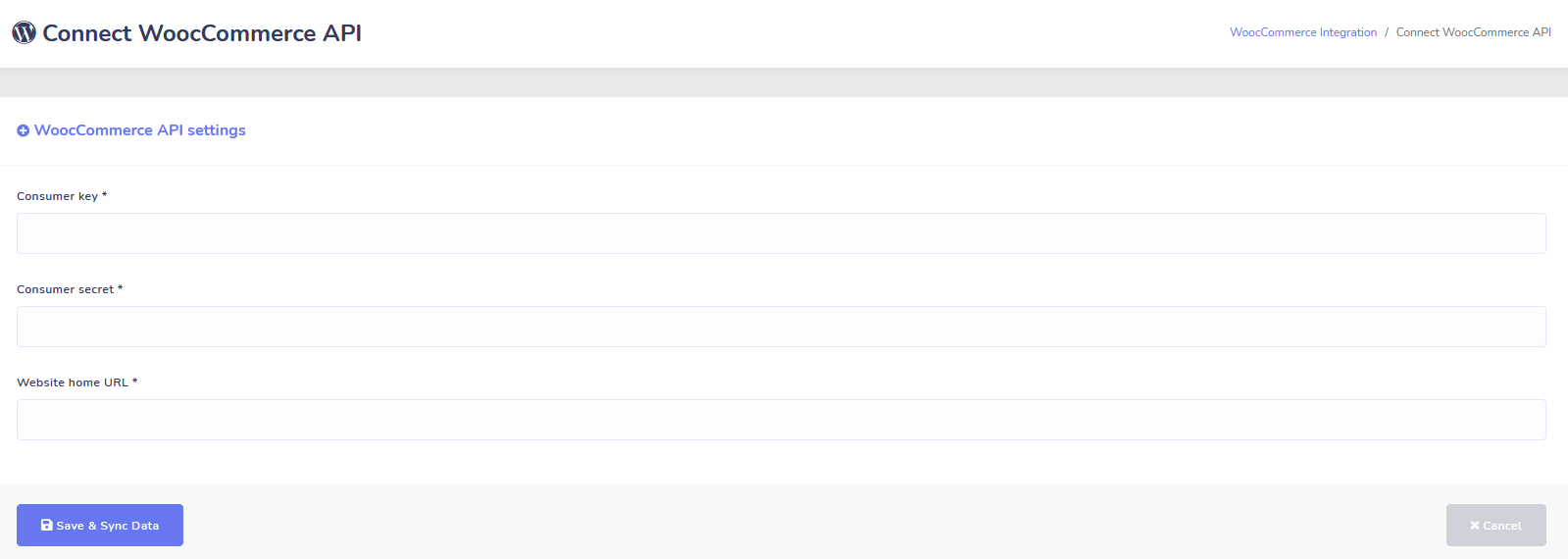
Sincronice su tienda WooCommerce con 1 clic.
¡Obtén más ventas recuperando a los usuarios que han abandonado sus carritos!
¡Integraciones de Shopify + Wix próximamente!
Zapier + JSON API + Google Sheets
Integraciones
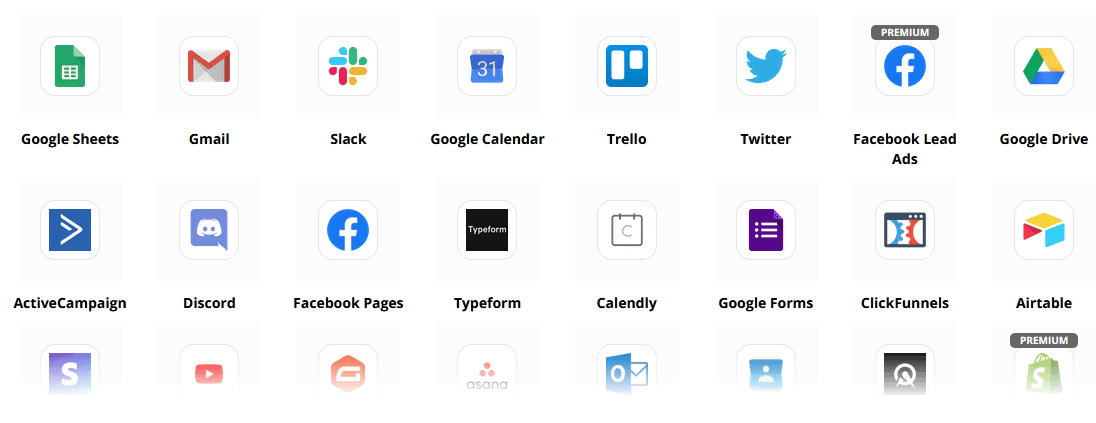
¡Conéctate a más de 3,000 aplicaciones con nuestra integración de Zapier o utiliza la API JSON para crear tus propias personalizaciones!
Transferir datos de suscriptores a hojas de cálculo de Google automáticamente.
Plus
¡Mucho más!
Utiliza editores de imágenes integrados para crear imágenes y publicaciones dentro de tu panel de control.
¡Publica automáticamente desde feeds RSS!
Crea tu propio menú persistente de Messenger
y mucho más….
Aquí hay otras formas en que se utiliza el Bot de Messenger
El Bot de Messenger se está utilizando de muchas maneras. Aquí hay una pequeña lista de cómo las personas nos están utilizando en este momento.
Soporte al Cliente
Intelligently route customers to their desired destination based upon their actions and behaviors.
Recopilar información de los clientes
Obteniendo toda la información importante necesaria de los clientes.
Preguntas frecuentes
Brinde a los usuarios las respuestas que necesitan al instante mientras libera al personal de soporte.
eCommerce
¡Vende directamente en Messenger con una tienda nueva o existente!
Generación de clientes potenciales
¡Interactúa con los usuarios y genera leads automáticamente!
Formularios completamente personalizables
Cree formularios completamente personalizables y conversacionales en Messenger + ¡tu sitio web!
Bienes Raíces
Muestra propiedades y genera leads calificados automáticamente 24/7.
Restaurante
¡Ejecuta promociones, toma reservas y pagos!
Travel & Tours
Consigue más reservas de viajes y turismo, muestra tus salidas únicas.
Concesionario de Autos
¡Muestra y vende coches a través de Messenger + tu sitio!
Comentarios y Encuestas
¡Crea encuestas y formularios de retroalimentación totalmente personalizables y automatizados!
Seguro
Ayuda a presentar y seleccionar pólizas, así como a proporcionar cotizaciones y programar citas.
Bajo Precio Por tiempo limitado
¡Actúa ahora y asegura esta oferta especial para Messenger Bot antes de que suba el precio!
Con Bot de Messenger, ¡ahorrarás en costos de soporte, ventas y suscripciones para otros servicios que ya no utilizarás!
Vea Bot de Messenger En acción!
40,000+ Usuarios
Soporte 24/7
100% Satisfacción

Utilizado y confiado por más de 40,000 usuarios
Únete a más de cuarenta mil propietarios de negocios que utilizan y confían en Messenger Bot como una solución de marketing completa de principio a fin.
Practical follow-up resources
Turn more customer conversations into clear next steps.
Use these practical guides to strengthen response speed, lead qualification, and follow-up while your team keeps ownership of every customer decision.
- missed-call text-back guide — Keep high-intent callers moving with a clear, consent-aware follow-up path.
- lead-scoring workflow — Give your team a practical way to prioritize better-fit opportunities.
- speed-to-lead guide — Shorten the gap between a new inquiry and a useful first response.
Pick the right starting point
Choose the Messenger Bot plan that matches the conversations you want to win.
Start with the workflow you need now, then upgrade when your page, team, or client load grows.
Starter
$29 /mo
For one focused page getting its first automated comment and DM follow-up live.
- Launch a guided lead-capture workflow.
- Reply faster without adding another daily dashboard.
- Keep setup simple while you prove the channel.
Pro
$99 /mo
For growing businesses that want BYOK (Bring Your Own Key), business knowledge, and better lead sorting.
- Use AI-assisted drafts with human review.
- Qualify replies before your team spends time on them.
- Keep follow-up consistent across busy launches.
Agencia
$299 /mo
For teams managing multiple brands, clients, assets, and approval workflows.
- Organize client conversations by page and priority.
- Give teams cleaner review paths before replies go out.
- Scale repeatable workflows without adding extra manual work.
A payment card keeps trials focused. You stay in control of the plan before billing starts.
Frequentemente Preguntado Preguntas
¿Qué es un bot de Facebook Messenger?
Un bot de Facebook Messenger es un chatbot automatizado que se puede utilizar para mejorar no solo la experiencia en Messenger, sino también la experiencia de chat en su sitio web.
¿Qué puede hacer un Bot de Messenger por mi negocio?
El Bot de Messenger te permitirá dar la bienvenida automáticamente a nuevos usuarios, responder a palabras o frases específicas, sindicar contenido, generar leads, realizar ventas y mucho más.
¿Por qué necesito un Bot de Messenger?
A medida que pasan los días, se vuelve cada vez más difícil alcanzar a tu público objetivo. Es un hecho que muchos de los métodos de marketing tradicionales ya no ofrecen los mismos resultados que hace años.
Nuestro bot de Facebook Messenger resuelve este problema al permitirte alcanzar tasas de apertura de más de 80% con mensajería interactiva en tiempo real y secuencias de campañas de chat.
¿Cómo creo un bot de Facebook Messenger?
Primero, necesitarás una cuenta de Facebook y una página de Facebook con derechos administrativos para gestionarla.
Después de eso, compras tu oferta (o te registras para una prueba gratuita) y luego seleccionas "Importar Cuenta".
A partir de ahí, utiliza nuestro Constructor de Flujo Visual para crear y desplegar tu bot en minutos, ¡no en días! Ahora puedes comenzar conversaciones reales con tus clientes, en cualquier momento.
¿Hay una prueba?
Sí, puedes obtener tu prueba gratuita antes de comprar sin necesidad de tarjetas de crédito. aquí.
¿Cuando expira esta oferta?
Esta oferta expirará pronto, así que si deseas aprovechar el mejor descuento, querrás hacer tu pedido ahora.
¿Listo para hacer un cambio real? ¡Construyámoslo juntos!
Conoce Messenger Bot sin ninguna restricción y comienza a usarlo al máximo solo cuando te encante. Te estaremos esperando.
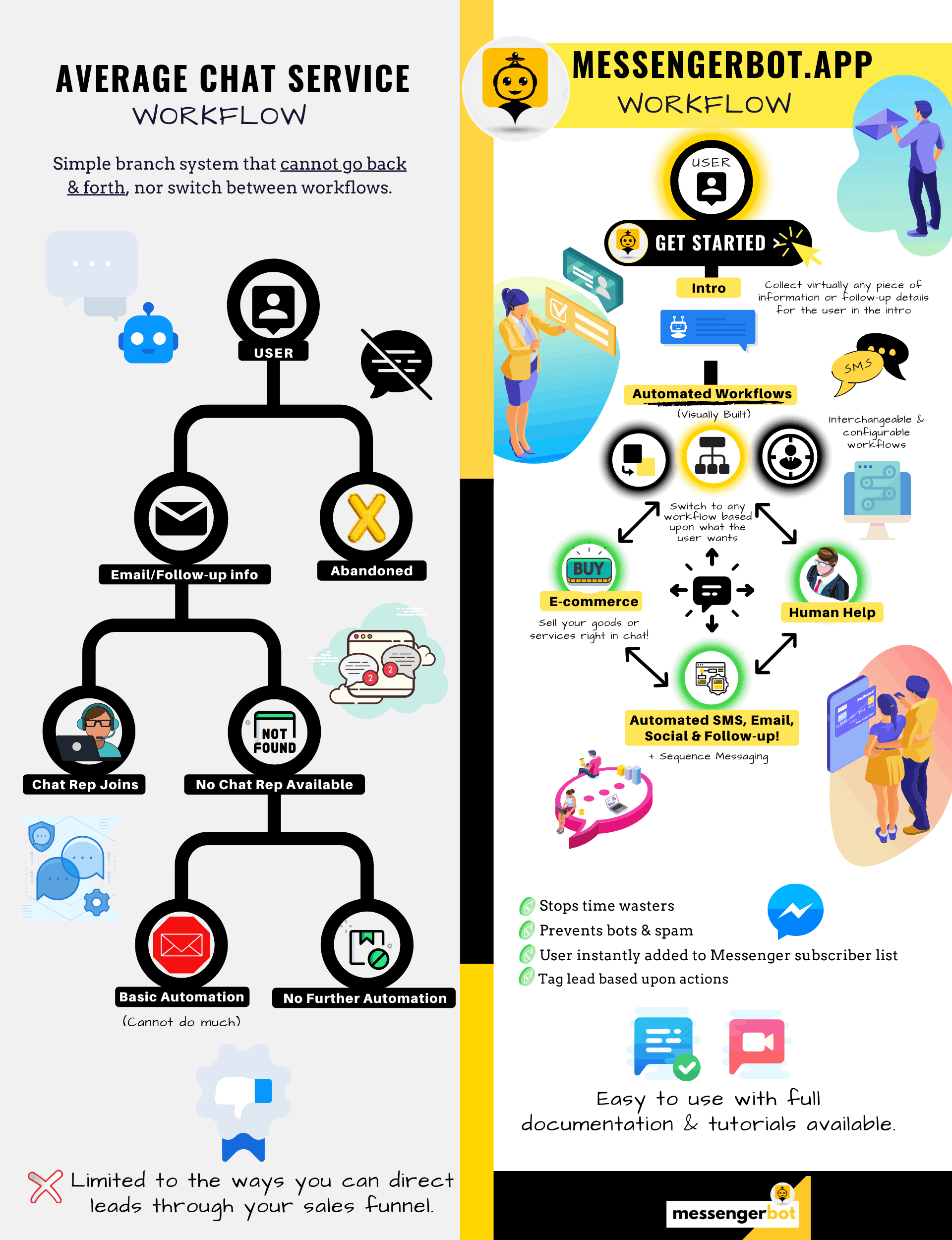
¡El Bot de Messenger es mucho más que un simple chatbot!
¡Ahora es posible tener conversaciones complejas automáticamente!
¿Por qué necesitas un bot de Messenger?
para Impulsar las Ventas en Tu Negocio
Para los mercadólogos, Facebook Messenger se está convirtiendo en una forma novedosa y efectiva de llegar a los suscriptores actuales y potenciales de tu página de Facebook y negocio. Con el uso de bots de Messenger, puedes difundir información en cualquier momento del día sin mover un dedo.
Una de las aplicaciones de bots más poderosas, Messenger Bot, se ha convertido rápidamente en un líder en esta nueva industria. Nuestro software de marketing tiene tantas características que facilitan el marketing para empresas grandes y pequeñas. Al utilizar el chatbot de Facebook Messenger, ahora puedes responder a los chats 24/7, enviar mensajes en grandes cantidades a tu público objetivo e incluso publicar videos y fotos en tu página de Facebook. Si lo necesitas para tu negocio, ¡Messenger Bot sin duda lo tiene! A nuestra manera única, podemos ofrecerte un nivel de servicio de chatbot que no verás en ningún otro lugar.
Echemos un vistazo a todos los servicios y características que nuestra fantástica aplicación ofrece antes de que comiences. Este impresionante software seguramente será la herramienta de marketing de Facebook Messenger más ideal para ti, sin necesidad de codificación.
¿Qué es un chatbot de Facebook?
Si solo tienes una idea vaga de lo que es una aplicación de bot de Facebook Messenger o Facebook chatbot vous devez comprendre comment cela peut propulser votre entreprise au niveau supérieur. Le logiciel est automatisé pour envoyer des messages via Facebook Messenger en utilisant le traitement du langage naturel pour comprendre ce que la personne veut et l'intelligence artificielle pour interagir avec les gens. Lorsqu'il est mis en œuvre, il peut comprendre les questions qui lui sont posées et répondre correctement à ces demandes. Les chatbots sont comme des assistants virtuels qui peuvent améliorer l'expérience client.
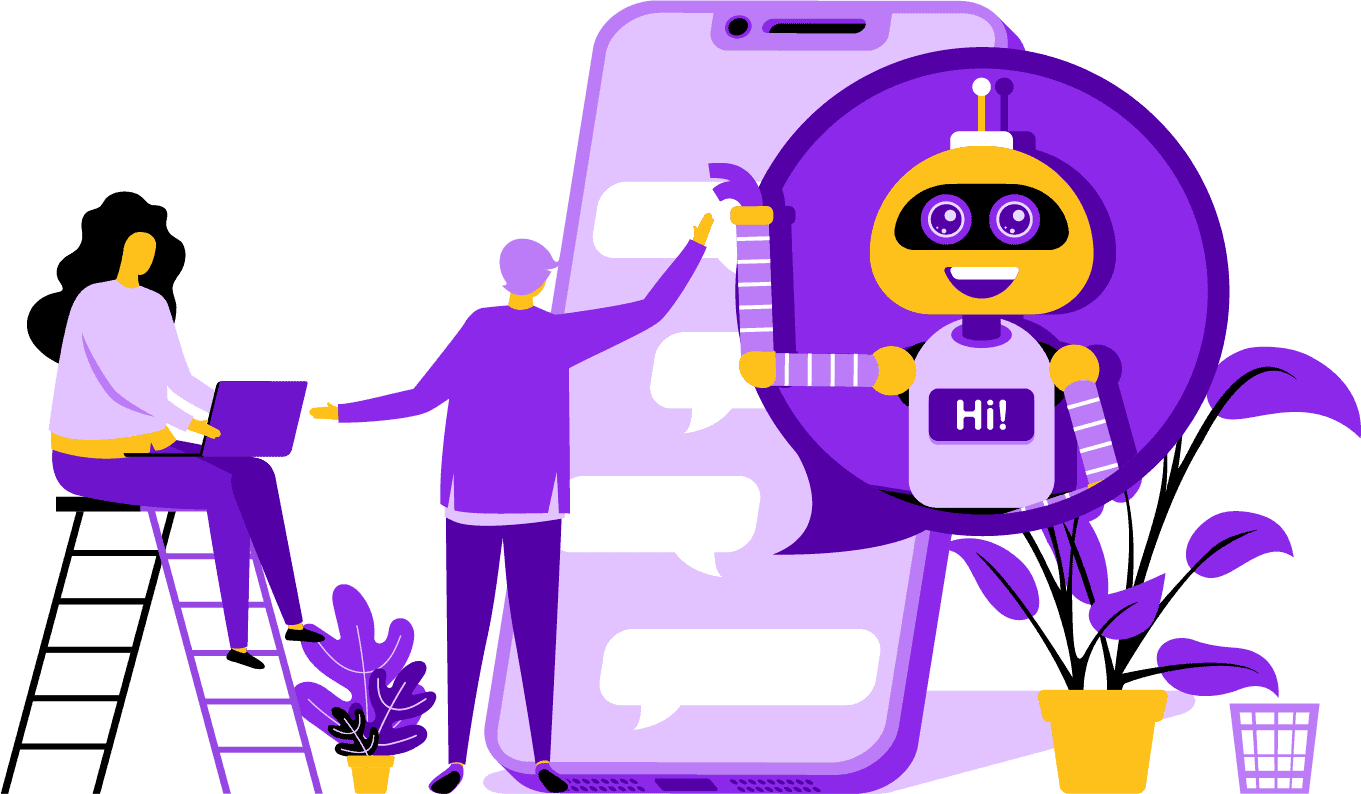
Hay ventajas estratégicas al utilizar un bot de Facebook Messenger para tu empresa. Si deseas convertirte en un nombre conocido, usar Messenger es una forma inteligente de poner en contacto a tu empresa y misión con miles de millones de personas. Facebook Messenger está cómodamente entre las cinco aplicaciones más utilizadas en el mundo. Con esto en mente, ¿por qué no deberías usar Messenger para las necesidades de tu negocio? Los clientes aprecian la aplicación porque ofrece una forma conveniente y rápida de comunicarse con empresas de todo el mundo. Una empresa puede crecer y aumentar su exposición mientras proporciona un servicio al cliente activo al mismo tiempo. No tienes que preocuparte por el soporte al cliente 24/7 con un bot de chat.
Un autre avantage qu'un bot Facebook peut offrir est la génération de leads. Il est plus facile de contacter des clients potentiels avec un chatbot Messenger. Lorsque votre application de bot contacte des clients potentiels, elle peut poser des questions de base pour identifier les besoins et les désirs de la personne grâce à l'utilisation du traitement du langage naturel. L'application peut diriger le prospect vers votre équipe de support client ou de vente pour prendre le relais et conclure la vente. Comme vous allez le voir, le Messenger Bot peut faire tout cela et bien plus encore sans nécessiter de codage. Commencez avec Messenger Bot !
Mensajes masivos
y un Bot de Facebook
Cuando tienes una página de Facebook, hay momentos en los que deseas comunicarte con suscriptores y clientes potenciales para difundir un mensaje. Messenger Bot tiene una función de mensajes masivos para lograr precisamente eso. ¿Por qué enviar mensajes masivos? Por un lado, se pueden entregar rápidamente. Cuando utilizas esta función en Messenger Bot, tus comunicaciones pueden llegar a cualquier persona en segundos. Puedes enviar un mensaje masivo a miles de personas cuando usas esta aplicación y saber que se entregará como se pretende. Tus prospectos pueden conversar e interactuar contigo, lo que genera confianza cuando reciben respuestas precisas y fácilmente comprensibles a sus preguntas. Esta destacada característica que tiene Messenger Bot ayuda a retener tu base de clientes, que es parte de la base para el crecimiento empresarial. Nos enorgullece afirmar que fuimos los primeros en tener capacidades de mensajes masivos que pueden llegar a todos los suscriptores.
Características adicionales del automóvil,
Incluyendo el chatbot de Facebook Messenger

-
Auto Comentário Curtir
Esta función te da la capacidad de dar "me gusta" a los comentarios de los suscriptores que encuentres en tu página y bajo tus publicaciones. Este compromiso puede aumentar la actividad en tu página, ya que otros ven que eres una empresa que aprecia lo que sus clientes y potenciales clientes tienen que decir. Ayuda a captar la atención que estás buscando. Agregar "me gusta" a muchos comentarios también puede retener tu base de clientes cuando ven tu constante participación en tu negocio.
-
Auto Kommentar Private Antwort
El mismo beneficio se aplica a la respuesta privada automática de comentarios del Bot de Messenger. Tendrás situaciones en las que alguien se comunique contigo en privado para comentar o hacer una pregunta sobre tu negocio. Nuestra aplicación te permite responder a estos mensajes en cualquier momento del día con la respuesta que necesites. La respuesta está diseñada de acuerdo a tus especificaciones, y el mensaje puede cambiar cuando sea necesario.
Publicación en Facebook<!–
con un Bot de Mensajes
Nuestro bot de mensajes te permite no solo publicar texto en tu página de Facebook y grupos, sino que también puedes automatizar la publicación y el compartido de fotos, videos y enlaces. ¡Simplemente no hay nada que el Bot de Messenger no pueda hacer! Con esta función, ahora puedes lanzar cualquier tipo de medio que desees en cualquier momento. Usar una combinación de texto y herramientas visuales puede reenganchar a tus suscriptores y conseguir nuevos al mismo tiempo.
Aumento de la participación
con Marketing por Messenger
Nuestro bot de Facebook Messenger puede ayudarte a obtener un mejor compromiso de tus suscriptores y clientes. La investigación ha demostrado que cuando tienes un alto compromiso, tienes una mayor probabilidad de aumentar tus ventas. Puedes utilizar las numerosas características del Bot de Messenger para lograr este éxito. Los lanzamientos automáticos de imágenes y otro contenido visual pueden mantener a tu base de clientes interesada en lo que tienes que decir. Puede crear una relación que se centra en la confianza que él o ella ahora tiene en tu negocio. Entendemos lo vital que es este compromiso mejor que nadie más en el mundo de los chatbots. Cuando nos eliges, puedes ver resultados casi de inmediato.

Contenido Personal
desde el Bot de Messenger de FB
Nuestro software también puede ofrecer a sus clientes respuestas personalizadas a todos sus comentarios y preocupaciones que puedan tener. Como suscriptor, cuando tiene una experiencia personalizada con una empresa en línea, puede darles la impresión de que se preocupa por sus pensamientos y su presencia como cliente. Para aquellos con experiencia en ventas y marketing, saben que la satisfacción del cliente es una parte fundamental de un modelo de negocio exitoso. En Messenger Bot, podemos ayudarle a crear esta valiosa personalización que sus clientes necesitan para mantenerse leales.
Una Gran Presencia en Redes Sociales
con marketing de Facebook Messenger
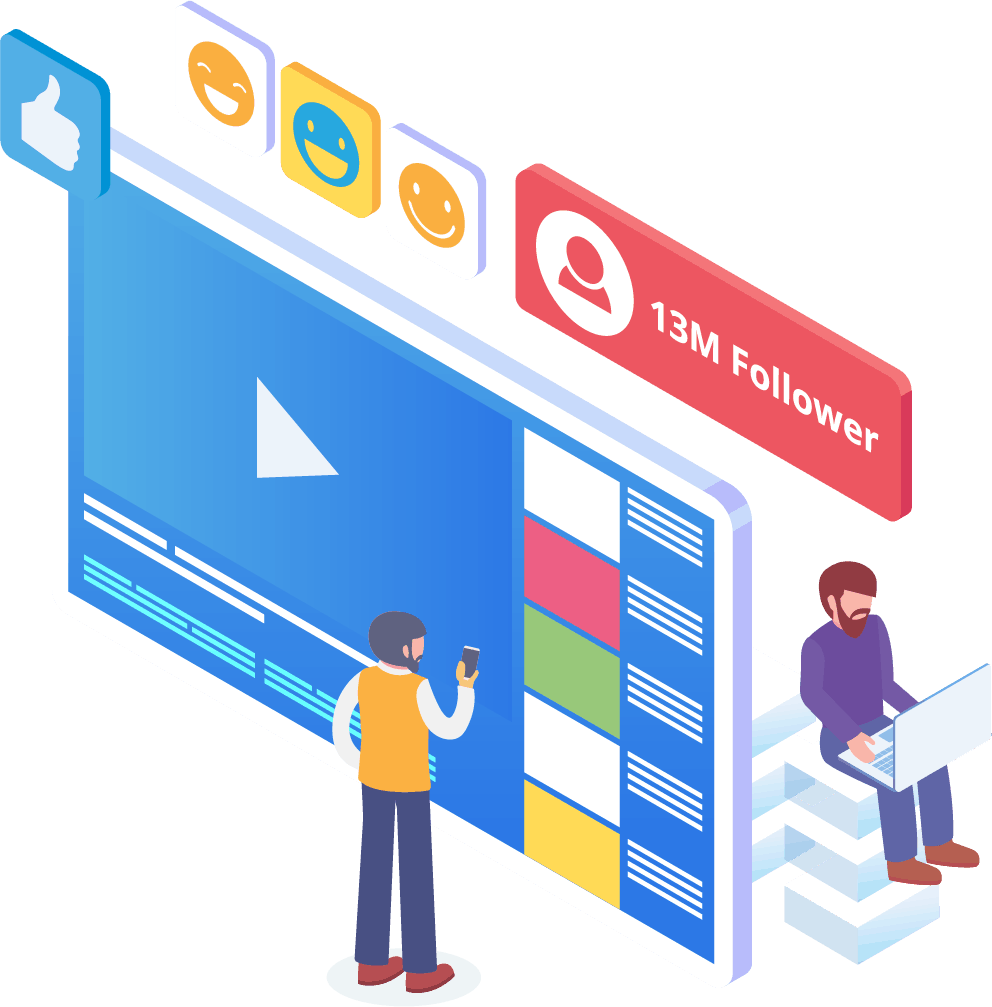
En el mundo actual, las empresas necesitan una excelente presencia en redes sociales para mantenerse a la vanguardia. Facebook se ha convertido en una plataforma que puede aumentar la visibilidad de una empresa y atraer nuevos suscriptores y clientes potenciales a tu página por cientos. Una de las mejores maneras de interactuar con estos usuarios de Facebook es a través de una aplicación de chatbot. Nuestro chatbot de Messenger de Facebook puede ayudarte a entretener, informar y enseñar a aquellos que interactúan regularmente con tu página.
Una estrategia de marketing adecuada debe requerir el uso de Facebook y las redes sociales para facilitar el crecimiento de una empresa. Usar nuestra aplicación puede ayudarte a crear un plan de marketing completo y robusto que puede elevar el perfil de tu negocio a niveles previamente inalcanzables. Nuestro servicio de chatbot para Messenger está diseñado específicamente para Facebook y puede adaptarse a medida que el gigante de las redes sociales realiza cambios. Messenger es una herramienta de redes sociales en gran medida inexplorada que puede convertirte en un líder de la industria cuando sabes cómo utilizarla. Podemos eliminar las conjeturas y ayudarte a alcanzar tus objetivos comerciales paso a paso.

Analiza tu
Datos con Bot de Messenger
Como se mencionó anteriormente, nuestra aplicación también puede compilar informes que están destinados a analizar datos de Facebook y de suscriptores. El software de Messenger Bot está diseñado para entender cómo funcionan los humanos en lo que respecta a la interacción con Facebook. Las analíticas que proporcionamos a las empresas les permiten profundizar al crear protocolos estratégicos de ventas y marketing para utilizar y hacer crecer su empresa. Te damos toda la información para que la examines, y a partir de ahí, puedes extraer lo que necesitas para tener más éxito.
Esta análisis de datos en profundidad puede generar nuevas ventas, clientes potenciales y clientes. Al revisar todas las interacciones que tuvo tu página de Facebook y tus suscriptores durante un período determinado a través del aprendizaje automático, ahora puedes crear contenido que apunte a tu audiencia base. Eliminamos los elementos innecesarios al intentar crear contenido nuevo y relevante. Tu enfoque se mantiene donde debe estar.

Convierta sus clientes potenciales con el bot de Messenger
El Bot de Messenger puede ayudar a dirigir tus leads hacia una venta. Nuestro software de automatización inicia el proceso captando la atención de los clientes potenciales. Podemos interactuar con el prospecto de una manera básica pero personal que les hace sentir que son importantes para tu negocio. Ahora puedes dirigirte mejor a esos clientes y mantener el contacto con ellos después del intercambio inicial.
El tiempo de respuesta rápido es esencial para la experiencia del cliente y las conversiones. Con un tiempo de respuesta más rápido, la tasa de satisfacción de su cliente potencial aumenta a medida que recibe sus respuestas en tiempo real sin complicaciones ni molestias. La experiencia sencilla mejora la retención y las ventas futuras. Cuando un nuevo cliente entra en contacto con un negocio, las primeras impresiones lo son todo. Al usar Messenger Bot, eliminas cualquier complicación y problemas imprevistos al intentar chatear con un suscriptor. Los chatbots son tus asistentes virtuales para tareas simples, para que puedas concentrarte más en escalar tu negocio.

Libera il tuo tempo con un bot di Facebook
Deja que el Bot de Messenger haga todo el trabajo de interacción por ti y tu negocio. De esta manera, ahora puedes concentrarte en otras tareas esenciales que requieren toda tu atención. Con nuestra innovadora aplicación, ya no tendrás que preocuparte por olvidar publicar o ignorar sin querer un comentario o pregunta. No importa cuándo llegue la interacción. Nuestro software está diseñado para responder cuando sea necesario. Esta función significa soporte al cliente 24/7 para ti y tus suscriptores.
Con nuestro software, todo lo que necesitas hacer es ingresar lo que requieres en nuestra interfaz fácil de usar, y nosotros nos encargamos del resto. Te quedas con una campaña completa que nosotros preparamos para ti. Puedes confiar en nosotros para difundir tu información a ojos y oídos ansiosos.
Aprovecha
de la popularidad de Facebook
Facebook no se está desacelerando en ningún momento pronto. El sitio de redes sociales de gran popularidad es utilizado por más de mil millones de personas en todo el mundo, y eso incluye Messenger. Los usuarios de la aplicación disfrutan de Messenger porque es fácil de usar. No tienen que hacer clic en varios enlaces o páginas para llegar a donde quieren.
Este beneficio es adecuado para las empresas que desean comunicarse con su base a nivel local. Messenger Bot ofrece la misma facilidad y conveniencia que atrae a los usuarios de Facebook. Cuando interactúan con el software, se les proporciona información simple y fácil de entender que puede ofrecerles una opinión informativa sobre un producto o empresa. Este soporte al cliente está disponible cuando lo necesitan y sin tiempo de espera.
Nuevas Oportunidades
Abundar
Nuestra aplicación de bot puede ofrecerte nuevas oportunidades que otras empresas que eligen no utilizar un bot de Messenger no tendrán. La aplicación de Messenger aún se considera un enfoque nuevo para el marketing digital, por lo que cualquier estrategia que utilices a través de nosotros no estará desgastada ni anticuada. Te proporcionamos la tecnología líder que está diseñada para diferenciar tu negocio de los demás.
A través del chatbot de Facebook Messenger, descubrirás qué funciona y qué no funciona para ti en lo que respecta a ventas y marketing. Al utilizar nuestros recursos, podrás optimizar el enfoque con el tiempo y asegurarte de que estás mostrando lo mejor de tu marca. Los competidores que no están utilizando nuestro chatbot están en una desventaja clara en cuanto a alcance masivo.

Mejorar el Servicio al Cliente
Con Facebook Chatbot
Por supuesto, vas a mejorar y optimizar el soporte al cliente que ofreces ahora con nuestra aplicación. Consideramos todos los aspectos del soporte al cliente cuando se trata de nuestro software. Contamos con respuestas de alta calidad gracias al aprendizaje automático y al procesamiento del lenguaje natural que pueden satisfacer a los clientes y guiarlos a tomar decisiones de compra rápidas. El tiempo de respuesta inmediato evita que el potencial comprador abandone tu página para comprar un producto en otro lugar.
Además, cuando nuestro chatbot de mensajería solicita información de su cliente, actúa como un nivel de pre-calificación. Cuando alguien está buscando comprar algo de su negocio, puede utilizar esa información voluntaria para mejorar futuras campañas y lanzamientos de productos. Ahora ha eliminado la necesidad de dedicar horas de trabajo para obtener esos simples detalles.
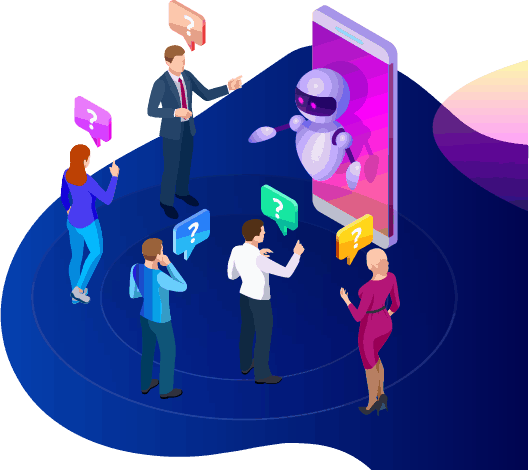
El chatbot también te ofrece la opción de cambiar a un operador humano real cuando las preguntas se vuelven complejas, o cuando deseas tomar el control de una posible venta. ¡Con Messenger Bot, realmente puedes tenerlo todo! Ahora tienes un soporte al cliente personalizable con comunicación rápida y herramientas de automatización diseñadas para facilitar el crecimiento y la visibilidad.
Construyendo Marca
Consciencia
Con solo unas pocas acciones rápidas, puedes informar a tu audiencia todo sobre tu negocio. Se pueden abordar preguntas de seguimiento, y ahora tu cliente potencial puede ser dirigido más profundamente en tu embudo de ventas.
Móvil
Optimización
Con tantas personas y consumidores utilizando sus teléfonos para todo, Messenger Bot reconoce el potencial de ventas y retención de clientes al utilizar Facebook Messenger para la comunicación. Nuestro software está diseñado pensando en dispositivos móviles. Optamos por un enfoque limpio y directo al diseñar nuestro software. El resultado es un sistema de bot que funciona sin problemas con dispositivos móviles y Facebook.
Totalmente Personalizable
Bots de Messenger
Se mencionó anteriormente que el Bot de Messenger es personalizable y puede adaptarse a las necesidades cambiantes de su negocio. Esta característica es valiosa para las empresas, ya que hay espacio para cambiar y crecer. Hemos construido un chatbot completamente funcional que puede avanzar junto a su empresa sin importar la dirección. Puede cambiar su estrategia cuando lo necesite, y estaremos allí sin interrupciones.


Fácil de usar
Bot de Messenger
Sabemos que su tiempo es valioso. Cuando desea implementar una nueva estrategia de marketing a través de nuestra aplicación, no quiere pensar en ello día tras día. Nuestro servicio de bot se encarga de eso. Una vez que nos diga lo que necesita, podemos hacer el resto. En solo unos minutos, puede lanzar una campaña que puede aumentar la participación y atraerle clientes. Ni siquiera tiene que mover un dedo desde la implementación inicial si no lo desea. Nuestra compleja tecnología garantiza que su experiencia de usuario sea sin complicaciones y fácil.
Messenger Bot está diseñado para ayudar a ti y a tu negocio a alcanzar su máximo potencial en términos de marketing y ventas. A través de nuestra innovadora aplicación, puedes extraer información valiosa que puede aumentar tu visibilidad y popularidad en Facebook. Tu nueva conexión con los suscriptores ayuda a retener tu base y conquistar nuevos clientes. ¡No hay nada igual! Pruébanos hoy, y te sorprenderán los resultados. Crea tu primer chatbot de Messenger sin necesidad de codificación.
¿Listo para hacer un cambio real? ¡Construyámoslo juntos!
Conoce Messenger Bot sin ninguna restricción y comienza a usarlo al máximo solo cuando te encante. Te estaremos esperando.
 Español de México
  English
  Tagalog
  简体中文
简体中文  العربية
  हिन्दी
  Português do Brasil
  Français
  বাংলা
বাংলা  香港中文
香港中文  繁體中文
繁體中文  Nederlands
  Deutsch
  Bahasa Indonesia
  日本語
日本語  한국어
한국어  Polski
  Русский
  Español
  Tiếng Việt