
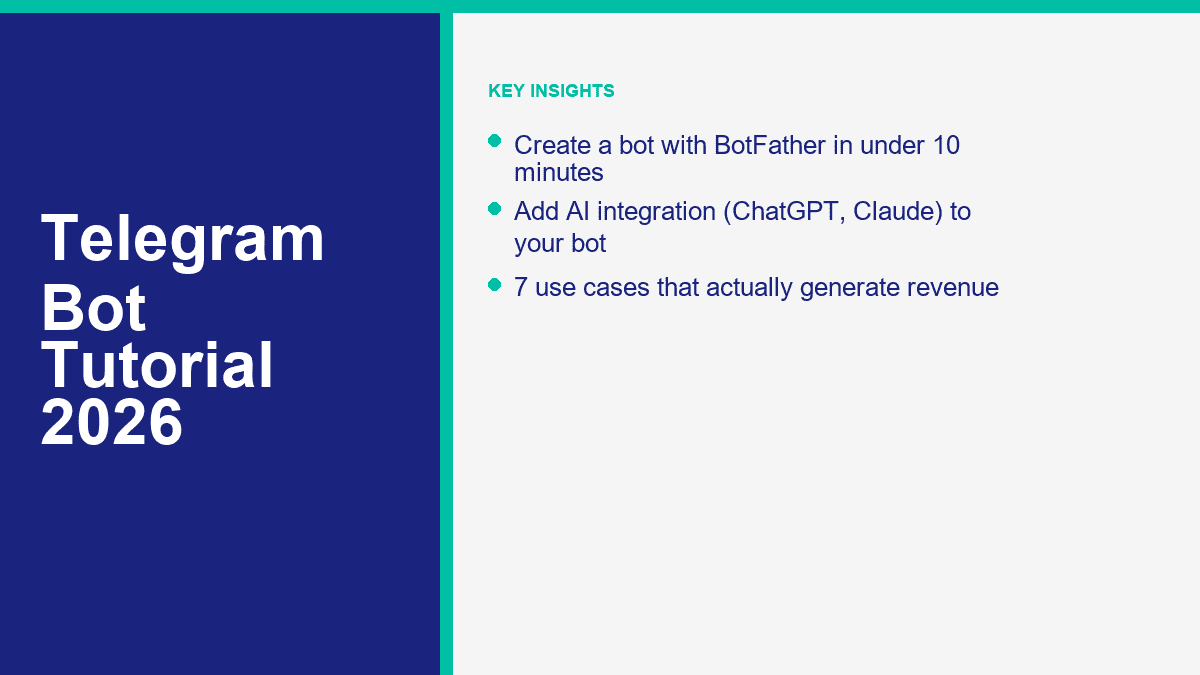
La mayoría de los tutoriales de bots de Telegram mezclan tres trabajos diferentes: crear la cuenta del bot, darle comandos utilizables y conectarlo a la automatización real. La primera parte realmente se puede hacer en menos de 10 minutos con BotFather. La segunda parte es otra sesión corta. La tercera parte, especialmente la IA, es donde la mayoría de los principiantes o construyen en exceso o se quedan atascados.
Esa es exactamente la razón por la que Telegram sigue siendo digno de atención en 2026. Telegram dice que su Plataforma de Bots alberga más de 10 millones de bots, y la configuración básica es gratuita para los desarrolladores. Puedes lanzar bots dentro de chats privados, grupos, canales, búsqueda en línea y Mini Apps, lo que hace que Telegram sea mucho más flexible que un simple widget de chat de sitio web o un respondedor automático de DM.
Hay una limitación que debes entender antes de tocar BotFather: los bots de Telegram no pueden iniciar conversaciones con los usuarios primero. Una persona tiene que abrir el bot, tocar un t.me enlace, o agregar el bot a un grupo o canal. Si eso se ajusta a tu negocio, Telegram es una buena opción. Si la mayoría de tus clientes potenciales ya llegan a través de mensajes de la Página de Facebook y DMs de Instagram, compara ese flujo de trabajo con Ver precios de MessengerBot antes de construir el canal equivocado solo porque Telegram parece más abierto.
Por qué vale la pena construir Bots de Telegram en 2026
La respuesta corta es apalancamiento. Un bot de Telegram puede actuar como un representante de soporte, asistente de reservas, cualificador de leads, motor de notificaciones, herramienta de entrega de contenido premium o asistente de IA sin obligar a los usuarios a descargar una aplicación separada. Para operadores solitarios y equipos pequeños, eso importa porque un bot puede cubrir el trabajo repetitivo que de otro modo consumiría horas cada semana.
Telegram también es inusualmente flexible en comparación con la mayoría de los canales de mensajería empresarial. Puedes ejecutar un bot en chats uno a uno, añadirlo a grupos para moderación o flujos de trabajo, adjuntarlo a canales, habilitar acciones en línea o convertirlo en una Mini App más tarde. Eso significa que el mismo bot puede comenzar como un bot de comandos básico y crecer en algo más serio sin una migración de plataforma.
También ayuda que la primera capa sea genuinamente gratuita. Crear la cuenta del bot con BotFather no cuesta nada. Eso no significa que todo el proyecto sea gratuito para siempre. El alojamiento, las API de IA, las automatizaciones externas y las herramientas de pago pueden aparecer más tarde. Pero el punto de entrada es lo suficientemente bajo como para que puedas validar un caso de uso real antes de gastar dinero.
Si aún estás comparando canales y caminos de construcción, vale la pena leer nuestro artículo sobre construir un chatbot sin codificación. La mecánica del canal cambia, pero la regla básica no: comienza con un trabajo claro, no con una promesa gigante de “asistente de IA”.
Lo que Telegram hace bien para principiantes y pequeñas empresas
- Configuración rápida: BotFather maneja nombres, nombres de usuario, comandos, descripciones, configuraciones de grupo y creación de tokens en un solo lugar.
- Alcance global: Telegram funciona bien para audiencias internacionales, comunidades de creadores, usuarios de SaaS, educación, alertas de trading y grupos de membresía de nicho.
- Baja fricción de lanzamiento: No necesitas aprobación de la App Store, un número de teléfono para el bot en sí, ni una aplicación móvil personalizada.
- Estructura amigable con IA: Telegram ya admite conversaciones en hilos, comandos, botones, interacciones en línea y Mini Apps, lo que lo convierte en una opción natural para la IA y la automatización de flujos de trabajo.
- Buenos caminos de monetización: Los bots pueden soportar contenido pago, suscripciones, generación de leads, reservas, ahorro en soporte, embudos de afiliados y bienes digitales.
No hay un verdadero camino de “no se requiere registro” aquí, y eso está bien. Aún necesitas una cuenta de Telegram para usar BotFather. Lo que importa es que no necesitas un equipo de desarrolladores solo para obtener la identidad del bot, el enlace y los controles básicos en vivo.
Lo que puedes lanzar de manera realista en una sola sesión
| Tiempo invertido | Lo que puedes construir | Mejor caso de uso |
|---|---|---|
| 10 minutos | Cuenta de bot, nombre de usuario, perfil, comandos y compartible t.me enlace |
Reclamando tu identidad de bot y preparando el shell |
| 30 a 60 minutos | Respuestas automáticas basadas en menús con una capa de automatización sin código | Bots de preguntas frecuentes, captura de leads, enrutamiento de citas, soporte básico |
| Medio día | Bot de preguntas frecuentes asistido por IA con reglas de respaldo y registro | Soporte, bots de conocimiento interno, comunidades de creadores |
| Construcción de fin de semana | Mini App, pagos, sincronización de CRM o bot de flujo de trabajo personalizado | Herramientas SaaS, comunidades premium, comercio electrónico, operaciones |
El error que veo con más frecuencia es tratar Telegram como un lugar para volcar un chatbot de propósito general y esperar que los usuarios lo entiendan. El enfoque mejor es mucho más específico. Decide si tu bot es para soporte, reservas, alertas, calificación de leads o entrega de contenido. Luego construye el camino más corto hacia ese resultado.
Cómo crear un bot de Telegram con BotFather (Paso a Paso)
BotFather es la cuenta oficial de gestión de bots de Telegram. Piensa en ello como el panel de control para la configuración del bot, no el cerebro real del bot. Crea el bot, te da el token y te permite gestionar comandos, detalles del perfil y configuraciones de permisos.
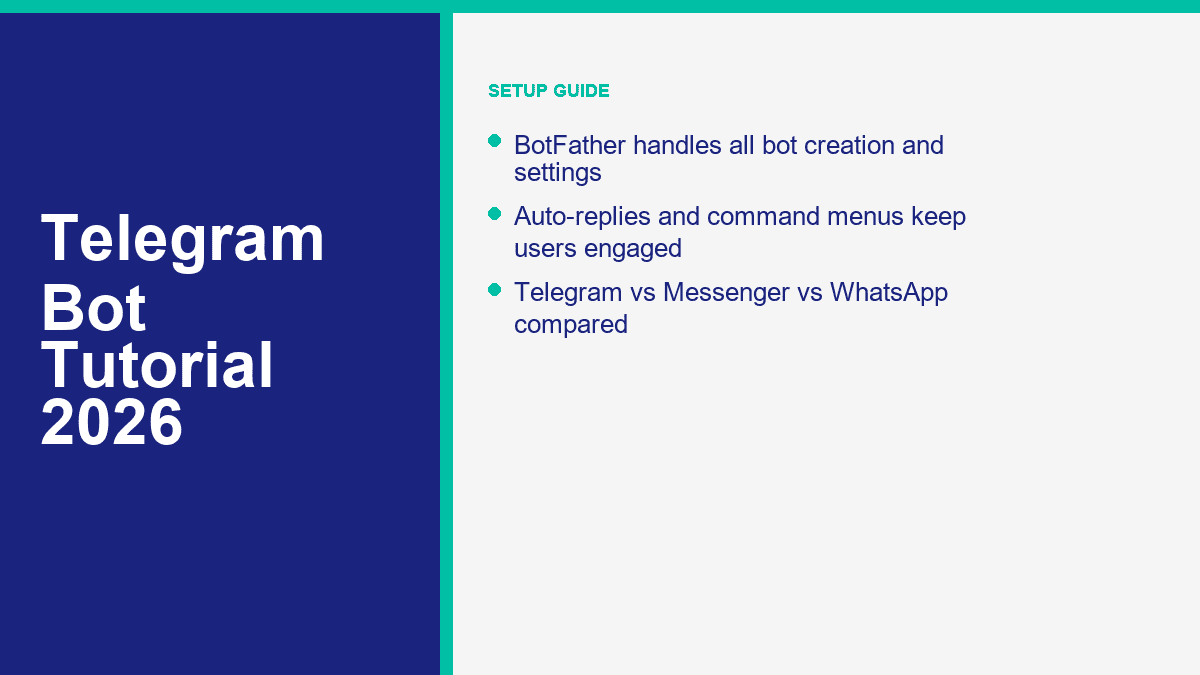
Prepara estas 5 cosas antes de abrir BotFather
- Una cuenta normal de Telegram en móvil o escritorio
- Un nombre de bot claro, como Bot de Soporte de Northgate o Bot de Alertas de Propiedades de Londres
- Un nombre de usuario que termine en
bot, comonorthgate_support_botoLondonDealsBot - Una imagen de perfil cuadrada o un logo
- Un lugar seguro para almacenar el token, como un gestor de contraseñas o una aplicación de notas seguras
Ese nombre de usuario importa más de lo que la gente piensa. Los nombres de usuario de Telegram deben tener entre 5 y 32 caracteres, usar letras, números o guiones bajos, y normalmente terminar en bot. A diferencia del nombre de visualización, el nombre de usuario es el identificador público que la gente busca y el que potencia tu t.me enlace, así que elígelo con cuidado.
Crea el bot con /newbot y guarda el token inmediatamente
- Abre Telegram y busca @BotFather.
- Toca Comenzar.
- Envía el comando
/newbot. - Ingresa el nombre que deseas que los usuarios vean.
- Ingresa el nombre de usuario del bot que deseas que Telegram reserve.
- Copia el token que BotFather devuelve y guárdalo en un lugar seguro.
Si el nombre de usuario está disponible, BotFather devolverá un mensaje de éxito, tu nuevo t.me enlace y el token del bot. Trata ese token como una contraseña. Cualquiera que lo tenga puede controlar tu bot.
Pista de captura de pantalla: Captura el mensaje de éxito de BotFather que muestra el nombre del bot, el nombre de usuario y el enlace para compartir. Borra completamente el token antes de publicarlo. No dejes visible ni siquiera una parte en la captura de pantalla.
Configura el perfil público antes de compartir el enlace del bot
Ahora envía /mybots, toca tu bot y abre las opciones de gestión. Telegram te permite editar la mayoría de los detalles públicos importantes ya sea a través de la moderna interfaz en línea o comandos directos como /setdescription, /setabouttext, y /setuserpic.
Aquí está la configuración mínima del perfil que no debería omitir:
- Escribe una breve descripción con
/setdescription. Este es el resumen “¿Qué puede hacer este bot?” que los usuarios ven al inicio del chat. - Agrega un resumen de perfil más corto en una línea con
/setabouttext. - Sube una imagen de perfil real con
/setuserpic. - Revisa el perfil del bot desde una segunda cuenta para que veas lo que verán los nuevos usuarios.
Una buena descripción es clara y específica. Ejemplo: “Recibe alertas de propiedades, reserva una consulta o pregunta sobre preguntas comunes de hipotecas.” Una descripción débil es un texto de marketing vago como “Tu asistente inteligente para el éxito digital.” Eso no le dice nada al usuario.
Pista de captura de pantalla: Muestra la página de perfil del bot con el avatar, el texto Acerca de y la descripción visible. Esta es la captura de pantalla que los lectores necesitan cuando quieren confirmar que están editando los campos correctos.
Agrega comandos con /setcommands para que Telegram le dé a los usuarios un menú real
Commands are one of Telegram’s biggest advantages for first-time bot builders. When you set them correctly, users can type / and Telegram will show your command list as built-in suggestions. That is far cleaner than expecting people to guess what your bot can do.
Open BotFather again, send /setcommands, choose the bot, and paste a simple command list like this:
start - Open the main menu
help - See what this bot can do
pricing - View plans or request a quote
book - Book an appointment
support - Talk to support
Keep the first version short. Three to five commands is enough for most bots. If you dump ten commands into the menu, the bot starts feeling like a command line instead of a useful assistant.
One important distinction: commands are not the same thing as replies. /setcommands creates the visible command menu. Something else still needs to handle what happens when a user taps those commands.
Pista de captura de pantalla: Capture the BotFather chat after the command list is accepted, then a second screenshot inside your bot chat showing the slash-command menu on mobile.
Check group permissions and privacy settings before you use the bot in a community
If your bot is going into a Telegram group, you need to decide how much it should see. Telegram bots run in Privacy Mode by default in groups. That means they only see certain relevant messages and commands unless you change the setting. BotFather also lets you control whether the bot can be added to groups at all with /setjoingroups.
Use this rule:
- Leave Privacy Mode on if the bot mostly reacts to direct commands, replies, or structured button taps.
- Turn Privacy Mode off only if the bot genuinely needs to read full group messages, such as moderation or live monitoring.
- Disable group joining if the bot is only for private support or lead capture. That prevents a lot of messy group behavior later.
If you change Privacy Mode, Telegram recommends re-adding the bot to the group so the new behavior takes effect. That one step catches a lot of people out.
Pista de captura de pantalla: Show the BotFather settings screen where Group Privacy and Join Groups are configured. Most readers will not find these options quickly on their first pass.
Test the first-run experience like a real user, not the owner
- Abre el
t.melink BotFather created. - Toca Comenzar or send
/start. - Check the avatar, description, About text, and command menu.
- Tap every command you added.
- Make sure the bot’s first message clearly tells users what to do next.
If the bot opens to a blank profile, missing commands, or a confusing first message, it is not launch-ready yet. Fix that before you invite users in. Ten extra minutes here saves you from a lot of “this bot broken?” feedback later.
The 10-minute launch checklist
- The bot name and username are clean and brand-safe.
- The token is saved somewhere secure and not exposed in any screenshot.
- The description explains one clear use case.
- The About text reads well on mobile.
- The profile image looks legitimate, not like a placeholder.
- The bot has 3 to 5 working slash commands.
- Group and privacy settings match how the bot will actually be used.
- La
t.melink opens a clean first-run experience.
Adding Commands and Auto-Replies to Your Telegram Bot
This is the point where most beginners realize BotFather does not build the actual conversation logic. That is not a flaw. BotFather creates the bot account, token, command menu, and settings. The behavior still lives in a no-code automation tool, a bot builder, or your own code.
If you only remember one thing from this section, make it this: start command-first, not AI-first. A bot with a crisp /start menu, three useful options, and a clean fallback will outperform a “smart” bot that rambles or guesses.
The 3 practical ways to make a Telegram bot reply
| Build path | Velocidad | Coding required | Mejor para |
|---|---|---|---|
| BotFather only | Fastest | Ninguno | Claiming the bot identity, creating commands, setting profile details |
| BotFather plus no-code automation | Rápido | None to low | FAQ bots, lead capture, booking flows, simple support |
| BotFather plus custom code | Slower | Sí | AI assistants, custom workflows, CRM sync, advanced group logic |
The no-code route is the one I would recommend for most small businesses. BotFather gives you the token. Then a no-code automation tool or bot builder listens for new messages and sends replies back through Telegram. That is enough for an appointment bot, property-alert bot, FAQ bot, support router, or simple ecommerce helper.
Build the first response flow around one job, not your whole business
Pick one of these as the first version:
- Answer top five support questions
- Collect leads and pass them to email or CRM
- Book appointments
- Send content or alerts on command
- Route users to a paid offer, demo request, or human support
Then build the first menu around that job. A clean starter menu might look like this:
- /start – Welcome and main menu
- /pricing – Plans, packages, or quote request
- /book – Appointment or consultation booking
- /support – Human handoff or issue menu
A lot of Telegram bots work better with buttons than long free-text replies. Use commands to open the right branch, then return short answer blocks and obvious next-step buttons. The reader should never have to guess what to type next.
Pista de captura de pantalla: Capture the bot chat right after /start, showing the welcome text and the first set of buttons or menu choices. This is the screenshot readers usually need when they are copying the structure of a working starter bot.
The simplest no-code auto-reply flow for a beginner
- User taps
/start. - The bot sends a short welcome message with 3 to 4 options.
- Each option leads to a tightly written answer or a data-collection step.
- If the request is more complex, the bot offers a human handoff or contact form.
- Unrecognized messages trigger one fallback reply that resets the menu.
That sounds basic because it is basic, and that is the point. Most first versions fail because the owner tries to handle every possible question in natural language right away. Menu-first bots feel less impressive in theory and far more useful in real life.
If you want the broader no-code workflow outside Telegram, start with our guide to construir un chatbot sin codificación. The Telegram-specific setup is different, but the conversation design rules are the same: fewer branches, cleaner options, visible handoff.
What to auto-reply and what to leave to a human
Good auto-reply candidates:
- Horarios de atención
- Pricing ranges
- Booking links
- Shipping or delivery policies
- Location or service area
- Trial, demo, or onboarding information
Bad candidates for full automation:
- Billing disputes
- Angry customers
- Complex technical troubleshooting
- Custom quotes with edge cases
- Anything regulated or high-risk without review
The fix is simple. Let the bot answer repetitive questions fast, then give people a clean path to a human when nuance matters. That is how you get speed without making the bot feel defensive.
How to Add AI to Your Telegram Bot (ChatGPT, Claude Integration)
Adding AI is where Telegram bots start feeling genuinely powerful, and also where bad setups get expensive or unreliable fast. The clean version is not “connect ChatGPT and hope.” The clean version is “define one job, cap the bot’s role, keep the prompt tight, and log what the AI gets wrong.”
Also be careful with the terminology. A ChatGPT Plus or Claude Pro subscription does not automatically power your Telegram bot. To put ChatGPT or Claude inside Telegram, you usually need API access from OpenAI or Anthropic, plus a relay layer that receives Telegram messages and sends responses back.
The beginner architecture that actually works
- User sends a message to your Telegram bot.
- Your automation layer or server receives the update using the bot token.
- A rules layer checks whether the question matches an FAQ or command.
- If it does, the bot answers from the known script.
- If it does not, the message is passed to ChatGPT or Claude with a narrow prompt.
- The model’s answer is sent back to Telegram with a fallback button such as Talk to support.
This hybrid setup is much better than sending every message straight to AI. It keeps costs lower, avoids hallucinated answers on basic policy questions, and gives you more predictable replies.
What you need before you connect ChatGPT or Claude
- Your BotFather token
- An OpenAI or Anthropic API key, or a third-party tool that wraps them
- A relay layer such as a no-code automation platform, serverless function, or custom app
- A short system prompt that explains the bot’s job, tone, boundaries, and escalation rules
- A place to store conversation logs, missed questions, and handoff requests
Telegram itself can be free. AI usually is not. If you are running a low-volume bot with short replies, the spend can stay reasonable. If you let the bot generate long answers for every message, upload files, or answer open-ended questions all day, usage climbs fast. Start with short answers and hard limits.
The prompt rules that keep an AI bot usable
- Give it one job: “Answer presales questions for a UK bookkeeping service” is far better than “Be a helpful assistant.”
- Limit length: Ask for concise replies first, then offer a button for more detail.
- Ban invented facts: Tell the model to say it does not know if pricing, availability, or policy is missing.
- Set a handoff trigger: Billing complaints, refunds, legal issues, and sensitive account problems should go to a human.
- Log the misses: Every bad answer is training data for a better FAQ or a tighter prompt.
A practical starter prompt looks like this: “You are the Telegram support bot for a US travel insurance brand. Answer only from the approved FAQ. If the answer is uncertain, ask the user to contact support. Keep replies under 120 words and always offer the next action.” That is specific enough to be useful and constrained enough to stay sane.
Pista de captura de pantalla: Show a side-by-side image of one structured AI reply and one fallback reply that routes to a human. Readers need to see that the safe answer path is part of the design, not an afterthought.
When ChatGPT is the better fit and when Claude is
In practice, ChatGPT usually makes sense when you want broad general-purpose assistance, tool use, or a flexible support and sales helper. Claude often shines when the bot needs calmer long-form answers, document-heavy help, or cleaner summarization. For most business bots, the winning move is not picking the “smartest” model. It is picking the model you can constrain properly and afford to run.
The better business decision is often hybrid: use structured scripted answers for policy and pricing, then use AI for explanation, clarification, or knowledge lookup. That keeps the model in the part of the conversation where it adds value instead of risk.
7 Telegram Bot Use Cases That Actually Make Money
Telegram bots do not make money just because they are on Telegram. They make money when they remove friction from a transaction, capture attention that is already high intent, or save enough time that the business keeps the bot. The strongest use cases are narrower and less glamorous than most “AI bot empire” posts suggest.
1. Lead-generation bots for local services
This is one of the cleanest monetization models. A roofing company, real estate agent, immigration consultant, or tax preparer can use a Telegram bot to collect names, postcodes or ZIP codes, budget range, service type, and preferred callback time. Agencies routinely package that kind of bot as a monthly service in the $99 to $499 range for smaller clients, and more when CRM routing or paid traffic is attached.
2. Premium alert bots for trading, jobs, or niche deals
Telegram is naturally good for alerts. If your edge is speed, a bot that sends premium stock watchlists, crypto alerts, sneaker drops, hiring leads, or property deals can justify a subscription. The honest sweet spot is usually a narrow audience paying $5 to $20 per month, not a giant mass-market bot with weak retention.
3. Paid community assistant bots
Communities pay for convenience. A bot that answers course questions, delivers member-only resources, unlocks templates, or routes people to the right channel can reduce admin workload and make memberships feel more valuable. This works especially well for creators, educators, and operators selling communities in the $10 to $50 per month range.
4. Ecommerce concierge and order helper bots
If you sell products internationally or to a Telegram-native audience, a bot can answer stock questions, share product links, deliver order updates, and push buyers toward checkout. Telegram also supports payments and digital goods paths, but even without full in-bot commerce, the bot can recover sales that would have died in a slow inbox.
5. Support bots that cut real labor costs
This one is less flashy and often more valuable. If a SaaS product or ecommerce store is spending 10 to 30 support hours a month on repetitive questions, a Telegram bot can shave that workload down. At even $20 to $40 per support hour, that is a meaningful savings case before you count faster response time and fewer dropped conversations.
6. Affiliate recommendation bots
Telegram is full of niche recommendation traffic: software tools, betting communities, travel tools, job boards, educational products, and creator gear. A bot that recommends the right product based on a few questions can turn affiliate offers into a much cleaner funnel than a static link list. This only works if the recommendations are actually useful. Thin affiliate bots get ignored fast.
7. Booking and appointment bots
Coaches, clinics, salons, consultants, tutors, and local services can all use Telegram bots to route users into a booking flow. If the bot helps you capture even one extra qualified appointment a day, the economics often make sense very quickly. This is not the sexiest use case, but it is one of the easiest to prove with numbers.
The pattern across all seven is the same. Telegram bots make money when they do one high-value job reliably. They usually fail when they try to be a vague “assistant” with no clear path to revenue or retention.
Telegram Bot vs Messenger Bot vs WhatsApp Bot: Which Platform Fits Your Needs
This is the channel decision most businesses should make before they build anything. Telegram is not automatically better because it is open. Messenger is not automatically better because it sits inside Meta. WhatsApp is not automatically better because everyone uses it. The right answer depends on where your audience already talks to you and what kind of conversation you need the bot to handle.
| Plataforma | Mejor ajuste | What it does best | Main limitation | Best first build |
|---|---|---|---|---|
| Telegram | Communities, alerts, creator tools, global niche audiences, AI helpers | Flexible bot features, groups, channels, commands, inline actions, Mini Apps | Users must start the chat first; business CRM workflows are less turnkey | Support bot, alert bot, booking bot, premium community assistant |
| Messenger | Facebook Page support, lead funnels, Meta ad traffic, Messenger-first brands | Strong business messaging flows tied to Facebook Pages and social campaigns | More dependent on the Meta ecosystem and Page setup | Lead capture, FAQ automation, after-hours Page support, ad-to-chat flows |
| Direct customer service, confirmations, bookings, transactional business messaging | High-intent one-to-one conversations and strong business adoption | Stricter policy and template rules once you move beyond the basic app flow | Support inbox, reminders, booking bot, order updates |
Choose Telegram if your business lives around communities, content, alerts, niche memberships, or product workflows where commands and group behavior matter. Telegram is also the easiest of the three if your audience is already comfortable joining channels, saving bot links, and using slash commands.
Choose Messenger if your customers already contact you through Facebook and Instagram. For a lot of service businesses, coaches, local brands, and ecommerce sellers, Messenger is the more practical money channel because the user journey can start with a Meta ad, land in a Page inbox, and move straight into automation. If that sounds like your setup, review Características de MessengerBot Pro before you spend weeks building around the wrong channel.
Choose WhatsApp if your main job is direct customer communication, appointment reminders, support, or transactional updates. It is usually the most natural channel for phone-first business messaging once the user has opted in. If that is the route you actually need, start with our WhatsApp chatbot guide instead of forcing Telegram to solve a WhatsApp-shaped problem.
Common Telegram Bot Mistakes and How to Fix Them
Most Telegram bot problems are not technical failures. They are design mistakes. The good news is that the fixes are usually simple once you know what to look for.
Thinking BotFather is the full bot builder
It is not. BotFather creates the bot account, token, command menu, and settings. If you expect BotFather alone to build branching replies, AI logic, CRM sync, or booking behavior, you will hit a wall immediately. Fix it by separating setup from automation in your head from day one.
Sharing the bot before the profile is ready
A Telegram bot with no picture, no description, and no clear first message feels unfinished. That kills trust fast. Fix it by setting the avatar, About text, description, and commands before you give anyone the link.
Adding too many commands
If your command menu looks like documentation, users will not read it. Keep the first version to the 3 to 5 commands that map directly to high-value actions. Add more only if usage data proves they are needed.
Leaving the wrong privacy setting on in groups
This is a classic Telegram issue. Group bots fail because owners expect them to see everything while Privacy Mode is still enabled. Fix it by checking /setprivacy before you test group behavior, and re-add the bot to the group after the change if necessary.
Letting AI answer everything
This is the fastest way to get inconsistent replies and a higher bill. Use scripts for known policy, pricing, hours, and routing questions. Use AI for explanation, clarification, and edge cases where it actually adds value.
Forgetting the fallback path
A bot that replies “I don’t understand” and stops is lazy design. Always give users a next action: try one of these commands, talk to support, book a call, or return to the main menu.
Not tracking what users ask that the bot cannot answer
The missed-question log is where your second version comes from. If five users ask the same thing and the bot misses it, that is not user error. That is your next FAQ entry, command, or prompt fix.
If your business is ending up in Facebook DMs anyway, it usually makes more sense to meet users there with a purpose-built stack. Compare Ver precios de MessengerBot y Características de MessengerBot Pro if you want a faster path to Messenger automation instead of building a beautiful Telegram bot for an audience that never uses Telegram.
Where to Go Next After Your First Telegram Bot Is Live
Once the first version is live, do not rebuild it immediately. Watch the command usage, missed questions, drop-off points, and handoff requests for a week or two. Then tighten the menu, remove dead branches, and decide whether the next improvement should be better auto-replies, AI help, a booking flow, or a paid offer.
If your audience is Telegram-native, keep iterating there. If your audience actually lives inside Facebook and Instagram, move faster with a Messenger-first stack by checking Ver precios de MessengerBot. If you already know you need the heavier Meta automation layer, compare Características de MessengerBot Pro before you scope the second build.
Preguntas Frecuentes
¿Cómo creo un bot de Telegram gratis?
Open Telegram, search for @BotFather, send /newbot, choose a name and username, and save the token it gives you. That part is free. BotFather also lets you set the description, profile image, commands, and permissions. If you want real replies or AI behavior, you still need a no-code automation tool or custom code behind the bot.
¿Puedo ganar dinero con un bot de Telegram?
Sí, pero solo si el bot realiza bien un trabajo valioso. Los modelos más fuertes son la generación de leads, alertas pagadas, suscripciones a la comunidad, reducción de costos de soporte, recomendaciones de afiliados y reservas de citas. El bot en sí no es el negocio. Es la capa de entrega para un modelo de negocio que ya tiene sentido.
¿Necesito habilidades de programación para crear un bot de Telegram?
No necesitas habilidades de programación para crear la cuenta del bot, establecer comandos o configurar el perfil en BotFather. Puede que no necesites código para respuestas automáticas simples si utilizas una capa de automatización sin código. Por lo general, sí necesitas alguna configuración técnica para IA avanzada, integraciones personalizadas o flujos de trabajo complejos.
¿Qué es BotFather y cómo funciona?
BotFather is Telegram’s official bot management account. It creates new bots, issues tokens, and lets you edit commands, descriptions, profile images, group settings, and other bot controls. It is the control panel for setup, not the place where your bot’s real reply logic lives.
¿Cuál es mejor para los negocios: un bot de Telegram o un bot de Messenger?
Depende de dónde tus clientes ya te envían mensajes. Telegram es más fuerte para comunidades, alertas, herramientas para creadores y audiencias globales de nicho. Messenger suele ser más fuerte para negocios que dependen de Páginas de Facebook, tráfico de Instagram y embudos de leads de Meta. WhatsApp a menudo es el mejor para soporte al cliente directo y mensajería transaccional. La mejor plataforma de bots es la que coincide con tu canal de conversación real, no la que tiene más funciones en papel.



 Español
  English
  Tagalog
  简体中文
简体中文  العربية
  हिन्दी
  Português do Brasil
  Español de México
  Français
  বাংলা
বাংলা  香港中文
香港中文  繁體中文
繁體中文  Nederlands
  Deutsch
  Bahasa Indonesia
  日本語
日本語  한국어
한국어  Polski
  Русский
  Tiếng Việt