

Finding the best free ai chatbot for your website is no longer about finding a basic script that regurgitates canned responses. The standard has shifted. Modern businesses need useful answers, clear lead qualification, and dependable human handoff. However, navigating free-tier offerings requires a disciplined evaluation framework. Selecting the wrong platform can expose customer data, frustrate visitors, and create difficult switching work when the initial limits no longer fit.
Defining the Business Need for AI Chatbots
Before evaluating specific tools, you must explicitly define what you expect the chatbot to achieve. Deploying an AI assistant simply because competitors have one is a flawed strategy. A successful deployment maps directly to measurable business outcomes: reducing initial response time, qualifying sales leads automatically, or deflecting routine support tickets away from your human agents.
Consider a visitor who reaches a pricing page outside staffed hours and has a question that the page does not answer. A chatbot can acknowledge the question, surface reviewed source material, collect the minimum information needed for follow-up, or route the visitor to a person. It should not guess. The evaluation therefore needs to measure grounded answers, safe abstention, and human handoff rather than simply rewarding a bot for replying quickly.
Free plans vary: some are time-limited trials, some cap conversations or sources, and some limit particular features. Do not assume the business model or operating limit from the word “free.” Record the current published allowance, test what happens when the allowance is approached, and decide whether the available capacity is enough to evaluate your use case responsibly.
Differentiate generative answers from structured conversational design. Generative AI can draft a response from supplied context, while structured steps use defined choices and validation. Neither approach is automatically better. Open-ended support may benefit from grounded drafting and abstention; a consent, appointment, or lead form may require deterministic fields and explicit confirmation. Evaluate the behavior against the task instead of assuming a hybrid design is always available or superior.
Core Capabilities to Verify on a Free Tier
Feature names and plan limits change. Build a checklist from the current product page and verify each item inside the account. A marketing page, demo, or old review is not proof that a capability is included in today’s free plan.
Checklist for Evaluating Free AI Chatbots
- Confirm the platform allows you to upload custom knowledge base documents (PDFs, URLs) on the free tier.
- Verify the monthly interaction limits to ensure they align with your baseline traffic.
- Ensure the platform supports smooth human handoff protocols when the AI cannot resolve an inquiry.
- Check if the vendor forces their own heavy branding onto the chat widget, which can dilute your brand identity.
- Evaluate the supported integration methods (JavaScript snippet, WordPress plugin) for your specific tech stack.
A reviewed knowledge source is important when the chatbot must answer business-specific questions. Test whether the platform can use the exact pages or documents you approve, show a usable citation or source reference, and decline when the evidence is missing. If the use case is only structured routing, a generative knowledge base may be unnecessary; choose the smallest capability that solves the customer problem.
Human handoff is critical when the bot can receive support or sales questions. Test explicit requests for a person as well as billing, account access, privacy, security, and complaint scenarios. The bot should provide a clear next step and preserve enough context for the team without exposing private information. Verify the handoff in the free plan rather than assuming it from a feature label.
For lead generation, collect only the fields the team actually needs, explain how the information will be used, validate the format, and provide a review step before submission. Export can help operations, but it also increases privacy risk. Test access control, deletion, and export behavior with synthetic data before collecting real customer details.
Evaluating Data Security and Privacy Standards
When you deploy a chatbot on your website, you are essentially introducing a third-party processor to handle your customers’ raw interactions. This introduces significant security and privacy considerations. You cannot compromise on data protection simply because a tool is free.
First, examine the vendor’s current data-retention terms. Ask what is stored, where administrators can see it, how long it remains, how deletion works, and whether exports or backups follow a different schedule. Do not infer compliance from a toggle or certification badge. Map the platform’s controls to the business’s own legal and privacy requirements.
Second, read how the chatbot platform and any model provider use prompts, files, and conversation data. Training, retention, and review terms can differ between services and plans. Record the exact policy version reviewed, avoid uploading secrets during a trial, and confirm whether an administrator can disable optional data use where the platform offers that control.
Security extends to the integration itself. Ensure the chat widget loads securely over HTTPS and does not introduce vulnerabilities like Cross-Site Scripting (XSS) vectors into your website architecture. Review the provider’s official security documentation, looking for neutral external audits or certifications. (For official compliance guidelines, you can consult resources like the FTC’s data security guidelines, which outline baseline expectations for handling consumer data).
The Reality of Free-Tier Tradeoffs and Usage Limits
Understanding the current free allowance is as important as the feature list. Limits may apply to conversations, messages, sources, seats, stored history, model usage, integrations, or support. Capture the published terms and verify how the product reports consumption.
If a conversation or message cap exists, test the warning and exhaustion behavior with fixture traffic. The product might block new chats, reduce features, request an upgrade, or handle the limit another way. Your acceptance plan should require a customer-safe fallback and an alert before the allowance is consumed.
Measure response time rather than assuming free traffic is deprioritized. Test the same small set of questions at several times, record median and slowest response, and note any failure or retry message. A fast unsupported answer is worse than a slower grounded response, so track accuracy and abstention with latency.
Integration access also differs by plan. If the workflow needs a CRM update or another automation trigger, verify that capability and its rate limits in the current plan. Use a synthetic test destination first, require explicit field mapping, and confirm that a failed integration does not lose the customer’s request.
Comparing BYOK Architecture vs. Managed Models
As you evaluate the technical architecture of different AI chatbots, you will encounter two primary approaches: managed models and Bring Your Own Key (BYOK) setups. Understanding the difference is crucial for long-term scalability and cost control.
| Architectural Approach | Managed AI Model | BYOK (Bring Your Own Key) Setup |
|---|---|---|
| Cost Structure | Pricing is bundled by the chatbot platform; inclusions and overages depend on the plan. | Chatbot-platform charges and model-provider usage are billed under their separate current terms. |
| Model Flexibility | The platform selects which models and settings it exposes. | Available providers and models depend on what the chatbot platform supports. |
| Contrôle des données | The chatbot platform manages the model connection under its published terms. | The customer supplies model credentials, but data still passes through the systems described by both services. |
| Setup Complexity | Usually fewer model-credential steps, with setup varying by platform. | Requires secure credential creation, storage, rotation, revocation, and billing monitoring. |
With a managed model, the chatbot platform handles the model connection and presents the settings it supports. This can reduce setup steps, but the customer still needs to review the platform’s pricing, retention, model behavior, and support terms. Do not assume the underlying provider, cost breakdown, or data path unless the vendor documents it.
In a BYOK (Bring Your Own Key) architecture, the customer supplies model credentials to a chatbot platform that supports that arrangement. BYOK does not automatically mean lower cost, broader model choice, better privacy, or less lock-in. Those outcomes depend on the chatbot platform, the model provider, usage, retention settings, credential controls, and migration path.
Evaluate BYOK only if the team can own credential rotation, revocation, least-privilege access, usage alerts, and separate billing. Confirm that deleting a key stops future model calls and that the chatbot fails safely when the key is invalid. This article describes the architecture in general; it does not claim that Messenger Bot or any free plan currently includes BYOK.
Run a 10-Part Evaluation Before Choosing a Winner
1. Define One Testable Use Case
Choose a narrow customer outcome such as answering five documented product questions or collecting a callback request. Write the expected answer, approved source, escalation condition, and success measure for each test. A broad goal such as “improve support” makes it impossible to compare results or know when the trial is safe.
2. Record the Exact Free Allowance
Capture the plan name, date, included seats, conversations, messages, sources, storage, models, and integrations. Note what happens at the limit and whether usage resets. Recheck the account after setup because an old review or search snippet may describe a different plan.
3. Test Knowledge Grounding and Abstention
Ask questions that are answered by the approved sources, questions with similar wording, and questions the sources do not answer. A safe chatbot should distinguish those cases. Record whether the response cites or identifies the source, stays within it, and asks for human help when evidence is missing.
4. Test Human Handoff
Request a person directly, express frustration, and introduce billing, account-access, privacy, and security questions. Verify that the bot stops improvising, explains the next step, and preserves the reviewed context for the team. Confirm the recipient of the handoff can find and own the request.
5. Review Privacy, Retention, and Deletion
Use synthetic names and contact details during the trial. Verify who can view transcripts, how data is exported, how deletion is requested, and whether the deletion result is visible. Compare the platform and model-provider terms when both handle the conversation.
6. Probe Prompt-Injection Risk
OWASP describes prompt injection as input that changes model behavior in unintended ways. Test a message that asks the bot to ignore its instructions, reveal hidden configuration, use unrelated content, or perform an unauthorized action. A trial should demonstrate constrained behavior, validated outputs, least privilege, and human approval for high-risk actions rather than claiming perfect prevention.
7. Check Accessibility and Mobile Use
Navigate the widget by keyboard, inspect visible focus, test screen-reader labels, zoom the page, and use a narrow mobile viewport. The chat must not hide the page’s main controls or create horizontal scrolling. Make sure error, loading, and handoff states remain understandable without color alone.
8. Measure Performance and Failure Handling
Compare page speed before and after loading the widget, then test slow responses, a disconnected integration, an invalid knowledge source, and exhausted trial capacity. The site should remain usable and offer a customer-safe fallback. Record failures instead of hiding them behind a perpetual typing indicator.
9. Verify Export and Exit Paths
Export the allowed configuration and synthetic conversations, remove the widget from a test page, revoke connected access, and confirm the site still works. Document how to retrieve required business records and what cannot be exported. An exit rehearsal exposes lock-in before real customer history accumulates.
10. Calculate Total Cost at Expected Volume
Estimate platform fees, model usage where applicable, required integrations, staff review, monitoring, support, and transition work. Use current published prices and a low, expected, and high-volume scenario. A zero-dollar trial can still create operating cost, while a paid plan can be economical if it reduces manual work safely; the calculation must use your measured workflow.
Planning the Transition to Professional Infrastructure
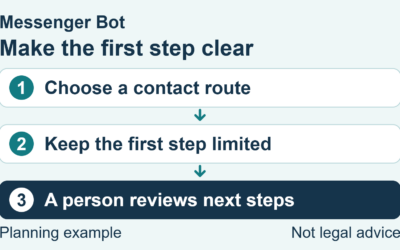
A free AI chatbot can support a bounded proof of concept. It can help test whether visitors use the interface, whether the reviewed knowledge is sufficient, and where a person needs to take over. Do not give a trial unsupervised authority over customer accounts, payments, refunds, or other state-changing actions.
If the trial proves useful, compare the measured usage with the current plan limits and operating requirements. Decide how the workflow will handle capacity, ownership, monitoring, export, and handoff. Growth is not itself a reason to upgrade; the decision should follow the evidence and the documented failure path.
For a production decision, require a reviewed service boundary, clear support process, current pricing, acceptable performance, safe customer experience, and a rollback plan. No platform should be described as guaranteeing uptime or error-free answers unless its current contract proves that exact commitment.
Turn the Trial Into a Comparable Scorecard
Use the same questions, source documents, test browser, and synthetic customer profiles for every candidate. Run each test at least twice and save the reviewed result. A consistent test set prevents an impressive demo or a single fast answer from outweighing repeated grounding, privacy, or handoff failures.
| Scorecard Area | Evidence to Capture | Fail-Closed Condition |
|---|---|---|
| Grounded answers | Question, approved source, answer, citation, and reviewer decision | Unsupported factual answer or invented source |
| Human handoff | Escalation trigger, customer message, owner, and received context | Sensitive request remains trapped in the bot |
| Privacy and deletion | Access roles, retention setting, deletion request, and readback | Test data cannot be located or removed as documented |
| Accessibilité | Keyboard path, focus order, labels, zoom, and mobile screenshot | Core chat or exit control is unavailable without a mouse |
| Limits and reliability | Usage count, warning, error state, fallback, and recovery | Customer request disappears or appears successful when it failed |
Separate blockers from preferences. A missing color option is a preference; cross-tenant data exposure, an unsupported answer, inaccessible controls, an unrecoverable lead, or a hidden state-changing action is a blocker. A candidate should not win by averaging a serious safety failure against several cosmetic strengths.
Also record the setup and review time. A tool that appears free can require significant staff effort to clean sources, test answers, monitor failures, and manage handoffs. Conversely, a more structured option can be valuable when it reduces ambiguity and makes human ownership visible. Use measured operating time in the cost calculation rather than estimating from the demo.
At the end of the trial, archive the date, plan name, test inputs, results, screenshots, policy links, and decision. Features and terms will change, so the scorecard is evidence for a dated decision, not a permanent ranking of products. Schedule a new review before a renewal, material traffic increase, new data source, or expanded customer use case.
If your test shows that faster replies and clearer handoff would help, Check Current Pricing and compare only the features listed today with your acceptance checklist. Do not assume BYOK, website-chatbot support, or another roadmap capability unless the current product page and account verify it.
Questions fréquemment posées
What is the best free AI chatbot for small websites?
The best choice is the free plan that passes your narrow use-case, grounding, handoff, privacy, accessibility, performance, and exit tests under its current limits.
Can I use an AI chatbot without coding experience?
Some platforms offer a widget or plugin, but setup varies. Test installation on a private test page, review permissions, and keep a documented removal path.
Are free chatbots secure for handling customer data?
Security depends on the platform, model provider, configuration, and your operating process. Review data use, retention, access, deletion, incident handling, and prompt-injection safeguards before using real customer data.
How does a BYOK (Bring Your Own Key) setup work?
In a BYOK setup, the customer supplies model credentials to a compatible chatbot platform. Cost, retention, model choice, and security still depend on both services and the configuration.
Will an AI chatbot replace my human customer support team?
An AI chatbot should not replace human ownership of sensitive or unsupported questions. Use it for bounded tasks with clear escalation, review, and monitoring.


 Français
  English
  Tagalog
  简体中文
简体中文  العربية
  हिन्दी
  Português do Brasil
  Español de México
  বাংলা
বাংলা  香港中文
香港中文  繁體中文
繁體中文  Nederlands
  Deutsch
  Bahasa Indonesia
  日本語
日本語  한국어
한국어  Polski
  Русский
  Español
  Tiếng Việt