
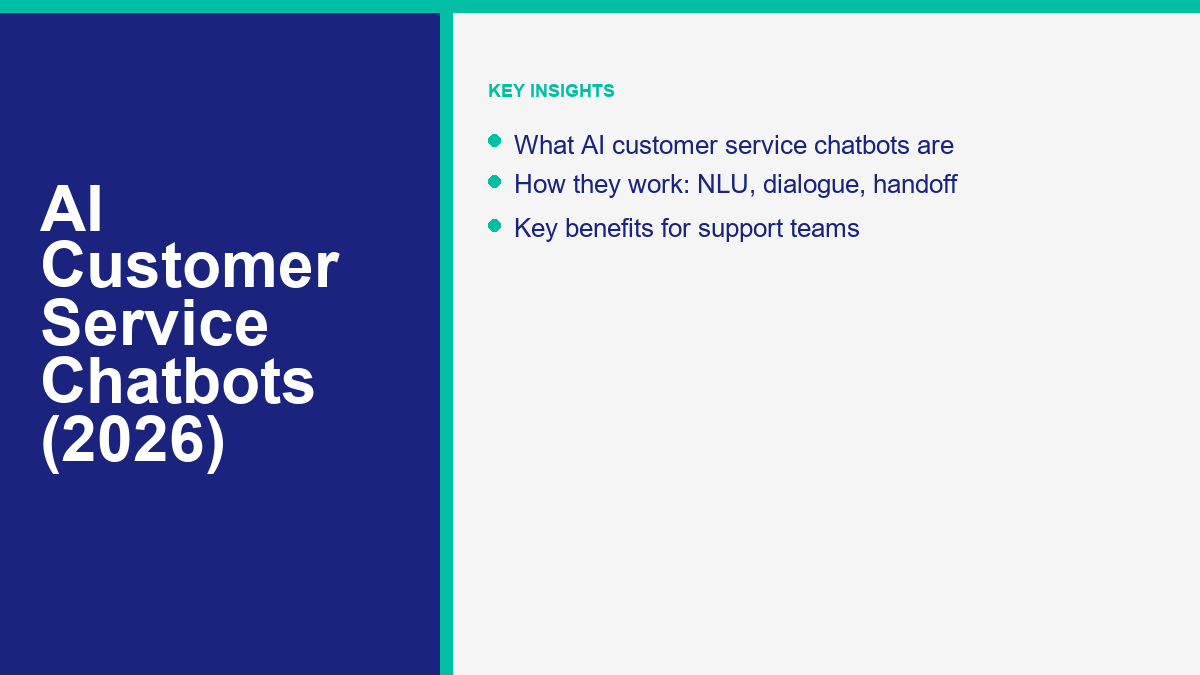
Understanding AI Customer Service Chatbots in 2026
An AI customer service chatbot is a support workflow that interprets a customer question, looks for an approved response, and routes the conversation according to rules set by the business. Its value depends less on the label “AI” and more on the quality of the source material, the limits placed around automated replies, and the handoff path when a person needs to step in.
For a small business, the practical opportunity is to handle a narrow set of repetitive questions more consistently while giving staff clearer context for the conversations that need judgment. Business hours, basic policies, and simple qualification questions are reasonable starting points. Billing disputes, account access, privacy requests, and unusual cases should have an obvious human-review path.
The goal is a faster first step, a safer handoff, and a setup the team can actually maintain. This guide focuses on readiness and implementation decisions. It does not assume that every platform supports every workflow, and it does not promise a particular savings, response time, or resolution rate.
The knowledge base remains the source of truth. Clear, current policies make useful responses more likely; missing or contradictory documentation creates the same weaknesses in an automated flow that it creates for a human support team.
How Intent, Routing, and Knowledge Work Together
Intent is the reason a customer appears to be contacting the business. Routing is the rule that decides which approved response, workflow, or person should handle that intent. Knowledge is the business-owned material the reply is allowed to use.
These pieces should fail safely. If the request is unclear, the knowledge is missing, or the topic is sensitive, the flow should stop guessing and move to a human-review path. That boundary matters more than trying to automate every phrasing or edge case.
A multi-part request illustrates the point. A customer might ask about a warranty while also requesting a return. The workflow can acknowledge both topics, provide only reviewed policy information, and route any account-specific action to the right person. The exact behavior depends on the configured tools and rules; it should be tested rather than assumed.
The Practical Readiness Checklist for Support Automation
Before launching an automated support system, it is crucial to verify that your business is prepared. Jumping into setup without foundational readiness often leads to a poor customer experience and wasted effort. Use this practical readiness checklist to evaluate your current operations and ensure you have the necessary groundwork in place.
- Documented Core Policies: Are your shipping, return, and cancellation policies clearly written, legally compliant, and recently updated?
- Consistent FAQ Volume: Can you identify the top ten questions your team answers every week with absolute certainty?
- Clear Handoff Rules: Have you defined exactly which types of inquiries must be handled by a human under all circumstances?
- Agent Availability: Is there a designated team or person ready to accept escalated chats during business hours without excessive delay?
- Tone and Voice Guidelines: Do you have a clear understanding of how formal or casual your automated responses should be to match your brand?
- Data Handling Protocols: Are you prepared to manage the information collected during automated chats securely and in compliance with your privacy policy?
- Testing Commitment: Has your team allocated dedicated time to run dry tests and review initial conversations before a full public launch?
- Content Maintenance Plan: Is someone assigned the ongoing responsibility of updating the knowledge base as products or policies change?
- Stakeholder Alignment: Does your support team understand the purpose of the automation and how it will change their daily workflow?
- Success Metrics: Have you decided how you will measure the success of the deployment in the first thirty days?
Addressing these checklist items before building reduces rework. The objective is a dependable first layer for a bounded set of questions, not an agent that handles every edge case. Document the boundary so staff know what the workflow can answer, what it must escalate, and who maintains the source material.

Building Your First Automation: A Compact Implementation Table
Structuring the setup process keeps the project manageable. The following compact implementation table outlines the essential phases of deploying your first support flow. By breaking the process down, small businesses can approach the rollout methodically without feeling overwhelmed by technical details.
| Phase | कार्य वस्तुएँ | Key Outcome |
|---|---|---|
| Phase 1: Knowledge Assembly | Gather existing FAQs, update outdated policies, and format answers for conversational reading. Remove corporate jargon. | A clean, verified source of truth for the system to reference immediately. |
| Phase 2: Intent Mapping | Identify the top repetitive queries from historical tickets and map them to specific responses or dedicated workflows. | Clear, defined pathways for resolving the most common customer requests. |
| Phase 3: Logic and Routing | Set up the welcome menu, build the initial conversational branches, and firmly establish the rules for human routing. | A functional conversational structure that safely directs users without trapping them. |
| Phase 4: Internal Testing | Run test conversations simulating various customer inputs, including vague questions, regional slang, and typos. | Identification and correction of dead ends and broken conversational loops. |
| Phase 5: Soft Launch | Deploy to a limited audience or single low-volume channel to monitor real-world interactions and edge cases. | Initial live data to refine the knowledge base and routing rules securely. |
| Phase 6: Full Deployment | Expand the automation to primary support channels while reviewing every human handoff destination. | A stable, multi-channel support layer actively triaging inbound inquiries. |
Treat each phase as a checkpoint. Clean source material and realistic test conversations should come before a wider rollout. Start with the simplest frequent questions, review what happens, and expand only when the existing flow is understood.
Designing the Human Handoff: The Escalation Matrix
A useful support workflow must know when to stop. An escalation matrix states which topics require a person, which context may be collected first, and where the conversation should go next.
| Trigger Scenario | Bot Action | Human Action |
|---|---|---|
| Direct Request (“Talk to human”) | Acknowledge the request, collect only necessary account context, and route it to the assigned team. | Review transcript, address customer directly with pre-read context. |
| Negative Sentiment / Frustration | Apologize for friction, halt automated flow entirely, escalate with high priority. | Prioritize response, focus purely on de-escalation and immediate resolution. |
| Repeated Failed Intents | Offer escalation proactively after the second failure to understand the user’s query. | Manually identify the core issue and note the failure for knowledge base updates. |
| Complex Billing or Privacy Issue | Recognize sensitive topic keyword, initiate secure handoff without asking for details. | Handle request according to strict internal privacy and compliance guidelines. |
| Technical Outage / Service Down | Provide global status update, offer option to speak with support if issue is distinct. | Manage a high-volume service incident with empathy and clear expectations. |
The matrix is a planning tool, not a security guarantee. Test each route with representative examples and confirm that staff receive enough reviewed context to continue without exposing unnecessary customer data. Repeated handoffs on the same topic can reveal missing documentation or a boundary that needs clarification.
Addressing Privacy, Security, and Data Handling
Support conversations may include personal or account information, so data handling should be reviewed before launch. This section is an operational checklist, not legal or security advice.
First, businesses must define precisely what data is necessary to collect during an automated interaction. Minimizing data collection to only what is strictly required to resolve the inquiry limits risk significantly. For example, if a user is asking about general store hours or public policies, there is no valid reason to prompt for an email address or account ID.
Second, avoid requesting full payment card numbers, passwords, or other credentials in ordinary chat. Account or payment actions should move to the business’s reviewed authentication and transaction flow.
Third, transparency is key to user adoption. Users should understand immediately that they are interacting with an automated system and have clear visibility into how their conversation data might be used to improve service quality. Providing a simple, clear link to the company privacy policy within the welcome menu or during data collection steps establishes this transparency early in the interaction.
Finally, decide who may review conversation history and how access is checked. Define a retention period that matches the business’s documented obligations and support needs, then verify that the selected tools can enforce it.

Step-by-Step Rollout Strategy for Small Teams
Deploying a new support workflow should be done incrementally and methodically. A phased rollout allows small teams to monitor performance, catch configuration errors, and adjust the knowledge base without overwhelming their limited resources or frustrating a large segment of their active audience.
Start with a single, controlled channel. If your business receives inquiries via website chat, social media, and email, pick the channel with the most predictable, repetitive volume. Focusing on one environment allows the team to understand exactly how the routing logic performs under real conditions before expanding the operational footprint.
Next, restrict the first version to a few well-documented inquiries, such as business hours or a public policy. Route everything else to human review until the team has evidence that a broader scope is appropriate.
During the first few weeks, designate a senior team member to review the transcripts daily. The goal is to identify exactly where the intent recognition stumbled, where the knowledge base provided a vague answer, and where users triggered the escalation matrix. These practical insights are invaluable for refining the conversational flow and tightening the logic.
Expand only after reviewing the first version’s questions, handoffs, and maintenance burden. A smaller workflow with an obvious escape path is easier to evaluate than a multi-channel launch with unclear ownership.
Assigning Ownership Before the First Customer Conversation
A support workflow needs named owners before it needs more automation. Assign one person to the customer outcome, one to the approved knowledge, and one to the human handoff process. In a small team, the same person may hold more than one role, but the responsibilities should still be written down. This prevents a policy change from sitting in one system while the automated response continues using an older version.
The outcome owner decides which customer problem the first workflow is meant to reduce. The knowledge owner reviews the source material and records when it was last checked. The handoff owner confirms that escalated conversations arrive in a place the team monitors and that customers receive a realistic expectation about the next response.
Before launch, walk through at least four kinds of test: a clear supported question, an unclear question, a sensitive or account-specific request, and a question that the knowledge base cannot answer. Record the expected route for each example. Repeat the same tests after changing a policy, a connected page, or a conversation rule.
Also define a pause condition. Examples include a repeated wrong answer, a broken handoff, a policy source that is no longer current, or staff who cannot see the context they need. A pause is not a failed rollout; it is the control that keeps a limited experiment from becoming a larger customer-service problem.
Finally, decide how changes are approved. A simple review log can record the source that changed, the person who checked it, the test conversations that passed, and the date the updated response became available. That discipline makes later expansion easier because the team can see which parts of the workflow have evidence behind them.
Measuring Service Quality After Deployment
Evaluating the success of your automated support requires tracking the right metrics consistently. It is easy to look at total interaction volume, but volume alone does not indicate quality, safety, or efficiency. Focus on practical indicators that reveal how well the system is serving both the customer and the internal support team.
Use a measurement table without invented benchmarks to establish your own realistic baseline. Every business is different, and the goal is to improve upon your own historical performance rather than chasing arbitrary, external industry standards that may not apply to your specific audience.
| Metric | परिभाषा | Why It Matters Practically |
|---|---|---|
| पहला प्रतिक्रिया समय | The exact time elapsed between a customer’s first message and the initial reply. | Immediate responses set a positive tone and prevent impatient users from abandoning the chat. |
| उत्कर्ष दर | The pure percentage of automated conversations that are ultimately routed to a human. | Helps cleanly identify gaps in the knowledge base or overly aggressive routing rules that need tuning. |
| Resolution Quality | Post-interaction feedback indicating if the user’s core issue was actually solved. | Ensures the system is delivering highly accurate answers, not just fast, unhelpful ones. |
| Fallback Frequency | How often the system completely fails to recognize user intent and triggers a fallback message. | Highlights the immediate need for better intent training or much clearer user prompts. |
| Knowledge Gap Hits | The number of times a recognized intent resulted in a blank or outdated knowledge retrieval. | Directly points to missing documentation that the business needs to write or update. |
Review the measures on a schedule that fits the conversation volume. A change in escalation or fallback rate is a signal to inspect examples, not proof of a single cause. Feedback from the staff who receive handoffs adds context that a dashboard cannot provide.
Balancing Bot Responses with Your Human Support Team
The practical goal is to give repetitive, reviewed questions a clear first step while reserving judgment, empathy, and account-specific decisions for people.
When considering the operational structure and how to balance these two forces, it is highly helpful to review a dedicated support staffing and cost planning guide. Understanding the financial realities and resource allocation aspects helps leadership position the automation as a critical tool that empowers the team, rather than one that merely cuts overhead indiscriminately.
Teams evaluating implementation can Upgrade to Pro after comparing the documented workflow options with their own routing and handoff checklist. Then See Our Plans and compare them against the features and conversation scope the team has actually approved.
अक्सर पूछे जाने वाले प्रश्नों
How do we keep automated responses current over time?
Assign an owner to each source document, update it when a policy changes, and review a sample of conversations on a regular schedule. If the source is uncertain, route the question to a person.
What should happen when the workflow cannot understand a question?
Use a short fallback that explains the limitation and offers the approved human-review path. Avoid repeatedly asking the customer to rephrase without another option.
Do human staff need to be available at all times?
No single staffing pattern fits every business. Set honest response expectations, collect only the context the team needs, and tell customers when a person is expected to review the conversation.
How should we tell customers they are interacting with automation?
Use clear language near the start of the conversation, explain what the workflow can help with, and make the human-review option easy to find.
Can the conversation tone match our brand?
Write and review greetings, prompts, and fallback messages in the same voice used by the support team. Keep policy statements precise even when the surrounding tone is informal.

 हिन्दी
  English
  Tagalog
  简体中文
简体中文  العربية
  Português do Brasil
  Español de México
  Français
  বাংলা
বাংলা  香港中文
香港中文  繁體中文
繁體中文  Nederlands
  Deutsch
  Bahasa Indonesia
  日本語
日本語  한국어
한국어  Polski
  Русский
  Español
  Tiếng Việt