
An AIチャットジェネレーター 2026年には、プロンプトを入力してボットのペルソナを取得するだけのウェブサイトではありません。役立つバージョンは、実際に人々がFacebook Messenger、Instagram、ウェブサイトウィジェット、またはサポートインボックスで使用できる体験を構築するのを助けるプラットフォームです。つまり、会話デザイン、チャットボットUI、ルーティング、知識ソース、人間の引き継ぎ、分析、ボットが実際のトラフィックを得た後でも生き残れる価格モデルを意味します。 インタラクティブなAIチャット 公式の価格ページ、ヘルプドキュメント、そしてこのガイドにリンクされた製品ページをレビューしました。.
. 短いバージョンはすでに明らかです:MessengerBot Premiumは30日ごとに$19.99で、ManyChat Essentialは月額$17から、Landbot Starterは月額$45、Tidio Starterは月額$24.17、Botpressの従量課金は$0からAI支出が加算され、Freshchat Growthは年間請求で$19がエージェントごとに、Intercom Essentialは年間請求で$29がシートごとに、さらに$0.99がFinの成果ごとに、HubSpot Service Hub Starterは月額$15がシートごとに、Breeze Customer Agentの価格は2026年4月14日から解決された会話ごとに$0.50に移行します。 2026年4月12日. The short version is already revealing: MessengerBot Premium is listed at $19.99 per 30 days, ManyChat Essential starts at $17 per month, Landbot Starter is $45 per month, Tidio Starter is $24.17 per month, Botpress Pay-as-you-go starts at $0 plus AI spend, Freshchat Growth is $19 per agent per month billed annually, Intercom Essential is $29 per seat per month billed annually plus $0.99 per Fin outcome, and HubSpot Service Hub Starter starts at $15 per seat per month while Breeze Customer Agent pricing shifts to $0.50 per resolved conversation starting April 14, 2026.[1][3][5][6][7][8][9][10][11]
Those numbers matter because the wrong platform usually does not fail on day one. It fails three weeks later, when you realize the chatbot UI is too rigid, the AI answers are ungrounded, the Instagram automation you assumed was included is locked behind another tier, or the usage model punishes success. If you mainly care about Meta channels and website chat, start by checking MessengerBotの料金を見る, then use the comparisons below to decide whether you need a Messenger-first builder, a website-first support stack, or a lower-code platform with more developer headroom.
The angle here is practical. I am not ranking general AI chat apps like ChatGPT or Claude against chatbot builders, because that is how tool roundups get sloppy. A no-code chatbot builder and a personal AI assistant are different product categories. This article stays focused on the platforms you would actually use for AIチャットボット開発 without building everything from scratch.
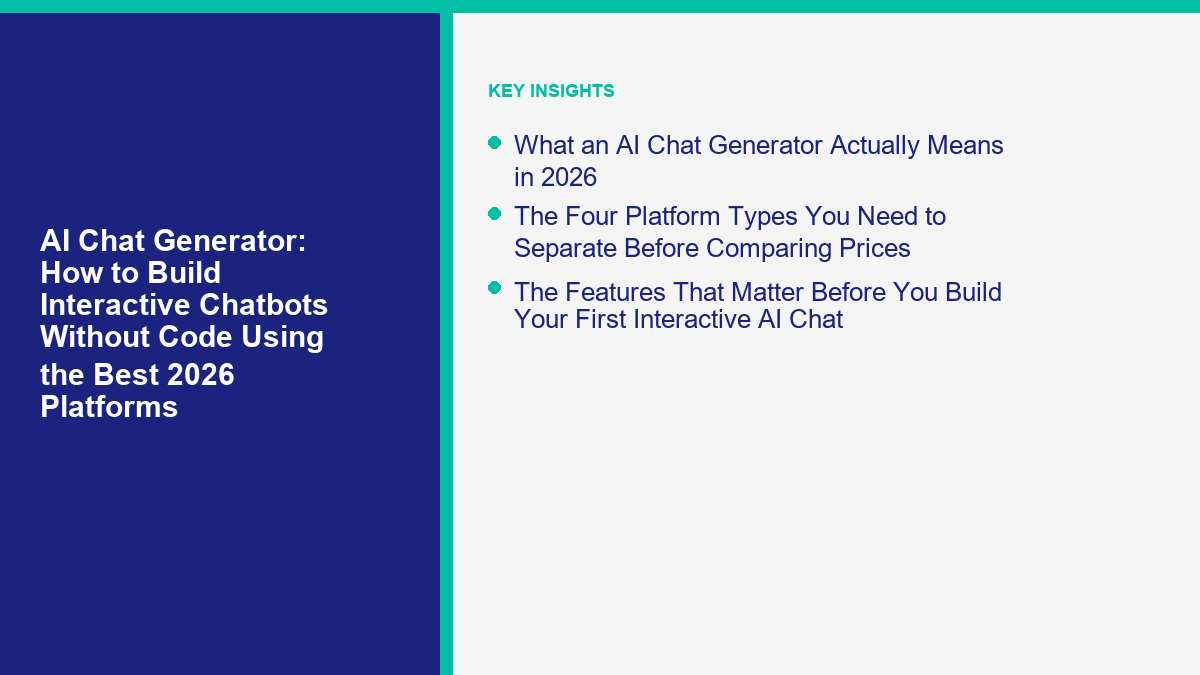
What an AI Chat Generator Actually Means in 2026
このフレーズ AIチャットジェネレーター has drifted. Some people use it to mean a consumer chat app that can improvise a persona. Buyers usually mean something else: a platform that generates or powers chat interactions across a real business channel. If your end goal is lead capture, support deflection, appointment booking, product guidance, or Messenger automation, the useful unit is not “a bot that can talk.” It is “a conversation system that can answer, route, collect data, and hand off cleanly.”
That distinction matters because a lot of tools marketed as AI chat generators are really wrappers around a single LLM prompt. They can look impressive in a demo and still fail in production. A production-ready chatbot needs:
- Structured entry points: buttons, menus, forms, or guided prompts so users know what the bot can do.
- Grounded answers: knowledge from your help docs, product data, FAQ pages, or CRM context instead of raw model memory.
- 運用管理: fallback rules, human handoff, logging, and analytics.
- チャネル適合: Messenger and Instagram behave differently from a website widget or an in-app support messenger.
- 予算の予測可能性: flat tiers, per-seat pricing, active-contact limits, or usage-based AI spend all create very different economics.
So when I call MessengerBot, ManyChat, Landbot, Tidio, Botpress, Freshchat, Intercom, and HubSpot the best AI chat generator platforms for 2026, I mean they help you build and operate usable conversations, not just generate text. That is the standard worth paying for.
The Four Platform Types You Need to Separate Before Comparing Prices
The fastest way to waste time is to compare all chatbot tools as if they are interchangeable. They are not. In practice, most AI chat generator platforms land in one of four buckets.
Messenger and Social Automation Builders
This is where MessengerBot and ManyChat live. These tools are built around channels like Facebook Messenger and Instagram. They care about triggers, comment replies, persistent menus, sequences, tags, and DM flows. They are the best fit when social messaging is a revenue channel, not just a support sidecar.[1][2]
Website Chatbot UI Builders
Landbot and Tidio sit closer to this category. Their strongest move is usually the on-site chat experience: forms, branching logic, qualification flows, proactive prompts, and website support. They can still connect to Messenger or WhatsApp, but the front-end chatbot ui is a first-class concern, not an afterthought.[5][6]
Support-Stack AI Agents
Freshchat, Intercom, and HubSpot are closer to support operations than to marketing funnels. They bundle a chatbot with inboxes, agent workspaces, reporting, SLAs, or CRM context. If your team thinks in tickets, seats, escalations, and resolution rates, these tools are more relevant than a marketing-first builder.[8][9][10]
Hybrid Builder Platforms With Developer Escape Hatches
Botpress is the cleanest example here. It gives you a visual builder, but it also leaves room for API-driven workflows, LLM provider choice, and more controlled deployment. This is the category to look at when no-code gets you 70% of the way there but you know your team will eventually need custom actions, richer data plumbing, or stricter control over the agent stack.[7]
If you classify the market correctly first, the platform choices get easier. MessengerBot is not trying to beat Intercom at enterprise help-desk governance. Intercom is not trying to beat Landbot at conversational landing pages. Landbot is not trying to beat Botpress at low-code extensibility. The “best” tool is the one that matches the job.
The Features That Matter Before You Build Your First Interactive AI Chat
The best AI chat generator platforms are not the ones with the flashiest model claims. They are the ones that make it easy to ship a conversation users can finish. When you compare tools, I would pay attention to these five feature groups first.
1. Conversation Entry Design
A blank text box is usually a weak start. Good builders let you launch with buttons, carousels, forms, quick replies, persistent menus, or context-aware prompts. MessengerBot does this through its Visual Flow Builder, forms, website chat, and Messenger menu controls. Landbot leans hard into conversational forms and branching experiences. Tidio gives you proactive Flows and a standard website widget that feels familiar to support teams.[1][5][6]
2. Knowledge and Answer Quality
An AI chatbot that answers confidently from outdated or vague content is worse than a simple menu bot. Tidio’s Lyro, HubSpot’s Breeze Customer Agent, and Botpress all make knowledge grounding central to the product story, but each does it differently. Tidio frames Lyro as a support-content AI agent, HubSpot ties the agent to HubSpot content and channels, and Botpress exposes more of the knowledge and model stack so teams can tune behavior more deliberately.[6][12][7]
3. Human Handoff
No serious chatbot stays fully autonomous. Users get stuck, ask edge-case questions, or need an exception only a human can approve. Tidio highlights human handoff in the Lyro package, Botpress includes human handoff on paid plans, Intercom is built around the human-plus-AI model, and MessengerBot’s website chat and live or automated options let you design around the moment where the bot should stop pretending and escalate.[6][7][9][1]
4. Channel Coverage
Channel mismatch creates bad buying decisions. MessengerBot is strongest if you need Facebook Messenger, Instagram on higher tiers, and website chat in one manageable platform. ManyChat is strongest when Instagram, comments, stories, and social DM behavior drive the use case. Freshchat, Intercom, and HubSpot make more sense when the bot has to live inside a broader support stack spanning website chat, email, Facebook Messenger, WhatsApp, or other service channels.[1][4][8][13]
5. Billing Logic
This is where a lot of buyers get burned. Flat-fee tiers are easiest to forecast. Active-contact billing, seat billing, and usage-based AI spend can all be valid, but they reward different operating styles. If you want minimal math, MessengerBot is easier to budget than ManyChat. If you want control over model spend, Botpress is attractive precisely because it bills AI usage at provider cost without markup. If you want a mature support stack, Intercom and HubSpot give you strong operational tooling but you need to model seat costs and outcome-based AI costs together.[1][3][7][9][11]
AI Chat Generator Comparison Table for the Best 2026 Platforms
The table below is weighted for people who want to build a working chatbot without a full engineering project. It is not an enterprise procurement matrix. The aim is to show which platform style fits your channel, budget, and level of control.
| プラットフォーム | 最適な適合 | Public 2026 starting price | Main billing logic | Builder and chatbot UI style | Main caveat |
|---|---|---|---|---|---|
| MessengerBot.app | Facebook Messenger, Instagram, and website chat for SMBs | $19.99 per 30 days for Premium | Flat feature tiers | Visual flows, forms, menus, website chat, social automation | Not meant to replace an enterprise help desk |
| ManyChat | Creator-style DM funnels and Instagram automation | $17 per month for Essential | アクティブコンタクトと超過分 | Social-first automation, comments, stories, DM flows | Pricing gets more complex as contact volume grows |
| ランドボット | Conversational forms and website-first chatbot UI | $45 per month for Starter | Plan tiers plus chat and AI chat allowances | Drag-and-drop conversational pages with strong front-end control | Costs rise once chat volume and AI usage increase |
| Tidio | Website support with AI and live chat in one place | $24.17 per month for Starter | Customer-service plan plus optional AI quota | Widget, Flows, ticketing, Lyro AI support agent | Base workspace and AI pricing are separate layers |
| Botpress | Teams that need no-code speed with low-code headroom | $0プラスAI支出 | Platform fee plus provider-cost AI spend | Visual studio, custom webchat, API and SDK | Requires more ownership than a turnkey SMB builder |
| Freshchat | Value-focused omnichannel support teams | $19 per agent per month billed annually for Growth | Per-agent pricing plus AI session packs | Support inbox, website chat, Messenger and Instagram coverage | Automation depth is lighter than purpose-built marketing tools |
| インターコム | Mature digital support operations | $29 per seat per month billed annually | Seat pricing plus $0.99 per Fin outcome | AI help desk with strong human-agent workflow | Total spend rises quickly at higher resolution volumes |
| HubSpotサービスハブ | CRM-first teams that want AI service inside HubSpot | $15 per seat per month for Starter | Per-seat pricing plus Breeze outcome pricing on Pro and Enterprise | CRM-connected service inbox, knowledge base, AI agent | The best value shows up if you already live in HubSpot |
Pricing references reviewed April 12, 2026 from official product or help pages.[1][2][3][5][6][7][8][9][10][11]
The big split is simple. MessengerBot and ManyChat are easiest when social messaging is core. Landbot and Tidio are strongest when the website experience matters most. Botpress gives you more control. Freshchat, Intercom, and HubSpot make sense when the chatbot is part of a broader support stack, not a standalone growth tool.
Why MessengerBot.app Is the Easiest No-Code AI Chat Generator for Messenger, Instagram, and Websites
If your main goal is to launch a bot on Facebook Messenger, add website chat, and later extend into Instagram without turning the project into a major systems build, MessengerBot is the easiest platform in this group to justify. The public pricing is straightforward, the feature set is channel-relevant, and the builder is designed around workflows normal small businesses actually need.
The current public pricing page lists Premium at $19.99 per 30 days, Pro at $49.99 per 30 days, および Agency at $299.99 per 30 days. Premium includes one Facebook account, five Facebook Pages, unlimited subscribers, one chat widget, one eCommerce store, sequence messaging, website chat, JSON API plus Zapier, a web view form builder, persistent menus, subscriber tools, and visual flows. Pro expands that operational footprint with ten Pages, five chat widgets, five eCommerce stores, and broader channel depth including Instagram chatbot functionality.[1]
That matters because a real インタラクティブAIチャット rollout usually needs more than AI copy generation. You need menus, lead capture, bot branches, tags, follow-up sequences, a website widget, and a way to move user data into Sheets, a CRM, or another automation layer. MessengerBot bundles those parts cleanly enough that you can ship the first version without stitching together three extra tools.
It also stays focused on the actual Meta-channel problem. A lot of businesses do not need a large help-desk platform at the start. They need a bot that catches leads after hours, replies to common questions faster, qualifies prospects, and routes people into the right path. MessengerBot’s feature list maps well to that job: Visual Flow Builder, forms, website chat, API access, and Meta-friendly automation instead of a mountain of enterprise support settings.[1]
The practical reasons I would start here are:
- You can forecast the bill. Flat tiers are easier to plan around than active-contact growth or outcome pricing.
- The builder matches the channels. Messenger, comments, tags, sequences, website chat, and forms belong in the same workflow.
- You do not need to overbuild. For many businesses, a well-designed flow plus AI-assisted answers is better than an open-ended “ask anything” bot.
- The upgrade path is understandable. More pages, widgets, stores, and Instagram coverage come from clear tier changes, not billing surprises.
If you want to see how those workflows are typically set up before you buy, チュートリアルを閲覧する. That is the fastest way to judge whether your use case is a clean fit for MessengerBot or whether you should be looking at a website-first or support-first platform instead.
ManyChat Still Leads for Creator Funnels and Social DM Automation
ManyChat is still one of the strongest tools in this category if your business lives in Instagram comments, story replies, lead magnets, and social DMs. It is polished, fast to learn, and built for the way creators and social-first brands actually convert attention into conversations.
Its March 2, 2026 pricing reset also matters. ManyChat’s official help docs now describe five plans: Free, Essential, Pro, Business, and Advanced. Essential is $17 per month monthly or $14 annually and includes up to 250 active contacts, with overages starting at $0.10 per additional contact on monthly billing. Pro is $39 per month monthly or $29 annually and includes up to 2,500 active contacts, with lower overage rates beyond that.[3][4]
The same documentation makes an important point many buyers miss: the new model applies to accounts created on or after 2026年3月2日に, and availability can vary by region. Older accounts may still be on legacy structures until migration catches up.[2] If you are reading older comparison posts, a lot of them are already describing the wrong pricing logic.
ManyChat’s real strength is not generic AI. It is social automation depth. Essential includes things like comment replies, story replies, DM responses, follower checks, email and phone capture, tagging, and Google Sheets sync. Pro adds more serious team and channel capability and explicitly positions AI-powered automation as part of the upgrade path.[3][4]
I would choose ManyChat over MessengerBot when:
- Instagram is the real acquisition channel.
- Your team runs comment-to-DM and story-to-DM campaigns constantly.
- You are comfortable managing active-contact growth as a normal operating metric.
- You want creator-style social automation first and support workflows second.
I would still choose MessengerBot first when Facebook Messenger and website chat are more central than creator funnels, or when billing predictability matters more than squeezing every edge out of social growth mechanics.
Landbot Is the Best Chatbot UI Builder If the Front-End Experience Matters Most
Landbot earns its place here because it solves a different problem from MessengerBot and ManyChat. It is less about channel-native social operations and more about designing a chatbot ui that feels intentional on a website, landing page, or embedded experience. If your team cares about conversational forms, lead qualification flows, and a bot that feels closer to product design than customer support, Landbot is usually one of the first tools worth opening.
The official pricing page currently shows a Sandbox free plan, a Starter plan at $45 ごとの月額料金, a プロ plan at $110 per month, および ビジネス starting at $450 per month for the website, Messenger, and API track. The same page lists included chat and AI chat allowances, plus seat limits. Starter includes 500 chats per month, 20 AI chats, and two seats. Pro includes 2,500 chats, 300 AI chats, and three seats, with more advanced integrations and power-ups. Business moves to custom chat volumes and a heavier managed-services posture.[5]
Those numbers make Landbot more expensive than MessengerBot for a simple Messenger automation project. But that is not really the comparison. The real reason to pay for Landbot is that the UI itself can do more work. You can guide visitors through qualification, routing, forms, micro-surveys, calculator flows, or product-matching experiences with a lot more control over how the conversation feels.
Landbot also leaves room for teams that need more than a fixed template. The pricing page calls out AI assistants, custom code, Messenger support, WhatsApp options, and API-oriented plans. That makes it useful for agencies and growth teams that want a more designed interaction layer than a basic support widget.[5]
The tradeoff is that Landbot pricing becomes a capacity question very quickly. Chat volume, AI chat allowances, seats, and channel choices all matter. If you just need an easy Meta bot, it is more product than you need. If you care about the front-end conversation experience as much as the answer itself, it is one of the strongest options in the market.
Tidio Is the Practical Pick for Website-First Interactive AI Chat
Tidio sits in a sweet spot for small and midsize businesses that want a recognizable website support stack without jumping to full enterprise software. It mixes live chat, Flows, and Lyro AI Agent inside one product family, which makes it easier to launch a useful website bot fast.
The public pricing page shows Starter at $24.17 per month, Growth starting at $49.17 per month, Plus starting at $749 per month, and Premium on custom pricing. Tidio also sells Lyro AI Agent as a standalone add-on starting at $32.50 per month from 50 Lyro AI conversations. The page says the first 50 Lyro conversations are free lifetime and positions Lyro as available either standalone or as part of a broader package.[6]
Tidio’s product story is also unusually specific. The pricing page says Lyro can solve up to 67% of customer problems, and it separates Lyro from Flows clearly enough that buyers can understand the difference between rule-based automation and AI support replies. That is vendor-reported performance, not a neutral industry benchmark, but it is still useful because it tells you exactly what the product is claiming.[6]
Tidio also deserves credit for making no-code automation explicit. Flows are described as no-code conversion paths that trigger at key moments, while Lyro handles more open-ended support interactions grounded in support content. That combination is practical. A lot of businesses should not use AI for every step. They should use Flows for predictable routing and data capture, then let the AI layer answer the messier questions.
I would put Tidio ahead of other builders when:
- Your website widget matters more than your Facebook Page inbox.
- You want support, live chat, and AI in the same operating surface.
- You need quick setup more than deep customization.
- You are comfortable budgeting the workspace layer and the AI layer separately.
If you mostly care about Messenger and Instagram automation, MessengerBot or ManyChat will usually be a better first stop. If your home page and help center carry the load, Tidio is much closer to the right category.
Botpress Is the Right Move When No-Code Speed Needs Developer Headroom Later
Botpress is where this list starts to lean more technical. It is still accessible enough to qualify as a practical AI chat generator platform, but it is not as turnkey as MessengerBot, ManyChat, or Tidio. That is the point. Botpress is attractive when you know the first version needs a visual builder, but the second version may need custom integrations, more precise model control, and a clearer path beyond strict no-code constraints.
The current pricing page shows Pay-as-you-go at $0 plus AI spend, Plus at $89 per month または $79 billed annually, Team at $495 per month または $445 billed annually, and Enterprise starting at $2,000 per month. Botpress also states that AI spend is charged at provider cost without markup, which is a meaningful distinction if your team wants to control the economics of model usage rather than accept a bundled black box.[7]
The feature packaging is also unusually honest about what you get for the upgrade. Pay-as-you-go includes the visual building studio and a $5 monthly AI credit. Plus adds human handoff, watermark removal, proactive chat bubbles, visual knowledge base indexing, and live-chat support. The full pricing matrix also calls out things that matter to more technical teams: building agents as code via API and SDK, bringing your own LLM, using multiple providers, embedding custom webchat, and integrating with external services and APIs.[7]
That combination is exactly why Botpress is strong for hybrid teams. A non-developer can prototype a conversation in the builder. A developer can then take over the parts that need custom logic, deeper telemetry, or different model routing. That is much harder to do cleanly in a channel-specific SMB tool.
The tradeoff is ownership. Botpress gives you more flexibility, but it also expects you to act like someone who wants flexibility. If you are just trying to get a Messenger lead bot live before Friday, this is not the shortest path. If you want a platform that can start visually and mature into a more controlled product, it is one of the best options on the board.
Freshchat, Intercom, and HubSpot Make More Sense When Support Operations Drive the Purchase
Once the chatbot stops being a marketing or lead-capture tool and starts becoming part of your service operation, the conversation changes. You care less about flashy chatbot UI and more about agent seats, workload, handoffs, analytics, channel routing, and resolution metrics. That is where Freshchat, Intercom, and HubSpot become more relevant.
Freshchat Is the Value Omnichannel Option
Freshchat’s public pricing is easy to parse: Free is $0 for up to 10 agents, Growth is $19 per agent per month billed annually, Proは $49 per agent per month billed annually, and Enterprise is $79 per agent per month billed annually. The same pricing page says Growth and above include social channels like Facebook and Instagram, and it offers 500 free Freddy AI Agent sessions on Growth, Pro, and Enterprise so teams can test the AI layer before buying more session packs.[8]
That makes Freshchat a good value pick if you want omnichannel support coverage without paying Intercom or Zendesk money. It is not the most elegant builder on this list, but it is a sensible choice for teams that already think like a support desk and need Facebook Messenger and Instagram coverage inside that model.
Intercom Is the Strongest Enterprise-Lite AI Support Stack
Intercom’s pricing page is one of the clearest in the market. Essential is $29 per seat per month billed annually, Advanced is $85, Expert is $132, および Fin AI Agent costs $0.99 per outcome across those plans. The page also makes it clear that the help desk and the AI agent are part of the same system, which is why Intercom is so strong once your operation depends on AI plus human teams working together.[9]
The benefit of outcome pricing is clarity. If Fin resolves 2,000 conversations, you can model the AI bill. The downside is just as obvious: high-performing automation increases your bill because usage maps directly to value. That can still be the right trade if the alternative is hiring more agents, but it means Intercom belongs in a more mature budgeting conversation than MessengerBot or Tidio.
HubSpot Is the Best CRM-First AI Chat Generator
HubSpot Service Hub Starter currently starts at $15 per seat per month, Professional at $100 per seat, and Enterprise at $150 per seat. The product page also places Breeze Customer Agent inside Professional and higher tiers, which tells you immediately that HubSpot sees AI chat as part of a broader service and CRM stack, not as a cheap standalone add-on.[10]
The more important 2026 update is HubSpot’s pricing change announced on April 2, 2026. Starting 2026年4月14日, Breeze Customer Agent moves to $0.50 で解決された会話ごと. HubSpot says the agent already resolves 65% of conversations and cuts resolution time by 39% across more than 8,000 activated customers. That is vendor-reported performance, so treat it as directional rather than neutral benchmarking, but the pricing change itself is concrete and current.[11]
HubSpot also deserves attention because its customer-agent setup documentation explicitly covers Facebook, WhatsApp, and live-chat channel assignment for service conversations. If you already run service, sales, and content inside HubSpot, that matters more than it would in a standalone chatbot comparison.[12]
The practical rule is simple:
- Choose Freshchat if you want value-focused omnichannel support with lighter AI experimentation.
- Choose Intercom if support operations and AI resolution are major revenue or retention levers.
- Choose HubSpot if the chatbot is part of a CRM-centered operating model, not a standalone tool purchase.
If your company mainly needs Facebook and website conversation automation, these platforms are often more than you need on day one. They make more sense once the chatbot has to answer to support metrics, not just growth metrics.
How to Build an Interactive AI Chatbot Without Code in 8 Practical Steps
This is the workflow I would use if I had to launch a new no-code chatbot this week. The steps apply whether you use MessengerBot, ManyChat, Landbot, Tidio, or another builder in this list. The platform changes. The build logic usually does not.
| Step | What to do | なぜ重要なのか |
|---|---|---|
| 1. Pick one job | Start with a single workflow such as lead capture, FAQ handling, appointment booking, or order-status triage. | Scope discipline is the difference between a launch and a six-week rewrite. |
| 2. Map the first 10 user intents | Write the real questions people ask, not the questions you wish they asked. | This shapes both the bot structure and the knowledge sources. |
| 3. Choose the entry style | Decide whether the conversation starts with buttons, a form, a menu, or a free-text prompt. | The opening UI changes completion rate more than most teams expect. |
| 4. Add trusted content | Feed the bot current FAQ, policies, pricing notes, product docs, or CRM-connected facts. | AI only looks smart if the source material is current and specific. |
| 5. Design handoff rules | Set clear triggers for human escalation: refund requests, payment issues, edge-case support, or low-confidence replies. | Users forgive a handoff faster than a bad automated answer. |
| 6. Connect one destination | Push form data or tags into Google Sheets, a CRM, or your support inbox. | A chatbot that collects data but sends it nowhere creates hidden manual work. |
| 7. Test on the real device | Check mobile Messenger, Instagram, or your website widget exactly where customers will use it. | Desktop previews hide a lot of friction. |
| 8. Measure one outcome | Track completion rate, lead quality, human deflection, or time to first response. | If you do not measure a real business outcome, you will end up tuning style instead of performance. |
Here is how that looks in practice:
- Start narrow. If you are using MessengerBot, do not begin by trying to automate every possible Messenger interaction. Build one lead qualification or FAQ path first. If you are using Landbot, start with one conversational form that screens visitors before you add AI answers on top.
- Use a hybrid conversation model. The highest-performing bots are usually not pure free text. They use guided choices for predictable branches and AI for the messy middle. Tidio’s distinction between Flows and Lyro is a good mental model for this even if you use another platform.[6]
- Write copy like a support rep, not a brand slogan generator. Clear, short, task-focused turns beat clever bot personality almost every time.
- Store what matters. Capture email, product interest, issue type, or urgency. Otherwise the bot becomes a disposable conversation instead of a system input.
- Test the dead ends. The first thing I test is not the happy path. I test the weird question, the typo, the user who changes their mind, and the person who asks for a human after two turns.
- Set a review cadence. Look at unresolved questions and failed paths once a week, especially in the first month.
If you do that, even a simple no-code build starts feeling intentional instead of generic. Most chatbot failures come from trying to look advanced before the workflow basics are solid.
The Chatbot UI Patterns That Work Better Than an Empty Input Box
Good chatbot UI is not decoration. It is part of the conversion logic. A lot of teams still launch an AI chat widget with a blank “Ask me anything” field, then blame the model when users bounce. The problem is usually the interface, not the intelligence.
These patterns work better in production:
- Menu-first onboarding: Best when users have a small number of repeat needs like pricing, support, appointment booking, or lead qualification.
- Conversational forms: Best when the real goal is collecting structured data without showing a cold form. Landbot is especially strong here.[5]
- Hybrid quick-reply plus AI: Best when you want speed at the top of the funnel but still need flexible answers later in the conversation.
- Persistent action menu: Best on Messenger, where users return later and need orientation. MessengerBot’s persistent menu and flow structure make this easy to support.[1]
- Support-widget handoff: Best when the bot is part of a larger service desk and the user may need a person soon. Tidio, Freshchat, Intercom, and HubSpot all lean into this pattern.[6][8][9][13]
The practical lesson is that chatbot ui should tell the user what the bot is good at. Buttons reduce uncertainty. A short menu reduces hallucination risk because users stay inside supported intents. A form-like conversational path improves data quality. Free text should expand the experience, not carry the whole experience.
This is also why MessengerBot is a strong starter platform for many businesses. Its value is not just that it automates replies. It helps you structure the interaction. That matters more than most AI feature checklists.
The Development Options to Check Before You Commit to a Platform
Even if you want a no-code launch, you should still check how each platform behaves once the project outgrows simple flows. This is where a lot of teams get trapped.
I would check these development questions before signing anything:
- Can you connect outside systems easily? MessengerBot exposes JSON API plus Zapier. Botpress goes further with API and SDK support. Landbot includes custom code and deeper integrations on higher tiers.[1][7][5]
- Can you change the model or AI stack? Botpress is unusually flexible here because it lets you bring your own LLM and avoid lock-in. That matters if you expect model pricing or quality to change.[7]
- Can you preserve the chat UI while swapping logic behind it? This becomes important once design and engineering responsibilities split.
- Can your team audit failures? Logs, transcripts, and analytics are not nice extras. They are how you improve the bot after launch.
- Can you scale team access sanely? Seat limits and collaboration controls start mattering earlier than most companies expect.
If you are already seeing heavier Messenger volume, broader page coverage, or more complex workflows coming soon, that is the point where it makes sense to Upgrade to MessengerBot Pro rather than keep stretching a smaller setup past what it was built to handle.
The Biggest Mistakes People Make With AI Chat Generator Platforms
After looking across these tools, the same mistakes keep showing up. They are not model problems. They are deployment problems.
Using AI Where a Button Would Work Better
If the user has three common choices, give them three choices. Free-text AI is useful when the question space is messy. It is wasteful when the answer space is already known.
Buying the Wrong Billing Model
ManyChat punishes careless audience growth. Intercom punishes successful AI resolution at scale if you do not model it. HubSpot makes most sense only if the CRM context matters. Botpress is great if your team wants to manage AI spend directly. MessengerBot is easier when you want flat-fee clarity.[3][9][11][7][1]
Feeding the Bot Weak Source Material
Outdated shipping rules, inconsistent pricing, vague support articles, or duplicate FAQs make AI answers worse. Retrieval does not fix bad knowledge. It distributes bad knowledge faster.
Skipping Human Handoff
Every serious platform here makes room for escalation in some form. That is not a weakness. It is the correct design pattern. The goal is not to eliminate humans. The goal is to let humans work on the cases that actually need them.
Testing Only the Happy Path
Teams click through the path they designed and call the bot ready. Real users change topics, submit partial info, ask a question mid-flow, or open the chat from mobile with almost no patience. That is the real test set.
Measuring Vanity Instead of Outcomes
Do not optimize for message count or “engagement” unless engagement is literally the business goal. Measure leads captured, questions resolved, deflection rate, booked calls, or time-to-response reduction. HubSpot and Tidio both market concrete performance outcomes, which is a reminder that the useful metric is what the bot changed, not how chatty it sounded.[6][11]
How to Choose the Right AI Chat Generator for Your Team
If you want the simplest decision tree, use this one:
- Choose MessengerBot if Facebook Messenger, Instagram, and website chat are your main channels and you want a practical no-code setup with predictable pricing.
- Choose ManyChat if creator funnels, comment triggers, and Instagram DM automation are the growth engine.
- Choose Landbot if the chat interface itself needs to feel designed, branded, and conversion-focused.
- Choose Tidio if your website support widget is the center of gravity and you want AI plus live chat together.
- Choose Botpress if you know you will need visual building now and deeper technical control later.
- Choose Freshchat if you want omnichannel support value without enterprise pricing.
- Choose Intercom if your support operation is already mature enough to budget seats and AI outcomes seriously.
- Choose HubSpot if the chatbot has to live inside your CRM and service workflows, not beside them.
Most businesses do not need the most advanced tool on this list. They need the one that gets live fastest without creating billing regret. That is why MessengerBot is the easiest recommendation for channel-driven businesses that live on Meta properties and still need website coverage.
The Fastest Way to Launch a Useful Bot on Messenger, Instagram, and Your Website
Start smaller than you think. Pick one FAQ cluster, one lead path, and one escalation rule. Launch that. Watch the transcripts for a week. Then widen the scope. That rollout style beats trying to “build an AI agent” in the abstract.
If your next move is to compare plan limits, implementation depth, and upgrade paths inside MessengerBot, use these pages in order: MessengerBotの料金を見る, チュートリアルを閲覧する, および Upgrade to MessengerBot Pro if you already know you need wider page, widget, or Instagram coverage. If you build chatbot setups for clients and want to monetize referrals alongside implementation work, you can also 私たちのアフィリエイトプログラムに参加する.
Sources and Pricing References
All pricing and plan details below were checked on April 12, 2026. When a source describes a future pricing change, the exact effective date is noted in the article.
よくある質問
AIチャットジェネレーターとは何ですか?
AIチャットジェネレーターは、Facebook Messenger、Instagram、ウェブサイトチャット、またはサポート受信トレイなどのチャネル用のチャットボットやAIエージェントを作成および実行するのに役立つプラットフォームです。便利なバージョンには、ワークフローデザイン、チャットボットUIコントロール、統合、分析、人間による引き継ぎが含まれ、単なるAIテキスト生成にとどまりません。.
Facebook MessengerとInstagramに最適なAIチャット生成器はどれですか?
MessengerBotは、明確な価格設定でFacebook Messenger、Instagram、ウェブサイトチャットを1つのノーコードプラットフォームで必要とする場合、最も簡単なオールラウンドオプションです。ManyChatは、ワークフローがクリエイターファネル、Instagramのコメント、ストーリーの返信、ソーシャルDMキャンペーンに関連している場合、通常はより強力です。.
コーディングなしでインタラクティブなAIチャットを構築できますか?
はい。MessengerBot、ManyChat、Landbot、およびTidioは、役立つノーコードフローを構築することを可能にします。最良の結果は通常、ハイブリッド設定から得られます:既知のタスクにはガイド付きUI、オープンエンドの質問にはAIの応答、例外には人間の引き継ぎを使用します。.
2026年のAIチャットジェネレーターのコストはいくらですか?
エントリープライシングはカテゴリによって異なります。MessengerBotは30日ごとに$19.99から、ManyChat Essentialは月額$17から、Landbot Starterは月額$45、Tidio Starterは月額$24.17、Botpressは$0にAI費用が加算され、Freshchat Growthは年払いでエージェントごとに月額$19から、Intercom Essentialはシートごとに月額$29にAIの成果ごとに$0.99が加算され、HubSpot Service Hub Starterはシートごとに月額$15から始まり、Breeze Customer Agentは2026年4月14日から解決された会話ごとに$0.50に移行します。.
チャットボットUIビルダーとAIサポートエージェントの違いは何ですか?
チャットボットUIビルダーは、インタラクション層に焦点を当てています:メニュー、フォーム、分岐、ウィジェット、そしてフロントエンドのコンバージョンフロー。AIサポートエージェントは、より具体的な回答、チケットの回避、エスカレーション、サポート業務に焦点を当てています。多くの企業は両方を必要としていますが、そのうちの1つのニーズが通常は主要です。.



 日本語
日本語  English
  Tagalog
  简体中文
简体中文  العربية
  हिन्दी
  Português do Brasil
  Español de México
  Français
  বাংলা
বাংলা  香港中文
香港中文  繁體中文
繁體中文  Nederlands
  Deutsch
  Bahasa Indonesia
  한국어
한국어  Polski
  Русский
  Español
  Tiếng Việt