
メールSMSシーケンスキャンペーンをポストバッククリックで割り当てる
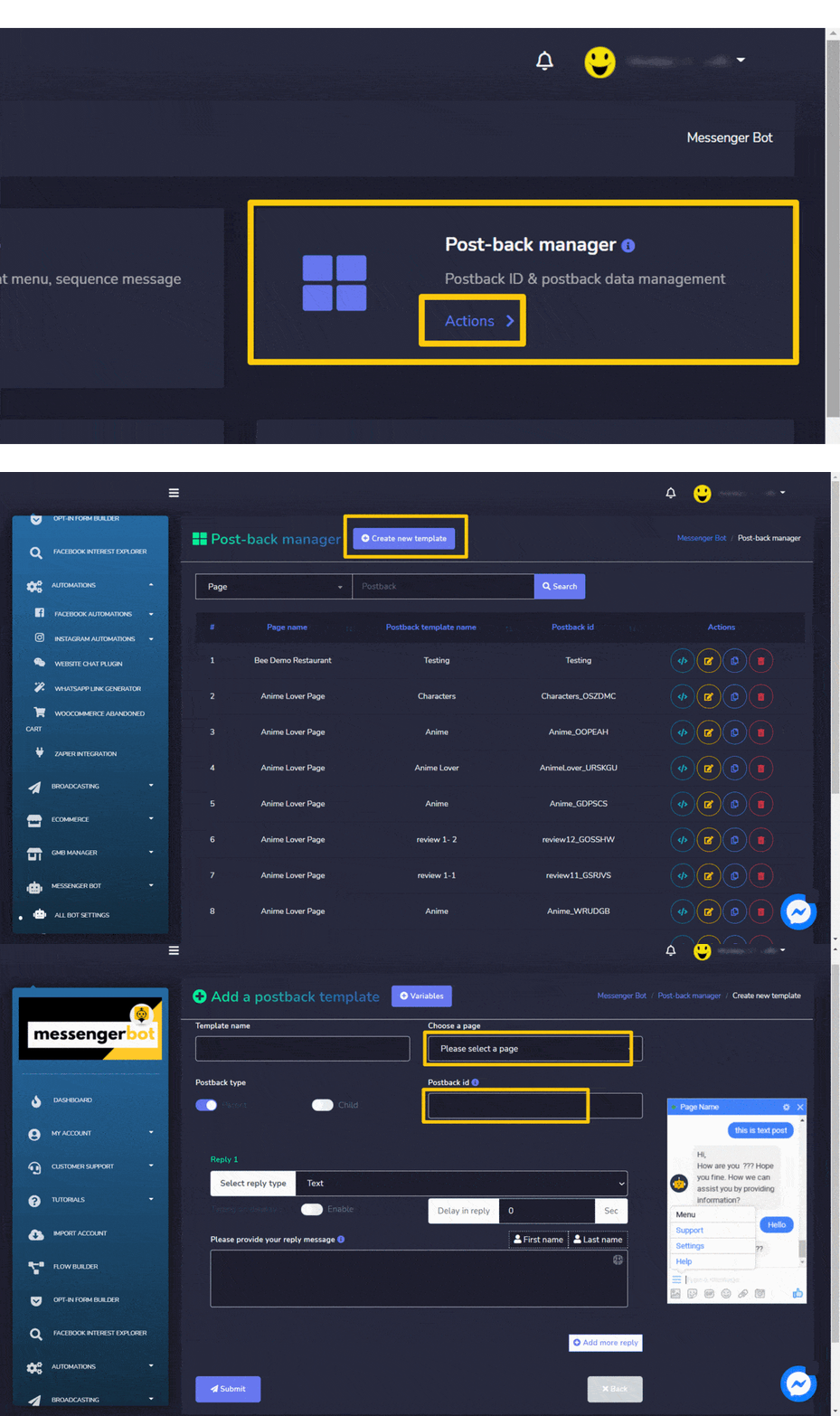
割り当てる メール/SMSシーケンスキャンペーンとポストバッククリック, に移動します メッセンジャーボット -> ポストバックマネージャー、クリックして 新しいテンプレートを作成 そして、シーケンスキャンペーンのポストバックテンプレートを作成します。
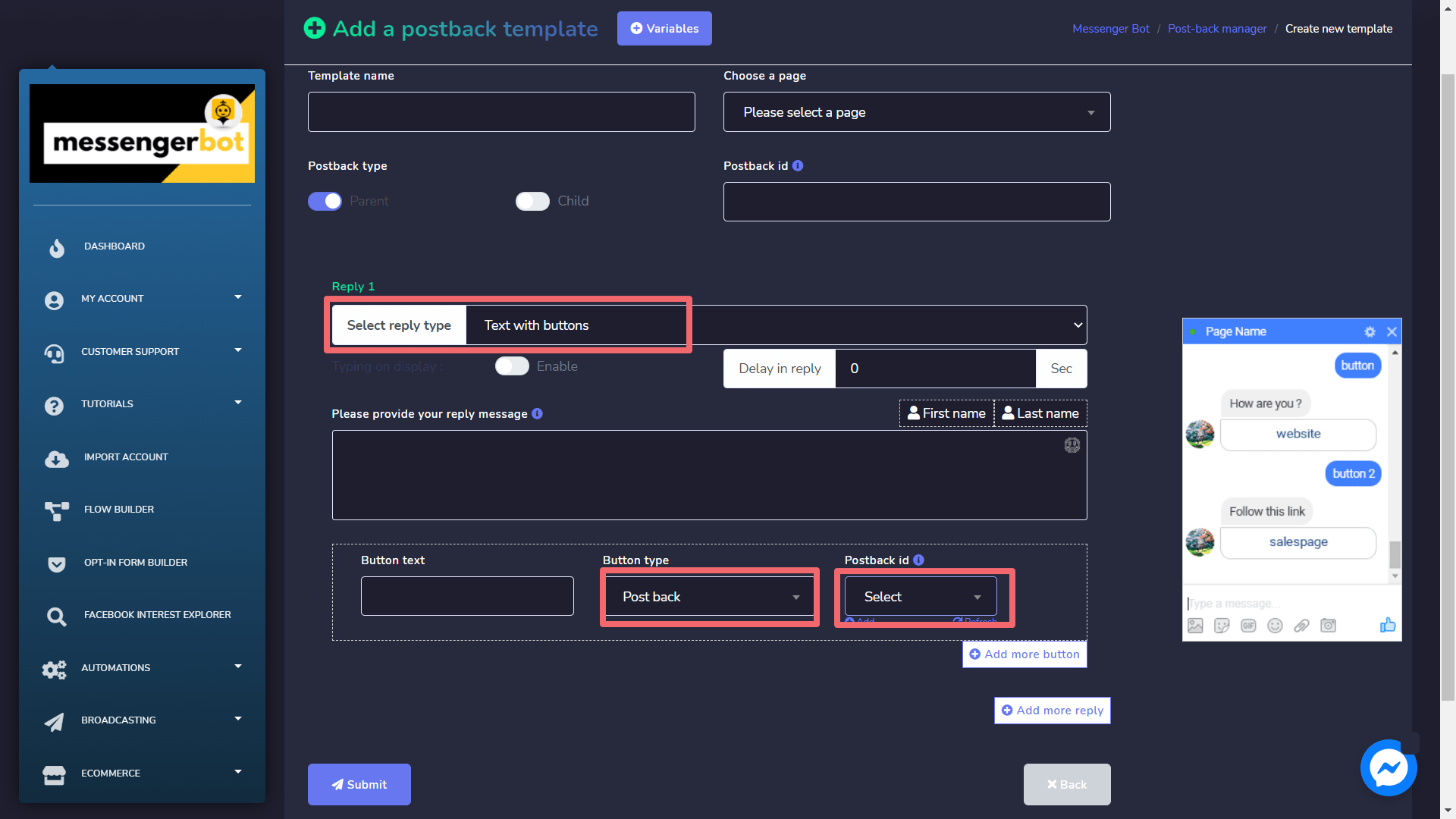
次に、 メッセンジャーボット -> ボット設定 -> ボット返信設定 そしてクリックします ボット返信を追加 ボタン。シーケンスキャンペーンで作成されたポストバックIDを使用してボットの返信を設定します(ここでボット返信設定フォームの「追加」リンクをクリックしてポストバックテンプレートを追加することもできます)。これで、あなたの購読者がメッセンジャー内のこのポストバックボタンをクリックすると、自動的にシーケンスに割り当てられます。
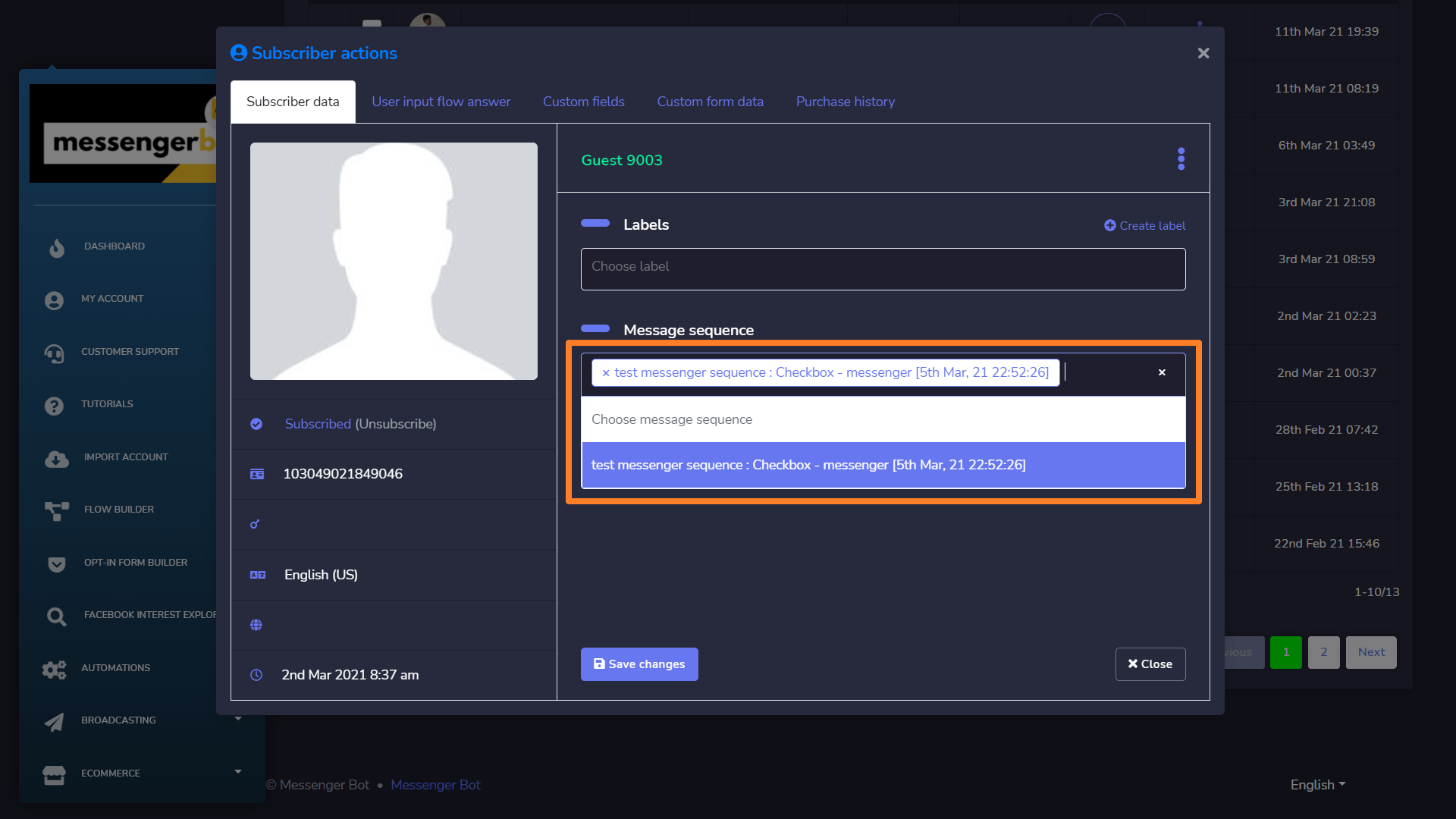
これを確認するには、 購読者管理 -> ボット購読者 -> 購読者アクション セクションモーダル。


 日本語
日本語  English
  Tagalog
  简体中文
简体中文  العربية
  हिन्दी
  Português do Brasil
  Español de México
  Français
  বাংলা
বাংলা  香港中文
香港中文  繁體中文
繁體中文  Nederlands
  Deutsch
  Bahasa Indonesia
  한국어
한국어  Polski
  Русский
  Español
  Tiếng Việt