당신이 찾고 있다면 ManyChat 2026년에, 당신은 아마도 세 가지 답변을 빠르게 원할 것입니다. 첫째, 지금 비용은 얼마인가요? 둘째, 여전히 Instagram, Facebook Messenger, WhatsApp 자동화에 가장 좋은 도구 중 하나인가요? 셋째, 청중이 실제로 매일 응답하기 시작하면 플랫폼을 정당화하기가 더 어려워졌나요?
나는 ManyChat의 공식 가격 페이지, 도움말 문서 및 제품 페이지를 확인했습니다. 2026년 4월 13일, 그리고 언급할 가치가 있는 첫 번째 사항은 가격 이야기가 대부분의 리뷰가 인정하는 것보다 더 복잡하다는 것입니다. ManyChat의 도움말 센터는 이제 새로운 다섯 가지 계획 모델 이 도입되었습니다. 2026년 3월 2일 신규 계정을 위한: 무료, 필수, 프로, 비즈니스 및 고급. 그러나 ManyChat의 공개 가격 페이지는 여전히 이전의 무료, 프로 및 엘리트 구조를 보여주며, 연락처 기반 계산기가 월 $15부터 시작됩니다.[1][2]
그것은 ManyChat이 고장났다는 것을 의미하지 않습니다. 그것은 당신이 플랫폼을 운영자로서 읽어야 하며, 헤드라인 스캐너처럼 읽어서는 안 된다는 것을 의미합니다. 이전 YouTube 튜토리얼, 오래된 에이전시 자료 및 현재 ManyChat 문서를 나란히 비교하고 있다면, 아마도 제품의 가격 논리의 두 가지 실제 버전을 동시에 보고 있는 것입니다. 그래서 많은 사람들이 혼란스러워하는 이유입니다. manychat 가격 지금.
플랫폼 자체는 여전히 중요한 플레이어입니다. ManyChat은 Meta 승인 도구이며, 공식 API를 통해 작동하고 100,000개 이상의 Instagram 계정에 대한 자동화를 지원한다고 말합니다.[13] 귀하의 비즈니스가 DM, 댓글 답변, 리드 마그넷 및 소셜 후속 조치에 의존한다면, 여전히 중요합니다. 웹사이트 지원이나 더 저렴한 가격이 주로 필요하다면, 답변이 달라질 수 있습니다. 이 가이드 이후 Messenger 전용 정책 분석을 보려면 읽어보세요. 우리의 Messenger 전용 ManyChat 정책 분석.
2026년 ManyChat이 실제로 무엇인지
ManyChat은 여전히 다음과 같이 이해하는 것이 가장 좋습니다. 소셜 메시징 자동화 플랫폼, 일반적인 AI 챗봇 장난감이 아니며 전체 기업 헬프 데스크도 아닙니다. 이는 매우 특정한 워크플로우의 중간에 위치합니다: 누군가 게시물에 댓글을 달고, 스토리에 답변하고, 귀하의 페이지에 DM을 보내고, WhatsApp 링크를 클릭하거나 간단한 리드 흐름에 참여하면 ManyChat은 그 상호작용을 구조화된 대화로 전환합니다.
이것이 바로 이 제품이 창작자, 코치, 전자상거래 브랜드, 에이전시, 지역 비즈니스 및 소셜 플랫폼 내에서 리드를 판매하거나 자격을 부여하는 마케터들과 여전히 공감하는 이유입니다. 공식 통합 및 사용 사례 페이지는 여전히 다음과 같은 작업에 중점을 두고 있습니다. 이메일 수집, 팔로우 요청, 댓글에 응답하기, 그리고 DM을 위해 팔로우하기.[11] 이들은 기업 티켓팅 직무가 아닙니다. 이들은 성장 및 전환 직무입니다.
ManyChat은 또한 이전의 “Facebook bot builder” 레이블이 암시하는 것보다 더 많은 채널을 지원합니다. 현재 문서에 따르면, ManyChat은 Instagram, Facebook Messenger, WhatsApp, Telegram, TikTok, SMS 및 이메일을 포함하며, 채널 접근은 귀하의 요금제에 따라 다릅니다.[3][4][5][6][7]
따라서 다음과 같이 생각하는 것이 올바릅니다. manychat 리뷰 2026년에는 ManyChat이 더 이상 Facebook Messenger만을 위한 것이 아니지만, 여전히 귀하의 비즈니스 중심이 자동화가 필요한 소셜 대화일 때 가장 강력합니다.. 귀하의 팀이 참여를 리드, 예약된 통화, 이메일 캡처, 쿠폰 제공, FAQ 처리 또는 DM 판매로 전환하려고 한다면, ManyChat은 의미가 있습니다. 귀하의 팀이 주로 웹사이트에서 지원 티켓을 회피하려고 한다면, 명백한 승자처럼 보이지 않기 시작합니다.
2026년 ManyChat 가격은 두 가지 공식 모델로 나뉩니다.
이것은 대부분의 ManyChat 리뷰가 잘못 이해하는 부분입니다. 왜냐하면 그들은 하나의 깔끔한 가격표가 있다고 생각하기 때문입니다. 그렇지 않습니다. 2026년 4월 13일, ManyChat의 자체 도움말 센터는 새로운 3월 2일 가격 모델이 적용된다고 말합니다. 2026년 3월 2일 이후에 생성된 계정, 그리고 이전 계정은 아직 전환할 수 없습니다.[1] 동시에, 공개 가격 페이지는 manychat.com/pricing 여전히 이전 구조를 보여줍니다: 무료, 월 $15부터 시작하는 Pro, 그리고 Elite 맞춤형, 연락처 수에 기반한 계산기와 함께.[2]
이 분할은 사람들이 검색할 때 중요합니다. manychat 가격 이 두 가지 현실 중 하나를 자주 보고 있습니다:
- 새 모델 계정: 무료, 필수, 프로, 비즈니스, 고급, 활성 연락처 한도, 좌석 한도, 채널 한도 및 더 명확한 초과 요금이 포함됩니다.
- 구형/공식 페이지 요금: 1,000개의 연락처까지 무료, 월 $15부터 프로, 그리고 총 참여 연락처 수에 따라 가격이 조정되는 맞춤형 엘리트.
당신이 검색한 내용은 ManyChat 프리미엄, 여기 실제로 필요한 수정 사항이 있습니다: ManyChat의 현재 공식 도움말 문서에는 프리미엄이라는 이름의 요금제가 나와 있지 않습니다.. 새로운 3월 2일 모델에서는 요금제 이름이 무료, 필수, 프로, 비즈니스 및 고급입니다. 여전히 활성화된 공개 요금 페이지에서는 요금제 이름이 무료, 프로 및 엘리트입니다. “프리미엄”은 일반적으로 사람들이 “유료 ManyChat”을 지칭할 때 사용하는 약어이거나, 현재 제가 2026년 4월 13일에 검토한 공식 요금제 레이블이 아닌 이전의 제3자 비교에서 나온 것입니다.[1][2]
이 요금 혼란이 제품을 자동으로 자격 미달시키지는 않지만, 예산을 세우는 방법에는 변화를 줍니다. 오늘 새로 ManyChat 계정을 시작하는 경우, 도움말 센터의 요금제 페이지가 더 유용한 출처입니다. 왜냐하면 그것이 실제 기능 한도, 좌석, 채널 및 초과 요금을 설명하기 때문입니다. 새로운 모델에 연결되어 있습니다. 이전 계정에 있거나 요금 청구서를 가격 페이지의 스크린샷과 조정하려고 하는 경우, 레거시 무료/프로/엘리트 페이지는 여전히 중요합니다.
가장 깔끔한 실용 규칙은 다음과 같습니다: ManyChat을 하나의 스크린샷으로 예산을 세우지 마세요.. 설정에서 실제 계정이 보는 가격 흐름을 확인하고, 2026년 3월 2일 모델인지 레거시 프로 모델인지 확인한 후, 팔로워 수의 크기뿐만 아니라 매달 참여하는 사람 수에 따라 비용을 모델링하세요.
무료 vs 필수 vs 프로 vs 비즈니스 vs 고급: 각 ManyChat 플랜이 제공하는 것
새로운 모델 계정의 경우, 공식 플랜 계층이 드디어 나란히 비교할 수 있을 만큼 명확해졌습니다. 2026년 4월 13일에 검토된 ManyChat의 도움말 센터 플랜 문서를 사용한 간략한 버전입니다.[3][4][5][6][7]
| 계획 | 월 요금 | 연간 동등 | 포함된 활성 연락처 | 주요 채널 제한 | 누구에게 적합한가 |
|---|---|---|---|---|---|
| 무료 | $0 | 해당 없음 | 25 | 인스타그램, 틱톡, 메신저, 텔레그램에서 최대 2개 채널 | 테스트 및 학습 |
| 필수 | $17 | $14/월, 연간 청구 | 250 | 최대 2개 채널, 여전히 WhatsApp, SMS 또는 이메일 없음 | 초기 리드 캡처 및 간단한 퍼널 |
| 프로 | $39 | $29/월, 연간 청구 | 2,500 | WhatsApp, SMS 및 이메일을 포함한 최대 3개 채널 | 진지한 제작자 및 SMB의 DM 확장 |
| 비즈니스 | $99 | $69/월, 연간 청구 | 7,500 | 무제한 채널 | 더 높은 라이브 볼륨을 처리하는 팀 |
| 고급 | $199 | $139/월 연간 청구 | 25,000 | 무제한 채널 및 API 접근 | 대행사 및 대량 운영 |
그 무료 이 계획은 테스트에 정말 유용하지만, 이전의 ManyChat 콘텐츠가 사람들에게 기대하게 만든 방식으로 관대하지는 않습니다. 25개의 활성 연락처, 하나의 인박스 좌석, 하나의 사용자, Instagram, TikTok, Messenger 또는 Telegram 중에서 선택한 두 개의 연결된 채널, 최대 4개의 라이브 자동화만 포함됩니다. WhatsApp, SMS 및 이메일은 여기 포함되지 않습니다.[3]
필수 ManyChat이 샌드박스가 아닌 비즈니스 도구처럼 행동하기 시작하는 지점입니다. 월 $17 또는 연간 청구 시 $14에 대해 250개의 활성 연락처, 무제한 자동화, 두 명의 사용자, 하나의 인박스 좌석, 리드 캡처 도구, 이메일 및 전화 캡처, 태그 및 Google Sheets 동기화를 제공합니다. 여전히 하지 WhatsApp, SMS 또는 이메일 채널을 잠금 해제하지 않으므로 이 계획은 여전히 상당히 간결한 Instagram, TikTok, Messenger 또는 Telegram 퍼널에 가장 적합합니다.[4]
프로 ManyChat이 대부분의 비즈니스가 실제로 원하는 버전이 되는 지점입니다. 월 $39 또는 연간 청구 시 $29에 대해 2,500개의 활성 연락처, 3명의 사용자, 2개의 인박스 좌석, 최대 3개의 채널을 포함하며, WhatsApp, SMS 및 이메일의 공식 시작점입니다. 또한 AI 기반 자동화, 인박스 규칙, 레이블 및 CRM, 상거래 및 메시징 도구와의 더 넓은 통합을 추가합니다. WhatsApp이 작업 흐름의 중심이라면 ManyChat의 문서에 따르면 Pro가 올바른 시작점이라고 합니다.[5]
비즈니스 그리고 고급 shift the product from “smart social automation” into “messaging operations layer.” Business is $99 per month with 7,500 Active Contacts, three Inbox seats, unlimited channel connections, and better support for routing, team workflows, and deeper integration work. Advanced moves to $199 per month with 25,000 Active Contacts, API access, more users and seats, and lower per-contact overage rates as volume grows.[6][7]
The other pricing detail you should not ignore is overages. Essential adds extra Active Contacts at $0.10 each on monthly billing. Pro drops that to $0.05. Business drops further to $0.025. Advanced starts at $0.004 and goes lower at higher usage tiers. So yes, ManyChat gets more efficient as you scale, but only after you are already spending meaningfully on the platform.[4][5][6][7]
If you want a flat-fee benchmark before you commit to contact-based billing, 메신저봇 가격 보기. That is the easiest way to compare ManyChat’s engagement-based math against a Messenger-first platform that does not keep pushing the bill upward just because your audience stayed active.
Why Some Buyers Still See Free, Pro, and Elite on ManyChat’s Public Pricing Page
This is not your imagination. ManyChat’s public pricing page still shows 무료, 프로, 그리고 Elite, with Free described as access to basic features for up to 1,000 contacts, Pro starting at $15 per month, and Elite on custom pricing.[2] The same page still includes a contact calculator that starts at 500 contacts for Pro billing.
That older model also frames the free plan much more generously at the top level than the new help-center free plan does, which is part of why buyers feel like ManyChat pricing changed without warning. In the old public-page logic, Free can engage up to 1,000 contacts before restrictions tighten. In the new help-center logic for newer accounts, Free is capped at 25 Active Contacts with only four live automations. Those are not minor differences.[2][3]
The clean interpretation is that ManyChat is mid-migration. The company is not hiding that. Its billing FAQ and pricing-related help articles explicitly say the new plans arrived on March 2, 2026 and are, for now, limited to accounts created on or after that date.[1] If you are an older customer, you may still be living in the older Pro billing world. If you are a new customer, the five-plan model is the one to care about.
That split creates a real buyer problem: older ManyChat tutorials, blog posts, and agency comparison tables often still talk about a single Pro plan with dynamic pricing, while newer ManyChat help articles talk about Essential, Business, and Advanced tiers that did not exist in older content. If you are doing a proper software review, you need to separate “what the internet says ManyChat costs” from “what my account will actually be offered.”
One more useful point here: if you are already on ManyChat and are thinking about canceling, downgrading, or disconnecting channels, keep our ManyChat cancellation and unsubscribe guide bookmarked. That is where billing confusion becomes operational pain.
Which Channels ManyChat Supports Best in 2026
ManyChat supports more channels in 2026, but the channels are not equally important inside the product. The platform still feels most natural on 인스타그램 그리고 Facebook Messenger, then on WhatsApp for businesses that want multichannel follow-up, and then on the less central channels like Telegram, TikTok, SMS, and Email depending on plan tier.[3][5][6][11]
Instagram is still ManyChat’s strongest public-facing use case
ManyChat still shines when you want to turn comments, Story replies, follows, and inbound DMs into automations. The new free plan examples even center on comment replies, follow-based welcome messages, Story reply automations, and FAQ handling in DMs.[3] That is a dead giveaway about where the company believes the product wins.
Facebook Messenger remains core, especially for lead capture and local-business flows
Messenger is no longer the only reason people buy ManyChat, but it is still a core channel. If your brand uses click-to-Messenger ads, lead magnets, booking flows, or customer-service handoff through a Page inbox, ManyChat still has the right automation mindset for that job. It is not just a reply widget. It is a flow and trigger engine.
WhatsApp is useful, but it comes with platform rules you have to respect
WhatsApp starts at Pro on the new pricing model, which is important because a lot of buyers assume it is available lower down the stack. ManyChat’s docs are very clear that WhatsApp messaging is governed by a 24-hour rule, and if that session expires, you need a Meta-approved message template to re-contact the user. Template approval usually takes minutes but can take up to 24 hours.[5][14]
Telegram is strategically useful because it is less restricted
ManyChat’s messaging-window docs explicitly note that Telegram is not subject to the same 24-hour messaging limitations as Messenger, Instagram, and WhatsApp.[12] That makes Telegram valuable if you want a channel where follow-up is less constrained. It is not the first channel most US or UK businesses care about, but it can be smart for communities and long-term re-engagement.
SMS and Email are real channels, but not the reason people usually start with ManyChat
SMS and Email exist in the plan structure because ManyChat wants to keep you inside the same automation environment. That is useful. But if your business is primarily email-led or support-led, ManyChat still does not feel like the natural first choice. It feels like a social automation tool extending outward, not an email or service platform pulling social inward.
The practical takeaway is simple. ManyChat is strongest when your business begins with social attention. If that is true for you, the channel coverage is a strength. If your workflow begins on your site and only occasionally spills into DMs, the multichannel story is less compelling.
How the Flow Builder Works When You Build a Real ManyChat Automation
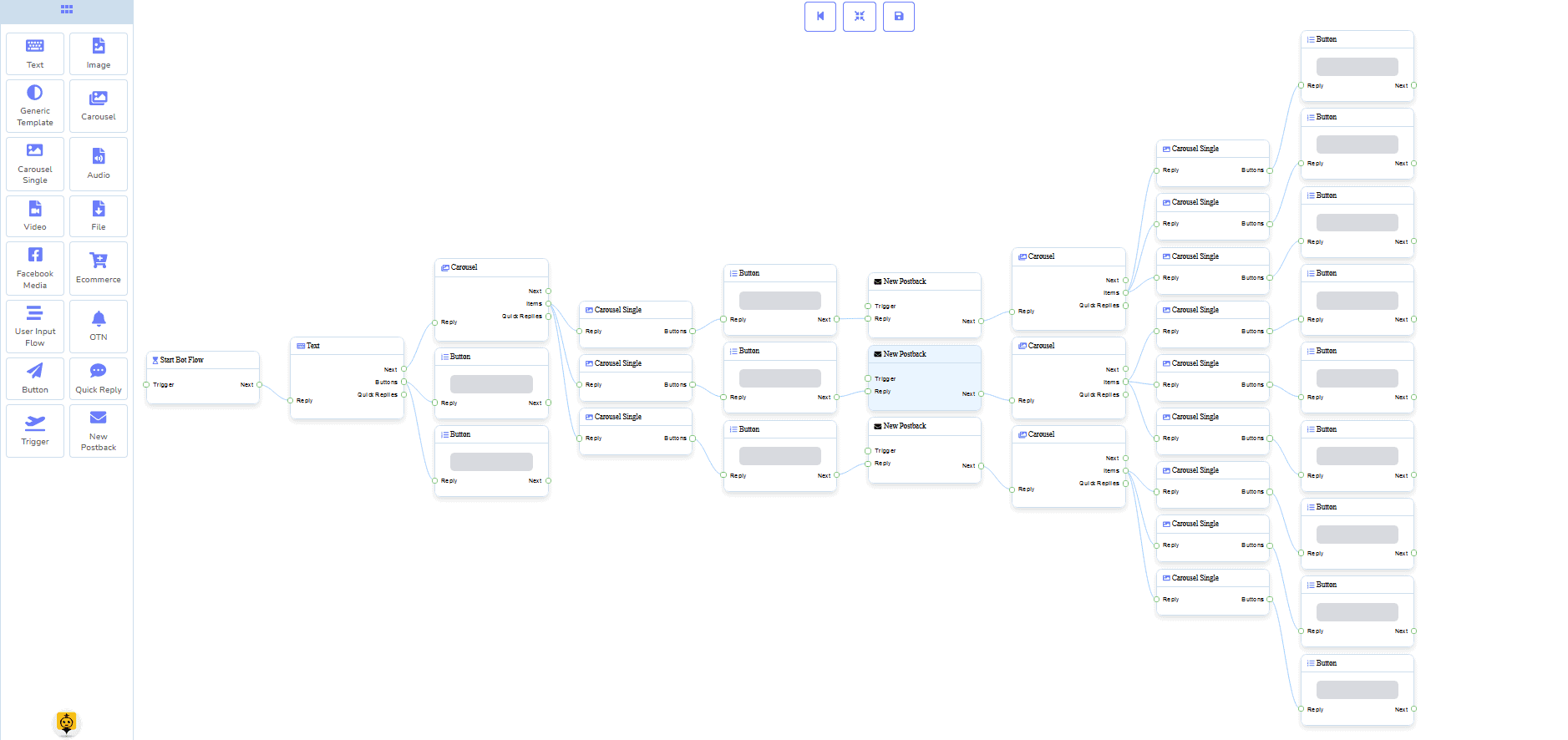
The Flow Builder is still the part of ManyChat most users either love or misuse. ManyChat’s own automation guide describes it as the place where you create automations, add triggers, and move from idea to deployment using a visual builder rather than code.[9] That visual approach is still one of the platform’s best arguments.
In practice, a solid ManyChat flow has five parts:
- Entry trigger: a comment, keyword, Story reply, DM, follow event, form action, or another starting event.
- Opening message: the first reply that confirms context and gives the user a reason to keep going.
- Branching logic: buttons, quick replies, conditions, tags, or AI-powered steps that route the conversation.
- Outcome step: contact capture, booking, coupon delivery, FAQ answer, product handoff, or human escalation.
- Publishing: setting the automation live and fixing any unattached steps or missing assets before launch.
That sounds obvious, but Flow Builder works best when you keep it ruthless. A lot of beginners build fancy branching diagrams that look impressive and convert poorly. The better approach is usually shorter: ask one clarifying question, capture the key detail you need, then move the person toward the next action while interest is still warm.
The real strength of the builder is not “you can build anything.” It is that you can build most high-value DM automations without needing a developer. That matters for small teams. The downside is that the builder can become messy if you try to turn ManyChat into a full operating system for every conversation your business has.
My rule is simple: use Flow Builder for repeated, high-frequency conversations that have a clear desired outcome. Do not force it to become a replacement for good support operations, deep CRM logic, or policy-heavy conversations unless you are on a plan and team size that can actually manage that complexity.
ManyChat Templates Can Save Time, but They Are Not a Substitute for Strategy
If you search manychat templates, you are usually looking for a shortcut. ManyChat absolutely supports that. Its official template docs say templates are pre-built automations that can help with things like giveaways, email-list building, and quizzes, and that you install them from a manychat.com/template/... URL.[10]
That is useful for three kinds of users:
- Beginners who want to learn how a working automation is structured.
- Agencies who need reusable starter systems for clients.
- Operators who already know what they want and just do not want to rebuild the same scaffolding from scratch.
There are two important catches. First, if a template has a PRO tag, it requires a paid ManyChat plan to install.[10] Second, templates can accelerate build time, but they do not fix bad offer design. A giveaway template cannot rescue weak targeting. A lead magnet template cannot rescue unclear value. A DM FAQ template cannot rescue sloppy answers.
ManyChat also lets you create and share your own templates, including account-level components like tags, custom fields, and connected automations, which is valuable if you work across multiple client accounts or want reusable internal playbooks.[17] That feature is one of the reasons ManyChat stays sticky for agencies even when pricing is not their favorite part of the product.
The smart way to use templates is as a starting structure, not a final deliverable. Install one, strip out the generic fluff, rewrite the copy to sound like your business, tighten the CTA, and test it against real replies. That is where templates start saving time instead of creating bland automations that everyone else is also running.
A Practical ManyChat Tutorial: Build Your First Automation in About 20 Minutes
If you want a real manychat tutorial, do not start with the most advanced use case in the library. Start with something narrow and profitable. The simplest high-value automation for most brands is either:
- a comment-to-DM flow on Instagram or Facebook,
- a basic FAQ and lead-capture flow in Messenger, or
- a follow-up sequence tied to a keyword or download.
Here is the setup process I would use for a first ManyChat automation.
- Create the account and connect the right channel. If you are brand new, connect the one channel that already drives replies today. Do not connect everything just because the menu allows it.
- Open Automation and create a new flow. ManyChat’s own help docs frame this as the starting point for building in Flow Builder.[9]
- Choose one trigger. For Instagram, a comment reply or Story reply is great. For Messenger, a keyword or welcome-trigger flow works well. For WhatsApp, be careful to stay inside the messaging rules.[3][14]
- Write a direct opening message. Example: “Thanks for the comment. Want the guide here?” or “I can help with pricing, booking, or support. Which one do you need?” Keep it short.
- Add one branching step. Use buttons or quick replies to route the person to the right mini-path instead of dumping them into a wall of copy.
- Capture one useful piece of data. Email, phone, product interest, location, budget range, or booking intent. Only ask for what changes the next step.
- Tag the contact. If someone chose pricing, tag them accordingly. If they asked for support, route differently. This is how ManyChat gets smarter without becoming overengineered.
- Decide the next action. Send the resource, hand them to a booking page, notify a team member, or drop them into a short follow-up sequence.
- Test the automation with a real account. Do not trust preview mode alone. Test from a phone, using short replies, messy replies, emojis, and wrong answers.
- Set it live and watch the first 20 conversations. That is where dead ends show up. Fix them immediately.
Here is a fast checklist that improves first-launch quality:
- Make the first message specific to the trigger, not generic.
- Give users a clear path out if they need a human.
- Do not ask three questions in one message.
- Tag every meaningful intent.
- Test the flow outside office hours if your main job is after-hours lead capture.
- Review the first failed conversations before you touch design or AI settings.
This is also where ManyChat beginners often realize they do not want “more features.” They want a simpler system. If you reach that point and want a Messenger-first builder with flatter pricing and a heavy library of templates, 우리의 튜토리얼을 확인하세요 and compare the workflow style against what you are building in ManyChat.
ManyChat AI in 2026 Is Useful for Qualification and FAQs, Not Magic
ManyChat AI is better than the shallow “AI-powered” label makes it sound, but it is not some self-running sales team either. The official AI overview lists AI Step, Intention Recognition, Flow Builder Assistant, 그리고 Text Improver as the main tools, and it also says you need an active paid plan plus the ManyChat AI add-on enabled on the account.[8]
That detail matters because many buyers assume AI is simply bundled into every paid tier. It is not described that way in the docs. Some capabilities may vary by plan, and the add-on itself is a separate activation step.[8]
Here is where ManyChat AI actually helps:
- 리드 자격 검증: sorting open-text replies into a usable next step.
- FAQ handling: answering common questions in a more flexible way than pure keyword matching.
- Intent cleanup: understanding what the user means when their message is messy.
- Copy refinement: improving message wording through Text Improver.
- Builder assistance: helping ideate flow structures when you know the goal but not the exact layout.
And here is where people oversell it:
- It does not remove Meta’s messaging rules.
- It does not rescue a weak offer or unclear funnel.
- It does not eliminate the need for handoff rules.
- It does not magically make a sprawling automation easy to manage.
ManyChat’s AI docs also note that the newer AI Replies and comment-handling features are still in beta and, in at least some cases, Instagram-specific.[8] That does not make them bad. It just means you should test carefully before you let AI carry a high-stakes part of your funnel.
My recommendation is to use ManyChat AI where it reduces friction in the middle of a flow, not where it controls the entire business outcome. Let it help interpret intent, handle common questions, and qualify. Keep your pricing, policy, routing, and conversion logic clean and explicit.
Integrations That Actually Matter in ManyChat
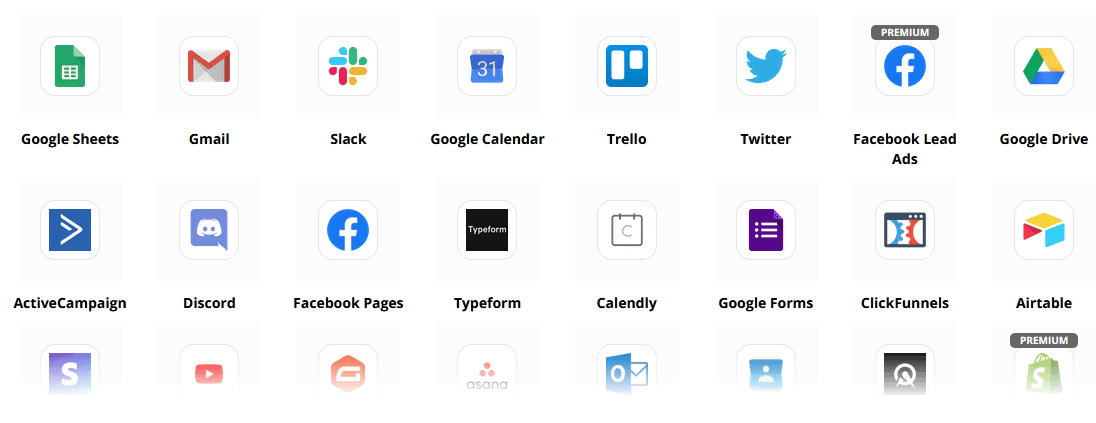
ManyChat’s official integrations page is more useful than most vendor integration grids because it makes the product’s priorities obvious. The current featured categories center on email and re-engagement tools like Klaviyo, Mailchimp, ActiveCampaign, and Kit; tracking and CRM tools like Google Sheets and HubSpot; plus workflow connectors like Zapier and Make.[11]
If you are running a lean business, the integrations that matter most are usually these:
- Google Sheets: easiest way to log leads, campaign responses, and intake data without adding real CRM complexity.
- 허브스팟: useful when chat leads need to become sales records fast.
- Klaviyo or Mailchimp: valuable if your social conversations need to feed owned email lists.
- 자피어: the practical bridge for teams that want automation without custom development.
- API access: relevant mostly at the Advanced tier when messaging is becoming real infrastructure.[7]
Notice what is happening there. ManyChat is strongest when it acts like the front door to your funnel, then passes clean data into the rest of your stack. That is why Google Sheets sync shows up as early as Essential, while deeper CRM, Email, SMS, and commerce integration kick in at Pro and above.[4][5]
That is also the limit. ManyChat is excellent when chat is the intake layer. It is less compelling if you need your chatbot platform itself to become the whole data system. Once you need heavier ownership over sites, live chat, web forms, ecommerce, JSON API work, and website automation under flatter pricing, that is where a tool like MessengerBot starts to look more sensible. If that is your lane, Upgrade to MessengerBot Pro and compare the feature stack directly against what ManyChat gives you at higher contact tiers.
Common ManyChat Use Cases That Still Perform Well in 2026
ManyChat is not one platform for one workflow. The question is which use cases still justify the spend. These are the ones that make the most sense in 2026.
Comment-to-DM lead capture
This is still a ManyChat classic because it maps perfectly to how social attention turns into private intent. Someone comments on an offer, reel, or post, and ManyChat moves them into a DM with the resource, next step, or qualifier. For creators, local businesses, and ecommerce brands, this remains one of the highest-leverage ManyChat flows you can build.
Lead magnet and email capture
ManyChat’s use-case language still explicitly pushes email collection, and the Essential plan already includes email and phone capture plus Google Sheets sync.[4][11] If your Instagram content drives real curiosity but not enough owned-list growth, this is one of the easiest automation wins.
FAQ automation for DMs
For brands getting the same pricing, shipping, hours, location, or service questions repeatedly, ManyChat can reduce a lot of wasted manual response time. This gets even better when you pair deterministic answers with AI assistance for messy user language.
WhatsApp follow-up for warmer leads
Once you are on Pro or higher, ManyChat can help move leads from Instagram or TikTok into WhatsApp, which the Pro plan docs explicitly mention as a use case for closing sales.[5] That is useful when your audience responds better on WhatsApp than inside Instagram DMs.
Giveaways, quizzes, and simple audience growth loops
These are exactly the kinds of flows templates help with. They are not glamorous, but they are practical and easy to deploy if your content engine is already creating engagement. ManyChat still earns its keep well in these repeatable growth mechanics.
If those use cases sound right, ManyChat remains a strong fit. If you mainly need website live chat, multistore support, or flatter budget forecasting, it is worth reading our ManyChat alternatives breakdown after this one so you are comparing intent to intent instead of just software brand names.
The Real Limitations Most ManyChat Reviews Bury
ManyChat is still good software. That is exactly why its limitations matter. Weak products get dismissed quickly. Useful products create expensive blind spots if you adopt them for the wrong reason.
The first limitation is pricing complexity. Even with the newer five-plan model, you still have to think in Active Contacts, seat limits, channel access, and overages. And because the old Free/Pro/Elite pricing page is still public, buyers can easily budget against the wrong model.[1][2]
The second limitation is platform dependence. ManyChat is strongest on platforms it does not control. Meta sets the rules, not ManyChat. ManyChat can help you stay compliant, but it cannot undo an account restriction or abolish the messaging windows that govern Messenger, Instagram, and WhatsApp.[13][12]
The third limitation is the 24-hour window problem. On Messenger, Instagram, and WhatsApp, automated messaging outside the 24-hour window is restricted, and the rules differ by channel. ManyChat’s own docs are blunt about this. Messenger and Instagram allow a later manual window through Inbox, while WhatsApp requires approved message templates after 24 hours if you are using the API path.[12][14]
The fourth limitation is feature sprawl. Once you pile on AI, multiple channels, Inbox rules, templates, routing, and outside integrations, ManyChat can stop feeling like a quick automation builder and start feeling like another system your team has to operate carefully. That is fine if messaging is central to your business. It is overkill if you just wanted a reliable Messenger or Instagram bot.
The fifth limitation is website depth. ManyChat can absolutely connect outward into other channels, but it still does not feel like a website-support-first platform. If most of your customer conversations begin on your site, the better comparison is not “Can ManyChat do it?” The better question is “Why am I using a social-first platform for a site-first job?”
ManyChat vs MessengerBot vs Tidio: Which Platform Fits Which Team
The table below uses current official pricing and product pages reviewed on April 13, 2026: ManyChat’s March 2 help-center plan docs plus its still-live public pricing page, MessengerBot’s live pricing page, and Tidio’s pricing page.[1][2][15][16]
| 플랫폼 | 공식 시작 지점 | Billing model | 최고의 채널 | 최적의 적합 | Main caution |
|---|---|---|---|---|---|
| ManyChat | New accounts: Free, Essential $17, Pro $39, Business $99, Advanced $199. Public page still shows Pro from $15. | Active Contacts, seats, and overages | Instagram, Messenger, WhatsApp | Creators and DM-driven businesses | Pricing model is split between legacy and new-account logic |
| 메신저봇 | 프리미엄 $19.99 (30일 기준), 프로 $49.99 (30일 기준) | Flat plan pricing | Facebook Messenger, website chat, Instagram on higher tier | Messenger-first SMBs that want predictability | No forever-free plan |
| 티디오 | Starter $24.17/month annualized, Growth from $49.17, Lyro from $32.50 | Billable conversations plus modular add-ons | Website chat, support inbox, social inbox support | Website-first support and ecommerce teams | Base plan and AI cost often stack |
Here is the plain-English version of that table.
Choose ManyChat if your business lives in Instagram comments, Story replies, Messenger DMs, lead magnets, and social follow-up sequences. ManyChat still feels best when attention starts on a social platform and you want to turn that attention into a structured DM journey.
Choose MessengerBot if Facebook Messenger is still your revenue-heavy channel and you want simpler budgeting, website chat support, visual flows, templates, JSON API access, and a platform that feels less tied to active-contact billing pressure. MessengerBot’s live pricing page still puts Premium at $19.99 and Pro at $49.99 per 30 days, with broad Messenger-first features including visual flow building, website chat, Google Sheets integration, Zapier, bot cloning, forms, ecommerce tools, and Instagram features on higher tiers.[15]
Choose Tidio if your real workload is website chat, support deflection, tickets, order questions, and human agents who need a service desk more than a social funnel engine. Tidio is a different category emphasis, and that is its strength.
If you already know you want a Messenger-heavy platform with a flatter pricing curve, 메신저봇 가격 보기 and compare it directly to the ManyChat tier that matches your expected monthly engagement, not just your current test audience.
Who ManyChat Is Still Right For in 2026
ManyChat is still the right platform if most of these statements are true:
- Your best leads come from Instagram, Messenger, or WhatsApp.
- You care more about DM conversion than website support.
- You want strong comment and Story-triggered automations.
- You are comfortable watching contact-based pricing as engagement grows.
- You need templates, reusable flows, and a low-code builder that marketers can run.
ManyChat is probably 하지 the right platform if most of these are true:
- Your site, not your social inbox, is where most conversations begin.
- You want flat pricing more than flexible channel expansion.
- You mainly need support ticket handling, not campaign automation.
- You do not want to think about Meta’s messaging windows every week.
- You want your first chatbot platform to be simpler than ManyChat’s current pricing story.
That is the real answer to “is ManyChat still worth it?” It is worth it for the businesses it was built for. It becomes frustrating when teams buy it because it is famous rather than because it matches the job.
If You Want a Flatter-Priced Messenger Alternative, This Is the Smarter Shortcut
If you like ManyChat’s general idea but not the billing ambiguity, MessengerBot is the cleaner alternative for businesses that still sell, qualify, and support customers through Facebook Messenger and adjacent chat channels. The pricing is public, the feature list is practical, and the platform stays focused on actual business automation instead of contact-tier archaeology.[15]
The fastest next step is simple. 메신저봇 가격 보기 if you want to compare plan math. Upgrade to MessengerBot Pro if you already know you need Instagram automation, broader website coverage, and a deeper feature stack without moving into enterprise software. If you build or recommend chatbot systems for clients, you can also 우리의 제휴 프로그램에 가입하세요.
My Bottom-Line ManyChat Review for 2026
ManyChat is still one of the strongest social automation platforms on the market in 2026. That is the honest answer. It remains especially good for Instagram and Messenger workflows, it has a capable visual builder, useful templates, growing AI assistance, and enough channel coverage to support real lead-generation and customer-conversation systems.
The reason I would not call it an automatic recommendation anymore is pricing clarity. The product is good. The pricing story is split. If you are willing to work through that and your business lives in DMs, ManyChat still makes sense. If you want simpler forecasting, stronger Messenger-first value, and less dependence on Active Contact math, MessengerBot is the platform I would look at next.
자주 묻는 질문
2026년에 ManyChat은 무료인가요?
Yes, but the free tier depends on which pricing model applies to your account. ManyChat’s March 2, 2026 help docs describe a new Free plan with 25 Active Contacts, up to 2 channels from Instagram, TikTok, Messenger, or Telegram, and up to 4 live automations for newer accounts. The public pricing page still shows the older free model with access up to 1,000 contacts, which is why so many buyers are confused.
ManyChat은 Instagram, Facebook Messenger 및 WhatsApp과 함께 작동합니까?
네. 인스타그램과 페이스북 메신저는 핵심 채널이며, WhatsApp은 2026년 3월 2일 새로운 가격 모델의 Pro 플랜에서 시작됩니다. ManyChat은 또한 계획 등급에 따라 TikTok, Telegram, SMS 및 이메일을 지원합니다. 플랫폼은 비즈니스가 소셜 DM을 중심으로 할 때 가장 강력합니다.
ManyChat 무료, 필수, 프로의 차이점은 무엇인가요?
무료는 주로 테스트용입니다. 필수 요금제는 250개의 활성 연락처, 무제한 자동화, 리드 캡처 및 Google Sheets 동기화를 제공합니다. 프로 요금제는 ManyChat이 진지한 비즈니스 도구가 되는 곳으로, 2,500개의 활성 연락처, AI 기반 자동화, 더 많은 인박스 좌석 및 WhatsApp, SMS, 이메일 지원을 포함합니다. WhatsApp이 중요하다면, 프로 요금제가 진정한 시작점입니다.
모든 유료 플랜에 ManyChat AI가 포함되어 있나요?
Not exactly. ManyChat’s current AI overview says you need an active paid plan and the ManyChat AI add-on enabled on your account. The core AI toolkit includes AI Step, Intention Recognition, Flow Builder Assistant, and Text Improver, but availability can vary by plan and some newer AI capabilities are still in beta.
MessengerBot를 ManyChat보다 언제 선택해야 하나요?
메신저봇을 선택하세요. 더 평평한 가격, 강력한 메신저 중심의 초점, 웹사이트 채팅 지원, 그리고 액티브 컨택트 청구에 너무 의존하지 않고 더 넓은 비즈니스 자동화 스택을 원할 때 적합합니다. 인스타그램과 소셜 DM 전환이 작업 흐름의 중심이며 참여가 증가함에 따라 가격 모델을 관리하는 데 편안하다면 ManyChat을 선택하세요.
Sources and Pricing Pages Used for This Guide
- ManyChat subscription guide
- ManyChat public pricing page
- ManyChat 무료 요금제
- ManyChat Essential plan
- ManyChat Pro plan
- ManyChat 비즈니스 요금제
- ManyChat Advanced plan
- ManyChat AI overview
- How to build a ManyChat automation
- How to install ManyChat templates
- ManyChat integrations
- ManyChat 메시징 창
- Is ManyChat officially approved by Meta?
- Broadcasting in WhatsApp with ManyChat
- 메신저봇 가격 보기
- Tidio 가격
- How to create ManyChat templates