
Most small support teams do not need a grand AI transformation plan. They need fewer repetitive contacts hitting humans, faster first response outside business hours, and a cleaner way to decide which conversations deserve agent time. That is what AI customer support automation means in 2026 when it is working properly: not a clever chat widget, but an operating layer that absorbs the obvious queue, takes safe actions, and hands off the expensive work with context already attached.
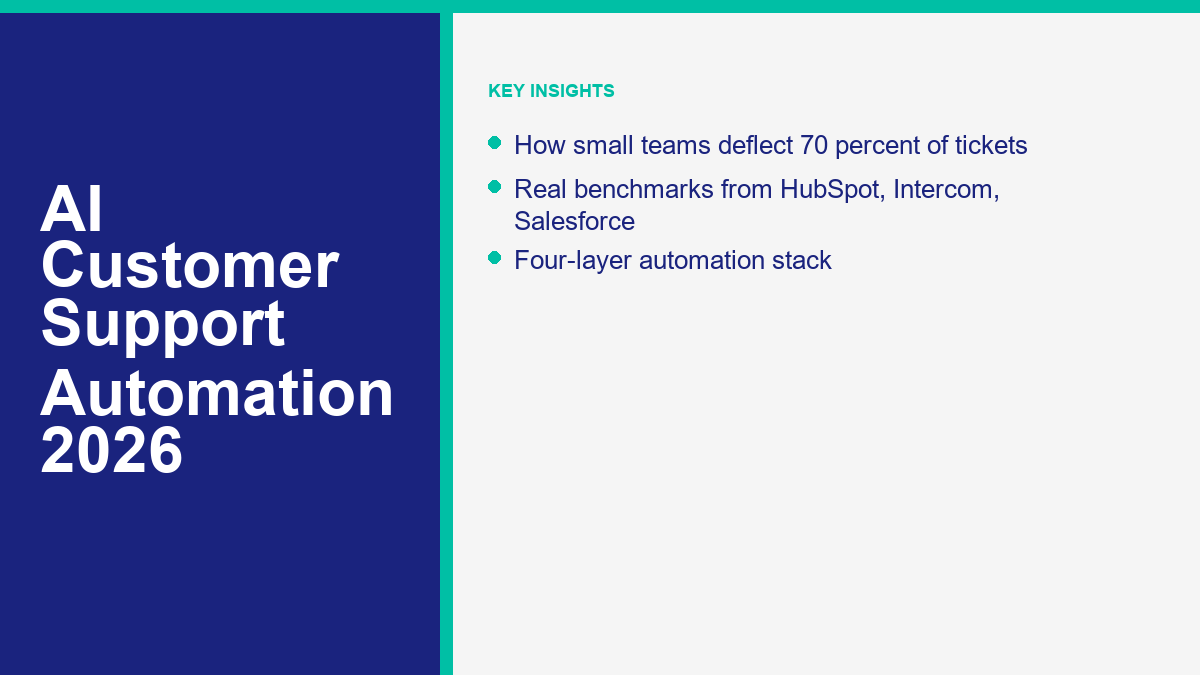
The headline number in this market is 70 percent deflection, but support leaders need to read that carefully. It does not mean 70 percent of every complaint, refund dispute, outage escalation, or emotionally charged case disappears into a bot. It means a mature system can usually deflect roughly 70 percent of eligible repetitive contacts before a human needs to type. That is a big operational difference, because ticket deflection only matters when the customer still gets a useful answer.
Pricing, benchmark claims, and staffing references in this guide were checked against public product pages, official help docs, case studies, and labor data as of April 11, 2026. If your main question is pure budget approval rather than operating design, start with our AI customer service cost analysis. This article stays focused on the operator questions that usually come next: what 70 percent deflection really looks like, how to build toward it, how to measure it honestly, and what it does to staffing.
스택에 들어가기 전에 한 가지 더: 진지한 지원 자동화는 카테고리가 아닙니다. 가입이 필요하지 않습니다. 실제 도구는 모두 채널 권한, 라우팅 규칙, 보고 및 인수 로직이 필요합니다. 일부는 SMB에 중요한 실제 무료 진입점이나 체험판이 있습니다. Tidio는 가격 페이지에서 무료 요금제와 함께 50개의 무료 Lyro 대화를 제공하며, Freshchat은 최대 10명의 에이전트를 위한 무료 요금제를 제공하고, HubSpot은 첫 사용 시 28일 동안 무료 고객 에이전트 접근을 포함한 무료 서비스 도구를 제공합니다 (티디오; Freshchat; HubSpot). 이들 중 어느 것도 즉각적인 소비자 장난감이 아니며, 그 이유가 바로 이들이 생산 지원을 운영할 수 있는 이유입니다.
2026년 AI 고객 지원 자동화가 의미하는 것 (단순한 챗봇이 아님)
5년 전, “지원 자동화”는 주로 결정 트리와 정형화된 응답을 의미했습니다. 2026년에는 의도를 인식하고, 승인된 콘텐츠를 검색하며, 간단한 작업을 수행하고, 맥락을 잃지 않고 에스컬레이션할 수 있는 계층화된 시스템을 의미합니다. 이 변화는 소규모 팀의 병목 현상이 더 이상 단순한 응답 속도만이 아니기 때문에 중요합니다. 그것은 응답 조정입니다: 반복 작업에 대해 인건비를 지불하지 않고 고객에게 올바른 답변이나 다음 단계를 제공하는 것입니다.
The practical definition I use is simple. AI customer support automation is any combination of workflow logic and AI that reduces human touches across the service journey. Sometimes it fully resolves a conversation. Sometimes it trims two minutes off the front of the interaction by collecting the order number, surfacing the policy, and routing the thread correctly. Sometimes it creates a ticket, books the callback, or updates the order. All three count, but they are different operating wins and should not be measured as the same thing.
The channel footprint also widened. HubSpot’s current deployment docs show its customer agent can be assigned to live chat, Facebook, WhatsApp, calling beta, and email, which is a useful snapshot of where the market now is (HubSpot). Support leaders are no longer buying a website widget in isolation. They are buying a routing layer that sits across web chat, inboxes, social messaging, help centers, and sometimes voice.
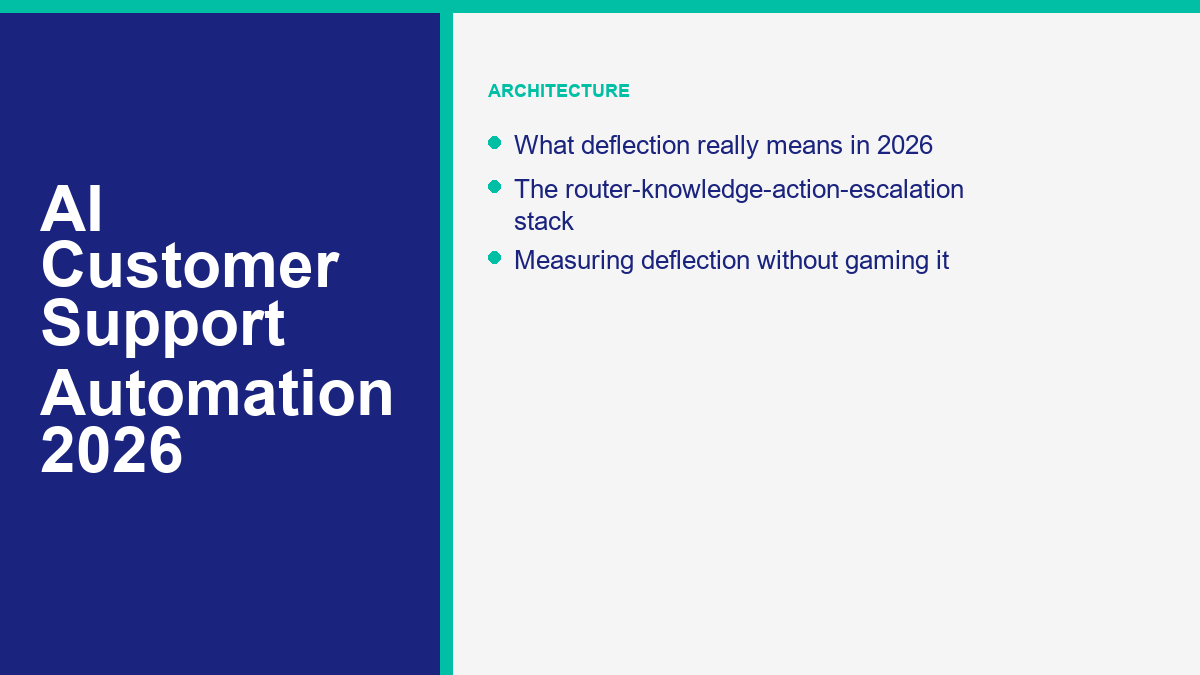
That is why the old “chatbot” label is a little too small now. If you are modeling the architecture rather than shopping a single tool category, the better mental frame is router plus knowledge plus action plus escalation. That broader architecture is exactly why the companion 대화형 AI 기업 가이드 exists. The enterprise version goes wider. This guide stays tighter on small-team support operations.
For SMB leaders, the useful outcomes are not abstract. They are:
- Fewer human touches on repetitive intents such as order tracking, return windows, password resets, booking changes, opening hours, plan questions, and eligibility checks.
- Faster first useful response when the customer writes at 10:40 p.m. instead of 10:40 a.m.
- Lower queue pressure during launches, outages, seasonal spikes, and Monday-morning backlog surges.
- Better handoff quality because the system has already captured identifiers, intent, and prior messages.
- Cleaner staffing decisions because the easy queue is separated from the high-judgment queue.
If a platform cannot clearly improve at least two of those outcomes, it is usually not real support automation. It is just a chat interface with better marketing.
The 70 Percent Deflection Target: Where Support Leaders Actually Land
Support teams hear “70 percent deflection” so often that it starts sounding like a default setting. It is not. It is a mature-state target for repetitive, well-documented, low-risk contacts. The honest range depends on three variables more than anything else: how repetitive the queue really is, how clean the knowledge base is, and whether the tool can take actions instead of only answering questions.
| Operating stage | Typical deflection on eligible volume | What it usually means in practice | What has to be true |
|---|---|---|---|
| 파일럿 | 15% to 25% | FAQ coverage is live, routing is basic, and the bot still falls back often | Top intents are mapped, but content and handoff rules are still thin |
| Tuned first wave | 30% to 50% | Order status, policy retrieval, booking basics, and after-hours triage are working reliably | Weekly review loop exists, knowledge gaps are being fixed, and agents trust the handoff |
| Strong SMB program | 50% to 70% | Automation owns the repetitive queue and humans mostly see exceptions, complaints, and novel cases | Content is mature, action-taking is connected, and measurement is based on net deflection |
| Narrow high-performance lane | 70%+ | One or two intent families are highly standardized and channel behavior is predictable | Strong data quality, strong action coverage, and tight QA controls |
The vendor benchmarks clustering around the mid-60s are useful because they show where the ceiling is starting to normalize. HubSpot said on April 2, 2026 that Breeze Customer Agent already resolves 65% of conversations and cuts resolution time by 39% across more than 8,000 activated customers, with a pricing shift to 해결된 대화당 0.50달러로 이동할 것이라고 발표했습니다. taking effect on April 14, 2026 (HubSpot). Intercom’s help docs currently say Fin resolves an average of 67% of customer queries (인터컴). Tidio markets Lyro with an average resolution rate of 67% as well (티디오).
Zendesk is helpful here because it publishes the journey, not just the finish line. Its AI agents page frames the path as roughly 30% automation from generative AI connected to knowledge, 50% when the agent can resolve complex requests end to end, 60% once optimization is in place, and 80%+ only after expansion into more scenarios (Zendesk). That is one of the more realistic public descriptions in the category because it matches how support programs actually mature.
Case studies show the upper edge, but they also show how narrow that upper edge can be. HubSpot’s AI customer agent page includes a Nutribees example where the company says it lowered tickets handled by support by 77% while improving conversion through 24-hour support (HubSpot). Tidio’s Gecko Hospitality case study says Lyro handled 90% of visitor questions and collected 257 leads in the first six months (티디오). Zendesk’s Best Egg case study says AI automated up to 80% of chat inquiries and saved more than $500,000 annually (Zendesk).
Those numbers are real, but they are not a launch forecast for every six-person support desk. They are proof that high deflection is achievable under the right conditions: stable intent mix, clean content, strong action integrations, and hard escalation rules. For a small team starting from scratch, the more defensible planning range is usually 30% to 50% in the first serious phase, then 50% to 70% once the content, routing, and action layers are mature.
The mistake is treating 70 percent deflection like a vanity goal. The useful version of the target is this: can you remove roughly seven out of ten routine tickets from the human queue without pushing customers into loops, hidden phone calls, or repeat email follow-ups? If yes, the program is working. If not, a glossy vendor dashboard will not save it.
The Four Layers of Modern AI Support: Router, Knowledge, Action, Escalation
The strongest support automations in 2026 all look different on the surface, but under the hood they are usually built from the same four layers. When one layer is weak, deflection stalls. When all four work together, the queue changes shape fast.
The Router Decides What Lane the Customer Belongs In
Routing is the first operational job, not the final answer. The system has to decide whether the contact is about shipping, billing, cancellation, outage, booking, product fit, order edit, or something riskier. The best routers do not depend on one free-text guess. They combine structured entry points, intent detection, channel context, and business rules.
This is why blank-box “ask me anything” designs often underperform on real support desks. Small teams usually get better results from a hybrid front door: a short menu for obvious intents plus free text for the rest. That reduces confusion, improves measurement, and creates cleaner escalation branches. If your main debate is who should answer first on the site at all, that is a separate channel problem covered in the chatbot vs live chat decision.
The Knowledge Layer Decides Whether the Bot Says Something Trustworthy
Once the request is classified, the support system needs an approved source of truth. This is where most automation projects either become useful or embarrassing. Good support AI is not impressive because it sounds natural. It is impressive because it answers from current policy, help docs, product content, billing rules, and real workflow constraints.
HubSpot’s customer agent docs explicitly note that the agent can respond from synced content and show relevant sources in chat (HubSpot). That source-grounding behavior matters because trust is not only about model accuracy. It is about the customer feeling the answer came from a real business rule instead of a probabilistic shrug.
The Action Layer Is What Turns a Bot Into an Operations Tool
A lot of teams still buy tools that can answer but cannot do. That caps deflection early. Once a customer needs a refund eligibility check, order update, appointment reschedule, invoice lookup, or subscription change, a pure answer bot has to escalate. An action layer is what closes the gap between “helpful response” and “ticket avoided.”
Tidio now markets Lyro with Smart Actions that can perform tasks such as order updates and lead qualification (티디오). Gorgias positions its AI Agent around actions like handling returns, editing orders and subscriptions, generating discounts, and answering pre- and post-sales FAQs (고르기아스). MessengerBot’s own pricing and feature pages still center on structured automation, forms, website chat, flows, and API connectivity, which makes it especially practical when your queue is coming through Facebook or other Meta-adjacent channels (메신저봇 가격 보기).
The Escalation Layer Protects CSAT and Brand Trust
The last layer is the one support leaders should obsess over most. Customers will tolerate automation when it is clearly helping them progress. They stop tolerating it the moment it blocks them from progress. Gladly’s 2026 customer research says 59% of customers prefer AI as a first stop, but 57% expect a clear path to a human within five exchanges and 54% give up after 10 minutes of getting nowhere (Gladly).
That is the operational rule in one paragraph. Let automation own the first answer, the obvious next step, and the repetitive action. Let humans own ambiguity, emotion, policy exceptions, and money-sensitive decisions. If you cannot define those boundaries cleanly, do not widen automation yet.
Building a Deflection Strategy Without Breaking Customer Experience
The fastest way to wreck a support rollout is to automate whatever looks easiest in the product demo instead of whatever shows up most often in the real inbox. Deflection strategy starts with contact data, not with enthusiasm.
- Pull the last 30 to 60 days of contacts and group them by intent. Do not brainstorm from memory. Export real chat, email, Messenger, and ticket data, then group the top reasons customers contacted you.
- Score each intent by frequency, risk, and action depth. High-frequency plus low-risk plus no action needed is the first automation lane. High-frequency plus low-risk plus one simple action is usually the second lane.
- Write approved answers before you write prompts. A lot of teams reverse this. They try to prompt-engineer their way out of missing policy documentation. That is backward. Clean source content is still the main determinant of support quality.
- Define the hard escalation triggers up front. Refund disputes, account access, legal or regulatory language, angry sentiment, repeat failed answers, and explicit requests for a human should all bypass AI heroics.
- Launch by intent family, not by channel. Order tracking across chat and Messenger is one launch. Billing questions across email and chat is another. This creates cleaner measurement than rolling out everything on one channel at once.
- Review failures weekly for the first month. Every fallback, bad handoff, and repeat-contact case is telling you exactly where the knowledge or action layer is weak.
That order matters because customer patience is narrower than a lot of internal teams assume. The same Gladly research shows that customers are open to automation only when the system knows when to step aside. So the goal is not to maximize AI exposure. The goal is to maximize solved, low-friction outcomes.
Operationally, the cleanest first wave is usually a mix of four intent families:
- Status and lookup: order tracking, appointment confirmation, delivery windows, subscription renewal date, invoice status.
- Policy and FAQ: returns, exchange rules, hours, service area, onboarding steps, shipping thresholds.
- Basic action taking: cancel request intake, booking changes, form collection, lead routing, simple account updates.
- After-hours triage: collect the right context, set expectations, and route to the right queue for the next human shift.
What you should usually 하지 automate in the first phase is just as important: angry customers, high-value retention saves, refunds with policy exceptions, security issues, legal or compliance language, and anything involving significant human judgment. If the argument inside the company is still “should the bot or the person take this type of case first,” the more detailed routing logic is in the AI vs human decision framework.
The support leader version of this decision is boring on purpose: win the obvious repetitive traffic first, prove that repeat contact is not rising, then expand. That is how you get to 70 percent deflection without teaching customers to hate your chat stack.
Top AI Customer Support Platforms Compared by Deflection Performance
The market is crowded, but the buying question is not. Which platform gives your team the fastest path to real deflection on the channels you already own? The table below reflects what was publicly listed as of April 11, 2026, and it separates published performance signals from operator judgment. When a vendor does not publish a credible blended deflection number, I say so.
| 플랫폼 | Public starting price | Published deflection or resolution signal | Best operational fit | Main watch-out |
|---|---|---|---|---|
| MessengerBot.app | Premium $19.99 per 30 days or Pro $49.99 per 30 days (메신저봇 가격 보기) | No public blended vendor-wide deflection benchmark; feature set favors structured flows, forms, website chat, and Meta-first support | Messenger-heavy SMBs that want low-cost structured automation and human handoff | Less ideal as the system of record for complex ticketing-heavy help desks |
| 티디오 | Starter $24.17 per month; Growth from $49.17 per month; first 50 Lyro conversations free (source) | Average resolution rate of 67%; Gecko Hospitality says Lyro handled 90% of visitor questions (source; case study) | Website-first SMBs that want fast time to value and a strong self-service layer | Costs can stack once live chat seats and AI volume both rise |
| HubSpot Service Hub + Customer Agent | Starter $15 per seat per month; Professional $100 per seat per month; 28 days of free Customer Agent access on first setup (가격; 접근하려고 합니다.) | 65% of conversations resolved and 39% less time closing tickets across 8,000+ activated customers; Nutribees says tickets handled by support dropped 77% (aggregate; case study) | CRM-centric teams that want service automation and customer history in one place | The pricing model is changing fast: as of April 11, 2026, HubSpot had announced $0.50 per resolved conversation starting April 14, 2026 |
| 인터컴 | Essential $29 per seat per month billed annually plus $0.99 per Fin outcome (가격) | Fin resolves an average of 67% of customer queries (source) | SaaS and digitally mature teams that want clear outcome billing and strong workflow depth | Transparent pricing is useful, but the bill grows fast if Fin succeeds at scale |
| Zendesk | Suite + Copilot Professional $155 per agent per month billed annually (가격) | Roadmap from 30% day-one automation to 80%+ at maturity; Best Egg and TeamSystem both report up to 80% automation in public stories (source; Best Egg; TeamSystem) | More mature support operations that need QA, knowledge, analytics, and governance in one stack | Public AI agent pricing is less transparent than seat pricing |
| Freshchat / Freshdesk Omni | Freshchat Free for up to 10 agents; Growth $19 per agent per month billed annually; Freddy AI Agent first 500 sessions included, then $49 per 100 sessions in Freshdesk Omni (Freshchat; Freshdesk Omni) | No strong public blended deflection benchmark on the main pricing pages | Price-sensitive omnichannel teams that want predictable session pricing and broad channel coverage | Buyers need to be clear whether they need Freshchat, Freshdesk Omni, or both |
| 고르기아스 | Starter from $10 per month, Basic from $50, Pro from $300; AI Agent from $1.00 per resolved conversation and $0.90 on higher tiers (가격) | No public blended resolution average on the pricing page, but the AI Agent is built for FAQ, returns, refunds, order edits, discounts, and recommendations (source) | Ecommerce brands that need support automation tied directly to store actions | Best fit is still Shopify-centered commerce, not general-purpose SMB support |
If I were shortlisting strictly by small-team deflection velocity, the practical order would usually be: 티디오 for website-first SMB support, HubSpot if the CRM already matters, 인터컴 if you want the cleanest outcome math, Zendesk if your support ops are already maturing into a real service organization, 고르기아스 if you are ecommerce-first, and 메신저봇 when Facebook Messenger or related Meta workflows are a genuine part of the queue.
The honest caveat is that no serious platform here is “no sign up required.” The genuine free starting points are limited operational environments, not production magic. That is fine. For SMB service leaders, the more useful buying question is not “can I try this for free?” It is “can I prove deflection with one channel and five intents before I scale the stack?”
How to Measure Real Ticket Deflection (Not the Vendor Dashboard Numbers)
Ticket deflection is one of the easiest metrics in support to manipulate by accident. Vendors count it one way, operators count it another, finance counts it a third way, and customers count it the only way that matters: did they get help without having to come back?
Intercom’s outcomes documentation is useful because it defines when Fin actually counts as resolved and also notes that if a customer later returns to the same conversation seeking further help, the resolution is deducted and not charged (인터컴). HubSpot’s performance docs are useful for a different reason: they explicitly separate resolved conversations, deflected conversations, escalations to humans, and agent workload in the reporting layer (HubSpot). Those are closer to the right building blocks than the generic “automation rate” badge most tools love to show.
| 지표 | 간단한 공식 | 그것이 당신에게 말하는 것 |
|---|---|---|
| Gross deflection | AI-resolved eligible contacts / eligible contacts | How much routine volume the AI absorbed before a human touch |
| Net deflection | (AI-resolved eligible contacts – same-issue recontacts – cross-channel spillover) / eligible contacts | How much routine volume actually stayed out of the human queue |
| Assisted automation rate | AI-triaged contacts later closed by humans / eligible contacts | How much time AI saved without fully replacing the contact |
| Human escape rate | Contacts asking for a person before resolution / AI-handled contacts | Whether the bot feels helpful or obstructive |
| Repeat-contact rate | Same customer, same issue, within 7 days / resolved contacts | Whether your deflection is real or just delayed work |
The denominator is where most teams lie to themselves. Only include contacts that were genuinely eligible for automation in the first place. Returns policy? Eligible. Opening hours? Eligible. Password reset? Usually eligible. A complicated invoice dispute tied to a failed renewal and an irate enterprise client? Not eligible, at least not for full deflection. If you mix everything together, you make good AI look worse than it is or bad AI look better than it is, depending on which way you cheat.
The easiest operating model is to track three buckets side by side:
- Fully deflected: the customer got a useful answer or completed a safe action without a human.
- Assisted by AI: the bot gathered data, surfaced policy, or routed the thread correctly, but the human still closed it.
- Escalated fast: the bot recognized risk or confusion early and handed off with context intact.
That third bucket matters because good escalation is not failure. In fact, it is often the difference between AI improving service and AI damaging service. If your system catches the risk early, it should get credit for protecting the customer experience even though the ticket was not deflected.
Here is a clean example. Say an ecommerce brand gets 2,000 monthly support contacts, and 1,400 of them are truly automatable because they are order status, return policy, shipping windows, store hours, address changes, and simple order edits. The bot fully resolves 840 of those. Gross deflection is 60% of eligible volume. But if 90 of those customers write back within seven days on the same issue and 40 jump channels and email anyway, net deflection is really 710 / 1,400 = 50.7%. That is still good. It is also honest.
If you only report the vendor number, the team thinks automation is farther along than it really is. If you report net deflection, you know exactly how much human work actually disappeared. That is the number staffing models should use.
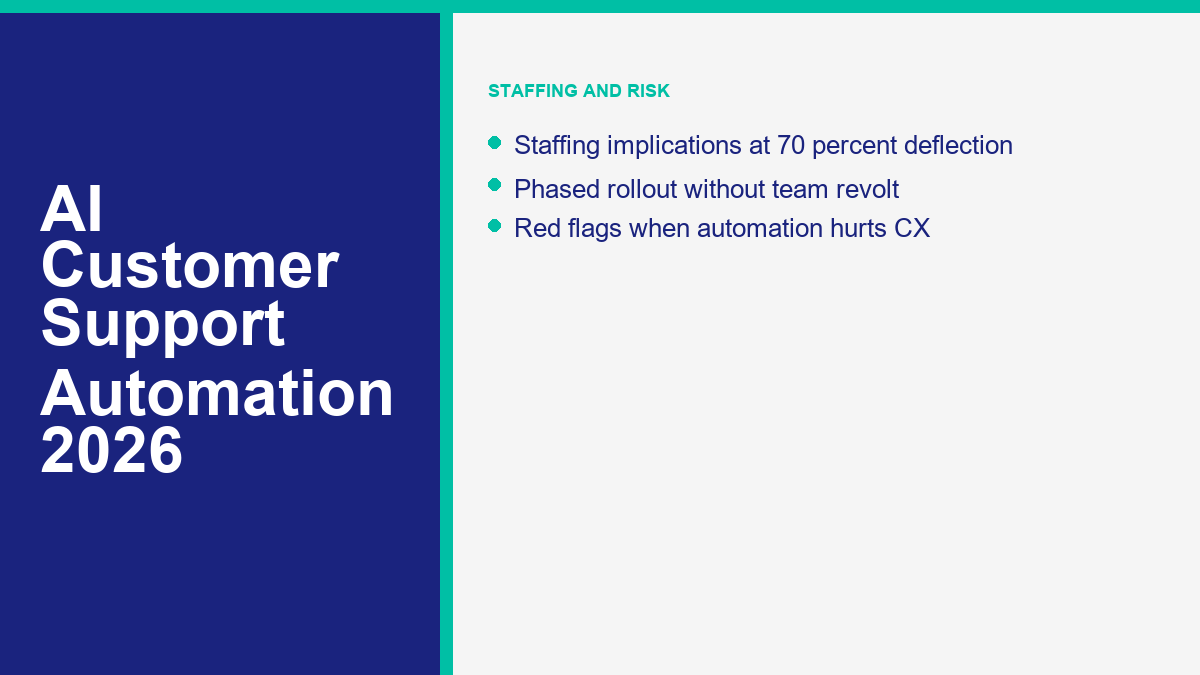
Staffing Implications: What Happens to Your Support Team at 70% Deflection
The first thing that changes at 70 percent deflection is not headcount. It is queue shape. The easy work goes away first. What remains is slower, riskier, more emotional, and more judgment-heavy. That means the average handle time of the remaining human queue usually goes up, even while total volume goes down.
The labor side is worth quantifying. The U.S. Bureau of Labor Statistics says the median hourly wage for customer service representatives was $20.59 in May 2024 and projects about 341,700 openings per year over 2024 to 2034 even as the occupation declines overall through automation and self-service (BLS). That is a good reminder that automation changes the mix of work faster than it eliminates the need for people.
Now pair that with LiveChat’s customer service benchmarks: 8분 25초 average chat duration, 35 seconds first response time, and 27.4% queue dropout rate (라이브챗). If you use that 8-minute-25-second average plus a conservative 20% wrap-up and routing buffer, each deflected contact saves about 10.1 minutes of human capacity.
Example: if your team deflects 1,400 eligible contacts a month at that effective handling time, you free roughly 14,140 minutes, or about 236 hours of monthly human capacity. At a practical planning baseline of 160 productive support hours per month, that is about 1.5 FTE worth of capacity. Capacity is the key word. It does not automatically mean 1.5 jobs disappear. It means the business now has 1.5 FTE worth of room to redeploy.
| What changes at 70% deflection | What usually happens next |
|---|---|
| Level 1 repetitive volume falls sharply | Generalist agents spend less time on policy lookups and more time on exceptions |
| Residual queue complexity rises | Average handle time on human contacts often increases, even when total contacts fall |
| Knowledge quality becomes a frontline discipline | Someone now has to own content updates, gap analysis, and failed-answer review |
| Escalation quality matters more than raw speed | Agent performance gets tied more closely to judgment, retention, and recovery work |
| Queue forecasting changes | Planning moves from “tickets per day” toward “complex cases per day” and “AI-assisted cases per day” |
In practice, small teams usually redeploy that freed capacity into four places before they cut anything:
- Proactive outreach such as churn-risk follow-up, onboarding nudges, or failed-payment recovery.
- Escalation handling because the cases that remain are harder and more valuable.
- Knowledge and QA work so the AI layer keeps improving instead of decaying.
- Coverage expansion on weekends, evenings, or channels that were previously under-served.
The operational mistake is promising “fewer agents needed” before you understand the new shape of work. Mature teams usually get more leverage from saying, “we will stop paying senior people to answer junior questions,” not “we will shrink support immediately.” That is especially true in the US and UK, where customers still want humans for messy, high-trust, or revenue-sensitive interactions.
There is also a morale point here. Agents are more likely to support automation when it clearly removes boring repetition and hands them better context. They resist it when it feels like management wants a cost-cutting story before it wants a service-quality story. That distinction decides whether rollout feels like relief or threat.
Rolling Out AI Support in Phases Without an Internal Revolt
Most failed rollouts are technically fine and socially bad. The tool works. The team hates it. Agents do not trust the handoffs, managers keep moving the goalposts, and everyone starts gaming the dashboard. The safest rollout is phased, boring, and explicit about what AI will 하지 own yet.
- Phase 1: Launch one narrow queue. Pick the top FAQ or status intent family and let AI handle only that lane. Make it visible which contacts are in scope and which are not.
- Phase 2: Add human handoff rules before adding more intents. Customers should be able to reach a person quickly on risk, anger, or ambiguity. Agents should see the full context on takeover.
- Phase 3: Add one safe action. Good examples are collecting order details, changing a booking, creating a ticket, or routing a qualified lead. Do not begin with refunds or exceptions.
- Phase 4: Turn failed conversations into content updates. Every week, review the fallback log and create or fix the missing knowledge article, policy snippet, or route.
- Phase 5: Expand by intent family, not by executive excitement. If shipping and return-policy flows are stable, move next to account changes or onboarding. Keep the sequence rational.
The internal communication model matters almost as much as the product configuration. The strongest message to the team is usually:
- No one is being judged on raw automation rate in the first phase. Quality, repeat contact, and handoff clarity matter more.
- Agents own the failure log. Their judgment on bad answers and bad escalations is part of the training loop.
- Escalating early is acceptable. Hiding bad automation behind an impressive dashboard is not.
- The first goal is removing repetitive work, not proving a thesis.
That last point reduces a lot of fear. Most agents do not object to the bot handling business hours, tracking links, password steps, or appointment reminders. They object to being told a machine now “owns support” while they clean up the angry edge cases without any say in the design.
A 90-day rollout is usually enough for a small team:
- Days 1 to 30: top intents, source cleanup, first handoff rules, first dashboard.
- Days 31 to 60: action layer for one safe workflow, weekly quality review, first net-deflection baseline.
- Days 61 to 90: expand to a second intent family or second channel only if repeat-contact and CSAT are stable.
If leadership tries to skip from day 10 to day 90 because the demo looked good, the team will usually know before the dashboard does.
Red Flags That Your Automation Is Hurting More Than It Helps
The most dangerous support automations are the ones that look efficient on the surface while quietly creating repeat contact, channel hopping, and customer irritation. There are a few red flags that show up early if you are willing to look at the right numbers.
| Red flag | 일반적으로 의미하는 바 | What to do next |
|---|---|---|
| Gross deflection rises while repeat contact also rises | The bot is closing conversations on paper, not in reality | Switch reporting to net deflection and review same-issue returns within 7 days |
| Customers ask for a human within the first one or two turns | The entry experience feels generic, slow, or untrustworthy | Shorten the front door and make the human path more obvious |
| CSAT on automated intents drops more than five points below the human baseline | Knowledge quality or escalation rules are weaker than the dashboard suggests | Pause expansion and fix the worst intent families first |
| Agents routinely rewrite bot replies | The bot may be factually acceptable but operationally unhelpful or badly worded | Mine rewritten replies for better source content and tone guidance |
| Phone or email volume rises after chat automation launches | Customers are escaping the bot rather than being helped by it | Track cross-channel spillover before claiming savings |
| Fallback or “I don’t know” rate stays high after the first month | Your knowledge base or intent map is still too thin | Use the failure log as a content roadmap |
| Risk-sensitive topics are being auto-handled too long | The escalation policy is missing or too permissive | Move billing, legal, security, and complaint intents to earlier handoff |
Customer-attitude research backs those warning signs up. Gladly’s 2026 data says 40% of customers abandon or buy from a competitor when they hit a wall and cannot reach a human, and 47% say they will not come back if that happens again (Gladly). Zendesk’s 2026 CX Trends research says 86% of consumers say responsiveness and accurate resolution influence whether they purchase, and 74% now expect 24/7 service because AI exists (Zendesk).
The pattern is consistent. Customers are not anti-automation. They are anti-stall. They want AI to move the conversation forward, not to defend the company from talking to them.
The fastest diagnostic I know is this: open 20 bot-handled conversations from the last week, read them end to end, and ask whether you would be comfortable showing them to your CEO or your angriest customer. If the answer is no, the dashboard can wait. The workflow needs repair first.
The Next 18 Months: What AI Support Automation Looks Like in Late 2026
The market signal right now is not subtle. Vendors are moving from seat-heavy pricing toward outcome-heavy pricing because buyers increasingly want to pay for resolved work, not just access to AI. Intercom already charges 결과당 0.99달러로 가격 책정하고 있습니다. for Fin, Gorgias charges per resolved conversation, and HubSpot announced its shift to 해결된 대화당 0.50달러로 이동할 것이라고 발표했습니다. effective April 14, 2026 (인터컴; 고르기아스; HubSpot). As of April 11, 2026, that is the clearest commercial sign that support automation is being judged on operations, not novelty.
Three other shifts look likely by late 2026.
- Answering will matter less than acting. The differentiator will increasingly be which platforms can edit orders, start returns, qualify leads, create tickets, update CRM fields, and route across systems with guardrails.
- Multimodal support will move downmarket. Zendesk’s 2026 research says 83% of SMB CX leaders see multimodal agents as the next wave of service AI, and its broader report says consumers increasingly expect text, images, and video to work in one thread (Zendesk SMB report; Zendesk).
- Explanation and QA will become product features, not governance afterthoughts. Zendesk says 95% of consumers expect explanations for AI-made decisions, which means teams will need auditable handoff logic, visible source grounding, and reason codes for actions (Zendesk).
For small teams, the implication is clear. The winning stack will not necessarily be the one with the biggest model or the loudest AI claim. It will be the one that can do four things reliably: classify correctly, answer from approved sources, take safe actions, and escalate early when confidence or risk says it should.
That also means support org charts keep changing. Late-2026 teams will still have agents, but more of the value will sit with escalation specialists, knowledge owners, QA leads, and operators who can tune workflows instead of simply clear repetitive backlog. The people do not disappear. The job mix shifts upward.
If you want one planning sentence to take into budget season, it is this: by late 2026, the question will not be “should we use AI for support?” It will be “which parts of the queue still justify human-first treatment, and do we have the measurement to prove it?” Teams that can answer that cleanly will scale faster and spend less time debating hype.
If Messenger, website chat, and social replies are where your repetitive queue starts, MessengerBot is strongest when you want structured flows, forms, and human handoff without enterprise help-desk pricing. Compare the current tiers on 메신저봇 가격 보기 and match the plan to your first two automation phases, not your fantasy end state.
자주 묻는 질문
2026년에는 AI가 고객 지원을 얼마나 자동화할 수 있을까요?
For most small and midsize teams, a realistic mature range is about 40% to 70% of eligible repetitive contacts, not 70% of every possible ticket. Public vendor benchmarks in 2026 cluster in the mid-60s: HubSpot says 65% resolved, Intercom says 67% average query resolution, and Tidio says 67% average resolution. Narrower, highly standardized queues can go higher, but support leaders should treat those results as mature-state outcomes, not day-one expectations.
고객 지원 자동화를 위한 최고의 AI는 무엇인가요?
There is no universal best platform. Tidio is one of the strongest picks for website-first SMB support, HubSpot is compelling if your team already works inside HubSpot, Intercom has the cleanest public outcome pricing, Zendesk is strongest when the support operation is already mature, Gorgias is excellent for ecommerce actions, and MessengerBot makes the most sense when Messenger and Meta channels are a real part of the queue.
AI 고객 지원이 내 팀을 대체할까요?
No, not in the way most people mean it. AI usually removes repetitive level-1 work first and leaves humans with harder, higher-judgment cases. That changes staffing mix, queue complexity, and training priorities much faster than it eliminates the need for people. In practice, teams redeploy capacity into escalations, QA, proactive outreach, and knowledge operations before they make structural cuts.
AI로부터 실제 티켓 전환율을 어떻게 측정하나요?
Measure deflection on eligible contacts only, and track net deflection rather than vendor gross numbers. The clean formula is: net deflection = AI-resolved eligible contacts minus same-issue recontacts and cross-channel spillover, divided by eligible contacts. Pair that with assisted automation rate, human escape rate, and repeat-contact rate so you can see whether AI truly removed work or only delayed it.
AI 고객 지원 자동화를 구현하는 데 얼마나 걸립니까?
A basic first lane can go live in days, but a credible SMB rollout usually needs 30 to 90 days to clean source content, launch one or two intent families, establish handoff rules, and verify net deflection. The timeline depends less on model setup than on how quickly your team can organize the knowledge base, define escalation boundaries, and review failed conversations.



 한국어
한국어  English
  Tagalog
  简体中文
简体中文  العربية
  हिन्दी
  Português do Brasil
  Español de México
  Français
  বাংলা
বাংলা  香港中文
香港中文  繁體中文
繁體中文  Nederlands
  Deutsch
  Bahasa Indonesia
  日本語
日本語  Polski
  Русский
  Español
  Tiếng Việt