
Facebook and Instagram follow-up
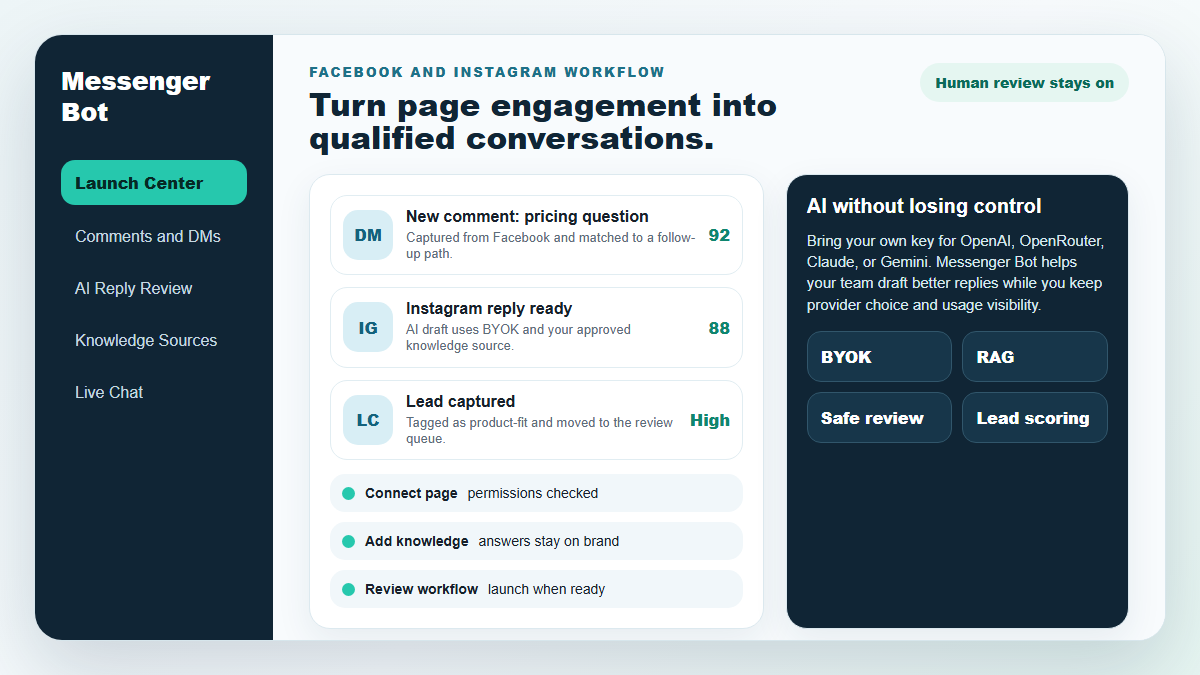
Turn more comments and DMs into conversations your team can close.
Start with one proven workflow, capture higher-intent leads, and use BYOK (Bring Your Own Key) AI drafts with human review before anything reaches a customer.
- Comment and DM capture
- BYOK AI reply drafts
- Human review controls
MESSENGER-BOT
Unsere KI wird automatisch intelligent auf jeden Kommentar oder jede Nachricht eines Nutzers basierend auf dem, was sie sagen, antworten!
Beginnen Sie mit der Beantwortung und dem Versenden automatisierter Kommentare und DMs auf Ihrem Facebook, Instagram oder jeder anderen Seite in nur wenigen Klicks mit vorgefertigten Vorlagen!
Erstellen Sie automatisierte Abläufe, die mit Nutzern basierend auf ihrem Verhalten interagieren und mehr Verkäufe generieren.
Erhalten Sie Opt-ins für weniger als $0.25 mit Messenger-Marketing-Leads!
Unbegrenzte Abonnenten
Unbegrenzte Chatsitzungen
Unbegrenzte Sequenzkampagnen
Unbegrenzte Flows
Unbegrenzte Kundentags
Mehrsprachig & sieht aus
Erstaunlich auf jedem Gerät
Liefern Sie perfekte Antworten in der Sprache Ihrer Wahl! Unabhängig von der Antwort des Benutzers, Messenger-Bot wird sichergestellt, dass sie perfekt ist!
100% konform mit Facebook
Messenger-Bot wird regelmäßig von Facebook überprüft und ist eine 100%-konforme und genehmigte Facebook-Anwendung.
Funktioniert mit allen gängigen Browsern
Funktioniert gut mit Chrome, Firefox, Edge und Safari! Es ist kein Plugin oder eine App erforderlich, um den Messenger Bot zu verwenden, alles ist 100% in der Cloud.
Perfekt für jedes Gerät
Der Messenger Bot ist so gestaltet, dass er auf jedem Gerät, einschließlich Mobilgeräten, Desktops und Tablets, großartig aussieht!
Umfassend
Analytik
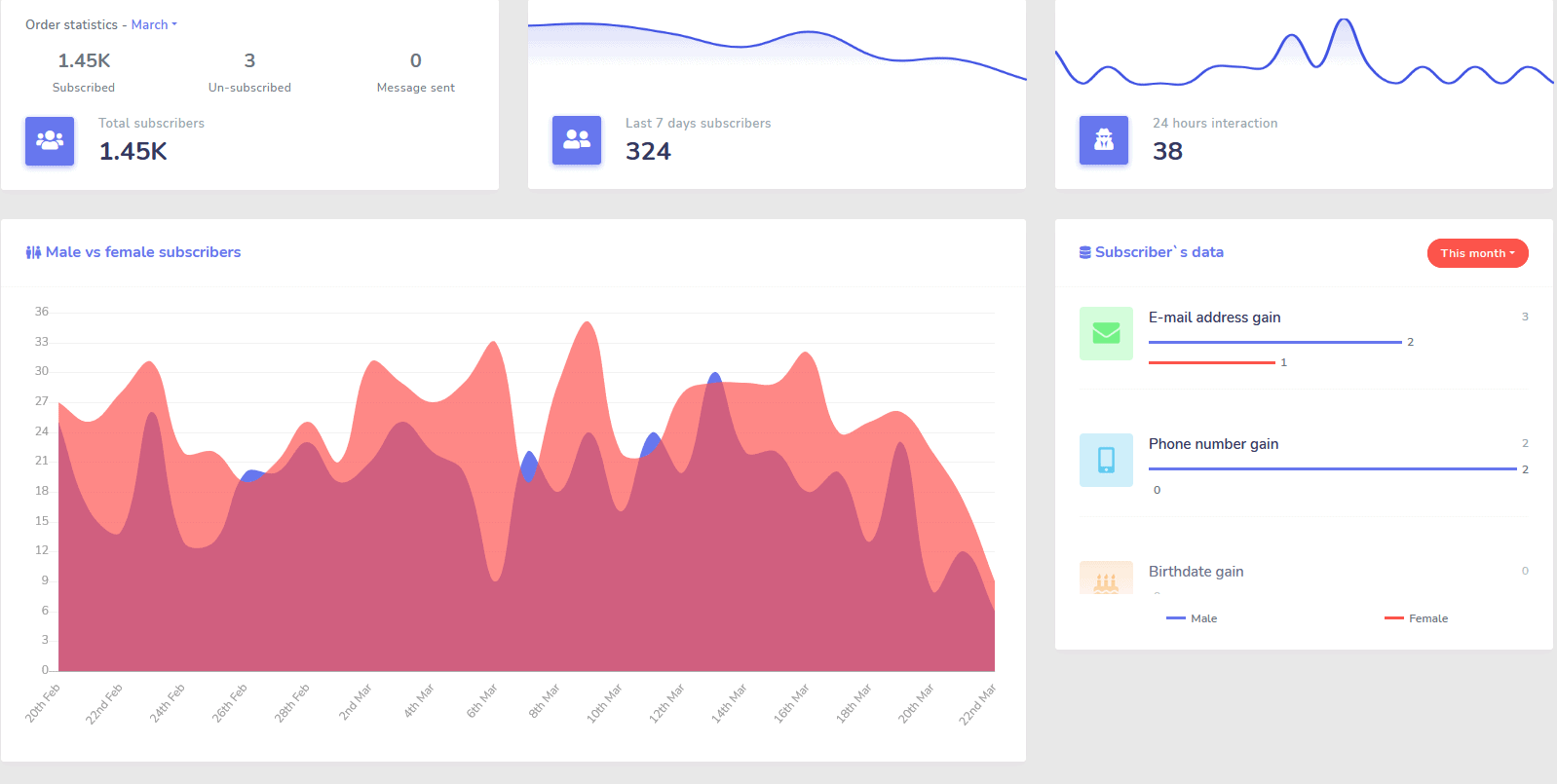
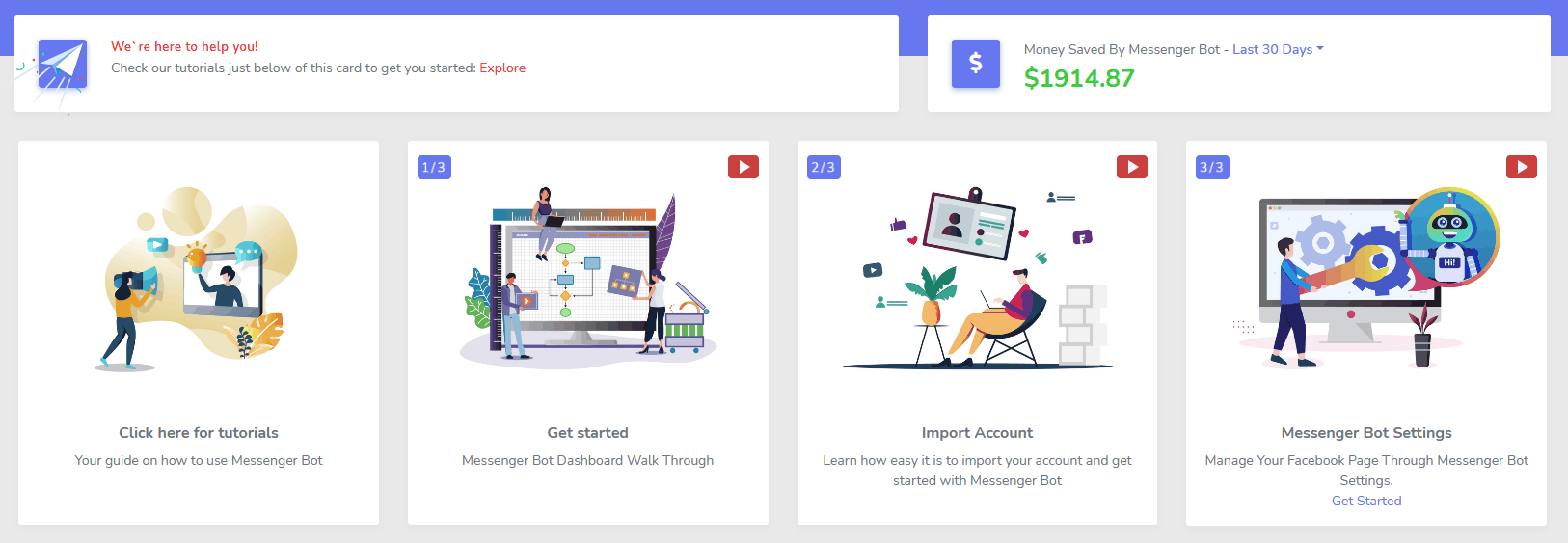
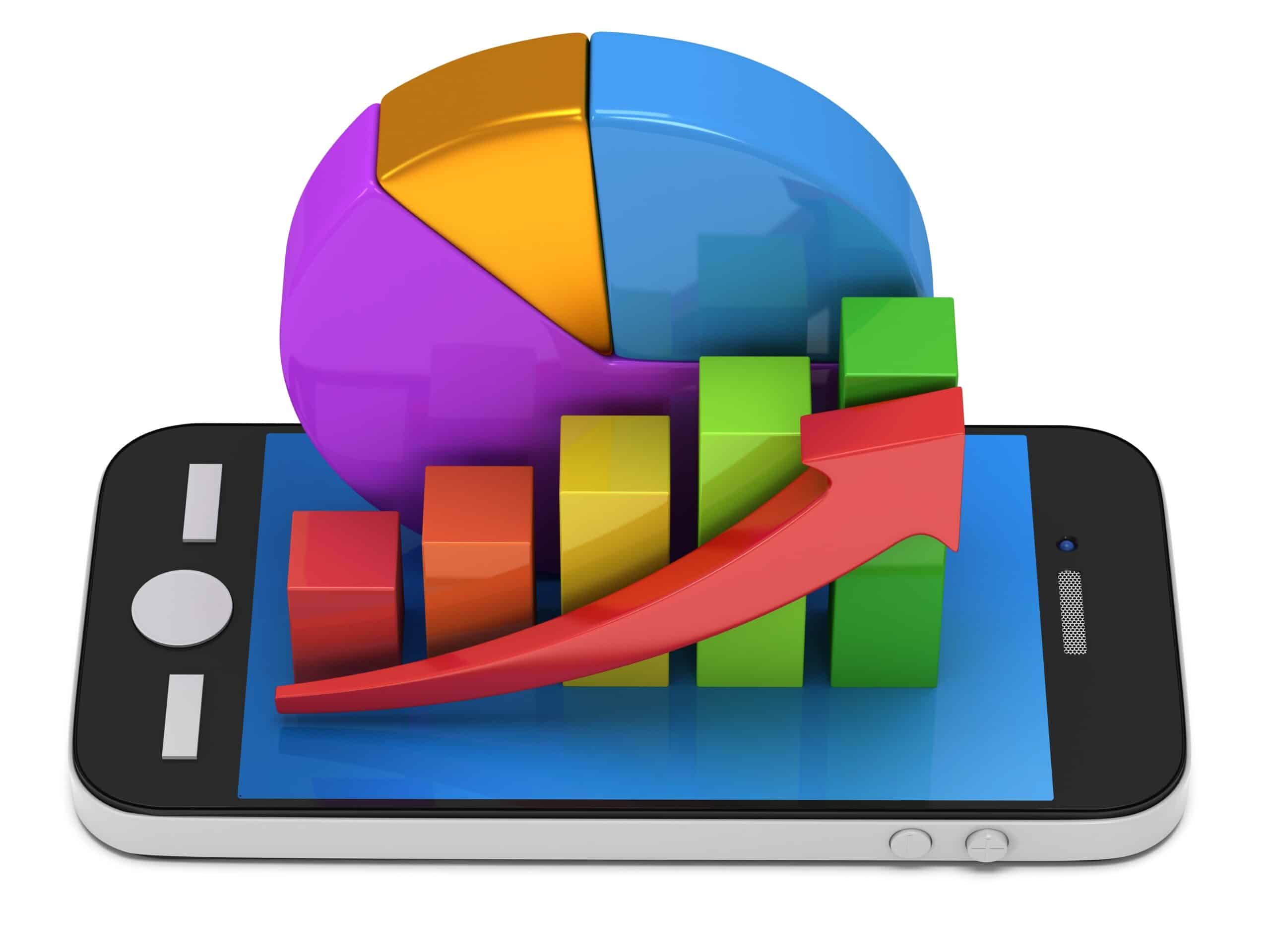
Identifizieren Sie ganz einfach Ihre leistungsstärksten Kanäle und erhalten Sie einen klaren Überblick über Ihre Abonnenten, wie Sie abschneiden und wo Sie am besten/schlechtesten und dazwischen abschneiden.
Verfolgen Sie ganz einfach Abonnenten, letzte Kommentare und andere Kampagnen direkt von Ihrem Dashboard aus.
Drastisch senken
Kosten pro Lead und Verkauf
Mit Messenger-Bot kannst du 24/7 verfügbar sein und deine Kosten pro Lead und Verkauf senken, indem du den Nutzern sofort die Informationen gibst, die sie suchen!
Nutze außerdem den Messenger-Bot, um tief in die Facebook Interests API einzutauchen und Zielgruppen zu entdecken, die anderen Werbetreibenden auf Facebook nicht bekannt sind!
Durch das Targeting dieser versteckten Zielgruppen mit Facebook-Anzeigen kannst du sofort deine Kosten pro Lead und pro Verkauf exponentiell senken.
Messenger
eCommerce-Shop
Beginne, direkt im Messenger und überall sonst mit deinem eigenen anpassbaren eCommerce-Shop zu verkaufen!
Behalte 100% der Einnahmen, mit 0% Umsatzbeteiligung und mehreren Zahlungsmethoden zur Auswahl, wie PayPal, Stripe und RazorPay!
Inklusive in ALLE unserer Messenger Bot-Abonnements.
Unbegrenzt
Sequenznachrichten und Massenversendungen
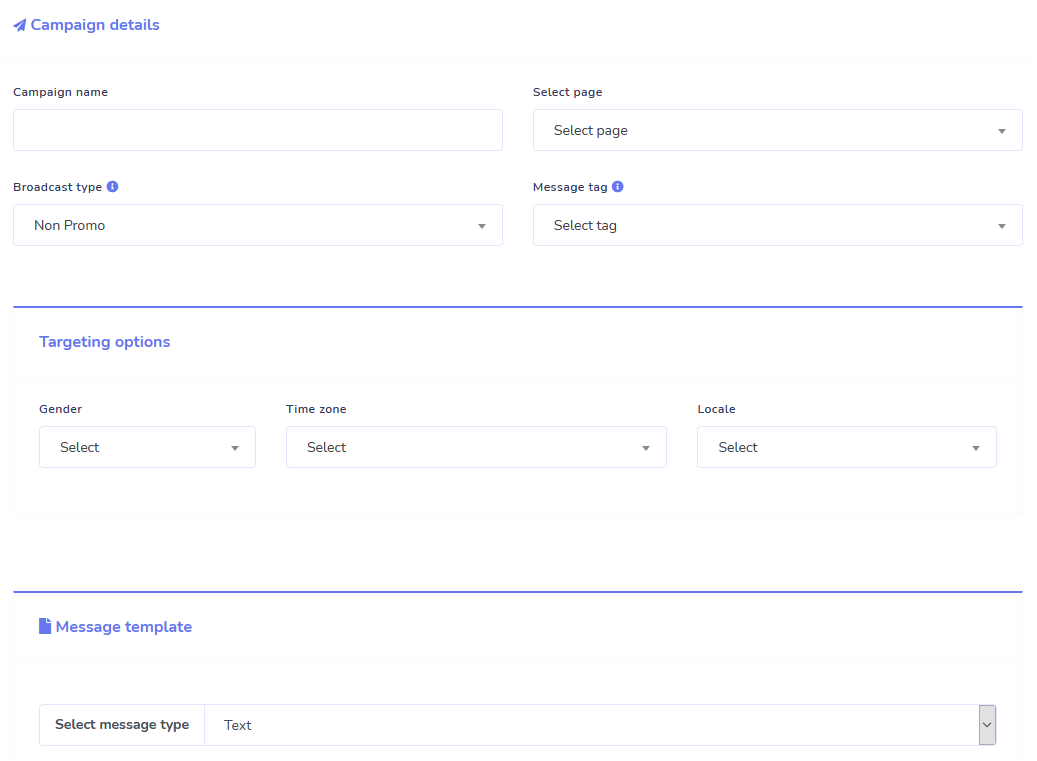
Für eine begrenzte Zeit, wenn Sie heute bestellen, erhalten Sie unbegrenzt Sequenznachrichtenkampagnen und Massenversendungen!
Seien Sie immer pünktlich mit Sequenznachrichten, die Ihre gewünschten Nachrichten an den Benutzer basierend auf einer von Ihnen festgelegten Zeitverzögerung senden.
Erreichen Sie Ihre Kunden zur richtigen Zeit in großer Zahl mit Massenversendungen.
0 Code Flow Builder
+ Fertig für Sie Vorlagen
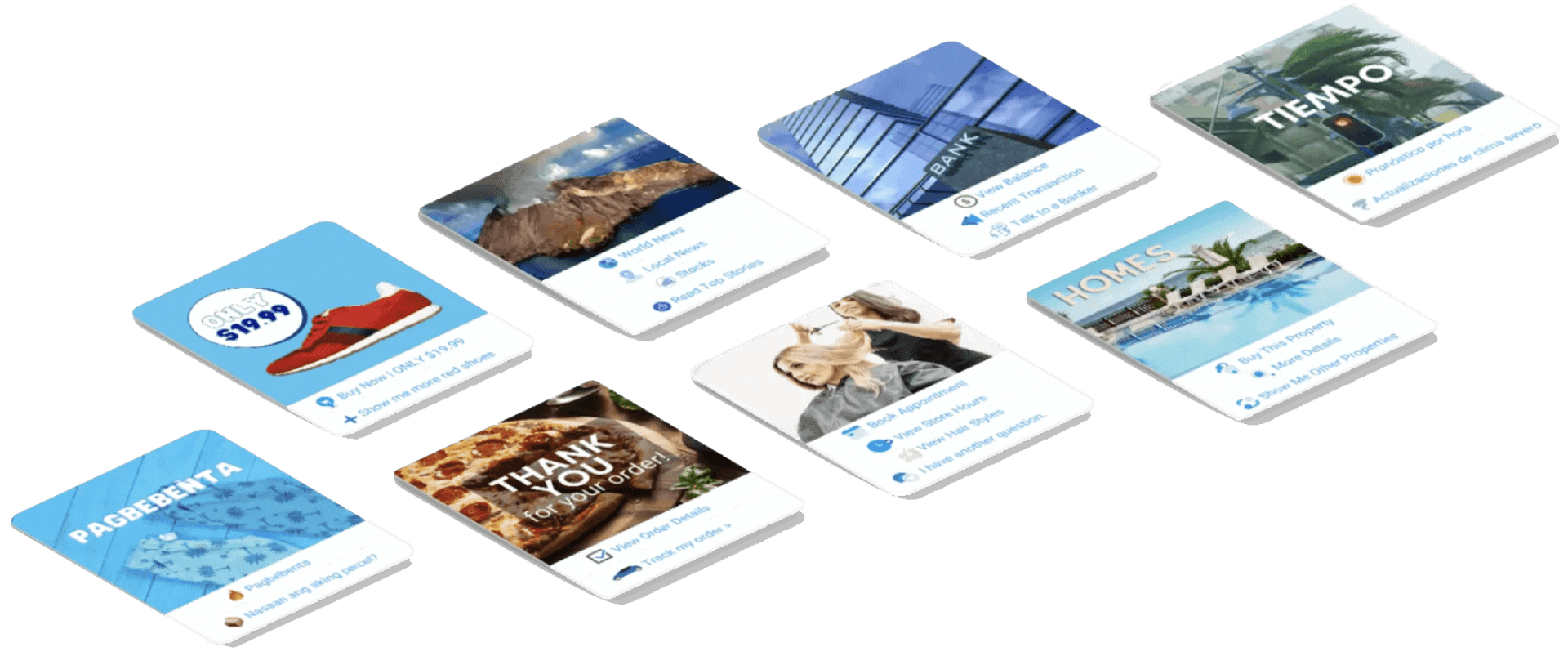
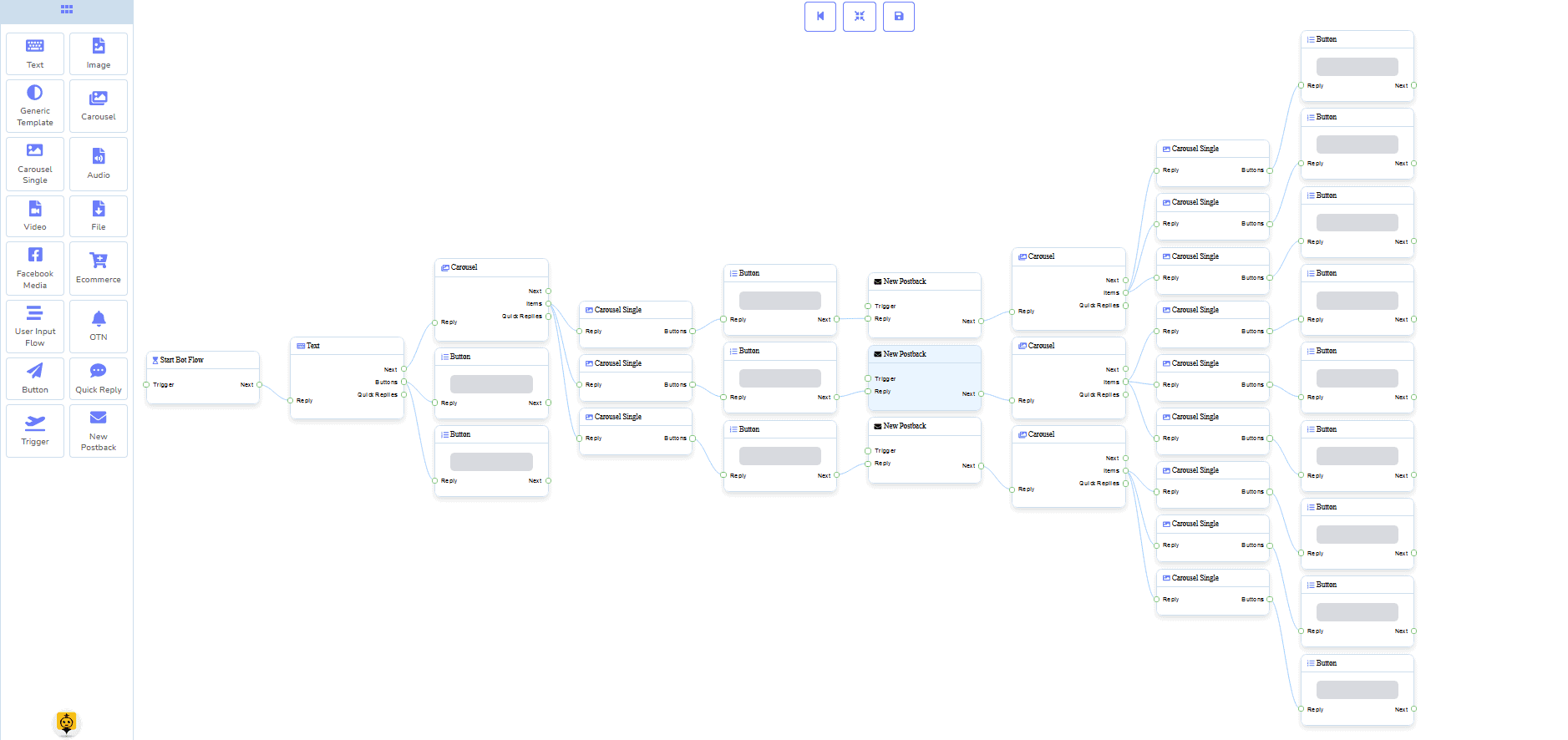
Gehen Sie mit nur wenigen Klicks live mit unseren für Sie erstellten Vorlagen!
Erstellen Sie Ihre automatisierten Arbeitsabläufe ohne Programmierkenntnisse mit unserem visuellen No-Code-Builder!
Immer noch zu technisch? Unser Kundenservice steht bereit und ist bereit, es für Sie zu erstellen!
Auto-Responder, Broadcast, Sequenz, Abonnieren und Vorlagen
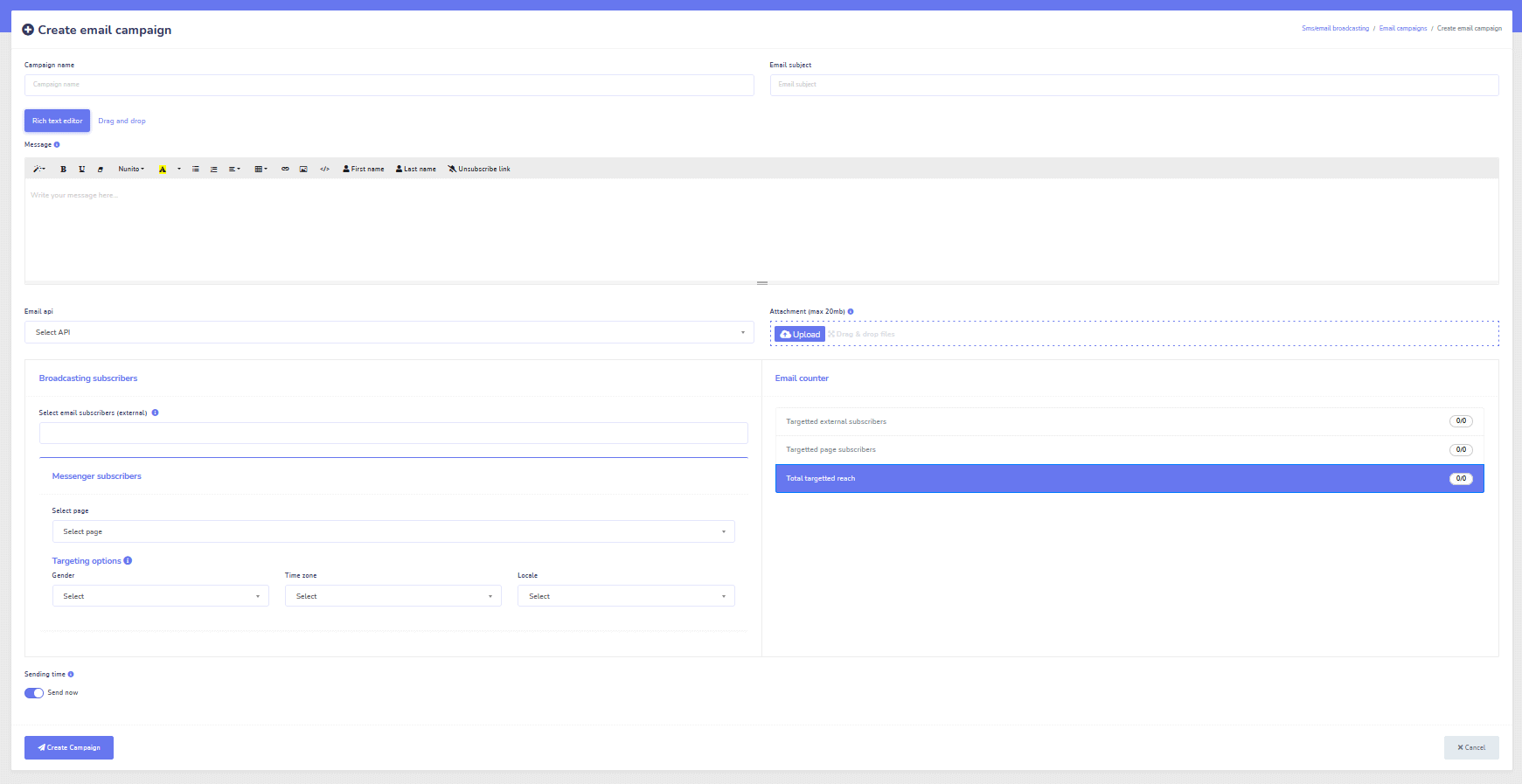
Antworten Sie automatisch auf alle E-Mails!
Versenden Sie E-Mail-Broadcasts und drip-feed Kampagnen.
Erstellen Sie Ihre Abonnentenlisten und gestalten Sie E-Mail-Kampagnenvorlagen mit unserem visuellen Builder!
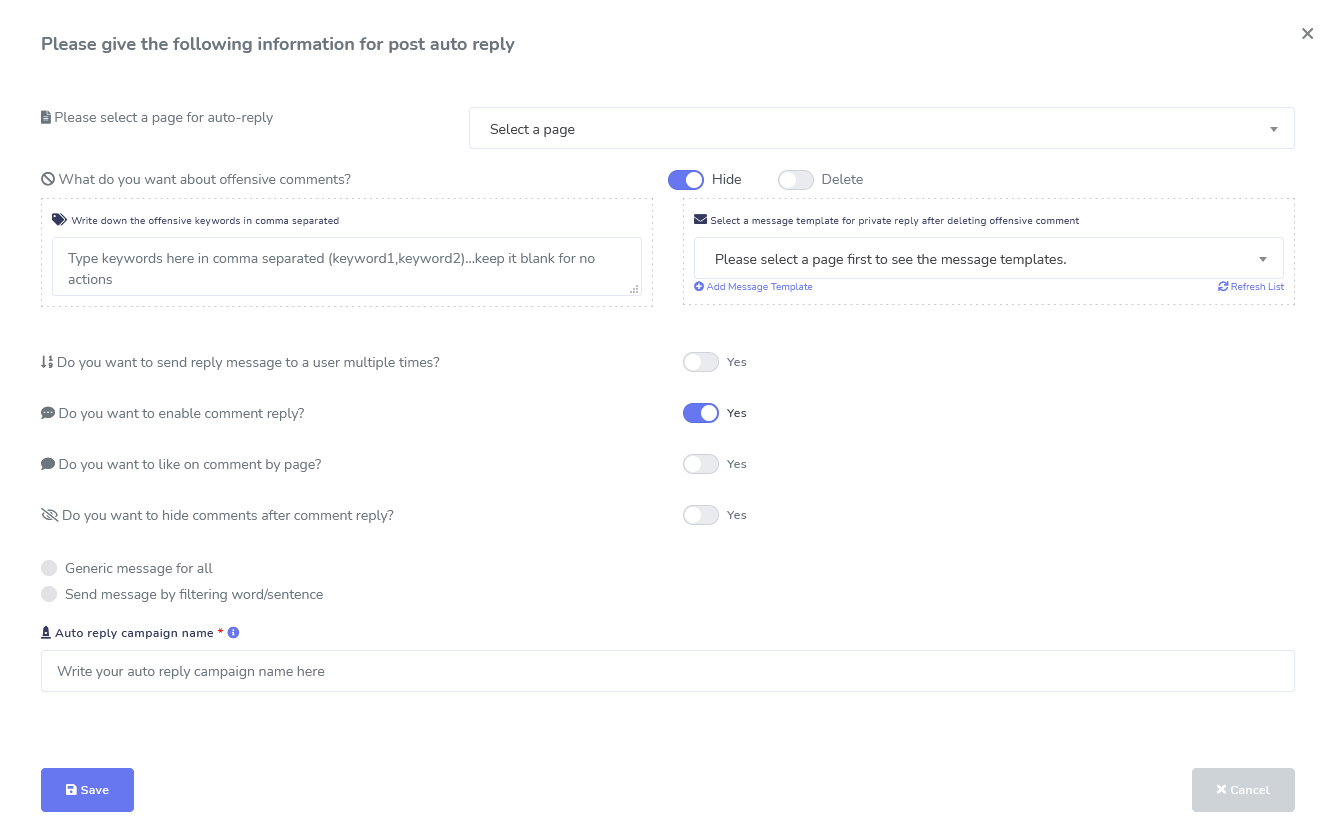
Facebook & Instagram
Kommentar Moderation, Automatisierung, Post- & Antwort-Tools
Eine umfassende Facebook-Automatisierungsfunktion, die Ihnen hilft, Beiträge zu erstellen, Beiträge zu planen, Beiträge zu moderieren und automatisch auf Beiträge zu antworten sowie Follow-up-Nachrichten zu senden!
Live oder Automatisiert
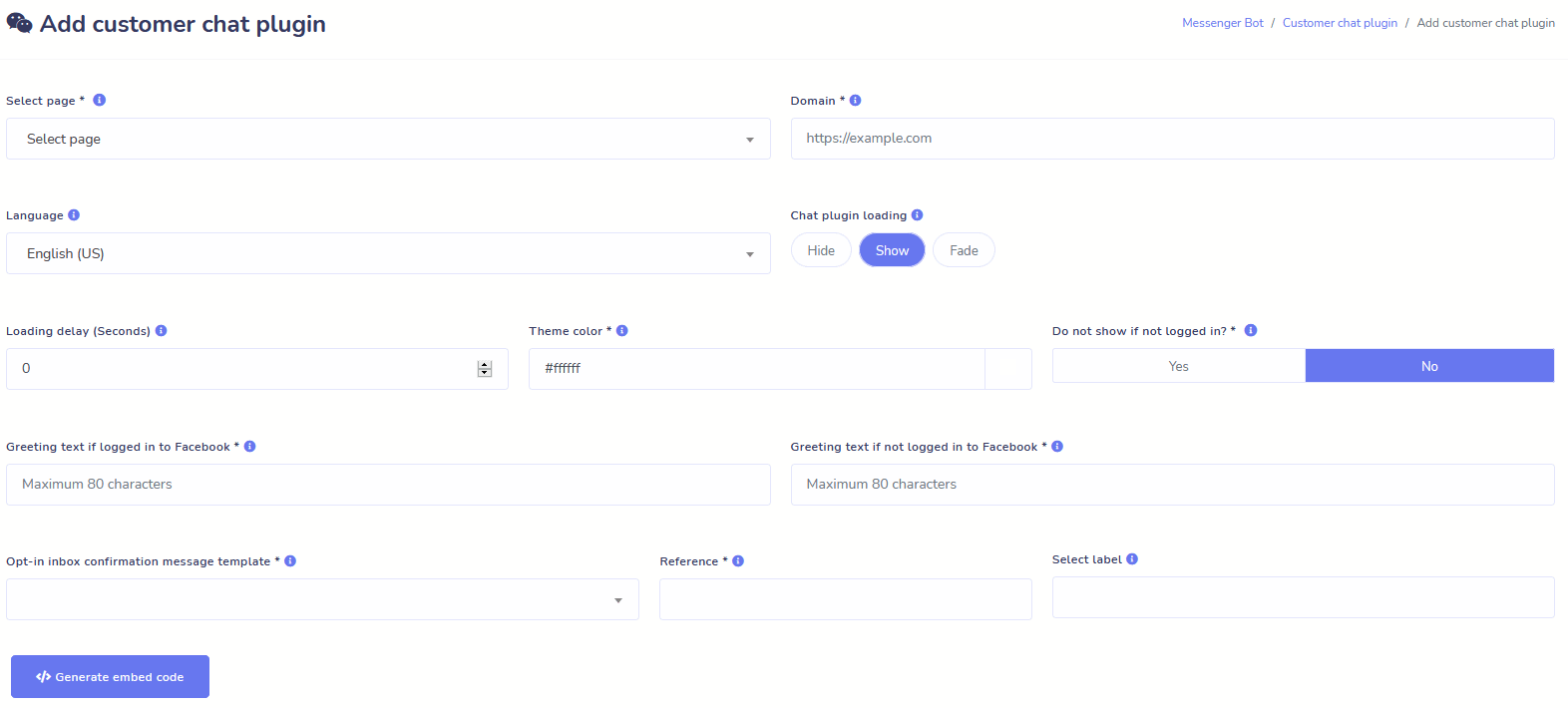
Website-Chat
Automatisieren Sie Ihren Chat und ermöglichen Sie gleichzeitig menschliche Hilfe für Besucher, die danach fragen.
Ermöglichen Sie es den Nutzern, die Informationen, die sie benötigen, auf Abruf zu erhalten, und sehen Sie, wie Ihr Geschäft floriert!
Geben Sie Ihren Nutzern in nur wenigen Klicks das Erlebnis, das sie sich wünschen.
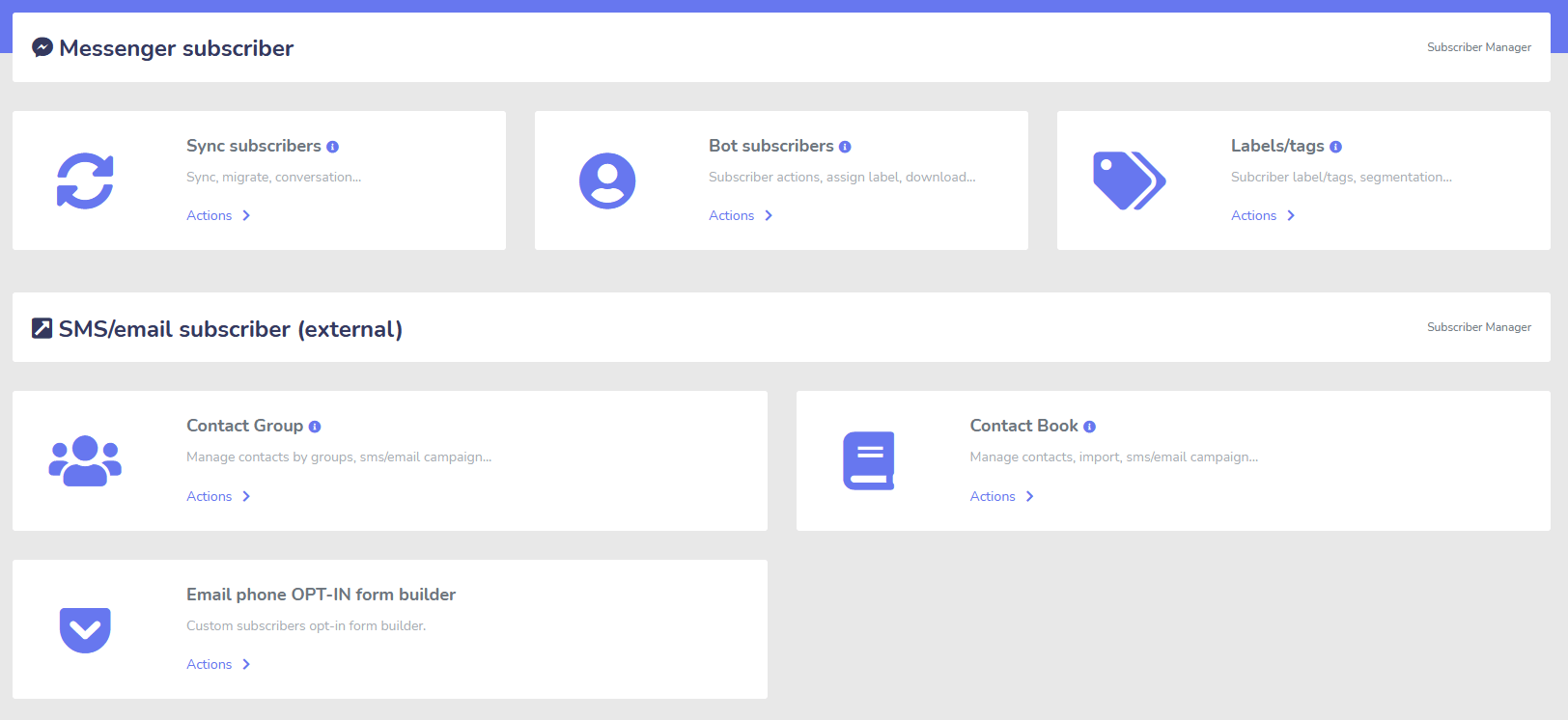
Abonnent
Ersteller, Importeur, Manager und Synchronisierung
Von ManyChat, ChatFuel oder woanders migrieren? Synchronisieren Sie Ihre Abonnenten ganz einfach mit dem Messenger-Bot!
Erstellen Sie ganz einfach Ihre Abonnentenlisten mit M.Me-Links, Messenger-Opt-ins und mehr!
Der Abonnenten-Manager ermöglicht es Ihnen, die Synchronisierung von Abonnenten zu erhalten, Bot-Abonnenten anzuzeigen, Labels anzuzeigen und die Messaging-/E-Mail-Aktivitäten in verschiedenen Kontaktgruppen zu verwalten.
WooCommerce
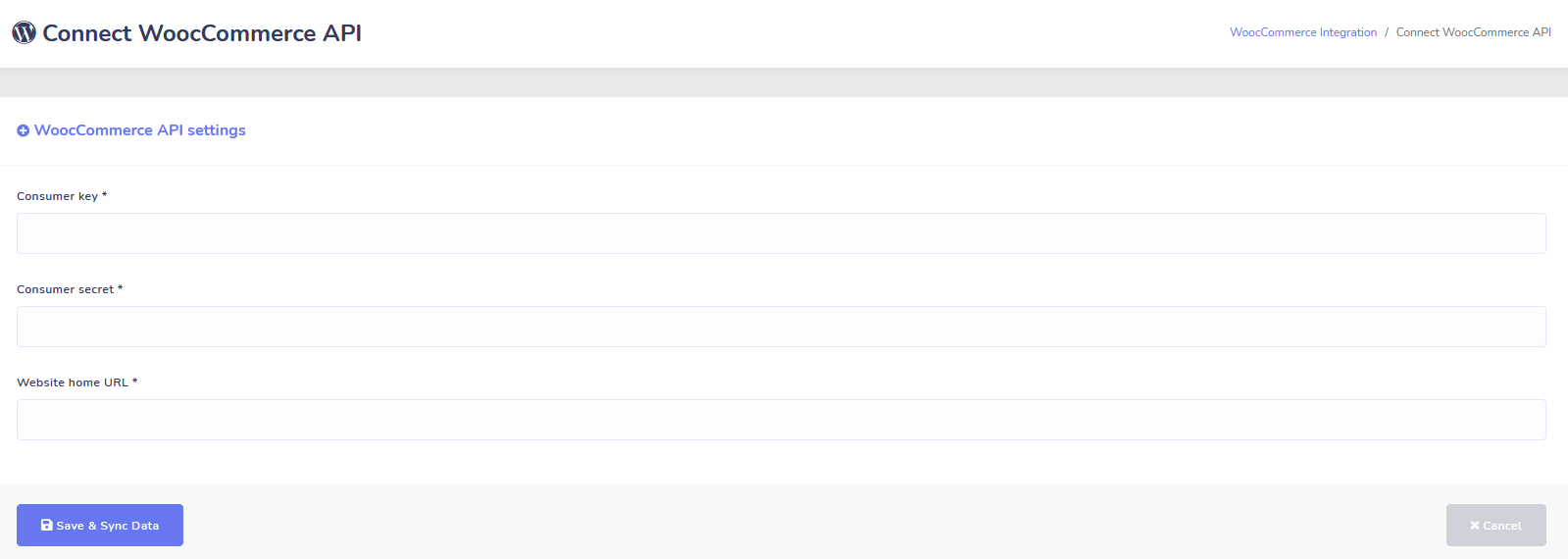
Synchronisierung und Wiederherstellung von abgebrochenen Warenkörben
Synchronisieren Sie Ihren WooCommerce-Shop mit einem Klick.
Erzielen Sie mehr Verkäufe, indem Sie Benutzer zurückgewinnen, die ihren Warenkorb abgebrochen haben!
Shopify + Wix Integrationen kommen bald!
Zapier + JSON API + Google Sheets
Integrationen
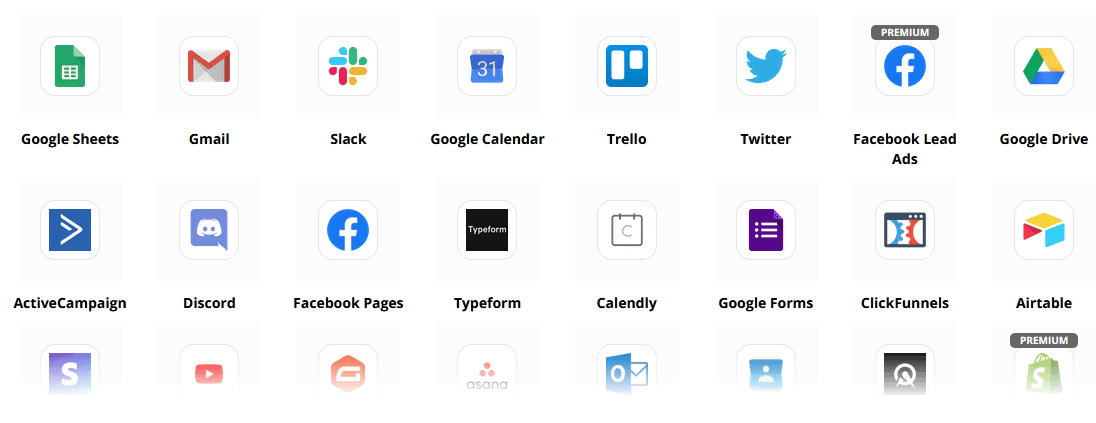
Verbinden Sie über 3.000+ Apps mit unserer Zapier-Integration oder nutzen Sie die JSON-API, um Ihre eigenen Anpassungen zu erstellen!
Übertragen Sie Abonnentendaten automatisch nach Google Sheets.
Plus
So viel mehr!
Nutzen Sie integrierte Bildbearbeitungsprogramme, um Bilder und Beiträge innerhalb Ihres Dashboards zu erstellen.
Automatisch aus RSS-Feeds posten!
Erstellen Sie Ihr eigenes dauerhaftes Messenger-Menü
und so viel mehr….
Hier sind weitere Möglichkeiten, wie der Messenger-Bot verwendet wird
Der Messenger-Bot wird auf viele Arten verwendet. Hier ist eine kleine Liste, wie Menschen uns gerade nutzen.
Kundensupport
Kunden intelligent basierend auf ihren Aktionen und Verhaltensweisen an ihr gewünschtes Ziel weiterleiten.
Informationen von Kunden sammeln
Alle wichtigen Informationen von den Kunden erhalten.
Häufig gestellte Fragen
Geben Sie den Nutzern sofort die Antworten, die sie benötigen, und entlasten Sie gleichzeitig das Supportpersonal.
eCommerce
Verkaufen Sie direkt in Messenger mit einem neuen oder bestehenden Shop!
Lead-Generierung
Interagieren Sie automatisch mit Nutzern und generieren Sie Leads!
Vollständig anpassbare Formulare
Erstellen Sie vollständig anpassbare und konversationelle Formulare in Messenger + Ihrer Website!
Immobilien
Zeigen Sie Immobilien und generieren Sie qualifizierte Leads automatisch 24/7.
Restaurant
Führen Sie Aktionen durch, nehmen Sie Reservierungen und Zahlungen entgegen!
Travel & Tours
Erhalten Sie mehr Buchungen im Reise- und Tourismussektor, präsentieren Sie Ihre einzigartigen Ausflüge.
Autohaus
Zeigen und verkaufen Sie Autos über Messenger + Ihre Website!
Feedback und Umfragen
Erstellen Sie vollständig anpassbare automatisierte Umfragen und Feedbackformulare!
Versicherung
Helfen Sie bei der Präsentation und Auswahl von Policen + geben Sie Angebote ab und vereinbaren Sie Termine.
Günstig Für kurze Zeit
Handeln Sie jetzt und sichern Sie sich dieses Sonderangebot für den Messenger Bot, bevor der Preis steigt!
Mit Messenger-Bot, Sie sparen bei Support-, Verkaufs- und Abonnementkosten für andere Dienste, die Sie nicht mehr nutzen werden!
Sieh dir an Messenger-Bot In Aktion!
Über 40.000 Nutzer
24/7 Unterstützung
100% Zufriedenheit

Von über 40.000 Nutzern verwendet und vertraut
Schließe dich über vierzigtausend Geschäftsinhabern an, die Messenger Bot als komplette End-to-End-Marketinglösung nutzen und sich darauf verlassen!
Practical follow-up resources
Turn more customer conversations into clear next steps.
Use these practical guides to strengthen response speed, lead qualification, and follow-up while your team keeps ownership of every customer decision.
- missed-call text-back guide — Keep high-intent callers moving with a clear, consent-aware follow-up path.
- lead-scoring workflow — Give your team a practical way to prioritize better-fit opportunities.
- speed-to-lead guide — Shorten the gap between a new inquiry and a useful first response.
Pick the right starting point
Choose the Messenger Bot plan that matches the conversations you want to win.
Start with the workflow you need now, then upgrade when your page, team, or client load grows.
Starter
$29 /mo
For one focused page getting its first automated comment and DM follow-up live.
- Launch a guided lead-capture workflow.
- Reply faster without adding another daily dashboard.
- Keep setup simple while you prove the channel.
Pro
$99 /mo
For growing businesses that want BYOK (Bring Your Own Key), business knowledge, and better lead sorting.
- Use AI-assisted drafts with human review.
- Qualify replies before your team spends time on them.
- Keep follow-up consistent across busy launches.
Agentur
$299 /mo
For teams managing multiple brands, clients, assets, and approval workflows.
- Organize client conversations by page and priority.
- Give teams cleaner review paths before replies go out.
- Scale repeatable workflows without adding extra manual work.
A payment card keeps trials focused. You stay in control of the plan before billing starts.
Häufig Gestellte Fragen
Was ist ein Facebook Messenger Bot?
Ein Facebook Messenger Bot ist ein automatisierter Chatbot, der genutzt werden kann, um nicht nur das Messenger-Erlebnis, sondern auch das Chat-Erlebnis auf Ihrer Website zu verbessern.
Was kann ein Messenger Bot für mein Unternehmen tun?
Der Messenger Bot ermöglicht es Ihnen, neue Benutzer automatisch willkommen zu heißen, auf bestimmte Schlüsselwörter oder Phrasen zu reagieren, Inhalte zu syndizieren, Leads zu generieren, Verkäufe zu tätigen und mehr!
Warum brauche ich einen Messenger-Bot?
Mit jedem Tag wird es zunehmend schwieriger, Ihre Zielgruppe zu erreichen. Es ist eine Tatsache, dass viele der traditionellen Marketingmethoden nicht mehr die gleichen Ergebnisse liefern wie vor Jahren.
Unser Facebook Messenger-Bot löst dieses Problem, indem er Ihnen ermöglicht, über 80% Öffnungsraten mit interaktiven Nachrichten in Echtzeit und Chat-Kampagnen-Sequenzen zu erreichen.
Wie erstelle ich einen Facebook Messenger-Bot?
Zuerst benötigen Sie ein Facebook-Konto und eine Facebook-Seite mit administrativen Rechten, um diese zu verwalten.
Danach kaufen Sie Ihr Angebot (oder melden sich für eine kostenlose Testversion an) und wählen dann „Konto importieren“.
Von dort aus verwenden Sie unseren Visual Flow Builder, um Ihren Bot in Minuten, nicht in Tagen, zu erstellen und bereitzustellen! Jetzt können Sie jederzeit echte Gespräche mit Ihren Kunden führen.
Gibt es eine Testversion?
Ja, Sie können Ihre kostenlose Testversion vor dem Kauf erhalten, ohne dass eine Kreditkarte erforderlich ist. hier.
Wann läuft dieses Angebot ab?
Dieses Angebot läuft bald ab, also wenn Sie den besten Rabatt nutzen möchten, sollten Sie jetzt bestellen.
Bereit für eine echte Veränderung? Lassen Sie uns das gemeinsam aufbauen!
Lernen Sie Messenger Bot ohne Einschränkungen kennen und beginnen Sie erst dann, es in vollem Umfang zu nutzen, wenn Sie es lieben. Wir warten auf Sie.
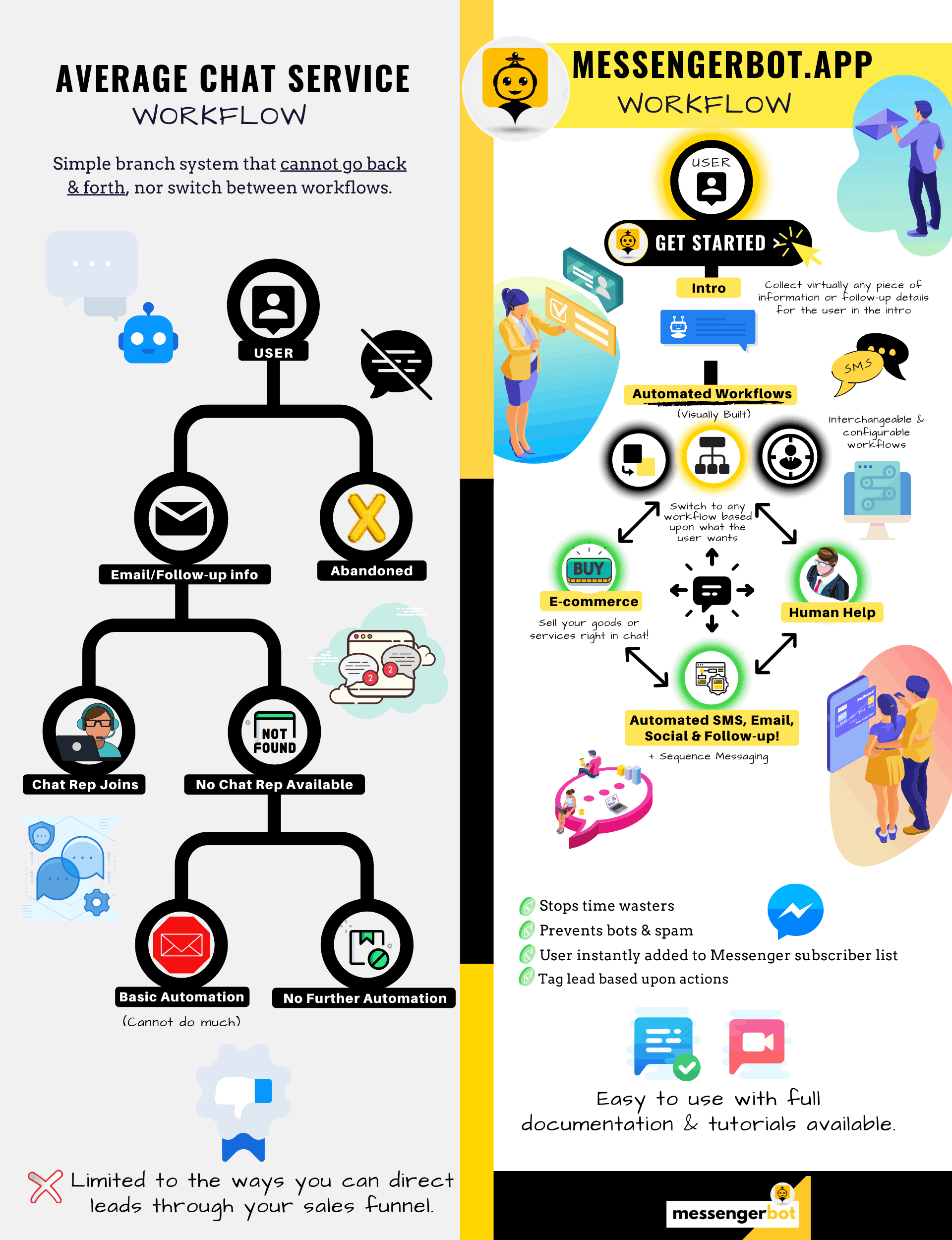
Messenger Bot ist viel mehr als ein einfacher Chat-Bot!
Jetzt ist es möglich, komplexe Gespräche automatisch zu führen!
Warum Sie Messenger Bot benötigen
um den Umsatz in Ihrem Unternehmen zu steigern
Für Marketer wird Facebook Messenger jetzt zu einem neuartigen und effektiven Weg, um aktuelle und potenzielle Abonnenten Ihrer Facebook-Seite und Ihres Unternehmens zu erreichen. Mit der Verwendung von Messenger-Bots können Sie jederzeit Informationen verbreiten, ohne einen Finger zu rühren.
Eine der leistungsstärksten Bot-Apps, Messenger Bot, hat sich schnell zu einem führenden Anbieter in dieser neuen Branche entwickelt. Unsere Marketing-Software bietet so viele Funktionen, die das Marketing für Unternehmen jeder Größe zum Kinderspiel machen. Mit dem Facebook Messenger-Chatbot können Sie jetzt rund um die Uhr auf Chats antworten, Nachrichten in großen Mengen an Ihre Zielgruppe senden und sogar Videos und Bilder auf Ihrer Facebook-Seite posten. Wenn Sie es für Ihr Unternehmen benötigen, hat Messenger Bot zweifellos das Richtige für Sie! Auf unsere eigene einzigartige Weise können wir Ihnen einen hohen Standard an Chatbot-Service bieten, den Sie nirgendwo anders sehen.
Lassen Sie uns einen Blick auf alle Dienstleistungen und Funktionen werfen, die unsere fantastische App bietet, bevor Sie loslegen. Diese beeindruckende Software wird mit Sicherheit das ideale Marketing-Tool für Facebook Messenger für Sie sein, ohne dass Programmierkenntnisse erforderlich sind.
Was ist ein Facebook-Chatbot?
Wenn Sie nur vage wissen, was eine Facebook Messenger Bot-App oder ein Facebook Chatbot macht, müssen Sie verstehen, wie es Ihr Unternehmen auf die nächste Stufe katapultieren kann. Die Software ist automatisiert, um Nachrichten über Facebook Messenger zu versenden, indem sie natürliche Sprachverarbeitung verwendet, um zu verstehen, was die Person möchte, und künstliche Intelligenz, um mit Menschen zu interagieren. Wenn sie implementiert wird, kann sie Fragen verstehen, die an sie gerichtet werden, und diese Anfragen korrekt beantworten. Chatbots sind wie virtuelle Assistenten, die das Kundenerlebnis verbessern können.
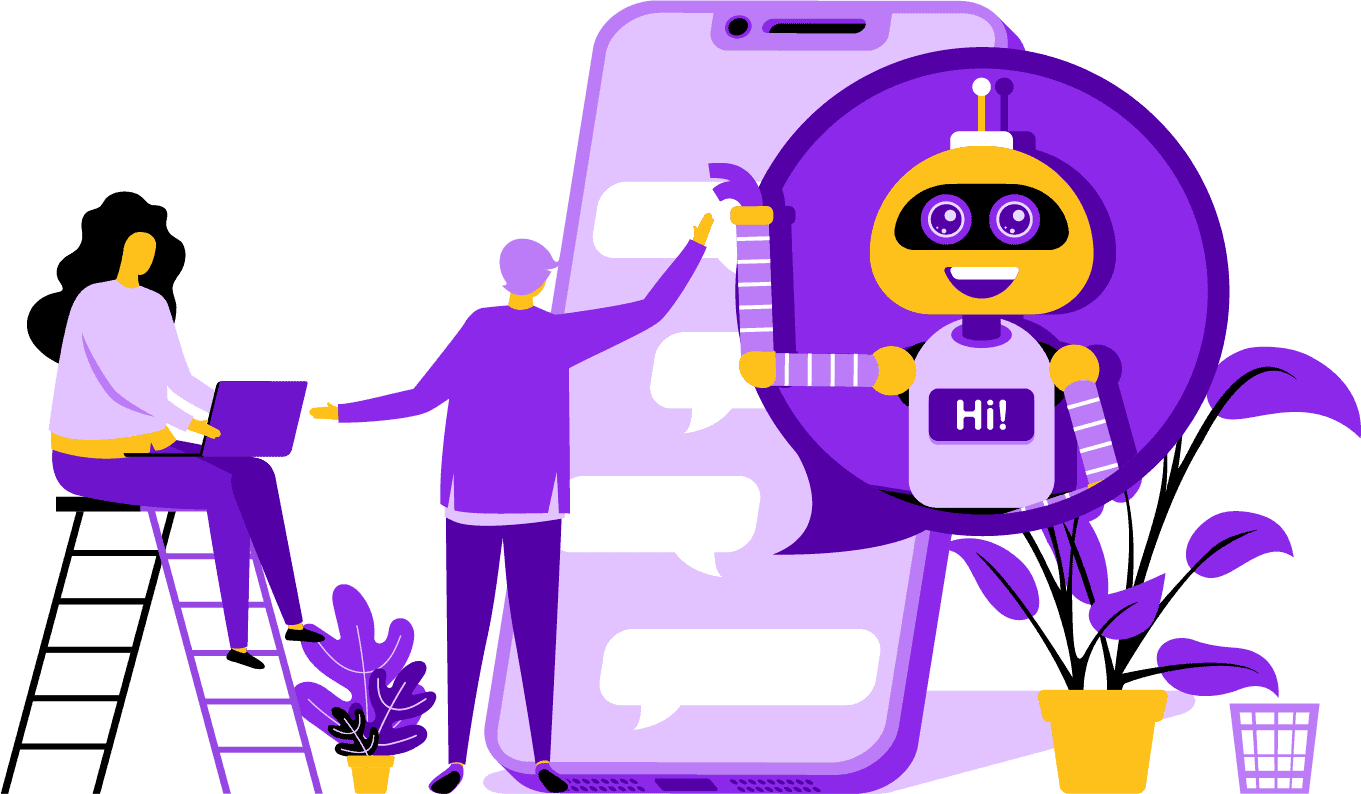
Es gibt strategische Vorteile bei der Verwendung eines Facebook Messenger-Bots für Ihr Unternehmen. Wenn Sie zu einem bekannten Namen werden möchten, ist die Nutzung von Messenger eine clevere Möglichkeit, Ihr Unternehmen und Ihre Mission mit Milliarden von Menschen in Kontakt zu bringen. Facebook Messenger gehört bequem zu den fünf meistgenutzten Apps der Welt. Angesichts dessen, warum sollten Sie Messenger nicht für Ihre geschäftlichen Bedürfnisse nutzen? Kunden schätzen die App, weil sie eine bequeme und schnelle Möglichkeit bietet, mit Unternehmen auf der ganzen Welt in Kontakt zu treten. Ein Unternehmen kann wachsen und die Sichtbarkeit erhöhen, während es gleichzeitig aktiven Kundenservice bietet. Sie müssen sich keine Sorgen um 24/7-Kundensupport mit einem Chatbot machen.
Ein weiterer Vorteil, den ein Facebook-Bot bieten kann, ist die Lead-Generierung. Es ist einfacher, potenzielle Kunden mit einem Facebook Messenger-Chatbot zu erreichen. Wenn Ihre Bot-App potenzielle Kunden anspricht, kann sie grundlegende Fragen stellen, um die Bedürfnisse und Wünsche der Person mit Hilfe von natürlicher Sprachverarbeitung zu identifizieren. Die App kann den Interessenten an Ihren Kundenservice oder Ihr Verkaufsteam weiterleiten, um den Verkauf abzuschließen. Wie Sie sehen werden, kann der Messenger Bot all dies und mehr ohne Programmierung erledigen. Beginnen Sie mit dem Messenger Bot!
Massen-Nachrichten
und ein Facebook-Bot
Wenn Sie eine Facebook-Seite haben, gibt es Zeiten, in denen Sie sich an Abonnenten und potenzielle Kunden wenden möchten, um eine Nachricht zu verbreiten. Der Messenger Bot verfügt über eine Funktion für Massen-Nachrichten, um genau das zu erreichen. Warum Massen-Nachrichten versenden? Zum einen können sie schnell zugestellt werden. Wenn Sie diese Funktion im Messenger Bot nutzen, können Ihre Kommunikationen in Sekundenschnelle jeden erreichen. Sie können eine Massen-Nachricht an Tausende senden, wenn Sie diese App verwenden, und wissen, dass sie wie beabsichtigt zugestellt wird. Ihre Interessenten können mit Ihnen kommunizieren und interagieren, was Vertrauen aufbaut, wenn sie genaue und leicht verständliche Antworten auf ihre Fragen erhalten. Diese herausragende Funktion, die der Messenger Bot bietet, hilft, Ihre Kundenbasis zu halten, was Teil der Grundlage für das Wachstum Ihres Unternehmens ist. Wir sind stolz darauf, zu sagen, dass wir die Ersten waren, die die Möglichkeit für Massen-Nachrichten hatten, die alle Abonnenten erreichen können.
Zusätzliche Auto-Funktionen,
Inklusive Facebook Messenger Chatbot

-
Automatisches Kommentar-Liken
Dieses Feature gibt Ihnen die Möglichkeit, Kommentare von Abonnenten zu liken, die Sie auf Ihrer Seite und unter Ihren Beiträgen finden. Dieses Engagement kann die Aktivität auf Ihrer Seite erhöhen, da andere sehen, dass Sie ein Unternehmen sind, das schätzt, was seine Kunden und potenziellen Kunden zu sagen haben. Es hilft Ihnen, die Aufmerksamkeit zu bekommen, die Sie suchen. Das Hinzufügen von Likes zu vielen Kommentaren kann auch Ihre Kundenbasis halten, wenn sie Ihr ständiges Engagement in Ihrem Geschäft sehen.
-
Automatische Kommentar-private Antwort
Der gleiche Vorteil gilt für die automatische Kommentar-private Antwort des Messenger-Bots. Es wird Situationen geben, in denen jemand privat Kontakt mit Ihnen aufnimmt, um einen Kommentar abzugeben oder eine Frage zu Ihrem Geschäft zu stellen. Unsere App ermöglicht es Ihnen, diese Nachrichten zu jeder Tageszeit mit der benötigten Antwort zu beantworten. Die Antwort ist nach Ihren Vorgaben gestaltet, und die Nachricht kann bei Bedarf geändert werden.
Facebook-Beiträge<!–
mit einem Nachrichten-Bot
Unser Nachrichten-Bot ermöglicht es Ihnen, nicht nur Text auf Ihrer Facebook-Seite und in Gruppen zu posten, sondern Sie können auch das Posten und Teilen von Fotos, Videos und Links automatisieren. Es gibt einfach nichts, was der Messenger-Bot nicht tun kann! Mit diesem Feature können Sie jetzt jede Art von Medien zu jedem Zeitpunkt veröffentlichen. Die Verwendung einer Mischung aus Text- und visuellen Werkzeugen kann Ihre Abonnenten erneut ansprechen und Ihnen gleichzeitig neue gewinnen.
Erhöhte Interaktion
mit Messenger-Marketing
Unser Facebook Messenger-Bot kann Ihnen helfen, eine bessere Interaktion mit Ihren Abonnenten und Kunden zu erzielen. Studien haben gezeigt, dass Sie bei hoher Interaktion eine größere Chance haben, Ihre Verkäufe zu steigern. Sie können die vielen Funktionen des Messenger-Bots nutzen, um diesen Erfolg zu erreichen. Automatisierte Ausspielungen von Bildern und anderen visuellen Inhalten können Ihre Kundenbasis dafür interessieren, was Sie zu sagen haben. Es kann eine Beziehung schaffen, die sich um das Vertrauen dreht, das er oder sie jetzt in Ihr Unternehmen hat. Wir verstehen, wie wichtig diese Interaktion ist, besser als jeder andere im Chatbot-Bereich. Wenn Sie uns nutzen, können Sie fast sofort Ergebnisse sehen.

Personalisierte Inhalte
vom FB Messenger Bot
Unsere Software kann Ihren Kunden auch personalisierte Antworten auf all ihre Kommentare und Anliegen geben, die sie haben könnten. Als Abonnent kann Ihnen eine maßgeschneiderte Erfahrung mit einem Unternehmen online das Gefühl geben, dass Ihnen ihre Gedanken und ihre Präsenz als Kunde wichtig sind. Für diejenigen mit einem Hintergrund in Vertrieb und Marketing wissen Sie, dass Kundenzufriedenheit ein großer Teil eines erfolgreichen Geschäftsmodells ist. Bei Messenger Bot können wir Ihnen helfen, diese wertvolle Personalisierung zu schaffen, die Ihre Kunden benötigen, um loyal zu bleiben.
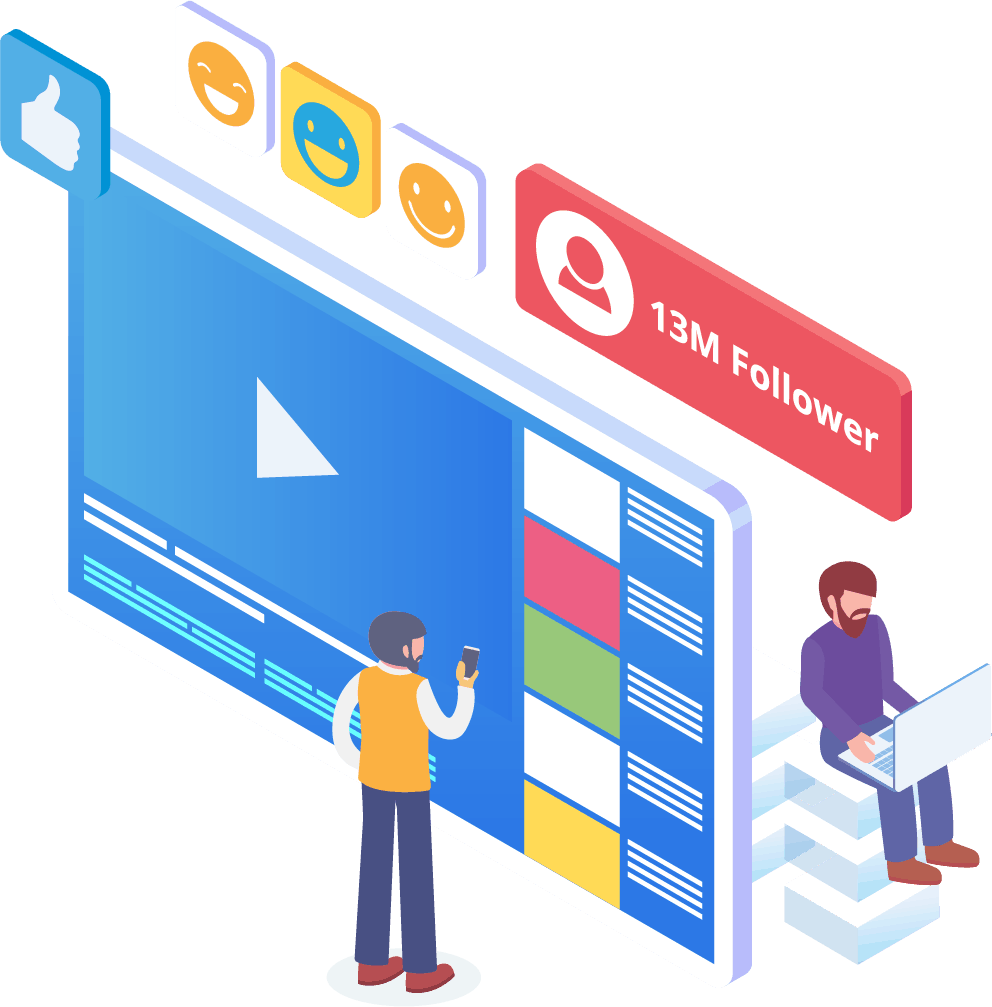
Eine große Präsenz in sozialen Medien
mit Facebook Messenger Marketing
In der heutigen Welt benötigen Unternehmen eine ausgezeichnete Präsenz in sozialen Medien, um im Wettbewerb vorne zu bleiben. Facebook ist stetig zu einer Plattform geworden, die die Sichtbarkeit eines Unternehmens erhöhen und neue Abonnenten sowie potenzielle Kunden in Hülle und Fülle auf Ihre Seite bringen kann. Eine der besten Möglichkeiten, mit diesen Facebook-Nutzern zu interagieren, ist über eine Chatbot-App. Unser Facebook Messenger-Chatbot kann Ihnen helfen, diejenigen, die regelmäßig mit Ihrer Seite interagieren, zu unterhalten, zu informieren und zu schulen.
Eine angemessene Marketingstrategie sollte den Einsatz von Facebook und sozialen Medien erfordern, um das Wachstum eines Unternehmens zu fördern. Die Nutzung unserer App kann Ihnen helfen, einen vollständigen und robusten Marketingplan zu erstellen, der Ihr Unternehmensprofil auf zuvor unerreichbare Höhen heben kann. Unser Messenger-Chatbot-Service ist speziell für Facebook konzipiert und kann sich anpassen, während der Social-Media-Riese Änderungen vornimmt. Messenger ist ein weitgehend ungenutztes Social-Media-Tool, das Sie zum Branchenführer machen kann, wenn Sie wissen, wie man es nutzt. Wir können die Rätselraten beseitigen und Ihnen helfen, Ihre Geschäftsziele Schritt für Schritt zu erreichen.

Analysieren Sie Ihre
Daten mit Messenger Bot
Wie bereits erwähnt, kann unsere App auch Berichte erstellen, die dazu dienen, Facebook- und Abonnentendaten zu analysieren. Die Software des Messenger Bots ist darauf ausgelegt, zu verstehen, wie Menschen bei der Interaktion mit Facebook funktionieren. Die Analysen, die wir Unternehmen zur Verfügung stellen, ermöglichen es Ihnen, tiefgehende strategische Verkaufs- und Marketingprotokolle zu erstellen, um Ihr Unternehmen zu nutzen und zu wachsen. Wir geben Ihnen das gesamte Bild, auf das Sie schauen können, und von dort aus können Sie das extrahieren, was nötig ist, um erfolgreicher zu sein.
Diese umfassende Datenanalyse kann neue Verkäufe, Leads und Kunden generieren. Indem Sie alle Interaktionen, die Ihre Facebook-Seite und Abonnenten in einem bestimmten Zeitraum hatten, durch maschinelles Lernen zurückverfolgen, können Sie jetzt Inhalte erstellen, die Ihre Zielgruppe ansprechen. Wir entfernen die Extras, die beim Erstellen neuer und relevanter Inhalte nicht notwendig sind. Ihr Fokus bleibt dort, wo er sein sollte.

Konvertieren Sie Ihre Leads mit Messenger Bot
Messenger Bot kann Ihnen helfen, Ihre Leads zu einem Verkauf zu führen. Unsere Automatisierungssoftware beginnt den Prozess, indem sie die Aufmerksamkeit potenzieller Kunden auf sich zieht. Wir können auf eine grundlegende, aber persönliche Weise mit dem Interessenten interagieren, die ihm das Gefühl gibt, dass er für Ihr Unternehmen wichtig ist. Sie können diese Kunden jetzt besser ansprechen und nach dem ersten Austausch mit ihnen in Kontakt bleiben.
Eine schnelle Reaktionszeit ist entscheidend für das Kundenerlebnis und die Konversionen. Mit einer schnelleren Reaktionszeit steigt die Zufriedenheitsrate Ihrer potenziellen Kunden, da sie ihre Antworten in Echtzeit ohne Komplikationen oder Schwierigkeiten erhalten. Das unkomplizierte Erlebnis verbessert die Bindung und zukünftige Verkäufe. Wenn ein neuer Kunde mit einem Unternehmen in Kontakt tritt, bedeutet der erste Eindruck alles. Mit dem Messenger Bot beseitigen Sie alle Komplikationen und unvorhergesehenen Probleme, wenn Sie versuchen, mit einem Abonnenten zu chatten. Chatbots sind Ihre virtuellen Assistenten für einfache Aufgaben, damit Sie sich mehr auf das Wachstum Ihres Unternehmens konzentrieren können.

Gewinnen Sie Ihre Zeit mit einem Facebook Bot zurück
Lassen Sie den Messenger Bot die gesamte Engagement-Arbeit für Sie und Ihr Unternehmen erledigen. So können Sie sich jetzt auf andere wichtige Aufgaben konzentrieren, die Ihre volle Aufmerksamkeit erfordern. Mit unserer innovativen App müssen Sie sich keine Sorgen mehr machen, dass Sie vergessen zu posten oder unbeabsichtigt einen Kommentar oder eine Frage ignorieren. Es spielt auch keine Rolle, wann das Engagement kommt. Unsere Software ist so konzipiert, dass sie bei Bedarf reagiert. Diese Funktion bedeutet 24/7 Kundensupport für Sie und Ihre Abonnenten.
Mit unserer Software müssen Sie nur eingeben, was Sie auf unserer benutzerfreundlichen Oberfläche benötigen, und wir kümmern uns um den Rest. Sie erhalten eine vollständige Kampagne, die wir für Sie erstellen. Sie können sich darauf verlassen, dass wir Ihre Informationen an interessierte Augen und Ohren weitergeben.
Nutzen Sie die Vorteile
der Beliebtheit von Facebook
Facebook verlangsamt sich in naher Zukunft nicht. Die weit verbreitete Social-Media-Seite wird von über einer Milliarde Menschen weltweit genutzt, und das schließt Messenger ein. Die Nutzer der App genießen Messenger, weil er einfach zu bedienen ist. Sie müssen nicht durch mehrere Links oder Seiten klicken, um dorthin zu gelangen, wo sie hinwollen.
Dieser Vorteil ist für Unternehmen geeignet, die auf der Basis mit ihrer Zielgruppe kommunizieren möchten. Der Messenger-Bot bietet die gleiche Einfachheit und Bequemlichkeit, die für Facebook-Nutzer attraktiv ist. Wenn sie mit der Software interagieren, erhalten sie einfache und leicht verständliche Informationen, die ihnen eine informierte Meinung zu einem Produkt oder Unternehmen geben können. Dieser Kundenservice ist verfügbar, wenn sie ihn benötigen, und ohne Wartezeit.
Neue Möglichkeiten
Überall
Unsere Bot-App kann Ihnen neue Möglichkeiten bieten, die andere Unternehmen, die sich entscheiden, keinen Messenger-Bot zu verwenden, nicht haben werden. Die Messenger-App wird immer noch als neuer Ansatz im digitalen Marketing angesehen, sodass alle Strategien, die Sie über uns nutzen, nicht abgedroschen und abgedämpft sind. Wir bieten Ihnen die führende Technologie, die dazu gedacht ist, Ihr Unternehmen von anderen zu unterscheiden.
Durch den Facebook Messenger Chatbot werden Sie herausfinden, was für Sie im Bereich Verkauf und Marketing funktioniert und was nicht. Mit unseren Ressourcen können Sie den Ansatz im Laufe der Zeit optimieren und sicherstellen, dass Sie Ihr Bestes geben, wenn es um Ihre Marke geht. Wettbewerber, die unseren Chatbot nicht nutzen, sind im Vergleich zu Massen deutlich im Nachteil.

Verbessern Sie den Kundenservice
Mit dem Facebook Chatbot
Natürlich werden Sie den Kundenservice, den Sie jetzt mit unserer App bieten, verbessern und optimieren. Wir berücksichtigen alle Aspekte des Kundenservices, wenn es um unsere Software geht. Wir haben qualitativ hochwertige Antworten mit Hilfe von maschinellem Lernen und natürlicher Sprachverarbeitung, die Kunden zufriedenstellen und sie zu schnellen Kaufentscheidungen führen können. Die sofortige Reaktionszeit verhindert, dass der potenzielle Käufer Ihre Seite verlässt, um ein Produkt woanders zu kaufen.
Außerdem dient unser Messenger-Chatbot, wenn er Informationen von Ihrem Kunden anfordert, als eine Art Vorqualifizierung. Wenn jemand etwas von Ihrem Unternehmen kaufen möchte, können Sie diese freiwilligen Informationen nutzen, um zukünftige Kampagnen und Produkteinführungen besser zu gestalten. Sie haben jetzt die Notwendigkeit beseitigt, Stunden mit der Beschaffung dieser einfachen Details zu verbringen.
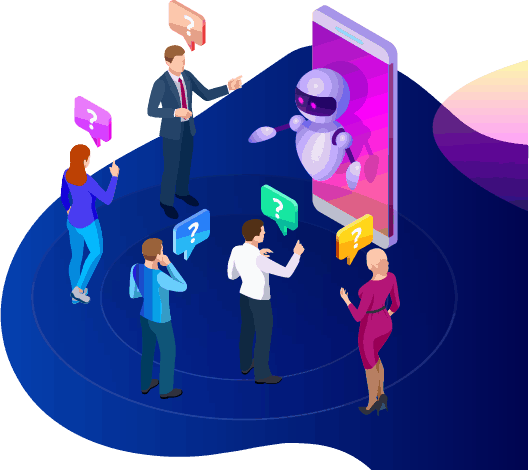
Der Chatbot bietet Ihnen auch die Möglichkeit, zu einem echten menschlichen Betreiber zu wechseln, wenn die Fragen komplex werden oder Sie die Zügel bei einem potenziellen Verkauf übernehmen möchten. Mit Messenger Bot können Sie wirklich alles haben! Sie haben jetzt anpassbaren Kundenservice mit schneller Kommunikation und Automatisierungstools, die darauf ausgelegt sind, Wachstum und Sichtbarkeit zu fördern.
Markenbildung
Bewusstsein
Mit nur wenigen schnellen Aktionen können Sie Ihrem Publikum alles über Ihr Unternehmen mitteilen. Folgefragen können geklärt werden, und Ihr potenzieller Kunde kann jetzt tiefer in Ihren Verkaufstrichter geleitet werden.
Mobil
Optimierung
Da so viele Menschen und Verbraucher ihre Telefone für alles nutzen, erkennt der Messenger Bot das Potenzial für Verkäufe und Kundenbindung durch die Nutzung von Facebook Messenger für die Ansprache. Unsere Software ist mit mobilen Geräten im Hinterkopf entwickelt worden. Wir haben uns bei der Gestaltung unserer Software für einen klaren und unkomplizierten Ansatz entschieden. Das Ergebnis ist ein Bot-System, das nahtlos mit mobilen Geräten und Facebook funktioniert.
Vollständig anpassbar
Messenger Bots
Es wurde bereits erwähnt, dass der Messenger Bot anpassbar ist und sich an Ihre sich ändernden Geschäftsbedürfnisse anpassen kann. Dieses Feature ist für Unternehmen wertvoll, da es Raum für Veränderungen und Wachstum gibt. Wir haben einen voll funktionsfähigen Chatbot entwickelt, der mit Ihrem Unternehmen in jede Richtung mitgehen kann. Sie können Ihre Strategie ändern, wann immer Sie es benötigen, und wir werden ohne Unterbrechung da sein.

Einfach zu bedienen
Messenger-Bot
Wir wissen, dass Ihre Zeit wertvoll ist. Wenn Sie eine neue Marketingstrategie über unsere App implementieren möchten, möchten Sie nicht Tag für Tag darüber nachdenken. Unser Bot-Service hat Sie abgedeckt. Sobald Sie uns sagen, was Sie benötigen, können wir den Rest erledigen. In nur wenigen Minuten können Sie eine Kampagne starten, die die Interaktion erhöhen und Ihnen Kunden bringen kann. Sie müssen nicht einmal einen Finger rühren, wenn Sie das nicht möchten. Unsere komplexe Technologie sorgt dafür, dass Ihr Benutzererlebnis mühelos und einfach ist.
Der Messenger Bot wurde entwickelt, um Ihnen und Ihrem Unternehmen zu helfen, das maximale Potenzial in Bezug auf Marketing und Vertrieb zu erreichen. Mit unserer innovativen App können Sie wertvolle Informationen extrahieren, die Ihre Sichtbarkeit und Beliebtheit auf Facebook erhöhen können. Ihre neue Verbindung zu Abonnenten hilft, Ihre Basis zu halten und neue Kunden zu gewinnen. Es gibt nichts Vergleichbares! Probieren Sie uns noch heute aus, und Sie werden von den Ergebnissen überwältigt sein. Erstellen Sie Ihren ersten Messenger-Chatbot ohne Programmierkenntnisse.
Bereit für eine echte Veränderung? Lassen Sie uns das gemeinsam aufbauen!
Lernen Sie Messenger Bot ohne Einschränkungen kennen und beginnen Sie erst dann, es in vollem Umfang zu nutzen, wenn Sie es lieben. Wir warten auf Sie.
 Deutsch
  English
  Tagalog
  简体中文
简体中文  العربية
  हिन्दी
  Português do Brasil
  Español de México
  Français
  বাংলা
বাংলা  香港中文
香港中文  繁體中文
繁體中文  Nederlands
  Bahasa Indonesia
  日本語
日本語  한국어
한국어  Polski
  Русский
  Español
  Tiếng Việt