
Facebook and Instagram follow-up
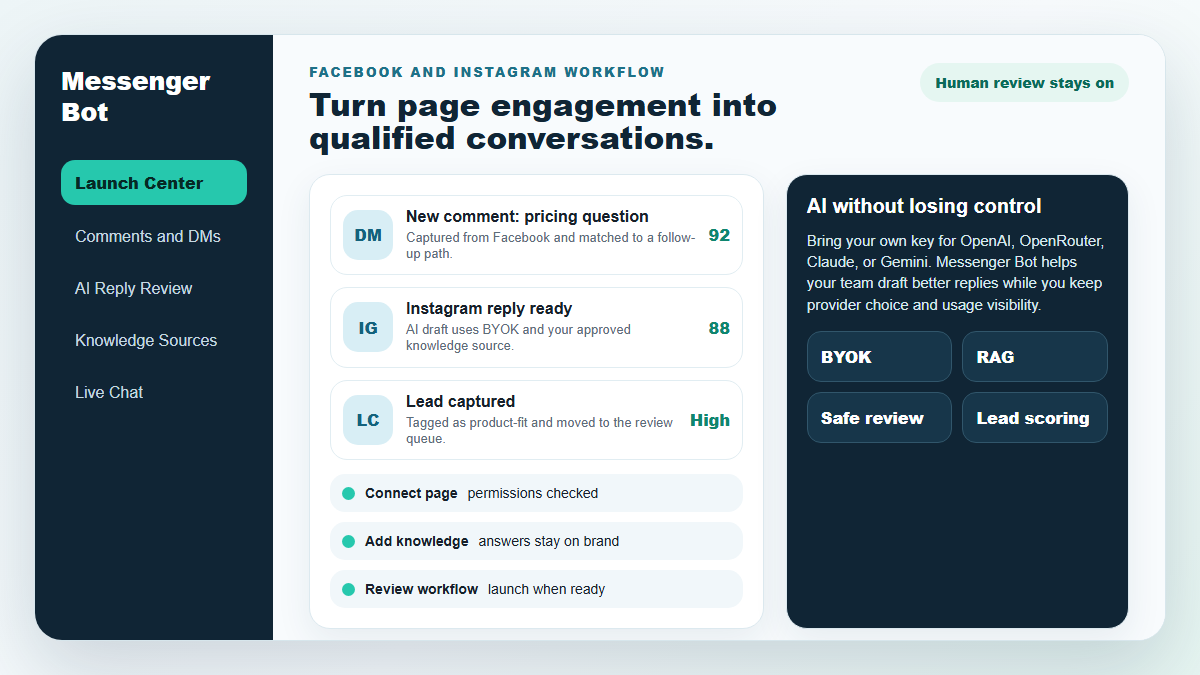
Turn more comments and DMs into conversations your team can close.
Start with one proven workflow, capture higher-intent leads, and use BYOK (Bring Your Own Key) AI drafts with human review before anything reaches a customer.
- Comment and DM capture
- BYOK AI reply drafts
- Human review controls
MESSENGER BOT
Onze AI zal automatisch intelligent reageren op elke opmerking of bericht van een gebruiker, gebaseerd op wat ze zeggen!
Begin met reageren en automatische opmerkingen en DM's verzenden op je Facebook, Instagram of elke site in slechts een paar klikken met kant-en-klare sjablonen!
Creëer geautomatiseerde stromen die met gebruikers communiceren op basis van hun gedrag en krijg meer verkopen.
Krijg opt-ins voor minder dan $0.25 met Messenger marketing lead magnets!
Onbeperkte Abonnees
Onbeperkte Chatsessies
Onbeperkte Sequentiecampagnes
Onbeperkte Stromen
Onbeperkte Klanttags
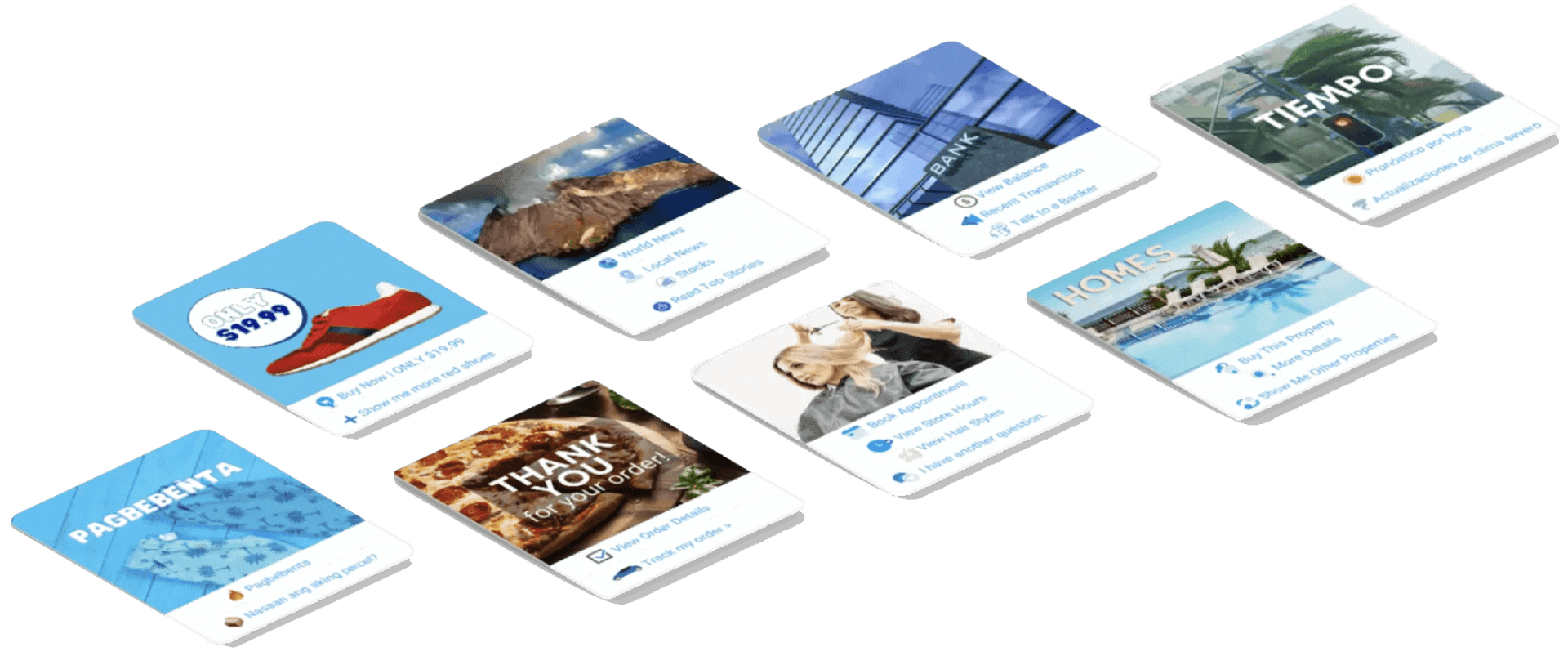
Meertalig & ziet er goed uit
Geweldig op elk apparaat
Lever perfecte antwoorden in de taal van jouw keuze! Ongeacht de reactie van de gebruiker, Messenger Bot zorgt ervoor dat het perfect is!
100% voldoet aan Facebook
Messenger Bot ondergaat regelmatig beoordelingen door Facebook en is een 100% conforme en goedgekeurde Facebook-applicatie.
Werkt met alle grote browsers
Werkt goed met Chrome, Firefox, Edge en Safari! Geen plugin of app nodig om Messenger Bot te gebruiken, alles is 100% in de cloud.
Perfect voor elk apparaat
Messenger Bot is ontworpen om er geweldig uit te zien op elk apparaat, inclusief mobiel, desktop en tablets!
Uitgebreid
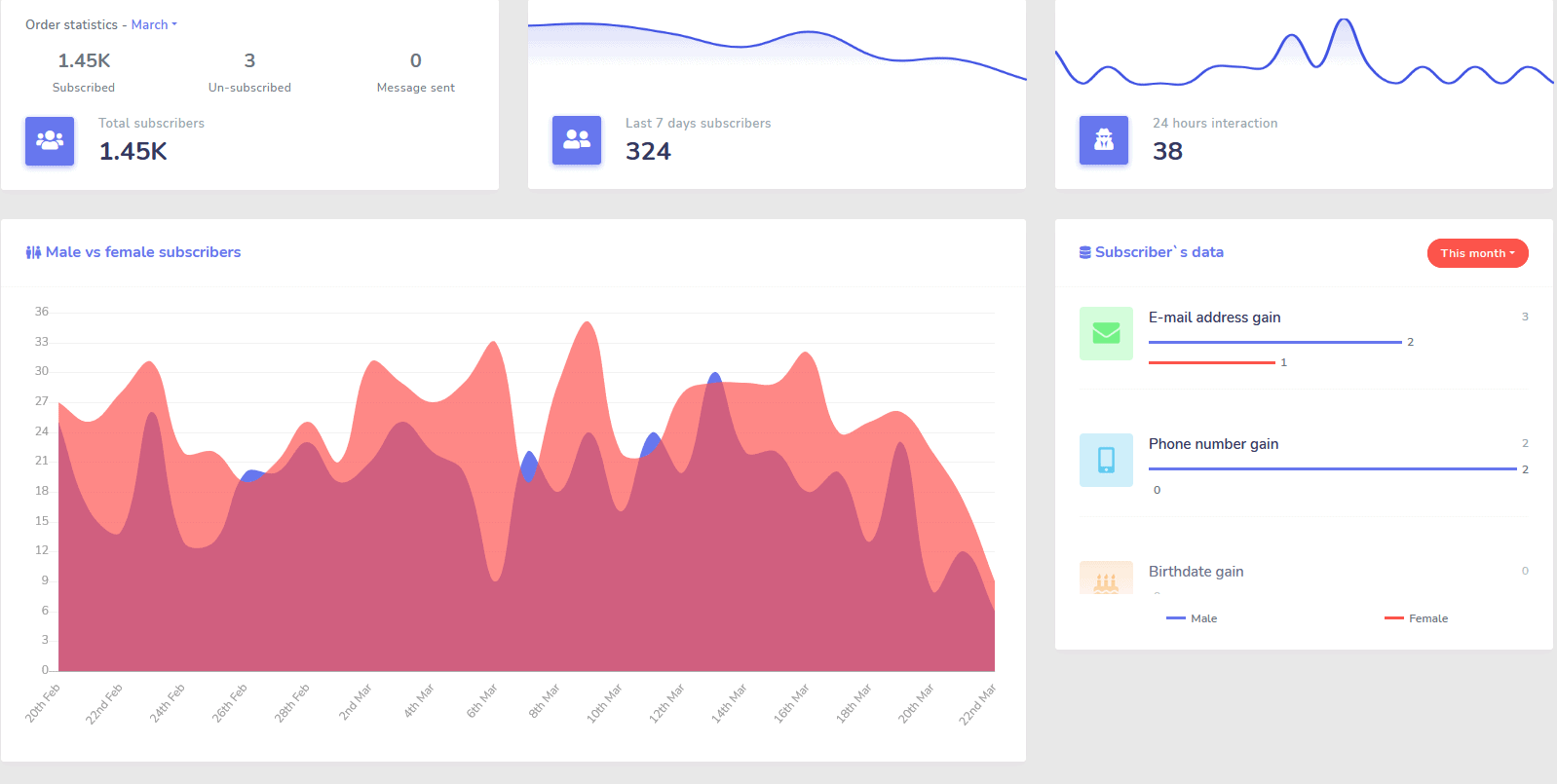
Analytics
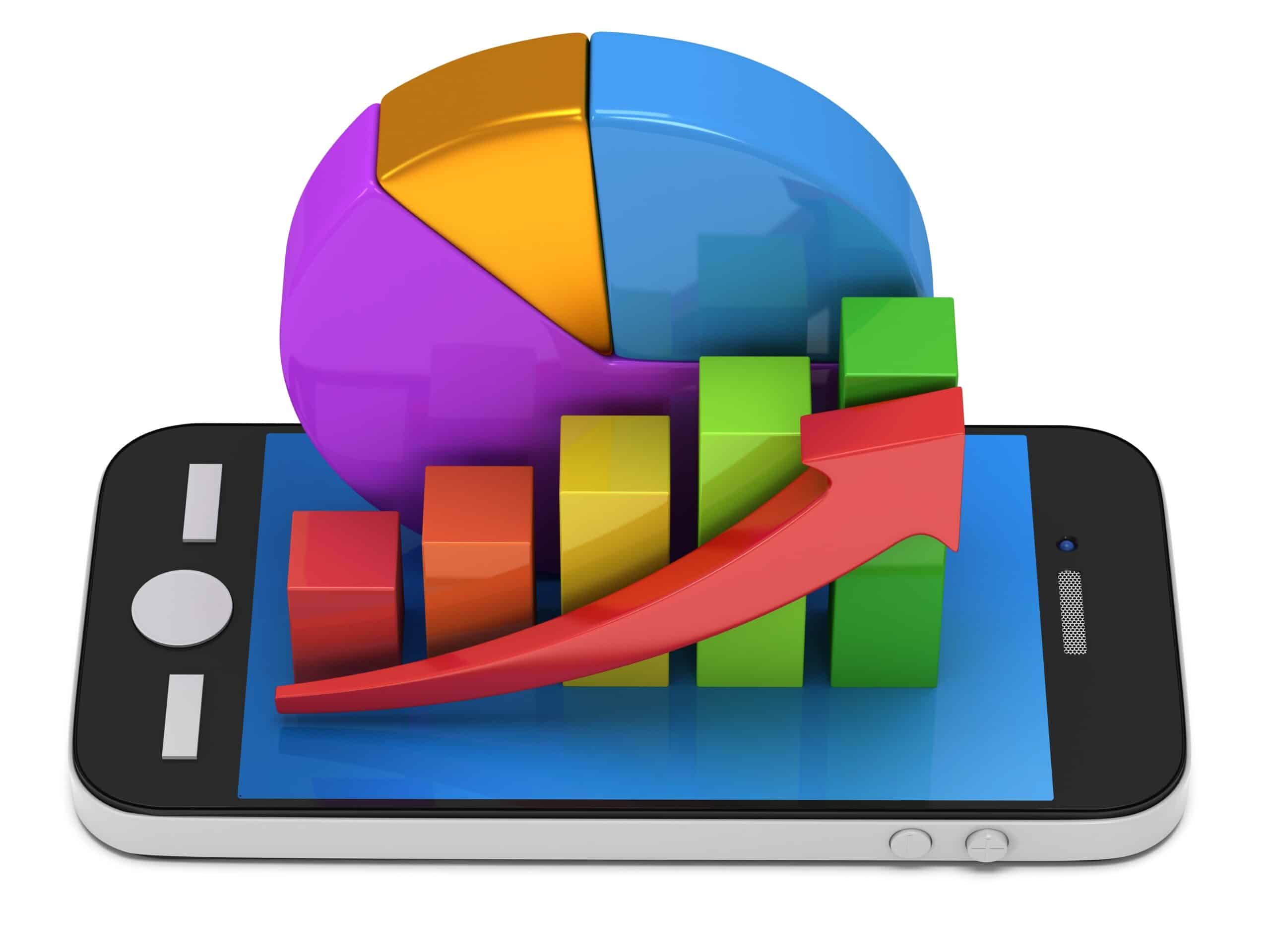
Identificeer eenvoudig uw best presterende kanalen en krijg een duidelijk overzicht van uw abonnees, hoe u presteert, evenals waar u het beste/slechtste presteert en alles daartussenin.
Volg eenvoudig abonnees, laatste opmerkingen en andere campagnes rechtstreeks vanuit uw dashboard.
Drastisch verlagen
Kosten per Lead en Verkoop
Met Messenger Bot kun je 24/7 beschikbaar zijn en je kosten per lead en verkoop verlagen door gebruikers direct de informatie te geven die ze zoeken!
Gebruik bovendien Messenger Bot om diep in de Facebook Interests API te duiken en doelgroepen te ontdekken die niet aan andere adverteerders op Facebook zijn onthuld!
Door deze verborgen doelgroepen te targeten met Facebook Ads, kun je je kosten per lead en kosten per verkoop onmiddellijk exponentieel verlagen.
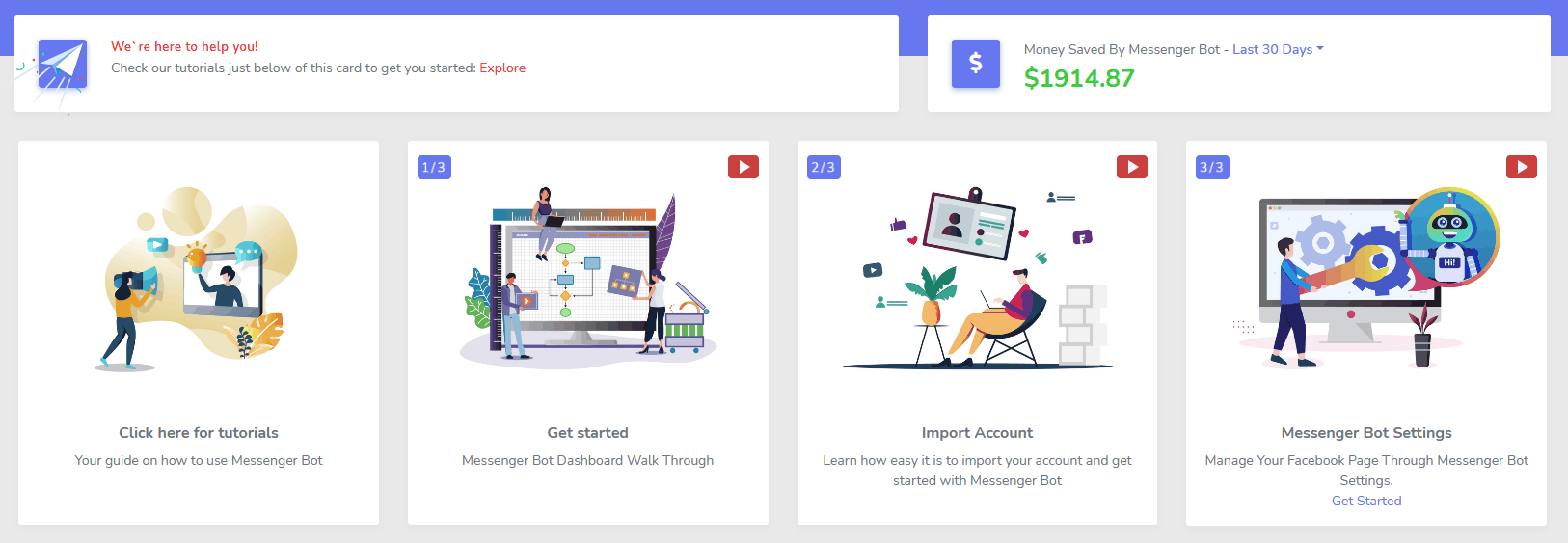
Messenger
eCommerce Winkel
Begin met verkopen direct in Messenger en overal met je eigen aanpasbare eCommerce winkel!
Houd 100% van de omzet, met 0% omzetdeling en meerdere betalingsverwerkers om uit te kiezen, zoals PayPal, Stripe en RazorPay!
Inbegrepen in ALLE van onze Messenger Bot-abonnementen.
Onbeperkt
Sequentieberichten en bulkverzendingen
Voor een beperkte tijd, wanneer je vandaag bestelt, ontvang je onbeperkt sequentieberichten campagnes en bulkberichtverzendingen!
Wees altijd op tijd met sequentieberichten die jouw gewenste berichten naar de gebruiker sturen op basis van een tijdsvertraging die je instelt.
Bereik je klanten massaal op het juiste moment met bulkberichtverzendingen.
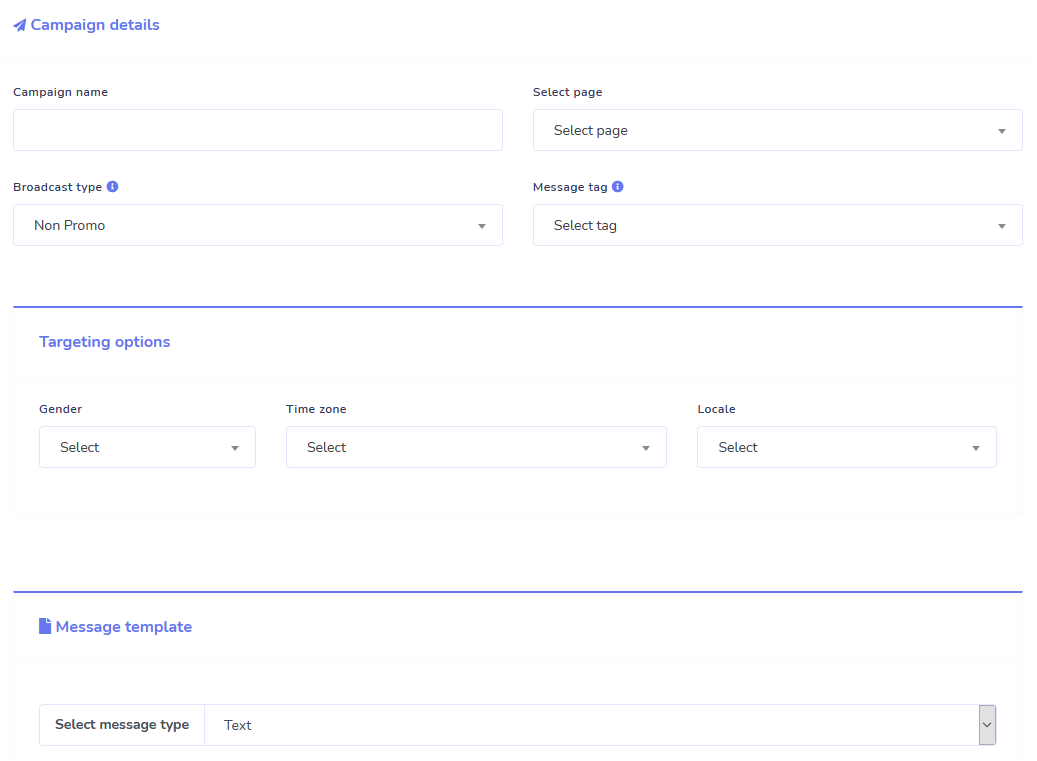
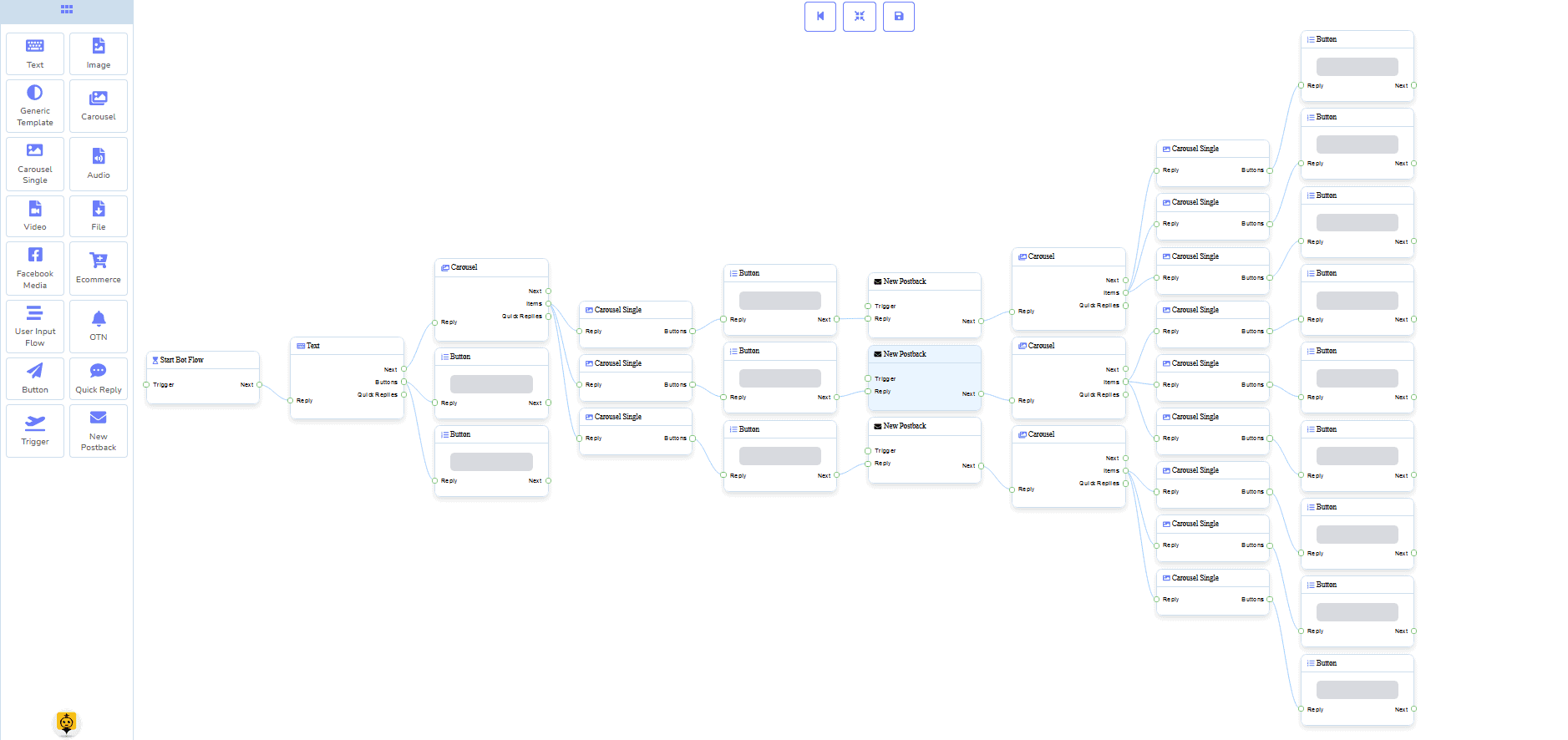
0 Code Flow Builder
+ Voor jou gedaan Sjablonen
Ga live in slechts een paar klikken met onze kant-en-klare sjablonen!
Maak je geautomatiseerde workflows zonder enige codering met onze no-code visuele bouwer!
Nog steeds te technisch? Onze klantenservice staat voor je klaar en is klaar om het voor je te bouwen!
Auto-Responder, Broadcast, Sequentie, Abonneren en Sjablonen
Beantwoord automatisch alle e-mails!
Stuur e-mailuitzendingen en drip-feedcampagnes.
Bouw je abonneelijsten en maak e-mailcampagnesjablonen met onze visuele bouwer!
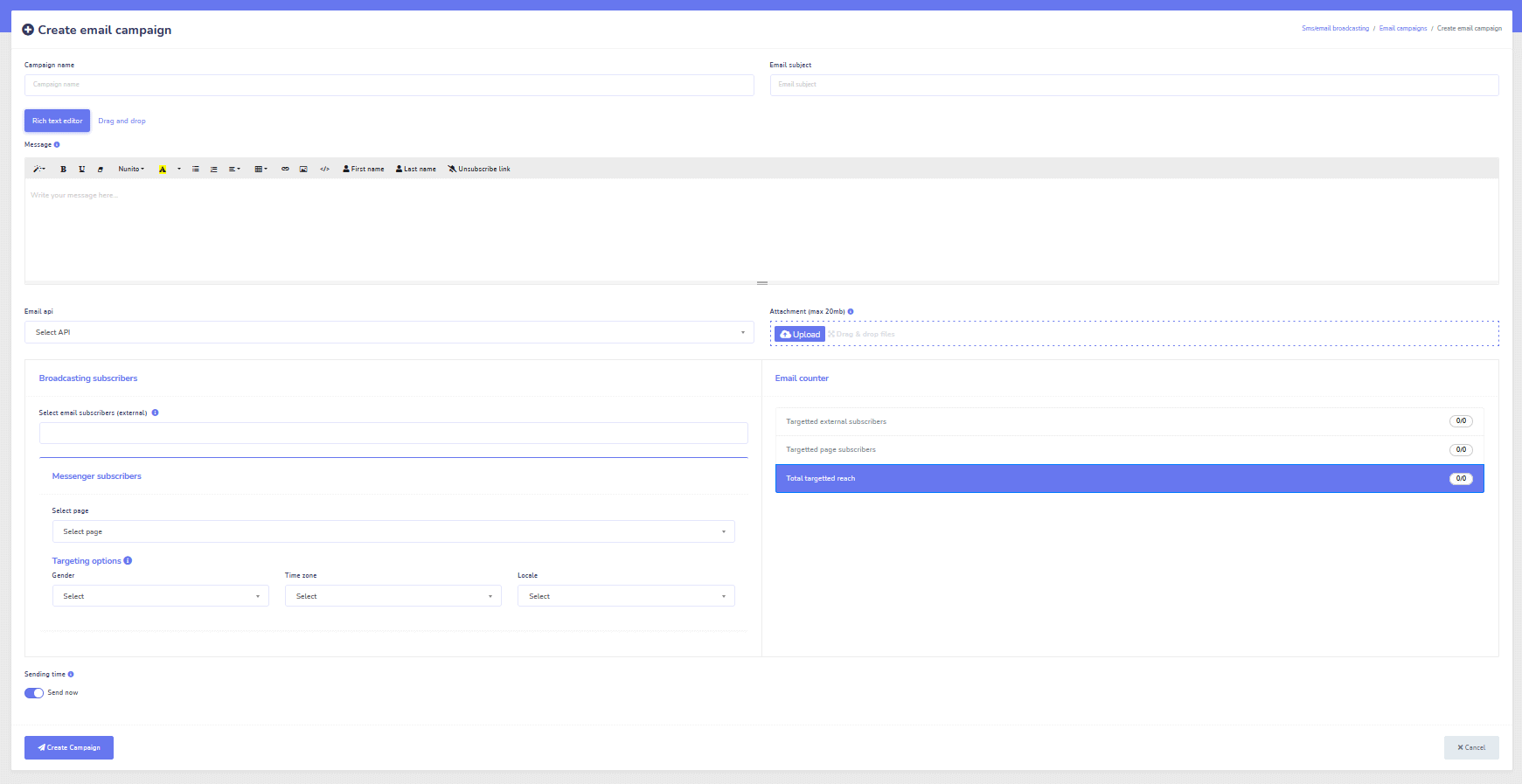
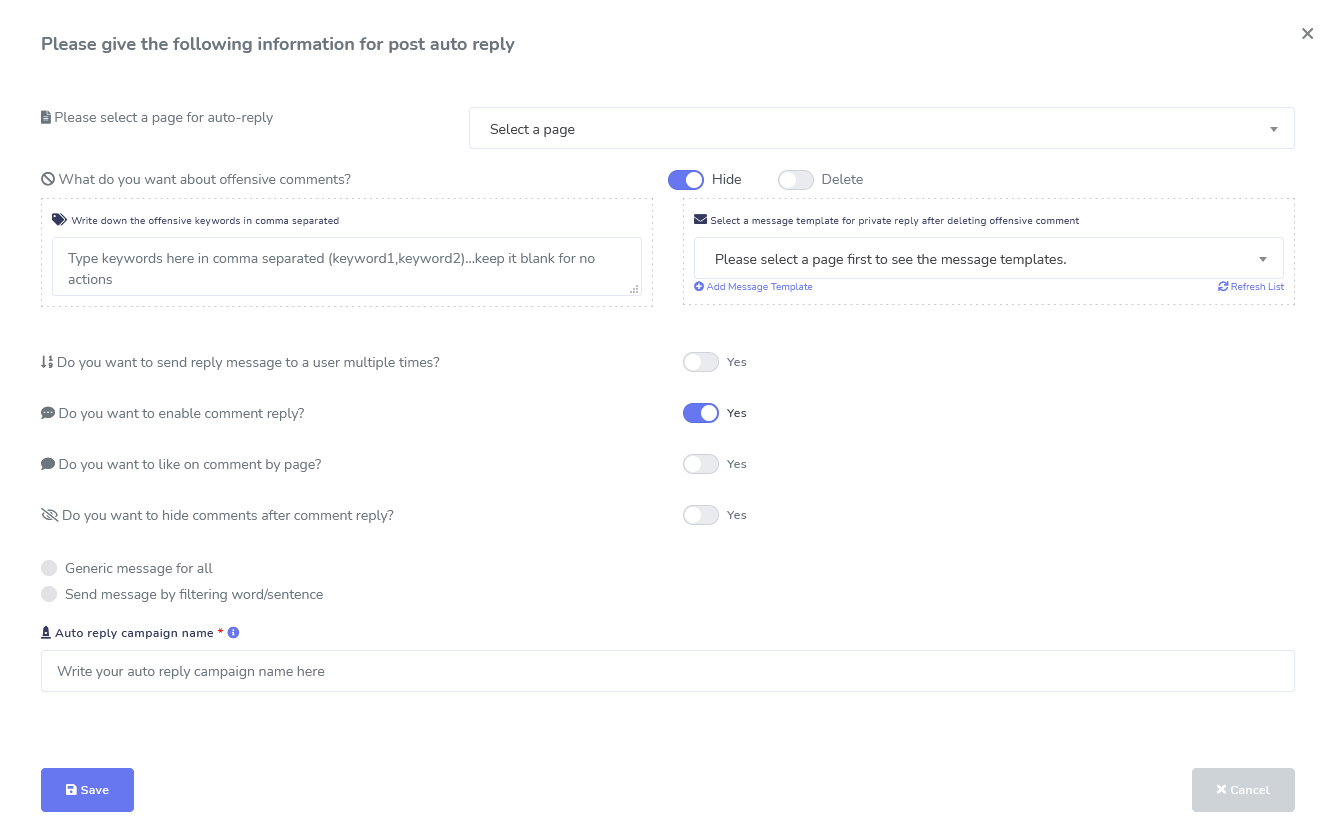
Facebook & Instagram
Comment Moderatie, Automatisering, Berichten, & Antwoordtools
Een volledige suite van Facebook-automatiseringsfuncties ontworpen om je te helpen met het maken van berichten, het inplannen van berichten, het modereren van berichten en automatisch antwoorden op berichten, evenals het verzenden van vervolgberichten!
Live of Geautomatiseerd
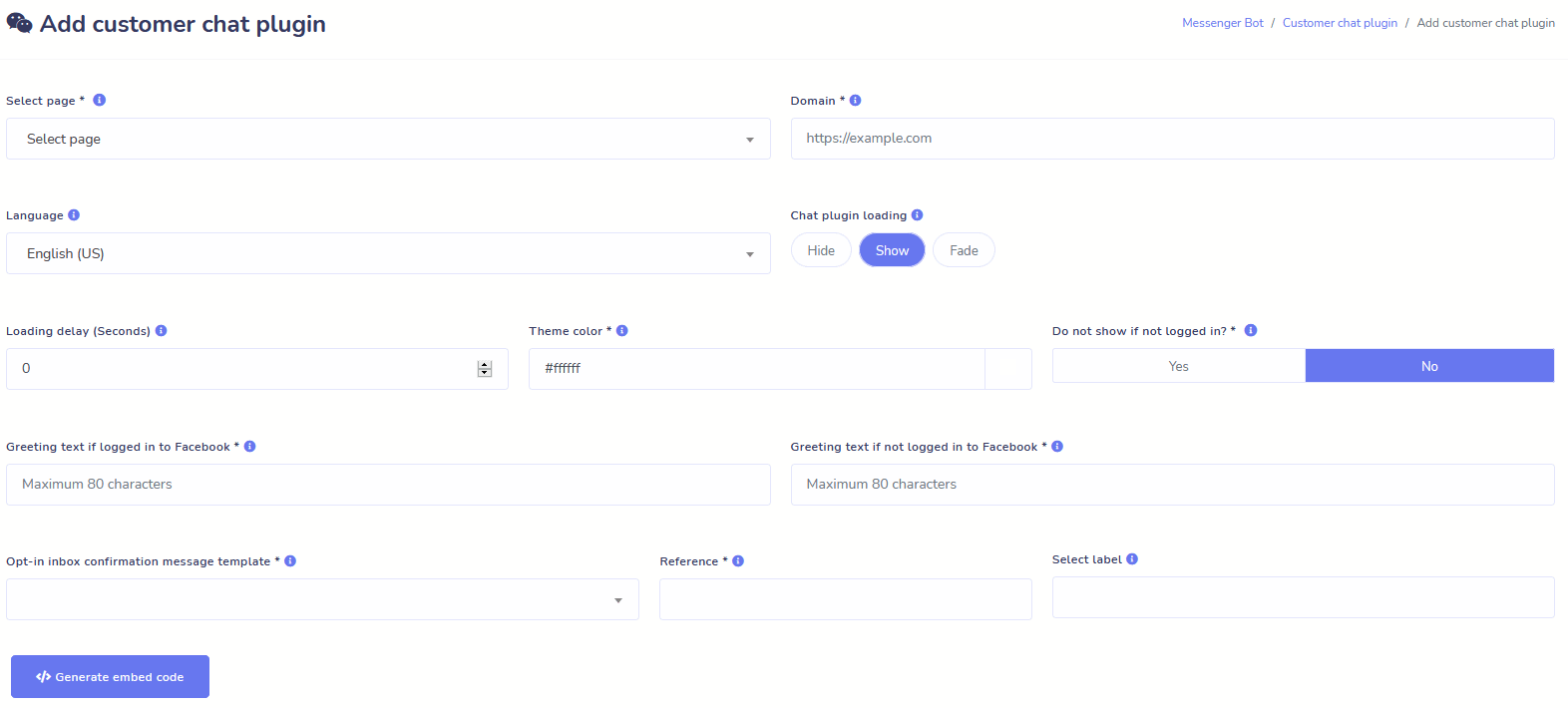
Website Chat
Automatiseer je chat en bied ook live menselijke hulp aan bezoekers die erom vragen.
Laat gebruikers de informatie krijgen die ze nodig hebben op aanvraag en zie je bedrijf bloeien!
Geef je gebruikers de ervaring die ze wensen in slechts een paar klikken.
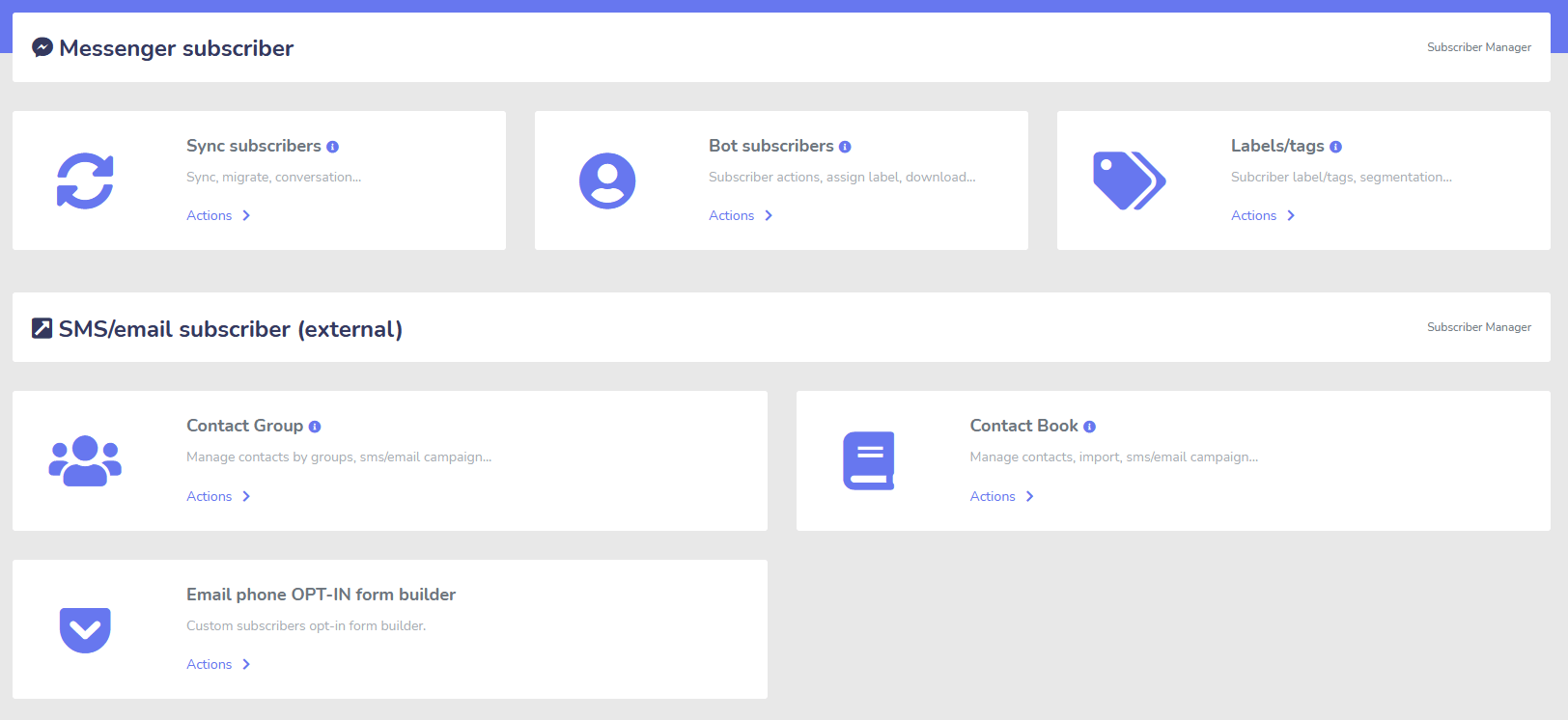
Abonnee
Bouwer, Importeur, Beheerder, en Synchronisatie
Migreren van ManyChat, ChatFuel, of ergens anders? Synchroniseer eenvoudig je abonnees met Messenger Bot!
Bouw eenvoudig je abonneelijsten op met M.Me-links, Messenger-opt-ins en meer!
Abonnee Beheer stelt je in staat om de synchronisatie van abonnees te krijgen, bot-abonnees te bekijken, labels te bekijken en de messaging-/e-mailactiviteiten in verschillende contactgroepen te beheren.
WooCommerce
Synchronisatie en Herstel van Verlaten Wagentjes
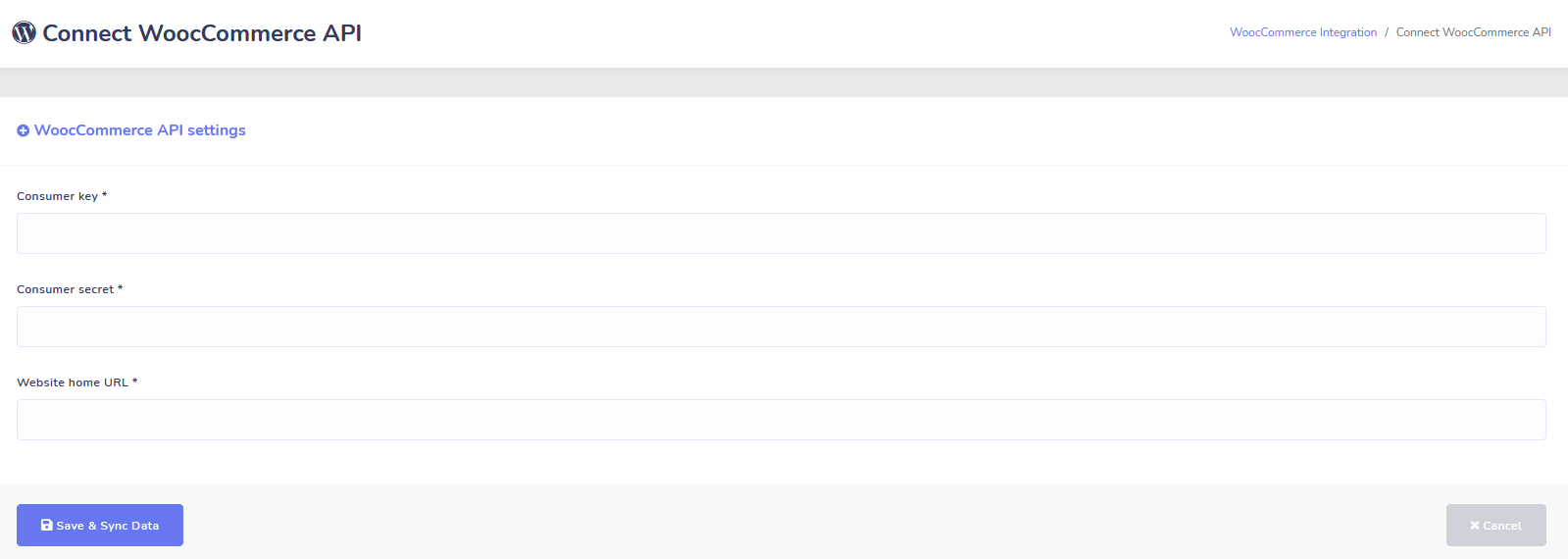
Synchroniseer uw WooCommerce-winkel in 1 klik.
Verkrijg meer verkopen door gebruikers te herstellen die hun wagentjes hebben verlaten!
Shopify + Wix-integraties Binnenkort Beschikbaar!
Zapier + JSON API + Google Sheets
Integraties
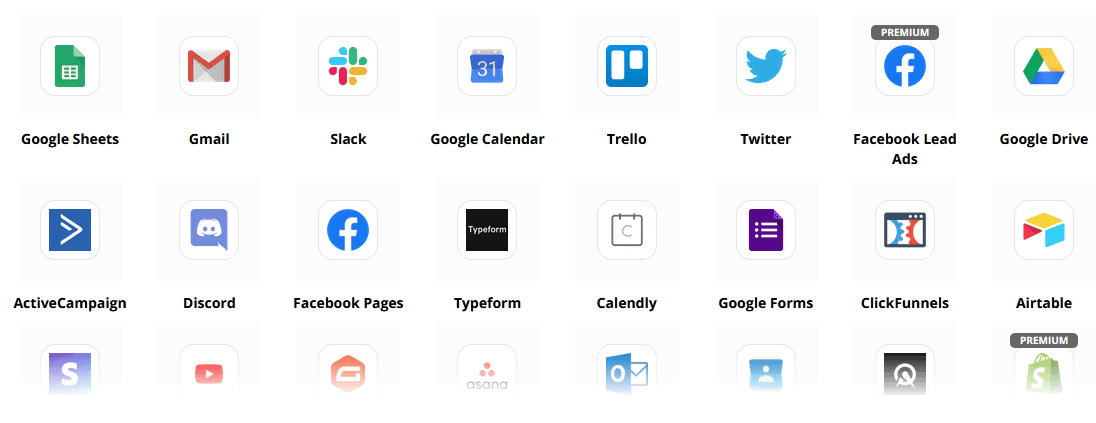
Verbind met meer dan 3.000+ apps met onze Zapier-integratie of gebruik de JSON API om je eigen aanpassingen te maken!
Verzend abonneedata automatisch naar Google Sheets.
Plus
En Nog Veel Meer!
Gebruik ingebouwde afbeeldingsbewerkers om afbeeldingen en berichten binnen je dashboard te maken.
Plaats automatisch vanuit RSS-feeds!
Maak je eigen persistente Messenger-menu
en en nog veel meer….
Hier zijn andere manieren waarop Messenger Bot wordt gebruikt
Messenger Bot wordt op veel manieren gebruikt. Hier is een kleine lijst van hoe mensen ons op dit moment gebruiken.
Klantenservice
Intelligent klanten doorsturen naar hun gewenste bestemming op basis van hun acties en gedragingen.
Verzamel informatie van klanten
Alle belangrijke informatie van klanten verkrijgen.
Veelgestelde Vragen
Geef gebruikers onmiddellijk de antwoorden die ze nodig hebben, terwijl je tegelijkertijd het ondersteuningsteam ontlast.
eCommerce
Verkoop direct in Messenger met een nieuwe of bestaande winkel!
Leadgeneratie
Interacteer met gebruikers en genereer automatisch leads!
Volledig aanpasbare formulieren
Maak volledig aanpasbare en conversatiegerichte formulieren in Messenger + op uw website!
Vastgoed
Toon eigendommen en genereer automatisch gekwalificeerde leads 24/7.
Restaurant
Voer promoties uit, neem reserveringen en betalingen aan!
Travel & Tours
Krijg meer reis- en toerismeboekingen, toon uw unieke uitjes.
Autodealer
Toon en verkoop auto's via Messenger + uw site!
Feedback en Enquêtes
Maak volledig aanpasbare geautomatiseerde enquêtes en feedbackformulieren!
Verzekering
Help bij het presenteren en selecteren van polissen + geef offertes en maak afspraken.
Lage Prijs Voor Een Beperkte Tijd
Acteer nu en beveilig deze speciale aanbieding voor Messenger Bot voordat de prijs stijgt!
Met Messenger Bot, je bespaart op ondersteuning, verkoop en abonnements kosten voor andere diensten die je niet meer zult gebruiken!
Bekijk Messenger Bot In Actie!
40.000+ Gebruikers
24/7 Ondersteuning
100% Tevredenheid

Gebruikt en Vertrouwd door Meer dan 40.000 Gebruikers
Sluit je aan bij meer dan veertigduizend ondernemers die Messenger Bot gebruiken en vertrouwen als een complete end-to-end marketingoplossing!
Practical follow-up resources
Turn more customer conversations into clear next steps.
Use these practical guides to strengthen response speed, lead qualification, and follow-up while your team keeps ownership of every customer decision.
- missed-call text-back guide — Keep high-intent callers moving with a clear, consent-aware follow-up path.
- lead-scoring workflow — Give your team a practical way to prioritize better-fit opportunities.
- speed-to-lead guide — Shorten the gap between a new inquiry and a useful first response.
Pick the right starting point
Choose the Messenger Bot plan that matches the conversations you want to win.
Start with the workflow you need now, then upgrade when your page, team, or client load grows.
Starter
$29 /mo
For one focused page getting its first automated comment and DM follow-up live.
- Launch a guided lead-capture workflow.
- Reply faster without adding another daily dashboard.
- Keep setup simple while you prove the channel.
Pro
$99 /mo
For growing businesses that want BYOK (Bring Your Own Key), business knowledge, and better lead sorting.
- Use AI-assisted drafts with human review.
- Qualify replies before your team spends time on them.
- Keep follow-up consistent across busy launches.
Bureau
$299 /mo
For teams managing multiple brands, clients, assets, and approval workflows.
- Organize client conversations by page and priority.
- Give teams cleaner review paths before replies go out.
- Scale repeatable workflows without adding extra manual work.
A payment card keeps trials focused. You stay in control of the plan before billing starts.
Veelvuldig Gevraagd Vragen
Wat is een Facebook Messenger Bot?
Een Facebook Messenger bot is een geautomatiseerde chatbot die kan worden gebruikt om niet alleen de Messenger-ervaring te verbeteren, maar ook de chatervaring op je website.
Wat kan Messenger Bot voor mijn bedrijf doen?
Messenger Bot stelt je in staat om automatisch nieuwe gebruikers te verwelkomen, te reageren op specifieke trefwoorden of zinnen, inhoud te syndikeren, leads te genereren, verkopen te maken en meer!
Waarom heb ik Messenger Bot nodig?
Naarmate elke dag verstrijkt, wordt het steeds moeilijker om je doelgroep te bereiken. Het is een feit dat veel van de traditionele marketingmethoden niet langer dezelfde resultaten opleveren als jaren geleden.
Onze Facebook Messenger-bot lost dit probleem op door je in staat te stellen om meer dan 80% open rates te behalen met realtime interactieve berichten en chatcampagnes.
Hoe maak ik een Facebook Messenger-bot?
Eerst heb je een Facebook-account en een Facebook-pagina met beheerdersrechten nodig om deze te beheren.
Daarna koop je je deal (of meld je aan voor een gratis proefperiode) en selecteer je “Importeer Account”.
Vanaf daar gebruik je onze Visual Flow Builder om je bot in enkele minuten te maken en te implementeren, niet in dagen! Nu kun je op elk moment echte gesprekken met je klanten beginnen.
Is er een proefperiode?
Ja, je kunt je gratis proefperiode krijgen voordat je koopt, zonder dat er creditcards nodig zijn. hier.
Wanneer verloopt deze aanbieding?
Deze aanbieding verloopt binnenkort, dus als je de beste korting wilt, wil je nu bestellen.
Klaar om een echte verandering te maken? Laten we dit samen bouwen!
Leer Messenger Bot kennen zonder enige beperkingen en begin het pas ten volle te gebruiken wanneer je ervan houdt. We wachten op je.
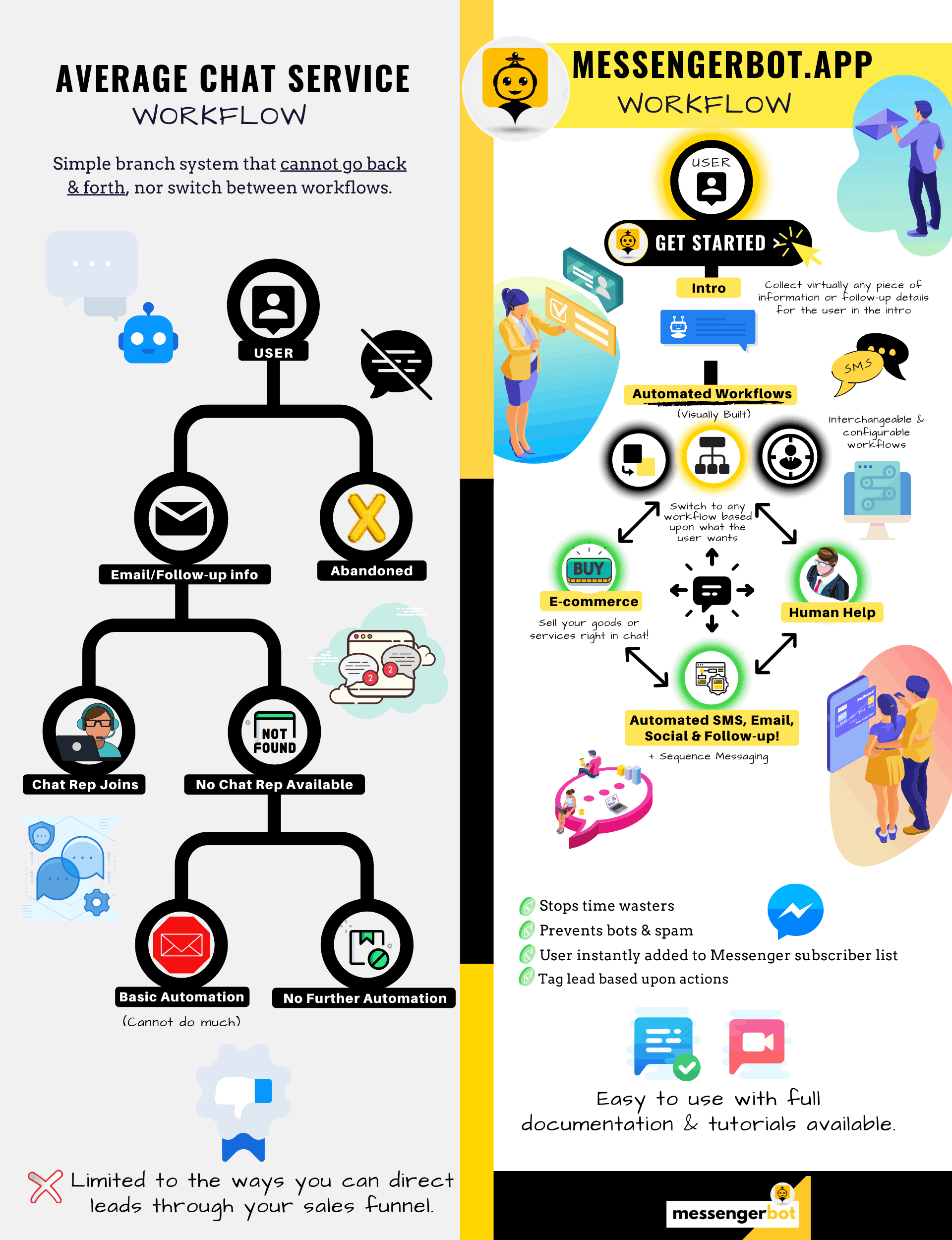
Messenger Bot is veel meer dan een eenvoudige chat bot!
Nu is het mogelijk om automatisch complexe gesprekken te voeren!
Waarom je Messenger Bot nodig hebt
om de verkoop in jouw bedrijf te stimuleren
Voor marketeers wordt Facebook Messenger nu een nieuwe en effectieve manier om contact te leggen met huidige en potentiële abonnees van jouw Facebook-pagina en bedrijf. Met het gebruik van Messenger-bots kun je op elk moment van de dag informatie verspreiden zonder een vinger te hoeven uitsteken.
Een van de krachtigste bot-apps, Messenger Bot, is snel een leider geworden in deze nieuwe industrie. Onze marketingsoftware heeft zoveel functies die marketing een fluitje van een cent maken voor zowel grote als kleine bedrijven. Door gebruik te maken van de Facebook Messenger-chatbot kun je nu 24/7 op chats reageren, berichten in grote hoeveelheden naar jouw doelgroep sturen en zelfs video's en foto's op jouw Facebook-pagina plaatsen. Als je het nodig hebt voor jouw bedrijf, heeft Messenger Bot het ongetwijfeld! Op onze unieke manier kunnen we je een hoog niveau van chatbotservice bieden dat je nergens anders ziet.
Laten we alle diensten en functies bekijken die onze fantastische app biedt voordat je aan de slag gaat. Deze indrukwekkende software is zeker het meest ideale Facebook Messenger-marketingtool voor jou zonder dat er codering vereist is.
Wat is een Facebook Chatbot?
Als je slechts vaag weet wat een Facebook Messenger bot-app of Facebook chatbot doet, moet je begrijpen hoe het je bedrijf naar het volgende niveau kan katapulteren. De software is geautomatiseerd om berichten via Facebook Messenger te verzenden door gebruik te maken van natuurlijke taalverwerking om te begrijpen wat de persoon wil en kunstmatige intelligentie om met mensen te communiceren. Wanneer het is geïmplementeerd, kan het vragen begrijpen die aan hem worden gesteld en die vragen correct beantwoorden. Chatbots zijn als virtuele assistenten die de klantervaring kunnen verbeteren.
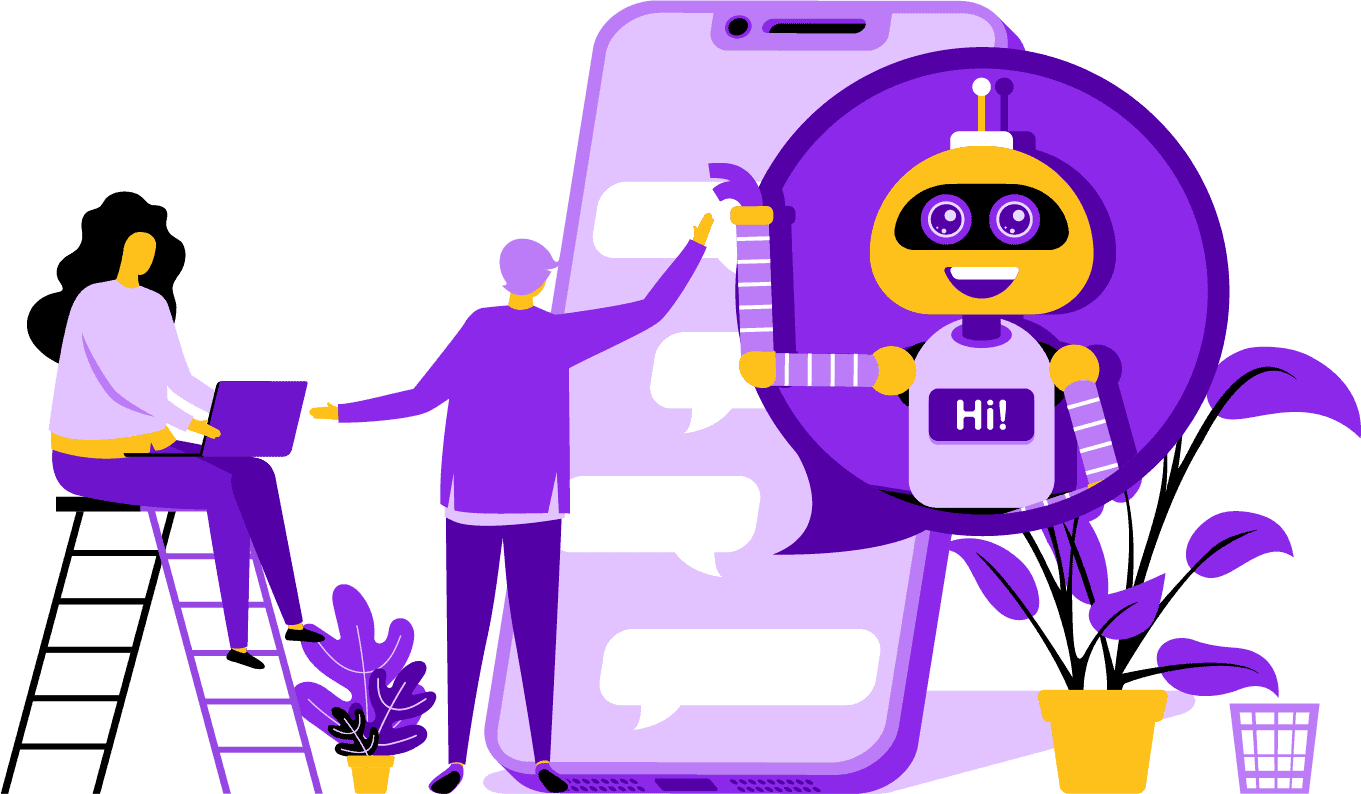
Er zijn strategische voordelen aan het gebruik van een Facebook Messenger bot voor je bedrijf. Als je een bekende naam wilt worden, is het gebruik van Messenger een slimme manier om je bedrijf en missie in contact te brengen met miljarden mensen. Facebook Messenger staat comfortabel in de top vijf als je het hebt over de meest gebruikte apps ter wereld. Gezien dit feit, waarom zou je Messenger dan niet gebruiken voor je zakelijke behoeften? Klanten waarderen de app omdat het een gemakkelijke en snelle manier biedt om contact op te nemen met bedrijven over de hele wereld. Een bedrijf kan groeien en de exposure vergroten terwijl het tegelijkertijd actieve klantenservice biedt. Je hoeft je geen zorgen te maken over 24/7 klantenondersteuning met een chatbot.
Een ander voordeel dat een Facebook-bot kan bieden, is leadgeneratie. Het is gemakkelijker om potentiële klanten te bereiken met een Facebook Messenger-chatbot. Wanneer je bot-app potentiële klanten benadert, kan deze basisvragen stellen om de behoeften en wensen van de persoon te identificeren met behulp van natuurlijke taalverwerking. De app kan de prospect doorverwijzen naar je klantenservice of verkoopteam om het over te nemen en de verkoop te sluiten. Zoals je zult zien, kan Messenger Bot dit alles en meer doen zonder dat er codering nodig is. Begin met Messenger Bot!
Bulkberichten
en een Facebook Bot
Wanneer je een Facebook-pagina hebt, zijn er momenten waarop je contact wilt opnemen met abonnees en potentiële klanten om een boodschap te verspreiden. Messenger Bot heeft een bulkberichtenfunctie om dat te bereiken. Waarom bulkberichten verzenden? Ten eerste, het kan snel worden afgeleverd. Wanneer je deze functie op Messenger Bot gebruikt, kunnen je communicatieberichten binnen enkele seconden iedereen bereiken. Je kunt een massabericht naar duizenden verzenden wanneer je deze app gebruikt en weten dat het zal worden afgeleverd zoals bedoeld. Je leads kunnen met je converseren en interactie hebben, wat vertrouwen opbouwt wanneer ze nauwkeurige en gemakkelijk begrijpelijke antwoorden op hun vragen ontvangen. Deze uitstekende functie die Messenger Bot heeft, helpt om je klantenbestand te behouden, wat deel uitmaakt van de basis voor zakelijke groei. We zijn er trots op te kunnen zeggen dat wij de eersten waren die bulkberichten konden verzenden naar alle abonnees.
Extra Auto-functies,
Inclusief Facebook Messenger Chatbot

-
Automatisch Opmerking Like
Deze functie geeft u de mogelijkheid om opmerkingen van abonnees die u op uw pagina en onder uw berichten vindt te liken. Deze betrokkenheid kan de activiteit op uw pagina verhogen, omdat anderen zien dat u een bedrijf bent dat waarde hecht aan wat zijn klanten en potentiële klanten te zeggen hebben. Het helpt u de aandacht te krijgen die u zoekt. Het toevoegen van likes aan veel opmerkingen kan ook uw klantenbestand behouden wanneer zij uw constante betrokkenheid bij uw bedrijf zien.
-
Automatisch Opmerking Privé Antwoord
Hetzelfde voordeel geldt voor het automatische privé-antwoord van Messenger Bot. U zult situaties tegenkomen waarin iemand u privé benadert om een opmerking te maken of een vraag te stellen over uw bedrijf. Onze app stelt u in staat om op deze berichten op elk moment van de dag te reageren met het antwoord dat u nodig heeft. Het antwoord is ontworpen volgens uw specificaties, en het bericht kan worden aangepast wanneer nodig.
Facebook Plaatsen<!–
met een Bericht Bot
Onze berichtbot stelt je in staat om niet alleen tekst op je Facebook-pagina en -groepen te plaatsen, maar je kunt ook het plaatsen en delen van foto's, video's en links automatiseren. Er is simpelweg niets dat de Messenger Bot niet kan doen! Met deze functie kun je nu elk type media dat je wilt op elk gewenst moment uitrollen. Het gebruik van een mix van tekst en visuele tools kan je abonnees opnieuw betrekken en tegelijkertijd nieuwe abonnees winnen.
Verhoogde Betrokkenheid
met Messenger Marketing
Onze Facebook Messenger-bot kan je helpen betere betrokkenheid van je abonnees en klanten te ontvangen. Onderzoek heeft aangetoond dat wanneer je hoge betrokkenheid hebt, je een grotere kans hebt om je verkopen te verhogen. Je kunt de vele functies van de Messenger Bot gebruiken om dit succes te bereiken. Geautomatiseerde uitrol van afbeeldingen en andere visuele content kan je klantenkring geïnteresseerd houden in wat je te zeggen hebt. Het kan een relatie creëren die draait om het vertrouwen dat hij of zij nu in jouw bedrijf heeft. We begrijpen hoe vitaal deze betrokkenheid is beter dan wie dan ook in de chatbotwereld. Wanneer je ons gebruikt, kun je bijna onmiddellijk resultaten zien.

Persoonlijke Inhoud
van FB Messenger Bot
Onze software kan uw klanten ook gepersonaliseerde reacties geven op al hun opmerkingen en zorgen die ze kunnen hebben. Als abonnee, wanneer u een aangepaste ervaring heeft met een bedrijf online, kan dit hen het gevoel geven dat u om hun gedachten en aanwezigheid als klant geeft. Voor degenen met een achtergrond in verkoop en marketing weet u dat klanttevredenheid een groot onderdeel is van een succesvol bedrijfsmodel. Bij Messenger Bot kunnen we u helpen deze waardevolle personalisatie te creëren die uw klanten nodig hebben om loyaal te blijven.
Een Grote Aanwezigheid op Sociale Media
met Facebook Messenger Marketing
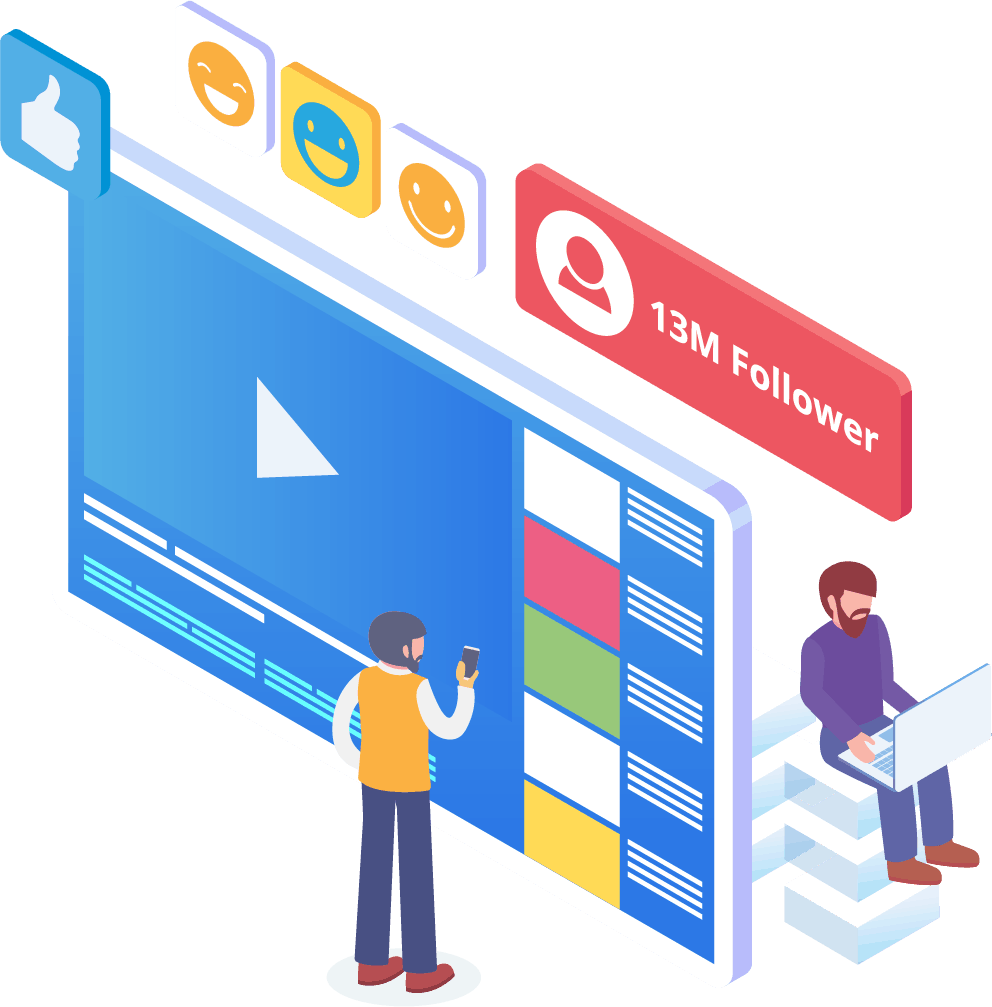
In de wereld van vandaag hebben bedrijven een uitstekende aanwezigheid op sociale media nodig om voorop te blijven lopen. Facebook is gestaag een platform geworden dat de zichtbaarheid van een bedrijf kan vergroten en nieuwe abonnees en potentiële klanten in de honderden naar uw pagina kan brengen. Een van de beste manieren om met deze Facebook-gebruikers te communiceren is via een chatbot-app. Onze Facebook messenger chatbot kan u helpen om te vermaken, informeren en onderwijzen degenen die regelmatig met uw pagina interageren.
Een goede marketingstrategie zou het gebruik van Facebook en sociale media moeten vereisen om de groei van een bedrijf te faciliteren. Het gebruik van onze app kan je helpen om een volledige en robuuste marketingplan te creëren dat je bedrijfsprofiel naar eerder onbereikbare niveaus kan tillen. Onze messenger chatbotservice is speciaal ontworpen voor Facebook en kan zich aanpassen naarmate de sociale media-reus wijzigingen aanbrengt. Messenger is een grotendeels onbenut sociaal media-instrument dat je tot een marktleider kan maken als je weet hoe je het moet gebruiken. We kunnen de gokspellen wegnemen en je helpen om je zakelijke doelen stap voor stap te bereiken.

Analyseer Je
Gegevens Met Messenger Bot
Zoals eerder vermeld, kan onze app ook rapporten samenstellen die bedoeld zijn om Facebook- en abonneedata te analyseren. De software van Messenger Bot is ontworpen om te begrijpen hoe mensen werken als het gaat om interactie met Facebook. De analyses die we aan bedrijven bieden, stellen je in staat om diepgaand te graven bij het creëren van strategische verkoop- en marketingprotocollen om je bedrijf te laten groeien. We geven je het volledige plaatje om naar te kijken, en van daaruit kun je extraheren wat nodig is om succesvoller te worden.
Deze diepgaande data-analyse kan nieuwe verkopen, leads en klanten genereren. Door terug te kijken naar alle interacties die je Facebook-pagina en abonnees gedurende een bepaalde tijd hebben gehad via machine learning, kun je nu content creëren die gericht is op je basispubliek. We verwijderen de extra's die niet nodig zijn bij het proberen om nieuwe en relevante content te maken. Je focus blijft waar het hoort.

Converteer uw leads met Messenger Bot
Messenger Bot kan helpen om uw leads naar een verkoop te leiden. Onze automatiseringssoftware begint het proces door de aandacht van potentiële klanten te trekken. We kunnen op een basis maar persoonlijke manier met de prospect communiceren, waardoor ze het gevoel krijgen dat ze belangrijk zijn voor uw bedrijf. U kunt nu beter die klanten targeten en contact met hen houden na de eerste uitwisseling.
Snelle responstijd is essentieel voor de klantervaring en conversies. Met een snellere responstijd stijgt de tevredenheid van uw potentiële klant, omdat ze hun antwoorden in real-time ontvangen zonder enige complicatie of gedoe. De eenvoudige ervaring verbetert de retentie en toekomstige verkopen. Wanneer een nieuwe klant in contact komt met een bedrijf, betekenen eerste indrukken alles. Door Messenger Bot te gebruiken, voorkomt u complicaties en onvoorziene problemen bij het proberen te chatten met een abonnee. Chatbots zijn uw virtuele assistenten voor eenvoudige taken, zodat u zich meer kunt concentreren op het opschalen van uw bedrijf.

Maak uw tijd vrij met een Facebook Bot
Laat Messenger Bot al het engagement werk voor jou en jouw bedrijf doen. Op die manier kun je je nu concentreren op andere essentiële taken die jouw volledige aandacht vereisen. Met onze innovatieve app hoef je je geen zorgen meer te maken over het vergeten van een post of het onopzettelijk negeren van een opmerking of vraag. Het maakt niet uit wanneer het engagement binnenkomt. Onze software is ontworpen om te reageren wanneer dat nodig is. Deze functie betekent 24/7 klantenservice voor jou en jouw abonnees.
Met onze software hoef je alleen maar in te voeren wat je nodig hebt op onze gebruiksvriendelijke interface, en wij nemen het vanaf daar over. Je blijft achter met een complete campagne die wij voor jou verzorgen. Je kunt op ons rekenen om jouw informatie naar hongerige ogen en oren te brengen.
Profiteer
van de Populariteit van Facebook
Facebook vertraagt niet snel. De zeer populaire sociale mediasite wordt door meer dan een miljard mensen over de hele wereld gebruikt, en dat omvat Messenger. Gebruikers van de app genieten van Messenger omdat het gemakkelijk te gebruiken is. Ze hoeven niet door verschillende links of pagina's te klikken om te komen waar ze willen.
Dit voordeel is geschikt voor bedrijven die op de grondniveau met hun basis willen communiceren. Messenger Bot heeft dezelfde eenvoud en gemak die aantrekkelijk zijn voor Facebook-gebruikers. Wanneer ze met de software omgaan, krijgen ze eenvoudige en gemakkelijk te begrijpen informatie die hen een informatieve mening over een product of bedrijf kan geven. Deze klantenservice is beschikbaar wanneer ze het nodig hebben en zonder wachttijd.
Nieuwe Kansen
In overvloed
Onze bot-app kan je nieuwe kansen bieden die andere bedrijven die ervoor kiezen geen Messenger-bot te gebruiken niet zullen hebben. De Messenger-app wordt nog steeds beschouwd als een nieuwe benadering van digitale marketing, dus elke strategie die je via ons gebruikt, zal niet versleten en verouderd zijn. Wij bieden je de toonaangevende technologie die bedoeld is om jouw bedrijf van anderen te onderscheiden.
Via Facebook Messenger Chatbot ga je ontdekken wat voor jou werkt en wat niet werkt als het gaat om verkoop en marketing. Door onze middelen te gebruiken, kun je de aanpak in de loop van de tijd stroomlijnen en ervoor zorgen dat je het beste van jezelf laat zien als het gaat om jouw merk. Concurrenten die onze chatbot niet gebruiken, hebben een duidelijk nadeel als het gaat om massa.

Verbeter Klantenservice
Met Facebook Chatbot
Natuurlijk ga je de klantenservice die je nu biedt verbeteren en versterken met onze app. We houden rekening met alle aspecten van klantenservice als het gaat om onze software. We hebben hoogwaardige antwoorden met behulp van machine learning en natuurlijke taalverwerking die klanten tevreden kunnen stellen en hen kunnen leiden tot snelle aankoopbeslissingen. De onmiddellijke responstijd voorkomt dat de potentiële koper je pagina verlaat om elders een product te kopen.
Daarnaast, wanneer onze messenger chatbot om informatie van je klant vraagt, fungeert dit als een niveau van pre-kwalificatie. Wanneer iemand iets wil kopen van jouw bedrijf, kun je die vrijwillige informatie gebruiken om toekomstige campagnes en productlanceringen beter te bedienen. Je hebt nu de noodzaak geëlimineerd om uren te besteden aan het verkrijgen van die eenvoudige details.
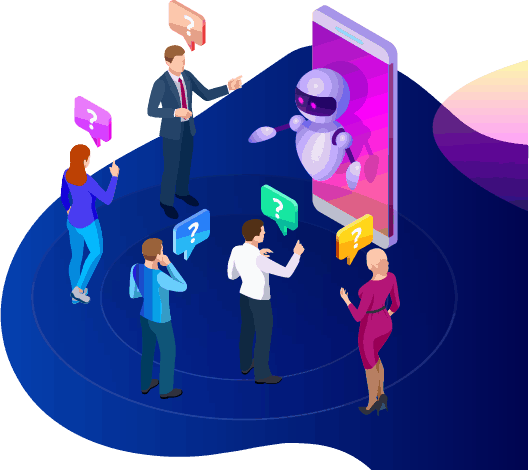
De chatbot biedt je ook de optie om over te schakelen naar een echte menselijke operator wanneer vragen geavanceerd worden, of wanneer je de touwtjes in handen wilt nemen bij een potentiële verkoop. Met Messenger Bot kun je echt je cake hebben en opeten! Je hebt nu aanpasbare klantenservice met snelle communicatie en automatiseringstools die zijn ontworpen om groei en zichtbaarheid te faciliteren.
Merkopbouw
Bewustzijn
Met slechts een paar snelle acties kun je je publiek alles over jouw bedrijf laten weten. Vervolgvragen kunnen worden beantwoord, en je potentiële klant kan nu dieper in je verkoopfunnel worden geleid.
Mobiel
Optimalisatie
Met zoveel mensen en consumenten die hun telefoons voor alles gebruiken, herkent Messenger Bot het potentieel voor verkoop en klantbehoud door Facebook Messenger te gebruiken voor outreach. Onze software is gemaakt met mobiele apparaten in gedachten. We hebben gekozen voor een schone en eenvoudige benadering bij het ontwerpen van onze software. Het resultaat is een botsysteem dat naadloos werkt met mobiele apparaten en Facebook.
Volledig aanpasbaar
Messenger Bots
Eerder is aangestipt dat de Messenger Bot aanpasbaar is en kan inspelen op uw veranderende zakelijke behoeften. Deze functie is waardevol voor bedrijven omdat er ruimte is om te veranderen en te groeien. We hebben een volledig functionerende chatbot gebouwd die met uw bedrijf mee kan bewegen, ongeacht de richting. U kunt uw strategie aanpassen wanneer u dat nodig heeft, en wij zijn er zonder onderbreking.


Gebruiksvriendelijk
Messenger Bot
We weten dat uw tijd waardevol is. Wanneer u een nieuwe marketingstrategie via onze app wilt implementeren, wilt u daar niet dag na dag over nadenken. Onze botservice heeft u gedekt. Zodra u ons vertelt wat u nodig heeft, kunnen wij de rest doen. In slechts enkele minuten kunt u een campagne lanceren die de betrokkenheid kan vergroten en u klanten kan opleveren. U hoeft zelfs geen vinger te verzetten vanaf de initiële implementatie als u dat niet wilt. Onze complexe technologie zorgt ervoor dat uw gebruikerservaring probleemloos en eenvoudig is.
Messenger Bot is ontworpen om u en uw bedrijf te helpen zijn maximale potentieel te bereiken op het gebied van marketing en verkoop. Via onze innovatieve app kunt u waardevolle informatie extraheren die uw zichtbaarheid en populariteit op Facebook kan vergroten. Uw nieuwe verbinding met abonnees helpt uw basis te behouden en nieuwe klanten te winnen. Er is niets zoals dit! Probeer ons vandaag nog, en u zult versteld staan van de resultaten. Bouw uw eerste messenger chatbot zonder dat er codering vereist is.
Klaar om een echte verandering te maken? Laten we dit samen bouwen!
Leer Messenger Bot kennen zonder enige beperkingen en begin het pas ten volle te gebruiken wanneer je ervan houdt. We wachten op je.
 Nederlands
  English
  Tagalog
  简体中文
简体中文  العربية
  हिन्दी
  Português do Brasil
  Español de México
  Français
  বাংলা
বাংলা  香港中文
香港中文  繁體中文
繁體中文  Deutsch
  Bahasa Indonesia
  日本語
日本語  한국어
한국어  Polski
  Русский
  Español
  Tiếng Việt