
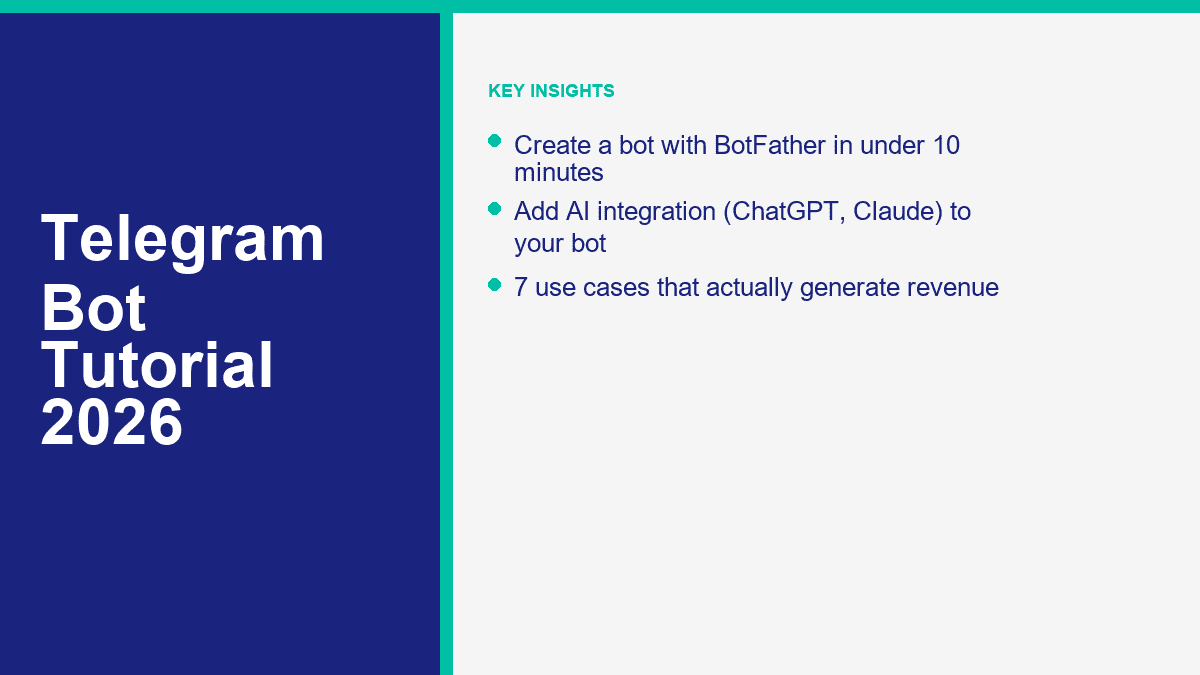
A maioria dos tutoriais de bot do Telegram mistura três trabalhos diferentes: criar a conta do bot, dar comandos utilizáveis e conectá-lo à automação real. A primeira parte realmente pode ser feita em menos de 10 minutos com o BotFather. A segunda parte é outra sessão curta. A terceira parte, especialmente a IA, é onde a maioria dos iniciantes ou constrói demais ou fica presa.
É exatamente por isso que o Telegram ainda vale a pena prestar atenção em 2026. O Telegram diz que sua Plataforma de Bots hospeda mais de 10 milhões de bots, e a configuração básica é gratuita para desenvolvedores. Você pode lançar bots dentro de chats privados, grupos, canais, pesquisa inline e Mini Apps, o que torna o Telegram muito mais flexível do que um simples widget de chat de site ou um respondedor automático de DM.
Há uma limitação que você deve entender antes de tocar no BotFather: os bots do Telegram não podem iniciar conversas com os usuários primeiro. Uma pessoa precisa abrir o bot, tocar em um t.me link ou adicionar o bot a um grupo ou canal. Se isso se encaixa no seu negócio, o Telegram é uma construção forte. Se a maioria dos seus leads já vem através de mensagens da Página do Facebook e DMs do Instagram, compare esse fluxo de trabalho com Ver Preços do MessengerBot antes de construir o canal errado só porque o Telegram parece mais aberto.
Por que os Bots do Telegram Valem a Pena Construir em 2026
A resposta curta é alavancagem. Um bot do Telegram pode atuar como um representante de suporte, assistente de reservas, qualificador de leads, motor de notificações, ferramenta de entrega de conteúdo premium ou ajudante de IA sem forçar os usuários a baixar um aplicativo separado. Para operadores solo e pequenas equipes, isso é importante porque um bot pode cobrir trabalho repetitivo que, de outra forma, consumiria horas toda semana.
O Telegram também é incomumente flexível em comparação com a maioria dos canais de mensagens empresariais. Você pode executar um bot em chats um a um, adicioná-lo a grupos para moderação ou fluxos de trabalho, anexá-lo a canais, habilitar ações inline ou transformá-lo em um Mini App mais tarde. Isso significa que o mesmo bot pode começar como um bot de comando básico e crescer para algo mais sério sem uma migração de plataforma.
Também ajuda que a primeira camada é genuinamente gratuita. Criar a conta do bot com o BotFather não custa nada. Isso não significa que todo o projeto seja gratuito para sempre. Hospedagem, APIs de IA, automações externas e ferramentas pagas ainda podem aparecer mais tarde. Mas o ponto de entrada é baixo o suficiente para que você possa validar um caso de uso real antes de gastar dinheiro.
Se você ainda está comparando canais e caminhos de construção, vale a pena ler nosso artigo sobre construir um chatbot sem codificação. A mecânica do canal muda, mas a regra principal não: comece com um trabalho claro, não uma promessa gigante de “assistente de IA”.
O que o Telegram acerta para iniciantes e pequenas empresas
- Configuração rápida: O BotFather gerencia nomes, nomes de usuário, comandos, descrições, configurações de grupo e criação de tokens em um só lugar.
- Alcance global: O Telegram funciona bem para públicos internacionais, comunidades de criadores, usuários de SaaS, educação, alertas de negociação e grupos de membros de nicho.
- Baixa fricção de lançamento: Você não precisa de aprovação da App Store, de um número de telefone para o bot em si, ou de um aplicativo móvel personalizado.
- Estrutura amigável para IA: O Telegram já suporta conversas em threads, comandos, botões, interações inline e Mini Apps, o que o torna uma opção natural para IA e automação de fluxos de trabalho.
- Boas opções de monetização: Bots podem suportar conteúdo pago, assinaturas, geração de leads, reservas, economia de suporte, funis de afiliados e bens digitais.
Não há um verdadeiro caminho de “sem necessidade de cadastro” aqui, e isso é aceitável. Você ainda precisa de uma conta no Telegram para usar o BotFather. O que importa é que você não precisa de uma equipe de desenvolvedores apenas para obter a identidade do bot, o link e os controles básicos em funcionamento.
O que você pode realisticamente lançar em uma única sessão
| Tempo investido | O que você pode construir | Melhor caso de uso |
|---|---|---|
| 10 minutos | Conta de bot, nome de usuário, perfil, comandos e compartilhável t.me link |
Reivindicando sua identidade de bot e preparando o shell |
| 30 a 60 minutos | Respostas automáticas baseadas em menu com uma camada de automação sem código | Bots de FAQ, captura de leads, roteamento de agendamentos, suporte básico |
| Meio dia | Bot de FAQ assistido por IA com regras de fallback e registro | Suporte, bots de conhecimento interno, comunidades de criadores |
| Construção de fim de semana | Mini App, pagamentos, sincronização de CRM ou bot de fluxo de trabalho personalizado | Ferramentas SaaS, comunidades premium, ecommerce, operações |
O erro que vejo com mais frequência é tratar o Telegram como um lugar para despejar um chatbot de uso geral e esperar que os usuários descubram como usá-lo. A abordagem melhor é muito mais específica. Decida se seu bot é para suporte, reservas, alertas, qualificação de leads ou entrega de conteúdo. Em seguida, construa o caminho mais curto para esse resultado.
Como Criar um Bot no Telegram com o BotFather (Passo a Passo)
BotFather é a conta oficial de gerenciamento de bots do Telegram. Pense nisso como o painel de controle para configuração de bots, não o cérebro real do bot. Ele cria o bot, fornece o token e permite que você gerencie comandos, detalhes do perfil e configurações de permissão.
Prepare estas 5 coisas antes de abrir o BotFather
- Uma conta normal do Telegram no celular ou desktop
- Um nome de bot claro, como Bot de Suporte Northgate ou Bot de Alertas de Propriedades em Londres
- Um nome de usuário que termina em
companheiros de bot, comonorthgate_support_botouLondonDealsBot - Uma imagem de perfil quadrada ou logotipo
- Um lugar seguro para armazenar o token, como um gerenciador de senhas ou aplicativo de notas seguras
Esse nome de usuário é mais importante do que as pessoas pensam. Nomes de usuário do Telegram precisam ter de 5 a 32 caracteres, usar letras, números ou sublinhados, e normalmente terminam em companheiros de bot. Ao contrário do nome exibido, o nome de usuário é o identificador público que as pessoas procuram e aquele que alimenta seu t.me link, então escolha-o com cuidado.
Crie o bot com /newbot e salve o token imediatamente
- Abra o Telegram e procure por @BotFather.
- Toque Comece.
- Envie o comando
/newbot. - Digite o nome de exibição que você deseja que os usuários vejam.
- Digite o nome de usuário do bot que você deseja que o Telegram reserve.
- Copie o token que o BotFather retorna e armazene-o em um lugar seguro.
Se o nome de usuário estiver disponível, o BotFather retornará uma mensagem de sucesso, seu novo t.me link e o token do bot. Trate esse token como uma senha. Qualquer um que o tenha pode controlar seu bot.
Dica para captura de tela: Capture a mensagem de sucesso do BotFather que mostra o nome do bot, nome de usuário e link de compartilhamento. Desfoque o token completamente antes de publicar. Não deixe nem mesmo parte dele visível na captura de tela.
Defina o perfil público antes de compartilhar o link do bot
Agora envie /meusbots, toque no seu bot e abra as opções de gerenciamento. O Telegram permite que você edite a maioria dos detalhes públicos importantes, seja através da interface moderna inline ou comandos diretos como /definirdescricao, /definirtextosobre, e /definirimagemdeusuario.
Aqui está a configuração mínima do perfil que eu não pularia:
- Escreva uma descrição curta com
/definirdescricao. This is the “What can this bot do?” summary users see at the start of the chat. - Add a shorter one-line profile summary with
/definirtextosobre. - Upload a real profile image with
/definirimagemdeusuario. - Check the bot profile from a second account so you see what new users will see.
A good description is plain and specific. Example: “Get property alerts, book a consultation, or ask common mortgage questions.” A weak description is vague marketing copy like “Your intelligent assistant for digital success.” That tells the user nothing.
Dica para captura de tela: Show the bot profile page with the avatar, About text, and visible description. This is the screenshot readers need when they want to confirm they are editing the right fields.
Add commands with /setcommands so Telegram gives users a real menu
Commands are one of Telegram’s biggest advantages for first-time bot builders. When you set them correctly, users can type / and Telegram will show your command list as built-in suggestions. That is far cleaner than expecting people to guess what your bot can do.
Open BotFather again, send /setcommands, choose the bot, and paste a simple command list like this:
start - Open the main menu
help - See what this bot can do
pricing - View plans or request a quote
book - Book an appointment
support - Talk to support
Keep the first version short. Three to five commands is enough for most bots. If you dump ten commands into the menu, the bot starts feeling like a command line instead of a useful assistant.
One important distinction: commands are not the same thing as replies. /setcommands creates the visible command menu. Something else still needs to handle what happens when a user taps those commands.
Dica para captura de tela: Capture the BotFather chat after the command list is accepted, then a second screenshot inside your bot chat showing the slash-command menu on mobile.
Check group permissions and privacy settings before you use the bot in a community
If your bot is going into a Telegram group, you need to decide how much it should see. Telegram bots run in Privacy Mode by default in groups. That means they only see certain relevant messages and commands unless you change the setting. BotFather also lets you control whether the bot can be added to groups at all with /setjoingroups.
Use this rule:
- Leave Privacy Mode on if the bot mostly reacts to direct commands, replies, or structured button taps.
- Turn Privacy Mode off only if the bot genuinely needs to read full group messages, such as moderation or live monitoring.
- Disable group joining if the bot is only for private support or lead capture. That prevents a lot of messy group behavior later.
If you change Privacy Mode, Telegram recommends re-adding the bot to the group so the new behavior takes effect. That one step catches a lot of people out.
Dica para captura de tela: Show the BotFather settings screen where Group Privacy and Join Groups are configured. Most readers will not find these options quickly on their first pass.
Test the first-run experience like a real user, not the owner
- Abra o
t.melink BotFather created. - Toque Comece or send
/start. - Check the avatar, description, About text, and command menu.
- Tap every command you added.
- Make sure the bot’s first message clearly tells users what to do next.
If the bot opens to a blank profile, missing commands, or a confusing first message, it is not launch-ready yet. Fix that before you invite users in. Ten extra minutes here saves you from a lot of “this bot broken?” feedback later.
The 10-minute launch checklist
- The bot name and username are clean and brand-safe.
- The token is saved somewhere secure and not exposed in any screenshot.
- The description explains one clear use case.
- The About text reads well on mobile.
- The profile image looks legitimate, not like a placeholder.
- The bot has 3 to 5 working slash commands.
- Group and privacy settings match how the bot will actually be used.
- The
t.melink opens a clean first-run experience.
Adding Commands and Auto-Replies to Your Telegram Bot
This is the point where most beginners realize BotFather does not build the actual conversation logic. That is not a flaw. BotFather creates the bot account, token, command menu, and settings. The behavior still lives in a no-code automation tool, a bot builder, or your own code.
If you only remember one thing from this section, make it this: start command-first, not AI-first. A bot with a crisp /start menu, three useful options, and a clean fallback will outperform a “smart” bot that rambles or guesses.
The 3 practical ways to make a Telegram bot reply
| Build path | Velocidade | Coding required | Melhor para |
|---|---|---|---|
| BotFather only | Fastest | Nenhum | Claiming the bot identity, creating commands, setting profile details |
| BotFather plus no-code automation | Rápido | None to low | FAQ bots, lead capture, booking flows, simple support |
| BotFather plus custom code | Slower | Sim | AI assistants, custom workflows, CRM sync, advanced group logic |
The no-code route is the one I would recommend for most small businesses. BotFather gives you the token. Then a no-code automation tool or bot builder listens for new messages and sends replies back through Telegram. That is enough for an appointment bot, property-alert bot, FAQ bot, support router, or simple ecommerce helper.
Build the first response flow around one job, not your whole business
Pick one of these as the first version:
- Answer top five support questions
- Collect leads and pass them to email or CRM
- Book appointments
- Send content or alerts on command
- Route users to a paid offer, demo request, or human support
Then build the first menu around that job. A clean starter menu might look like this:
- /start – Welcome and main menu
- /pricing – Plans, packages, or quote request
- /book – Appointment or consultation booking
- /support – Human handoff or issue menu
A lot of Telegram bots work better with buttons than long free-text replies. Use commands to open the right branch, then return short answer blocks and obvious next-step buttons. The reader should never have to guess what to type next.
Dica para captura de tela: Capture the bot chat right after /start, showing the welcome text and the first set of buttons or menu choices. This is the screenshot readers usually need when they are copying the structure of a working starter bot.
The simplest no-code auto-reply flow for a beginner
- User taps
/start. - The bot sends a short welcome message with 3 to 4 options.
- Each option leads to a tightly written answer or a data-collection step.
- If the request is more complex, the bot offers a human handoff or contact form.
- Unrecognized messages trigger one fallback reply that resets the menu.
That sounds basic because it is basic, and that is the point. Most first versions fail because the owner tries to handle every possible question in natural language right away. Menu-first bots feel less impressive in theory and far more useful in real life.
If you want the broader no-code workflow outside Telegram, start with our guide to construir um chatbot sem codificação. The Telegram-specific setup is different, but the conversation design rules are the same: fewer branches, cleaner options, visible handoff.
What to auto-reply and what to leave to a human
Good auto-reply candidates:
- Horário comercial
- Pricing ranges
- Booking links
- Shipping or delivery policies
- Location or service area
- Trial, demo, or onboarding information
Bad candidates for full automation:
- Billing disputes
- Angry customers
- Complex technical troubleshooting
- Custom quotes with edge cases
- Anything regulated or high-risk without review
The fix is simple. Let the bot answer repetitive questions fast, then give people a clean path to a human when nuance matters. That is how you get speed without making the bot feel defensive.
How to Add AI to Your Telegram Bot (ChatGPT, Claude Integration)
Adding AI is where Telegram bots start feeling genuinely powerful, and also where bad setups get expensive or unreliable fast. The clean version is not “connect ChatGPT and hope.” The clean version is “define one job, cap the bot’s role, keep the prompt tight, and log what the AI gets wrong.”
Also be careful with the terminology. A ChatGPT Plus or Claude Pro subscription does not automatically power your Telegram bot. To put ChatGPT or Claude inside Telegram, you usually need API access from OpenAI or Anthropic, plus a relay layer that receives Telegram messages and sends responses back.
The beginner architecture that actually works
- User sends a message to your Telegram bot.
- Your automation layer or server receives the update using the bot token.
- A rules layer checks whether the question matches an FAQ or command.
- If it does, the bot answers from the known script.
- If it does not, the message is passed to ChatGPT or Claude with a narrow prompt.
- The model’s answer is sent back to Telegram with a fallback button such as Talk to support.
This hybrid setup is much better than sending every message straight to AI. It keeps costs lower, avoids hallucinated answers on basic policy questions, and gives you more predictable replies.
What you need before you connect ChatGPT or Claude
- Your BotFather token
- An OpenAI or Anthropic API key, or a third-party tool that wraps them
- A relay layer such as a no-code automation platform, serverless function, or custom app
- A short system prompt that explains the bot’s job, tone, boundaries, and escalation rules
- A place to store conversation logs, missed questions, and handoff requests
Telegram itself can be free. AI usually is not. If you are running a low-volume bot with short replies, the spend can stay reasonable. If you let the bot generate long answers for every message, upload files, or answer open-ended questions all day, usage climbs fast. Start with short answers and hard limits.
The prompt rules that keep an AI bot usable
- Give it one job: “Answer presales questions for a UK bookkeeping service” is far better than “Be a helpful assistant.”
- Limit length: Ask for concise replies first, then offer a button for more detail.
- Ban invented facts: Tell the model to say it does not know if pricing, availability, or policy is missing.
- Set a handoff trigger: Billing complaints, refunds, legal issues, and sensitive account problems should go to a human.
- Log the misses: Every bad answer is training data for a better FAQ or a tighter prompt.
A practical starter prompt looks like this: “You are the Telegram support bot for a US travel insurance brand. Answer only from the approved FAQ. If the answer is uncertain, ask the user to contact support. Keep replies under 120 words and always offer the next action.” That is specific enough to be useful and constrained enough to stay sane.
Dica para captura de tela: Show a side-by-side image of one structured AI reply and one fallback reply that routes to a human. Readers need to see that the safe answer path is part of the design, not an afterthought.
When ChatGPT is the better fit and when Claude is
In practice, ChatGPT usually makes sense when you want broad general-purpose assistance, tool use, or a flexible support and sales helper. Claude often shines when the bot needs calmer long-form answers, document-heavy help, or cleaner summarization. For most business bots, the winning move is not picking the “smartest” model. It is picking the model you can constrain properly and afford to run.
The better business decision is often hybrid: use structured scripted answers for policy and pricing, then use AI for explanation, clarification, or knowledge lookup. That keeps the model in the part of the conversation where it adds value instead of risk.
7 Telegram Bot Use Cases That Actually Make Money
Telegram bots do not make money just because they are on Telegram. They make money when they remove friction from a transaction, capture attention that is already high intent, or save enough time that the business keeps the bot. The strongest use cases are narrower and less glamorous than most “AI bot empire” posts suggest.
1. Lead-generation bots for local services
This is one of the cleanest monetization models. A roofing company, real estate agent, immigration consultant, or tax preparer can use a Telegram bot to collect names, postcodes or ZIP codes, budget range, service type, and preferred callback time. Agencies routinely package that kind of bot as a monthly service in the $99 to $499 range for smaller clients, and more when CRM routing or paid traffic is attached.
2. Premium alert bots for trading, jobs, or niche deals
Telegram is naturally good for alerts. If your edge is speed, a bot that sends premium stock watchlists, crypto alerts, sneaker drops, hiring leads, or property deals can justify a subscription. The honest sweet spot is usually a narrow audience paying $5 to $20 per month, not a giant mass-market bot with weak retention.
3. Paid community assistant bots
Communities pay for convenience. A bot that answers course questions, delivers member-only resources, unlocks templates, or routes people to the right channel can reduce admin workload and make memberships feel more valuable. This works especially well for creators, educators, and operators selling communities in the $10 to $50 per month range.
4. Ecommerce concierge and order helper bots
If you sell products internationally or to a Telegram-native audience, a bot can answer stock questions, share product links, deliver order updates, and push buyers toward checkout. Telegram also supports payments and digital goods paths, but even without full in-bot commerce, the bot can recover sales that would have died in a slow inbox.
5. Support bots that cut real labor costs
This one is less flashy and often more valuable. If a SaaS product or ecommerce store is spending 10 to 30 support hours a month on repetitive questions, a Telegram bot can shave that workload down. At even $20 to $40 per support hour, that is a meaningful savings case before you count faster response time and fewer dropped conversations.
6. Affiliate recommendation bots
Telegram is full of niche recommendation traffic: software tools, betting communities, travel tools, job boards, educational products, and creator gear. A bot that recommends the right product based on a few questions can turn affiliate offers into a much cleaner funnel than a static link list. This only works if the recommendations are actually useful. Thin affiliate bots get ignored fast.
7. Booking and appointment bots
Coaches, clinics, salons, consultants, tutors, and local services can all use Telegram bots to route users into a booking flow. If the bot helps you capture even one extra qualified appointment a day, the economics often make sense very quickly. This is not the sexiest use case, but it is one of the easiest to prove with numbers.
The pattern across all seven is the same. Telegram bots make money when they do one high-value job reliably. They usually fail when they try to be a vague “assistant” with no clear path to revenue or retention.
Telegram Bot vs Messenger Bot vs WhatsApp Bot: Which Platform Fits Your Needs
This is the channel decision most businesses should make before they build anything. Telegram is not automatically better because it is open. Messenger is not automatically better because it sits inside Meta. WhatsApp is not automatically better because everyone uses it. The right answer depends on where your audience already talks to you and what kind of conversation you need the bot to handle.
| Plataforma | Melhor adequação | O que ele faz de melhor | Principal limitação | Best first build |
|---|---|---|---|---|
| Telegram | Communities, alerts, creator tools, global niche audiences, AI helpers | Flexible bot features, groups, channels, commands, inline actions, Mini Apps | Users must start the chat first; business CRM workflows are less turnkey | Support bot, alert bot, booking bot, premium community assistant |
| Mensageiro | Facebook Page support, lead funnels, Meta ad traffic, Messenger-first brands | Strong business messaging flows tied to Facebook Pages and social campaigns | More dependent on the Meta ecosystem and Page setup | Lead capture, FAQ automation, after-hours Page support, ad-to-chat flows |
| Direct customer service, confirmations, bookings, transactional business messaging | High-intent one-to-one conversations and strong business adoption | Stricter policy and template rules once you move beyond the basic app flow | Support inbox, reminders, booking bot, order updates |
Choose Telegram if your business lives around communities, content, alerts, niche memberships, or product workflows where commands and group behavior matter. Telegram is also the easiest of the three if your audience is already comfortable joining channels, saving bot links, and using slash commands.
Choose Messenger if your customers already contact you through Facebook and Instagram. For a lot of service businesses, coaches, local brands, and ecommerce sellers, Messenger is the more practical money channel because the user journey can start with a Meta ad, land in a Page inbox, and move straight into automation. If that sounds like your setup, review Recursos do MessengerBot Pro before you spend weeks building around the wrong channel.
Choose WhatsApp if your main job is direct customer communication, appointment reminders, support, or transactional updates. It is usually the most natural channel for phone-first business messaging once the user has opted in. If that is the route you actually need, start with our WhatsApp chatbot guide instead of forcing Telegram to solve a WhatsApp-shaped problem.
Common Telegram Bot Mistakes and How to Fix Them
Most Telegram bot problems are not technical failures. They are design mistakes. The good news is that the fixes are usually simple once you know what to look for.
Thinking BotFather is the full bot builder
It is not. BotFather creates the bot account, token, command menu, and settings. If you expect BotFather alone to build branching replies, AI logic, CRM sync, or booking behavior, you will hit a wall immediately. Fix it by separating setup from automation in your head from day one.
Sharing the bot before the profile is ready
A Telegram bot with no picture, no description, and no clear first message feels unfinished. That kills trust fast. Fix it by setting the avatar, About text, description, and commands before you give anyone the link.
Adding too many commands
If your command menu looks like documentation, users will not read it. Keep the first version to the 3 to 5 commands that map directly to high-value actions. Add more only if usage data proves they are needed.
Leaving the wrong privacy setting on in groups
This is a classic Telegram issue. Group bots fail because owners expect them to see everything while Privacy Mode is still enabled. Fix it by checking /setprivacy before you test group behavior, and re-add the bot to the group after the change if necessary.
Letting AI answer everything
This is the fastest way to get inconsistent replies and a higher bill. Use scripts for known policy, pricing, hours, and routing questions. Use AI for explanation, clarification, and edge cases where it actually adds value.
Forgetting the fallback path
A bot that replies “I don’t understand” and stops is lazy design. Always give users a next action: try one of these commands, talk to support, book a call, or return to the main menu.
Not tracking what users ask that the bot cannot answer
The missed-question log is where your second version comes from. If five users ask the same thing and the bot misses it, that is not user error. That is your next FAQ entry, command, or prompt fix.
If your business is ending up in Facebook DMs anyway, it usually makes more sense to meet users there with a purpose-built stack. Compare Ver Preços do MessengerBot e Recursos do MessengerBot Pro if you want a faster path to Messenger automation instead of building a beautiful Telegram bot for an audience that never uses Telegram.
Where to Go Next After Your First Telegram Bot Is Live
Once the first version is live, do not rebuild it immediately. Watch the command usage, missed questions, drop-off points, and handoff requests for a week or two. Then tighten the menu, remove dead branches, and decide whether the next improvement should be better auto-replies, AI help, a booking flow, or a paid offer.
If your audience is Telegram-native, keep iterating there. If your audience actually lives inside Facebook and Instagram, move faster with a Messenger-first stack by checking Ver Preços do MessengerBot. If you already know you need the heavier Meta automation layer, compare Recursos do MessengerBot Pro before you scope the second build.
Perguntas frequentes
Como posso criar um bot do Telegram gratuitamente?
Open Telegram, search for @BotFather, send /newbot, choose a name and username, and save the token it gives you. That part is free. BotFather also lets you set the description, profile image, commands, and permissions. If you want real replies or AI behavior, you still need a no-code automation tool or custom code behind the bot.
Posso ganhar dinheiro com um bot do Telegram?
Sim, mas apenas se o bot fizer um trabalho valioso bem. Os modelos mais fortes são geração de leads, alertas pagos, assinaturas de comunidade, redução de custos de suporte, recomendações de afiliados e agendamento de compromissos. O bot em si não é o negócio. Ele é a camada de entrega para um modelo de negócio que já faz sentido.
Preciso de habilidades de programação para construir um bot do Telegram?
Você não precisa de habilidades de programação para criar a conta do bot, definir comandos ou configurar o perfil no BotFather. Você pode não precisar de código para respostas automáticas simples se usar uma camada de automação sem código. Normalmente, você precisa de alguma configuração técnica para IA avançada, integrações personalizadas ou fluxos de trabalho complexos.
O que é o BotFather e como ele funciona?
BotFather is Telegram’s official bot management account. It creates new bots, issues tokens, and lets you edit commands, descriptions, profile images, group settings, and other bot controls. It is the control panel for setup, not the place where your bot’s real reply logic lives.
Qual é melhor para negócios: bot do Telegram ou bot do Messenger?
Depende de onde seus clientes já te enviam mensagens. O Telegram é mais forte para comunidades, alertas, ferramentas para criadores e públicos globais de nicho. O Messenger geralmente é mais forte para empresas que dependem de Páginas do Facebook, tráfego do Instagram e funis de leads do Meta. O WhatsApp é muitas vezes o melhor para suporte ao cliente direto e mensagens transacionais. A melhor plataforma de bot é aquela que corresponde ao seu canal de conversa real, não a que tem mais recursos no papel.



 Português do Brasil
  English
  Tagalog
  简体中文
简体中文  العربية
  हिन्दी
  Español de México
  Français
  বাংলা
বাংলা  香港中文
香港中文  繁體中文
繁體中文  Nederlands
  Deutsch
  Bahasa Indonesia
  日本語
日本語  한국어
한국어  Polski
  Русский
  Español
  Tiếng Việt