
Facebook and Instagram follow-up
Turn more comments and DMs into conversations your team can close.
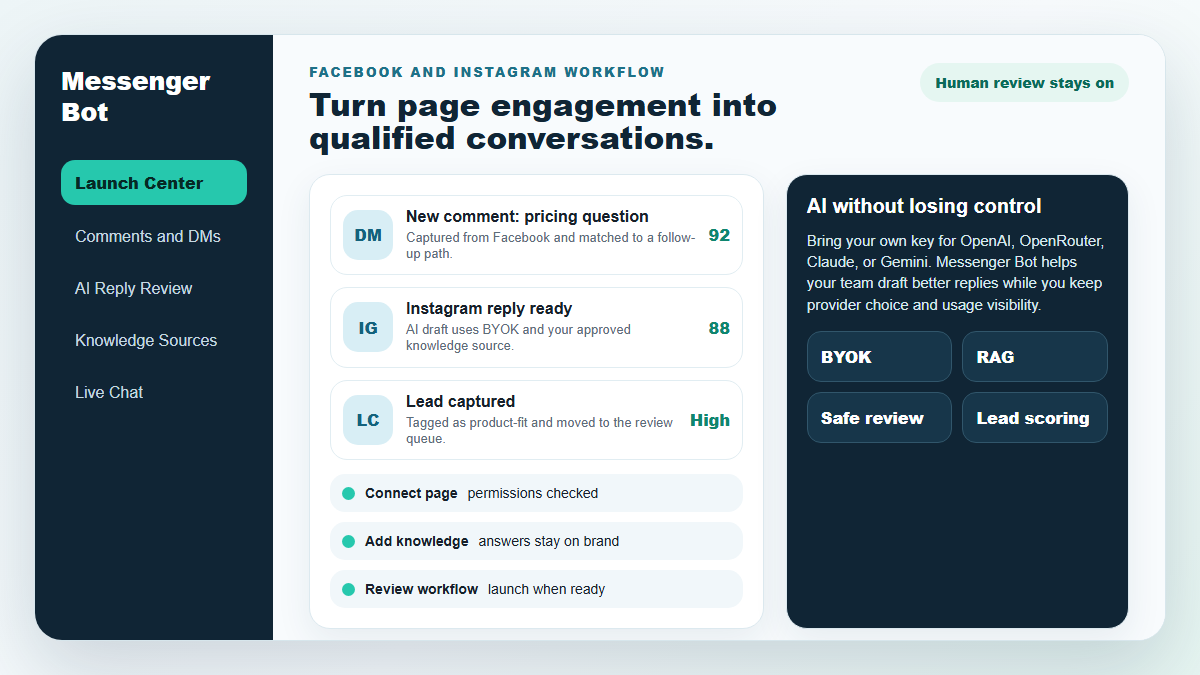
Start with one proven workflow, capture higher-intent leads, and use BYOK (Bring Your Own Key) AI drafts with human review before anything reaches a customer.
- Comment and DM capture
- BYOK AI reply drafts
- Human review controls
MESSENGER BOT
Наш ИИ автоматически будет умно отвечать на любой комментарий или сообщение пользователя в зависимости от того, что они говорят!
Начните отвечать и отправлять автоматические комментарии и личные сообщения на вашем Facebook, Instagram или любом сайте всего за несколько кликов с готовыми шаблонами!
Создавайте автоматизированные потоки, которые взаимодействуют с пользователями в зависимости от их поведения и получайте больше продаж.
Получайте согласия на менее $0.25 с помощью магнитов для лидов в Messenger!
Неограниченное количество подписчиков
Неограниченное количество чатов
Неограниченное количество последовательных кампаний
Неограниченное количество потоков
Неограниченное количество тегов клиентов
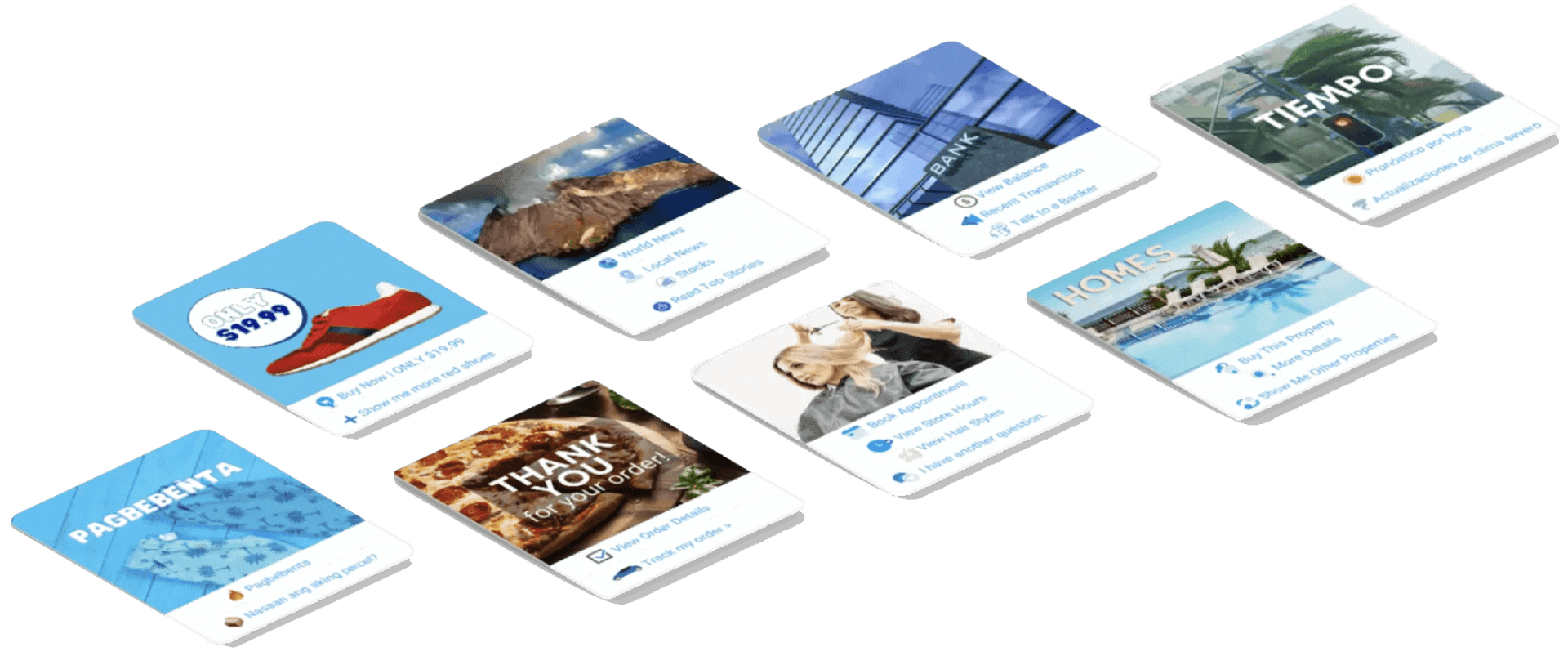
Многоязычный и привлекательный
Отлично выглядит на любом устройстве
Предоставляйте идеальные ответы на языке по вашему выбору! Независимо от ответа пользователя, Бот для мессенджера мы гарантируем, что он будет идеальным!
Соответствует стандарту 100% для Facebook
Бот Messenger регулярно проходит проверки Facebook и является одобренным приложением Facebook, соответствующим стандарту 100%.
Работает со всеми основными браузерами
Хорошо работает с Chrome, Firefox, Edge и Safari! Не нужно скачивать плагины или приложения для использования Messenger Bot, всё находится в облаке.
Идеально для любого устройства
Messenger Bot разработан так, чтобы выглядеть потрясающе на каждом устройстве, включая мобильные телефоны, настольные компьютеры и планшеты!
Всеобъемлющий
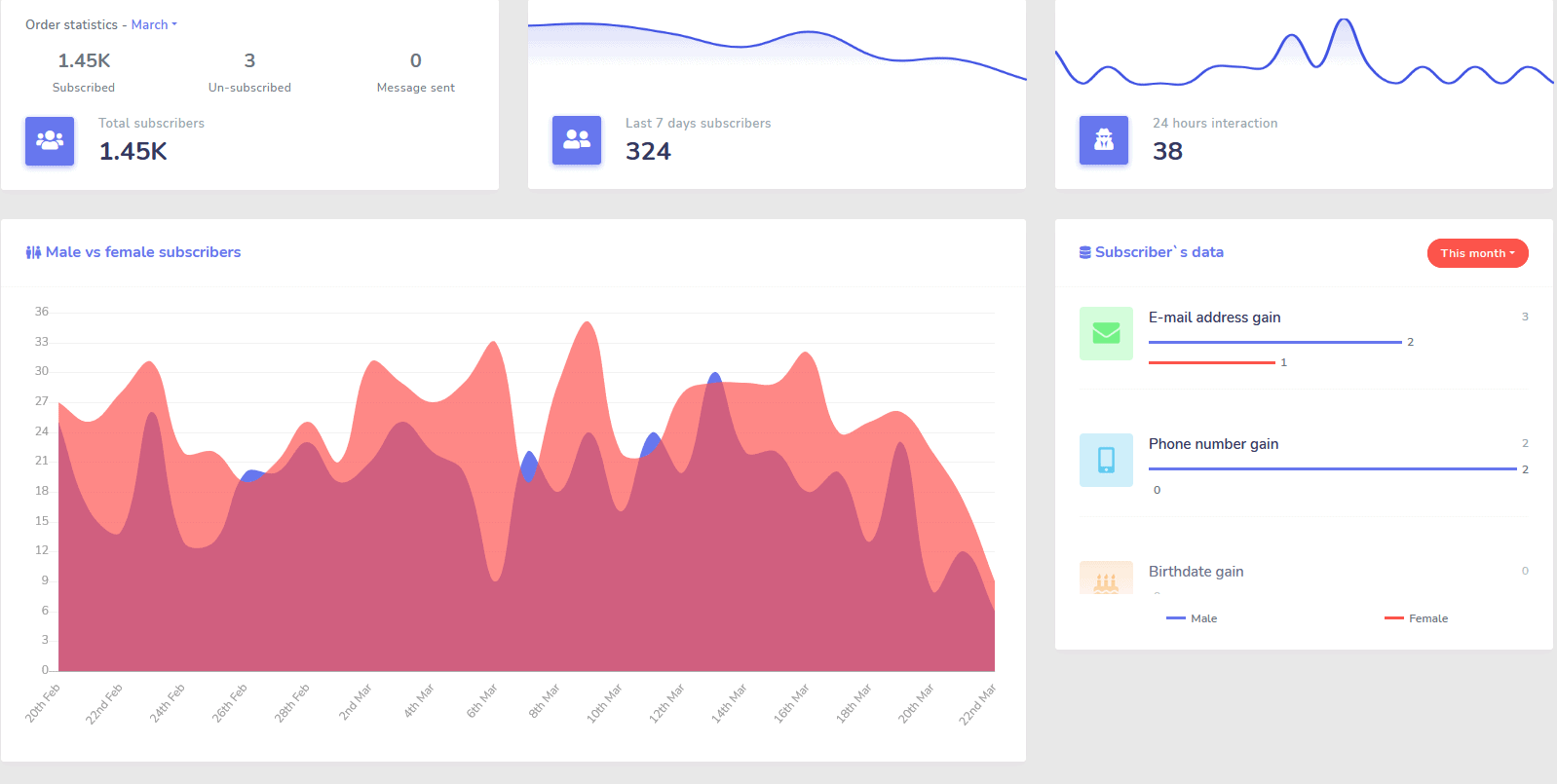
Аналитика
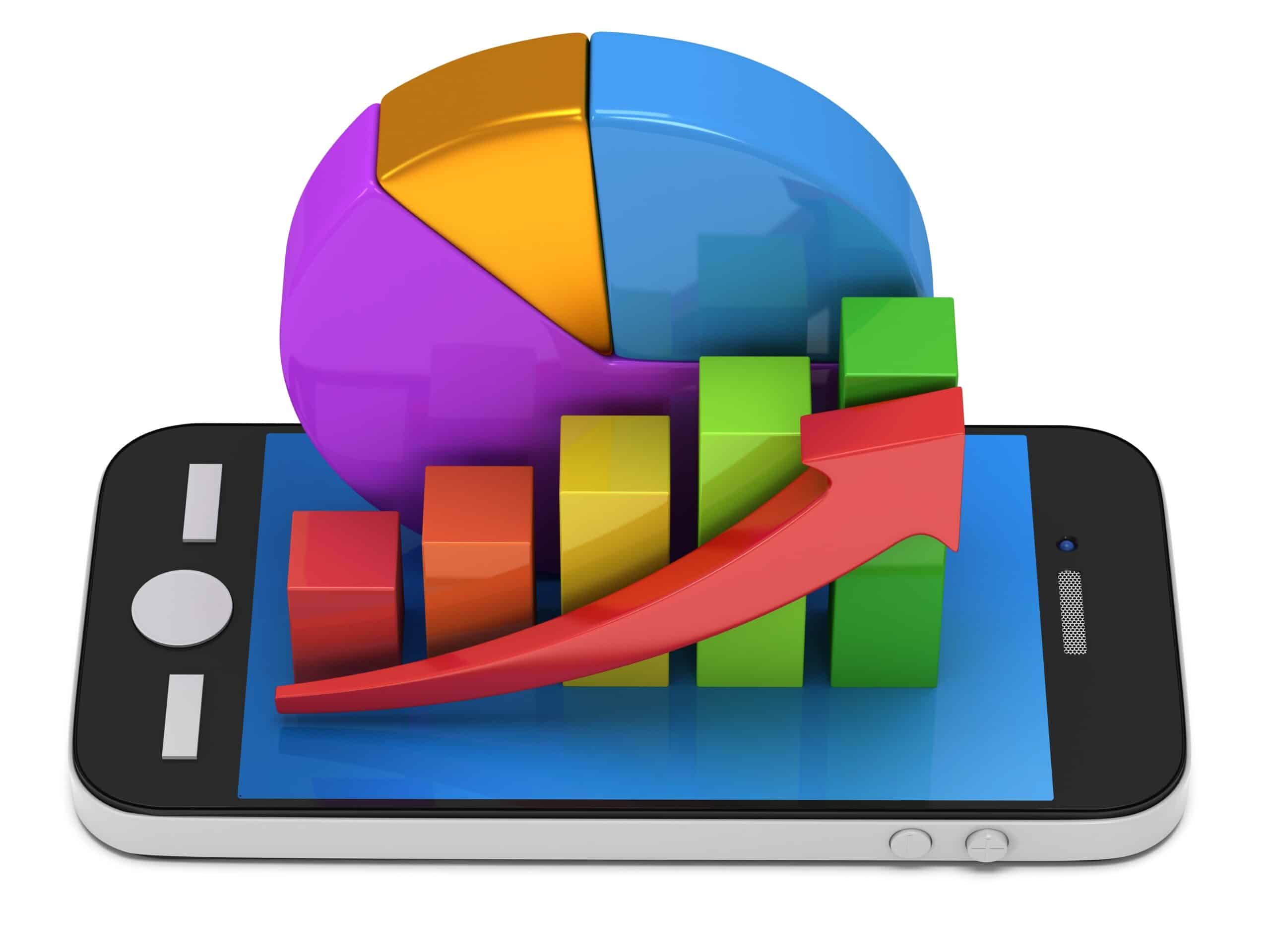
Легко определяйте ваши лучшие каналы и получайте четкий обзор ваших подписчиков, как вы работаете, а также где вы показываете лучшие/худшие результаты и промежуточные.
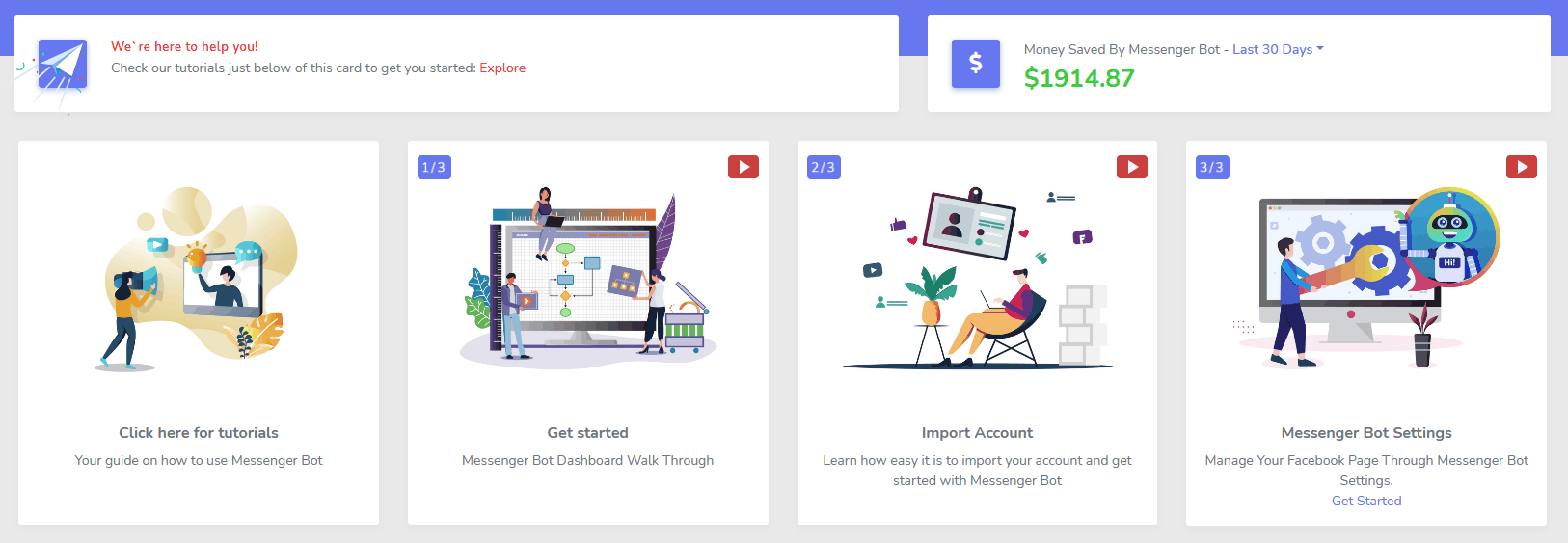
Легко отслеживайте подписчиков, последние комментарии и другие кампании прямо с вашей панели управления.
Резкое снижение
Стоимость за лид и продажу
С помощью Бот для мессенджера вы можете быть доступны 24/7 и снизить свою стоимость за лид и продажу, предоставляя пользователям информацию, которую они ищут, сразу же!
Кроме того, используйте Messenger Bot, чтобы глубже погрузиться в Facebook Interests API и открыть аудитории, не доступные другим рекламодателям на Facebook!
Нацеливаясь на эти скрытые аудитории с помощью рекламы на Facebook, вы можете экспоненциально снизить свою стоимость за лид и стоимость за продажу прямо сейчас.
Messenger
Интернет-магазин
Начните продавать напрямую в Messenger и в любом другом месте с вашим собственным настраиваемым интернет-магазином!
Сохраняйте 100% дохода, с 0% долей дохода и множеством платежных систем на выбор, таких как PayPal, Stripe и RazorPay!
Включено в ВСЕ наши подписки на Messenger Bot.
Безлимитный
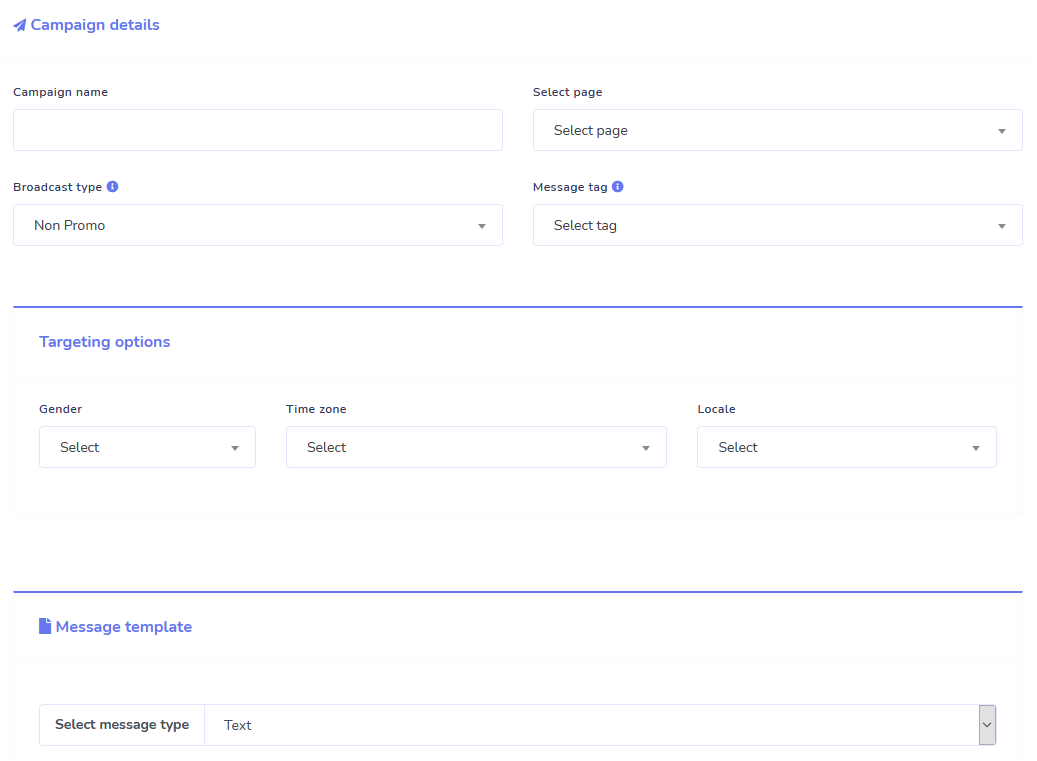
Секретные сообщения и массовая рассылка
В течение ограниченного времени, когда вы заказываете сегодня, вы получаете неограниченные кампании последовательных сообщений и массовую рассылку сообщений!
Всегда будьте вовремя с последовательными сообщениями, которые отправляют ваши желаемые сообщения пользователю на основе установленной вами задержки.
Достигайте своих клиентов массово в нужное время с помощью массовой рассылки сообщений.
0 кода Flow Builder
+ Сделано для вас Шаблоны
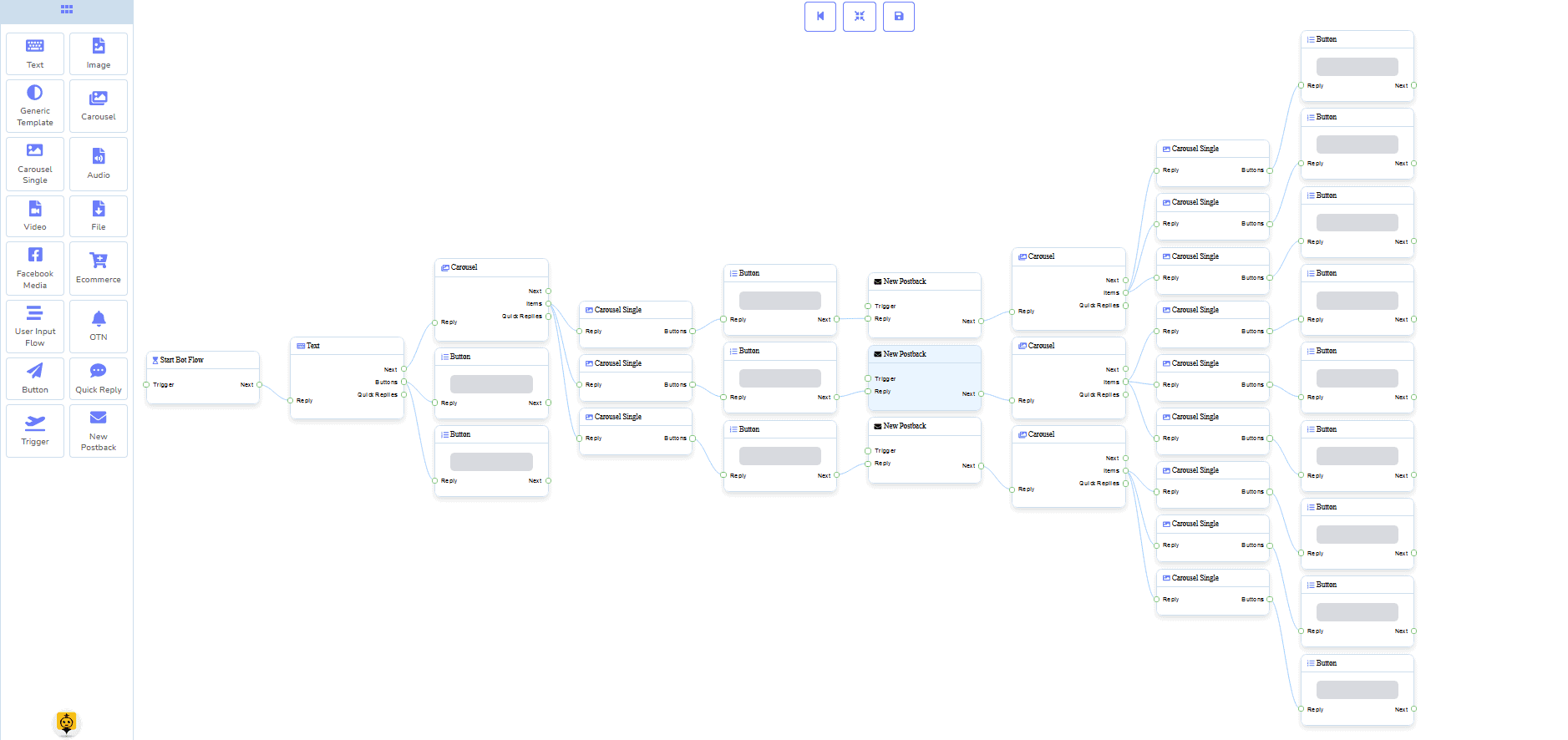
Запустите в прямом эфире всего за несколько кликов с нашими готовыми шаблонами!
Создавайте свои автоматизированные рабочие процессы без необходимости программирования с нашим визуальным конструктором без кода!
Все еще слишком технически? Наша служба поддержки клиентов готова помочь и готова помочь вам это создать!
Электронная почта
Автоответчик, Рассылка, Последовательность, Подписка и Шаблоны
Автоматически отвечайте на любые и все электронные письма!
Отправляйте электронные рассылки и кампании с постепенной подачей.
Создавайте свои списки подписчиков и создавайте шаблоны электронных кампаний с нашим визуальным конструктором!
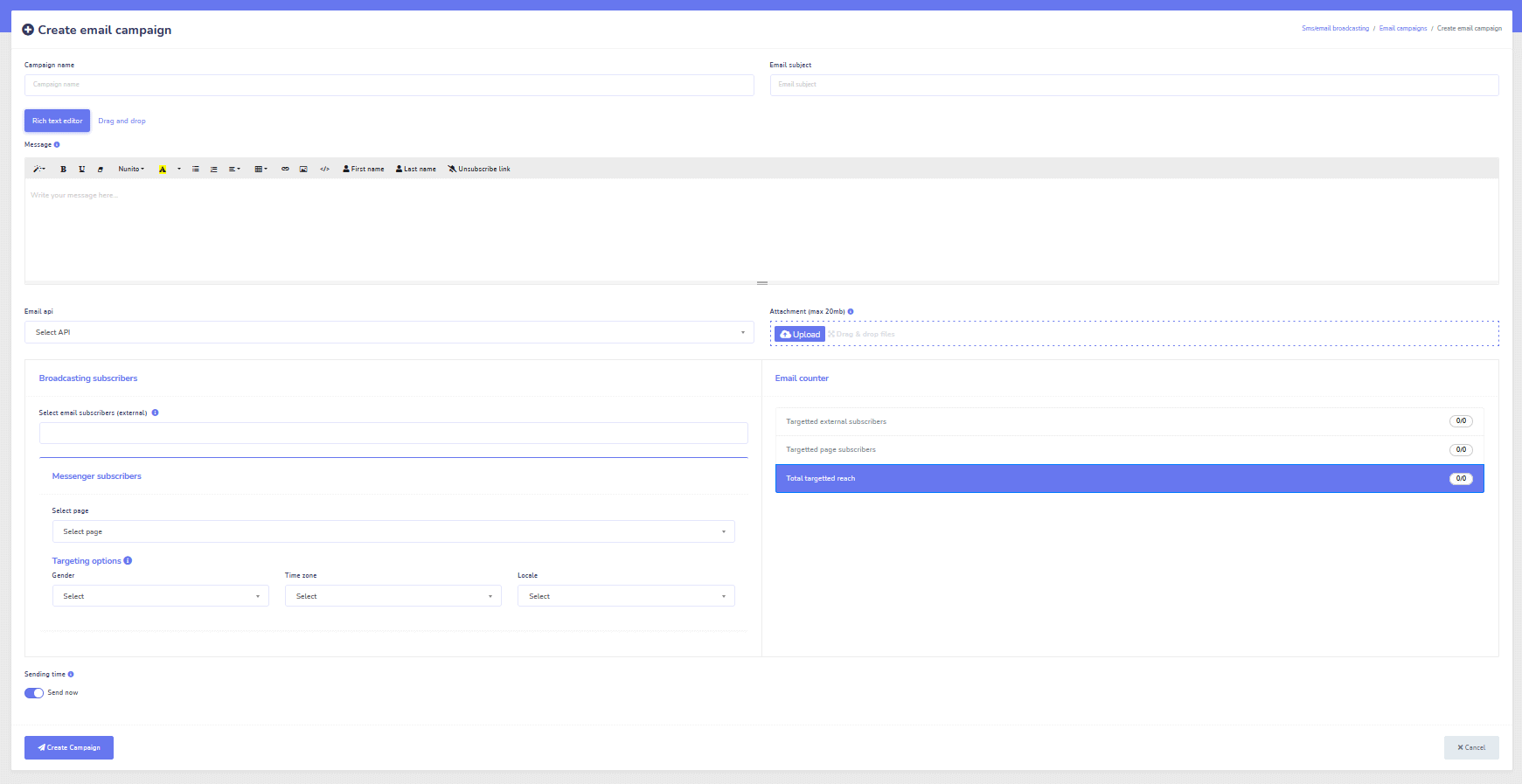
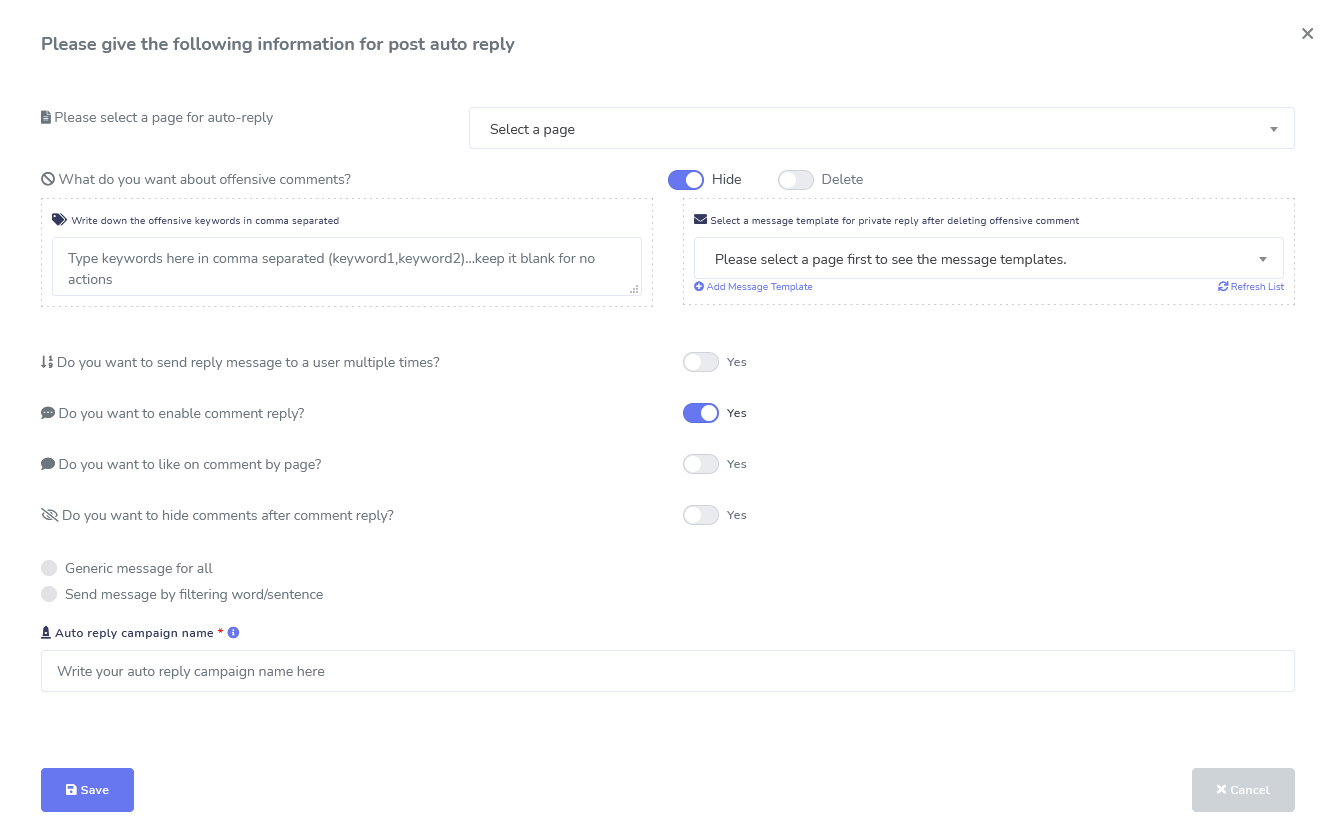
Facebook и Instagram
Модерация комментариев, автоматизация, инструменты для публикаций и ответов
Полный набор функций автоматизации Facebook, предназначенный для помощи в создании публикаций, планировании публикаций, модерации публикаций и автоматическом ответе на публикации, а также отправке последующих сообщений!
Вживую или автоматизировано
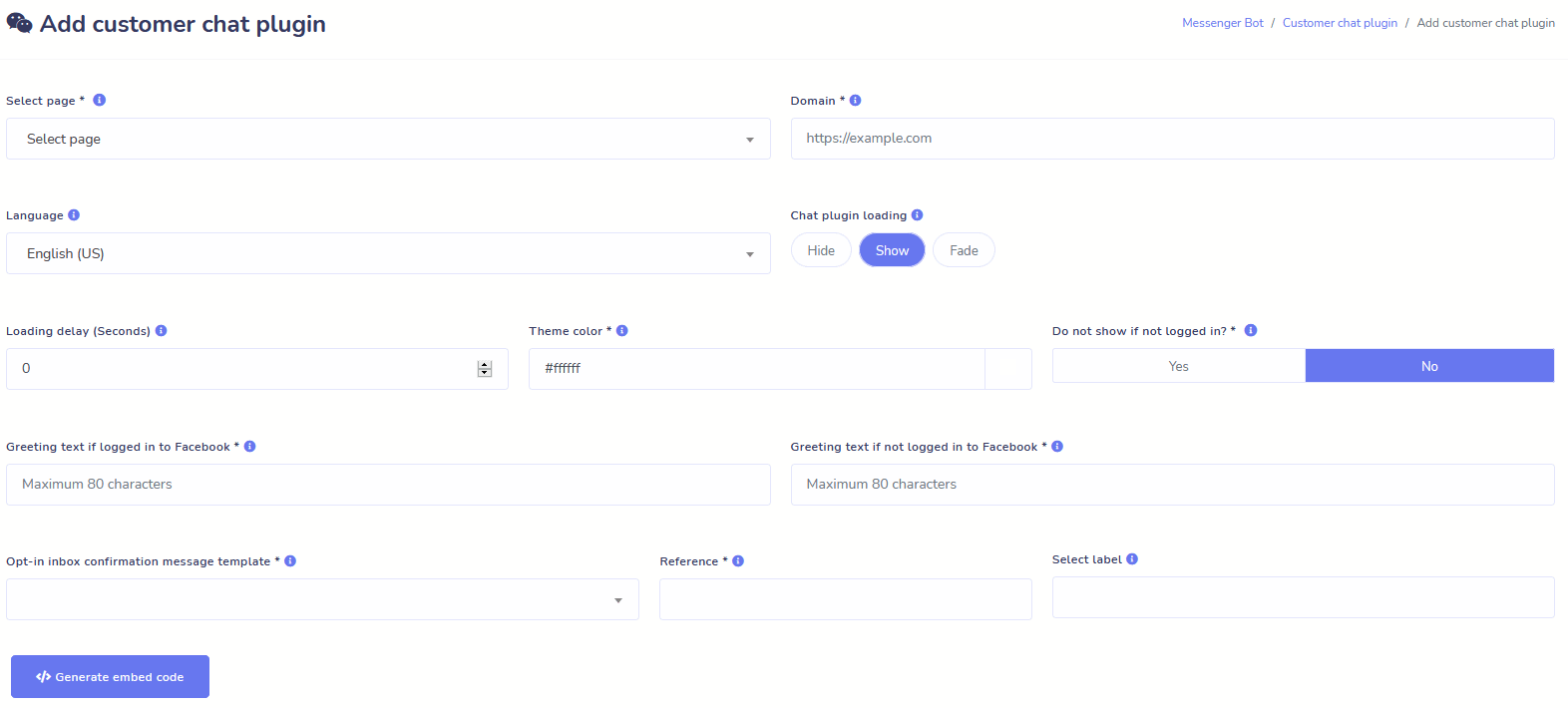
Чат на сайте
Автоматизируйте свой чат, а также предоставьте возможность живой помощи пользователям, которые в ней нуждаются.
Позвольте пользователям получать необходимую информацию по запросу и наблюдайте, как ваш бизнес процветает!
Предоставьте своим пользователям желаемый опыт всего за несколько кликов.
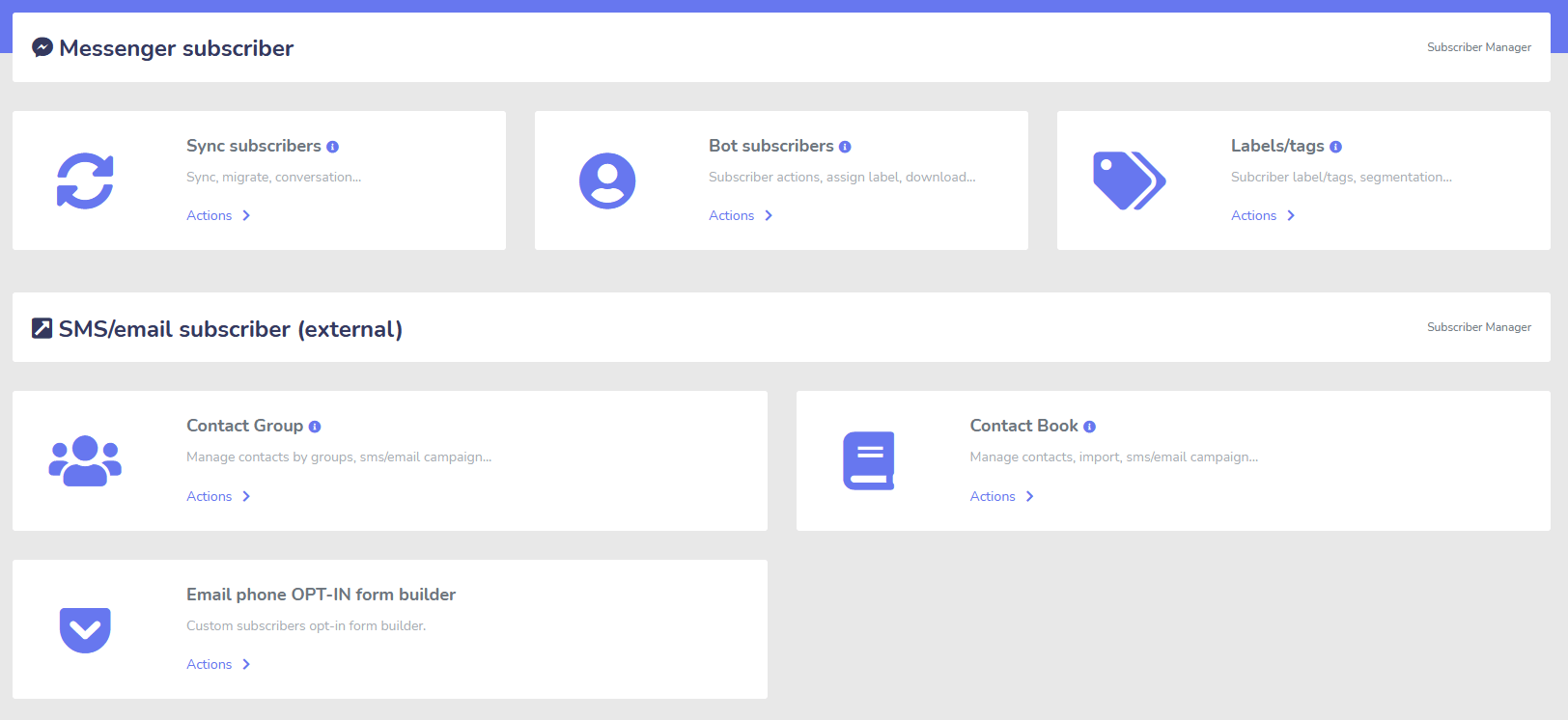
Подписчик
Создатель, Импортер, Менеджер и Синхронизация
Мигрируете с ManyChat, ChatFuel или откуда-то еще? Легко синхронизируйте своих подписчиков с Messenger Bot!
Легко создавайте списки подписчиков с помощью ссылок M.Me, подписок в Messenger и не только!
Менеджер подписчиков позволяет вам синхронизировать подписчиков, просматривать подписчиков бота, просматривать метки и управлять сообщениями/электронными письмами в разных группах контактов.
WooCommerce
Синхронизация и восстановление брошенных корзин
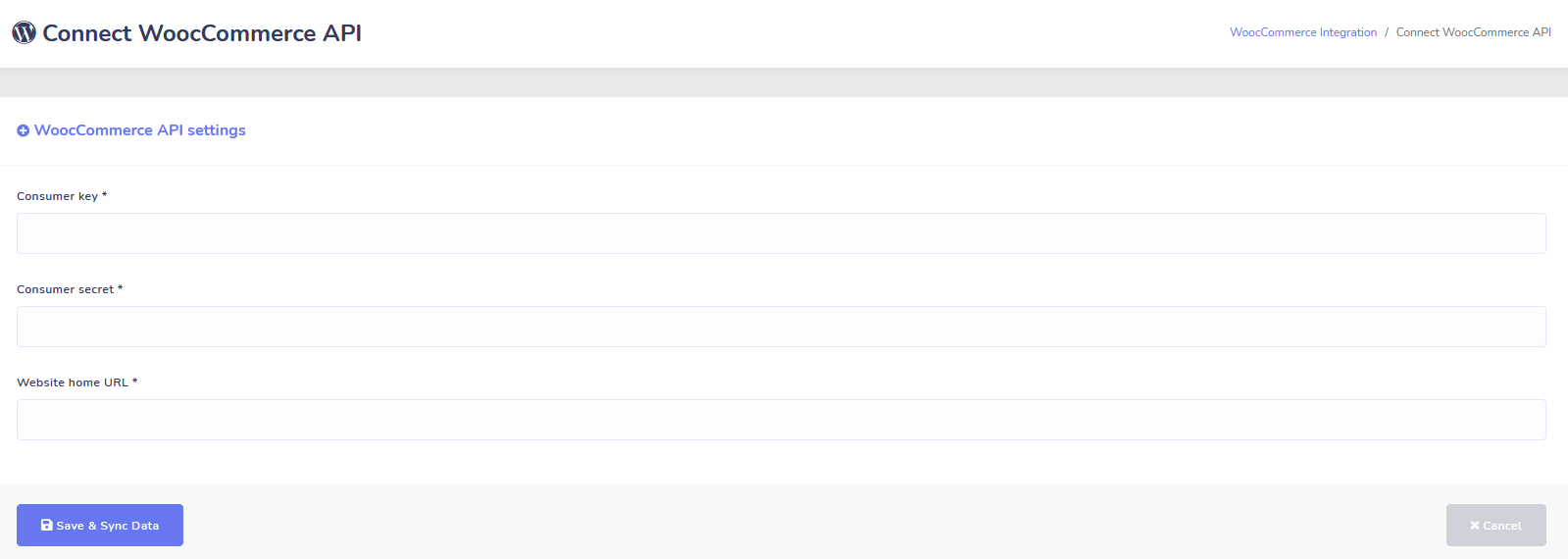
Синхронизируйте ваш магазин WooCommerce в 1 клик.
Получайте больше продаж, восстанавливая пользователей, которые оставили свои корзины!
Интеграции Shopify + Wix скоро!
Zapier + JSON API + Google Sheets
Интеграции
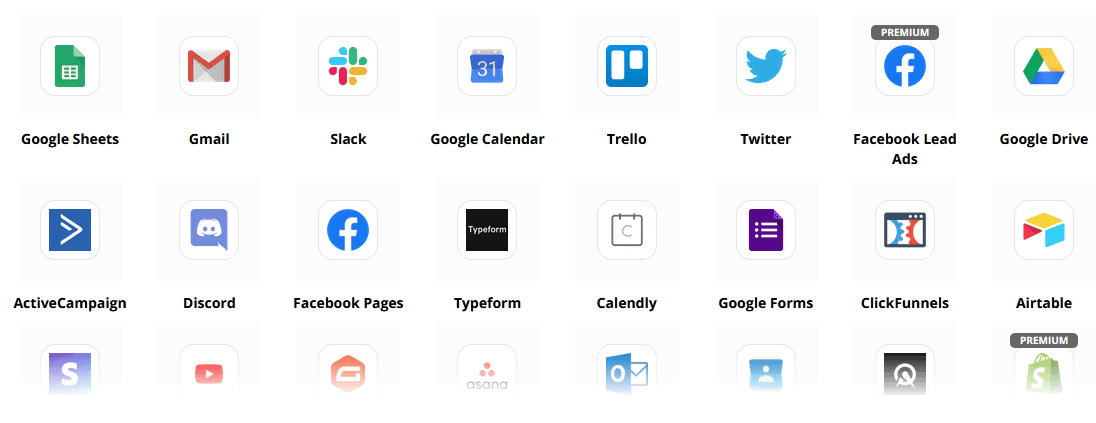
Подключайтесь к более чем 3,000+ приложениям с помощью нашей интеграции Zapier или используйте JSON API для создания собственных настроек!
Автоматически передавайте данные подписчиков в Google Sheets.
Плюс
И многое другое!
Используйте встроенные редакторы изображений для создания изображений и публикаций в вашей панели управления.
Автоматически публикуйте из RSS-лент!
Создайте собственное постоянное меню Messenger
и и многое другое….

Вот другие способы использования Messenger Bot
Messenger Bot используется во многих случаях. Вот небольшой список того, как люди используют нас прямо сейчас.
Поддержка клиентов
Интеллектуально направляйте клиентов к их желаемому месту назначения на основе их действий и поведения.
Собирайте информацию от клиентов
Получение всей важной информации, необходимой от клиентов.
Часто задаваемые вопросы
Предоставьте пользователям ответы, которые им нужны, мгновенно, одновременно освобождая сотрудников поддержки.
Электронная коммерция
Продавайте напрямую в Messenger с новым или существующим магазином!
Генерация лидов
Взаимодействуйте с пользователями и автоматически генерируйте лиды!
Полностью настраиваемые формы
Создавайте полностью настраиваемые и разговорные формы в Messenger + на вашем сайте!
Недвижимость
Показывайте объекты и автоматически генерируйте квалифицированные лиды 24/7.
Ресторан
Проводите акции, принимайте бронирования и платежи!
Travel & Tours
Получите больше бронирований в сфере путешествий и туризма, продемонстрируйте свои уникальные мероприятия.
Автосалон
Показывайте и продавайте автомобили через Messenger + ваш сайт!
Отзывы и Опросы
Создавайте полностью настраиваемые автоматизированные опросы и формы обратной связи!
Страхование
Помогите представить и выбрать полисы + предоставьте расценки и назначьте встречи.
Низкая цена На ограниченное время
Действуйте сейчас и получите это специальное предложение для Messenger Bot до повышения цены!
С помощью Бот для мессенджера, вы сэкономите на поддержке, продажах и подписках на другие услуги, которые больше не будете использовать!
Смотреть Бот для мессенджера В действии!
40,000+ пользователей
Круглосуточная поддержка
100% Удовлетворенность

Используется и доверяется более чем 40 000 пользователей
Присоединяйтесь к более чем сорока тысячам владельцев бизнеса, которые используют и полагаются на Messenger Bot как на полное решение для маркетинга от начала до конца!
Practical follow-up resources
Turn more customer conversations into clear next steps.
Use these practical guides to strengthen response speed, lead qualification, and follow-up while your team keeps ownership of every customer decision.
- missed-call text-back guide — Keep high-intent callers moving with a clear, consent-aware follow-up path.
- lead-scoring workflow — Give your team a practical way to prioritize better-fit opportunities.
- speed-to-lead guide — Shorten the gap between a new inquiry and a useful first response.
Pick the right starting point
Choose the Messenger Bot plan that matches the conversations you want to win.
Start with the workflow you need now, then upgrade when your page, team, or client load grows.
Starter
$29 /mo
For one focused page getting its first automated comment and DM follow-up live.
- Launch a guided lead-capture workflow.
- Reply faster without adding another daily dashboard.
- Keep setup simple while you prove the channel.
Профессиональный
$99 /mo
For growing businesses that want BYOK (Bring Your Own Key), business knowledge, and better lead sorting.
- Use AI-assisted drafts with human review.
- Qualify replies before your team spends time on them.
- Keep follow-up consistent across busy launches.
Агентство
$299 /mo
For teams managing multiple brands, clients, assets, and approval workflows.
- Organize client conversations by page and priority.
- Give teams cleaner review paths before replies go out.
- Scale repeatable workflows without adding extra manual work.
A payment card keeps trials focused. You stay in control of the plan before billing starts.
Часто Задаваемые Вопросы
Что такое бот Facebook Messenger?
Бот Facebook Messenger — это автоматизированный чат-бот, который может быть использован для улучшения не только опыта в Messenger, но и чата на вашем сайте.
Что может сделать Messenger Bot для моего бизнеса?
Messenger Bot позволит вам автоматически приветствовать новых пользователей, отвечать на определенные ключевые слова или фразы, синдицировать контент, генерировать лиды, совершать продажи и многое другое!
Почему мне нужен Messenger Bot?
С каждым днем становится все сложнее достичь своей целевой аудитории. Это факт, что многие традиционные методы маркетинга больше не дают тех же результатов, что и годы назад.
Наш бот Facebook Messenger решает эту проблему, позволяя вам достигать более 80% открываемости с помощью интерактивных сообщений в реальном времени и последовательностей чат-кампаний.
Как создать бот для Facebook Messenger?
Сначала вам понадобится учетная запись Facebook и страница Facebook с административными правами для ее управления.
После этого вы покупаете свою сделку (или подписываетесь на бесплатный пробный период) и затем выбираете «Импортировать учетную запись».
Оттуда используйте наш Визуальный Конструктор Потоков, чтобы создать и развернуть вашего бота за считанные минуты, а не дни! Теперь вы можете начать настоящие разговоры с вашими клиентами в любое время.
Есть ли пробный период?
Да, вы можете получить свой бесплатный пробный период перед покупкой без необходимости ввода данных кредитной карты. здесь.
Когда истекает это предложение?
Это предложение скоро истечет, поэтому если вы хотите получить лучшую скидку, вам стоит заказать сейчас.
Готовы внести реальные изменения? Давайте построим это вместе!
Познакомьтесь с Messenger Bot без каких-либо ограничений и начните использовать его на полную мощность только тогда, когда он вам понравится. Мы будем ждать вас.
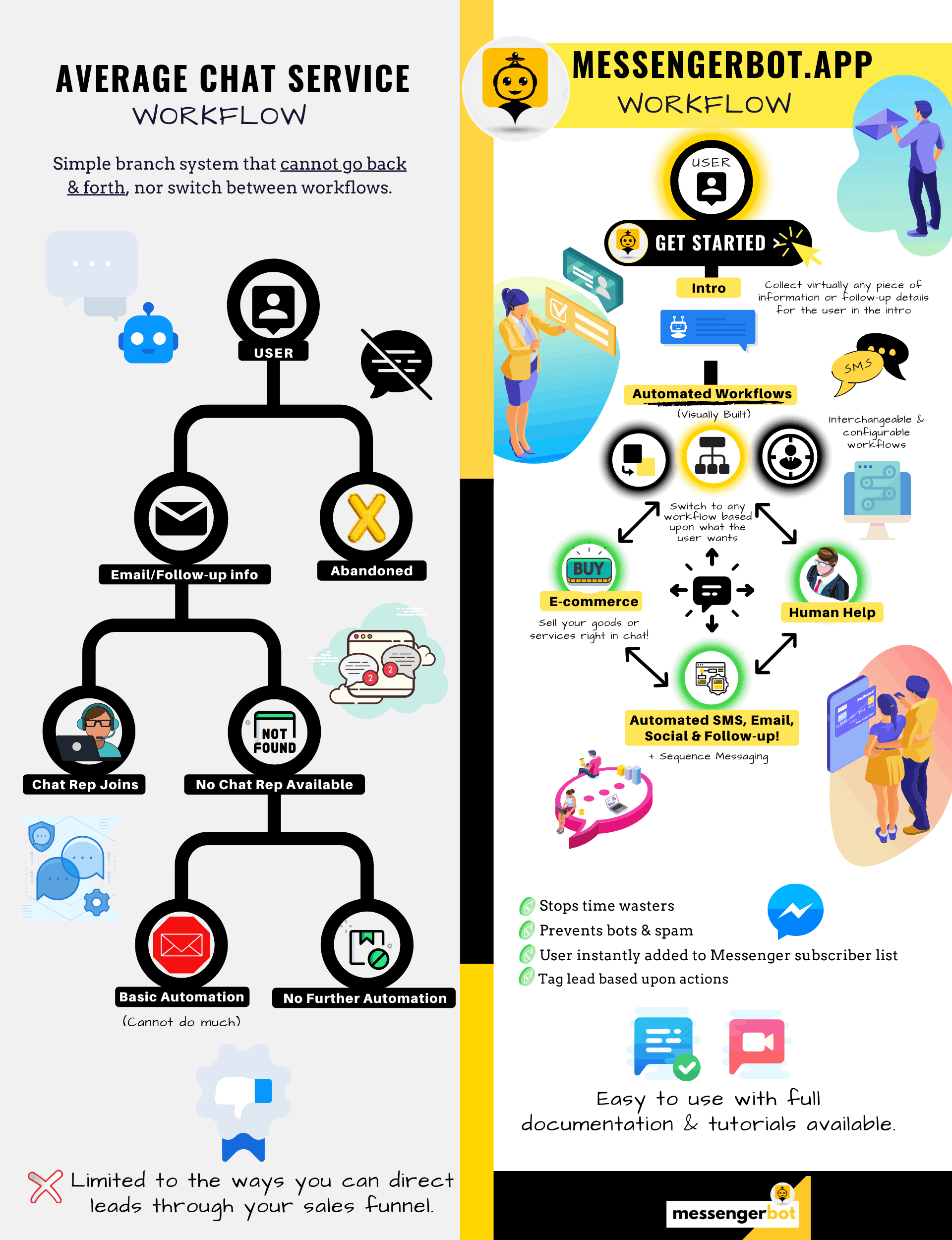
Messenger Bot — это гораздо больше, чем простой чат-бот!
Теперь возможно автоматически вести сложные беседы!
Почему вам нужен Messenger Bot
для увеличения продаж в вашем бизнесе
Для маркетологов Facebook Messenger становится новым и эффективным способом связаться с текущими и потенциальными подписчиками вашей страницы и бизнеса на Facebook. С помощью Messenger-ботов вы можете распространять информацию в любое время суток, не поднимая пальца.
Одно из самых мощных приложений-ботов, Messenger Bot, быстро стало лидером в этой новой индустрии. Наше маркетинговое программное обеспечение имеет множество функций, которые упрощают маркетинг для компаний любого размера. Используя чат-бот Facebook Messenger, вы теперь можете отвечать на чаты 24/7, отправлять сообщения большими объемами вашей целевой аудитории и даже публиковать видео и фотографии на вашей странице Facebook. Если вам это нужно для вашего бизнеса, у Messenger Bot это определенно есть! Мы можем предложить вам высокий уровень обслуживания чат-ботов, который вы не увидите нигде больше.
Давайте рассмотрим все услуги и функции, которые предоставляет наше фантастическое приложение, прежде чем вы начнете. Это впечатляющее программное обеспечение, безусловно, станет идеальным инструментом для маркетинга в Facebook Messenger для вас без необходимости в кодировании.

Что такое Facebook-чат-бот?
Если вы лишь смутно представляете, что такое приложение-бот для Facebook Messenger или Facebook чат-бот и как оно работает, вам нужно понять, как оно может поднять ваш бизнес на новый уровень. Программное обеспечение автоматизировано для отправки сообщений через Facebook Messenger, используя обработку естественного языка для понимания того, что хочет человек, и искусственный интеллект для взаимодействия с людьми. При внедрении оно может понимать задаваемые ему вопросы и правильно на них отвечать. Чат-боты похожи на виртуальных помощников, которые могут улучшить клиентский опыт.
Существует стратегическое преимущество в использовании бота Facebook Messenger для вашей компании. Если вы хотите стать известным брендом, использование Messenger — это умный способ связать вашу компанию и миссию с миллиардами людей. Facebook Messenger уверенно входит в пятерку самых популярных приложений в мире. В связи с этим, почему бы не использовать Messenger для ваших бизнес-потребностей? Клиенты ценят это приложение, потому что оно предоставляет удобный и быстрый способ связаться с компаниями по всему миру. Компания может расти и увеличивать свою известность, одновременно предоставляя активное обслуживание клиентов. Вам не нужно беспокоиться о поддержке клиентов 24/7 с помощью чат-бота.
Еще одно преимущество, которое может предоставить бот Facebook, — это генерация лидов. Проще связаться с потенциальными клиентами с помощью чат-бота Facebook Messenger. Когда ваше бот-приложение связывается с потенциальными клиентами, оно может задавать базовые вопросы, чтобы определить потребности и желания человека с использованием обработки естественного языка. Приложение может направить клиента к вашей службе поддержки или команде продаж, чтобы они взяли на себя и заключили сделку. Как вы увидите, Messenger Bot может сделать все это и даже больше без необходимости в кодировании. Начните использовать Messenger Bot!
Массовые сообщения
и бот Facebook
Когда у вас есть страница в Facebook, бывают моменты, когда вы хотите обратиться к подписчикам и потенциальным клиентам, чтобы донести сообщение. У Messenger Bot есть функция массовых сообщений для достижения этой цели. Почему стоит использовать массовые сообщения? Во-первых, они могут быть доставлены быстро. Когда вы используете эту функцию в Messenger Bot, ваши сообщения могут достичь кого угодно за считанные секунды. Вы можете отправить массовое сообщение тысячам людей, когда используете это приложение, и быть уверенными, что оно будет доставлено так, как задумано. Ваши потенциальные клиенты могут общаться и взаимодействовать с вами, что создает доверие, когда они получают точные и легко понятные ответы на свои вопросы. Эта выдающаяся функция, которую предлагает Messenger Bot, помогает удерживать вашу клиентскую базу, что является частью фундамента для роста бизнеса. Мы гордимся тем, что стали первыми, кто предложил возможности массовых сообщений, которые могут достичь всех подписчиков.
Дополнительные автофункции,
Включая чат-бота Facebook Messenger

-
Авто лайк комментариев
Эта функция дает вам возможность ставить лайки на комментарии подписчиков, которые вы находите на своей странице и под своими постами. Это вовлечение может увеличить активность на вашей странице, так как другие увидят, что вы компания, которая ценит мнение своих клиентов и потенциальных клиентов. Это помогает привлечь внимание, которое вы ищете. Добавление лайков к многим комментариям также может удержать вашу клиентскую базу, когда они видят ваше постоянное участие в бизнесе.
-
Автоответ на комментарии
Та же выгода относится к автоответу на комментарии в Messenger Bot. У вас будут ситуации, когда кто-то обращается к вам в личном сообщении, чтобы прокомментировать или задать вопрос о вашем бизнесе. Наше приложение позволяет вам отвечать на эти сообщения в любое время дня с необходимым ответом. Ответ разрабатывается в соответствии с вашими требованиями, и сообщение может изменяться по мере необходимости.
Публикация на Facebook<!–
с помощью Message Bot
Наш бот сообщений позволяет вам не только публиковать текст на вашей странице и в группах Facebook, но также автоматизировать публикацию и обмен фотографиями, видео и ссылками. Просто нет ничего, что Messenger Bot не может сделать! С этой функцией вы можете теперь публиковать любой тип медиа в любое время. Использование сочетания текстовых и визуальных инструментов может заново привлечь ваших подписчиков и привлечь новых одновременно.
Увеличение вовлеченности
с помощью Messenger Marketing
Наш бот Facebook Messenger может помочь вам получить лучшее взаимодействие с вашими подписчиками и клиентами. Исследования показали, что когда у вас высокое взаимодействие, у вас больше шансов увеличить свои продажи. Вы можете использовать множество функций Messenger Bot для достижения этого успеха. Автоматизированные развертывания изображений и другого визуального контента могут поддерживать интерес вашей клиентской базы к тому, что вы хотите сказать. Это может создать отношения, основанные на доверии, которое у него или у нее теперь есть к вашему бизнесу. Мы понимаем, насколько важно это взаимодействие лучше, чем кто-либо другой в мире чат-ботов. Когда вы используете нас, вы можете увидеть результаты почти сразу.

Персонализированный контент
от FB Messenger Bot
Наше программное обеспечение также может предоставить вашим клиентам персонализированные ответы на все их комментарии и вопросы, которые у них могут возникнуть. Как подписчик, когда у вас есть индивидуальный опыт с компанией в Интернете, это может дать им представление о том, что вам не безразличны их мысли и присутствие как клиента. Для тех, кто имеет опыт в продажах и маркетинге, вы знаете, что удовлетворенность клиентов является огромной частью успешной бизнес-модели. В Messenger Bot мы можем помочь вам создать эту ценную персонализацию, которая необходима вашим клиентам, чтобы оставаться лояльными.
Большое присутствие в социальных сетях
с Facebook Messenger Marketing
В современном мире бизнесу необходимо отличное присутствие в социальных сетях, чтобы оставаться на шаг впереди. Facebook постепенно стал платформой, которая может увеличить видимость компании и привлечь новых подписчиков и потенциальных клиентов на вашу страницу сотнями. Один из лучших способов взаимодействовать с этими пользователями Facebook — это использование чат-бота. Наш чат-бот для Facebook Messenger может помочь вам развлекать, информировать и обучать тех, кто регулярно взаимодействует с вашей страницей.
Правильная маркетинговая стратегия должна включать использование Facebook и социальных сетей для содействия росту компании. Использование нашего приложения может помочь вам создать полный и надежный маркетинговый план, который поднимет профиль вашего бизнеса на ранее недостижимые уровни. Наша служба чат-ботов для Messenger разработана специально для Facebook и может адаптироваться по мере внесения изменений социальной сетью. Messenger — это в основном неиспользуемый инструмент социальных сетей, который может сделать вас лидером отрасли, когда вы знаете, как его использовать. Мы можем убрать игры с догадками и помочь вам достичь ваших бизнес-целей шаг за шагом.

Анализируйте ваши
данные с помощью чат-бота Messenger
Как уже упоминалось ранее, наше приложение также может составлять отчеты, предназначенные для анализа данных Facebook и подписчиков. Программное обеспечение Messenger Bot разработано для понимания того, как люди взаимодействуют с Facebook. Аналитика, которую мы предоставляем бизнесу, позволяет вам углубиться в создание стратегических продаж и маркетинговых протоколов для использования и роста вашей компании. Мы предоставляем вам полную картину, и оттуда вы можете извлечь то, что необходимо для вашего успеха.
Этот глубокий анализ данных может генерировать новые продажи, лиды и клиентов. Просматривая все взаимодействия, которые ваша страница Facebook и подписчики имели в течение определенного времени с помощью машинного обучения, вы теперь можете создавать контент, который нацелен на вашу основную аудиторию. Мы избавляемся от лишнего, что не является необходимым при создании нового и актуального контента. Ваше внимание остается там, где оно должно быть.

Конвертируйте ваши лиды с помощью Messenger Bot
Messenger Bot может помочь направить ваши лиды к продаже. Наше автоматизированное программное обеспечение начинает процесс, привлекая внимание потенциальных клиентов. Мы можем взаимодействовать с клиентом на базовом, но личном уровне, который дает им ощущение, что они важны для вашего бизнеса. Теперь вы можете лучше нацеливаться на этих клиентов и поддерживать с ними контакт после первоначального обмена.
Быстрое время ответа имеет решающее значение для клиентского опыта и конверсий. С более быстрым временем ответа уровень удовлетворенности ваших потенциальных клиентов возрастает, так как они получают свои ответы в реальном времени без каких-либо осложнений или хлопот. Простой опыт улучшает удержание и будущие продажи. Когда новый клиент вступает в контакт с бизнесом, первое впечатление имеет огромное значение. Используя Messenger Bot, вы избавляетесь от любых осложнений и непредвиденных проблем при попытке пообщаться с подписчиком. Чат-боты являются вашими виртуальными помощниками для простых задач, чтобы вы могли больше сосредоточиться на масштабировании вашего бизнеса.

Освободите свое время с помощью Facebook Bot
Позвольте Messenger Bot выполнять всю работу по взаимодействию для вас и вашего бизнеса. Таким образом, вы можете сосредоточиться на других важных задачах, которые требуют вашего полного внимания. С нашим инновационным приложением больше не нужно беспокоиться о том, чтобы забыть опубликовать сообщение или непреднамеренно игнорировать комментарий или вопрос. Не имеет значения, когда происходит взаимодействие. Наше программное обеспечение разработано для того, чтобы реагировать, когда это необходимо. Эта функция означает круглосуточную поддержку клиентов для вас и ваших подписчиков.
С нашим программным обеспечением вам нужно всего лишь ввести то, что вам нужно, в нашем удобном интерфейсе, и мы позаботимся об этом. Вы получаете полноценную кампанию, которую мы подготовим для вас. Вы можете рассчитывать на нас, чтобы донести вашу информацию до заинтересованных глаз и ушей.
Воспользуйтесь преимуществом
популярности Facebook
Facebook не собирается замедляться в ближайшее время. Широко популярный сайт социальной сети используется более чем одним миллиардом людей по всему миру, и это включает Messenger. Пользователи приложения наслаждаются Messenger, потому что им легко пользоваться. Им не нужно переходить по нескольким ссылкам или страницам, чтобы добраться до того, что они хотят.
Это преимущество подходит для бизнеса, который хочет общаться со своей базой на уровне. Messenger Bot обладает той же простотой и удобством, которые привлекательны для пользователей Facebook. Когда они взаимодействуют с программным обеспечением, им предоставляется простая и понятная информация, которая может дать им информированное мнение о продукте или компании. Эта поддержка клиентов доступна, когда они в ней нуждаются, и без времени ожидания.
Новые возможности
В изобилии
Наше приложение-бот может предоставить вам новые возможности, которые другие компании, решившие не использовать бота Messenger, не получат. Приложение Messenger все еще считается новым подходом к цифровому маркетингу, поэтому любые стратегии, которые вы используете через нас, не будут устаревшими и изношенными. Мы предоставляем вам передовые технологии, которые призваны отличить ваш бизнес от других.
С помощью чат-бота Facebook Messenger вы узнаете, что работает, а что не работает для вас в области продаж и маркетинга. Используя наши ресурсы, вы сможете со временем оптимизировать подход и гарантировать, что вы делаете все возможное для вашего бренда. Конкуренты, которые не используют наш чат-бот, находятся в явном невыгодном положении на рынке.

Улучшите обслуживание клиентов
С чат-ботом Facebook
Конечно, вы улучшите и повысите качество любого обслуживания клиентов, которое вы предоставляете сейчас, с помощью нашего приложения. Мы учитываем все аспекты поддержки клиентов, когда речь идет о нашем программном обеспечении. У нас есть высококачественные ответы с помощью машинного обучения и обработки естественного языка, которые могут удовлетворить клиентов и помочь им быстро принимать решения о покупке. Мгновенное время ответа предотвращает уход потенциального покупателя с вашей страницы для покупки товара в другом месте.
Кроме того, когда наш чат-бот в мессенджере запрашивает информацию у вашего клиента, это служит уровнем предварительной квалификации. Когда кто-то хочет что-то купить у вашего бизнеса, вы можете использовать эту добровольную информацию для более эффективного проведения будущих кампаний и запусков продуктов. Теперь вам не нужно тратить часы на получение этих простых деталей.

Чат-бот также предоставляет вам возможность переключиться на настоящего оператора, когда вопросы становятся сложными, или когда вы хотите взять на себя управление потенциальной продажей. С помощью Messenger Bot вы действительно можете получить все и сразу! Теперь у вас есть настраиваемая поддержка клиентов с быстрой коммуникацией и инструментами автоматизации, которые предназначены для содействия росту и видимости.

Создание бренда
Осведомленность
Всего за несколько быстрых действий вы можете сообщить вашей аудитории все о вашем бизнесе. На последующие вопросы можно ответить, и ваш потенциальный клиент теперь может быть направлен глубже в вашу воронку продаж.
Мобильный
Оптимизация
С таким количеством людей и потребителей, использующих свои телефоны для всего, Messenger Bot осознает потенциал для продаж и удержания клиентов, используя Facebook Messenger для взаимодействия. Наше программное обеспечение разработано с учетом мобильных устройств. Мы выбрали чистый и простой подход при проектировании нашего программного обеспечения. Результатом является бот-система, которая бесшовно работает с мобильными устройствами и Facebook.
Полностью настраиваемый
Messenger Bots
Ранее упоминалось, что Messenger Bot настраиваемый и может адаптироваться к меняющимся потребностям вашего бизнеса. Эта функция ценна для компаний, так как есть возможность изменяться и расти. Мы создали полностью функционирующий чат-бот, который может двигаться вместе с вашей компанией, независимо от направления. Вы можете изменить свою стратегию, когда это необходимо, и мы будем рядом без перерывов.


Простой в использовании
Бот для мессенджера
Мы знаем, что ваше время ценно. Когда вы хотите реализовать новую маркетинговую стратегию через наше приложение, вы не хотите думать об этом день за днем. Наша бот-служба позаботится об этом. Как только вы скажете нам, что вам нужно, мы можем сделать остальное. Всего за несколько минут вы можете запустить кампанию, которая может увеличить вовлеченность и привлечь вам клиентов. Вам даже не нужно поднимать палец с момента первоначальной реализации, если вы не хотите. Наша сложная технология обеспечивает, чтобы ваш пользовательский опыт был без хлопот и легким.
Мессенджер-бот предназначен для того, чтобы помочь вам и вашему бизнесу достичь максимального потенциала в области маркетинга и продаж. С помощью нашего инновационного приложения вы можете извлекать ценную информацию, которая может увеличить вашу видимость и популярность на Facebook. Ваше новое соединение с подписчиками помогает удерживать вашу базу и привлекать новых клиентов. Нет ничего подобного! Попробуйте нас сегодня, и вы будете поражены результатами. Создайте своего первого чат-бота в мессенджере без необходимости программирования.
Готовы внести реальные изменения? Давайте построим это вместе!
Познакомьтесь с Messenger Bot без каких-либо ограничений и начните использовать его на полную мощность только тогда, когда он вам понравится. Мы будем ждать вас.
 Русский
  English
  Tagalog
  简体中文
简体中文  العربية
  हिन्दी
  Português do Brasil
  Español de México
  Français
  বাংলা
বাংলা  香港中文
香港中文  繁體中文
繁體中文  Nederlands
  Deutsch
  Bahasa Indonesia
  日本語
日本語  한국어
한국어  Polski
  Español
  Tiếng Việt