
Facebook and Instagram follow-up
Turn more comments and DMs into conversations your team can close.
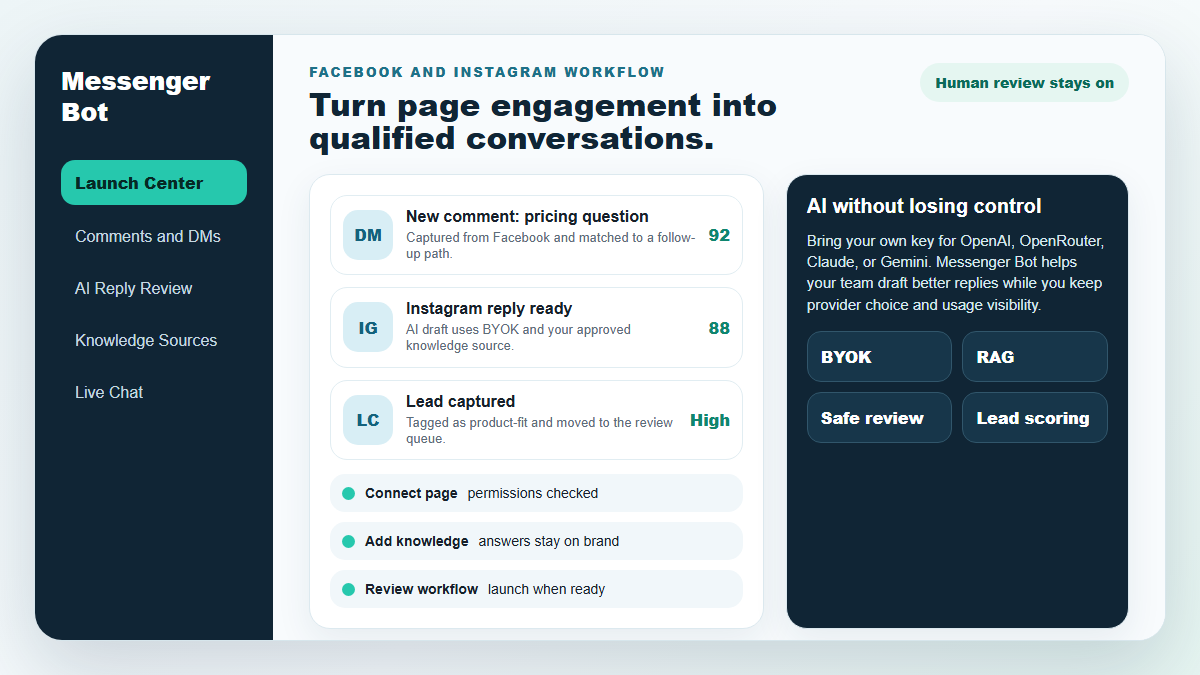
Start with one proven workflow, capture higher-intent leads, and use BYOK (Bring Your Own Key) AI drafts with human review before anything reaches a customer.
- Comment and DM capture
- BYOK AI reply drafts
- Human review controls
BOT MESSENGER
AI của chúng tôi sẽ tự động phản hồi một cách thông minh đến bất kỳ bình luận hoặc tin nhắn nào của người dùng dựa trên những gì họ nói!
Bắt đầu phản hồi và gửi bình luận và tin nhắn tự động trên Facebook, Instagram hoặc bất kỳ trang web nào chỉ trong vài cú nhấp chuột với các mẫu có sẵn!
Tạo các luồng tự động tương tác với người dùng dựa trên hành vi của họ và tăng doanh số.
Nhận đăng ký cho ít hơn $0.25 với các công cụ thu hút khách hàng từ Messenger!
Người đăng ký không giới hạn
Phiên trò chuyện không giới hạn
Chiến dịch chuỗi không giới hạn
Luồng không giới hạn
Thẻ khách hàng không giới hạn
Đa ngôn ngữ & Giao diện
Tuyệt vời trên mọi thiết bị
Cung cấp phản hồi hoàn hảo bằng ngôn ngữ bạn chọn! Bất kể phản hồi của người dùng, Bot Messenger sẽ đảm bảo nó hoàn hảo!
Tuân thủ 100% với Facebook
Bot Messenger thường xuyên được Facebook xem xét và là một ứng dụng Facebook tuân thủ và được phê duyệt 100%.
Hoạt động với tất cả các trình duyệt chính
Hoạt động tốt với Chrome, Firefox, Edge và Safari! Không cần tải xuống plugin hoặc ứng dụng nào để sử dụng Messenger Bot, mọi thứ đều ở 100% trên đám mây.
Hoàn hảo cho mọi thiết bị
Messenger Bot được thiết kế để trông tuyệt vời trên mọi thiết bị bao gồm di động, máy tính để bàn và máy tính bảng!
Toàn diện
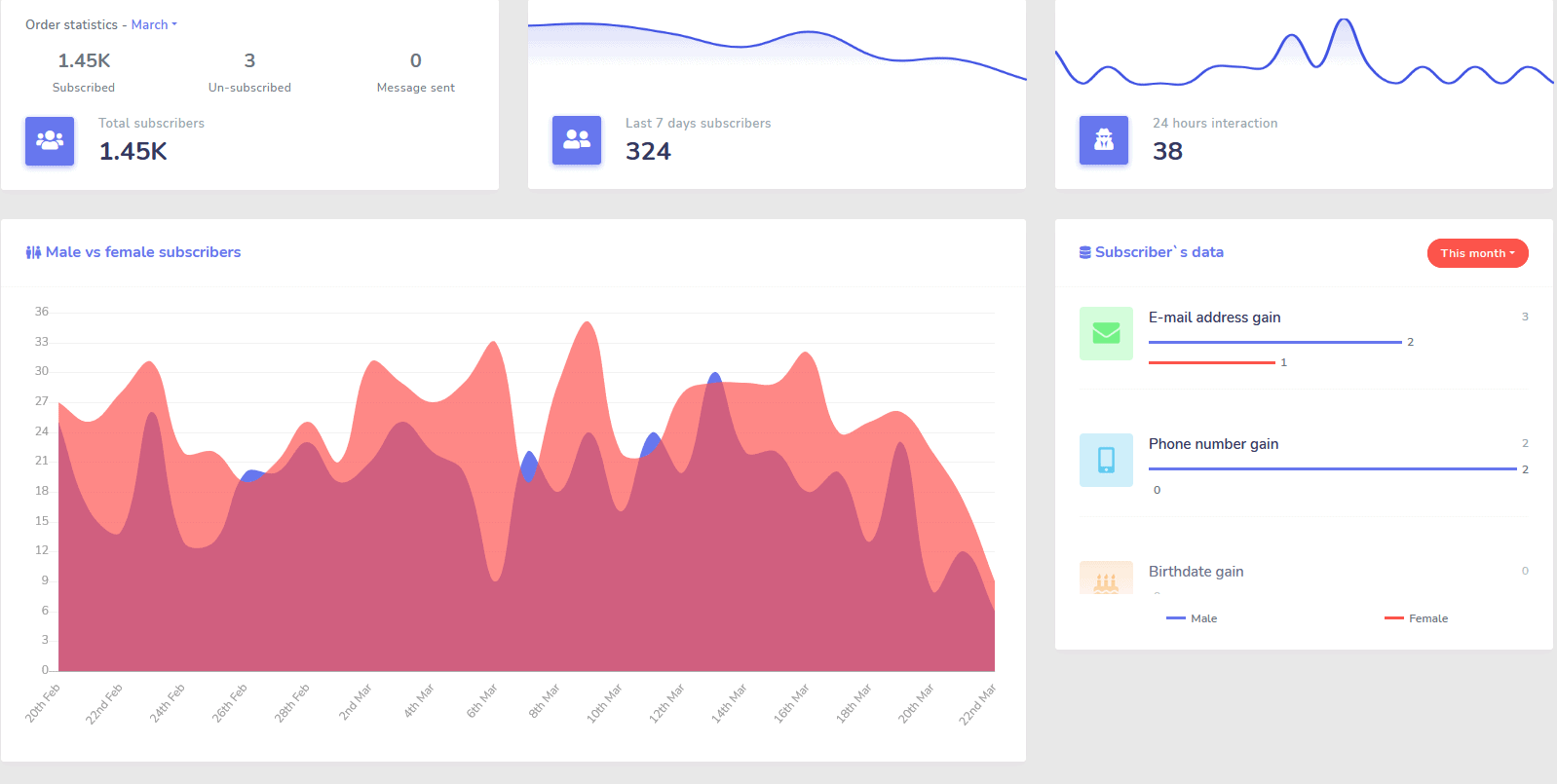
Phân Tích
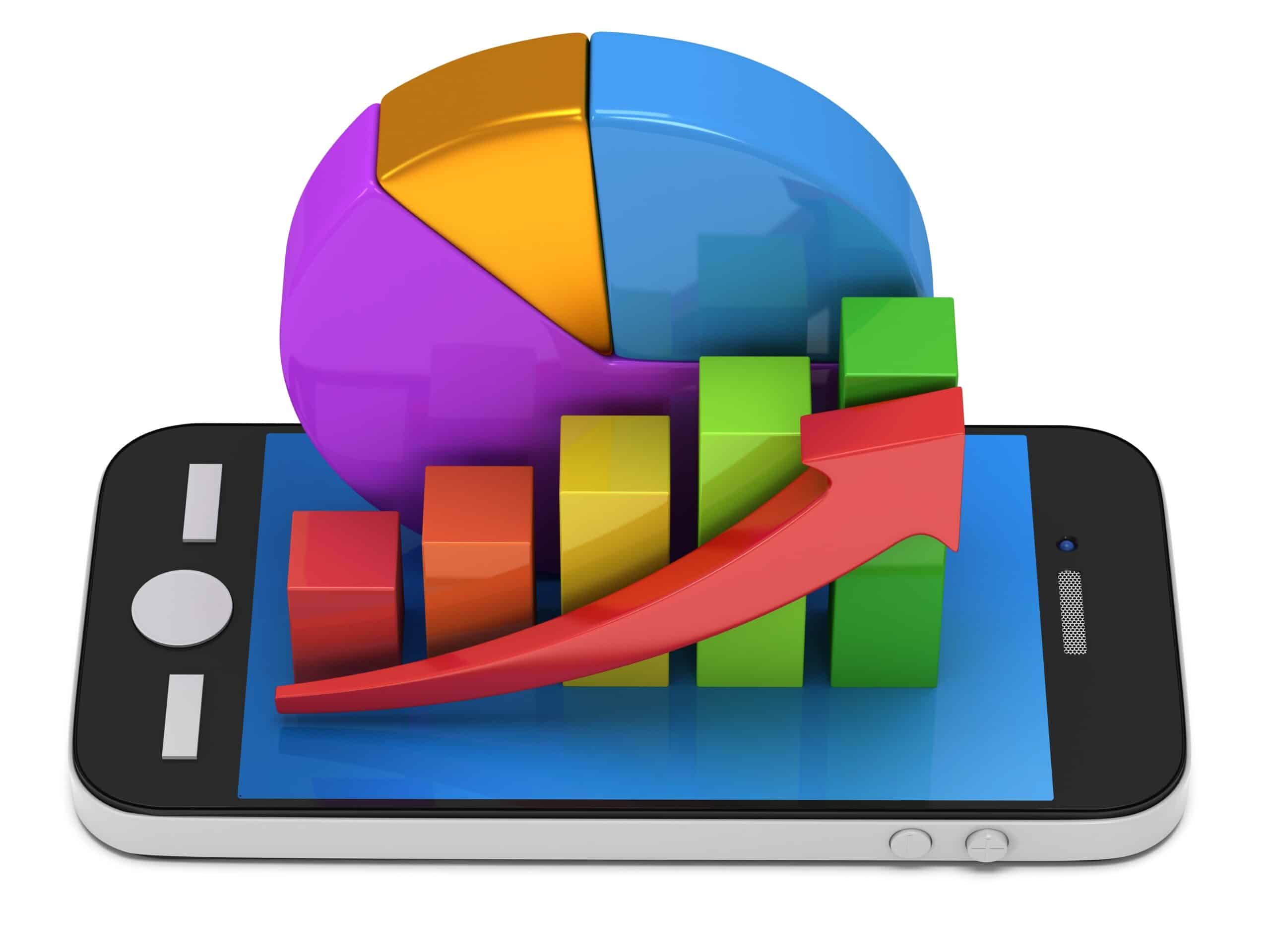
Dễ dàng xác định các kênh hoạt động tốt nhất của bạn và có cái nhìn tổng quan rõ ràng về người đăng ký của bạn, cách bạn đang hoạt động, cũng như nơi bạn hoạt động tốt nhất/tệ nhất và ở giữa.
Dễ dàng theo dõi người đăng ký, bình luận gần đây và các chiến dịch khác ngay từ bảng điều khiển của bạn.
Giảm đáng kể
Chi phí cho mỗi khách hàng tiềm năng và mỗi giao dịch
Với Bot Messenger bạn có thể có mặt 24/7 và giảm chi phí cho mỗi khách hàng tiềm năng và mỗi giao dịch bằng cách cung cấp cho người dùng thông tin họ đang tìm kiếm ngay lập tức!
Ngoài ra, hãy sử dụng Messenger Bot để khám phá sâu vào Facebook Interests API và phát hiện những đối tượng chưa được tiết lộ cho các nhà quảng cáo khác trên Facebook!
Bằng cách nhắm mục tiêu vào những đối tượng ẩn này với quảng cáo Facebook, bạn có thể giảm chi phí cho mỗi khách hàng tiềm năng và chi phí cho mỗi giao dịch ngay lập tức.
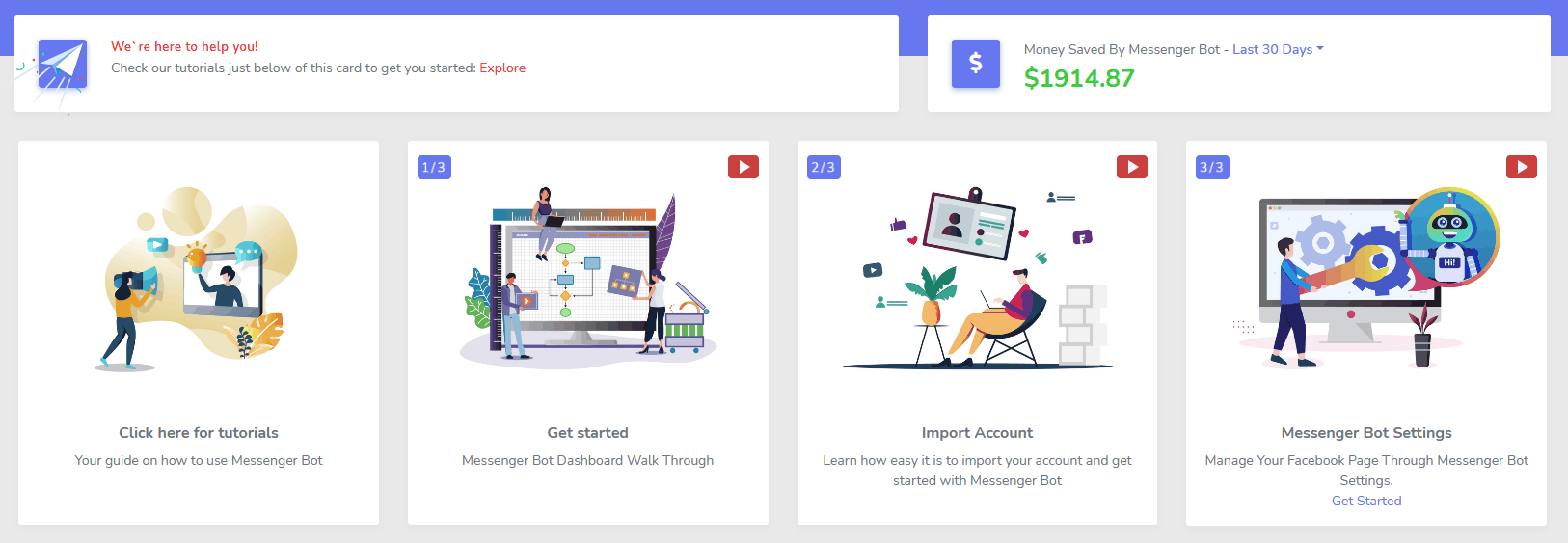
Messenger
Cửa hàng thương mại điện tử
Bắt đầu bán hàng trực tiếp trong Messenger và bất kỳ đâu khác với cửa hàng thương mại điện tử tùy chỉnh của riêng bạn!
Giữ 100% doanh thu, với 0% chia sẻ doanh thu và nhiều nhà cung cấp thanh toán để lựa chọn như PayPal, Stripe và RazorPay!
Bao gồm trong TẤT CẢ các gói đăng ký Bot Messenger của chúng tôi.
Không giới hạn
Tin nhắn theo chuỗi và Gửi hàng loạt
Trong một thời gian giới hạn khi bạn đặt hàng hôm nay, bạn sẽ nhận được không giới hạn các chiến dịch nhắn tin theo chuỗi và gửi tin nhắn hàng loạt!
Luôn đúng giờ với nhắn tin theo chuỗi gửi các tin nhắn mong muốn của bạn đến người dùng dựa trên độ trễ thời gian mà bạn đặt.
Tiếp cận khách hàng của bạn một cách hàng loạt vào thời điểm thích hợp với việc gửi tin nhắn hàng loạt.
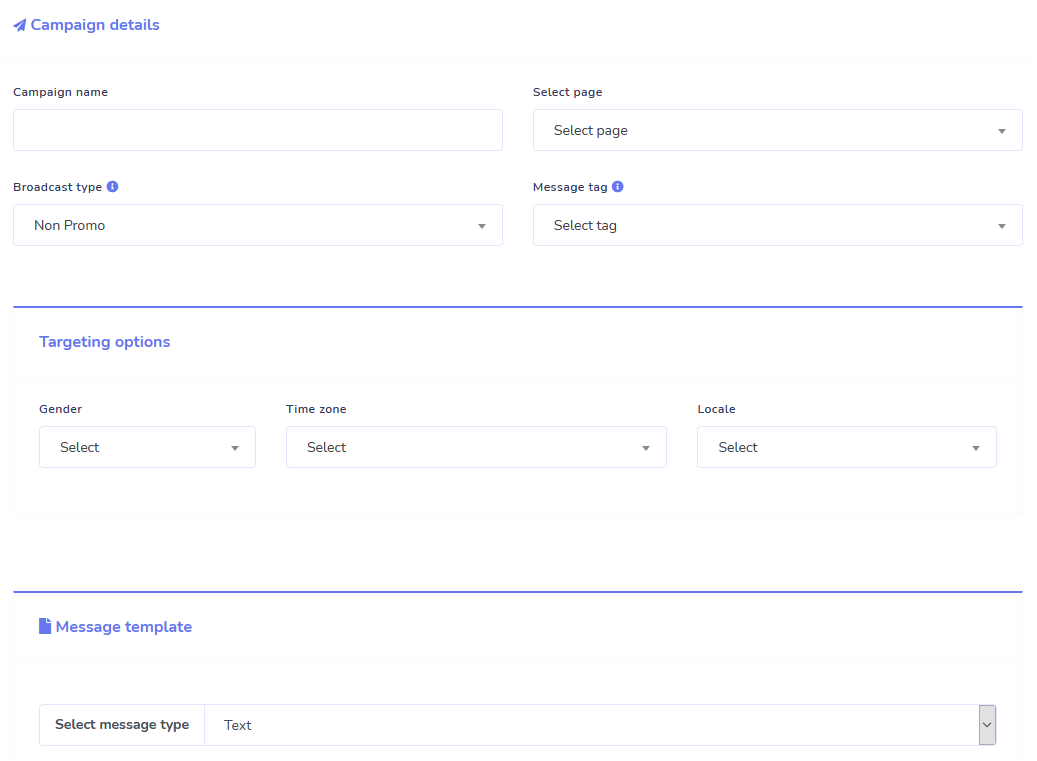
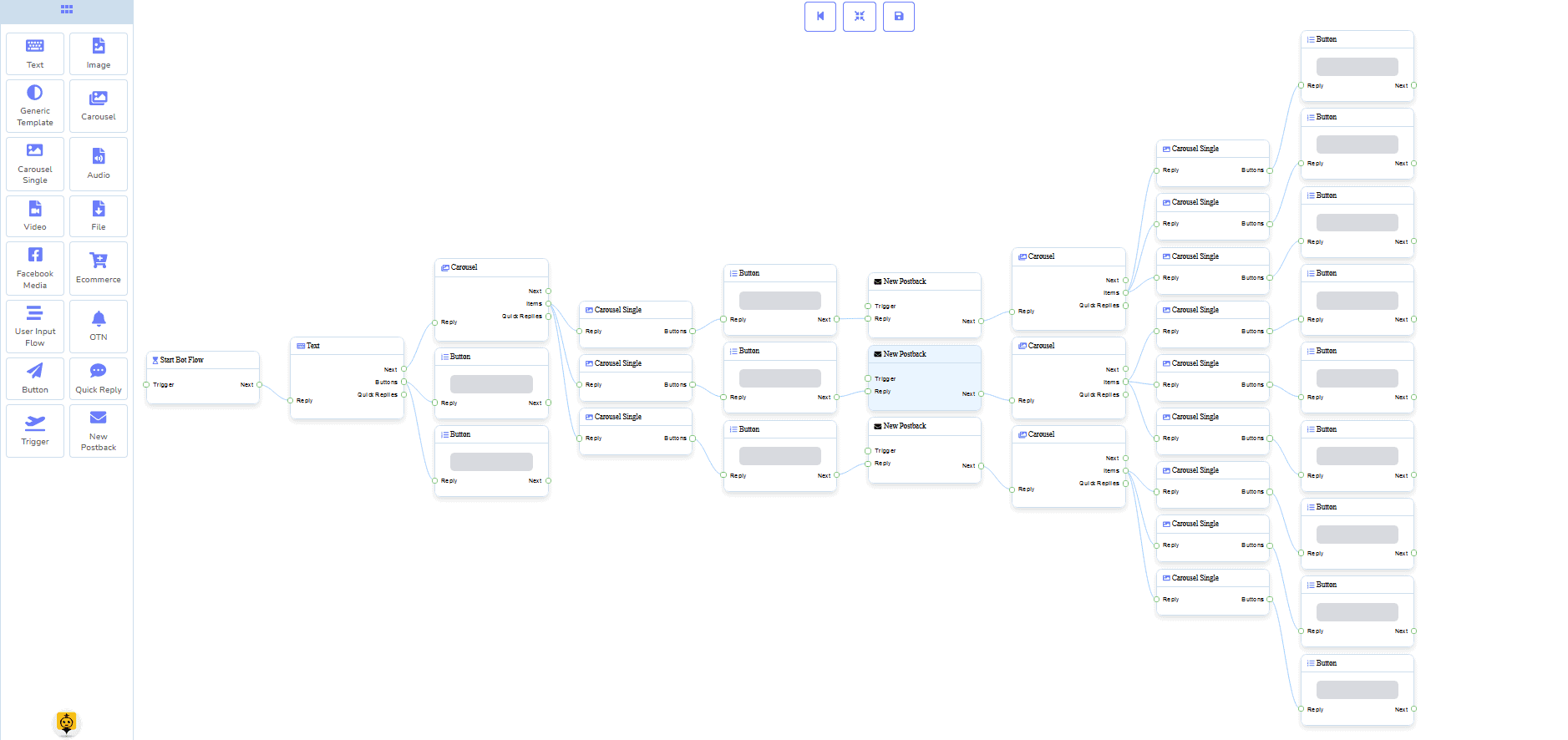
0 Mã Trình xây dựng luồng
+ Đã hoàn thành cho bạn Mẫu
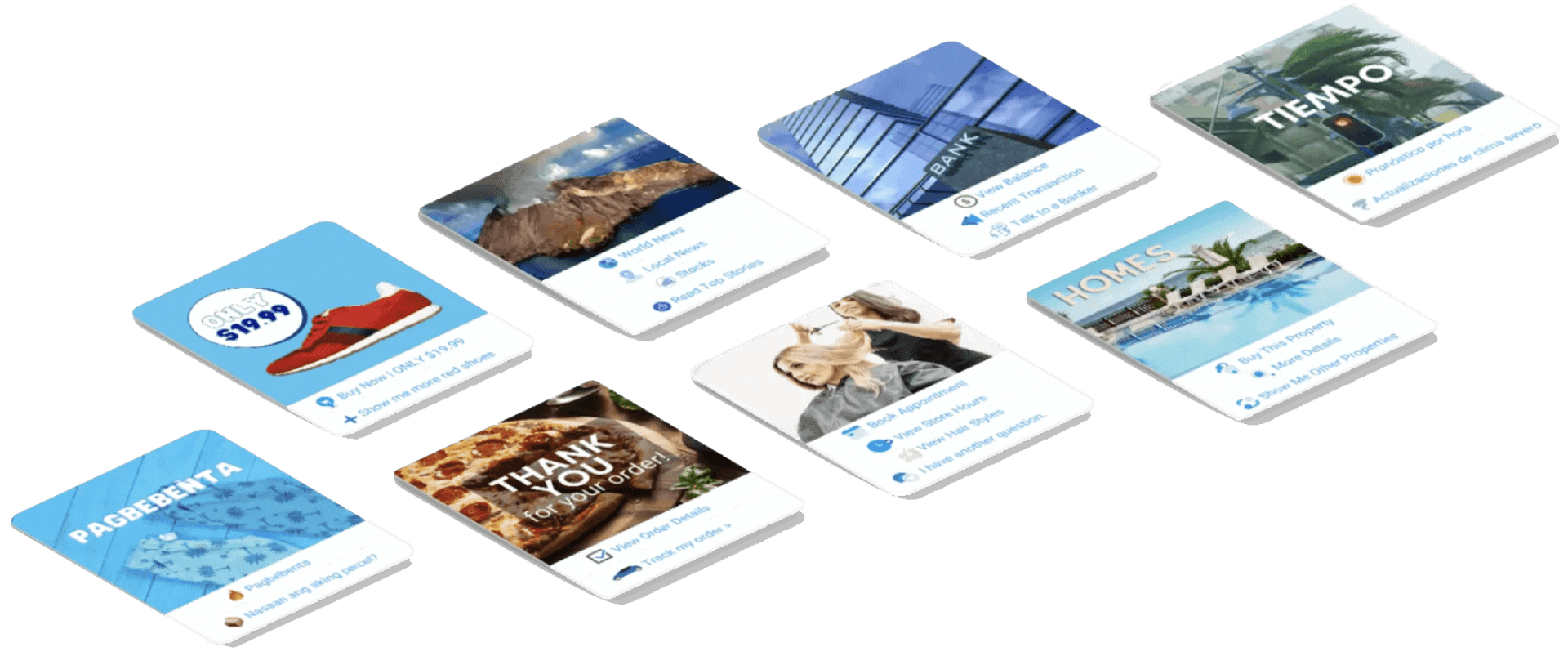
Đi trực tiếp chỉ với vài cú nhấp chuột với các mẫu đã hoàn thành cho bạn!
Tạo các quy trình tự động của bạn mà không cần lập trình với trình xây dựng trực quan không mã của chúng tôi!
Vẫn còn quá kỹ thuật? Đội ngũ hỗ trợ khách hàng của chúng tôi đang sẵn sàng và sẵn sàng giúp bạn xây dựng nó!
Trả lời tự động, Phát sóng, Chuỗi, Đăng ký và Mẫu
Tự động phản hồi mọi email!
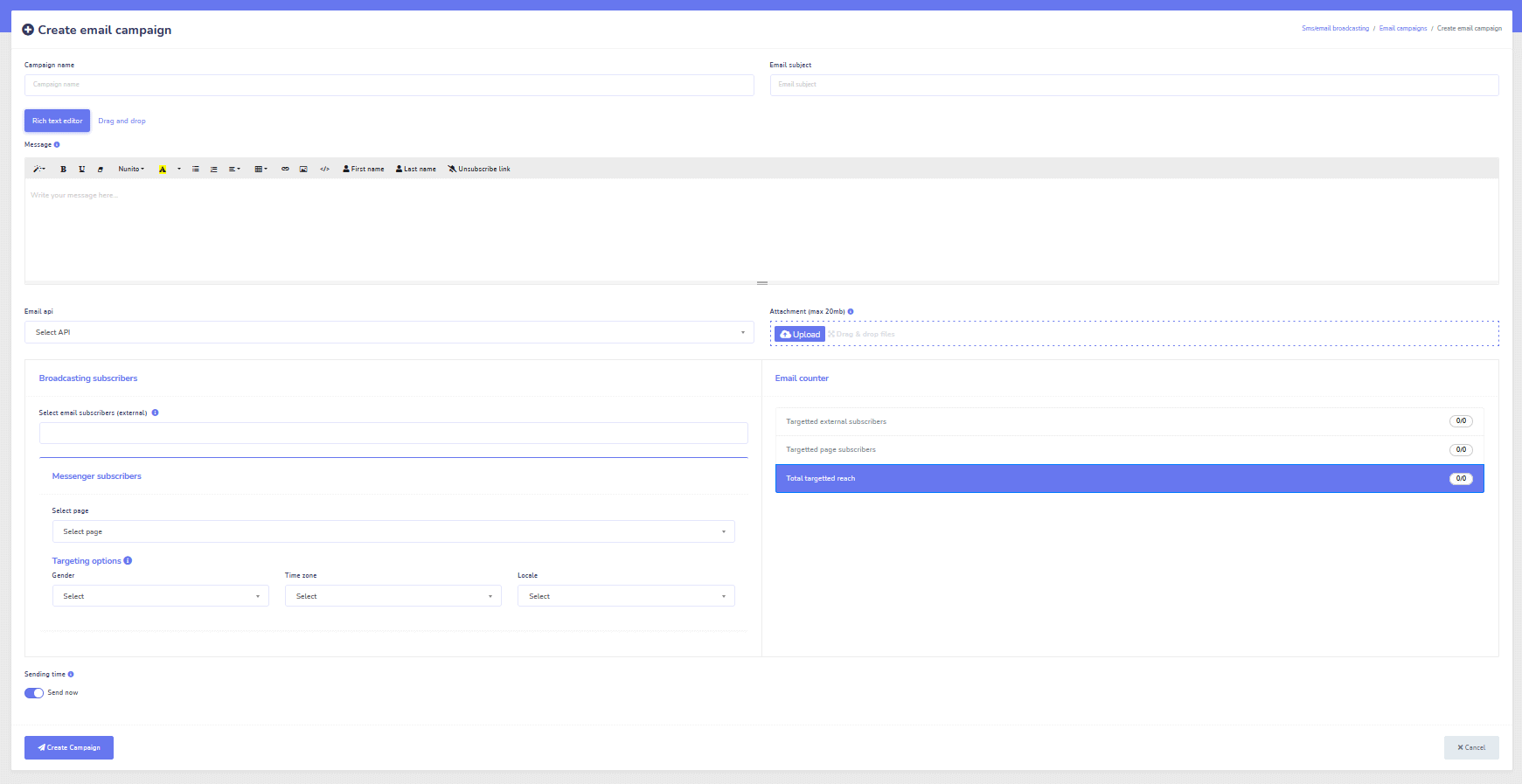
Gửi email quảng cáo và chiến dịch tiếp thị tự động.
Xây dựng danh sách người đăng ký và tạo mẫu chiến dịch email với trình tạo trực quan của chúng tôi!
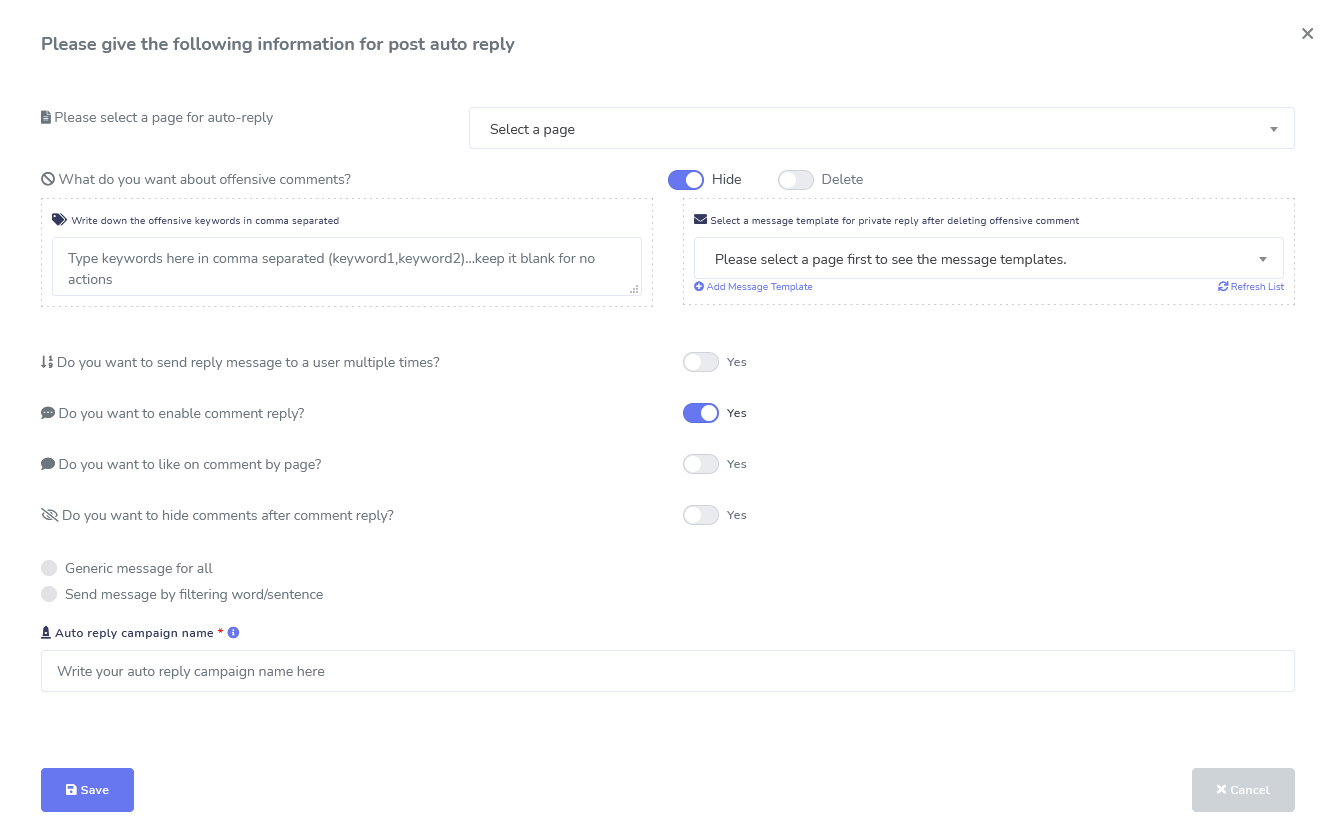
Facebook & Instagram
Công cụ quản lý bình luận, tự động hóa, đăng bài, & trả lời
Một bộ tính năng tự động hóa Facebook đầy đủ được thiết kế để giúp bạn tạo bài viết, lên lịch bài viết, quản lý bài viết và tự động trả lời bài viết, cũng như gửi tin nhắn theo dõi!
Trực tiếp hoặc Tự động
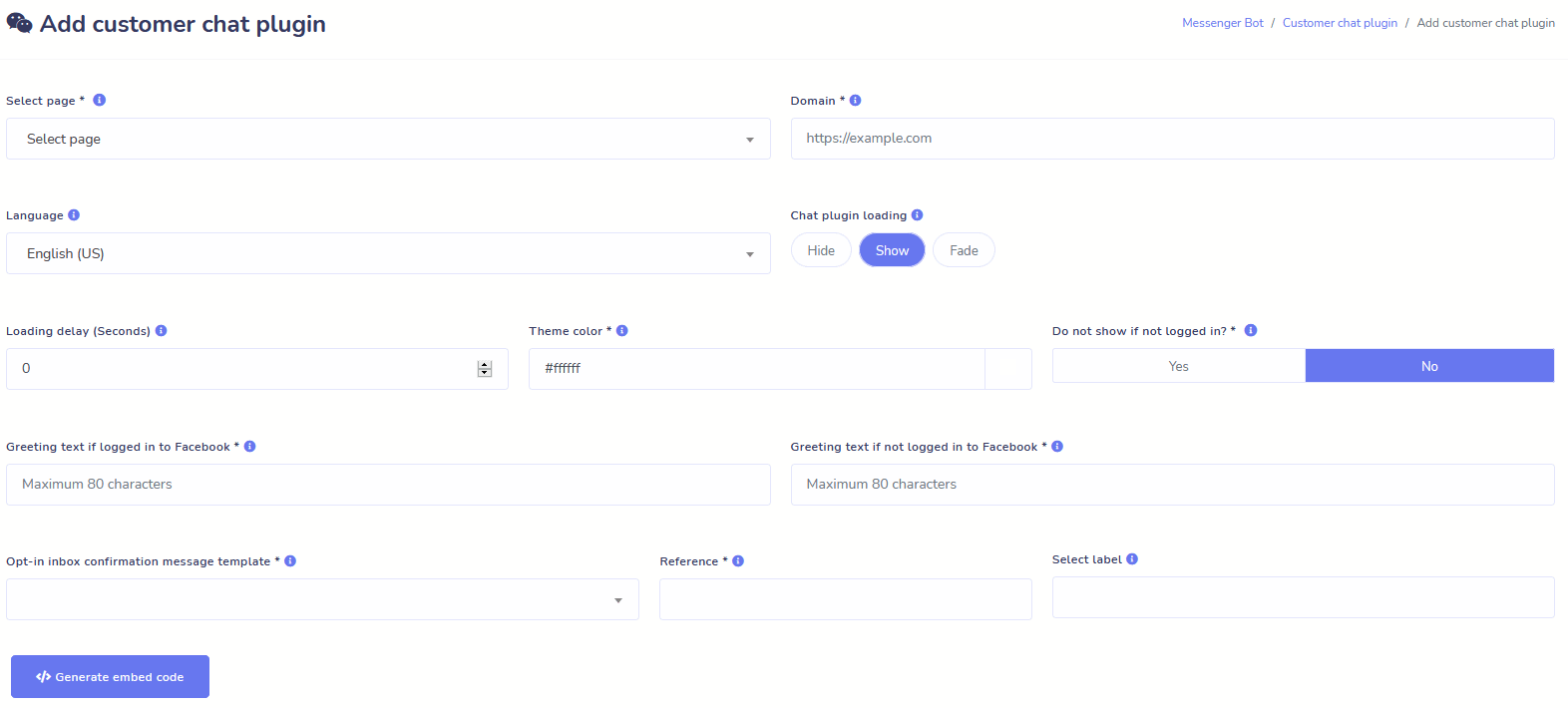
Trò chuyện trên Website
Tự động hóa trò chuyện của bạn cũng như cho phép hỗ trợ trực tiếp từ con người cho những khách truy cập yêu cầu.
Cho phép người dùng nhận thông tin họ cần theo yêu cầu và xem doanh nghiệp của bạn phát triển!
Mang đến cho người dùng trải nghiệm họ mong muốn chỉ với vài cú nhấp chuột.
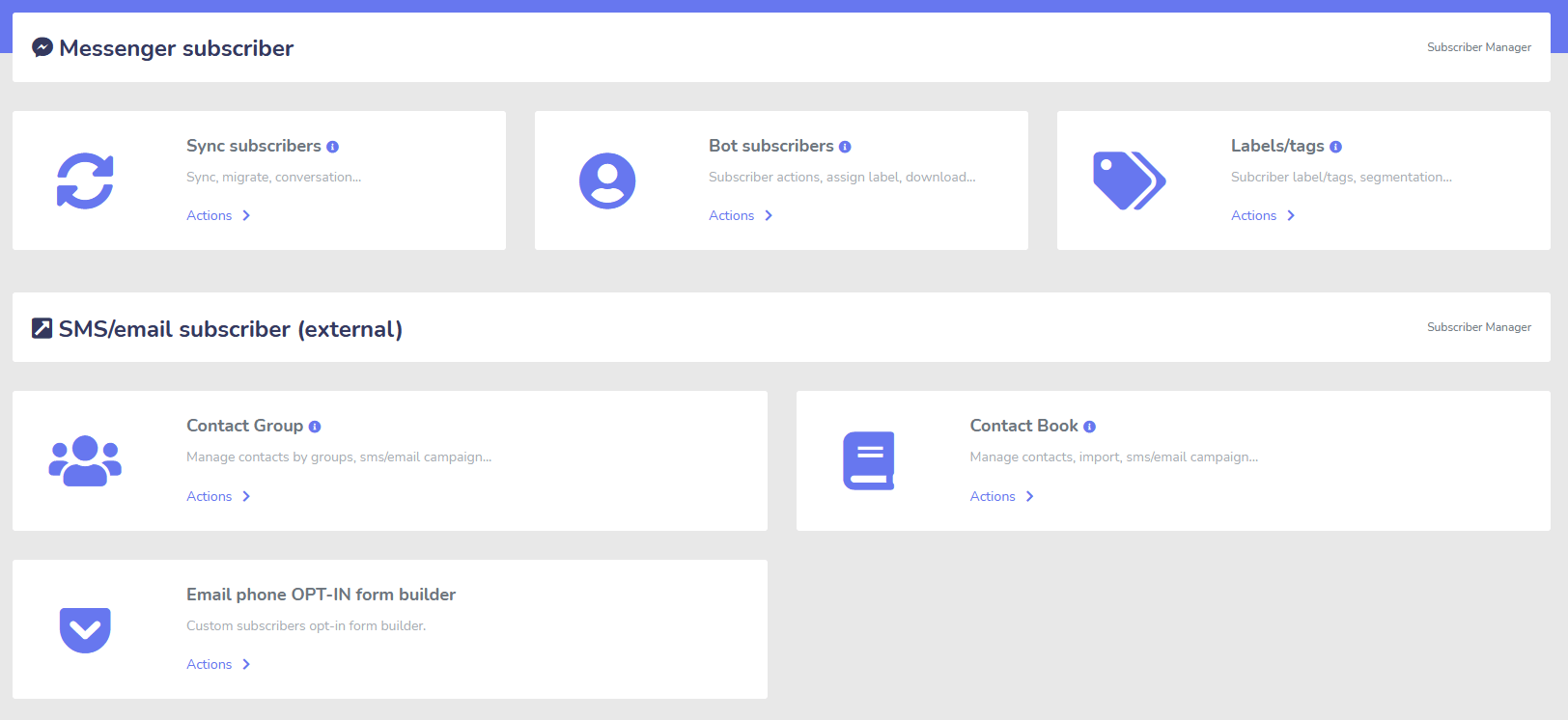
Người đăng ký
Nhà xây dựng, Nhập khẩu, Quản lý và Đồng bộ
Di chuyển từ ManyChat, ChatFuel, hoặc nơi khác? Dễ dàng đồng bộ người đăng ký của bạn với Messenger Bot!
Dễ dàng xây dựng danh sách người đăng ký của bạn với các liên kết M.Me, đăng ký Messenger và nhiều hơn nữa!
Trình quản lý người đăng ký cho phép bạn đồng bộ hóa người đăng ký, xem người đăng ký bot, xem nhãn và quản lý các hoạt động nhắn tin/gửi email trong các nhóm liên lạc khác nhau.
WooCommerce
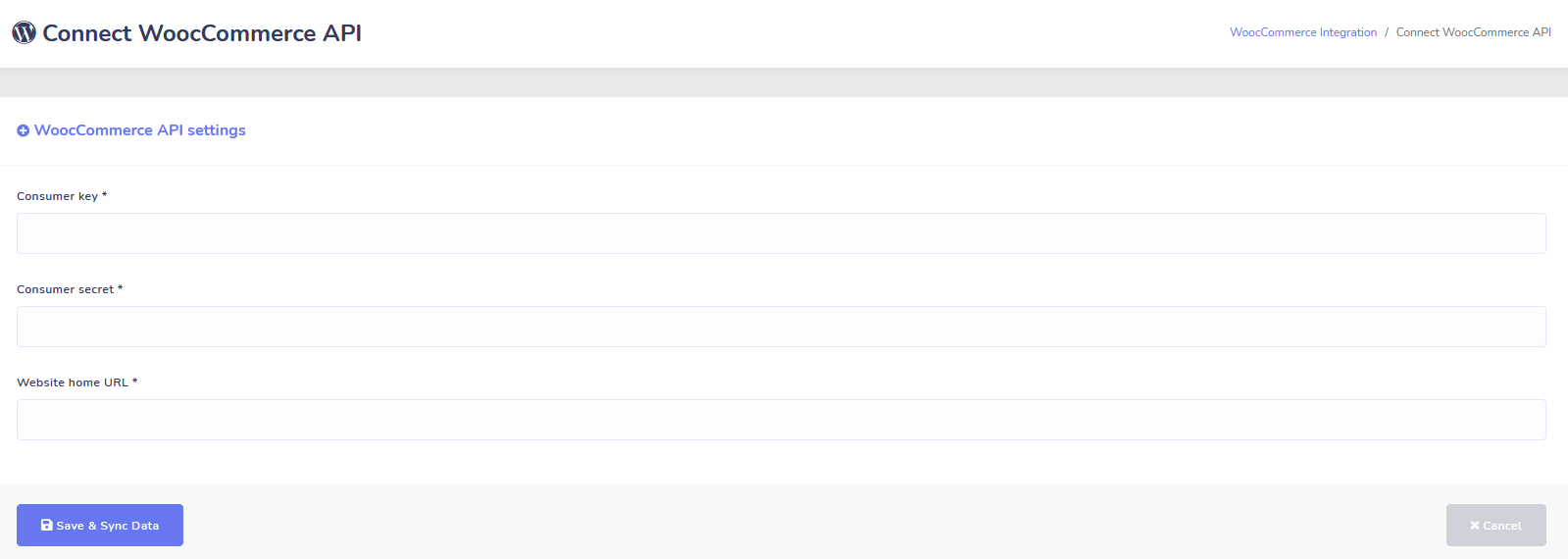
Đồng bộ và Khôi phục Giỏ hàng Bỏ lại
Đồng bộ cửa hàng WooCommerce của bạn chỉ với 1 cú nhấp chuột.
Tăng doanh số bằng cách khôi phục người dùng đã bỏ giỏ hàng!
Tích hợp Shopify + Wix Sắp ra mắt!
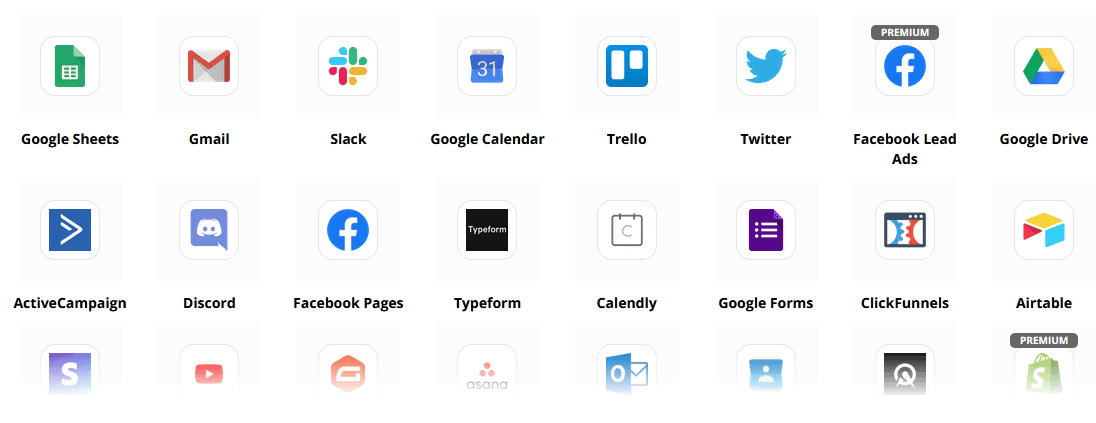
Zapier + JSON API + Google Sheets
Tích hợp
Kết nối với hơn 3.000 ứng dụng với tích hợp Zapier của chúng tôi hoặc sử dụng JSON API để tạo ra các tùy chỉnh của riêng bạn!
Tự động chuyển dữ liệu người đăng ký đến Google Sheets.
Thêm nữa
Còn nhiều hơn thế!
Sử dụng các trình chỉnh sửa hình ảnh tích hợp sẵn để tạo hình ảnh và bài viết trong bảng điều khiển của bạn.
Tự động đăng từ các nguồn RSS!
Tạo menu Messenger cố định của riêng bạn
và còn nhiều hơn thế….
Dưới đây là những cách khác mà Messenger Bot được sử dụng
Messenger Bot đang được sử dụng theo nhiều cách. Đây là danh sách nhỏ về cách mọi người đang sử dụng chúng ngay bây giờ.
Hỗ trợ Khách hàng
Tự động định hướng khách hàng đến đích mong muốn dựa trên hành động và hành vi của họ.
Thu thập Thông tin Từ Khách hàng
Lấy tất cả thông tin quan trọng cần thiết từ khách hàng.
Câu hỏi Thường gặp
Cung cấp cho người dùng câu trả lời họ cần ngay lập tức trong khi đồng thời giải phóng nhân viên hỗ trợ.
Thương mại điện tử
Bán hàng trực tiếp trên Messenger với cửa hàng mới hoặc hiện có!
Tạo Dẫn Khách Hàng
Tương tác với người dùng và tự động tạo khách hàng tiềm năng!
Biểu mẫu Tùy chỉnh Hoàn toàn
Tạo biểu mẫu hoàn toàn tùy chỉnh và có tính tương tác trong Messenger + Trang web của bạn!
Bất động sản
Hiển thị bất động sản và tự động tạo ra khách hàng tiềm năng đủ tiêu chuẩn 24/7.
Nhà hàng
Chạy khuyến mãi, nhận đặt chỗ và thanh toán!
Travel & Tours
Nhận nhiều đặt chỗ du lịch và tham quan, giới thiệu những chuyến đi độc đáo của bạn.
Đại lý ô tô
Hiển thị và bán xe qua Messenger + trang web của bạn!
Phản hồi và Khảo sát
Tạo khảo sát và biểu mẫu phản hồi tự động hoàn toàn tùy chỉnh!
Bảo hiểm
Giúp trình bày & chọn chính sách + cung cấp báo giá cũng như đặt lịch hẹn.
Giá Thấp Trong Thời Gian Có Hạn
Hãy hành động ngay và đảm bảo ưu đãi đặc biệt này cho Messenger Bot trước khi giá tăng!
Với Bot Messenger, bạn sẽ tiết kiệm được chi phí hỗ trợ, bán hàng và đăng ký cho các dịch vụ khác mà bạn sẽ không còn sử dụng!
Xem Bot Messenger Trong Hành Động!
Hơn 40,000 Người Dùng
Hỗ Trợ 24/7
100% Sự Hài Lòng

Được Sử Dụng và Tin Cậy Bởi Hơn 40,000 Người Dùng
Tham gia cùng hơn bốn mươi nghìn chủ doanh nghiệp đang sử dụng và tin tưởng Messenger Bot như một giải pháp marketing hoàn chỉnh!
Practical follow-up resources
Turn more customer conversations into clear next steps.
Use these practical guides to strengthen response speed, lead qualification, and follow-up while your team keeps ownership of every customer decision.
- missed-call text-back guide — Keep high-intent callers moving with a clear, consent-aware follow-up path.
- lead-scoring workflow — Give your team a practical way to prioritize better-fit opportunities.
- speed-to-lead guide — Shorten the gap between a new inquiry and a useful first response.
Pick the right starting point
Choose the Messenger Bot plan that matches the conversations you want to win.
Start with the workflow you need now, then upgrade when your page, team, or client load grows.
Starter
$29 /mo
For one focused page getting its first automated comment and DM follow-up live.
- Launch a guided lead-capture workflow.
- Reply faster without adding another daily dashboard.
- Keep setup simple while you prove the channel.
Chuyên nghiệp
$99 /mo
For growing businesses that want BYOK (Bring Your Own Key), business knowledge, and better lead sorting.
- Use AI-assisted drafts with human review.
- Qualify replies before your team spends time on them.
- Keep follow-up consistent across busy launches.
Cơ quan
$299 /mo
For teams managing multiple brands, clients, assets, and approval workflows.
- Organize client conversations by page and priority.
- Give teams cleaner review paths before replies go out.
- Scale repeatable workflows without adding extra manual work.
A payment card keeps trials focused. You stay in control of the plan before billing starts.
Thường xuyên Được hỏi Câu hỏi
Bot Facebook Messenger là gì?
Bot Facebook Messenger là một chatbot tự động có thể được sử dụng để nâng cao không chỉ trải nghiệm Messenger, mà còn cả trải nghiệm trò chuyện trên trang web của bạn.
Bot Messenger có thể làm gì cho doanh nghiệp của tôi?
Bot Messenger sẽ cho phép bạn tự động chào đón người dùng mới, phản hồi các từ khóa hoặc cụm từ cụ thể, phân phối nội dung, tạo khách hàng tiềm năng, thực hiện bán hàng, và nhiều hơn nữa!
Tại sao tôi cần Bot Messenger?
Khi mỗi ngày trôi qua, việc tiếp cận đối tượng mục tiêu của bạn trở nên ngày càng khó khăn hơn. Đây là một thực tế rằng nhiều phương pháp tiếp thị truyền thống không còn mang lại kết quả như trước đây.
Bot Facebook Messenger của chúng tôi giải quyết vấn đề này bằng cách cho phép bạn đạt được tỷ lệ mở trên 80% với tin nhắn tương tác theo thời gian thực và chuỗi chiến dịch trò chuyện.
Làm thế nào để tôi tạo một Bot Facebook Messenger?
Đầu tiên, bạn sẽ cần một tài khoản Facebook và một trang Facebook với quyền quản trị để quản lý nó.
Sau đó, bạn mua gói của mình (hoặc đăng ký dùng thử miễn phí) và sau đó chọn "Nhập Tài Khoản".
Từ đó, hãy sử dụng Trình Xây Dựng Luồng Hình Ảnh của chúng tôi để tạo và triển khai bot của bạn trong vài phút, không phải vài ngày! Bây giờ bạn có thể bắt đầu những cuộc trò chuyện thực sự với khách hàng của mình, bất cứ lúc nào.
Có dùng thử không?
Có, bạn có thể nhận dùng thử miễn phí trước khi mua mà không cần thẻ tín dụng. tại đây.
Khi nào thì ưu đãi này hết hạn?
Ưu đãi này sẽ hết hạn sớm, vì vậy nếu bạn muốn tận dụng mức giảm giá tốt nhất, bạn sẽ muốn đặt hàng ngay bây giờ.
Sẵn sàng để tạo ra sự thay đổi thực sự? Hãy cùng nhau xây dựng điều này!
Hãy làm quen với Messenger Bot mà không có bất kỳ hạn chế nào và chỉ bắt đầu sử dụng nó một cách tối đa khi bạn yêu thích nó. Chúng tôi sẽ chờ bạn.
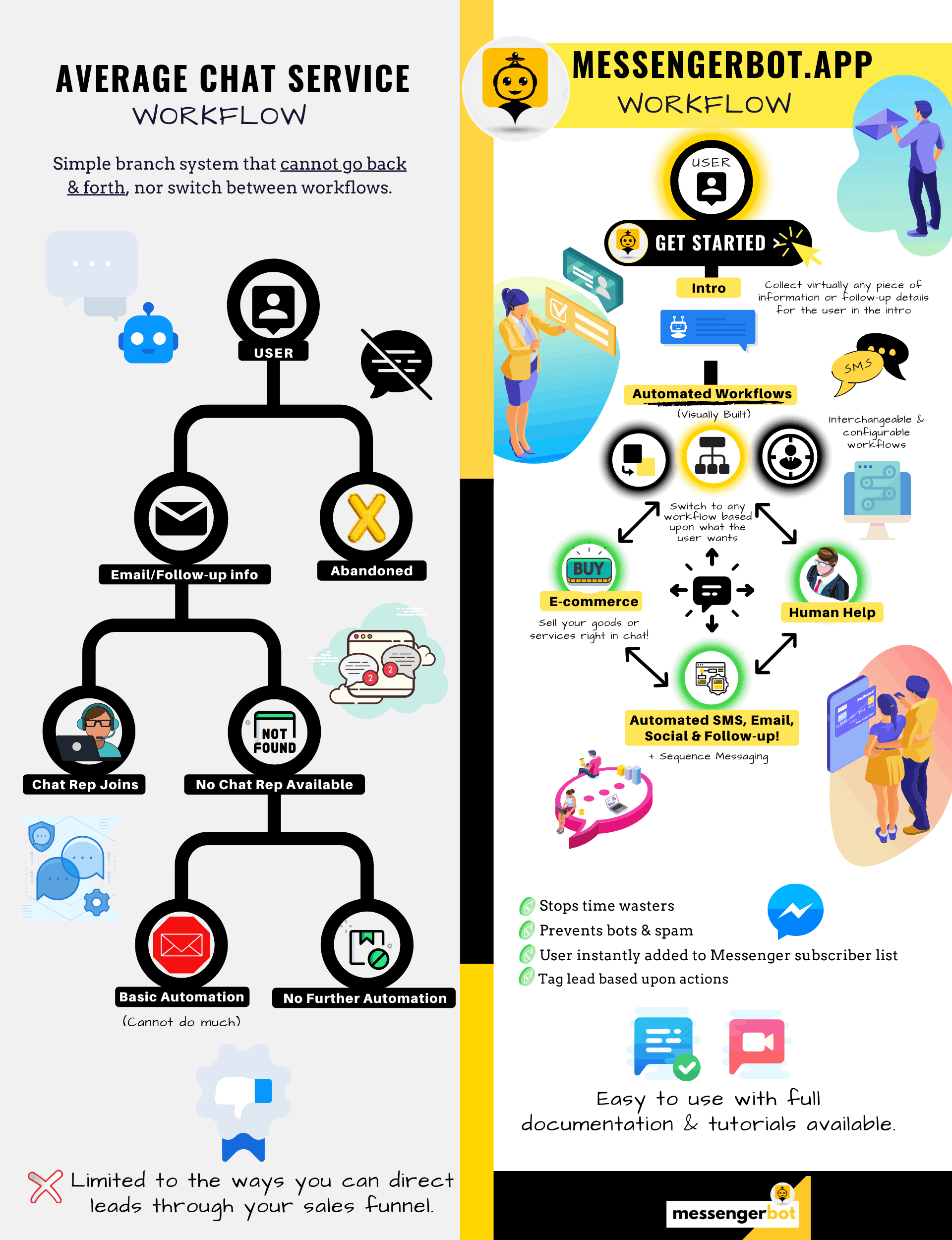
Messenger Bot Không Chỉ Là Một Chat Bot Đơn Giản!
Bây giờ có thể thực hiện các cuộc trò chuyện phức tạp một cách tự động!
Tại Sao Bạn Cần Messenger Bot
để Tăng Doanh Số Trong Doanh Nghiệp Của Bạn
Đối với các nhà tiếp thị, Facebook Messenger hiện đang trở thành một cách mới và hiệu quả để tiếp cận với các người đăng ký hiện tại và tiềm năng của trang Facebook và doanh nghiệp của bạn. Với việc sử dụng các bot Messenger, bạn có thể truyền tải thông tin bất cứ lúc nào trong ngày mà không cần phải động tay.
Một trong những ứng dụng bot mạnh mẽ nhất, Messenger Bot, đã nhanh chóng trở thành một nhà lãnh đạo trong ngành công nghiệp mới này. Phần mềm tiếp thị của chúng tôi có rất nhiều tính năng giúp việc tiếp thị trở nên dễ dàng cho các công ty lớn và nhỏ. Bằng cách sử dụng chatbot Facebook Messenger, bạn có thể trả lời các cuộc trò chuyện 24/7, gửi tin nhắn số lượng lớn đến đối tượng mục tiêu của bạn, và thậm chí đăng video và hình ảnh lên trang Facebook của bạn. Nếu bạn cần nó cho doanh nghiệp của mình, Messenger Bot chắc chắn có nó! Theo cách độc đáo của riêng chúng tôi, chúng tôi có thể cung cấp cho bạn một mức độ dịch vụ chatbot cao mà bạn không thấy ở nơi nào khác.
Hãy cùng xem tất cả các dịch vụ và tính năng mà ứng dụng tuyệt vời của chúng tôi cung cấp trước khi bạn bắt đầu. Phần mềm ấn tượng này chắc chắn sẽ là công cụ tiếp thị Facebook Messenger lý tưởng nhất cho bạn mà không cần mã hóa.
Chatbot Facebook Là Gì?
Nếu bạn chỉ mơ hồ nhận thức về những gì một ứng dụng bot Facebook Messenger hoặc Facebook trò chuyện tự động thực hiện, bạn cần hiểu cách nó có thể đưa doanh nghiệp của bạn lên một tầm cao mới. Phần mềm được tự động hóa để gửi tin nhắn qua Facebook Messenger bằng cách sử dụng xử lý ngôn ngữ tự nhiên để hiểu những gì người dùng muốn và trí tuệ nhân tạo để tương tác với mọi người. Khi được triển khai, nó có thể hiểu các câu hỏi được đặt ra và trả lời những câu hỏi đó một cách chính xác. Chatbot giống như những trợ lý ảo có thể cải thiện trải nghiệm của khách hàng.
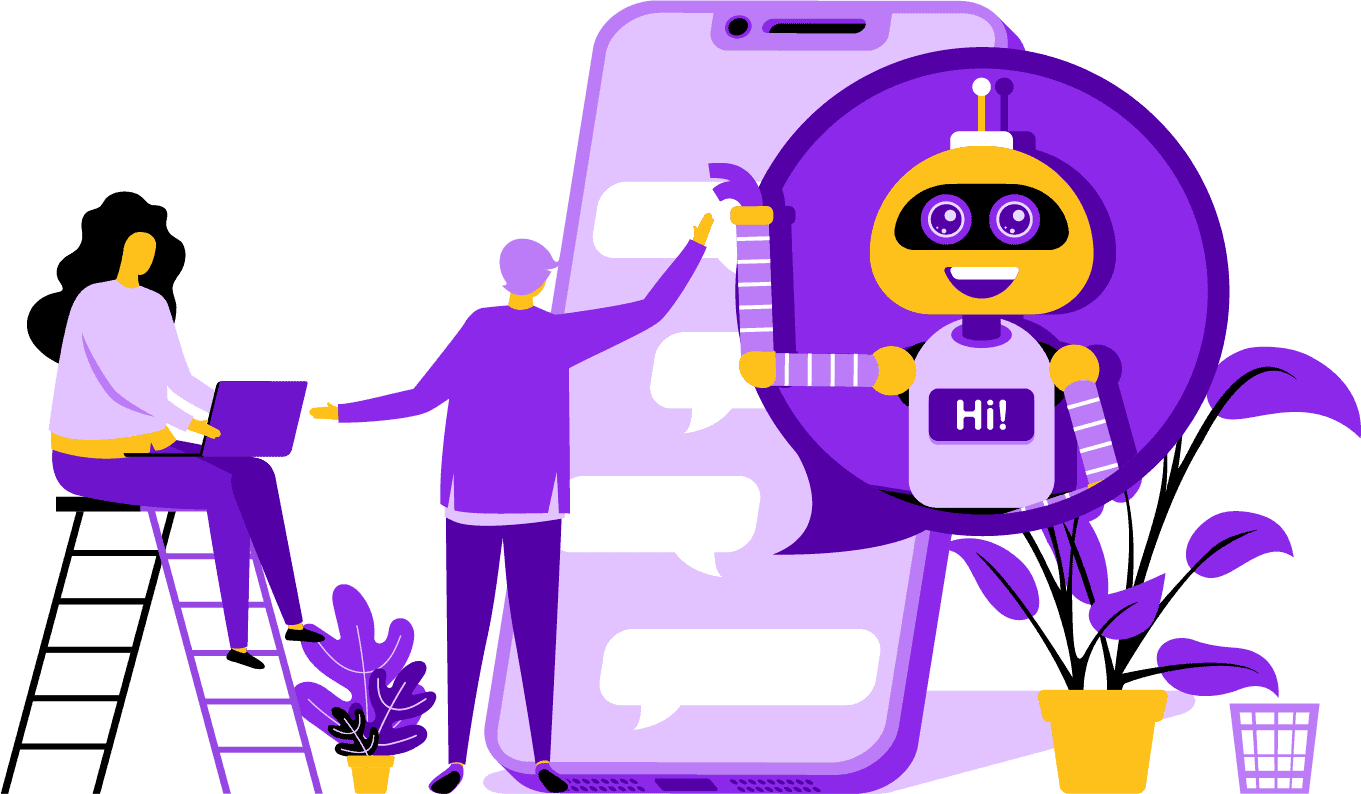
Có những lợi thế chiến lược khi sử dụng bot Facebook Messenger cho công ty của bạn. Nếu bạn muốn trở thành một cái tên quen thuộc, việc sử dụng Messenger là một cách thông minh để đưa công ty và sứ mệnh của bạn liên lạc với hàng tỷ người. Facebook Messenger nằm trong top năm ứng dụng được sử dụng nhiều nhất trên thế giới. Với điều này, tại sao bạn không sử dụng Messenger cho nhu cầu kinh doanh của mình? Khách hàng đánh giá cao ứng dụng này vì nó cung cấp một cách tiện lợi và nhanh chóng để liên hệ với các doanh nghiệp trên toàn cầu. Một công ty có thể phát triển và tăng cường sự hiện diện trong khi cung cấp dịch vụ khách hàng tích cực cùng một lúc. Bạn không cần phải lo lắng về hỗ trợ khách hàng 24/7 với một chatbot.
Một lợi thế khác mà bot Facebook có thể cung cấp là tạo khách hàng tiềm năng. Thật dễ dàng để tiếp cận khách hàng tiềm năng với chatbot Facebook Messenger. Khi ứng dụng bot của bạn tiếp cận khách hàng tiềm năng, nó có thể đặt ra những câu hỏi cơ bản để xác định nhu cầu và mong muốn của người đó bằng cách sử dụng xử lý ngôn ngữ tự nhiên. Ứng dụng có thể hướng dẫn khách hàng tiềm năng đến đội ngũ hỗ trợ khách hàng hoặc đội ngũ bán hàng của bạn để tiếp quản và chốt đơn. Như bạn sẽ thấy, Messenger Bot có thể làm tất cả những điều này và hơn thế nữa mà không cần mã hóa. Bắt đầu với Messenger Bot!
Tin nhắn hàng loạt
và một Bot Facebook
Khi bạn có một trang Facebook, có những lúc bạn muốn tiếp cận những người đăng ký và khách hàng tiềm năng để truyền tải một thông điệp. Messenger Bot có tính năng gửi tin nhắn hàng loạt để đạt được điều đó. Tại sao lại gửi tin nhắn hàng loạt? Đầu tiên, nó có thể được gửi nhanh chóng. Khi bạn sử dụng tính năng này trên Messenger Bot, các thông điệp của bạn có thể đến tay bất kỳ ai chỉ trong vài giây. Bạn có thể gửi một tin nhắn hàng loạt đến hàng ngàn người khi bạn sử dụng ứng dụng này và biết rằng nó sẽ được gửi đi như mong muốn. Các khách hàng tiềm năng của bạn có thể trò chuyện và tương tác với bạn, điều này xây dựng niềm tin khi họ nhận được những câu trả lời chính xác và dễ hiểu cho các câu hỏi của họ. Tính năng nổi bật này mà Messenger Bot có giúp giữ chân khách hàng của bạn, điều này là một phần của nền tảng cho sự phát triển kinh doanh. Chúng tôi tự hào tuyên bố rằng chúng tôi là những người đầu tiên có khả năng gửi tin nhắn hàng loạt có thể tiếp cận tất cả người đăng ký.
Các tính năng tự động bổ sung,
Bao gồm Chatbot Facebook Messenger
-
Tự Động Bình Luận Thích
Tính năng này cho phép bạn thích các bình luận của người đăng ký mà bạn tìm thấy trên trang của mình và dưới các bài viết của bạn. Sự tương tác này có thể tăng cường hoạt động trên trang của bạn khi người khác thấy rằng bạn là một công ty đánh giá cao những gì khách hàng và khách hàng tiềm năng của mình nói. Nó giúp bạn thu hút sự chú ý mà bạn đang tìm kiếm. Thêm lượt thích vào nhiều bình luận cũng có thể giữ chân cơ sở khách hàng của bạn khi họ thấy sự tham gia liên tục của bạn trong doanh nghiệp.
-
Tự Động Bình Luận Trả Lời Riêng Tư
Lợi ích tương tự cũng áp dụng cho tính năng tự động bình luận trả lời riêng tư của Messenger Bot. Bạn sẽ gặp những tình huống mà ai đó liên hệ với bạn một cách riêng tư để bình luận hoặc hỏi một câu hỏi về doanh nghiệp của bạn. Ứng dụng của chúng tôi cho phép bạn trả lời những tin nhắn này bất cứ lúc nào trong ngày với phản hồi mà bạn yêu cầu. Phản hồi được thiết kế theo thông số kỹ thuật của bạn, và tin nhắn có thể thay đổi khi cần.
Đăng Bài Trên Facebook<!–
với một Message Bot
Bot nhắn tin của chúng tôi cho phép bạn không chỉ đăng văn bản lên trang và nhóm Facebook của mình, mà bạn còn có thể tự động đăng và chia sẻ ảnh, video và liên kết. Thực sự không có gì mà Messenger Bot không thể làm! Với tính năng này, bạn có thể phát hành bất kỳ loại phương tiện nào bạn muốn vào bất kỳ thời điểm nào. Sử dụng sự kết hợp giữa văn bản và công cụ hình ảnh có thể thu hút lại người đăng ký của bạn và mang đến cho bạn những người mới cùng lúc.
Tăng cường tương tác
với Tiếp thị Messenger
Bot Messenger Facebook của chúng tôi có thể giúp bạn nhận được sự tương tác tốt hơn từ người đăng ký và khách hàng của bạn. Nghiên cứu đã chỉ ra rằng khi bạn có sự tương tác cao, bạn có cơ hội lớn hơn để nâng cao doanh số bán hàng của mình. Bạn có thể sử dụng nhiều tính năng của Messenger Bot để đạt được thành công này. Việc tự động phát hành hình ảnh và nội dung hình ảnh khác có thể giữ cho cơ sở khách hàng của bạn quan tâm đến những gì bạn phải nói. Nó có thể tạo ra một mối quan hệ xoay quanh niềm tin mà họ hiện có đối với doanh nghiệp của bạn. Chúng tôi hiểu rằng sự tương tác này quan trọng như thế nào hơn bất kỳ ai khác trong thế giới chatbot. Khi bạn sử dụng dịch vụ của chúng tôi, bạn có thể thấy kết quả gần như ngay lập tức.
Nội dung cá nhân
từ Bot Messenger FB
Phần mềm của chúng tôi cũng có thể cung cấp cho khách hàng của bạn những phản hồi cá nhân hóa cho tất cả các bình luận và mối quan tâm mà họ có thể có. Là một người đăng ký, khi bạn có trải nghiệm tùy chỉnh với một công ty trực tuyến, điều đó có thể mang lại cho họ cái nhìn rằng bạn quan tâm đến suy nghĩ và sự hiện diện của họ như một khách hàng. Đối với những người có nền tảng về bán hàng và tiếp thị, bạn biết rằng sự hài lòng của khách hàng là một phần lớn trong mô hình kinh doanh thành công. Tại Messenger Bot, chúng tôi có thể giúp bạn tạo ra sự cá nhân hóa quý giá mà khách hàng của bạn cần để giữ vững lòng trung thành.
Một Sự Hiện Diện Lớn Trên Mạng Xã Hội
với Tiếp Thị Qua Facebook Messenger
Trong thế giới ngày nay, các doanh nghiệp cần có một sự hiện diện mạng xã hội xuất sắc để đi trước trong cuộc chơi. Facebook đã dần trở thành một nền tảng có thể tăng cường khả năng hiển thị của một công ty và mang lại hàng trăm người đăng ký và khách hàng tiềm năng mới cho trang của bạn. Một trong những cách tốt nhất để tương tác với những người dùng Facebook này là thông qua một ứng dụng chatbot. Chatbot Facebook Messenger của chúng tôi có thể giúp bạn giải trí, thông tin và dạy dỗ những người thường xuyên tương tác với trang của bạn.
Một chiến lược marketing đúng đắn nên yêu cầu sử dụng Facebook và mạng xã hội để thúc đẩy sự phát triển của công ty. Sử dụng ứng dụng của chúng tôi có thể giúp bạn tạo ra một kế hoạch marketing đầy đủ và mạnh mẽ có thể nâng cao hồ sơ doanh nghiệp của bạn lên những mức độ trước đây không thể đạt được. Dịch vụ chatbot messenger của chúng tôi được thiết kế riêng cho Facebook và có thể thích ứng khi gã khổng lồ mạng xã hội này thay đổi. Messenger là một công cụ mạng xã hội chủ yếu chưa được khai thác mà có thể biến bạn thành một nhà lãnh đạo trong ngành khi bạn biết cách sử dụng nó. Chúng tôi có thể loại bỏ những trò chơi đoán mò và giúp bạn đạt được mục tiêu kinh doanh của mình từng bước một.

Phân Tích Dữ Liệu Của Bạn
Với Bot Messenger
Như đã đề cập trước đó, ứng dụng của chúng tôi cũng có thể tổng hợp các báo cáo nhằm phân tích dữ liệu từ Facebook và người đăng ký. Phần mềm của Bot Messenger được thiết kế để hiểu cách con người tương tác với Facebook. Các phân tích mà chúng tôi cung cấp cho doanh nghiệp cho phép bạn đi sâu khi tạo ra các quy trình bán hàng và marketing chiến lược để sử dụng và phát triển công ty của bạn. Chúng tôi cung cấp cho bạn bức tranh toàn cảnh để xem xét, và từ đó, bạn có thể trích xuất những gì cần thiết để trở nên thành công hơn.
Phân tích dữ liệu sâu sắc này có thể tạo ra doanh số mới, khách hàng tiềm năng và khách hàng. Bằng cách nhìn lại tất cả các tương tác mà trang Facebook của bạn và người đăng ký đã có trong một khoảng thời gian nhất định thông qua học máy, bạn có thể tạo ra nội dung nhắm đến đối tượng cơ bản của mình. Chúng tôi loại bỏ những thứ không cần thiết khi cố gắng tạo ra nội dung mới và phù hợp. Sự tập trung của bạn vẫn ở nơi nó nên có.

Chuyển đổi khách hàng tiềm năng của bạn với Bot Messenger
Bot Messenger có thể giúp hướng dẫn khách hàng tiềm năng của bạn đến một giao dịch. Phần mềm tự động hóa của chúng tôi bắt đầu quá trình bằng cách thu hút sự chú ý của những khách hàng tiềm năng. Chúng tôi có thể tương tác với khách hàng ở mức độ cơ bản nhưng cá nhân, giúp họ cảm thấy họ quan trọng đối với doanh nghiệp của bạn. Bây giờ bạn có thể nhắm mục tiêu tốt hơn đến những khách hàng đó và giữ liên lạc với họ sau lần trao đổi đầu tiên.
Thời gian phản hồi nhanh là điều cần thiết cho trải nghiệm khách hàng và tỷ lệ chuyển đổi. Với thời gian phản hồi nhanh hơn, tỷ lệ hài lòng của khách hàng tiềm năng của bạn tăng lên khi họ nhận được câu trả lời của mình ngay lập tức mà không gặp bất kỳ rắc rối hay phiền phức nào. Trải nghiệm đơn giản này cải thiện khả năng giữ chân và doanh số trong tương lai. Khi một khách hàng mới tiếp xúc với một doanh nghiệp, ấn tượng đầu tiên là rất quan trọng. Bằng cách sử dụng Bot Messenger, bạn loại bỏ mọi rắc rối và vấn đề bất ngờ khi cố gắng trò chuyện với một người đăng ký. Chatbots là những trợ lý ảo của bạn cho các nhiệm vụ đơn giản để bạn có thể tập trung hơn vào việc mở rộng doanh nghiệp của mình.

Giải phóng thời gian của bạn với Bot Facebook
Hãy để Messenger Bot thực hiện tất cả công việc tương tác cho bạn và doanh nghiệp của bạn. Bằng cách đó, bạn có thể tập trung vào những nhiệm vụ quan trọng khác cần sự chú ý hoàn toàn của bạn. Với ứng dụng sáng tạo của chúng tôi, bạn không còn phải lo lắng về việc quên đăng bài hoặc vô tình bỏ qua một bình luận hay câu hỏi nào. Không quan trọng khi nào sự tương tác đến, phần mềm của chúng tôi được thiết kế để phản hồi khi cần thiết. Tính năng này có nghĩa là hỗ trợ khách hàng 24/7 cho bạn và các thuê bao của bạn.
Với phần mềm của chúng tôi, tất cả những gì bạn cần làm là nhập những gì bạn cần trên giao diện dễ sử dụng của chúng tôi, và chúng tôi sẽ lo phần còn lại. Bạn sẽ có một chiến dịch hoàn chỉnh mà chúng tôi phục vụ cho bạn. Bạn có thể tin tưởng chúng tôi để đưa thông tin của bạn đến với những đôi mắt và tai háo hức.
Tận Dụng
Sự Phổ Biến của Facebook
Facebook không có dấu hiệu chậm lại trong thời gian tới. Trang mạng xã hội phổ biến này được sử dụng bởi hơn một tỷ người trên toàn thế giới, và điều đó bao gồm cả Messenger. Người dùng ứng dụng thích Messenger vì nó dễ sử dụng. Họ không phải nhấp qua nhiều liên kết hoặc trang để đến nơi họ muốn.
Lợi thế này phù hợp cho các doanh nghiệp muốn giao tiếp với cơ sở của họ ở cấp độ cơ sở. Messenger Bot có sự dễ dàng và tiện lợi tương tự mà người dùng Facebook thấy hấp dẫn. Khi họ tương tác với phần mềm, họ được cung cấp thông tin đơn giản và dễ hiểu có thể giúp họ có được ý kiến thông tin về một sản phẩm hoặc công ty. Dịch vụ hỗ trợ khách hàng này có sẵn khi họ cần và không phải chờ đợi.
Cơ hội mới
Nhiều
Ứng dụng bot của chúng tôi có thể mang đến cho bạn những cơ hội mới mà các doanh nghiệp khác không chọn sử dụng bot Messenger sẽ không có. Ứng dụng Messenger vẫn được coi là một cách tiếp cận mới trong marketing kỹ thuật số, vì vậy bất kỳ chiến lược nào bạn sử dụng thông qua chúng tôi sẽ không bị lỗi thời và cũ kỹ. Chúng tôi cung cấp cho bạn công nghệ hàng đầu nhằm phân biệt doanh nghiệp của bạn với những doanh nghiệp khác.
Thông qua Facebook Messenger Chatbot, bạn sẽ tìm ra điều gì hiệu quả và điều gì không hiệu quả cho bạn khi nói đến bán hàng và marketing. Bằng cách sử dụng tài nguyên của chúng tôi, bạn có thể tinh giản cách tiếp cận theo thời gian và đảm bảo rằng bạn đang đặt chân tốt nhất về thương hiệu của mình. Các đối thủ cạnh tranh không sử dụng chatbot của chúng tôi đang ở một bất lợi rõ rệt khi nói đến quy mô.

Cải thiện dịch vụ khách hàng
Với Facebook Chatbot
Tất nhiên, bạn sẽ nâng cao và cải thiện mọi hỗ trợ khách hàng mà bạn cung cấp hiện tại với ứng dụng của chúng tôi. Chúng tôi xem xét tất cả các khía cạnh hỗ trợ khách hàng khi nói đến phần mềm của chúng tôi. Chúng tôi có những câu trả lời chất lượng cao với sự trợ giúp của học máy và xử lý ngôn ngữ tự nhiên có thể làm hài lòng khách hàng và dẫn dắt họ đưa ra quyết định mua hàng nhanh chóng. Thời gian phản hồi ngay lập tức ngăn chặn người mua tiềm năng rời khỏi trang của bạn để mua sản phẩm ở nơi khác.
Ngoài ra, khi chatbot nhắn tin của chúng tôi yêu cầu thông tin từ khách hàng của bạn, nó phục vụ như một cấp độ tiền đủ điều kiện. Khi ai đó đang tìm mua một thứ gì đó từ doanh nghiệp của bạn, bạn có thể sử dụng thông tin tự nguyện đó để phục vụ các chiến dịch và ra mắt sản phẩm trong tương lai tốt hơn. Bạn đã loại bỏ nhu cầu phải mất hàng giờ làm việc để có được những chi tiết đơn giản đó.
Chatbot cũng cho bạn tùy chọn chuyển sang một nhân viên thực sự khi các câu hỏi trở nên phức tạp, hoặc khi bạn muốn nắm quyền trong một giao dịch tiềm năng. Với Messenger Bot, bạn thực sự có thể vừa ăn bánh vừa có bánh! Bạn giờ đây có hỗ trợ khách hàng tùy chỉnh với giao tiếp nhanh chóng và các công cụ tự động hóa được thiết kế để tạo điều kiện cho sự phát triển và khả năng hiển thị.
Xây dựng Thương hiệu
Nhận thức
Chỉ với một vài hành động nhanh chóng, bạn có thể thông báo cho khán giả của mình mọi thứ về doanh nghiệp của bạn. Các câu hỏi theo dõi có thể được giải quyết, và khách hàng tiềm năng của bạn giờ đây có thể được dẫn dắt sâu hơn vào phễu bán hàng của bạn.
Di động
Tối ưu hóa
Với rất nhiều người và người tiêu dùng sử dụng điện thoại của họ cho mọi thứ, Bot Messenger nhận ra tiềm năng cho doanh số bán hàng và giữ chân khách hàng bằng cách sử dụng Facebook Messenger để tiếp cận. Phần mềm của chúng tôi được thiết kế với các thiết bị di động trong tâm trí. Chúng tôi đã hướng tới một cách tiếp cận sạch sẽ và đơn giản khi thiết kế phần mềm của mình. Kết quả là một hệ thống bot hoạt động liền mạch với các thiết bị di động và Facebook.
Tùy chỉnh hoàn toàn
Bot Messenger
Đã đề cập trước đó rằng Messenger Bot có thể tùy chỉnh và có thể thích ứng với nhu cầu kinh doanh đang thay đổi của bạn. Tính năng này rất có giá trị cho các doanh nghiệp vì có không gian để thay đổi và phát triển. Chúng tôi đã xây dựng một chatbot hoạt động hoàn chỉnh có thể di chuyển cùng với công ty của bạn bất kể hướng đi nào. Bạn có thể thay đổi chiến lược khi cần thiết, và chúng tôi sẽ luôn ở đó mà không bị gián đoạn.

Dễ Sử Dụng
Bot Messenger
Chúng tôi biết thời gian của bạn rất quý giá. Khi bạn muốn triển khai một chiến lược tiếp thị mới thông qua ứng dụng của chúng tôi, bạn không muốn phải suy nghĩ về nó ngày này qua ngày khác. Dịch vụ bot của chúng tôi đã sẵn sàng cho bạn. Một khi bạn cho chúng tôi biết bạn cần gì, chúng tôi có thể làm phần còn lại. Chỉ trong vài phút, bạn có thể khởi động một chiến dịch có thể tăng cường sự tương tác và mang đến cho bạn khách hàng. Bạn thậm chí không cần phải động tay từ việc triển khai ban đầu nếu bạn không muốn. Công nghệ phức tạp của chúng tôi đảm bảo rằng trải nghiệm người dùng của bạn không gặp rắc rối và dễ dàng.
Messenger Bot được thiết kế để giúp bạn và doanh nghiệp của bạn đạt được tiềm năng tối đa về tiếp thị và doanh số. Thông qua ứng dụng sáng tạo của chúng tôi, bạn có thể trích xuất thông tin quý giá có thể tăng cường sự hiện diện và độ phổ biến của bạn trên Facebook. Kết nối mới của bạn với người đăng ký giúp giữ chân cơ sở của bạn và thu hút khách hàng mới. Không có gì giống như vậy! Hãy thử chúng tôi hôm nay, và bạn sẽ bị ấn tượng bởi kết quả. Xây dựng chatbot messenger đầu tiên của bạn mà không cần mã hóa.
Sẵn sàng để tạo ra sự thay đổi thực sự? Hãy cùng nhau xây dựng điều này!
Hãy làm quen với Messenger Bot mà không có bất kỳ hạn chế nào và chỉ bắt đầu sử dụng nó một cách tối đa khi bạn yêu thích nó. Chúng tôi sẽ chờ bạn.
 Tiếng Việt
  English
  Tagalog
  简体中文
简体中文  العربية
  हिन्दी
  Português do Brasil
  Español de México
  Français
  বাংলা
বাংলা  香港中文
香港中文  繁體中文
繁體中文  Nederlands
  Deutsch
  Bahasa Indonesia
  日本語
日本語  한국어
한국어  Polski
  Русский
  Español