
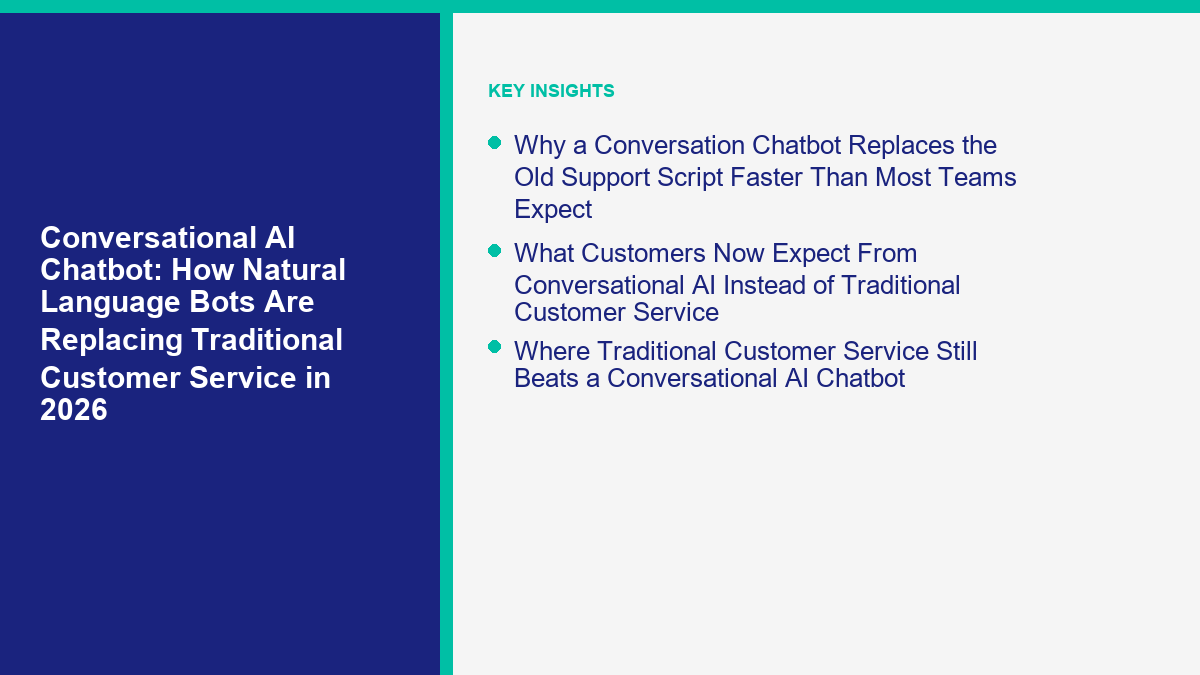
大多数客户服务团队仍然认为支持的首要问题是人手不足。在2026年,首要问题是覆盖率。客户希望在网站聊天、Facebook Messenger、Instagram、电子邮件和移动设备上获得答案,而无需等待营业时间或重复同样的故事三次。这就是为什么旧的支持体系正在失去优势。它是为排队、宏命令和交接而构建的。现代对话聊天机器人是为语言、上下文和即时行动而构建的。.
这并不意味着每个企业都应该解雇支持团队,把钥匙交给大型语言模型(LLM)。这意味着一线服务已经改变。客户服务的重复层现在是一个软件问题,而不是招聘问题。一个好的对话AI聊天机器人可以理解自由形式的问题,提取经过批准的答案,完成简单任务,并在保留记录的情况下升级复杂的边缘案例。一个差的聊天机器人仍然感觉像是一个语法更好的菜单。这两种结果之间的差距是大多数购买错误发生的地方。.
现在公开的数据足够强大,这一转变不再是理论。HubSpot表示,其AI客户代理自动解决超过50%的对话,顶级团队达到90%,而使用它的团队的工单解决速度比不使用它的团队快39%(HubSpot)。Intercom表示,现在有超过7000个团队使用Fin,Fin在客户中的平均解决率为67%(Intercom). Tidio表示,Lyro用户平均自动处理约67%的客户咨询,并为每个账户提供50个免费对话以进行测试 (Tidio; 查看MessengerBot定价).
这些是供应商报告的基准,而不是普遍保证。它们仍然有用,因为它们显示了该类别领导者目前愿意发布的内容。我检查了本文中使用的定价、包装和公开声明,与官方页面进行了对比 2026 年 4 月 12 日. 如果您立即的问题是纯支持成本计算,而不是更广泛的平台决策,那么更快的伴随阅读是我们的 AI客户服务手册. 本文专注于更大的转变:为什么对话聊天机器人已成为第一个服务层,哪些平台适合哪些渠道组合,以及MessengerBot.app作为实际选项的意义。.
为什么对话聊天机器人比大多数团队预期的更快地取代旧的支持脚本
旧的聊天机器人模型是围绕设计者的预测构建的。操作员猜测客户可能会问什么,提前编写分支,并希望真实用户保持在规定的范围内。这对于像商店营业时间、一个预订表单或简单的引导磁铁这样的狭窄流程有效。但当人们自然输入、在中途更改主题或用五种不同方式询问同一个问题时,它就会崩溃。.
对话聊天机器人改变了故障模式。它不是强迫客户进入一个固定的菜单,而是从自然语言开始。机器人解释请求,检查批准的来源,决定是否可以回答,然后要么响应,要么采取行动,或者将案件交给人类。换句话说,传统的支持脚本之所以被替代,并不是因为按钮消失了,而是因为自然语言处理变得足够好,可以在帮助台前面工作。.
这在运营上很重要,因为客户服务需求并不均匀分布。大多数团队没有500个同样独特的问题。他们有30个常见问题,占据了大部分的咨询量,然后是大量的真实例外。一旦对话式AI聊天机器人在当前政策、产品数据、交付规则、预约选项和升级触发器上进行了培训,它可以比团队整周编辑决策树更快地清除重复层。.
| 平台 | 2026年公共基准 | 如何阅读它 |
|---|---|---|
| HubSpot | 50%+的对话自动解决;顶级团队达到90% | 强烈表明,当知识库和交接设计清晰时,AI优先的支持是可行的 |
| Intercom | 67%的客户平均解决率 | 显示基于结果的AI支持可以超越早期试点,进入生产支持团队 |
| Tidio | 平均约67%的客户咨询实现自动化 | 有力证明中小企业友好的支持工具不再局限于玩具自动化 |
大多数团队错过的实际收获是:替代发生在首次响应层,而不是在关系层。企业仍然需要经验丰富的人处理政策例外、愤怒的客户、续订、客户保留和敏感的边缘案例。被替代的是传统客户服务中依赖人类一次又一次重复批准信息的部分。.
客户现在对对话式人工智能的期望,而不是传统客户服务
客户方面的变化几乎与技术的变化一样快。Zendesk 2026 年客户体验趋势报告显示,81% 的消费者希望代表能够接着他们上次的对话继续,74% 的消费者在需要重复信息时感到沮丧,67% 的消费者希望品牌根据之前的互动量身定制支持(Zendesk)。这不仅仅是一个速度问题。这是一个连续性问题。.
传统客户服务通常在连续性方面表现不佳,因为每个渠道都成为自己的队列。网站聊天开始一个线程。Messenger 开始另一个。Instagram 私信与社交媒体一起。电子邮件在帮助台中。语音在其他地方。当对话聊天机器人成为这些界面之间的连续性层时,它就赢了。客户感觉他们在继续一个线程,而不是每次切换渠道时都打开一个新工单。.
这也是为什么简单的流利度已经不再足够。客户不仅希望互动的人工智能聊天听起来像人类进行三条消息。他们希望有用的人工智能能够记住已经提供的信息,知道下一步,并且不让他们重新说明订单号、预订日期或产品问题。如果你的机器人写出漂亮的回复,但每次频道变化时都重新开始对话,客户仍然会将体验评为破损。.
- 连续性: 机器人应该在同一对话中保持上下文,而不是再次询问相同的设置问题。.
- 准确性: 答案必须来自经过批准的政策、定价、库存或帮助内容,而不是模型的信心。.
- 可用性: 客户越来越将24/7的首次响应视为正常,尤其是对于简单任务。.
- 清晰的升级: 当机器人无法解决问题时,交接必须快速且知情。.
在2026年取得最佳结果的团队并不是在构建模仿人类的机器人。他们正在构建减少客户努力的机器人。这听起来微妙,但完全改变了设计。与其问,“这个机器人能进行长时间的对话吗?”不如问,“这个机器人能以比人类排队更少的步骤让客户达到正确的结果吗?”这才是真正的标准。.
传统客户服务仍然胜过对话式人工智能聊天机器人
There is still a lot of work that should stay human-led. The useful mental model is not AI versus humans. It is AI for repetition, humans for judgment. If you try to automate judgment-heavy work too early, the support experience gets worse, not cheaper.
| Support situation | AI should lead | Human should lead | Best production design |
|---|---|---|---|
| Store hours, policy checks, order status, booking basics | 是 | 不 | Conversation chatbot answers directly and logs intent |
| Refund disputes, angry customers, fraud concerns | Only for triage | 是 | Bot gathers context and escalates immediately |
| Regulated or high-liability advice | No, except controlled workflows | 是 | Use deterministic forms, verification, and human approval |
| VIP relationships, renewals, save attempts | Only for prep | 是 | Bot summarizes context, human handles the live moment |
| Lead qualification, appointment routing, first-touch support | 是 | Sometimes | Hybrid flow with handoff rules for high-intent or high-risk cases |
The honest reason traditional customer service still wins in those cases is accountability. When a customer is furious, when the company is exposed legally, or when the conversation can save or lose a large account, the human is not there just to answer. The human is there to judge tone, make exceptions, negotiate, and own the outcome.
That is why the best conversational AI chatbot programs in 2026 do not try to eliminate the support team. They redesign the queue. AI clears the repetitive layer, prepares the complicated layer, and leaves the relationship layer to people who can actually own it.
How a Conversational AI Chatbot Actually Works Behind the Scenes
When people say they want an advanced AI chat system, they usually mean four different things at once. They want the bot to understand language, answer from the correct source, take simple actions, and escalate intelligently. If one of those layers is missing, the experience falls apart fast.
| Layer | 它的作用 | What breaks if it is weak |
|---|---|---|
| Intent layer | Understands the customer’s actual request in natural language | The bot loops, misroutes, or answers the wrong question |
| Knowledge layer | Pulls responses from approved content, pricing, product data, or policies | The bot hallucinates, goes vague, or gives outdated information |
| Action layer | Creates tickets, captures lead data, triggers workflows, or checks status | The bot can talk but cannot move the conversation forward |
| Handoff layer | Transfers to a person with context, reason, and transcript attached | The customer has to start over and support cost stays high |
This is why buying on demo quality alone is a mistake. Most demos over-index on the intent layer because that is what looks impressive in a meeting. Production success depends just as much on the knowledge and handoff layers. The customer does not care that the bot understood the sentence if the answer is outdated or the escalation path is hidden.
A practical build rule: do not let the bot answer from anything your team would not currently trust in front of a customer. If your help center is outdated, fix that first. If your delivery policy lives in three different docs, consolidate it first. If your pricing page changes every month, sync the source before you let the AI speak for the business. If you want the implementation walkthroughs after this section, 浏览我们的教程 and map the source content before you add more conversational polish.
The Customer-Service Jobs a Conversation Chatbot Should Replace First
The right first use case is boring on purpose. You do not start with the weirdest support ticket in the queue. You start with the issue your team answers all week and wishes it did not have to touch anymore. That is where the conversation chatbot pays for itself fastest.
FAQ coverage that removes the top repetitive questions
Hours, delivery windows, return policy, service areas, plan differences, booking rules, and simple eligibility checks are the classic first win. They are high volume, low ambiguity, and usually already documented somewhere. A conversation chatbot handles these well because the user can ask naturally instead of clicking through six buttons to reach the same answer.
Order status, booking status, and appointment reminders
This is where action beats copy. If the bot can check a booking, confirm a reservation window, or surface order status from a connected system, you eliminate a huge chunk of customer effort. The customer does not want a friendly paragraph here. They want the status and the next step.
Lead qualification disguised as support
A lot of support volume is really pre-purchase hesitation. Questions like “Which plan includes setup?”, “Do you support my city?”, or “Can I use this with Instagram too?” are not pure service questions. They are buying-intent questions. The conversation chatbot should answer them and branch into lead capture or sales handoff when the customer is clearly moving toward a decision.
Pre-handoff context gathering
Even when AI should not finish the conversation, it can still save time by collecting the right fields up front: order number, device type, date needed, business size, plan, or a screenshot upload path. That is not glamorous AI, but it shortens handle time and cuts the “can you send that again?” loop that makes traditional customer service feel slow.
Multi-channel triage
For small teams especially, the big operational win is often not one magical AI answer. It is using the same logic across Messenger, Instagram, and website chat so the team stops maintaining three slightly different service processes. That is where a conversation chatbot becomes an operating layer instead of just a plugin.
The easiest way to choose the first flow is to score candidate workflows against five filters:
- High volume: the issue appears every week, not once a quarter.
- Low ambiguity: there is a correct answer or a controlled next step.
- Source grounded: the answer already exists in policy, docs, or system data.
- Low liability: getting it wrong will not create a legal or trust disaster.
- Easy to measure: you can track whether the bot actually reduced queue load.
If a workflow does not pass those filters, it is usually not your phase-one build. That is also the point where teams overbuy software. They assume the platform is the bottleneck when the real problem is use-case selection. Start with one repetitive flow that has a clear answer and a clear handoff path. Then expand.
A 2026 Platform Comparison for Social DMs, Website Chat, and CRM-Connected Support
The phrase conversation chatbot now covers three very different product categories: social-first automation, website-first support platforms, and CRM-connected service suites. If you compare them as if they do the same job, you will buy the wrong stack. The table below uses public pricing and packaging checked on April 12, 2026.
| 平台 | 公开起始价格 | Pricing model | Strongest channels | 最佳契合 | 注意事项 |
|---|---|---|---|---|---|
| MessengerBot.app | Premium $19.99 per 30 days; Pro $49.99; Agency $299.99 | 固定计划层级 | Facebook Messenger, website chat, Instagram on higher tiers | Meta-first SMBs that want predictable pricing and flow control | Not the right tool if you need enterprise help-desk governance first |
| 多聊天 | Public page still shows Pro from $15 per month; March 5, 2026 help docs show newer Essential and Pro tiers for post-March 2 accounts | Contact-based and region-dependent during pricing transition | Messenger, Instagram, WhatsApp, SMS, Email, TikTok | Social selling and DM-led campaigns | Pricing is in transition, so screenshots from older posts can mislead |
| Tidio | Starter $24.17 per month annually; Growth from $49.17; Lyro starts with 50 free conversations | Modular plan plus AI quota | Website chat, email, Messenger, Instagram, WhatsApp | Website-first support and SMB service teams | The full bill depends on how much of Tidio plus Lyro you actually use |
| HubSpot | Starter from $15 per seat per month; Customer Agent requires Professional or Enterprise plus HubSpot Credits | Seat pricing plus credits | Website chat, email, Messenger, WhatsApp, calling beta | Businesses already running support inside HubSpot | The AI entry point is not the Starter headline price |
| Intercom | Essential $29 per seat per month billed annually plus $0.99 per Fin outcome | Seat pricing plus outcome pricing | Website chat, email, phone, WhatsApp, social | Support teams that want deep AI controls and strong help-desk tooling | Very clear pricing, but high usage can still become expensive |
| Zendesk | Suite + Copilot Professional $155 per agent per month billed annually; advanced AI agents contact sales | Seat bundles plus AI packaging | Email, messaging, voice, live chat, enterprise support channels | Mature support organizations with ticketing discipline | Excellent depth, but easy to overbuy if your workflow is still simple |
来源: 查看MessengerBot定价, ManyChat定价, ManyChat March 2026 pricing guide, 查看MessengerBot定价, HubSpot pricing, HubSpot customer agent, Intercom, Zendesk.
If finance is pushing you for a cleaner budgeting framework, the next read after this section is our 聊天机器人定价指南. The short version is simple: flat pricing is easiest to forecast, outcome pricing is easiest to justify when resolution is strong, and hybrid pricing gets messy when your support spike hits at the same time as AI adoption.
Why MessengerBot.app Fits Messenger, Instagram, and Website Teams Better Than a Generic Helpdesk
MessengerBot.app is strongest when your support and lead flow actually begins on Meta properties. That sounds obvious, but it matters because a lot of teams buy general help-desk software and then force it to behave like a Messenger operations platform. If most of your conversations start in Facebook Page messages, Instagram DMs, ad replies, or a website widget tied back to those channels, MessengerBot is the more direct path.
The current pricing page is unusually clear for this category. As of April 12, 2026, Premium is 每 30 天 $19.99, Pro 是 每 30 天 $49.99, Agency 是 $299.99 每 30 天 on the discounted public pricing page (查看MessengerBot定价). The same page lists the practical features small businesses usually end up asking for next anyway: visual flow builder, web view forms, website chat, Google Sheets integration, JSON API plus Zapier, comment automation, ecommerce features, email and SMS tools, and Instagram chatbot access on higher tiers.
The real advantage is not just price. It is fit. MessengerBot does not assume the center of gravity is a traditional support desk. It assumes you want structured automation on Messenger and related channels, and that you may also want website chat and light multichannel follow-up without jumping straight into enterprise support software. For businesses living in Facebook and Instagram all day, that is a better operating model than paying a premium help-desk bill and rebuilding the same flows from scratch.
The honest limitation is equally important: if you need the deepest ticket QA workflow, enterprise security layers, extensive voice operations, or multi-brand service governance, Intercom or Zendesk may still be the better fit. MessengerBot is not trying to be a call-center platform. It is trying to be the practical automation layer for businesses where social messaging and website chat are the real front door.
If that sounds like your channel mix, compare the current tiers on 查看MessengerBot定价 before you overcomplicate the software decision. In this part of the market, channel fit usually matters more than buying the platform with the most enterprise vocabulary.
How to Launch a MessengerBot Conversation Chatbot Without Overengineering It
The fastest successful rollout is rarely the smartest-looking one. It is the one that answers the top repetitive questions, hands off the real exceptions, and gives the team a cleaner queue within two weeks. If you are building on MessengerBot, keep the first version narrow and operational.
- Pull the last 30 days of customer conversations. Do not invent use cases from a workshop. Export real Messenger, Instagram, and website chat threads and tag the top recurring intents.
- Pick the first five intents only. Good phase-one choices are hours, pricing basics, booking, service area, order status, and “talk to a human.”
- Write source-approved answers. Keep them short, current, and owned by someone on the team. If you would not paste the answer into a customer email, do not give it to the bot.
- Build one welcome flow and one free-text fallback. Menus still help with orientation, but natural language should not dead-end if the customer skips the buttons.
- Add one form for support or lead capture. Ask only for the fields the human actually needs next, such as order number, phone, preferred appointment date, or email.
- Define explicit handoff triggers. Refund language, complaint language, repeated failure, VIP leads, and anything compliance-related should route immediately.
- Test with ugly real messages. Try typos, slang, short messages, screenshots referenced in text, and impatient follow-ups. Demo-perfect prompts are not the job.
- Review transcripts every week. Most improvement comes from missing answers, not from changing the welcome copy.
One practical point most tutorials skip: hybrid design beats pure AI design for small businesses. Use deterministic flows where certainty matters, such as consent, lead forms, calendar links, or payment-related routing. Use natural language where customers phrase the same intent in different ways. That gives you the speed of conversational AI without turning policy control into a guessing game.
A simple launch checklist looks like this:
- The bot has a visible human handoff option.
- Every answer comes from a source you reviewed this month.
- There is one owner for transcript review and one owner for source updates.
- The team knows which intents the bot is allowed to finish and which ones it must escalate.
- You can measure deflection, handoff rate, and unresolved conversations from week one.
If you skip that checklist, you usually end up with what businesses incorrectly call a “bad AI bot.” Most of the time it is not bad AI. It is a good model placed inside a weak operating system.
How to Measure Whether Your Conversation Chatbot Is Actually Replacing Support Work
The wrong success metric is total chat volume. A bot can generate a lot of interaction and still fail the business. The useful metrics are the ones that tell you whether the repetitive layer of service is actually leaving the human queue.
| Metric | Healthy signal | Warning sign |
|---|---|---|
| Resolution rate | Bot finishes a meaningful share of repetitive conversations without human help | Volume is high but almost everything still ends in a handoff |
| Handoff rate | Escalations happen mostly on complex or sensitive cases | Customers ask for a human after one or two bot replies |
| Fallback rate | Unknown questions shrink over time as sources improve | The same unanswered intents keep showing up every week |
| Average handle time after handoff | Humans solve escalated cases faster because context is already collected | The team still has to ask customers to repeat everything |
| Customer effort | Fewer steps to answer, route, or book | Customers bounce between menu, free text, and email follow-up |
The simplest planning math is time recovered, not magical ROI percentages. If your team handles 3,000 repetitive conversations a month and the conversation chatbot resolves 55% of them, that removes 1,650 contacts from the human queue. If those contacts used to take four minutes each, that is about 110 hours recovered in a month. That is planning math, not a vendor promise, but it is the right way to see whether the tool is actually replacing labor.
For teams using outcome-based vendors, cost math matters too. Intercom currently charges 每个 Fin 结果 $0.99 (Intercom). HubSpot’s customer agent uses HubSpot Credits, and HubSpot’s services catalog says additional credits cost $0.010 per credit; the catalog also lists customer-agent usage at 100 credits per conversation, which implies roughly $1 per conversation once you are past included credits (HubSpot catalog). That does not make either platform too expensive. It just means the bot has to replace enough real work to justify the meter.
The Failure Patterns That Make Natural-Language Bots Feel Worse Than Humans
Most bad chatbot experiences in 2026 are not caused by the model being stupid. They come from predictable operational mistakes.
Weak source content
If the help docs are outdated, the AI will confidently answer from outdated material. Businesses often blame the conversational layer when the real problem is content governance. Fix the source before you tune the bot.
Hidden or delayed escalation
Nothing makes support feel more broken than a bot that keeps replying when the customer has clearly asked for a person. A clean handoff is part of the product, not a fallback you think about later.
Buying based on fluency instead of task completion
An interactive AI chat experience can feel impressive in a demo even when it cannot check an order, capture a lead, or trigger the right next step. In production, task completion matters more than conversational charm.
Automating too many edge cases too early
The first build should clear the top repetitive layer. If you start by automating exceptions, you create an expensive debugging project and teach the team to distrust the whole system.
No transcript review rhythm
The best support bots improve because someone reviews failures weekly. The worst ones go live, get blamed for a month, and never receive better source material or tighter guardrails.
Here is the blunt rule: an advanced AI chat layer without operational discipline will usually perform worse than a very simple hybrid bot with strong sources and fast handoff. Technology changed customer service. It did not remove the need for ownership.
When to Move From a Starter Build to a More Advanced MessengerBot Setup
Do not upgrade just because the bot is busy. Upgrade when the current plan limits block a workflow that is already working. MessengerBot’s public pricing page makes those thresholds fairly easy to see. Premium currently covers 5 Facebook Pages, 1 chat widget, 和 1 Messenger ecommerce store. Pro moves that to 10 Pages, 5 chat widgets, 和 5 ecommerce stores. Agency is built for bigger teams and shows unlimited Pages, 100 chat widgets, 和 100 ecommerce stores on the public comparison (查看MessengerBot定价).
Those limits tell you when the software upgrade is real and when it is just wishful thinking. If your answers are still wrong because the knowledge source is weak, a higher plan will not help. If your team still has not defined handoff rules, a higher plan will not help. If you are already hitting page, widget, form, team, or channel constraints on a workflow that is performing well, that is the real upgrade signal.
The strongest reasons to move up are usually practical:
- You are managing more Pages or brands than the current tier allows.
- You need more website chat widgets tied to real conversion or support paths.
- Instagram automation becomes part of the operating model, not just an experiment.
- You need more structured ecommerce or broadcast workflows than the starter tier comfortably supports.
If you are already at that point, it may be time to upgrade to MessengerBot Pro. Review Upgrade to MessengerBot Pro before you start stitching together extra accounts or manual workarounds. The cleanest upgrade is the one that protects a flow that is already paying back.
Build the First Useful Bot Before You Shop for the Perfect One
The teams winning with conversational AI in 2026 are not the ones with the prettiest prompts. They are the ones that replaced one repetitive service layer with something measurable, then improved it every week. If your channel mix is Facebook Messenger, Instagram, and website chat, MessengerBot.app is a sensible place to start because the workflow is easier to forecast and the operational scope is smaller than a full enterprise help desk.
If you build these workflows for clients, publish implementation content, or plan to turn chatbot deployment into a repeatable service, there is also a straightforward monetization angle. After you have a process you trust, 加入我们的联盟计划 and keep the revenue model tied to real deployments instead of generic AI hype.
常见问题
对话聊天机器人和传统聊天机器人有什么区别?
传统聊天机器人通常遵循固定菜单、关键词规则或严格的决策树。对话聊天机器人使用自然语言理解、经过批准的源内容和交接逻辑,以便客户可以用自己的话提问,并仍然能够找到正确的答案或下一步。.
对话式人工智能聊天机器人能取代所有客户服务代表吗?
不。它可以替代大量重复的第一线服务,但在例外情况、情感充沛的对话、受监管的决策、复杂的故障排除和挽救账户的时刻,人类仍然很重要。成功的模式是 AI 优先,人类最终决策,适用于正确的案例。.
在2026年,企业应该优先自动化哪些渠道?
从已经存在重复流量的地方开始。对于某些企业来说,这就是网站聊天。对于其他企业,则是Facebook Messenger或Instagram DMs。正确的第一个渠道是客户每周已经提出相同问题的地方,您的团队可以快速衡量减少的排队负担。.
2026年对话聊天机器人多少钱?
定价取决于模型。像 MessengerBot 这样的固定费用平台起步低,易于预测。基于使用和结果的工具,如 Intercom、HubSpot 和 Tidio,可能效率高,但账单取决于解决量、席位或 AI 配额。始终对工作流程进行定价,而不仅仅是标题计划。.
我什么时候应该使用MessengerBot而不是Intercom或Zendesk?
当您的支持和潜在客户流主要在 Facebook Messenger、Instagram 或轻量级网站小部件上时,使用 MessengerBot,您希望实现实用的自动化,而不需要企业帮助台的复杂性。当支持中心的重心是更深层次的支持操作,具有更广泛的工单、质量保证、安全或企业工作流程需求时,请使用 Intercom 或 Zendesk。.



 简体中文
简体中文  English
  Tagalog
  العربية
  हिन्दी
  Português do Brasil
  Español de México
  Français
  বাংলা
বাংলা  香港中文
香港中文  繁體中文
繁體中文  Nederlands
  Deutsch
  Bahasa Indonesia
  日本語
日本語  한국어
한국어  Polski
  Русский
  Español
  Tiếng Việt