
Running artificial intelligence models directly on local hardware has moved from a developer-only experiment into a realistic option for privacy-minded teams. Organizations now test open-weight models such as Llama, Qwen, Mistral, and Phi on workstations, internal servers, and private infrastructure. Deploying a local AI chatbot can help teams process proprietary documents and prototype natural language workflows without sending every prompt to a third-party cloud API. The trade-off is that the business takes on the hardware, maintenance, security, and model-quality decisions that a cloud provider usually handles.
However, local AI is not a universal replacement for cloud services. While running a local chatbot offers more control over privacy and customization, it requires suitable hardware, technical maintenance, and careful network administration. Local model runners are also not a complete replacement for public-channel automation on platforms like Facebook Messenger or Instagram DMs. A successful deployment usually uses local LLMs for internal data search and external automation systems for customer communication.
Understanding Local AI Chatbots in 2026
A local AI chatbot is a software system that runs large language models (LLMs) on hardware you control, such as a desktop workstation, an on-premises server, or a private cloud instance. Unlike a typical cloud-hosted chatbot, a local system can process inputs and generate outputs inside your machine or private network. In this setup, your hardware performs the inference work, and your team controls where prompts, logs, documents, and model files are stored.
A standard local deployment consists of four main components. First is the model runner or inference engine, which loads the model weights and executes the token generation math. Second is the model weights themselves, which are the static files representing pre-trained open-source models. Third is the user interface, which can be a local web app, a desktop application, or a customized chat window. Finally, there is the local application programming interface (API) that connects the model runner to internal databases, document stores, or scripting workflows.
Understanding the difference between cloud chatbots, local model runners, and specialized frontend automation platforms is critical. Cloud LLMs can offer stronger frontier-model reasoning and easier scaling, but they operate under external provider policies. Local runners give you more runtime and data-control options at the cost of hardware upkeep. Meanwhile, frontend automation suites like MessengerBot handle routing, quick replies, lead capture, and customer engagement channels. Rather than choosing one exclusively, many businesses use a hybrid setup: local runners support internal workflows, while external suites handle public engagement channels.
It is crucial to clarify that running a chatbot locally does not make it automatically secure or isolated from the internet. Model runners often download model weights from online repositories, check for updates, or support plugins that may call outside services. A poorly configured installation can expose metadata, allow unauthorized access from other devices on the LAN, or load unverified code through community extensions. Real privacy requires systematic configuration: review telemetry, restrict network binding, control plugins, and audit logs.
Who Should Deploy Local AI (and Who Should Avoid It)
Deploying local LLMs makes commercial sense for organizations with strict internal data-handling rules. Teams that work with confidential contracts, proprietary market research, internal engineering notes, or sensitive customer context may want a chatbot that can search and summarize documents without sending every prompt to a public model endpoint. Local deployment does not remove compliance work, but it can give IT teams more control over where data is stored and which systems can access it.
Software developers and IT teams also benefit from local tools. Prototyping software applications, writing test scripts, and debugging proprietary codebases with local models can reduce exposure of internal code. Teams that process high-volume text analysis, such as reading internal logs or scanning legacy archives, may also prefer a local cost profile: more upfront hardware and maintenance, fewer per-request cloud API charges. That can be attractive, but it still requires measuring electricity, admin time, hardware depreciation, and model quality.
Conversely, small operations, marketing agencies, and teams without dedicated IT support should be careful about hosting local LLMs. Older business PCs can run smaller models, but response speed and quality may feel disappointing compared with cloud tools. Buying dedicated workstations or setting up local servers also requires upfront planning. For simple copywriting, basic brainstorming, or public-facing customer support, standard cloud platforms and MessengerBot-style automation are often more practical.
Teams requiring the absolute highest levels of reasoning, complex mathematical calculation, or multi-modal agent operations may also find local models limiting. While open-weights models have improved rapidly, running a model that rivals the largest cloud systems requires massive hardware rigs that are expensive to purchase and maintain. For those who prioritize ease of access over strict data isolation, reading about private AI chat in 2026 provides a clear look at cloud options that minimize registration barriers without requiring local hardware installation.
Comparing the Top Local Model Runners vs. External Automation
Several software platforms make it easy to run open-weights LLMs on local hardware. Each tool targets a specific use case, ranging from command-line developer tools to polished desktop applications and containerized API systems. When planning your architecture, compare how these tools handle model management, resource usage, and API interfaces alongside your external channel automation.
| Tool / Platform | 主要关注点 | Interface Type | API Compatibility | Setup Complexity | Key Role in Business Stack |
|---|---|---|---|---|---|
| Ollama | CLI & Background Service | Command Line / REST API | OpenAI & Custom API | 低 | Lightweight API service for internal developer scripts and system integration. |
| LocalAI | Docker-Native AI Stack | REST API & Web UI | Drop-in OpenAI Compatible | 中到高 | Centralized server for multi-model inference (LLM, TTS, STT, and Image Gen). |
| LM Studio | Visual Desktop App | Desktop GUI & Server Tab | OpenAI Compatible | 低 | Local model exploration, prompt testing, and single-click local API hosting. |
| Jan | Open-Source Assistant | Desktop GUI & Local Server | OpenAI Compatible | 低 | Open-source local AI workspace for private chat and model experimentation. |
| MessengerBot | Multi-Channel Automation | SaaS Web Dashboard | REST API / Integrations | Low (No Code) | Public-facing messaging automation, lead capture paths, quick replies, and follow-up flows. |
Ollama operates as a local model runner for macOS, Linux, and Windows. Its official API documentation shows a default local API at http://localhost:11434/api, plus generate, chat, embed, and model-management endpoints. It is a strong fit for developers who want a scriptable local model runner without starting from a full graphical interface.
LocalAI is designed for self-hosted AI infrastructure. Its documentation describes an OpenAI-compatible API, Docker-based setup, a web interface, model management, agents, text generation, image generation, speech features, embeddings, and CPU or GPU options. That makes it a candidate for teams building centralized internal AI services, especially when they want API compatibility with existing application code.
LM Studio 和 Jan target users who prefer a graphical app experience. LM Studio’s developer docs describe serving local LLMs from the Developer tab on localhost or a local network, with REST APIs, client libraries, and OpenAI-compatible or Anthropic-compatible endpoints. Jan is positioned as an open-source local AI platform; verify the current feature set for your operating system before relying on any specific document-indexing or server workflow.
While these tools handle local inference, they are not a full customer messaging platform by themselves. A business still needs opt-in flows, channel rules, quick replies, lead capture, escalation paths, and repeatable customer journeys. This is where a specialized system is useful. By checking the chatbot comparison for 2026, you can see how MessengerBot serves as the public automation layer while local engines remain focused on private internal work. To explore MessengerBot plans, review the pricing page to See Our Plans.
Getting Started with Local APIs: Developer Basics
Once a local model runner is running on your machine, it opens a network port to listen for API requests. This API allows your custom internal scripts, databases, and office tools to communicate with the model. Because these APIs follow standard HTTP protocols, you can write simple scripts in Python, JavaScript, or bash to automate repetitive tasks.
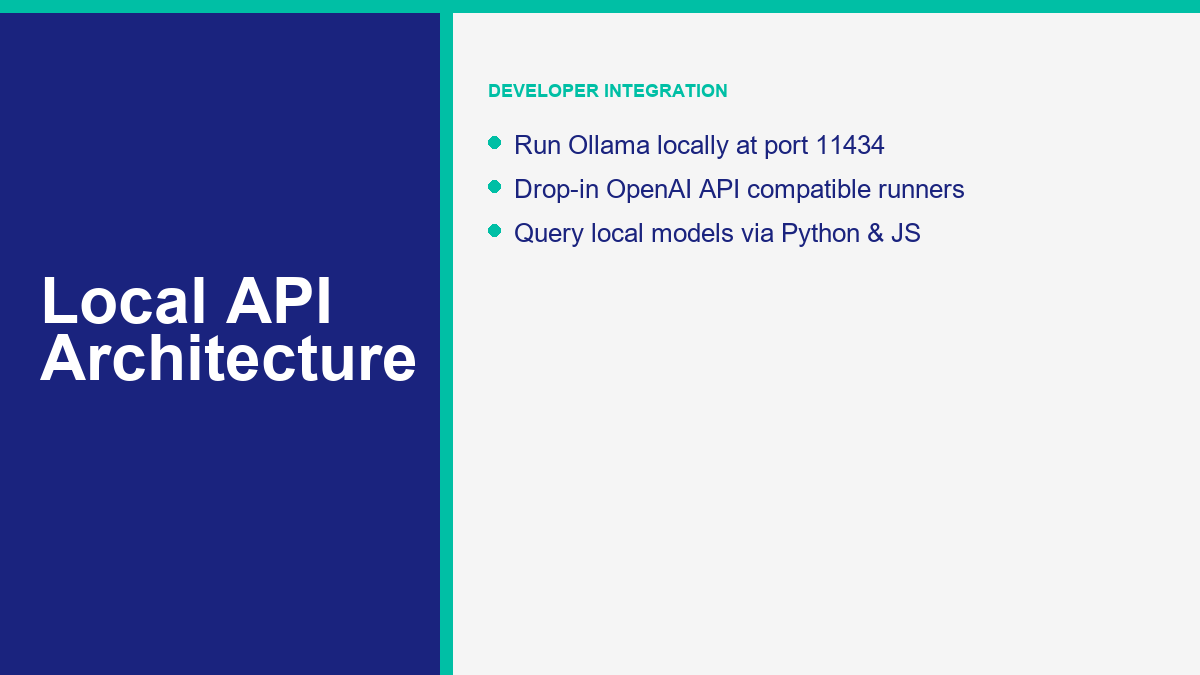
For example, Ollama runs a local background API that listens on port 11434. You can send a standard JSON payload to the /api/generate endpoint to generate a text completion. The following example demonstrates a raw cURL command that queries a locally running Llama 3 model:
curl http://localhost:11434/api/generate -d '{
  "model": "llama3",
  "prompt": "Identify the main action items in this email draft.",
  "stream": false
}'
This request sends the prompt to the local engine, which runs inference using your GPU or CPU and returns a model response. If you are building applications designed around OpenAI-style APIs, tools like LM Studio and LocalAI can expose compatible endpoints. In practice, you still need to test parameters, model behavior, streaming, tool calling, and authentication before swapping a production workload. The following Python-style example shows the general pattern of pointing an SDK at a local server running at port 1234:
from openai import OpenAI

# Point to your local LM Studio or Jan server instance
client = OpenAI(
    base_url="http://localhost:1234/v1",
    api_key="not-needed-for-local"
)

response = client.chat.completions.create(
    model="local-llm",
    messages=[
        {"role": "system", "content": "You are a private technical assistant."},
        {"role": "user", "content": "Summarize our internal policy document."}
    ],
    temperature=0.3
)

print(response.choices[0].message.content)
When the local server, model files, and client code are already installed, this style of workflow can run on the workstation without calling a public model endpoint. Developers can write scripts to parse spreadsheets, organize server logs, or categorize support tickets internally. By maintaining familiar API payloads, teams can test prompts locally before deciding whether a workload belongs on a local server, a private cloud instance, or a managed model provider.
The Data Privacy Checklist for On-Device LLMs
Running software on local hardware does not guarantee complete privacy by default. Development tools, user interfaces, and model downloaders may connect to external servers for updates, downloads, usage analytics, or plugin features. To establish a more private environment, administrators should audit their installations against the following checkpoints.
- Review Application Telemetry: Check the settings menu, privacy policy, and documentation for each local tool. Disable analytics, crash reporting, or cloud sync features when your workflow requires local-only handling.
- Verify Model Download Sources: Ensure that model weights are downloaded from trusted repositories. When downloading GGUF or SafeTensors files, verify the repository owner, release notes, and checksums when available.
- Review Active Plugins and Extensions: Local UI tools may support plugins for web searching, PDF parsing, or code execution. These plugins can query external APIs or run code that accesses the internet. Limit your installation to features you actually need and inspect any plugin before installing it.
- Audit Log Files and History Databases: Local model runners may store chat history, prompts, or settings in local database files or logs. Ensure these files are stored in paths with restricted user permissions. If your workstation is shared, other local users may be able to read those files.
- Isolate Network Tunnels: If you use tunnels to connect remote workers to your local AI engine, enforce 端到端加密. Verify that the tunnel service does not decrypt, log, or inspect the traffic passing through its servers.
Data privacy is not a passive state; it is an active configuration practice. Organizations should treat local AI servers with the same care they apply to local file servers and databases. Auditing telemetry, verifying downloads, and securing local logs reduces the risk that a “local” chatbot quietly becomes a leaky workflow.
The Security Blueprint: How to Lock Down Your Local AI Server
While local execution can reduce third-party data exposure, network security determines who can reach your local AI hardware. A model runner exposed to the wrong network is a serious risk. If an unauthorized user gains access to a local inference port, they may consume hardware resources, submit prompts, view exposed model metadata, or abuse whatever integrations the server can reach.
Enforce Localhost Binding
Keep local AI APIs bound to 127.0.0.1 or another intentionally restricted interface unless you have a clear network plan. Binding a service to 0.0.0.0 can make it listen on all available network interfaces. If you do that on an unsecured network, other devices may be able to query the API or run expensive inference jobs. Treat any network-exposed local AI service like an internal application server, not a casual desktop app.
Control Network Exposure and Remote Access
If your team must access a central local AI server from different locations, do not expose the raw API port directly to the public internet with simple port forwarding. Use a VPN, private overlay network, or properly configured reverse proxy with authentication and TLS. The goal is to make access deliberate, logged, and revocable rather than discoverable by public web scanners.
Implement API Authentication Tokens
Even within a private office network, it is wise to require authentication for your local API when the tool supports it. Platforms such as LocalAI document API-compatible deployment patterns where access control can be part of the service design. Access tokens also make it easier to separate internal scripts and identify which workflow is causing heavy hardware loads.
Establish Secure Backups and Local Encrypted Storage
If your local chatbot uses Retrieval-Augmented Generation (RAG), it may store company documents or document chunks in a local vector database. Those files can contain proprietary text, internal policies, and system context. Store them on protected drives, restrict filesystem access, and keep tested backups so a failed workstation does not become a lost knowledge base.
Internal Use Cases: Streamlining Team Workflows Offline
Deploying a local AI chatbot can create a more controlled space for team members to work with internal knowledge. When configured correctly, employees can summarize documents, draft responses, and search internal material without sending every prompt to a public model endpoint. There are several practical ways to use this internally.
Private Document Search and Policy Lookup: By integrating a local model runner with a vector database, businesses can build an internal search assistant. Employees can ask questions about company handbooks, operating procedures, technical notes, or approved templates. To understand the return on investment of setting up these types of private workflows, read the AI chatbot for business setup guide.
Offline Draft Summarization and Email Reply Generation: Customer support representatives can use local models to draft responses to complex emails or summarize long tickets. If the local tool is configured without external calls, the draft can be prepared on-device before a human reviews and sends it through the normal support system.
Code Review and Development Support: Software developers can run code-focused local models to review scripts, explain errors, or draft documentation. This does not replace a senior engineer or a security review, but it can help teams that are not allowed to paste internal code into cloud tools.
Customer-Facing Automation: Why MessengerBot is the Critical Frontend
Local AI engines can be useful for private internal work, but they are rarely the simplest first choice for public-facing customer support. Running a local LLM to answer live customer questions on Facebook, Instagram, or a public website introduces uptime, moderation, speed, and support-process risks. That is why specialized SaaS platforms remain useful for customer interactions.
First, local hardware has practical concurrency limits. If a campaign triggers a spike in traffic, a small local server may slow down or fail unless it was planned for that load. Second, local models can hallucinate facts, policies, and pricing if they are not constrained by approved workflows. A customer-facing chatbot must be predictable, fast, and integrated with the messaging platform where the customer is already talking.
A hybrid architecture solves this by using MessengerBot as the public-facing automation layer. MessengerBot can handle structured replies, lead capture steps, buttons, and follow-up flows while your local AI setup stays focused on internal search and drafting. The following comparison highlights why this frontend role is useful:
- Public-Channel Reliability: A customer-facing automation platform is built to keep social messaging flows separate from office hardware failures and local network issues.
- Structured Flows and Lead Capture: Customer support often requires specific steps, such as collecting email addresses, verifying order numbers, or presenting button menus. MessengerBot lets you design structured sequences for those repeatable paths. To learn how to set up automated flows, you can 浏览我们的教程.
- Predictable Guardrails: A workflow-based bot can keep pricing, policy, and qualification steps tied to approved branches instead of relying on a raw model response for every customer question.
- 人工升级: When a customer query requires human intervention, the flow should route the conversation to the right team member or manual process. To explore advanced automation options, you can choose to Upgrade to Pro.
By keeping local AI engines focused on internal search and using MessengerBot as the customer-facing frontend, you avoid forcing one tool to solve every problem. The cloud automation handles public engagement, while the local models handle private drafting and knowledge lookup behind the scenes.
Recommended Local AI Setup by Team Size
The hardware and software configuration you need depends on team size, model size, response-speed expectations, and whether the chatbot needs to search private documents. Avoid buying hardware first. Start by defining the task, testing a small model, and measuring whether response quality is good enough for the workflow.
Individual Professional or Micro-Team (1-3 Users)
For a single user or tiny team, start with a desktop app such as LM Studio or Jan and a smaller model that your current machine can run. This is the lowest-risk way to learn the workflow. If responses are too slow or the model quality is not strong enough, you can then decide whether to upgrade hardware, use a smaller task-specific model, or move that workload to a cloud model.
Mid-Sized Office or Collaborative Department (5-20 Users)
When multiple users query a chatbot, move from individual desktop apps to a managed internal service. A dedicated workstation or server can run Ollama, LocalAI, or another local API behind access controls. Employees can connect through an approved internal interface rather than running their own unsupervised model copies. This setup needs IT ownership: monitoring, backups, access control, update windows, and a clear rule for which documents are allowed in the local knowledge base.
Hybrid Enterprise (20+ Users with Public Channels)
Larger organizations usually need a structured hybrid architecture. Internal database search, policy lookup, and technical drafting can run on internal infrastructure. Customer-facing touchpoints should stay on tools designed for public messaging, routing, and repeatable workflows. IT administrators should enforce strict boundaries between the public automation layer and the private internal network, ensuring the local API is queried only by authorized services.
A Practical Rollout Plan for Your First Local AI Chatbot
Start with a pilot instead of a full production launch. Pick one workflow where the value is obvious and the risk is contained. Good first candidates include summarizing internal meeting notes, searching a non-sensitive policy library, drafting support macros, or helping developers explain internal scripts. Avoid starting with live customer replies, legal decisions, medical decisions, or anything where a wrong answer could create immediate business damage.
Next, define what the chatbot is allowed to know. Create a small document set, remove files that do not belong in the pilot, and write down which team members can access the tool. If you use RAG, document where the vector database lives, how often it refreshes, and who can delete or replace indexed files. A local chatbot is only as trustworthy as the source material it can retrieve.
Then test three things before expanding access: answer quality, response speed, and data handling. Ask the same set of questions across two or three model sizes. Record which answers are useful, which answers are vague, and which answers invent details. Check whether logs are created, where they are stored, and whether your test prompts appear in any tool history. This is boring work, but it prevents a private chatbot from becoming a mystery box.
Finally, decide how local AI connects to customer-facing automation. A safe pattern is to let the local chatbot assist staff behind the scenes while MessengerBot handles the public flow. For example, the local model can draft an internal answer from policy documents, but MessengerBot sends customers through approved menu options, lead forms, and follow-up sequences. That gives the team the benefit of private AI support without exposing raw local-model behavior to every customer.
常见问题
Can a local AI chatbot work entirely without an internet connection?
Yes, if the model runner, model weights, and any required interface files are already installed locally. Initial setup usually needs internet access to download the app, model files, updates, or documentation. After that, a properly configured local workflow can process prompts without calling a public model API.
What are the hardware requirements to run a local chatbot at a reasonable speed?
Performance depends on model size, quantization, memory, CPU or GPU speed, and how many people use the system at once. Smaller models can run on modest hardware, while larger models need more memory and stronger acceleration. Test the actual model and workflow before buying hardware, because a fast demo prompt does not always predict performance on long internal documents.
Is a local AI chatbot safer than using a cloud-based service?
A local AI chatbot can reduce third-party data exposure because prompts do not need to be sent to a public model endpoint. However, it is only as safe as your local configuration. If you expose the API to a public IP address, skip access controls, keep sensitive logs in readable folders, or download unverified model files, your local system can still create risk. Local execution shifts responsibility onto your own IT process.
How do I update the information that my local chatbot knows?
To give your local chatbot access to new information, you should implement Retrieval-Augmented Generation (RAG). Instead of attempting to retrain the massive neural network, a RAG system runs a local script that scans your folder of text files, converts those files into mathematical vectors, and stores them in a local vector database. When you ask the chatbot a question, the system searches the vector database for matching documents, copies the relevant text, and feeds it to the local model alongside your prompt, allowing the model to answer based on your updated files.
Can I connect a local AI runner directly to Facebook Messenger or Instagram?
It is technically possible to write custom code that connects a local API to messaging webhooks, but it is rarely the right first production move. A public messaging flow needs uptime planning, rate-limit handling, moderation, retry logic, and handoff paths. For customer-facing channels, use a dedicated automation platform like MessengerBot as the front door, and keep local AI for internal drafting, search, or decision support.



 简体中文
简体中文  English
  Tagalog
  العربية
  हिन्दी
  Português do Brasil
  Español de México
  Français
  বাংলা
বাংলা  香港中文
香港中文  繁體中文
繁體中文  Nederlands
  Deutsch
  Bahasa Indonesia
  日本語
日本語  한국어
한국어  Polski
  Русский
  Español
  Tiếng Việt