
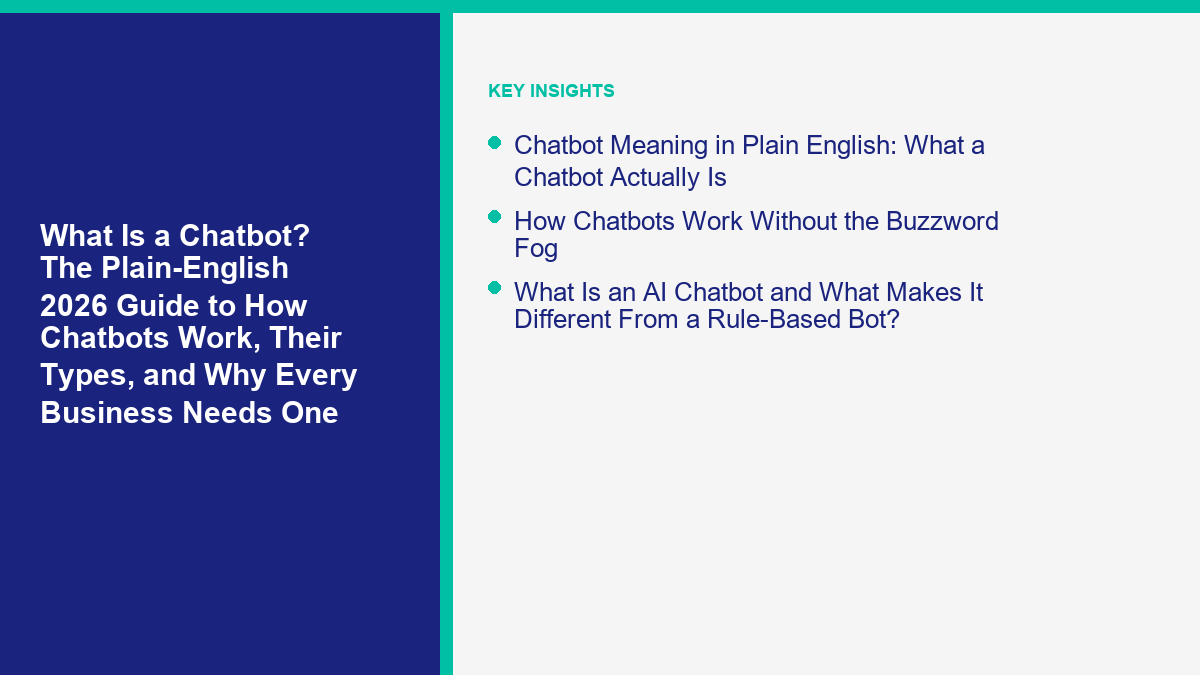
什麼是聊天機器人?
A chatbot is an automated software application designed to simulate a conversation with human users over text or voice interfaces. Instead of requiring a visitor to navigate a complex website menu, search through a dense frequently asked questions page, or wait on hold for a live human agent, a chatbot allows users to simply type or speak their questions and receive an immediate, programmed response. Modern chatbots can range from extremely simple, button-driven menus that answer basic queries to more sophisticated conversational systems capable of understanding context and resolving multi-step inquiries.
For businesses of all sizes, a chatbot serves as an interactive, digital bridge between customer intent and standard business operations. By connecting directly to messaging platforms, website chat widgets, or social media channels, these systems provide a structured way for customers to find information, update their accounts, or seamlessly initiate a conversation with a human representative. Whether they are deployed primarily for marketing campaigns, customer support triage, or initial lead qualification, a chatbot is essentially an automated interface designed to handle routine communication efficiently while routing complex, nuanced issues to dedicated human teams.
How Chatbots Work
The fundamental mechanism behind any functional chatbot is a continuous, structured cycle of receiving user input, processing the underlying intent, and delivering an appropriate output. When a user sends a message through the chat interface, the chatbot system must first attempt to interpret what the user is actually trying to accomplish. This interpretation phase involves analyzing the submitted text for specific keywords, recognizing established conversational phrases, or utilizing natural language processing to identify the core intent behind the message, even if the phrasing is unique.
The final operational step in how chatbots work involves delivering the constructed response and maintaining conversational context. The chatbot sends the generated reply back to the user through the chat interface. If the specific interaction requires multiple distinct steps—such as gathering a user’s name, then their contact email, and finally the specific nature of their question—the chatbot system must diligently maintain the context of the conversation. It must remember the previous inputs to complete the current transaction before gracefully closing the conversation or clearly offering further assistance options.
Rule-Based vs. AI-Assisted Systems
When businesses begin evaluating chatbots, it is absolutely essential to understand the fundamental distinction between rule-based systems and AI-assisted systems, as they represent two entirely different approaches to automated conversation and require different levels of investment and oversight. A rule-based chatbot operates on a strict, unyielding set of predefined conversational paths, often utilizing visual decision trees or simple button menus. When a user interacts with a rule-based system, they are typically presented with specific, constrained options and must choose from those exact options to proceed. These systems are highly predictable, exceptionally stable, and excel at guiding users through straightforward, linear processes, such as collecting basic contact information or answering a small set of frequently asked questions. However, they completely lack the flexibility to handle unexpected user inputs or conversational tangents.
In stark contrast, AI-assisted chatbots utilize advanced natural language processing to interpret and respond to free-form text input. Instead of relying solely on exact keyword matches or restrictive button clicks, an AI-assisted system attempts to understand the underlying semantic meaning of the user’s sentence. This allows for a much more fluid conversational experience, where a user can simply ask a question in their own natural words. For instance, an AI chatbot can be trained to understand that the phrases “Where is my package?”, “Track my order”, and “Has my item shipped yet?” all represent the exact same core intent and should trigger the corresponding order tracking workflow.
Common Business Uses
In the realms of marketing and sales, chatbots are frequently utilized for structured lead qualification and immediate initial engagement. A speed-to-lead chatbot can automatically greet new website visitors, ask a series of predefined qualifying questions, and gather vital contact information before routing a highly qualified prospect directly to an available sales representative. This automated process ensures that incoming inquiries receive an immediate, professional response, maintaining customer momentum while simultaneously ensuring that human sales teams are focused on the most promising opportunities rather than manual, administrative data entry tasks.
Additionally, businesses heavily utilize chatbots for transactional assistance, such as booking service appointments, managing restaurant or event reservations, or providing personalized product recommendations based on a series of user inputs. By directly integrating with existing scheduling software, inventory management systems, or product databases, a chatbot can seamlessly guide a user through a complete, end-to-end transaction directly within the familiar chat interface, offering a convenient, structured experience that significantly reduces friction for the customer.
Limits and Human Handoff
Despite their impressive technical capabilities and operational benefits, chatbots possess significant, inherent limitations that must be proactively addressed through a carefully designed human handoff protocol. Chatbots absolutely do not possess true understanding, human empathy, or the distinct ability to independently resolve entirely novel, unprecedented problems. They operate strictly and entirely within the rigid boundaries of their original programming and specific training data. When a user presents a uniquely complex issue, expresses genuine frustration, uses highly ambiguous language, or encounters a rare edge case, an automated system can quickly become ineffective, repetitive, or actively counterproductive.
Therefore, a critical, non-negotiable component of any successful chatbot implementation is a clear, reliable escalation path directly to a human agent. The chatbot system must be carefully configured to recognize its own operational limitations and seamlessly transfer the ongoing conversation to a live representative without losing critical context. This essential handoff should be triggered automatically when the chatbot encounters an unknown user intent, detects language indicating frustration, or when a user explicitly requests human assistance. Crucially, the transition process must automatically provide the receiving human agent with the complete, unedited transcript of the automated conversation to prevent the user from having to frustratingly repeat themselves.
Privacy and Permission Basics
Implementing a chatbot introduces specific, serious privacy and data handling responsibilities that businesses must carefully manage. Because chatbots actively solicit and collect user information—ranging from basic names and email addresses to highly specific account details, order histories, and personal preferences—businesses must ensure that all of these automated interactions strictly comply with relevant privacy regulations, communication laws, and modern data protection standards. Absolute transparency is the foundational, guiding principle of ethical chatbot privacy.
Before a chatbot begins collecting any form of personal data, it should clearly state its operational purpose and provide an accessible link to the business’s comprehensive privacy policy. Users must explicitly understand what specific information is being gathered, exactly how it will be utilized, and precisely who will have access to it. For marketing and promotional chatbots, obtaining clear, explicit permission—a documented opt-in—is absolutely essential before sending any promotional messages, automated follow-ups, or adding a user to a subscription list. The primary chatbot workflow must include standardized, inescapable steps for requesting and securely recording this critical consent.
A Practical Evaluation Checklist
When a business is initially considering a chatbot implementation, stakeholders should carefully evaluate their operational readiness and primary objectives using a highly structured, objective approach. The following evaluation checklist provides a solid framework for accurately assessing whether a chatbot is actually the right technical solution through a formal business evaluation and how to begin planning for its eventual deployment:
- Define the Specific Objective: What exact, measurable problem is the chatbot intended to solve? (For example, reducing level-one support ticket volume, qualifying inbound sales leads, or providing automated after-hours answers to common questions).
- Identify the Target Audience: Who exactly will interact with the chatbot, and what are their primary communication preferences and technical comfort levels?
- Map the Core Workflows: Can the intended conversational tasks be clearly documented as a logical, step-by-step process? If a specific business process is too ambiguous, complex, or exception-heavy for a human to follow consistently, a chatbot simply cannot automate it.
- Determine the Primary Platform: Where do current customers most frequently engage with the business? (For example, the primary website widget, Messenger Bot, SMS, or a dedicated customer portal).
- Assess Internal Resource Availability: Does the current team have the actual bandwidth and capacity to properly monitor the chatbot, routinely review conversation transcripts, and regularly update the automated knowledge base?
- Establish the Escalation Protocol: Exactly how will the chatbot seamlessly transfer complex, unresolvable issues to a human agent, and who is specifically responsible for managing and answering those live escalations?
Setup Steps for a Small Business
The first practical, hands-on step is carefully drafting the exact conversational scripts and logic workflows. This detailed process involves writing the initial welcoming greeting, designing clear menu options, and meticulously mapping out the precise text responses with proven script examples to common customer questions. The language used throughout the scripts should be clear, highly professional, and perfectly consistent with the brand’s established voice. Once the core scripts are finalized and reviewed, they are systematically built into the chosen chatbot platform, which typically involves utilizing a visual, drag-and-drop interface for connecting the different steps and logic branches of the conversation.
Before launching the chatbot to the general public, rigorous, extensive internal testing is absolutely mandatory. The business team must interact with the chatbot extensively internally, deliberately testing various expected and unexpected inputs, intentionally triggering the human handoff protocol to ensure it works, and painstakingly verifying that all third-party integrations (such as email alert notifications or CRM data connections) function correctly without error. Following a successful internal review, the chatbot should initially be launched to a very small, controlled segment of users or closely, constantly monitored during its initial live days to quickly identify and correct any unexpected behaviors or conversational dead ends.
Measurement Questions
To accurately and objectively evaluate a chatbot’s ongoing effectiveness, a business must consistently track specific, meaningful performance metrics that directly align with its original deployment objectives. Relying solely on the raw number of total conversations is vastly insufficient; the analytical focus must be squarely on the actual quality, resolution, and outcome of those automated interactions.
- Automated Resolution Rate: What exact percentage of total user inquiries does the chatbot successfully handle entirely without requiring any human intervention or escalation?
- Human Handoff Rate: How frequently do users explicitly request to speak with a human agent, and at what specific point in the conversational workflow does this escalation typically occur?
- User Engagement Rate: Are active users actually interacting with the chatbot beyond the initial automated greeting, or do they immediately abandon the conversation upon realizing it is automated?
- Specific Goal Completion: How many unique users successfully complete the intended, primary workflow, such as submitting a qualified lead form, booking a confirmed appointment, or successfully accessing a specific required resource?
- Direct User Feedback: Does the chatbot properly offer a brief, post-interaction survey, and what is the qualitative, written feedback regarding the user’s automated experience?
By regularly, methodically reviewing these critical metrics, a business can easily identify specific areas for conversational improvement, accurately update the chatbot’s internal knowledge base, and ensure that the automated system remains a genuinely valuable operational asset for both the organization and its customers over the long term.
常見問題
Is a chatbot an actual, thinking person?
No, a chatbot is an automated software program explicitly designed to simulate conversation. While highly advanced AI chatbots can interpret conversational context and generate remarkably human-like text responses, they operate entirely based on programmed algorithms, pre-written conversational scripts, and specific training data, completely lacking independent thought or genuine understanding. A responsible business will always clearly identify its chatbot as an automated system to set proper expectations.
Can a chatbot entirely replace a human customer service team?
A chatbot is specifically designed to assist and streamline, not replace, dedicated human teams. Chatbots are highly effective at managing repetitive inquiries, collecting necessary initial information, and providing immediate answers to standard, documented questions. However, they completely lack the genuine empathy, critical thinking skills, and operational flexibility required to properly handle complex, highly sensitive, or uniquely specific customer issues. Human oversight and a reliable escalation path remain absolutely essential for a complete, effective customer service strategy. For practical support use cases, this AI customer service chatbot guide shows how to pair routine answers with a clear human handoff.
Exactly how does a chatbot know the correct answer?
A chatbot’s knowledge and accuracy are entirely dependent on exactly how it is programmed, structured, and trained by its administrators. Rule-based systems rely entirely on a strict, predefined decision tree, offering specific, hard-coded answers perfectly mapped to specific user menu selections. AI-assisted systems, on the other hand, analyze the user’s inputted text, compare it to a vast, trained database of recognized intents and responses, and mathematically select the most appropriate pre-approved reply or workflow based on that complex analysis.



 香港中文
香港中文  English
  Tagalog
  简体中文
简体中文  العربية
  हिन्दी
  Português do Brasil
  Español de México
  Français
  বাংলা
বাংলা  繁體中文
繁體中文  Nederlands
  Deutsch
  Bahasa Indonesia
  日本語
日本語  한국어
한국어  Polski
  Русский
  Español
  Tiếng Việt