

在 Facebook 上進行直播與預錄視頻
Facebook 直播串流活動
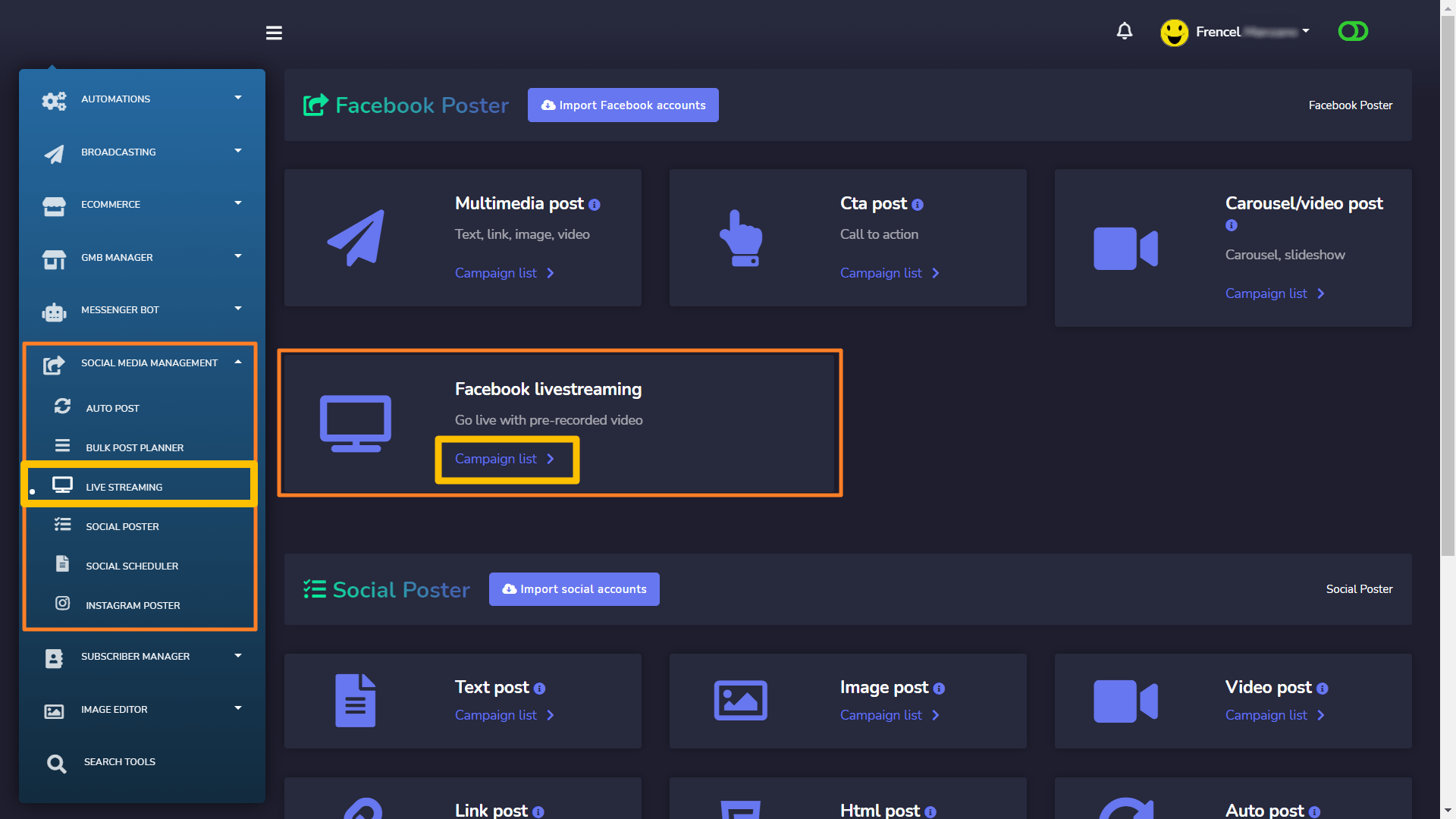
現在轉到 社交媒體管理 > 直播串流 > Facebook 直播串流 您將看到您創建的串流活動與 Messenger Bot。
您可以 訪問、獲取嵌入代碼、編輯、克隆、獲取串流資訊和刪除活動 點擊這裡 操作按鈕 活動的.
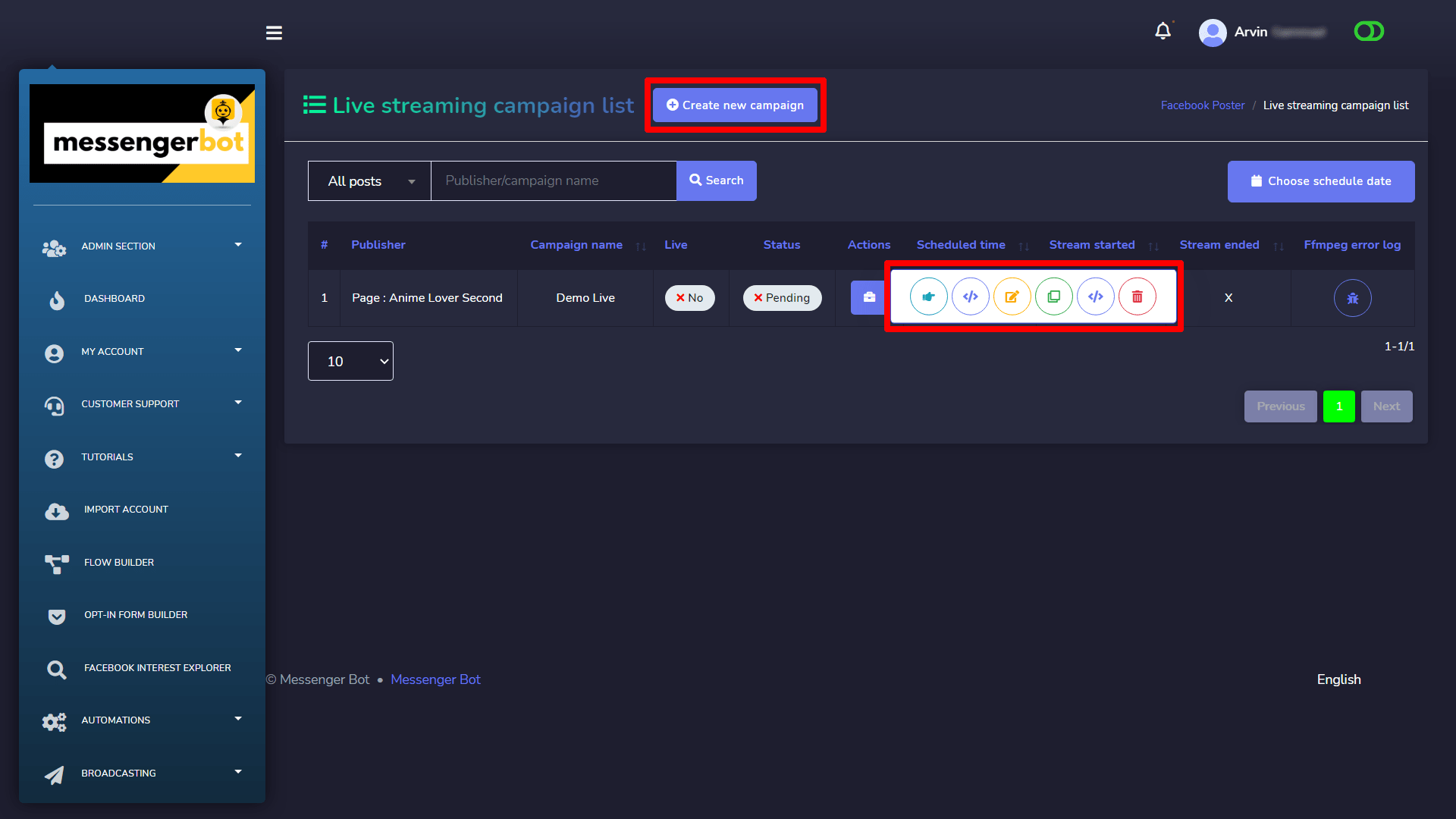
建立直播串流活動
點擊 創建新活動 按鈕以獲取創建活動表單.
使用所需資訊創建您的直播串流活動:
- 上傳 您的 影片.
- 您可以選擇 何時直播, 現在或稍後.
- 您也可以在直播前創建一個 事件. 當您安排直播事件時,將會發布一則公告貼文到 動態消息,讓您的粉絲 在 Facebook 上知道即將開始的直播。看到該貼文的人可以選擇接收 一次性提醒通知 這將在您的廣播開始前不久提醒他們。您的粉絲可以然後 加入預播 大廳直接 在 該 直播視頻開始之前, 他們可以 與其他觀眾連接和互動.
- 您可以選擇在您的 頁面和群組.
- 您可以 啟用自動分享並選擇要分享該帖文的頁面. 它將自動分享 (僅適用於頁面貼文).
- 您可以 交叉發佈 到你的 頁面. 交叉發佈 指的是 直播廣播 到 多個 Facebook 頁面 無需 上傳到每個頁面 或 分享 該 原始直播視頻.
- 您可以 啟用自動評論, 這意味著在這篇文章發布後,將會有一條代表您的評論出現在那裡。
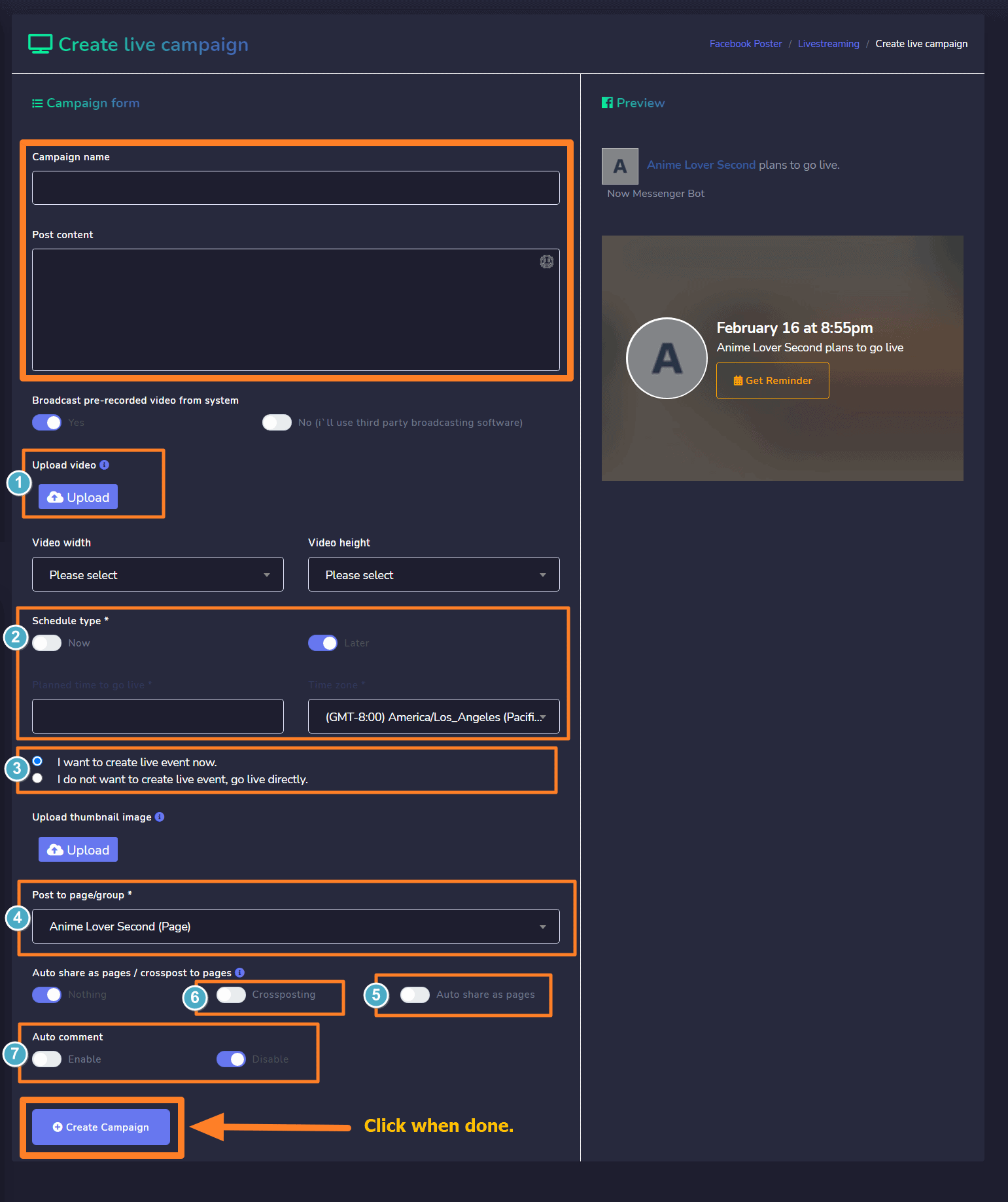
點擊 創建活動 完成後。



 繁體中文
繁體中文  English
  Tagalog
  简体中文
简体中文  العربية
  हिन्दी
  Português do Brasil
  Español de México
  Français
  বাংলা
বাংলা  香港中文
香港中文  Nederlands
  Deutsch
  Bahasa Indonesia
  日本語
日本語  한국어
한국어  Polski
  Русский
  Español
  Tiếng Việt