

Live Streaming With Pre-recorded Video on Facebook
Facebook Live Streaming Campaign
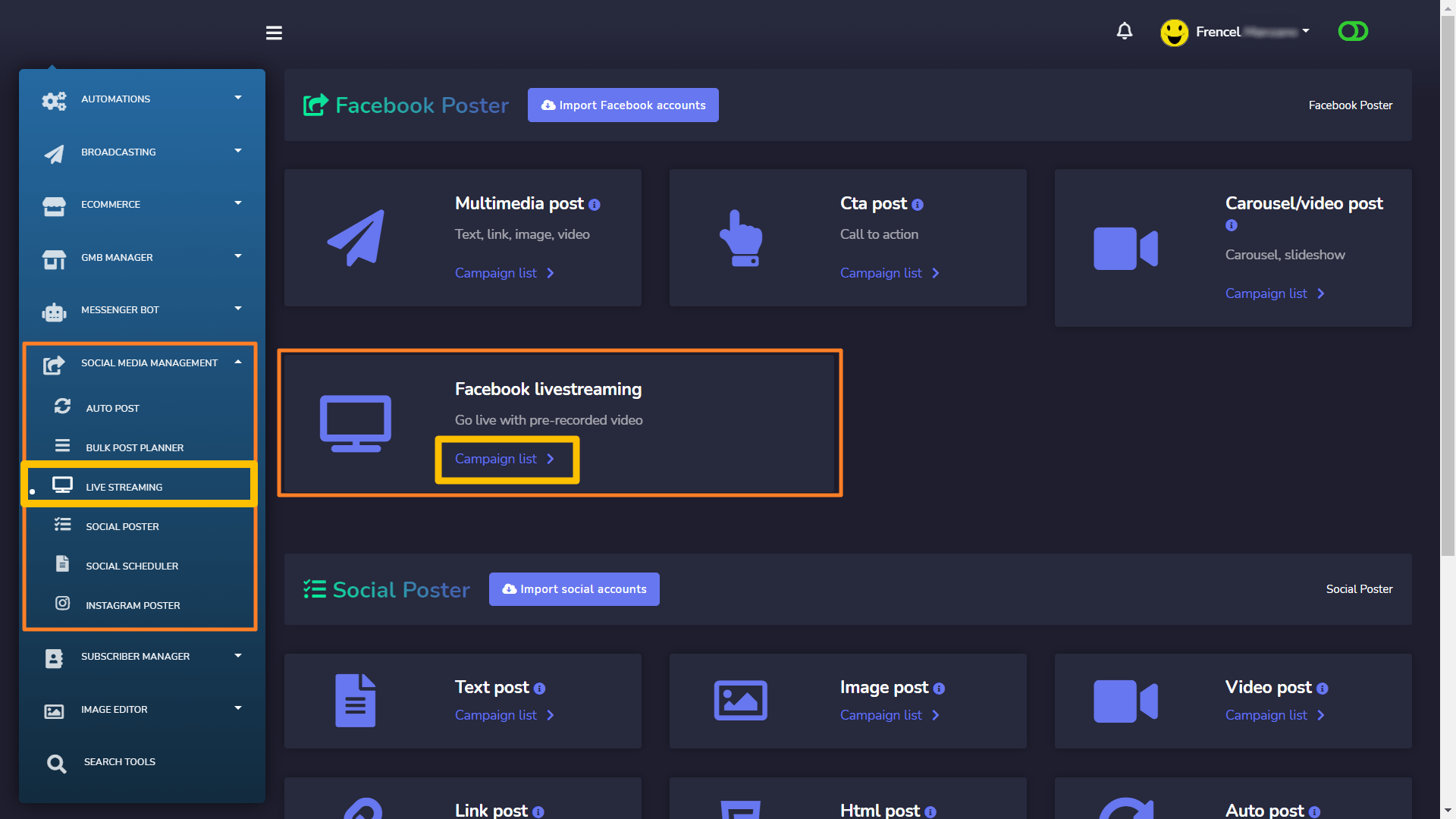
Now go to Social Media Management > Live Streaming > Facebook livestreaming and you’ll see your created streaming campaigns with Messenger Bot.
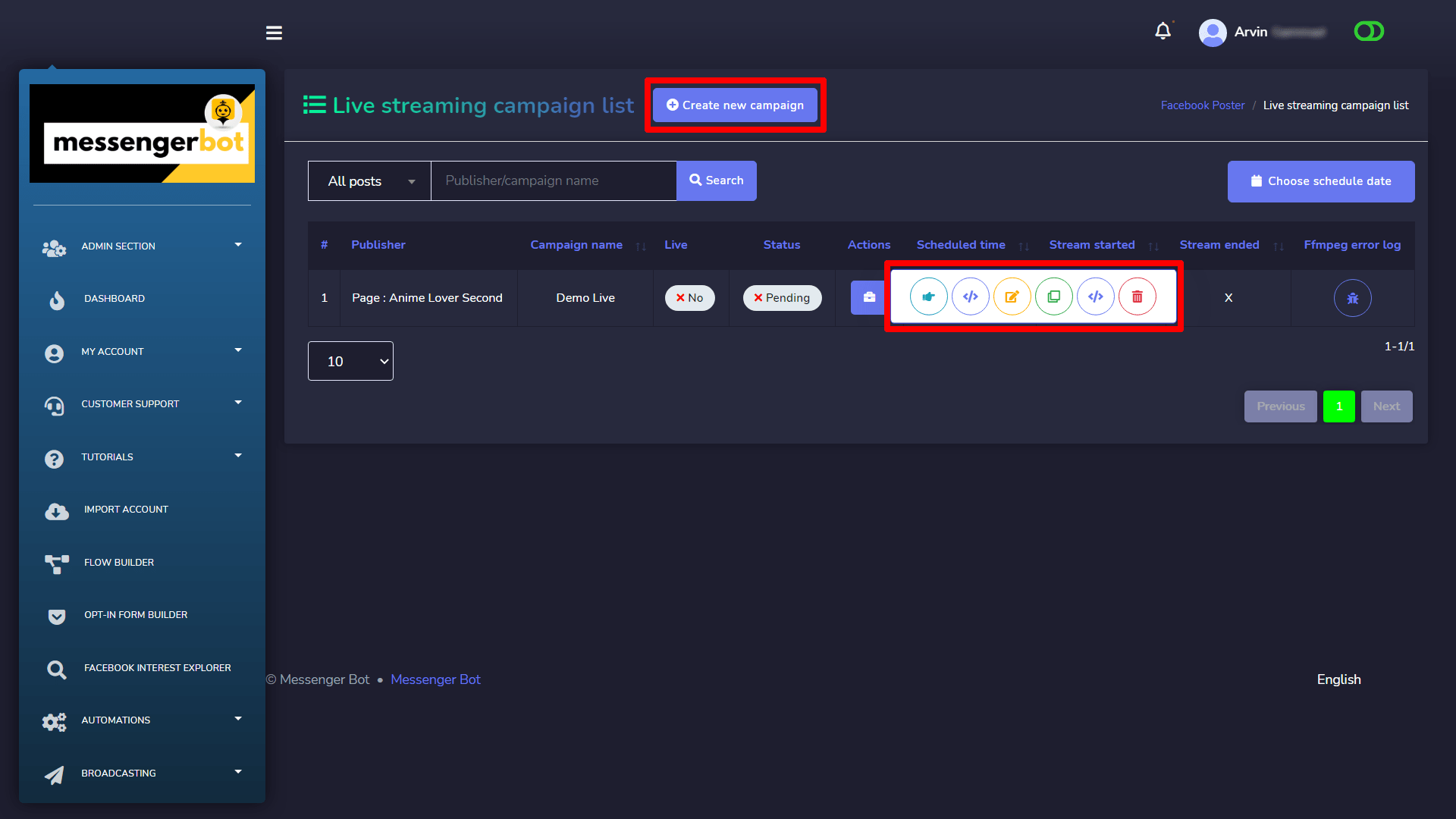
You can visit, get embed code, edit, clone, get stream info and delete the campaign by clicking the actions button of the campaign.
Create Livestreaming Campaign
Click on the Create new campaign button to get the create campaign form.
Create your live Streaming campaign with the required information:
- Upload your video.
- You can choose when to stream, now or later.
- You can also create an event before going live. When you schedule a live event, an announcement post will be published to News Feed letting your fans on Facebook know that the broadcast is coming. People who see the post can opt-in to receive a one-time reminder notification that will alert them shortly before your broadcast begins. Your fans can then join a pre-broadcast lobby directly before the live video starts, where they can connect and interact with other viewers.
- You can choose where to post among your pages and groups.
- You can enable auto-share and choose among pages to share the post. It will be automatically shared (only works for page posts).
- You can crosspost to your pages. Crossposting refers to streaming live broadcast to multiple Facebook pages without uploading to each page or sharing the original live video.
- You can enable auto comment, which means after this post is published, there will be a comment there already on behalf of you.
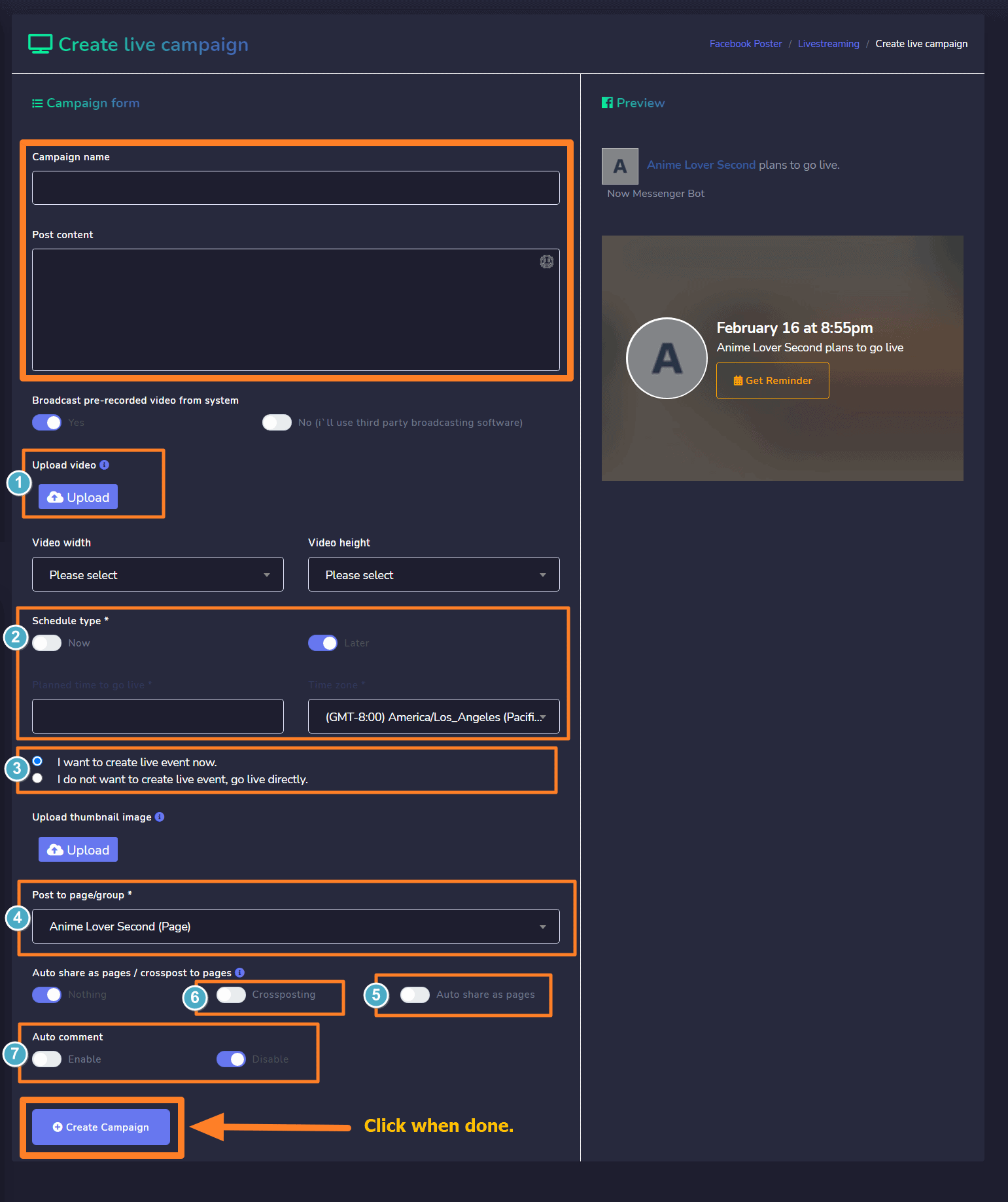
Click Create Campaign when done.
 English
  Tagalog
  简体中文
简体中文  العربية
  हिन्दी
  Português do Brasil
  Español de México
  Français
  বাংলা
বাংলা  香港中文
香港中文  繁體中文
繁體中文  Nederlands
  Deutsch
  Bahasa Indonesia
  日本語
日本語  한국어
한국어  Polski
  Русский
  Español
  Tiếng Việt