
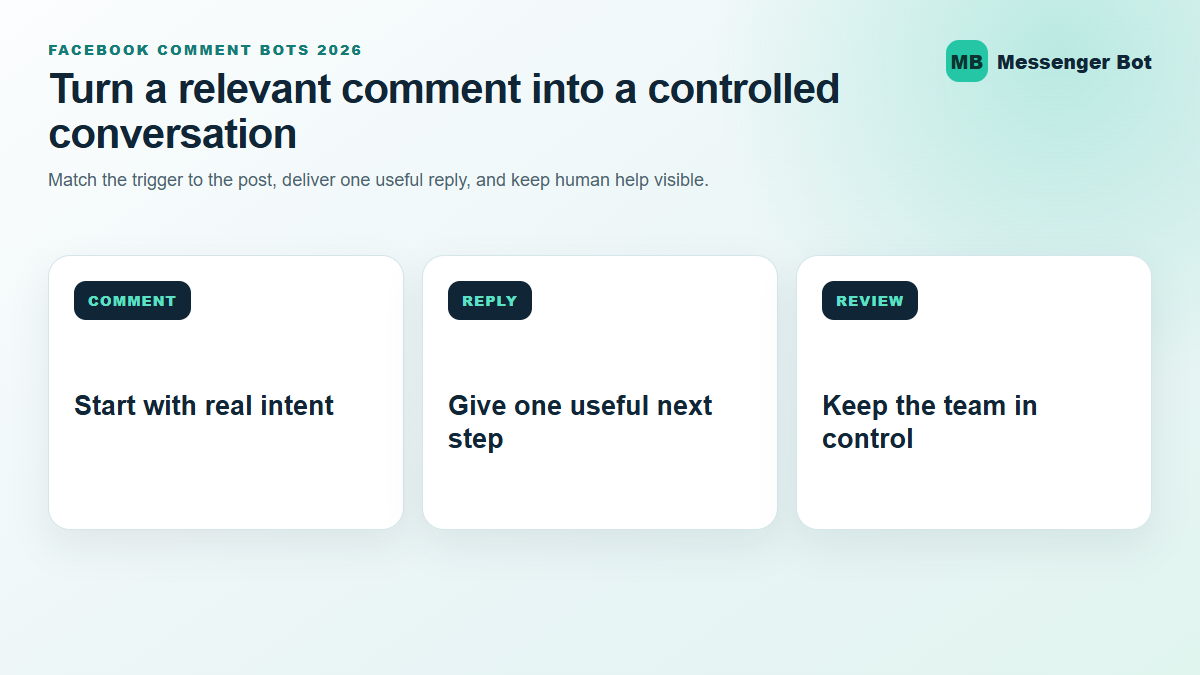
Facebook comment bots can be legitimate business tools, but the safe version is much narrower than the spammy examples people often notice in public threads. A legitimate comment-to-Messenger workflow watches comments on a business Page post, applies a clear trigger, sends a useful public acknowledgment or private reply, and leaves the person in control of whether the conversation continues.
This guide was reviewed against current official Meta and Manychat help material on July 30, 2026. It explains what the automation can and cannot do, how to recognize suspicious bot comments, and how a business can turn a relevant comment into a useful conversation without treating every person as a lead. If you manage customer conversations for a Facebook Page, the goal is simple: respond faster while protecting context, consent, and a clear path to a person.
Are Facebook Comment Bots Legit?
Yes, a Facebook comment bot can be legitimate when it operates on a business Page, follows the platform’s available automation paths, clearly relates its response to the person’s comment, and avoids deceptive engagement tactics. current automated-chat documentation. current Inbox documentation for comments and messages, follow-up status, and keyword-based automations for incoming messages.
current comments-trigger documentation describes a common third-party version of the workflow. A business selects a Page post, chooses whether any comment or only certain keywords should trigger the automation, writes an optional public response, and attaches a private Messenger reply. That is a real business workflow. It is different from fake engagement software that floods unrelated posts, impersonates people, or posts repetitive links.
Legitimacy depends on behavior, not the mere presence of automation. A useful bot reply answers the promise made in the post. A suspicious one pushes an unrelated offer, asks for sensitive information, imitates a public figure, or creates urgency that the Page cannot support. The same automation tool can produce either outcome depending on the rule, copy, audience, and review process chosen by the operator.
Four tests for a legitimate comment-to-Messenger workflow
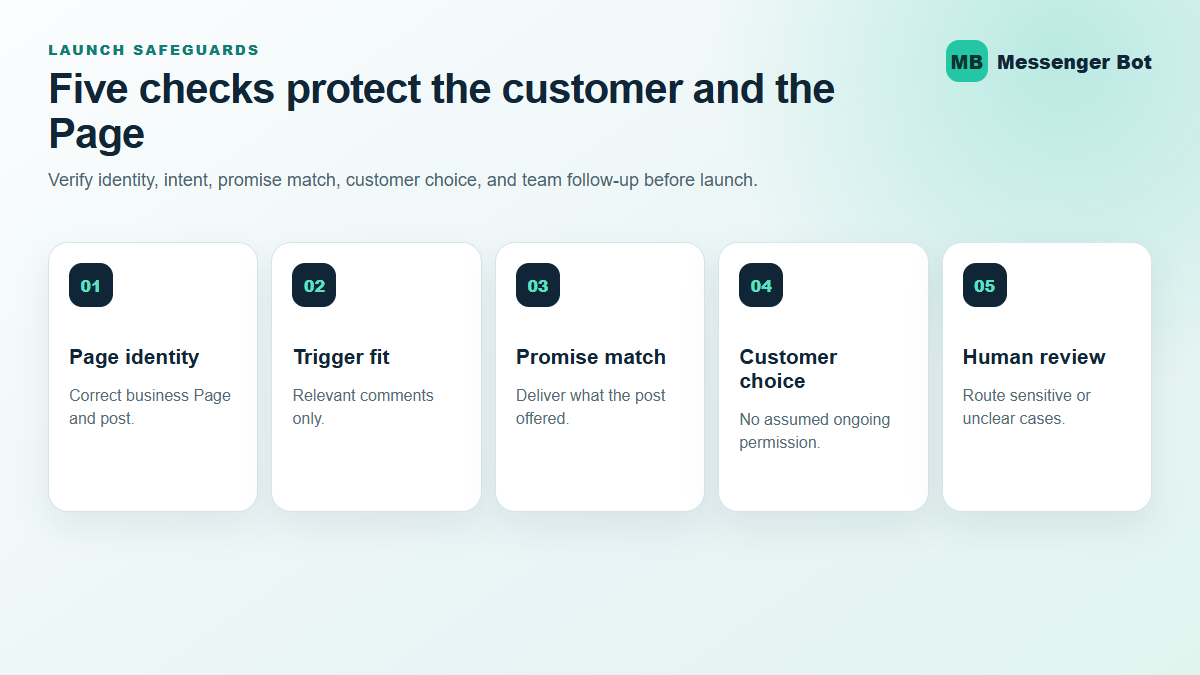
- Page ownership is clear. The automation belongs to the business Page that published the post. It is not pretending to be another person or company.
- The trigger matches the offer. A comment such as “guide” receives the guide or the next relevant question, not a surprise sales pitch.
- The first private reply is limited. It gives the promised information or one useful next action instead of sending a long sequence before the person responds.
- Human help remains available. People can ask for a representative, and the business has a process for reviewing exceptions and sensitive requests.
These tests also help a customer decide whether an unexpected Messenger reply is trustworthy. Check the Page identity, compare the message with the original post, avoid unknown links, and never share passwords, verification codes, payment credentials, or recovery phrases in response to a comment bot.
How Bot Comments on Facebook Become Messenger Conversations
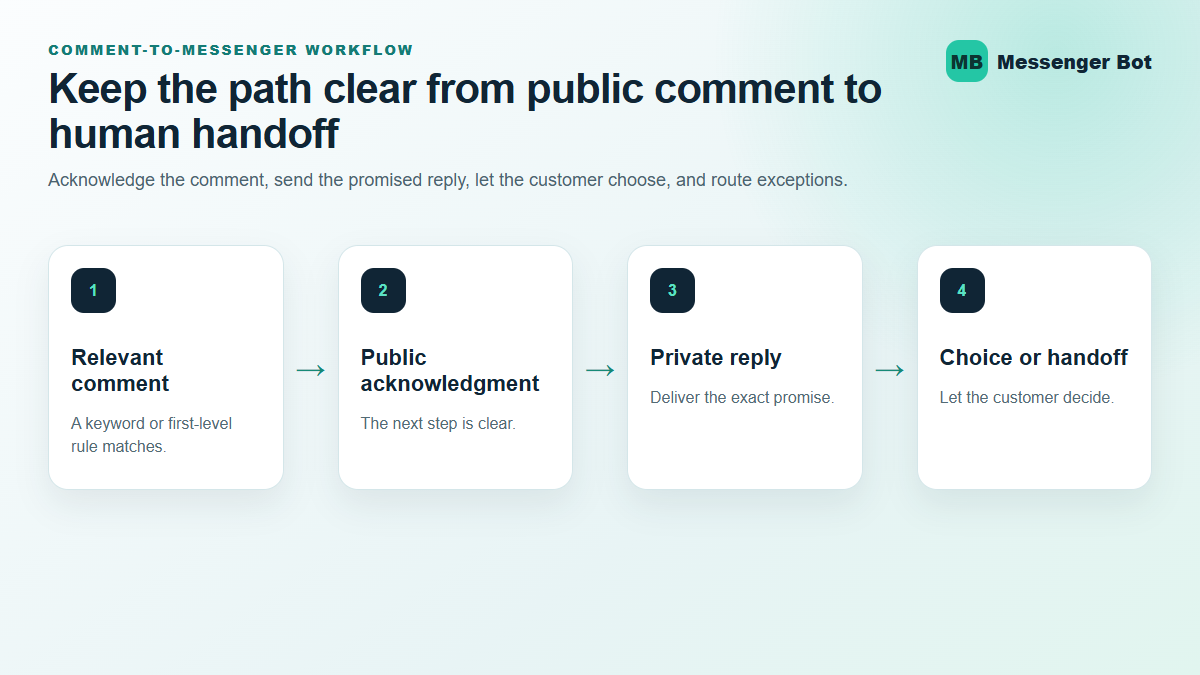
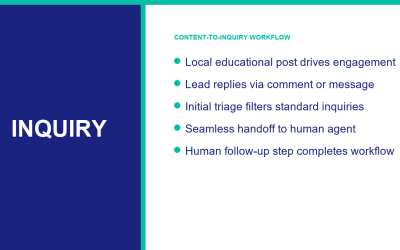
The basic path has four stages: a Page post, a qualifying comment, an optional public response, and a private reply in Messenger. The workflow is useful because it moves a detailed exchange away from a public thread while still acknowledging the person where the conversation began.
According to Manychat’s official help, its trigger can monitor all supported posts or a specific post. A business can require keywords, exclude keywords, or respond to any comment. It can also restrict the trigger to first-level comments so a reply nested under someone else’s comment does not start the same sequence. These choices matter because broad triggers create more accidental replies and more moderation work.
The public response should confirm what happens next without sounding mechanical. “I sent the checklist in Messenger” is clearer than a row of emojis or five slightly different generic replies. The private message should then deliver the promised item or ask one relevant question. The business does not earn trust by sending more messages; it earns trust by matching the original expectation.
The first interaction does not grant unlimited follow-up
A private response to a Facebook comment does not automatically opt the person into an ongoing Messenger sequence. Manychat states that the 24-hour messaging window opens only after the person interacts with the private message by sending a response or selecting a qualifying regular or quick-reply button. Opening an external website by itself does not create that same channel opt-in.
This is an important safeguard for both the business and the customer. A comment can start one relevant reply, but it should not be treated as permission for unrelated broadcasts. Build the first message so the person can make an informed choice: view the promised information, answer a useful qualification question, ask for help, or stop.
If you need the broader platform context before choosing a tool, read the current ManyChat guide. If your main task is configuring standard Page inbox replies rather than comment triggers, use the separate Facebook automatic reply guide.
Which Facebook Posts and Comments Can Use the Trigger?
current Facebook connection documentation, while its comments-trigger guide covers original text, photo, video, and live video posts. It also supports scheduled posts, although posts scheduled through Meta Business Suite may not always appear in Manychat’s selection list because of a platform issue documented in the help article. Promotable and ad posts can appear through a separate selection path.
The important exclusions are just as useful. The trigger is not designed for personal profiles or Facebook groups. It does not support Event, Offer, or Job post types, and reposted content from other Pages is not supported. Comments written on behalf of a Page do not activate the same personal-profile comment trigger. Comments made before the automation is configured are not processed retroactively.
For posts with multiple pictures, the trigger behavior can depend on how the gallery was created and where the person comments. A business should test the exact published post type rather than assuming that one successful single-image test proves every format.
| Scenario | Expected fit | Review before launch |
|---|---|---|
| Original business Page post | Supported trigger path | Post selection, keyword rule, public response, private reply |
| Scheduled Page post | Supported with documented selection limits | Confirm the post appears and test only after it is live |
| Ad or promotable post | Use the promotable-post selection path | Confirm the exact post ID and response context |
| Personal profile or Facebook group | Not supported by this business Page trigger | Do not present a workaround as an approved business workflow |
| Event, Offer, Job, or reposted Page content | Not supported by the documented trigger | Choose an original supported Page post instead |
How to Set Up a Safer Comment-to-Messenger Workflow
A strong workflow starts with one post and one promise. Avoid beginning with “all posts” until the team has reviewed real comment patterns. A narrow test is easier to understand, easier to moderate, and easier to turn off if the copy or routing is wrong.
- Choose the business outcome. Decide whether the workflow delivers a guide, answers availability questions, routes a booking request, or sorts support from sales. Do not combine every outcome in one first reply.
- Select one original Page post. Confirm the exact post in the automation tool instead of relying on a copied ID when the normal selector works.
- Choose a trigger that signals intent. A keyword such as “menu,” “quote,” or “checklist” usually produces cleaner conversations than responding to every emoji and reaction.
- Write one public acknowledgment. Tell the person that the promised next step is waiting in Messenger. Avoid fake urgency and repetitive promotional phrases.
- Deliver the promised private reply. Keep it short. Provide the resource or ask one question that changes the next step.
- Make the choice visible. Use clear buttons or quick replies when supported, and explain what happens after each choice.
- Add a human handoff. Define the words, topics, or uncertainty level that should move the conversation to a person.
- Test once with a real supported profile. Manychat notes that Facebook API limits can allow the trigger to be tested only once per user, so document the result instead of repeatedly editing a working flow to force another test.
- Review the first live conversations. Check false triggers, customer confusion, staff follow-up time, and whether the promised resource actually solved the question.
How to Spot Facebook Comment Bot Spam
Spam comments often reveal themselves through mismatch. The post might be about a local event while the comment promotes an investment scheme. The account may repeat the same sentence across unrelated Pages. The link may use a shortened or misspelled domain, or the reply may ask the reader to move to another app immediately.
Legitimate automation can repeat phrasing because it follows a template, so repetition alone is not proof of fraud. Look at the full pattern: identity, relevance, link destination, requested information, and urgency. A verified Page can still make a poor automation choice, while a small unverified business can still send a legitimate reply. The safest decision comes from checking the Page and the promised action together.
Red flags that deserve a pause
- The reply asks for a password, authentication code, card number, recovery phrase, or account login.
- The comment claims you won a prize that the original post never mentioned.
- The visible domain is misspelled, shortened without context, or unrelated to the Page.
- The account name or profile picture imitates the Page but the profile history does not match.
- The message pressures you to act immediately or threatens account loss without an official in-product notice.
- The private reply changes the subject from the original comment to an unrelated payment, job, or investment offer.
For a business operator, the same list works as a pre-launch review. Do not ask a bot to collect information that staff would not request in a normal public-facing support flow. Keep sensitive billing, account access, legal, privacy, and security questions in a human-reviewed path.
Use Comments to Qualify Interest Without Treating Everyone as a Lead
A comment can show interest, confusion, support need, or simple appreciation. Those intents should not all enter the same sales sequence. A better workflow uses the first private reply to let the person choose the relevant path.
For example, a service business might offer “See availability,” “Ask a question,” and “Talk to the team.” The first choice can gather one useful detail. The second can present approved answers. The third can create a visible handoff. This keeps the conversation helpful even when the person is not ready to buy.
Meta Business Suite Inbox can support the human side of this process by bringing comments and messages into one workspace, letting staff mark follow-up, and organizing conversations. Automation should reduce repetitive opening work; it should not hide unresolved conversations from the team.
Measure useful outcomes instead of raw reply volume
Raw comment counts can make a workflow look successful even when customers are confused. Track the percentage of triggered replies that match the comment, the percentage of people who choose a next step, the number of conversations handed to staff, and the amount of staff time required to correct the automation.
A useful weekly review asks four questions: Which comments should not have triggered? Which private replies were unclear? Which handoffs waited too long? Which repeated question deserves a better approved answer? These questions lead to a safer workflow and a more reliable customer experience.
Keep a small review sample rather than judging the workflow from one successful conversation. Review comments that triggered, comments that should have triggered but did not, and conversations that required staff correction. That comparison shows whether the keyword rule is too broad, too narrow, or simply attached to the wrong post. It also prevents the team from celebrating response speed while missing relevance.
The review should protect privacy. Record the trigger, chosen path, outcome, and correction needed without copying unnecessary customer details into a separate worksheet. If a conversation involves account access, billing, a refund, a security concern, a privacy request, or a legal question, stop the automated path and move the issue to the team’s approved support process.
Expansion should follow evidence. Add another post only after the first post produces understandable replies, manageable handoffs, and no repeated consent confusion. When the team cannot explain why a comment triggered or what the customer was expected to do next, the workflow is not ready to scale.
Manychat and Messenger Bot Serve Different Evaluation Needs
Manychat’s official documentation gives a detailed, current path for its Facebook Comments Trigger. Businesses comparing platforms should verify the exact comment-trigger capability, Page connection model, human-review controls, pricing, and support process available in each account before choosing a tool.
The practical comparison is not “which bot has more features?” It is “which workflow can the team understand, review, and support?” If a business needs a broad Manychat evaluation, use the ManyChat for Facebook guide. If the team is evaluating Messenger Bot plans and available workflows, See Our Plans and confirm the current feature fit before promising a customer-facing automation.
Whichever tool you choose, preserve a small first release. Use one Page, one post, one trigger, and one measurable outcome. That boundary makes customer confusion visible early and gives the team a clean rollback path.
Facebook Comment Bot Launch Checklist
- Confirm that the automation is connected to the correct business Page.
- Select one original supported post and record its URL or ID.
- Choose a keyword or first-level-comment rule that matches the post.
- Review the public acknowledgment for clarity and repetition.
- Confirm that the private reply delivers exactly what the post promised.
- Give the person a clear choice before any continued follow-up.
- Block sensitive account, payment, privacy, legal, and security topics from automated handling.
- Define the human-handoff words and responsible team member.
- Test the exact post and record the result.
- Review false triggers, reply quality, handoff time, and customer questions after launch.
For more setup and review patterns, 瀏覽我們的教程. The best next step is not the biggest automation. It is the smallest workflow that gives a customer a useful answer and gives the business a clear way to review what happened.
常見問題
Can a Facebook comment automatically send a Messenger reply?
Yes. A supported business Page comment trigger can acknowledge the public comment and send a private Messenger response. The trigger and reply must be connected to the correct Page post, and the first private response should match what the post promised.
Does a comment automatically opt someone into future Messenger messages?
No. Manychat’s current documentation says the private comment reply does not automatically open the 24-hour messaging window. The person must interact with the message through a qualifying reply or button before that window opens.
Do Facebook comment bots work on personal profiles or groups?
The business Page trigger described in current Manychat documentation does not support personal profiles or Facebook groups. It is designed for connected Facebook business Pages and supported Page posts.
How can I tell whether a bot comment is spam?
Compare the reply with the original post, verify the Page identity, inspect the destination domain, and stop if the message requests passwords, verification codes, payment credentials, or unrelated urgent action.
What should a business test before turning on comment automation?
Test one supported post, one clear trigger, the public acknowledgment, the private reply, customer choices, and human handoff. Then review false triggers and staff follow-up before expanding to more posts.
 繁體中文
繁體中文  English
  Tagalog
  简体中文
简体中文  العربية
  हिन्दी
  Português do Brasil
  Español de México
  Français
  বাংলা
বাংলা  香港中文
香港中文  Nederlands
  Deutsch
  Bahasa Indonesia
  日本語
日本語  한국어
한국어  Polski
  Русский
  Español
  Tiếng Việt