
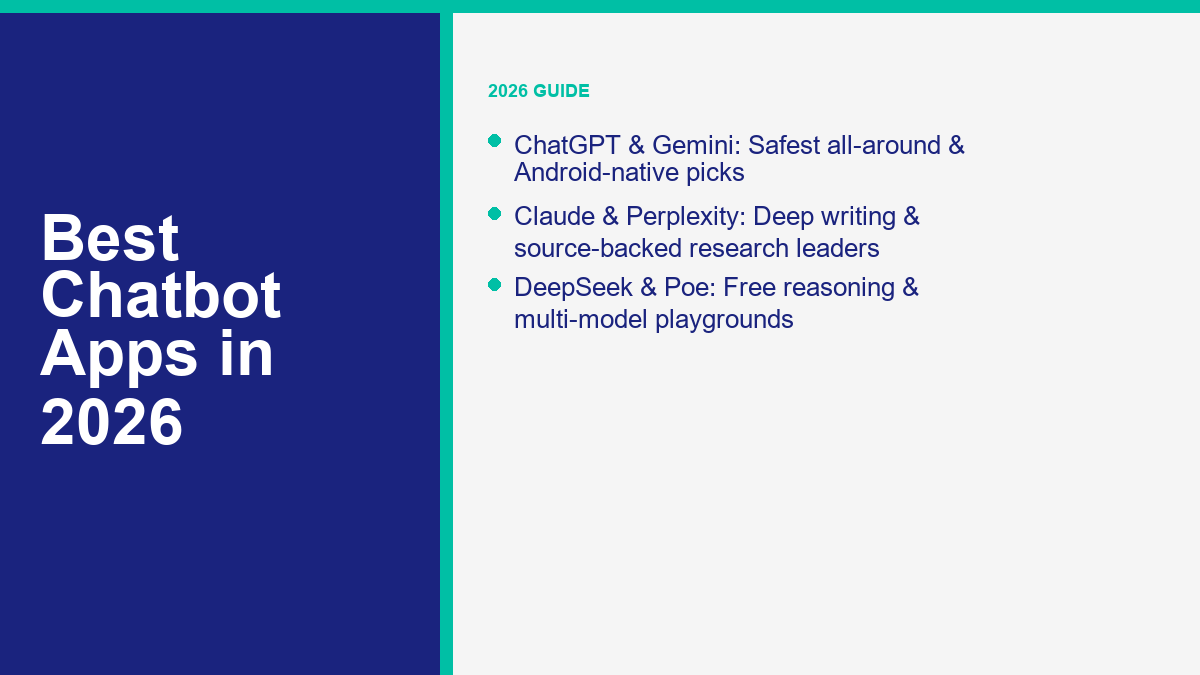
2026 年最佳的聊天機器人應用程式並不是一個普遍的贏家。對於快速的 iPhone 語音聊天來說,感覺完美的應用程式不一定是您想用於引用研究、長文寫作或客戶訊息自動化的那個應用程式。.
I checked current App Store listings, Google Play pages, pricing pages, and help docs as of June 1, 2026. The shortlist that still holds up is ChatGPT, Claude, Gemini, Perplexity, Microsoft Copilot, Poe, and DeepSeek, with Character.AI filling the entertainment lane rather than the work lane. If you only want the short version, ChatGPT is still the safest all-around pick, Gemini is the strongest Android-native choice, Claude is the cleanest thinking and writing partner, Perplexity is the best research-first app, and DeepSeek is the most aggressive true-free option.
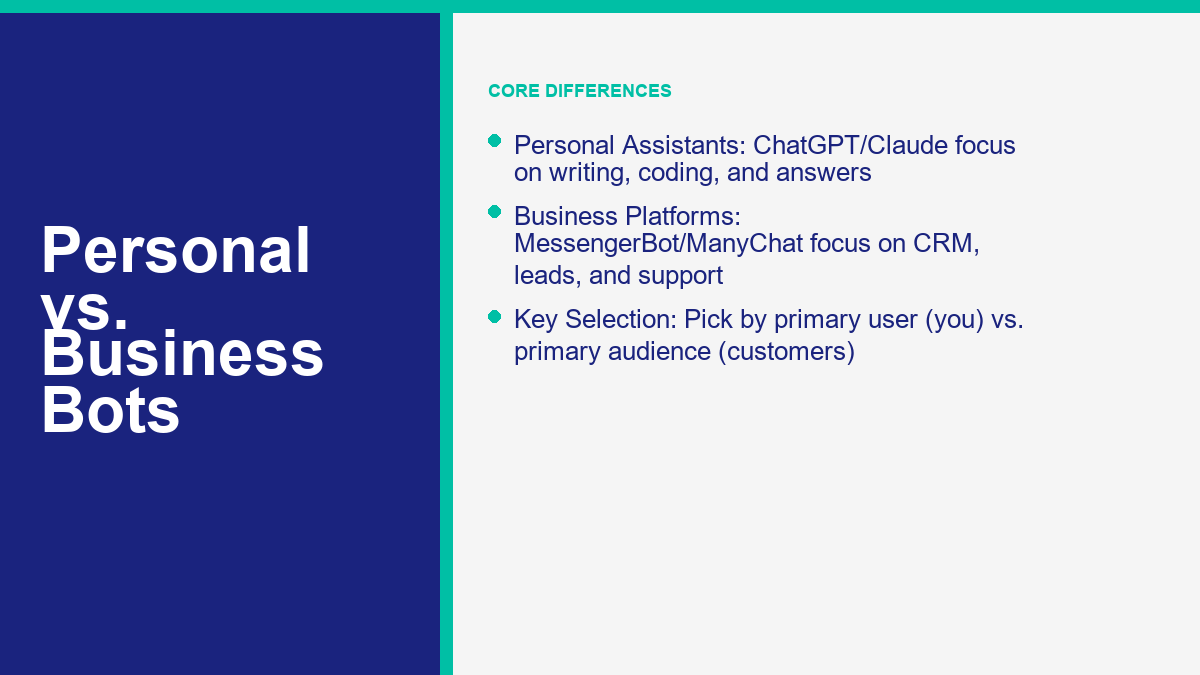
早期值得一提的另一件事是,許多人在尋找一個 聊天機器人應用程式 實際上是將兩個類別混合在一起。一個類別是您在手機上安裝的個人 AI 助手應用程式。另一個是回答客戶、捕獲潛在客戶或自動化 Messenger 和 Instagram 對話的商業聊天機器人平台。如果您的真正目標是個人生產力,請保持在消費者 AI 短名單上。如果您的真正目標是商業訊息,購買邏輯會迅速改變。.
2026 年發現最佳聊天機器人應用程式的真正含義
“「最佳」曾經意味著最聰明的答案。但這已經不再足夠。正確的 ai 聊天機器人應用程式 現在取決於七個實際問題。.
- 它多快能變得有用? 如果設置很混亂,大多數人會在一週內停止使用它。.
- 免費層的效果如何? 如果應用在十次提示後就無法使用,免費下載就毫無意義。.
- 在手機上運行得怎麼樣? 語音、相機、文件上傳和跨設備同步比移動端的基準圖表更重要。.
- 輸出的可靠性如何? 有些應用有趣但不穩定,另一些則較慢但更可靠。.
- 它會顯示來源嗎? 如果你用它進行研究,引用是很重要的。.
- 隱私的權衡有多大? 應用商店的隱私標籤比市場營銷頁面更誠實地講述故事。.
- 它假設了什麼生態系統? Google、Microsoft、Apple、OpenAI 和 Anthropic 都將你拉入他們自己的堆疊中。.
| 如果你的主要目標是…… | 最佳選擇 | 為什麼它獲勝 |
|---|---|---|
| 一個幾乎能很好處理所有事務的安裝 | ChatGPT | 語音、文件、圖像、速度和廣泛生態系統支持的強大平衡 |
| 最佳 Android 體驗 | Gemini | 深度整合 Google 和非常成熟的 Android 工作流程 |
| 最佳的寫作和深思熟慮的分析 | Claude | 仍然是最乾淨的應用程式,適合仔細起草、代碼審查和長時間閱讀 |
| 最佳研究應用程式 | Perplexity | 內建來源支持的答案,而不是附加的功能 |
| 最佳真正免費的選擇 | DeepSeek | 根據 DeepSeek 自己的應用啟動通知,官方免費,無廣告,無應用內購買 |
| 最佳多模型遊樂場 | Poe | 您可以快速切換模型,而不是生活在單一供應商的世界中 |
| 最佳的娛樂、角色扮演和伴侶 | Character.AI | 比大多數「嚴肅」工作應用程式更具娛樂價值 |
這就是為什麼許多舊的總結文章感覺過時。它們將所有事物進行比較,彷彿每位讀者都想要相同的東西。實際上,尋找免費的 聊天機器人應用程式 Android應用程式的人,往往做出與想要一個 ai 聊天機器人應用程式 用於客戶研究的人,或真正需要自動化客戶回覆而不是私人助理的商業所有者不同的決定。.
如果你的篩選標準主要是成本,請閱讀我們的 最佳免費 AI 聊天機器人 總結。免費仍然是一個有用的篩選標準,但它不是唯一的,並且在2026年,一個便宜的應用程式如果在錯誤的時刻達到限制,可能會浪費比昂貴的應用程式更多的時間。.
AI Chatbot App: The 2026 Personal Assistant Guide
這是經過並排比較主要安裝後的直白版本:大多數人並不需要“最聰明的”應用程式。他們需要的是那個他們在一個月後仍然會信任並仍然會打開的應用程式。這使得排名更傾向於穩定性、移動優化和誠實的免費層,而不是一次性的演示時刻。.
| 應用程式 | 當前公共信號 | 突出的地方 | 付費進入點 | 最佳適合 | 主要缺點 |
|---|---|---|---|---|---|
| ChatGPT | 6.5M App Store 評分,4.8;500M+ Play 下載 | 聊天、語音、圖片、文件及廣泛實用性的最佳整體平衡 | ChatGPT Plus $19.99 在 iPhone 上 | 任何想要一個應用程式來處理大多數任務的人 | 免費限制在重度每日使用中仍然會迅速顯現 |
| Claude | 77K App Store 評分,4.7;5M+ Play 下載 | 出色的寫作、編碼幫助、深入閱讀和深思熟慮的回覆 | Claude Pro $20 每月;也有年度選項可用 | 作家、分析師、開發人員和文件密集型用戶 | 使用限制可能比競爭對手更嚴格 |
| Gemini | 150萬 App Store 評分,4.7;超過 5 億次 Play 下載 | 最佳 Android 原生體驗和優秀的 Google 應用連接 | Google AI Pro $19.99;iPhone 上的 Google AI Plus $7.99 | 重度使用 Google 的用戶和 Android 擁有者 | 產品包裝的變化頻率高於競爭對手 |
| Perplexity | 43.7萬 App Store 評分,4.8;超過 5000 萬次 Play 下載 | 內建引用和更強大的研究工作流程 | Perplexity Pro $20;Max $200 | 需要來源的研究人員、學生和買家 | 比起 ChatGPT 或 Claude,這裡的隨意聊天較不輕鬆 |
| Microsoft Copilot | 超過 5000 萬次下載,206 萬條評論,4.7 分 | 良好的語音/聊天混合,與強大的微軟生產力緊密結合 | Copilot Pro 仍然是微軟的消費者升級層級 | Windows 和 Microsoft 365 用戶 | 最佳價值僅在您已經身處微軟生態系統時顯現 |
| Poe | iPhone 每月 19.99;超過 500 萬次下載 | 一個應用程式中的多個前沿模型,以及機器人創建功能 | Poe Monthly Subscription $19.99 and Poe Yearly Subscription $199.99 on the current iPhone listing | 想要比較模型而不是選擇一個的人 | Less consistent personality and memory than single-vendor apps |
| DeepSeek | Officially launched as a free app on App Store and Google Play | DeepSeek says it is 100% free, ad-free, and has no in-app purchases | $0 | Budget-first users who still want strong reasoning | Smaller trust cushion and weaker ecosystem than the top incumbents |
That table gives you the shortlist. The ranking order changes after that based on what you do all day.
ChatGPT Still Wins the “Install One App and Move On” Test
ChatGPT is still the easiest overall recommendation because it is the least narrow choice. The official iPhone listing from OpenAI OpCo, LLC shows 6.5 million ratings and a 4.8 average, while the Google Play listing is sitting at 500M+ downloads and more than 25 million reviews. That does not automatically make it the smartest app at every single task. It does make it the safest mainstream pick if you want an AI app that feels mature, gets frequent updates, supports voice, photo input, and file upload, and does not require you to redesign your habits around a niche interface.
The pricing ladder is also clearer than most people think. The current iPhone listing shows ChatGPT Plus at $19.99, ChatGPT Go at $8.00, and Pro tiers at $100 and $200. That matters because ChatGPT now covers two very different buyers at once: the person who wants a useful free assistant, and the person who wants heavier daily access without stepping straight into a business plan. If you are choosing your first ai 聊天機器人應用程式, that clean upgrade path still matters.
Claude Is the Better Pick When Quality Matters More Than Breadth
Claude is the app I would hand to someone who says, “I do not care who has the loudest brand. I care which app helps me think better.” Anthropic’s App Store listing shows Claude Pro at $20 monthly, an annual option, and higher Max tiers. The app itself keeps leaning into writing, research, code, file analysis, and voice. Anthropic’s official pricing page still separates Free, Pro, Max, Team, and Enterprise, which makes Claude feel less like a toy and more like a serious work product.
The tradeoff is the same one it has had for a while: Claude often feels smarter before it feels more generous. Heavy users notice the caps. Casual users often do not. If you draft long reports, review code, or upload dense PDFs, the answer quality can be worth that annoyance. If you mostly want quick life-admin questions, ChatGPT or Gemini usually feels easier.
Gemini Is the Most Natural Mobile Assistant for Google-Centered Users
Gemini has become much stronger on phones than a lot of older comparison posts admit. The Google Gemini App Store listing now shows 1.5 million ratings, a 4.7 average, and in-app plans including Google AI Plus at $7.99, Google AI Pro at $19.99, and Google AI Ultra at $199.99. Google’s own app description pushes features like Gemini Live, screen and camera sharing, Canvas, deep links into Gmail, Maps, YouTube, and file-to-podcast workflows. That reads like a mobile assistant product, not just a browser chatbot wrapped in an app shell.
On Android, Gemini feels even stronger because the Google stack is already there. On iPhone, it is still very good, but the real power shows up when your life is already running through Google services. If your mailbox, documents, and calendar all live there, Gemini has a very obvious advantage over apps that have to fake context through copy-paste.
Perplexity Is the Smartest App for People Who Hate Unsourced Answers
Perplexity is not trying to be the warmest or most human-feeling assistant. It is trying to be the fastest path from question to sourced answer. That difference is why it keeps winning its lane. The iPhone listing shows 437K ratings and a 4.8 average, plus Perplexity Pro at $20 and Perplexity Max at $200. The Android listing shows 50M+ downloads. More important than the numbers, the app is built around citations, follow-up research, and what it calls Pro Search and Deep Research. That architecture matters.
If your biggest frustration with a generic 聊天機器人應用程式 is that it sounds convincing while being wrong, Perplexity is usually the fix. It is not as conversationally polished as ChatGPT or Claude for open-ended brainstorming. It is much better when you want links, source trails, and a faster way to verify what the model is saying.
Poe, Copilot, and DeepSeek Fill Three Very Different Gaps
Poe is the best answer when you do not want to marry one model family. Its iPhone listing shows a $19.99 monthly subscription, and Quora’s own purchases FAQ says plans start at $4.99 with flexible compute points depending on the plan. The point of Poe is not one branded personality. The point is speed, optionality, and the ability to compare different models without juggling five apps.
Copilot is better when Microsoft is already your operating environment. The Google Play listing puts it at 50M+ downloads and just over 2 million reviews, and the app description leans hard on voice, writing, image generation, and day-to-day productivity. If you use Windows, Office, OneDrive, and Microsoft 365, Copilot becomes more useful than its raw chatbot ranking suggests.
DeepSeek is the wild card. DeepSeek’s official app launch note says the app is 100% free, has no ads, and has no in-app purchases, while still offering web search, Deep-Think mode, file upload, and synced chat history. That is a very aggressive offer in a market where most apps want you on a $20 tier quickly. The reason it does not take the overall crown is not capability. It is trust, ecosystem maturity, and the fact that plenty of users still want the comfort of a more established vendor for sensitive work.
Chatbot App Categories: Personal Assistants vs Business Bots in 2026
這個詞語 聊天機器人應用程式 covers more ground than the consumer AI category. Sometimes it means ChatGPT on your phone. Sometimes it means a customer-service bot tied to a help desk. Sometimes it means a Messenger or Instagram automation platform. If you blur those together, you end up comparing the wrong products.
Here is the clean split.
- Personal AI assistant apps: ChatGPT, Claude, Gemini, Copilot, Poe, DeepSeek.
- Research-first chatbot apps: Perplexity, and to a lesser degree Poe when you use search-enabled bots.
- Entertainment or companion chatbot apps: Character.AI and similar roleplay-focused installs.
- Business chatbot platforms: MessengerBot, ManyChat, Tidio, Intercom, HubSpot, Chatfuel.
If your real problem is “I need an app that answers my questions, helps me write, and works well on my phone,” stay with the personal AI assistant group. If your real problem is “I need leads from Messenger, Instagram, or website chat,” then a consumer ai 聊天機器人應用程式 is the wrong tool to judge first. That is where our 完整的 Messenger 應用指南 becomes more useful than another generic AI-app roundup.
The business category has different buying criteria altogether. You care about channels, handoff to humans, broadcast rules, CRM sync, comment automation, lead routing, contact limits, and whether the bot can handle actual customer intent instead of just sounding clever. A pure consumer app can sometimes draft better replies than a business platform. It still cannot replace delivery pipelines, automation triggers, opt-in logic, or channel rules on its own.
That distinction also explains why so many people buy the wrong app first. They install a personal assistant because it is popular, then realize they actually needed a workflow product. Or they pay for a business chatbot platform when all they really wanted was a better mobile AI for writing, travel planning, and file summaries. Choosing the right category first saves more time than obsessing over tiny model differences later.
Best Ai Chatbot App Picks for Android Users in 2026
Android users have a better spread than they did a year ago. The category is no longer “ChatGPT or some random clone.” There are now several serious Android installs with enough scale to trust.
Gemini Is the Best Android-Native Choice
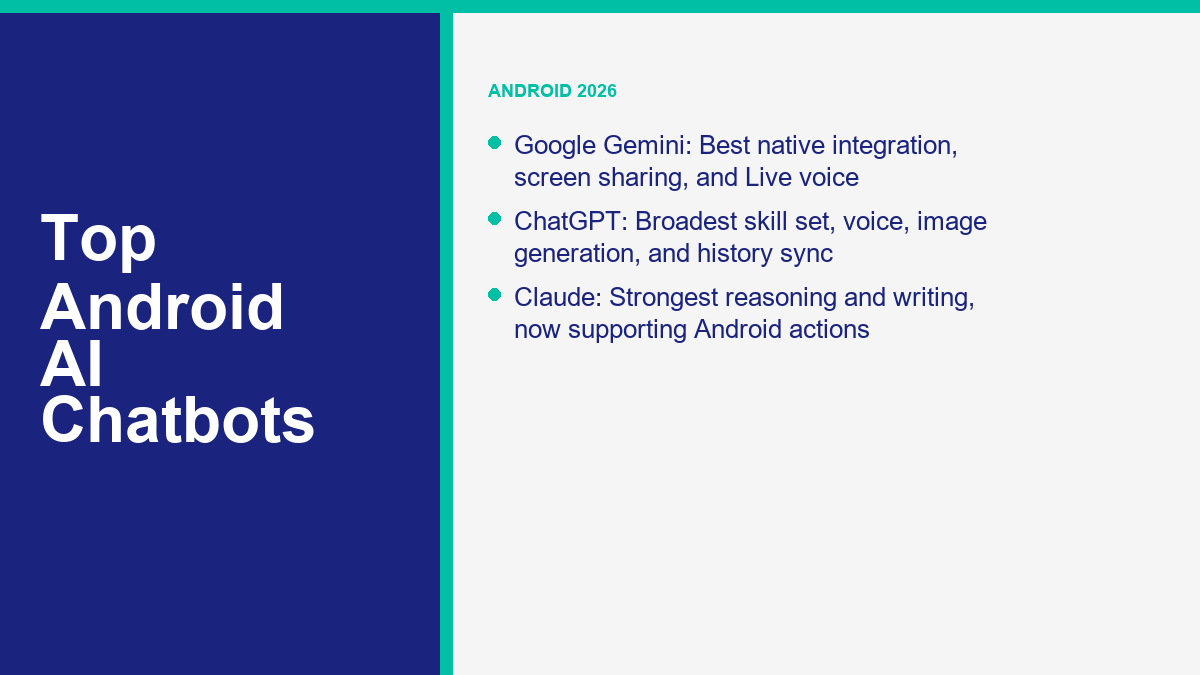
Gemini gets the Android crown because Google built it like a phone assistant, not just a chat box. The Play listing shows 500M+ downloads and 10.1 million reviews with a 4.6 rating. Google’s own description emphasizes Gemini Live, camera and screen sharing, file-to-podcast tools, and connections to Search, Maps, Gmail, YouTube, and more. If your phone is the center of your workflow, Gemini feels deeply embedded rather than merely available.
The practical upside is speed. You can ask about what is on your screen, what is in your camera view, or what lives in your Google account without bouncing between apps as much. The downside is that Google changes labels and bundles more often than almost anyone else in this market, so keeping track of what is free versus paid can still feel slightly slippery.
ChatGPT Is Still the Best All-Purpose Android Install
ChatGPT’s Android listing is hard to ignore: 500M+ downloads, 25.2 million reviews, and a 4.8 rating. The reason that matters is not popularity for its own sake. It tells you the app has crossed into mainstream reliability. OpenAI’s Play description still highlights image generation, advanced voice, photo upload, and synced history. That is the broadest skill set in the mainstream Android AI category.
If you want one app that can handle voice, quick life questions, image help, writing help, and rough work planning without obvious weak spots, ChatGPT is still the best default Android install. It does not feel as “Android-native” as Gemini, but it feels more universally useful.
Claude Is the Best Android App for Serious Work
Claude’s Play listing shows 5M+ downloads and roughly 165K reviews, which is much smaller than ChatGPT or Gemini but still large enough to matter. Anthropic’s support docs also now describe Claude working with Android apps for messages, email, calendar, alarms, maps, and location-based suggestions. That is an important shift. Claude is moving beyond static chat and leaning into action-taking on Android.
If your Android phone is where you review code, draft client material, or think through dense ideas while moving around, Claude deserves a slot higher than raw download charts suggest. It is simply better at careful reasoning than most phone-first rivals. The cap problem is real, but the output quality is too.
Perplexity, Copilot, and DeepSeek Are the Smart Secondary Installs
Perplexity is the Android app I would add beside ChatGPT or Gemini, not instead of them, if research matters. Its Play listing shows 50M+ downloads and over 1 million reviews, and that scale is enough to say it has moved well beyond niche status.
Copilot is the better Android secondary app if your workday runs through Outlook, Word, Excel, Teams, and OneDrive. The current Play listing shows 50M+ downloads and roughly 2 million reviews. If you are already paying the Microsoft tax in time and attention, Copilot at least gives you more back for it.
DeepSeek is the budget-friendly Android install. It is the one I would test if you want a genuinely free ai 聊天機器人應用程式 and you do not want to be nagged into a subscription on day one. Just keep the app in the lane where it makes sense: broad reasoning, quick answers, lightweight drafting, and experimentation. For sensitive professional work, I would still keep a more established backup installed.
Best Chatbot App Picks for iPhone Users in 2026
iPhone rankings look a little different because Apple users care more about polish, privacy prompts, subscription clarity, and how well an app fits the iOS rhythm. That shifts the order.
ChatGPT Is Still the Safest iPhone Recommendation
The iPhone App Store listing for ChatGPT currently shows 6.5 million ratings, a 4.8 average, a 169.6 MB size, and iOS 17 as the minimum. That is enormous social proof for a productivity app. The listing also shows ChatGPT Plus at $19.99, ChatGPT Go at $8.00, and higher Pro tiers. More important than the plan names, the app feels finished. Voice works well, photo input is fast, file upload is practical, and the update cadence is constant.
On newer iPhones, ChatGPT also benefits from Apple’s broader ChatGPT integration story through Apple Intelligence. Even if you never go deep into those features, it helps the app feel more native to how current iPhone users expect assistance to work. That is why ChatGPT still gets the clean overall recommendation on iPhone.
Claude Is the Best iPhone App for Writers and Thinkers
Claude’s iPhone listing shows 77K ratings, a 4.7 average, an iOS 18 requirement, and a fresh push around voice mode. The scale is much smaller than ChatGPT’s, but the users it has are exactly the people who care about output quality. Claude on iPhone feels less like a gadget and more like a quiet workbench. If you dictate ideas, refine drafts, analyze long screenshots, or reason through business decisions, the app is excellent.
The biggest caution is compatibility. Claude now requires iOS 18.0 or later on iPhone. That is not a minor footnote. If you are on older Apple hardware or you avoid major iOS upgrades, Claude can drop out of consideration fast while ChatGPT and Gemini remain easier to install.
Gemini Is Better on iPhone Than It Used to Be
Google’s iPhone app has matured quickly. The App Store listing shows 1.5 million ratings, a 4.7 average, and iOS 16 compatibility. It also lists Google AI Plus at $7.99, Google AI Pro at $19.99, and Google AI Ultra at $199.99. That price ladder makes it clear Google is now running a real mobile AI subscription business, not just an experimental app.
If your iPhone is mostly a front door into Gmail, Docs, Drive, Maps, and Search, Gemini can feel better than ChatGPT because it has more obvious context hooks. If your iPhone is your all-purpose life device and you want the broadest mainstream app, ChatGPT still feels safer. But Gemini is no longer the weak iPhone backup it once was.
Perplexity and Poe Make More Sense on iPhone Than Most People Expect
Perplexity’s iPhone listing shows 437K ratings, a 4.8 average, and iOS 17 compatibility. It is one of the best iPhone installs for people who read a lot, buy a lot, or constantly fact-check. The product has a strong opinion: answers should come with sources. On a phone, that saves time because you can move straight from answer to verification instead of opening six tabs yourself.
Poe is the better iPhone install if your favorite thing about AI is not loyalty but comparison. Its App Store listing shows a $19.99 monthly subscription and iOS 17 compatibility, while the app itself is built around switching models and comparing outputs. That makes it less consistent than ChatGPT or Claude, but more flexible if you enjoy model-hopping.
Character.AI Still Owns the Fun Lane on iPhone
Not every “best chatbot app” search is a work search. Character.AI’s iPhone listing shows 499K ratings and a 4.5 average, and that tells you exactly what it still dominates: fun, roleplay, casual companionship, and community-made characters. It is not the best iPhone productivity chatbot. It is one of the strongest iPhone entertainment chatbot apps, which is a different category and should be judged that way.
Step-by-Step Setup and Configuration in 2026
Most people overcomplicate this part. The clean setup path is shorter than you think if you avoid the usual mistakes.
- Pick the job before you pick the app. Everyday help points to ChatGPT. Writing and analysis point to Claude. Android-first use points to Gemini. Research points to Perplexity. True-free testing points to DeepSeek. Business messaging points to a platform, not a personal AI app.
- Download only the official app. Check the developer line before you install. OpenAI OpCo, LLC for ChatGPT. Anthropic PBC for Claude. Google for Gemini. Microsoft Corporation for Copilot. Perplexity AI, Inc. for Perplexity. Quora, Inc. for Poe. Character.AI for Character.AI. Official DeepSeek channels for DeepSeek.
- Start on the free tier first. Do not buy a subscription before you know the app fits your real workflow. Most people can eliminate two or three options in one day without paying.
- Set permissions intentionally. Turn on microphone only if you want voice. Give limited photo access if you only upload occasionally. Think twice before allowing location.
- Check privacy or training controls on day one. If the app lets you disable model training, memory, or history reference, decide early instead of after you have already pasted sensitive material.
- Test three real tasks, not one toy prompt. Ask it to do something you actually care about: summarize a PDF, plan a trip, draft an email, fact-check a product, or explain a screenshot.
- Build a two-app setup if needed. A lot of serious users now keep one main chat app and one specialist. Example: ChatGPT plus Perplexity, or Claude plus Gemini.
- Only upgrade after the free tier fails at something important. Pay when the limit hurts a real workflow, not when a marketing banner annoys you.
My Default Setup Recommendation for Most Readers
If you want the fastest practical setup, install ChatGPT first, Perplexity second if research matters, and Gemini or Claude as the specialist depending on your device and workload. That gives you an all-purpose app, a source-first app, and a deeper reasoning app without turning your phone into an AI graveyard.
How to Configure a Chatbot App Without Making It Worse
- Keep notifications off unless you truly need them. AI apps do not need to become another attention sink.
- Use custom instructions or profile preferences sparingly. Over-configuring tone and behavior often makes answers worse.
- Save one note with your best recurring prompts. That is more useful than constantly tweaking settings.
- Use Temporary Chat or the equivalent for sensitive one-off tasks.
- Do one billing path only. Subscribe through web or through Apple/Google, but do not accidentally create duplicate subscriptions.
If your real goal is not solo AI chat but automation on Messenger, Instagram, or website chat, stop here and work from a platform setup guide instead. The right starting point is our Messenger Bot 教學, because the setup logic for a business chatbot app is completely different from the setup logic for a personal AI assistant.
Common Problems and How to Fix Them in 2026
The same issues keep showing up across almost every app, even when the branding changes.
The Free Tier Feels Good for Two Days, Then Suddenly Feels Tiny
This is normal. Most apps front-load a good first impression and tighten once you start using uploads, voice, or heavier reasoning. The fix is not always “pay.” Sometimes the better move is to split workloads. Use ChatGPT or Claude for drafting, then use Perplexity for sourcing. Use Gemini for Android-native tasks and keep another app for longer thought work. Free tiers fail fastest when you ask one app to do every job.
The App Gives Confident Answers That Still Feel Wrong
That is your sign to switch task type, not just prompt harder. If the job requires verification, move to Perplexity or demand source-backed answers. If the job is deep writing or reasoning, move to Claude. If the job is quick ideation, ChatGPT and Gemini are usually fine. The fix for hallucinations is often better category choice, not better wording.
Voice, Camera, or File Upload Does Not Work Reliably
On mobile, the boring fixes still solve a lot. Check app version, OS version, microphone permission, photo access, and whether your device meets the minimum supported iOS or Android level. On iPhone specifically, the compatibility split matters. ChatGPT and Perplexity require iOS 17 now. Claude requires iOS 18. Gemini still works on iOS 16 and later. If a feature appears missing, the answer may be device support rather than account status.
You Accidentally Installed a Clone Instead of the Real App
This still happens constantly, especially with “AI chatbot” searches in app stores. The fix is simple but important: go back and confirm the developer. If the seller line is not the official company, uninstall it. Do not assume the icon is enough. Popular AI apps have created a massive clone economy.
Your Subscription Is a Mess
This usually happens when someone upgrades inside iPhone, then later upgrades again on the web, or mixes personal and business accounts. Keep one billing path. Apple and Google subscription systems are convenient, but they can hide what you are actually paying for if you switch devices often. If you know you will manage a plan from desktop anyway, web billing is usually cleaner.
The App Is Smart but Not Actually Helpful
This is the most important problem because it sounds vague until you feel it. A chatbot app becomes unhelpful when it gives you polished output without enough specificity to act on. The fix is to use better constraints. Paste the document. Give the audience. Ask for a table. Ask for sources. Ask it to compare two concrete options. General prompts produce generic help. The best mobile AI workflows in 2026 still depend on better task framing from the human side.
Comparison With Alternatives: What Works Better
The cleanest way to choose now is by job category, not by hype cycle.
| If you need… | Best category | Top choices | Why this category works better |
|---|---|---|---|
| Everyday all-purpose mobile AI | Mainstream assistant apps | ChatGPT, Gemini, Claude | Best balance of chat quality, voice, files, and app polish |
| Sourced answers and buying research | Research-first AI | Perplexity | Built-in citations beat generic confident prose |
| Model switching and experimentation | Multi-model hub | Poe | You can compare outputs instead of guessing one model is always right |
| True-free usage with minimal paywall pressure | Free-first consumer AI | DeepSeek | DeepSeek’s own launch note says the app is free, ad-free, and has no in-app purchases |
| Roleplay, companionship, and fun | Entertainment chatbot apps | Character.AI | That category optimizes for engagement, not business accuracy |
| Messenger, Instagram, or website lead automation | Business chatbot platform | MessengerBot, ManyChat, Tidio, Intercom | Consumer AI apps are not built for contact flows, handoff rules, or channel automation |
That last row is where people waste the most money. If you are really shopping for a bot that handles customer chats, collects leads, and triggers follow-up, you should not compare it only against ChatGPT or Claude. You should compare it against actual business platforms. Our chatbot platform comparison is the better next step for that decision because it puts personal AI assistants and business messaging tools in the same frame without pretending they are identical products.
The practical takeaway is simple. ChatGPT, Claude, Gemini, Copilot, Poe, and DeepSeek are excellent when 您 are the primary user. MessengerBot, ManyChat, Tidio, and similar platforms are stronger when your audience or customers are the primary users. That sounds obvious, but it clears up half the confusion around the phrase “best chatbot app.”
If your “best chatbot app” search is really about turning Messenger, Instagram, or website conversations into leads and follow-ups, stop forcing consumer AI apps into that job and 查看 MessengerBot 價格.
Safety, Privacy, and What to Watch Out For
The safety conversation around AI apps is more boring than marketing and more important than rankings. None of the major apps are “private by default” just because they look polished.
Apple’s privacy labels make that obvious. The current ChatGPT iPhone listing says data linked to you may include health and fitness data, location, contact info, user content, search history, identifiers, usage data, and diagnostics. Gemini’s listing is similarly broad, including user content, search history, browsing history, identifiers, usage data, diagnostics, and other data types. Claude’s listing shows location, contact info, user content, identifiers, usage data, and diagnostics. Perplexity and Poe also show identity-linked purchase, usage, identifier, and other app-functionality data. That does not mean these apps are unsafe to use. It means you should stop pretending they are private note apps.
As of April 12, 2026, the safest everyday rule is still this: do not paste anything into an AI app that would create real damage if it leaked, was logged, or was reviewed later. That includes credentials, legal strategy, sensitive medical detail, unpublished financials, client secrets, and data covered by strict compliance obligations unless you are using an approved enterprise workflow built for that environment.
Three Mobile Safety Habits That Matter More Than Anything Else
- Install only official apps. Clone apps are still the easiest way to make a bad privacy decision before you even send the first prompt.
- Use temporary or low-retention chat modes for sensitive questions. If the app offers it, turn it on when you need it.
- Audit permissions after installation. Mic, camera, photos, contacts, and location should reflect real use, not default laziness.
Age Ratings Tell You Something Useful
It is also worth checking how vendors classify their own apps. ChatGPT and Gemini are listed 13+ on iPhone. Poe is 16+. Claude and Perplexity are 18+. Character.AI is also 18+ on iPhone. That does not replace actual parental judgment, but it is a useful signal about content controls, open-ended responses, and how much friction-free access the vendor expects.
Business Use Needs a Higher Standard Than Casual Personal Use
If you are using a chatbot app for work, especially customer communication, the question is not only “Is this smart?” It is “Where does the data go, who can access it, and what system owns the history?” For customer messaging, dedicated platforms remain easier to govern than consumer chat apps stitched into manual workflows. That is one reason buyers keep graduating from personal AI assistants to business platforms once the stakes rise.
What Changed in 2026 and What to Expect Next
The biggest change in 2026 is that chatbot apps stopped being just chat boxes. The leading apps are now bundles. Voice, screen context, camera input, file handling, source retrieval, memory, and light agent behavior are all becoming standard expectations rather than premium surprises.
The second big change is pricing fragmentation. The familiar $20 tier is still everywhere, but now it sits beside cheaper entry plans and much more expensive “power” tiers. ChatGPT has Go, Plus, and Pro options. Google has AI Plus, Pro, and Ultra. Anthropic has Pro and multiple Max levels. Perplexity has Pro and Max. The result is a market where choosing the best app is partly about choosing the least annoying upgrade path.
The third change is ecosystem gravity. Google wants Gemini to be your Google layer. Microsoft wants Copilot to live inside productivity work. Apple wants AI help to feel native at the device level. OpenAI wants ChatGPT to remain the broad all-purpose default. Anthropic is pushing Claude toward deeper thinking and app actions. Quora wants Poe to be the control room for many models, not one. That means the winner for you increasingly depends on which ecosystem already owns your digital life.
What comes next is not hard to predict. Expect more agent-style behavior on mobile, more context-aware assistance, more pricing tiers, more OS-level AI integration, and sharper questions about privacy and memory. The safest prediction is that the category will keep splitting rather than converging. There will be better general assistants, better research apps, better business bots, and better private local tools, but probably not one app that dominates every lane at once. That is still true as of June 1, 2026, and it is the main reason broad “best app” claims age so badly.
常見問題
什麼是 AI 聊天機器人應用程式,它在 2026 年是如何運作的?
一個 ai 聊天機器人應用程式 in 2026 is usually a mobile or desktop app that lets you chat with a language model through text, voice, images, files, or a mix of all four. You ask a question, give it a task, or upload something to analyze, and the app uses a hosted AI model plus whatever tools the vendor has attached to it, such as web search, memory, camera input, document reading, or voice mode. The important detail is that not every AI chatbot app works the same way. ChatGPT, Claude, Gemini, Perplexity, Poe, and DeepSeek all fit this category, but they emphasize different workflows.
什麼是聊天機器人應用程式,它在2026年是如何運作的?
一 聊天機器人應用程式 is the broader category. It can mean a personal AI assistant you install for your own use, or it can mean a customer-facing bot that handles conversations on websites, Messenger, Instagram, or other channels. Personal chatbot apps focus on answering, writing, planning, and researching for one user. Business chatbot apps focus on workflows such as lead capture, support routing, FAQs, follow-up automation, and human handoff. That is why choosing the “best chatbot app” starts with the job you need it to do. If you want a smarter assistant, install a consumer AI app. If you want automated customer conversations, look at business chatbot platforms instead.
現在哪個 AI 聊天機器人應用程式最適合 Android?
For most Android users, Gemini is the best Android-native pick because it is deeply tied to Google services and feels built for the phone rather than ported onto it. ChatGPT is still the best all-purpose Android recommendation because it handles the widest mix of tasks well and has the strongest overall install base. Claude is the better Android choice for writing, long reading, and careful work. Perplexity is best if citations matter more than conversational polish. DeepSeek is the best budget-first option if you want something genuinely free to test before paying anyone.
2026年哪款聊天機器人應用程式最適合iPhone用戶?
For iPhone users, ChatGPT is still the safest overall recommendation because the app is polished, widely trusted, updated constantly, and fits the current Apple AI environment better than most alternatives. Claude is the best iPhone pick if your priority is thoughtful writing, coding help, and deeper analysis, though it now requires iOS 18. Gemini is stronger on iPhone than it used to be and makes a lot of sense if your daily tools are already Google apps. Perplexity is the best iPhone choice when you care most about source-backed answers instead of open-ended chatting.
在2026年,AI 聊天機器人應用程式仍然有效且安全使用嗎?
Yes, major AI chatbot apps are still working and widely used in 2026, but “safe” depends on how you use them. They are generally safe for everyday questions, writing help, trip planning, brainstorming, and light research. They are not the right place for passwords, legal secrets, protected client information, or anything you would regret sharing with a cloud service. The safest habits are simple: install only official apps, review permissions, use temporary or low-retention chat modes when available, and avoid pasting sensitive data unless you are in an approved enterprise environment built for that kind of work.



 繁體中文
繁體中文  English
  Tagalog
  简体中文
简体中文  العربية
  हिन्दी
  Português do Brasil
  Español de México
  Français
  বাংলা
বাংলা  香港中文
香港中文  Nederlands
  Deutsch
  Bahasa Indonesia
  日本語
日本語  한국어
한국어  Polski
  Русский
  Español
  Tiếng Việt