
Most customer service teams still talk about support like the first problem is staffing. In 2026, the first problem is coverage. Customers want answers across website chat, Facebook Messenger, Instagram, email, and mobile without waiting for business hours or repeating the same story three times. That is why the old support stack is losing ground. It was built for queues, macros, and handoffs. A modern conversation chatbot is built for language, context, and immediate action.
That does not mean every business should fire the support team and hand the keys to an LLM. It means first-line service has changed. The repetitive layer of customer service is now a software problem before it is a hiring problem. A good conversational AI chatbot can understand a free-form question, pull the approved answer, complete a simple task, and escalate the messy edge case with the transcript intact. A bad one still feels like a menu with better grammar. The gap between those two outcomes is where most buying mistakes happen.
The public numbers are now strong enough that this shift is not theoretical. HubSpot says its AI customer agent resolves more than 50% of conversations automatically and that top teams hit 90%, while teams using it see 39% faster ticket resolution than teams not using it (HubSpot). Intercom says more than 7,000 teams now use Fin and that Fin’s average resolution rate across customers stands at 67% (Intercom). Tidio sagt, dass Lyro-Nutzer im Durchschnitt etwa 67% Kundenanfragen automatisieren und jedem Konto 50 kostenlose Gespräche zum Testen geben (Tidio; MessengerBot-Preise anzeigen).
Das sind von Anbietern gemeldete Benchmarks, keine universellen Garantien. Sie sind dennoch nützlich, da sie zeigen, womit die Marktführer derzeit bereit sind, zu veröffentlichen. Ich habe die Preise, Pakete und öffentlichen Aussagen, die in diesem Artikel verwendet werden, mit offiziellen Seiten auf 12. April 2026. Wenn Ihre unmittelbare Frage reine Support-Kostenrechnung ist und nicht die breitere Plattformentscheidung, ist die schnellere Begleitlektüre unser AI-Kundenservice-Playbook. Dieser Artikel bleibt auf dem größeren Wandel fokussiert: warum der Konversations-Chatbot die erste Serviceebene geworden ist, welche Plattformen zu welchem Kanalmix passen und wo MessengerBot.app als praktische Option sinnvoll ist.
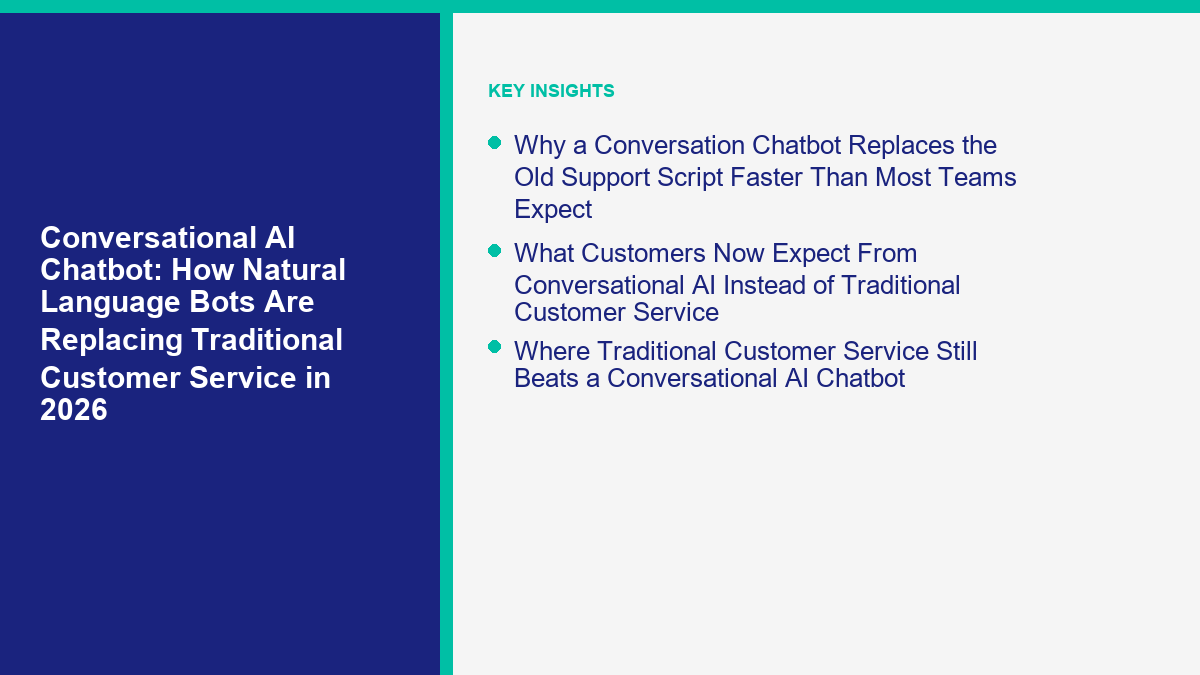
Warum ein Konversations-Chatbot das alte Support-Skript schneller ersetzt, als die meisten Teams erwarten
Das alte Chatbot-Modell basierte auf Vorhersagen des Designers. Der Betreiber schätzte, was der Kunde fragen könnte, schrieb die Verzweigungen im Voraus und hoffte, dass echte Nutzer im Rahmen blieben. Das funktionierte bei engen Abläufen wie Öffnungszeiten, einem Buchungsformular oder einem einfachen Lead-Magneten. Es brach zusammen, als Menschen natürlich tippte, mitten im Gespräch das Thema wechselten oder dieselbe Frage auf fünf verschiedene Arten stellten.
A conversation chatbot changes the failure mode. Instead of forcing the customer into a rigid menu, it starts from natural language. The bot interprets the request, checks the approved source, decides whether it can answer, and either responds, takes action, or hands the case to a human. In other words, traditional support scripts are being replaced not because buttons disappeared, but because natural-language handling became good enough to sit in front of the help desk.
That matters operationally because customer service demand is not evenly distributed. Most teams do not have 500 equally unique problems. They have 30 common questions that account for the majority of volume, then a long tail of real exceptions. Once a conversational AI chatbot is trained on current policy, product data, delivery rules, appointment options, and escalation triggers, it can clear the repetitive layer much faster than a team editing decision trees all week.
| Plattform | Public 2026 benchmark | How to read it |
|---|---|---|
| HubSpot | 50%+ of conversations resolved automatically; top teams hit 90% | Strong sign that AI-first support is viable when the knowledge base and handoff design are clean |
| Intercom | 67% average resolution rate across customers | Shows outcome-based AI support can scale beyond early pilots into production support teams |
| Tidio | About 67% of customer inquiries automated on average | Useful proof that SMB-friendly support tools are no longer limited to toy automation |
Quellen: HubSpot, Intercom, Tidio.
Here is the practical takeaway most teams miss: the replacement is happening at the first-response layer, not at the relationship layer. Businesses still need experienced people for policy exceptions, angry customers, renewals, retention, and sensitive edge cases. What is getting replaced is the part of traditional customer service that depends on humans repeating approved information over and over again.
What Customers Now Expect From Conversational AI Instead of Traditional Customer Service
The customer side changed almost as fast as the technology. Zendesk’s 2026 CX Trends reporting says 81% of consumers want representatives to pick up where they left off, 74% get frustrated when they have to repeat information, and 67% expect brands to tailor support based on prior interactions (Zendesk). That is not just a speed problem. It is a continuity problem.
Traditional customer service usually handles continuity poorly because each channel becomes its own queue. Website chat starts one thread. Messenger starts another. Instagram DMs sit with social. Email sits in a help desk. Voice sits somewhere else. A conversation chatbot wins when it becomes the continuity layer between those surfaces. The customer feels like they are continuing one thread, not opening a new ticket every time they switch channel.
This is also why simple fluency is no longer enough. Customers do not just want interactive AI chat that sounds human for three messages. They want useful AI that remembers what was already provided, knows the next step, and does not make them restate an order number, booking date, or product issue. If your bot writes pretty replies but restarts the conversation every time the channel changes, customers will still rate the experience as broken.
- Continuity: the bot should carry context across the same conversation, not ask the same setup questions again.
- Genauigkeit: the answer has to come from approved policy, pricing, inventory, or help content, not model confidence.
- Verfügbarkeit: customers increasingly treat 24/7 first response as normal, especially for simple tasks.
- Clean escalation: when the bot cannot solve it, the handoff has to be fast and informed.
The teams getting the best results in 2026 are not building bots that imitate humans. They are building bots that reduce customer effort. That sounds subtle, but it changes the design completely. Instead of asking, “Can this bot hold a long conversation?” ask, “Can this bot get the customer to the correct outcome with fewer steps than a human queue?” That is the real bar.
Where Traditional Customer Service Still Beats a Conversational AI Chatbot
There is still a lot of work that should stay human-led. The useful mental model is not AI versus humans. It is AI for repetition, humans for judgment. If you try to automate judgment-heavy work too early, the support experience gets worse, not cheaper.
| Support situation | AI should lead | Human should lead | Best production design |
|---|---|---|---|
| Store hours, policy checks, order status, booking basics | Ja | Nein | Conversation chatbot answers directly and logs intent |
| Refund disputes, angry customers, fraud concerns | Only for triage | Ja | Bot gathers context and escalates immediately |
| Regulated or high-liability advice | No, except controlled workflows | Ja | Use deterministic forms, verification, and human approval |
| VIP relationships, renewals, save attempts | Only for prep | Ja | Bot summarizes context, human handles the live moment |
| Lead qualification, appointment routing, first-touch support | Ja | Sometimes | Hybrid flow with handoff rules for high-intent or high-risk cases |
The honest reason traditional customer service still wins in those cases is accountability. When a customer is furious, when the company is exposed legally, or when the conversation can save or lose a large account, the human is not there just to answer. The human is there to judge tone, make exceptions, negotiate, and own the outcome.
That is why the best conversational AI chatbot programs in 2026 do not try to eliminate the support team. They redesign the queue. AI clears the repetitive layer, prepares the complicated layer, and leaves the relationship layer to people who can actually own it.
How a Conversational AI Chatbot Actually Works Behind the Scenes
When people say they want an advanced AI chat system, they usually mean four different things at once. They want the bot to understand language, answer from the correct source, take simple actions, and escalate intelligently. If one of those layers is missing, the experience falls apart fast.
| Schicht | What it does | What breaks if it is weak |
|---|---|---|
| Intent layer | Understands the customer’s actual request in natural language | The bot loops, misroutes, or answers the wrong question |
| Knowledge layer | Pulls responses from approved content, pricing, product data, or policies | The bot hallucinates, goes vague, or gives outdated information |
| Action layer | Creates tickets, captures lead data, triggers workflows, or checks status | The bot can talk but cannot move the conversation forward |
| Handoff layer | Transfers to a person with context, reason, and transcript attached | The customer has to start over and support cost stays high |
This is why buying on demo quality alone is a mistake. Most demos over-index on the intent layer because that is what looks impressive in a meeting. Production success depends just as much on the knowledge and handoff layers. The customer does not care that the bot understood the sentence if the answer is outdated or the escalation path is hidden.
A practical build rule: do not let the bot answer from anything your team would not currently trust in front of a customer. If your help center is outdated, fix that first. If your delivery policy lives in three different docs, consolidate it first. If your pricing page changes every month, sync the source before you let the AI speak for the business. If you want the implementation walkthroughs after this section, Durchsuchen Sie unsere Tutorials and map the source content before you add more conversational polish.
The Customer-Service Jobs a Conversation Chatbot Should Replace First
The right first use case is boring on purpose. You do not start with the weirdest support ticket in the queue. You start with the issue your team answers all week and wishes it did not have to touch anymore. That is where the conversation chatbot pays for itself fastest.
FAQ coverage that removes the top repetitive questions
Hours, delivery windows, return policy, service areas, plan differences, booking rules, and simple eligibility checks are the classic first win. They are high volume, low ambiguity, and usually already documented somewhere. A conversation chatbot handles these well because the user can ask naturally instead of clicking through six buttons to reach the same answer.
Order status, booking status, and appointment reminders
This is where action beats copy. If the bot can check a booking, confirm a reservation window, or surface order status from a connected system, you eliminate a huge chunk of customer effort. The customer does not want a friendly paragraph here. They want the status and the next step.
Lead qualification disguised as support
A lot of support volume is really pre-purchase hesitation. Questions like “Which plan includes setup?”, “Do you support my city?”, or “Can I use this with Instagram too?” are not pure service questions. They are buying-intent questions. The conversation chatbot should answer them and branch into lead capture or sales handoff when the customer is clearly moving toward a decision.
Pre-handoff context gathering
Even when AI should not finish the conversation, it can still save time by collecting the right fields up front: order number, device type, date needed, business size, plan, or a screenshot upload path. That is not glamorous AI, but it shortens handle time and cuts the “can you send that again?” loop that makes traditional customer service feel slow.
Multi-channel triage
For small teams especially, the big operational win is often not one magical AI answer. It is using the same logic across Messenger, Instagram, and website chat so the team stops maintaining three slightly different service processes. That is where a conversation chatbot becomes an operating layer instead of just a plugin.
The easiest way to choose the first flow is to score candidate workflows against five filters:
- High volume: the issue appears every week, not once a quarter.
- Low ambiguity: there is a correct answer or a controlled next step.
- Source grounded: the answer already exists in policy, docs, or system data.
- Low liability: getting it wrong will not create a legal or trust disaster.
- Easy to measure: you can track whether the bot actually reduced queue load.
If a workflow does not pass those filters, it is usually not your phase-one build. That is also the point where teams overbuy software. They assume the platform is the bottleneck when the real problem is use-case selection. Start with one repetitive flow that has a clear answer and a clear handoff path. Then expand.
A 2026 Platform Comparison for Social DMs, Website Chat, and CRM-Connected Support
The phrase conversation chatbot now covers three very different product categories: social-first automation, website-first support platforms, and CRM-connected service suites. If you compare them as if they do the same job, you will buy the wrong stack. The table below uses public pricing and packaging checked on April 12, 2026.
| Plattform | Öffentlicher Einstiegspreis | Pricing model | Strongest channels | Beste Passform | Worauf man achten sollte |
|---|---|---|---|---|---|
| MessengerBot.app | Premium $19.99 per 30 days; Pro $49.99; Agency $299.99 | Flachplan-Stufen | Facebook Messenger, website chat, Instagram on higher tiers | Meta-first SMBs that want predictable pricing and flow control | Not the right tool if you need enterprise help-desk governance first |
| ManyChat | Public page still shows Pro from $15 per month; March 5, 2026 help docs show newer Essential and Pro tiers for post-March 2 accounts | Contact-based and region-dependent during pricing transition | Messenger, Instagram, WhatsApp, SMS, Email, TikTok | Social selling and DM-led campaigns | Pricing is in transition, so screenshots from older posts can mislead |
| Tidio | Starter $24.17 per month annually; Growth from $49.17; Lyro starts with 50 free conversations | Modular plan plus AI quota | Website chat, email, Messenger, Instagram, WhatsApp | Website-first support and SMB service teams | The full bill depends on how much of Tidio plus Lyro you actually use |
| HubSpot | Starter from $15 per seat per month; Customer Agent requires Professional or Enterprise plus HubSpot Credits | Seat pricing plus credits | Website chat, email, Messenger, WhatsApp, calling beta | Businesses already running support inside HubSpot | The AI entry point is not the Starter headline price |
| Intercom | Essential $29 per seat per month billed annually plus $0.99 per Fin outcome | Seat pricing plus outcome pricing | Website chat, email, phone, WhatsApp, social | Support teams that want deep AI controls and strong help-desk tooling | Very clear pricing, but high usage can still become expensive |
| Zendesk | Suite + Copilot Professional $155 per agent per month billed annually; advanced AI agents contact sales | Seat bundles plus AI packaging | Email, messaging, voice, live chat, enterprise support channels | Mature support organizations with ticketing discipline | Excellent depth, but easy to overbuy if your workflow is still simple |
Quellen: MessengerBot-Preise anzeigen, ManyChat-Preise, ManyChat March 2026 pricing guide, MessengerBot-Preise anzeigen, HubSpot pricing, HubSpot customer agent, Intercom, Zendesk.
If finance is pushing you for a cleaner budgeting framework, the next read after this section is our Preisliste für Chatbots. The short version is simple: flat pricing is easiest to forecast, outcome pricing is easiest to justify when resolution is strong, and hybrid pricing gets messy when your support spike hits at the same time as AI adoption.
Why MessengerBot.app Fits Messenger, Instagram, and Website Teams Better Than a Generic Helpdesk
MessengerBot.app is strongest when your support and lead flow actually begins on Meta properties. That sounds obvious, but it matters because a lot of teams buy general help-desk software and then force it to behave like a Messenger operations platform. If most of your conversations start in Facebook Page messages, Instagram DMs, ad replies, or a website widget tied back to those channels, MessengerBot is the more direct path.
The current pricing page is unusually clear for this category. As of April 12, 2026, Premium is $19.99 pro 30 Tage, Pro kostet $49.99 pro 30 Tage, and Agency is $299.99 per 30 days on the discounted public pricing page (MessengerBot-Preise anzeigen). The same page lists the practical features small businesses usually end up asking for next anyway: visual flow builder, web view forms, website chat, Google Sheets integration, JSON API plus Zapier, comment automation, ecommerce features, email and SMS tools, and Instagram chatbot access on higher tiers.
The real advantage is not just price. It is fit. MessengerBot does not assume the center of gravity is a traditional support desk. It assumes you want structured automation on Messenger and related channels, and that you may also want website chat and light multichannel follow-up without jumping straight into enterprise support software. For businesses living in Facebook and Instagram all day, that is a better operating model than paying a premium help-desk bill and rebuilding the same flows from scratch.
The honest limitation is equally important: if you need the deepest ticket QA workflow, enterprise security layers, extensive voice operations, or multi-brand service governance, Intercom or Zendesk may still be the better fit. MessengerBot is not trying to be a call-center platform. It is trying to be the practical automation layer for businesses where social messaging and website chat are the real front door.
If that sounds like your channel mix, compare the current tiers on MessengerBot-Preise anzeigen before you overcomplicate the software decision. In this part of the market, channel fit usually matters more than buying the platform with the most enterprise vocabulary.
How to Launch a MessengerBot Conversation Chatbot Without Overengineering It
The fastest successful rollout is rarely the smartest-looking one. It is the one that answers the top repetitive questions, hands off the real exceptions, and gives the team a cleaner queue within two weeks. If you are building on MessengerBot, keep the first version narrow and operational.
- Pull the last 30 days of customer conversations. Do not invent use cases from a workshop. Export real Messenger, Instagram, and website chat threads and tag the top recurring intents.
- Pick the first five intents only. Good phase-one choices are hours, pricing basics, booking, service area, order status, and “talk to a human.”
- Write source-approved answers. Keep them short, current, and owned by someone on the team. If you would not paste the answer into a customer email, do not give it to the bot.
- Build one welcome flow and one free-text fallback. Menus still help with orientation, but natural language should not dead-end if the customer skips the buttons.
- Add one form for support or lead capture. Ask only for the fields the human actually needs next, such as order number, phone, preferred appointment date, or email.
- Define explicit handoff triggers. Refund language, complaint language, repeated failure, VIP leads, and anything compliance-related should route immediately.
- Test with ugly real messages. Try typos, slang, short messages, screenshots referenced in text, and impatient follow-ups. Demo-perfect prompts are not the job.
- Review transcripts every week. Most improvement comes from missing answers, not from changing the welcome copy.
One practical point most tutorials skip: hybrid design beats pure AI design for small businesses. Use deterministic flows where certainty matters, such as consent, lead forms, calendar links, or payment-related routing. Use natural language where customers phrase the same intent in different ways. That gives you the speed of conversational AI without turning policy control into a guessing game.
A simple launch checklist looks like this:
- The bot has a visible human handoff option.
- Every answer comes from a source you reviewed this month.
- There is one owner for transcript review and one owner for source updates.
- The team knows which intents the bot is allowed to finish and which ones it must escalate.
- You can measure deflection, handoff rate, and unresolved conversations from week one.
If you skip that checklist, you usually end up with what businesses incorrectly call a “bad AI bot.” Most of the time it is not bad AI. It is a good model placed inside a weak operating system.
How to Measure Whether Your Conversation Chatbot Is Actually Replacing Support Work
The wrong success metric is total chat volume. A bot can generate a lot of interaction and still fail the business. The useful metrics are the ones that tell you whether the repetitive layer of service is actually leaving the human queue.
| Metrik | Healthy signal | Warning sign |
|---|---|---|
| Lösungsquote | Bot finishes a meaningful share of repetitive conversations without human help | Volume is high but almost everything still ends in a handoff |
| Handoff rate | Escalations happen mostly on complex or sensitive cases | Customers ask for a human after one or two bot replies |
| Fallback rate | Unknown questions shrink over time as sources improve | The same unanswered intents keep showing up every week |
| Average handle time after handoff | Humans solve escalated cases faster because context is already collected | The team still has to ask customers to repeat everything |
| Customer effort | Fewer steps to answer, route, or book | Customers bounce between menu, free text, and email follow-up |
The simplest planning math is time recovered, not magical ROI percentages. If your team handles 3,000 repetitive conversations a month and the conversation chatbot resolves 55% of them, that removes 1,650 contacts from the human queue. If those contacts used to take four minutes each, that is about 110 hours recovered in a month. That is planning math, not a vendor promise, but it is the right way to see whether the tool is actually replacing labor.
For teams using outcome-based vendors, cost math matters too. Intercom currently charges $0,99 pro Fin-Ergebnis (Intercom). HubSpot’s customer agent uses HubSpot Credits, and HubSpot’s services catalog says additional credits cost $0.010 per credit; the catalog also lists customer-agent usage at 100 credits per conversation, which implies roughly $1 per conversation once you are past included credits (HubSpot catalog). That does not make either platform too expensive. It just means the bot has to replace enough real work to justify the meter.
The Failure Patterns That Make Natural-Language Bots Feel Worse Than Humans
Most bad chatbot experiences in 2026 are not caused by the model being stupid. They come from predictable operational mistakes.
Weak source content
If the help docs are outdated, the AI will confidently answer from outdated material. Businesses often blame the conversational layer when the real problem is content governance. Fix the source before you tune the bot.
Hidden or delayed escalation
Nothing makes support feel more broken than a bot that keeps replying when the customer has clearly asked for a person. A clean handoff is part of the product, not a fallback you think about later.
Buying based on fluency instead of task completion
An interactive AI chat experience can feel impressive in a demo even when it cannot check an order, capture a lead, or trigger the right next step. In production, task completion matters more than conversational charm.
Automating too many edge cases too early
The first build should clear the top repetitive layer. If you start by automating exceptions, you create an expensive debugging project and teach the team to distrust the whole system.
No transcript review rhythm
The best support bots improve because someone reviews failures weekly. The worst ones go live, get blamed for a month, and never receive better source material or tighter guardrails.
Here is the blunt rule: an advanced AI chat layer without operational discipline will usually perform worse than a very simple hybrid bot with strong sources and fast handoff. Technology changed customer service. It did not remove the need for ownership.
When to Move From a Starter Build to a More Advanced MessengerBot Setup
Do not upgrade just because the bot is busy. Upgrade when the current plan limits block a workflow that is already working. MessengerBot’s public pricing page makes those thresholds fairly easy to see. Premium currently covers 5 Facebook Pages, 1 chat widget, und 1 Messenger ecommerce store. Pro moves that to 10 Pages, 5 chat widgets, und 5 ecommerce stores. Agency is built for bigger teams and shows unlimited Pages, 100 chat widgets, und 100 ecommerce stores on the public comparison (MessengerBot-Preise anzeigen).
Those limits tell you when the software upgrade is real and when it is just wishful thinking. If your answers are still wrong because the knowledge source is weak, a higher plan will not help. If your team still has not defined handoff rules, a higher plan will not help. If you are already hitting page, widget, form, team, or channel constraints on a workflow that is performing well, that is the real upgrade signal.
The strongest reasons to move up are usually practical:
- You are managing more Pages or brands than the current tier allows.
- You need more website chat widgets tied to real conversion or support paths.
- Instagram automation becomes part of the operating model, not just an experiment.
- You need more structured ecommerce or broadcast workflows than the starter tier comfortably supports.
If you are already at that point, it may be time to upgrade to MessengerBot Pro. Review Upgrade to MessengerBot Pro before you start stitching together extra accounts or manual workarounds. The cleanest upgrade is the one that protects a flow that is already paying back.
Build the First Useful Bot Before You Shop for the Perfect One
The teams winning with conversational AI in 2026 are not the ones with the prettiest prompts. They are the ones that replaced one repetitive service layer with something measurable, then improved it every week. If your channel mix is Facebook Messenger, Instagram, and website chat, MessengerBot.app is a sensible place to start because the workflow is easier to forecast and the operational scope is smaller than a full enterprise help desk.
If you build these workflows for clients, publish implementation content, or plan to turn chatbot deployment into a repeatable service, there is also a straightforward monetization angle. After you have a process you trust, Treten Sie unserem Affiliate-Programm bei and keep the revenue model tied to real deployments instead of generic AI hype.
Häufig gestellte Fragen
Was ist der Unterschied zwischen einem Konversations-Chatbot und einem traditionellen Chatbot?
Ein traditioneller Chatbot folgt normalerweise festen Menüs, Schlüsselwortregeln oder starren Entscheidungsbäumen. Ein Konversations-Chatbot verwendet das Verständnis natürlicher Sprache, genehmigte Quellinhalte und Übergabelogik, sodass Kunden Fragen in ihren eigenen Worten stellen können und dennoch die richtige Antwort oder den nächsten Schritt erreichen.
Kann ein konversationaler KI-Chatbot alle Kundenservicemitarbeiter ersetzen?
Nein. Es kann einen großen Teil der sich wiederholenden Erstlinienservices ersetzen, aber Menschen sind nach wie vor wichtig für Ausnahmen, emotional aufgeladene Gespräche, regulierte Entscheidungen, komplexe Fehlersuche und entscheidende Momente für Konten. Das gewinnende Modell ist KI zuerst, Mensch zuletzt für die richtigen Fälle.
Welche Kanäle sollte ein Unternehmen 2026 zuerst automatisieren?
Beginnen Sie dort, wo bereits ein wiederholtes Volumen vorhanden ist. Für einige Unternehmen ist das der Website-Chat. Für andere ist es Facebook Messenger oder Instagram DMs. Der richtige erste Kanal ist der, in dem Kunden bereits jede Woche die gleichen Fragen stellen und wo Ihr Team die reduzierte Wartelast schnell messen kann.
Wie viel kostet ein Konversations-Chatbot im Jahr 2026?
Die Preise hängen vom Modell ab. Plattformen mit Festpreismodell wie MessengerBot beginnen niedrig und sind leicht vorhersehbar. Nutzungsbasierte und ergebnisbasierte Tools wie Intercom, HubSpot und Tidio können effizient sein, aber die Rechnung hängt vom Volumen der Lösungen, von den Sitzplätzen oder von den KI-Kontingenten ab. Preis immer den Workflow, nicht nur den Hauptplan.
Wann sollte ich MessengerBot anstelle von Intercom oder Zendesk verwenden?
Verwenden Sie MessengerBot, wenn Ihr Support- und Leadfluss hauptsächlich über Facebook Messenger, Instagram oder ein leichtes Website-Widget beginnt und Sie praktische Automatisierung ohne die Komplexität eines Unternehmens-Support-Desk wünschen. Verwenden Sie Intercom oder Zendesk, wenn der Schwerpunkt auf einem tiefergehenden Support-Betrieb mit umfassenderen Ticketing-, QA-, Sicherheits- oder Unternehmens-Workflow-Anforderungen liegt.



 Deutsch
  English
  Tagalog
  简体中文
简体中文  العربية
  हिन्दी
  Português do Brasil
  Español de México
  Français
  বাংলা
বাংলা  香港中文
香港中文  繁體中文
繁體中文  Nederlands
  Bahasa Indonesia
  日本語
日本語  한국어
한국어  Polski
  Русский
  Español
  Tiếng Việt