
Der Kundenservice wurde 2026 erneut teurer, aber die meisten kleinen Unternehmen behandeln den Support immer noch wie ein Personalproblem anstatt wie ein Systemproblem. Deshalb zahlen so viele Teams menschliche Raten für Fragen, die ein Bot in Sekunden beantworten könnte.
Wenn Ihr Posteingang voller Anfragen zum Bestellstatus, Buchungsanfragen, Fragen zur Rückerstattungspolitik, Öffnungszeiten, Lieferfenster, Preis-FAQs und “Ist jemand da?” Nachrichten nach 18 Uhr ist, haben Sie kein Geheimnis im Kundenservice. Sie haben ein Wiederholungsproblem. Und Wiederholung ist genau der Bereich, in dem KI-Support-Bots ihren Wert verdienen.
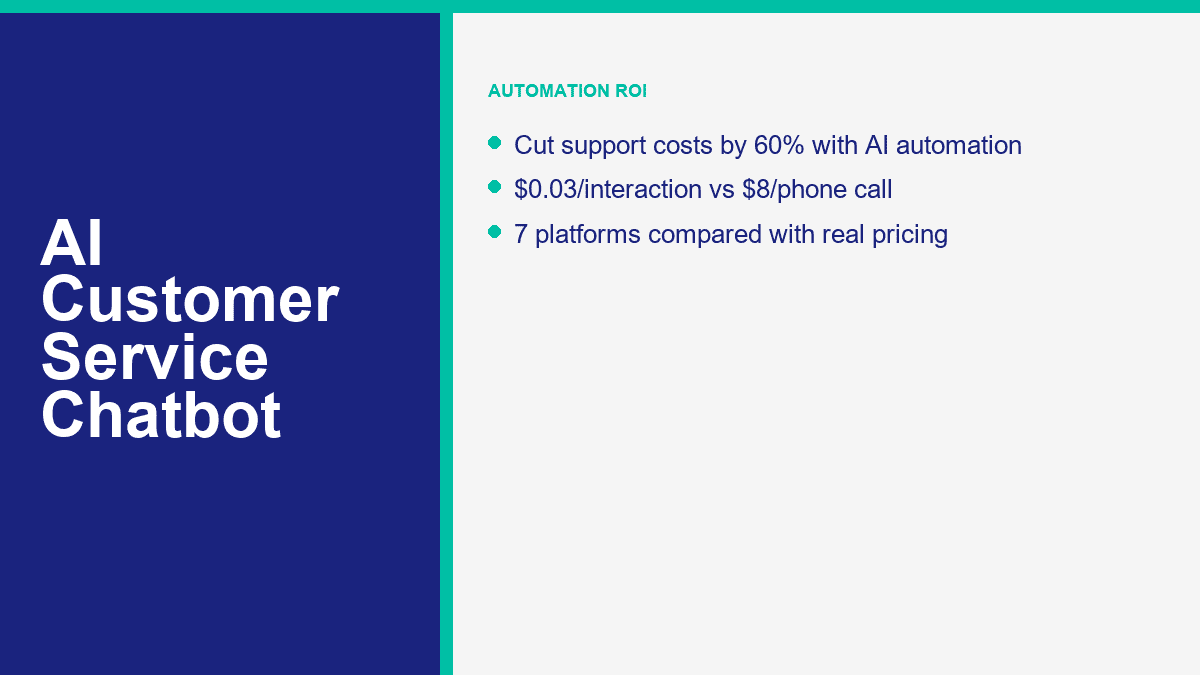
Die Kostenlücke ist schwer zu ignorieren, sobald Sie die Zahlen berechnen. Eine Live-Telefoninteraktion liegt oft bei etwa $8 bis $12, wenn Sie Arbeitskraft und Gemeinkosten einbeziehen. E-Mail-Support liegt normalerweise näher bei $3 bis $5 pro bearbeitetem Nachricht. Eine Bot-Interaktion, die eine bekannte Frage aus Ihrem Inhalt beantwortet, kann in den Bereich von $0.01 bis $0.05 fallen. Das bedeutet nicht, dass jedes Gespräch automatisiert werden sollte. Es bedeutet, dass die erste Schicht unbedingt automatisiert werden sollte.
Preise und Plandetails in diesem Leitfaden wurden am 9. April 2026 mit öffentlichen Produktseiten überprüft. Wenn Sie sich noch zwischen umfassenderen KI-Tools und supportorientierten Plattformen entscheiden, lesen Sie unseren vollständigen Chatbot-Vergleich nach diesem. Dieser Artikel konzentriert sich auf eine Aufgabe: KI-Chatbots zu nutzen, um die Supportkosten zu senken, ohne dass sich Ihre Kunden in einem schlechten Skript gefangen fühlen.
Warum der Kundenservice ohne KI leise Zeit und Geld kleiner Unternehmen verschwendet
Der häufigste Fehler, den Geschäftsinhaber machen, ist, nur auf die Gehaltsabrechnung zu schauen. Eine Support-Warteschlange kostet mehr als das Gehalt. Sie kostet auch Kontextwechsel, langsamere Reaktionszeiten, verpasste Anfragen außerhalb der Geschäftszeiten, wiederholte Erklärungen und die Belastung, die Ihr Team trifft, wenn es die Hälfte des Tages damit verbringt, dieselbe Antwort in fünf verschiedenen Kanälen zu kopieren.
Für ein kleines Unternehmen ist es normal, 15 bis 25 Stunden pro Woche nur für repetitive Unterstützung aufzubringen. Nicht, weil die Fragen schwierig sind, sondern weil sie aus verschiedenen Quellen kommen: Website-Chat, Facebook Messenger, E-Mail, Instagram, Kontaktformulare und Telefon. Ein Kunde fragt, wo die Bestellung ist. Ein anderer möchte wissen, wie lange das Rückgaberecht ist. Ein weiterer benötigt den Buchungslink. Ein anderer fragt, ob Sie ihre Postleitzahl bedienen. Nichts davon erfordert eine hochgradige menschliche Beurteilung, aber es kostet trotzdem menschliche Zeit.
Deshalb ist die Kanalrechnung wichtiger als der Hype um die Werkzeuge. Wenn Sie 500 Supportanfragen pro Monat beantworten, verändert selbst eine bescheidene Automatisierungsrate die Wirtschaftlichkeit schnell.
| Support-Kanal | Typische Kosten pro Interaktion | Monatliche Kosten bei 500 Interaktionen | Was normalerweise die Kosten antreibt |
|---|---|---|---|
| Telefonunterstützung | $8 bis $12 | $4.000 bis $6.000 | Agentenzeit, Anrufbearbeitung, Wartezeit, Gemeinkosten und wiederholte Überprüfung |
| E-Mail-Support | $3 bis $5 | $1.500 bis $2.500 | Hin- und hergehende Antworten, Suchzeit und manuelle Weiterleitung |
| AI-Chatbot-Support | $0,01 bis $0,05 | $5 bis $25 | Inference-Kosten, Plattformnutzung und Abruf von Wissensdatenbanken |
Diese Tabelle plant Mathematik, nicht das Versprechen, dass ein Bot Ihr gesamtes Support-Team ersetzen kann. Aber sie zeigt, warum kleine Teams KI so schnell rechtfertigen können. Wenn ein Bot sogar nur 200 dieser 500 monatlichen Gespräche vollständig abwickelt, sind die Einsparungen bereits erheblich. Wenn er die ersten 70% des Gesprächs übernimmt, bevor ein Mensch eingreift, verkürzen Sie dennoch die Bearbeitungszeit und senken die Kosten.
Es gibt auch den Umsatzverlust, den die meisten Eigentümer übersehen. Support ist nicht nur ein Kostenfaktor für KMUs. Viele “Support”-Gespräche sind in Wirklichkeit Kaufabsichtsgespräche im Verborgenen. Der Kunde, der fragt: “Liefern Sie nach Bristol?” oder “Kann ich für Samstag buchen?” oder “Welcher Plan beinhaltet die Einrichtung?” steht kurz vor einer Entscheidung. Wenn bis morgen niemand antwortet, haben Sie nicht nur ein Ticket verpasst. Sie haben möglicherweise einen Verkauf verloren.
Deshalb funktioniert die Unterstützung durch Automatisierung am besten, wenn sie sowohl service- als auch vertriebsnahe Fragen gemeinsam behandelt. Dasselbe System, das die Rückerstattungsrichtlinien beantwortet, kann auch Angebotsanfragen weiterleiten, Buchungslinks bereitstellen und einen warmen Lead mit bereits gesammeltem Kontext an einen Menschen übergeben.
Wie KI-Chatbots im Kundenservice tatsächlich Menschen antworten, anstatt nur zu raten
Ein Kundenservice-Chatbot ist nicht nützlich, weil er “KI” ist. Er ist nützlich, weil er drei Aufgaben zuverlässig erfüllt: Er findet heraus, was der Kunde möchte, er zieht die richtige Antwort aus genehmigten Geschäftsinhalten und er weiß, wann er aufhören und das Gespräch an eine Person übergeben muss.
Die drei Teile, die am wichtigsten sind, sind Absicht, Wissen und Eskalation
Absichtserkennung ist die erste Schicht. Der Bot muss herausfinden, ob die Nachricht über Versand, Abrechnung, Bestellstatus, Buchung, Preisgestaltung, Stornierung, technischen Support oder etwas anderes handelt. Moderne Systeme tun dies mit natürlicher Sprachverarbeitung anstelle von starren Schlüsselwortübereinstimmungen, weshalb Kunden “Wo ist mein Paket?” eingeben können und trotzdem im selben Fluss wie “Verfolge meine Bestellung.”
Wissensermittlung ist die zweite Ebene. Hier gewinnen viele Unternehmen entweder oder blamieren sich. Der Bot benötigt eine genehmigte Quelle der Wahrheit: FAQ-Seiten, Hilfedokumente, Richtlinienseiten, Menüinformationen, Terminregeln, Servicegebiete, Rückgabebedingungen, Artikel aus der Wissensdatenbank oder interne Unterstützungsnotizen. Wenn der Bot kein sauberes Ausgangsmaterial hat, wird er vage antworten, halluzinieren oder auf generische Fülltexte zurückgreifen. Die meisten schlechten Support-Bots scheitern nicht, weil das Modell schwach ist. Sie scheitern, weil das Unternehmen ihnen schwache Inhalte gegeben hat.
Eskalationsregeln sind die dritte Ebene und sie sind nicht verhandelbar. Ein guter Support-Bot sollte wissen, wann er aufhören sollte, vorzugeben. Wenn der Kunde wütend klingt, eine neuartige Frage stellt, eine Ausnahme benötigt, eine Rückerstattung anfordert, regulierte Sprache verwendet oder bereits einmal keine nützliche Antwort erhalten hat, sollte der Bot ihn ohne Reibung an einen Menschen weiterleiten.
Diese Weiterleitung kann einfach oder fortgeschritten sein. Auf der grundlegenden Ebene bedeutet es “sprich mit dem Support” oder “hinterlasse deine Telefonnummer und wir werden während der Geschäftszeiten antworten.” Auf der fortgeschrittenen Ebene bedeutet es Tags, absichtsbasiertes Routing, CRM-Synchronisierung, Bestellabfrage, Ticketerstellung und das Übermitteln des vollständigen Transkripts an den richtigen Agenten, damit der Kunde die Geschichte nicht wiederholen muss.
Vorab trainierte Bots bringen Sie schnell online, aber maßgeschneiderte Bots sparen mehr Geld
Pre-trained customer-service bots are the fastest starting point. They already understand common support language, so you can connect a help center or upload FAQ content and get useful results quickly. That is why tools like Tidio, Intercom, Zendesk, Freshchat, and HubSpot can go live without a six-week build.
Custom-tuned bots are where the bigger savings show up. That does not always mean training a model from scratch. For most SMBs, “custom” means feeding the platform your real policies, your real products, your shipping rules, your appointment logic, your escalation rules, and your preferred tone. The bot still uses a pre-trained foundation model underneath, but the answers become specific to your business.
Here is the practical distinction:
- Pre-trained support bot: faster launch, less setup, good for generic FAQs and basic triage.
- Custom-tuned support bot: more accurate answers, better deflection, stronger routing, lower human rework.
One more thing worth saying clearly: serious customer-service chatbots are not “no sign up required” tools. That phrase belongs to consumer AI chat apps, not production support systems. Business bots need accounts, channel permissions, saved customer context, reporting, and human routing. If a platform is promising support automation without any setup, it is showing you a demo, not a real support stack.
If Facebook Messenger is one of your main support channels, this matters even more because the setup is channel-specific. For the Messenger-first workflow, branching, forms, tags, and handoff logic, read our complete Messenger automation guide once you finish this article.
The 7 AI Customer Service Chatbots Worth Comparing Before You Buy Anything
Small businesses usually do not need fifteen vendor tabs open. They need a short list that reflects how support actually works: website chat, email, social messaging, help-center content, after-hours coverage, and an easy handoff to a human. The table below focuses on the seven platforms that keep coming up in real SMB buying decisions.
The pricing column reflects public entry pricing or the first meaningful paid tier I could confirm on April 9, 2026. The AI-quality column is my practical read based on public capabilities, setup friction, and how well each tool fits SMB support, not a vendor-issued score.
| Plattform | Öffentlicher Einstiegspreis | AI quality | Kanäle | Kostenloses Kontingent | Beste Passform |
|---|---|---|---|---|---|
| MessengerBot.app | Premium $19,99 pro 30 Tage | Good for structured SMB support and Messenger-first automation | Facebook Messenger, Website-Chat, E-Mail, SMS, Instagram in höheren Tarifen | Kostenlose Testversion | Businesses that handle support and lead capture inside Facebook |
| Tidio | Starter $24.17 per month; Lyro AI from $32.50 per month | Very good for website support; vendor says Lyro can solve up to 67% of customer problems | Website chat, Messenger, Instagram, WhatsApp, email | Free plan plus 50 free Lyro conversations | SMBs that need website chat and AI support in one inbox |
| Intercom | From $29 per seat per month plus $0.99 per Fin outcome | Excellent; Intercom says Fin resolves an average of 67% of customer queries | Chat, email, phone, WhatsApp, in-app | 14-day trial | Higher-volume support teams that want clear AI outcome pricing |
| Zendesk | Suite + Copilot Professional $155 per agent per month billed annually; advanced AI agents custom | Excellent at scale; Zendesk markets 80%+ automation potential | Web, email, voice, social, messaging | Kostenlose Testversion | Mature support operations with ticketing discipline already in place |
| Freshchat | Free; Growth $19 per agent per month; Freddy AI Agent first 500 sessions included then $49 per 100 sessions | Good to very good for budget omnichannel support | Website, mobile app, email, Facebook, Instagram, WhatsApp, SMS | Ja | Price-sensitive teams that want omnichannel support without enterprise pricing |
| HubSpot | Free tools; Starter from $15 per seat per month; Professional from $100 per seat with Breeze customer agent | Very good if you already live in HubSpot; Breeze resolves about 65% of conversations | Website chat, email, Facebook Messenger, WhatsApp, calling beta | Yes, plus 28-day free access for Customer Agent | CRM-centered businesses that want support, sales, and marketing in one system |
| Drift | Benutzerdefinierte Preisgestaltung | Good for revenue conversations, weaker for support-first SMBs | Website chat and sales conversations | No meaningful free tier | B2B sites where the chatbot’s main job is qualification and meeting booking |
MessengerBot.app Makes the Most Sense When Facebook Is a Real Support Channel
If most of your customer questions come through Facebook Page messages, MessengerBot is the most direct fit in this group. The pricing is easier to understand than contact-based billing, the Visual Flow Builder is practical, and the platform already covers the extras SMBs usually ask for next: forms, website chat, comment automation, tags, broadcasts, ecommerce tools, and Google Sheets or API connectivity.
The honest limitation is channel focus. If your business lives more on website chat or email than Messenger, a broader support platform may fit better. But for Messenger-first businesses, it removes a lot of setup friction.
Tidio Is the Best All-Around Pick for Website Support Plus AI
Tidio is the cleanest answer for businesses whose website is the main support front door. Lyro is a real AI layer, not just a scripted menu, and the free plan plus 50 free Lyro conversations gives you a low-risk way to test it. I like Tidio most for ecommerce brands, service businesses, and online stores that want one place for live chat, tickets, and AI answers.
The tradeoff is pricing complexity once you stack plan fees and AI usage. It is still fair, but you need to model both the support workspace and the AI layer, not just the sticker on the first plan.
Intercom Is Expensive, but It Gives You the Cleanest AI Cost Model
Intercom’s biggest strength is not that it is cheap. It is that the math is visible. Fin AI Agent costs $0.99 per successful outcome, and Intercom publishes that openly. For a support leader, that is useful because you can compare AI cost per resolved conversation against human cost per resolved conversation instead of guessing where the overages are hiding.
The catch is obvious. If you are a small business with low volume, per-outcome pricing can still work. If you are a very high-volume team, the bill gets real fast. Intercom is strongest when AI resolution quality matters enough that you are willing to pay for it.
Zendesk Is Powerful, but Many Small Businesses Buy Too Much Too Early
Zendesk is excellent if your support team already works like a support team: tickets, macros, SLAs, queues, reporting, QA, and admin controls. It is not the first tool I would recommend to a five-person business answering the same booking questions every day. It is the tool I would recommend to a scaling operation that needs governance and serious workflow depth.
Zendesk’s AI story is strong, but its packaging is enterprise-shaped. For a local clinic, SaaS startup, or small ecommerce brand, that can be more system than you need.
Freshchat Is the Budget-Friendly Omnichannel Option That Still Feels Modern
Freshchat deserves more attention from SMBs than it usually gets. The free tier is usable, the Growth plan starts lower than most enterprise-style platforms, and the Freddy AI pricing is straightforward enough to forecast. It is a good fit if you want website chat, email, and messaging channels without immediately jumping into Intercom or Zendesk spend.
Where Freshchat usually loses is not price. It is mindshare. Buyers shortlist Tidio or Intercom first, even when Freshchat fits the budget better.
HubSpot Is Best When Customer Service Is Tied Closely to Your CRM
HubSpot becomes compelling when support, sales, and marketing all need the same conversation history. Breeze Customer Agent can answer questions, qualify leads, and hand off with CRM context intact. If your support team already lives in HubSpot, it is one of the easiest AI decisions to justify because the customer data is already there.
If you are not already on HubSpot, the value case changes. Then you are not buying only a chatbot. You are buying into a broader platform decision.
Drift Is Still Strong for Pipeline, Not for Everyday Support Deflection
Drift belongs in this comparison because many B2B companies still look at “chatbot” and really mean lead qualification, meeting booking, and account-based website conversations. That is where Drift still works. If your website exists to start sales conversations, Drift stays relevant.
If your main problem is repetitive customer support, though, Drift is usually the wrong starting point. It is not built around the same service-first use case as Tidio, Intercom, Zendesk, Freshchat, or HubSpot.
How to Set Up an AI Customer Service Chatbot in About 30 Minutes With MessengerBot
The fastest successful chatbot launch is never the fanciest one. The first version that saves money usually handles the top five repetitive questions, offers one clean human handoff path, and captures the minimum context your team needs when they take over.
If Facebook Messenger is one of your busiest support channels, MessengerBot is one of the quickest ways to get there because the setup is already aligned to Page-based messaging rather than generic website chat. A realistic 30-minute rollout looks like this:
- Connect the right Facebook Page first. Use the business account that actually has Page permissions. Most failed first-time setups come down to the wrong login or skipped permissions.
- List the 10 questions your team answers every week. Do not brainstorm imaginary use cases. Pull the real questions from Messenger, email, and comments.
- Build a welcome menu with 3 to 5 useful options. Good examples are order help, business hours, booking, pricing, and talk to a person.
- Create one short branch per question. Each branch should end in an answer, an action, or a handoff. Avoid long walls of text.
- Add one lead or support form. Ask only for the details needed to move the case forward, such as order number, phone, email, or preferred appointment date.
- Set the human handoff rule. Route refund requests, billing problems, second-failed answers, and emotionally charged messages to a person.
- Test the full flow on a phone. Desktop previews are not enough. Messenger is a mobile-first experience.
- Launch narrow, then review live conversations after one week. The first 50 to 100 chats will show you what to fix faster than any pre-launch guesswork.
A lot of businesses overbuild the opening flow. They try to create a clever AI concierge that can handle every possible edge case. That is the wrong goal. The right goal is to stop human time from being wasted on repetitive, solvable requests. Start with the boring stuff. That is where the savings are.
For a small business, the first bot should usually cover these four buckets:
- FAQ support: hours, location, pricing ranges, shipping rules, service areas, return policy.
- Order or booking status: collect order number, booking date, or email, then route or respond.
- Lead-Qualifizierung: capture name, contact details, product interest, and timeline.
- Human routing: give customers an obvious path to a person when the issue needs judgment.
If you are deciding whether the starter tier is enough or you need more pages, widgets, or automation depth, MessengerBot-Preise anzeigen before you build too much on the wrong plan. That is also the point where you should compare whether your business is still Messenger-first or whether you really need a broader omnichannel stack.
What AI Chatbots Handle Well, What They Still Miss, and Why Human Handoff Is Mandatory
The strongest customer-service bots in 2026 are good, not magical. They can remove a lot of repetitive work. They cannot replace judgment, empathy, exceptions, or accountability.
What AI Chatbots Are Already Good At
These are the jobs I would automate first because the success rate is usually high and the customer expectation is clear:
- Frequently asked questions: pricing ranges, opening hours, shipping rules, returns, warranty basics, service coverage, and onboarding steps.
- Order status and appointment lookup: if your systems are clean, bots can ask for the right identifier and route or return the next step fast.
- Terminbuchung: especially for clinics, salons, gyms, consultants, and home-service businesses.
- Lead-Qualifizierung: product interest, budget range, timeline, location, or service type.
- After-hours first response: even when a human will reply tomorrow, the bot can set expectations and collect context now.
Those use cases work because the business rules are stable. The bot is not being asked to improvise policy. It is being asked to recognize a known intent and apply a known answer or workflow.
Where AI Still Breaks Down Fast
This is where small businesses get into trouble when they overtrust automation:
- Complex complaints: damaged orders, repeated failures, or service breakdowns that need discretionary action.
- Emotional situations: angry customers, bereavement cases, cancellation disputes, or anything involving trust repair.
- Novel problems: if the issue has no documented answer, the bot should not guess.
- High-risk requests: refunds, chargebacks, legal claims, regulated advice, privacy requests, or account security problems.
- Multi-step exceptions: anything that requires policy override or manager approval.
That is why the human handoff is not a “nice to have.” It is the difference between automation that saves money and automation that creates churn.
A simple handoff rule set usually covers most of the risk:
- If the customer asks for a human, hand off.
- If the bot fails twice, hand off.
- If the issue mentions billing, refund, legal, safety, or account access, hand off.
- If sentiment is clearly negative or frustrated, hand off.
If you need more advanced routing, multi-step support logic, additional channels, or stronger automation controls around those handoffs, MessengerBot Pro Funktionen are the part to compare next. That is where a lot of growing businesses move from a simple FAQ bot into a real support workflow.
How to Measure ROI So You Know the Bot Is Saving Money Instead of Just Looking Busy
AI chatbot ROI is easy to fake if you only look at conversation volume. A bot that replies to everything is not automatically saving money. The only numbers that matter are the ones tied to deflection, resolution, speed, customer satisfaction, and real labor avoided.
The five metrics I watch first are:
| Metrik | Was es Ihnen sagt | What good looks like for an SMB |
|---|---|---|
| Abweisungsrate | How many conversations never need a human | 40% to 60% in the first month; 60% to 70% once content is tuned |
| Lösungsquote | How often the bot actually solves the issue it touched | Higher than 50% on repetitive FAQs; lower on complex support |
| CSAT | Whether customers feel the automated experience was acceptable | Flat or improving compared to human-only baseline |
| Cost per interaction | The real expense of automated versus human support | Pennies for AI, dollars for human support |
| Human assist rate | How often the bot still needs staff intervention | Low for repetitive issues, intentionally higher for sensitive issues |
The simplest ROI formula is still the best one:
Monthly savings = (Manual interactions avoided x manual cost per interaction)
                - (Automated interactions x bot cost per interaction)
                - platform subscription
                - maintenance time
Now use the example most owners can relate to.
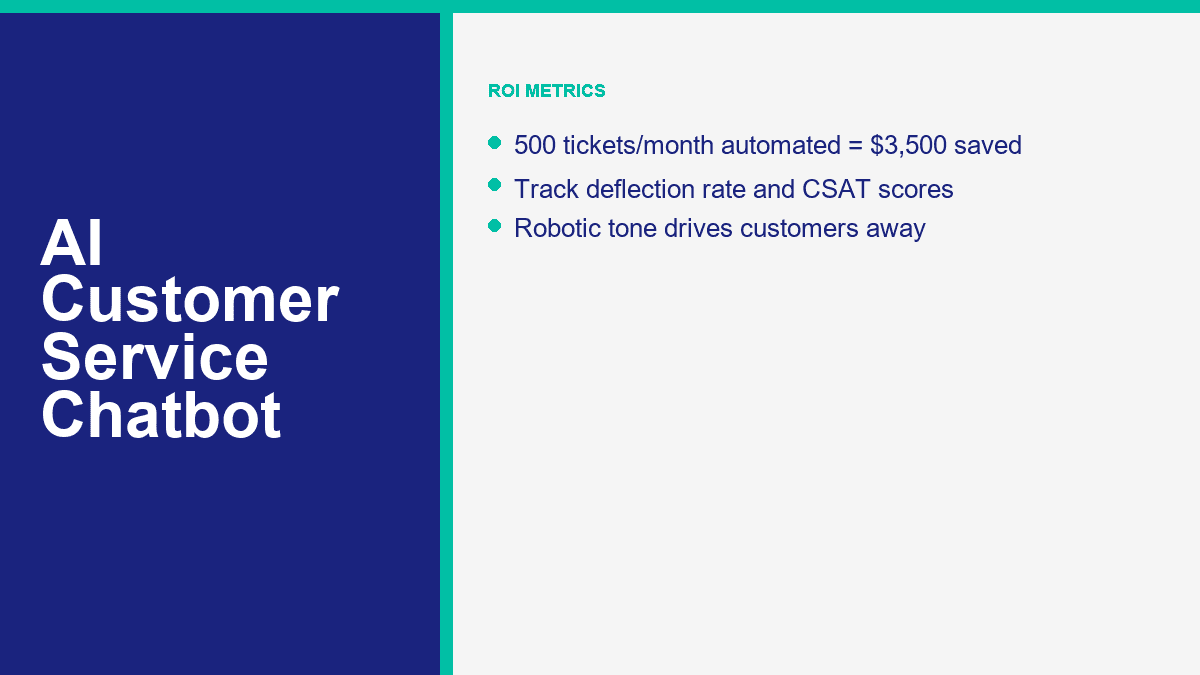
Say your business handles 500 support tickets per month. If 70% of them are repetitive enough for automation, that is 350 tickets the bot can absorb or fully resolve. If your blended manual cost is $10 per support interaction, those 350 tickets would have cost about $3,500 handled by humans.
If the bot handles those same 350 conversations at about $0.03 each, that interaction cost is only $10.50. Add a $49.99 plan cost, and the total bot-side monthly spend is about $60.49.
| Scenario | Betrag |
|---|---|
| Total monthly tickets | 500 |
| Automated tickets at 70% | 350 |
| Manual cost avoided at $10 each | $3,500.00 |
| Bot interaction cost at $0.03 each | $10.50 |
| Platform cost example | $49.99 |
| Estimated monthly net savings | $3,439.51 |
Round that down for real life and you still land in the same place: roughly $3,500 a month saved from one modest support queue. That is why business owners who think chatbot plans are “another software expense” usually change their mind as soon as the spreadsheet is honest.
Here is a second scenario for email-heavy teams where the manual cost is lower:
- 800 email and chat tickets per month
- 55% automated = 440 tickets
- Manual cost = $4 each
- Automation cost = $0.02 each
- Platform cost = $24.17
The manual work avoided there is $1,760. The bot interaction cost is $8.80. After the plan cost, your net monthly savings are about $1,727.03. That is not “enterprise AI transformation.” That is one small support process finally being priced correctly.
The important caution is this: do not count partial automation as full savings. If the bot collects the order number but still hands the case to a human, you saved time, not a full interaction. That is still valuable, but track it honestly. Otherwise the ROI model turns into sales-deck math.
The AI Customer Service Mistakes That Push Customers Straight to Your Competitor
I keep seeing the same support-bot failures, and they are almost never model failures. They are setup failures.
No Human Option Is the Fastest Way to Make Automation Feel Hostile
If the customer cannot reach a person when the issue goes off script, the bot stops feeling efficient and starts feeling defensive. This is especially destructive in billing, delivery failures, appointment changes, and complaints.
Robotic Responses Usually Mean Your Knowledge Base Is Weak
Businesses blame the model when the answers sound stiff or generic. The real problem is often bad source material. If your FAQ says almost nothing, the bot will say almost nothing too. Good support bots are trained on policy, process, tone, and concrete examples. Weak content produces weak conversations.
Ignoring Context Makes Customers Repeat Themselves
If a customer already gave the order number, the issue type, and the delivery date, the handoff should preserve that. Making them restate everything is one of the quickest ways to kill CSAT. This is why integrations and routing matter more than flashy demos.
No Escalation Path Turns Minor Issues Into Public Complaints
A support bot should reduce pressure, not trap it. When escalation is missing, customers do what customers always do: they go to reviews, social comments, or a competitor that answers faster.
Trying to Automate Every Edge Case on Day One Usually Backfires
The right first bot is boring on purpose. It answers the questions you already know, routes the issues you should not automate, and lets you improve the knowledge base from real conversations. Teams that try to launch an all-knowing AI assistant on day one usually end up rewriting everything after the first week.
A quick pre-launch checklist catches most of the expensive mistakes:
- Give the customer an obvious human option.
- Write answers in your brand’s actual tone, not generic help-center language.
- Use real FAQs pulled from live conversations.
- Define hard handoff rules for risk, sentiment, and failed answers.
- Test the full flow on mobile before launch.
- Review bot conversations weekly for the first month.
Where Most Small Businesses Should Start Right Now
If your team is still answering the same support questions by hand every day, do not start by shopping for the most advanced AI on the market. Start by automating the most repetitive 20% of your queue, because that is where the fastest savings usually live. If Facebook Messenger is part of that workflow, compare MessengerBot-Preise anzeigen mit MessengerBot Pro Funktionen and pick the smallest setup that gives you solid FAQ coverage, one human handoff path, and one lead or support form. That is enough to prove ROI before you expand.
Häufig gestellte Fragen
Wie viel kostet ein KI-Chatbot für den Kundenservice?
For most small businesses, a serious starter setup costs somewhere between about $20 and $100 per month, depending on channels, agent seats, and AI usage. MessengerBot starts at $19.99 per 30 days on its current public pricing, Tidio starts at $24.17 per month with Lyro sold separately from $32.50, Freshchat has a free tier and Growth from $19 per agent, and enterprise tools such as Intercom and Zendesk climb much faster once seat pricing and AI usage kick in.
Kann ein KI-Chatbot menschliche Kundenservicemitarbeiter vollständig ersetzen?
No. AI can replace a large share of repetitive support work, but it should not replace humans in complex complaints, emotional situations, policy exceptions, refunds, account security, or novel problems. The best support setup is hybrid: AI handles the repetitive layer, and humans step in when judgment or empathy matters.
Welcher Prozentsatz der Support-Tickets kann von KI-Chatbots bearbeitet werden?
Für die meisten kleinen Unternehmen ist ein realistisches Ziel im ersten Monat 40% bis 60% wiederkehrende Tickets, danach 60% bis 70%, sobald die Wissensdatenbank und die Routing-Regeln verbessert werden. Anbieteransprüche können in engen Anwendungsfällen höher sein. HubSpot sagt, dass Breeze etwa 65% von Gesprächen löst, Intercom sagt, dass Fin im Durchschnitt 67% von Kundenanfragen löst, und Zendesk bewirbt ein Automatisierungspotenzial von 80%+ für KI-Agenten.
Wie lange dauert es, einen KI-Chatbot für den Kundenservice einzurichten?
A basic version can go live in about 30 minutes if your content is ready and the use case is narrow. A stronger first rollout, with clean FAQ branches, forms, escalation rules, and mobile testing, usually takes one to three hours. The biggest time saver is using real support questions instead of trying to invent every possible scenario.
Welche AI-Chatbot-Plattform ist am besten für den Kundenservice von kleinen Unternehmen?
Die beste Plattform hängt von dem Kanal ab, der am wichtigsten ist. MessengerBot ist die sauberste Lösung für Unternehmen, die zuerst auf Facebook Messenger setzen. Tidio ist die beste Allround-Wahl für Website-Chat plus KI. Freshchat ist stark für budgetbewussten Omnichannel-Support. HubSpot macht Sinn, wenn Ihr CRM dort bereits läuft. Intercom und Zendesk sind stärker für größere oder operativ reifere Support-Teams als für ein typisches kleines Unternehmen, das nur versucht, wiederholte Tickets abzulehnen.



 Deutsch
  English
  Tagalog
  简体中文
简体中文  العربية
  हिन्दी
  Português do Brasil
  Español de México
  Français
  বাংলা
বাংলা  香港中文
香港中文  繁體中文
繁體中文  Nederlands
  Bahasa Indonesia
  日本語
日本語  한국어
한국어  Polski
  Русский
  Español
  Tiếng Việt