
Most ChatGPT alternatives do not beat ChatGPT across the board. They beat it at one job.
That job might be long-form writing, web research with citations, code completion inside your editor, cheaper API access, or self-hosting. If you treat every AI assistant like the same product with a different logo, the rankings make no sense. Claude is not trying to win the same way Perplexity wins. Grok is not built for the same audience as Pi. Llama is an ecosystem more than a single polished app. That is why the only useful way to compare ChatGPT alternatives in 2026 is by task.
I checked public pricing pages, help docs, and plan details available on April 10, 2026. That matters because free limits, model access, and subscription packaging change constantly now. If you want the bigger platform view that also includes business chatbot software, read nuestra comparación completa de chatbots after this. This article stays focused on the tools people actually test when they are trying to replace ChatGPT itself.
Why People Hunt for ChatGPT Alternatives in 2026
There are five reasons people leave ChatGPT in 2026, and only one of them is “quality.”
The first reason is usage friction. A lot of people like ChatGPT until they hit a limit in the middle of real work. Free users run into caps. Paid users still notice boundaries once they start uploading files, using advanced reasoning, generating lots of images, or leaning on agent-style tools every day. That does not make ChatGPT weak. It just means the cheapest all-purpose option is not always the best tool for a specific workload.
The second reason is answer style. Claude still feels more careful in long writing and editorial work. Perplexity still feels better when you need citations visible on screen. Grok is faster and looser. Pi feels more human. These differences matter more than leaderboard screenshots once you use the tools for a week.
The third reason is ecosystem lock-in. If your whole day lives in Gmail, Docs, Drive, and Android, Gemini has an obvious edge. If you live in Windows, Edge, and Microsoft 365, Copilot becomes the path of least resistance. If your coding life happens in VS Code, JetBrains, or Cursor, pure chat apps start feeling secondary fast.
The fourth reason is price. DeepSeek, Qwen, Mistral, and open-weight Llama deployments changed the conversation here. The question is no longer “Which AI is smart?” It is “Which AI is smart enough for this exact task at a cost I can justify?” That is why some teams keep ChatGPT for managers and writers, then use cheaper or self-hosted models for internal tooling and support workflows.
The fifth reason is control. ChatGPT is a great product if you want a polished mainstream assistant. It is not the answer if you need full self-hosting, custom inference routing, air-gapped deployments, or an open-weight model you can tune to your own stack. That is where Llama, Mistral, Qwen, and DeepSeek keep winning mindshare.
The practical takeaway is simple: most people do not need “a better ChatGPT.” They need a better fit for their main task.
The 12 Best ChatGPT Alternatives Ranked for Real-World Use
This ranking weights three things most heavily: how useful the tool feels on day one, how quickly the limitations become annoying, and how clearly the product wins at a specific job. I am not giving every platform equal credit for theoretical capability. A model family that requires self-hosting is not as convenient as a polished consumer app. A polished consumer app with no clear edge is not as useful as a specialist that saves you real time.
One note before the table: context windows are messy in consumer AI. Some vendors publish exact limits. Some publish different limits by plan. Some only expose clean numbers on the API side, not in the chat app. Where vendors publish a clear figure, I use it. Where they do not, I mark the field as model-dependent or not disclosed instead of pretending the number is settled.
| Rango | Herramienta | Precios | Context window | Specialties | Nivel gratuito |
|---|---|---|---|---|---|
| 1 | Claude | Free; Pro $20/mo or $17/mo billed annually | 200K standard; 1M beta on Sonnet 4 via API | Long-form writing, careful reasoning, code help, artifacts | Sí |
| 2 | Gemini | Free; Google AI Pro $19.99/mo | 32K free app, 1M on Google AI Pro | Google workspace integration, file analysis, multimodal work | Sí |
| 3 | Perplejidad | Free; Pro about $20/mo; Max $200/mo | Model-dependent in consumer app | Research, citations, current web answers, report generation | Sí |
| 4 | Microsoft Copilot | Free; Copilot Pro $20/mo | Not publicly disclosed | Windows, Edge, Microsoft 365, voice, everyday productivity | Sí |
| 5 | Grok | Free; higher limits with X Premium or Premium+; API usage-based | Up to 2M on current xAI API models | Fast web and X-grounded answers, blunt tone, live trends | Yes, limited |
| 6 | Mistral Le Chat | Free; Pro $14.99/mo | 128K on current flagship models | Fast chat, multilingual work, privacy-conscious teams, connectors | Sí |
| 7 | DeepSeek | Free web/app; API from roughly $0.28 in and $0.42 out per 1M tokens | 128K on current API models | Cheap reasoning, coding, strong value for API users | Sí |
| 8 | You.com | Free; Pro $20/mo or $15/mo billed annually; Max $200/mo | Up to 16K free, 64K Pro, 200K Max | Agent-style workflows, research, multi-model access | Sí |
| 9 | Qwen | Free in Qwen Chat; API pay-as-you-go | Up to 256K on current flagship chat models | Multimodal tasks, coding, deep research, open releases | Sí |
| 10 | Llama | Free in Meta AI; self-host and inference costs vary | Model-dependent; long-context variants available | Open-weight ecosystem, self-hosting, customization | Sí |
| 11 | Pi | Free; no public paid consumer plan | Not publicly disclosed | Supportive conversation, voice, decision support | Sí |
| 12 | Charla de abrazos | Free; Hugging Face Pro $9/mo improves credits and usage elsewhere | Model-dependent | Open-source model playground, experimentation, tool testing | Sí |
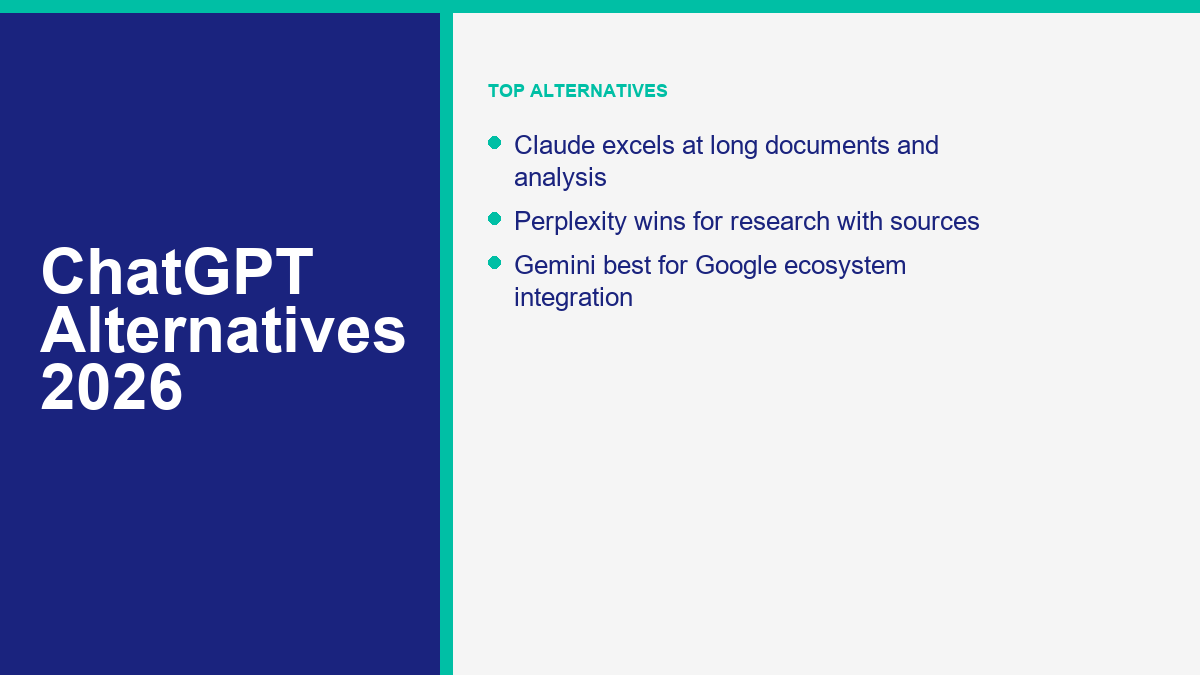
Claude Is the Closest Thing to a Straight ChatGPT Replacement
If you want one sentence, here it is: Claude is the best ChatGPT alternative for people who mostly write, read, code, and think in long documents. It still gives the cleanest long-form prose of the mainstream assistants, and it is unusually good at staying coherent when the conversation gets dense. ChatGPT still has the broader consumer tool stack, but Claude feels calmer and more deliberate. For many users, that matters more than headline features.
Gemini Is the Best Alternative if Google Already Owns Your Workflow
Gemini becomes much better the second you stop judging it as a standalone chatbot and start judging it as a Google layer. If your work lives in Gmail, Docs, Drive, Chrome, and Search, Gemini does not have to beat ChatGPT at everything to be the smarter choice. It just has to reduce friction. Right now it does that well, especially for document-heavy users who want a large published context window and a predictable paid plan.
Perplexity Still Wins the Research Battle Because It Shows Its Work
Perplexity is not the most poetic writer on this list. It is one of the most useful. If your job is comparing products, checking claims, scanning sources, or building quick research briefs, the product still saves more time than most competitors because citations are part of the interface, not an afterthought. ChatGPT is better at all-purpose conversation. Perplexity is better at turning the open web into something you can verify quickly.
Microsoft Copilot Is the Safest Pick for Windows and Microsoft 365 Users
Copilot is the definition of low-friction AI. It is not the flashiest assistant, and Microsoft still does a poor job of making the branding feel simple, but the product earns its place because it is everywhere Microsoft users already work. If you are already in Edge, Windows, Outlook, Word, and Excel, Copilot often feels less like a separate tool and more like a built-in feature you should already be using.
Grok Is Better Than ChatGPT at Fast, Current, Opinionated Answers
Grok is not the best mainstream assistant for careful writing. It is one of the best for current, web-connected, less sanitized answers. That is why some users love it and some immediately bounce. It feels closer to a live internet-native assistant than a polished office assistant. If you care about trending news, X-native context, and a less filtered style, Grok has a real edge. If you care about polish and stability, Claude or ChatGPT will feel safer.
Mistral Le Chat Is the Best Underappreciated General Alternative
Mistral is easy to underrate because it gets less mainstream coverage than ChatGPT, Claude, or Gemini. That is a mistake. Le Chat is fast, the paid tier is fairly priced, and the product keeps getting stronger for multilingual work, connectors, project-based organization, and lighter business use. I would not call it the best overall replacement for ChatGPT, but I would absolutely call it one of the best value alternatives if you want something capable without paying flagship-brand premiums.
DeepSeek Is the Value Monster
DeepSeek belongs high on this list because cost still matters. The web app is free, the API is dramatically cheaper than most top-tier rivals, and the model family remains strong for code and reasoning relative to price. The tradeoff is polish. DeepSeek still feels rougher than ChatGPT, Claude, or Gemini in consumer experience. If you judge it as a cheap workhorse, it looks excellent. If you judge it as a premium mainstream assistant, it looks less convincing.
You.com Makes Sense for People Who Want Research Plus Agents in One Place
You.com has spent years sitting just outside the mainstream conversation, but the current product is more serious than many people realize. Its free tier is limited but real, the paid plans are clearly segmented, and the platform does a respectable job combining live web answers, custom agents, file support, and multi-model access. It still lacks the cultural pull of ChatGPT or Claude, but for users who want an agent-style workspace without jumping straight to enterprise tooling, it is worth testing.
Qwen Is the Dark Horse for Power Users
Qwen is the tool I see more technical users taking seriously every quarter. The consumer chat experience is free, the model family is broad, the latest releases keep getting better at coding and multimodal work, and the open-model story is strong. The reason it ranks below the top tier for a US and UK audience is simple: distribution and polish still lag behind ChatGPT, Claude, Gemini, and Copilot. The capability gap is smaller than the awareness gap.
Llama Is an Ecosystem, Not a Simple App Choice
Llama is hard to rank because most people say “Llama” when they really mean one of three things: Meta AI in consumer apps, an open-weight model they want to run locally, or a model family they access through a third-party provider. That ambiguity is exactly why it ranks tenth instead of higher. Llama is hugely important and still one of the best self-host foundations. It is just not the cleanest one-click ChatGPT replacement for normal users.
Pi Is Better Than ChatGPT if You Want Conversation, Not Workflow
Pi still feels more emotionally intelligent than most competitors. That is its lane. If you want a reflective, voice-friendly, low-pressure assistant to talk through choices, routines, stress, or ideas, Pi is excellent. If you want file-heavy work, deep research, coding, or agentic productivity, it is the wrong tool. Pi is not trying to replace ChatGPT for everything, and judging it that way misses the point of why people still use it.
HuggingChat Is the Best Free Open-Model Sandbox, Not the Best Polished Assistant
HuggingChat remains useful because it lets you try open models quickly without building your own stack first. That makes it great for experimentation, comparison, and curiosity. It also makes it inconsistent. The model quality changes with routing, availability, and whatever open models are strongest at the moment. If you want stable daily output, you will probably outgrow it. If you want a low-cost way to test the open-model world, it is still one of the easiest places to start.
Best Free ChatGPT Alternatives That Are Still Worth Using
Free is where people get misled most often. A lot of “free” AI tools are really feature demos with tiny limits or a useful core experience wrapped in premium upsells. If you only care about zero cost, start with our free AI chatbot comparison after this article. For the tools in this list, these are the free tiers I would actually recommend by use case.
- Best free overall replacement: Claude. It feels the closest to a serious everyday assistant without paying on day one.
- Best free for Google users: Gemini. The free plan is more useful than many people expect, especially for documents and general productivity.
- Best free for research: Perplexity. Limited, yes, but still the fastest route to sourced answers.
- Best free for Windows users: Microsoft Copilot. It is the easiest no-drama option if your workflow is already Microsoft-heavy.
- Best free for cheaper technical work: DeepSeek. Great value if you can tolerate a less polished consumer experience.
- Best free for open models: HuggingChat if you want a hosted playground, Qwen or Llama if you are willing to go deeper.
The tool I would not recommend choosing on free-tier hype alone is Grok. The free version can be useful, but the product makes more sense once you are already using X heavily or you want xAI’s paid ecosystem. The same goes for You.com: promising free tier, real limits, better fit once you understand the agent angle.
The Best ChatGPT Alternative for Coding Depends on Where You Actually Code
For coding, people often compare the wrong products. A browser chatbot and an AI-first IDE are not interchangeable. If your coding workflow mostly happens in a chat tab, Claude is the best alternative to ChatGPT. If your workflow lives inside the editor all day, GitHub Copilot or Cursor will usually matter more than switching consumer chatbots.
| Herramienta | Precio | Mejor para | Where it falls short |
|---|---|---|---|
| Claude | Free; Pro $20/mo | Architecture thinking, debugging explanations, long code reviews, refactor planning | Not as tight as an IDE-native coding workflow |
| GitHub Copilot | Free with limits; Pro $10/mo | Inline completions, repo-aware chat, low-friction coding assistance in mainstream IDEs | Less strong than Claude for long reasoning and editorial explanation |
| Cursor | Hobby free; Pro $20/mo | Agentic edits, codebase-wide changes, all-day AI IDE workflow | Overkill if you only ask occasional coding questions |
My rule is straightforward. Use Claude when you want a model to explain, review, or reason through code with you. Use GitHub Copilot when your top priority is staying inside VS Code, JetBrains, Xcode, or GitHub and moving faster line by line. Use Cursor when you want AI to act more like a coding teammate than autocomplete.
If you already like ChatGPT for coding, the case for switching is still specific. Claude often writes cleaner explanations and handles giant pasted context better. Copilot often wins on flow. Cursor wins on editor-native agent behavior. ChatGPT still wins if you want a broad toolset around coding, not just coding itself.
Perplexity and You.com Are the Strongest ChatGPT Alternatives for Research
Research is where “better than ChatGPT” becomes a real claim, not marketing noise. ChatGPT can research, especially with search enabled, but it still does not feel as research-native as Perplexity.
Perplejidad is the better pure research assistant because the product is built around citations, follow-up discovery, and fast scanning. It is the tool I would hand to someone doing product comparisons, competitor checks, travel planning, market scans, or quick fact validation. It is less elegant than Claude, but much better at showing where the answer came from.
You.com is the more agent-style pick. It is better if your idea of research is not just “answer this question” but “help me combine search, files, custom agents, and model choice in one workspace.” The free tier is much narrower than the paid product, but the Pro plan makes more sense once you want repeated research workflows rather than one-off searches.
If your research depends on the open web, choose Perplexity first. If it depends on building repeatable agent workflows around that research, test You.com next. If it depends on reasoning over long internal documents more than live search, Claude or Gemini may still be better.
Claude and Mistral Are Better Picks for Creative Writing Than Most Alternatives
Creative writing is not just about generating text. It is about control over voice, pacing, tone, and revision quality. That is why Claude still leads this category for many writers. It tends to overdo the polish less than some rivals, and it handles revision instructions unusually well. If you want a draft rewritten in a calmer, sharper, less generic voice, Claude is still the easiest recommendation.
Mistral earns second place here because it writes faster and cleaner than many people expect, especially when the task is concise marketing copy, multilingual content, short-form ideation, and style variation. It is not as consistently strong as Claude for long, nuanced editorial work, but it is better than its market visibility suggests.
ChatGPT is still strong for brainstorming volume. It is often excellent at generating angles, outlines, hooks, and variant ideas quickly. Where alternatives beat it is in the feel of the prose. Claude is still the model I trust most when the sentence-level voice matters. Mistral is the one I would test if I wanted a lower-cost creative second opinion instead of another ChatGPT subscription.
Open Source ChatGPT Alternatives You Can Actually Self-Host
If self-hosting is the reason you are searching for a ChatGPT alternative, the conversation changes immediately. You are no longer choosing the most polished consumer app. You are choosing the best open or open-weight model family for your hardware, latency tolerance, privacy needs, and deployment skill level.
Llama is still the default ecosystem answer. It is widely supported, easy to find through local runners and cloud providers, and it has the healthiest third-party tooling footprint. If you want broad compatibility, Llama remains the safe starting point.
Qwen is one of the most interesting self-host choices right now because the model family has become strong across coding, multimodal tasks, and agent-style workflows. For technical users, Qwen is no longer a niche backup plan. It is a serious first-choice candidate.
Mistral stays attractive for teams that want European vendor alignment, faster inference on smaller setups, and a cleaner privacy-and-control story than most consumer chat products. DeepSeek is the value pick if you want strong reasoning and coding capability without paying frontier-model prices. The catch is the same as always: running open models well is easier than it used to be, but it is still not as effortless as opening ChatGPT in a tab.
If you do not want to self-host but also do not want to create accounts everywhere, this is a different problem. In that case, start with free AI chat with no sign-up instead of forcing a self-hosting workflow onto a problem that really just needs quick access.
When ChatGPT Is Still Better and When the Alternatives Win
ChatGPT is still the best all-around consumer AI product for most people. That remains true in 2026. It has the cleanest mainstream ecosystem, strong multimodal features, broad familiarity, and the least confusing path from casual use to power use. If you do a little writing, a little research, a little coding, and a little brainstorming, ChatGPT is still the easiest default answer.
Alternatives win when your main task stops being “a little bit of everything.”
- Claude wins when you care most about writing quality, thoughtful long-form reasoning, and code explanation.
- Gemini wins when your life is already built around Google apps and long document context matters.
- Perplexity wins when citations and current web research matter more than prose polish.
- Copilot wins when you want AI embedded into Microsoft and Windows instead of living in another tab.
- Grok wins when speed, current awareness, and a less filtered style matter more than polish.
- Cursor and GitHub Copilot win when coding happens inside the IDE, not in browser chat.
- Llama, Qwen, Mistral, and DeepSeek win when privacy, self-hosting, customization, or cost control matter most.
Before you pay for any of them, run this five-minute shortlist:
- Pick one main task. Writing, research, coding, business automation, or self-hosting. Do not choose based on vibes.
- Decide whether web citations matter. If yes, Perplexity jumps up your list immediately.
- Decide whether your real workflow lives in an ecosystem. Google users should test Gemini. Microsoft users should test Copilot. Developers should test Copilot or Cursor.
- Check whether privacy or local control is the actual requirement. If yes, skip the consumer beauty contest and start with Llama, Qwen, Mistral, or DeepSeek.
- Test one repeated real task on the free plan. The fastest way to pick the right tool is to run the same prompt, file, or workflow through three assistants and keep the one that saves the most time.
If Your Real Goal Is Automation, Not Just AI Chat
A lot of businesses searching for a ChatGPT alternative are not really looking for another all-purpose assistant. They are looking for a way to answer customer questions, route leads, and automate conversations on Facebook Messenger without adding more manual work. That is a different category. If that sounds closer to your actual use case, Ver precios de MessengerBot and compare it against what you are currently trying to force a consumer AI assistant to do.
Preguntas frecuentes
What is the best free alternative to ChatGPT in 2026?
For most people, Claude is the best free alternative to ChatGPT in 2026 because it gives you a serious writing and reasoning assistant without immediately feeling like a demo. Gemini is the strongest free pick if you live in Google’s ecosystem, and Perplexity is the best free option for source-backed research.
Is Claude better than ChatGPT?
Claude is better than ChatGPT for some jobs, especially long-form writing, editing, and careful reasoning over dense material. ChatGPT is still better as an all-purpose consumer product with a broader tool stack and a more mature mainstream ecosystem. The honest answer is that Claude is better for depth and tone, while ChatGPT is better for overall breadth.
Which AI is better for coding — ChatGPT or Claude?
Claude is often better for code explanation, architecture thinking, and long debugging sessions. ChatGPT is still strong if you want a broader mix of coding help plus general-purpose tools. If your coding happens mainly inside an editor, GitHub Copilot or Cursor will usually improve your workflow more than switching between ChatGPT and Claude alone.
Can I use ChatGPT alternatives without an account?
Sometimes, but not reliably across the strongest mainstream options. The best no-account experiences change often and usually come with lighter limits, fewer saved features, or weaker models. If account-free access is your main priority, look for tools specifically built around that experience instead of assuming every major chatbot supports it well.
Are open source ChatGPT alternatives any good?
Yes, especially if you care about self-hosting, privacy, customization, or API cost. Llama, Qwen, Mistral, and DeepSeek all have real strengths. The tradeoff is convenience. Open and open-weight alternatives are getting better fast, but the smoothest consumer experience still usually comes from polished hosted products like ChatGPT, Claude, or Gemini.



 Español de México
  English
  Tagalog
  简体中文
简体中文  العربية
  हिन्दी
  Português do Brasil
  Français
  বাংলা
বাংলা  香港中文
香港中文  繁體中文
繁體中文  Nederlands
  Deutsch
  Bahasa Indonesia
  日本語
日本語  한국어
한국어  Polski
  Русский
  Español
  Tiếng Việt