
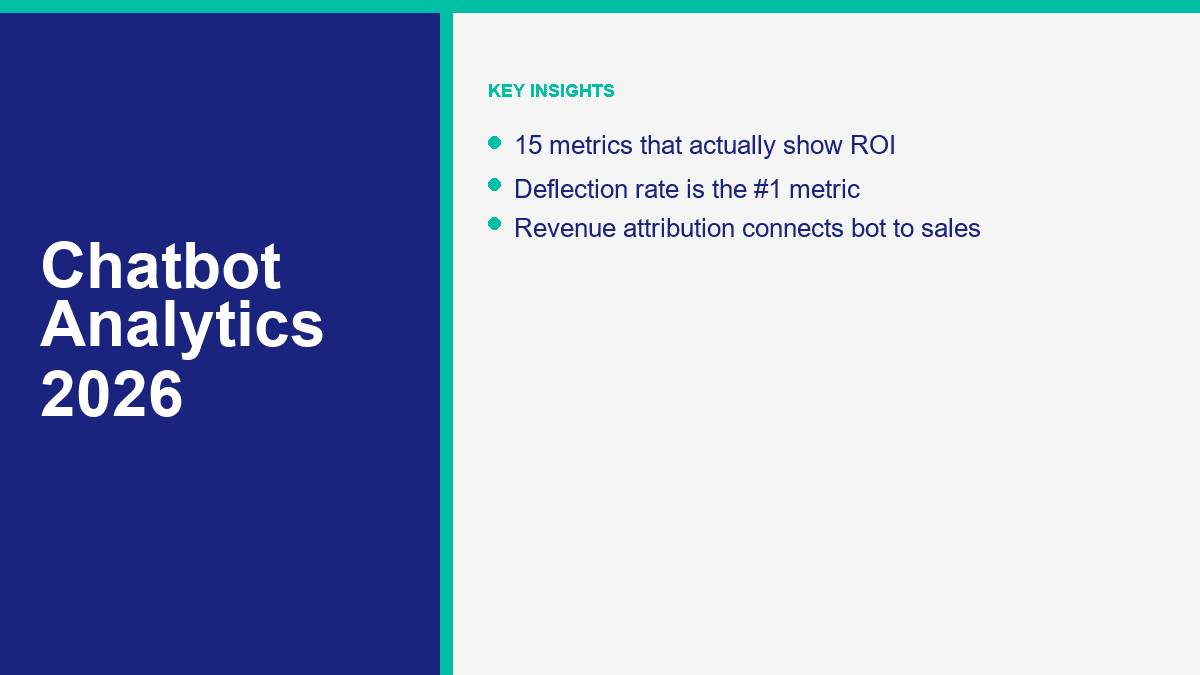
La plupart des tableaux de bord de chatbots sont remplis de chiffres qui donnent l'impression qu'un bot est occupé, mais pas utile. Chats commencés. Messages envoyés. Sessions ouvertes. Peut-être un grand cercle vert appelé taux d'automatisation. Ces chiffres sont bons pour une démo. Ils sont faibles si vous essayez de répondre à la seule question qui compte une fois que le bot est en ligne : est-ce que cette chose permet d'économiser de l'argent, de capturer de meilleurs prospects ou de générer des revenus ?
Les indicateurs qui comptent vraiment relient une conversation à un résultat commercial. Cela signifie généralement du travail économisé, des tickets déviés, des prospects qualifiés capturés, des réunions réservées ou des revenus influencés. Les références de benchmarks et les chiffres rapportés par les fournisseurs mentionnés ici ont été vérifiés par rapport à des pages publiques, des documents d'aide et des études de cas le 10 avril 2026. Si votre priorité principale est la réduction des coûts de support, lisez notre guide de service client IA. Si votre priorité principale est la croissance du pipeline, lisez notre guide sur la génération de leads. Cet article reste concentré sur la mesure.
Une dernière vérification de la réalité avant de passer aux chiffres : aucune configuration sérieuse d'analyse de chatbot n'est vraiment “aucune inscription requise.” Vous pouvez absolument utiliser des outils gratuits dans la pile, en particulier GA4 et Looker Studio, mais les rapports de production nécessitent toujours le suivi des événements, des ID CRM, des règles d'attribution et un endroit pour stocker le résultat de la conversation.
Pourquoi la plupart des tableaux de bord d'analyse de chatbots sont inutiles
Le tableau de bord moyen échoue parce qu'il répond à la mauvaise question. Il vous dit ce qui s'est passé dans l'interface de chat, pas ce qui est arrivé à l'entreprise parce que l'interface de chat existait. Ce ne sont pas la même chose. Un bot peut générer beaucoup de messages parce qu'il confond les gens. Il peut montrer de longues sessions parce que les utilisateurs sont coincés dans des boucles. Il peut montrer un fort taux de rétention parce que la sortie humaine est cachée.
C'est pourquoi je ne fais pas confiance aux tableaux de bord qui se concentrent sur le volume. Le volume n'a d'importance qu'après que vous ayez compris la qualité. La meilleure façon de penser à l'analyse des chatbots est la suivante : chaque métrique doit prouver soit la qualité de la demande, soit l'efficacité du service, soit l'expérience client, soit l'impact commercial. Si un chiffre ne remplit aucune de ces fonctions, il s'agit probablement de vanité.
| Métrique de vanité | Pourquoi cela induit en erreur | Métrique à utiliser à la place |
|---|---|---|
| Total des chats commencés | Compte la curiosité, les ouvertures accidentelles et les sessions sans issue de la même manière | Taux d'engagement et taux d'achèvement des objectifs |
| Total des messages envoyés | Récompense les longues conversations désordonnées qui peuvent ne jamais résoudre quoi que ce soit | Taux de résolution, taux de secours et durée de session par résultat |
| Taux d'automatisation | Cache souvent les utilisateurs piégés qui auraient dû être escaladés | Taux de déviation plus CSAT et taux de transfert humain |
| Croissance du volume brut de chat | Plus de conversations ne sont pas utiles si la qualité des leads ou la qualité du support diminuent | Taux de conversion, taux de qualité des leads et attribution des revenus |
| Durée moyenne de session | Les moyennes aplatissent les bonnes et les mauvaises sessions en un seul chiffre | Durée médiane de session et taux de lacunes de connaissances |
La solution pratique est simple. Arrêtez de demander si le bot est actif. Demandez s'il a terminé le travail pour lequel il a été engagé. Un bot de support devrait réduire le volume assisté sans nuire à la satisfaction. Un bot de génération de leads devrait augmenter le flux de leads qualifiés sans gonfler les déchets. Un bot de vente devrait augmenter les revenus assistés ou réduire le temps jusqu'au pipeline. Tout le reste est secondaire.
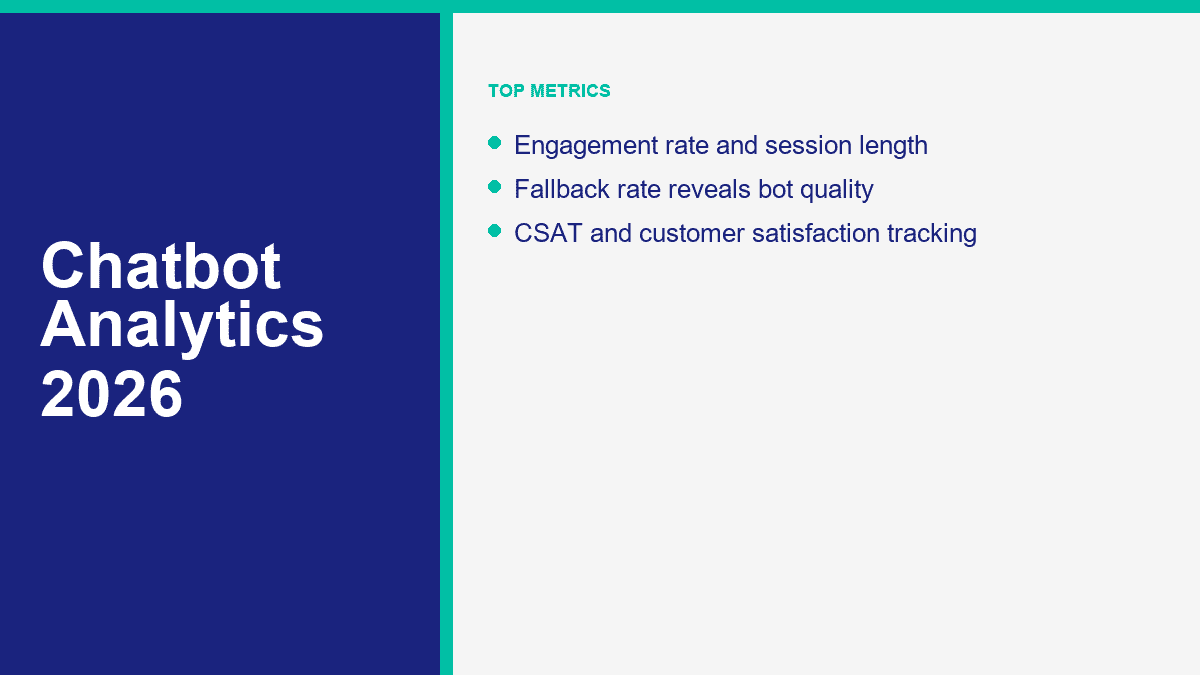
Les 15 métriques qui montrent réellement le ROI des chatbots
Le tableau ci-dessous est la liste restreinte que j'utiliserais réellement en 2026. Tous les chatbots n'ont pas besoin des 15 dès le premier jour, mais chaque programme sérieux devrait finalement couvrir la plupart d'entre elles. La colonne de référence mélange les signaux de performance des fournisseurs publics avec des objectifs opérationnels pratiques. En d'autres termes, ce n'est pas une meilleure pratique théorique. C'est la plage où les calculs commencent généralement à avoir du sens.
| Métrique | Formule simple | Référence pratique | Pourquoi c'est important |
|---|---|---|---|
| Taux d'engagement | Sessions de bot engagées / impressions de bot ou visiteurs éligibles | 5% à 10% sur l'ensemble du site est utile ; 10%+ sur les pages à forte intention est solide | Vous indique si le point d'entrée est suffisamment pertinent pour mériter une interaction |
| Taux d'achèvement des objectifs | Résultats souhaités complétés / conversations commencées | 20% à 40% pour les flux larges ; 40%+ pour les flux étroits à objectif unique | Montre si le bot termine réellement le travail |
| Taux de déviation | Conversations éligibles résolues sans aide humaine / conversations éligibles | 25% est significatif ; 40% à 60% est fort pour un support axé sur les FAQ | Lie directement le bot aux économies de main-d'œuvre |
| Taux de résolution | Conversations résolues / conversations gérées par le bot | 50% à 70% est fort pour les bots de support entraînés | Mesure si le bot a résolu le problème, et pas seulement l'a touché |
| Taux de fallback | Événements de fallback / tours de bot ou sessions de bot | En dessous de 15% après le lancement ; en dessous de 10% une fois ajusté | Expose les intentions manquantes, le contenu faible et le mauvais routage |
| Taux de transfert humain | Sessions escaladées / sessions de bot | 20% à 40% est normal en support mixte ; le contexte décide si un taux élevé est mauvais | Montre où l'automatisation s'arrête et l'effort humain commence |
| Durée de la session | Médiane des tours ou durée médiane par session complétée | 4 à 8 tours pour le support ; 6 à 12 pour la qualification des leads | Vous aide à repérer les frictions, les boucles et les flux trop longs |
| Temps jusqu'à la première réponse utile | Médiane des secondes jusqu'à la première réponse pertinente | Moins de 10 secondes sur le chat web ; presque instantané dans Messenger | La rapidité fait partie de la proposition de valeur |
| Coût par interaction | Coût total du programme bot / interactions gérées par le bot | Des centimes pour des interactions automatisées ; beaucoup moins que le support humain | Transforme l'activité en économie unitaire |
| Taux de conversion | Conversions cibles / sessions engagées par le chatbot ou éligibles | Une conversion à deux chiffres est possible sur des flux à haute intention réglés | Prouve si le bot crée des résultats commerciaux |
| Taux de qualité des leads | MQL ou SQL / leads capturés par le bot | Doit égaler ou dépasser les leads de formulaire sur le même trafic | Sépare la capture de leads utile de la capture de leads bruyante |
| Taux de réservation qualifié | Qualified meetings or demos booked / bot leads | Higher than your form baseline is the goal | Good for B2B bots where revenue starts with a meeting |
| CSAT | Positive satisfaction responses / total responses | 80%+ positive or within 5 points of human-only baseline | Confirms automation is not damaging the experience |
| Revenue attribution | Revenue influenced or sourced by chatbot touchpoints | Needs a defined window such as 7, 30, or 90 days | Connects the bot to closed business, not just top-of-funnel actions |
| Knowledge gap rate | Sessions tagged missing answer / total bot sessions | Under 10% to 15% after the first month of tuning | Shows where content, FAQs, or routing are incomplete |
Engagement and Intent Metrics Tell You Whether the Bot Earned Attention
Taux d'engagement is the first sanity check. It tells you whether people actually interact with the bot when they see it. This matters more than raw chat starts because impressions or eligible visitors give you context. Tidio published a Praktiker Hellas case study showing an 8.99% bot engagement rate while handling more than 9,400 customer interactions a month. That is a useful anchor because it shows a real retail deployment can get meaningful usage without turning every page into a popup circus. On a broad sitewide widget, 5% to 10% is already workable. On pricing pages, demo pages, checkout help, or contact pages, I want higher.
Taux d'achèvement des objectifs is the metric I would promote above chat starts on almost every dashboard. The goal could be issue answered, quote requested, appointment booked, order status delivered, or contact details captured. If users start the chat but never complete the intended action, the bot is not doing useful work. This is also the cleanest way to compare flows against each other. A narrow order-tracking flow can complete at a much higher rate than a general support assistant. That is normal. The point is to compare like with like.
Taux de conversion belongs on the list even if your bot is not a pure lead-gen bot. A support chat can convert to fewer tickets. A sales chat can convert to meetings. A service-business bot can convert to bookings. The key is defining the denominator correctly. For high-intent lead pages, conversational flows regularly outperform static forms when they are short, relevant, and well-routed. Intercom has published a Copper customer story showing a 13% higher website conversion rate than traditional lead forms. Landbot case studies also show 30% to 35% conversion lifts in conversational lead capture. Those are not default numbers. They are proof that well-measured chat conversion can be materially better than passive forms.
Taux de qualité des leads is what keeps conversion rate honest. If a chatbot doubles lead volume but sales says the extra leads are junk, the bot did not improve marketing efficiency. It just lowered standards. The cleanest formula is MQLs or SQLs divided by chatbot-sourced leads. Landbot has public case studies showing more than 50% improvement in lead quality in selected deployments, and Tidio has published qualified-lead lifts such as Integratec’s 25% increase. The operational rule is simple: if bot leads are converting to qualified pipeline worse than form leads from the same traffic source, your qualification logic is too soft.
Taux de réservation qualifié is the metric B2B teams skip when they are too focused on leads. A demo booked by the wrong account is not pipeline. A lead that turns into a same-week qualified meeting often is. This metric matters most when the chatbot is supposed to qualify traffic before a salesperson gets involved. I care less about absolute benchmark numbers here and more about delta against baseline. If the bot books meetings at a lower qualification rate than your old form or SDR triage process, the script needs work.
Support Efficiency Metrics Are Where Chatbot ROI Usually Becomes Obvious
Taux de déviation is the most important support metric because it ties directly to avoided human work. I define it narrowly: only count conversations that were genuinely eligible for automation in the first place. Store hours, return policy, booking rules, order tracking, shipping windows, and pricing basics belong in the denominator. Refund exceptions, legal complaints, angry customers, and edge-case account issues do not. Zendesk’s public ROI material says self-service and automation can deflect up to 25% of agent contacts. In practice, a tuned SMB bot handling repetitive support can do better than that. I treat 25% as worth keeping, 40% to 60% as strong, and anything above that as very good if CSAT stays healthy.
Taux de résolution is related but different. Deflection asks whether the human was avoided. Resolution asks whether the customer problem was solved. Intercom says Fin resolves an average of 67% of customer queries. HubSpot markets Breeze Customer Agent at about 65% of conversations resolved. Tidio says Lyro can resolve 67% of requests and publishes narrower case studies with higher outcomes in constrained environments. Those are useful reference points because they show mature AI support layers now live in the mid-60s, not the fantasy-land 95% some vendors imply. For most businesses, 50% to 70% resolution on repetitive support is a strong operating band.
Taux de fallback is the alarm bell. This is the share of sessions or turns where the bot says some version of “I didn’t get that” or dumps the user into a generic branch. If fallback rate is high, the bot is not learning the real inbox. It is showing you where your content, intent mapping, or flow logic is thin. I want this below 15% shortly after launch and below 10% once the flow has been tuned for a month or two. If it stays high, the bot is being asked to solve problems it was never prepared to solve.
Taux de transfert humain is not a vanity number and it is not automatically bad. A handoff rate of 30% can be perfectly healthy if the bot is escalating the right 30%. A handoff rate of 5% with a weak CSAT score often means the bot is trapping users. A handoff rate of 70% can mean either the bot is overly cautious or your content is too weak for the use case. The right way to read this metric is by segment. Break it out by intent: billing, shipping, order status, technical support, appointment change, quote request, and complaint. Then the pattern becomes useful.
Durée de la session matters only when you look at the median and pair it with outcomes. Long sessions can mean a healthy qualification flow. They can also mean friction. For support bots, 4 to 8 turns is often enough to answer a known issue or route cleanly. Lead-gen bots can run longer because they collect information by design. The mistake is reading a longer session as automatically better. If the median session length rises while goal completion falls, the bot is probably meandering.
Temps jusqu'à la première réponse utile is one of the easiest wins in chatbot analytics. Customers tolerate a lot if the first answer lands immediately and is relevant. They tolerate almost nothing if the first five seconds feel like dead air or a generic greeting. On website chat, I want the first useful response in under 10 seconds. On Messenger, it should feel instant. This metric matters especially when you are comparing bot coverage against forms, email, or off-hours human support. Speed is one of the few advantages automation gets by default. Do not waste it.
Coût par interaction is where reporting stops being abstract. The formula should include the platform subscription, AI usage, integration or maintenance time, and any review labor you want to be honest about. Divide that by bot-handled interactions or bot-resolved interactions, depending on how strict you want to be. The number does not need to be perfect to be useful. It just needs to be consistent. The goal is not to brag that an AI response cost fractions of a cent. The goal is to compare that cost against what the same interaction would have cost handled manually.
Customer Experience and Revenue Metrics Keep the Bot From Looking Better Than It Is
CSAT is the discipline metric. It stops teams from optimizing purely for labor reduction and forgetting the customer. I would rather see a bot deflect 42% of tickets with strong CSAT than 58% with obvious frustration. The cleanest benchmark is your own human baseline. If the chatbot stays within about five points of human-only CSAT on repetitive intents, you are in reasonable shape. If it drops ten points below baseline, the content or escalation logic is not ready.
Revenue attribution is the bridge from conversational activity to actual business value. This is the metric that tells you whether the bot influenced closed-won deals, booked appointments that showed up, or ecommerce orders that happened after the conversation. Attribution never works if you leave it vague. Pick a model and write it down. Last touch, first touch, linear, or position-based can all work if the team is consistent. Tidio’s help documentation is a good reminder of how operational this gets: its conversion reporting credits orders that happen within seven days of a qualifying interaction. That kind of window changes the numbers dramatically, so set the rule up front.
Knowledge gap rate is one of the most underrated metrics in chatbot operations. It tells you how often the bot hits a genuine content hole. Not a model miss. A business-content miss. The user asked something important and the bot had no approved answer, no accurate retrieval, and no clean route. That is gold for optimization because it tells you exactly where the knowledge base, FAQ, or policy documentation is weak. A good bot program turns this metric into a monthly content roadmap.
How to Set Up Chatbot Analytics the Right Way
The clean setup is not complicated, but it does require discipline. You need four layers working together: the chatbot platform, a web or product analytics layer, a CRM or ticketing system, and a reporting layer that turns the data into something the team will actually look at. Native chatbot analytics tell you what happened inside the conversation. GA4 or Mixpanel tells you what happened before and after the conversation. Your CRM or help desk tells you whether the chat produced a lead, a ticket outcome, or revenue. Looker Studio or another BI layer turns that mess into one weekly scoreboard.
| Tracking layer | Best use | What to capture | Notes |
|---|---|---|---|
| Native chatbot analytics | Conversation-level behavior | Intents, fallback events, handoffs, resolutions, path completion | Start here, but do not stop here |
| GA4 or Mixpanel | On-site behavior and funnel impact | Chat opened, chat engaged, lead captured, purchase or booking after chat | GA4 is the easiest free starting point for most teams |
| CRM or help desk | Lead quality and support outcomes | MQLs, SQLs, tickets avoided, tickets resolved, revenue, closed-won deals | This is where ROI becomes provable |
| Dashboard layer | Weekly decision-making | One scorecard with trend lines by intent, channel, and outcome | Looker Studio works well if you want a free reporting layer |
The event naming should be boring on purpose. Use names a future teammate can understand without calling you. Good examples are chat_impression, chat_engaged, bot_goal_completed, bot_handoff_human, bot_fallback, lead_captured_chat, ticket_deflected, et purchase_after_chat. The biggest analytics mistakes usually start with inconsistent event names and missing IDs.
My default build order looks like this:
- Define one primary goal per flow. FAQ resolution, booking, quote request, demo booking, order tracking, or lead capture.
- Track every major conversation state. Opened, engaged, completed, fallback, escalated, abandoned.
- Pass a conversation ID into your CRM or ticketing layer. That one field makes revenue and support attribution much easier later.
- Store intent as structured data. You want to filter by order status, pricing, returns, booking, demo request, and complaint later.
- Separate channel from outcome. Messenger, website chat, Instagram, and embedded widgets may perform very differently.
- Build one weekly dashboard, not five. If the team has to check six tools to know whether the bot works, nobody will check anything consistently.
If your build is already expanding across Messenger, website widgets, forms, routing rules, and multi-step automations, that is where reporting structure matters more than one clever AI prompt. This is also the stage where it is worth reviewing Fonctionnalités de MessengerBot Pro, because once a chatbot is touching multiple channels and business outcomes, analytics quality depends on how cleanly the flows, forms, and integrations are organized.
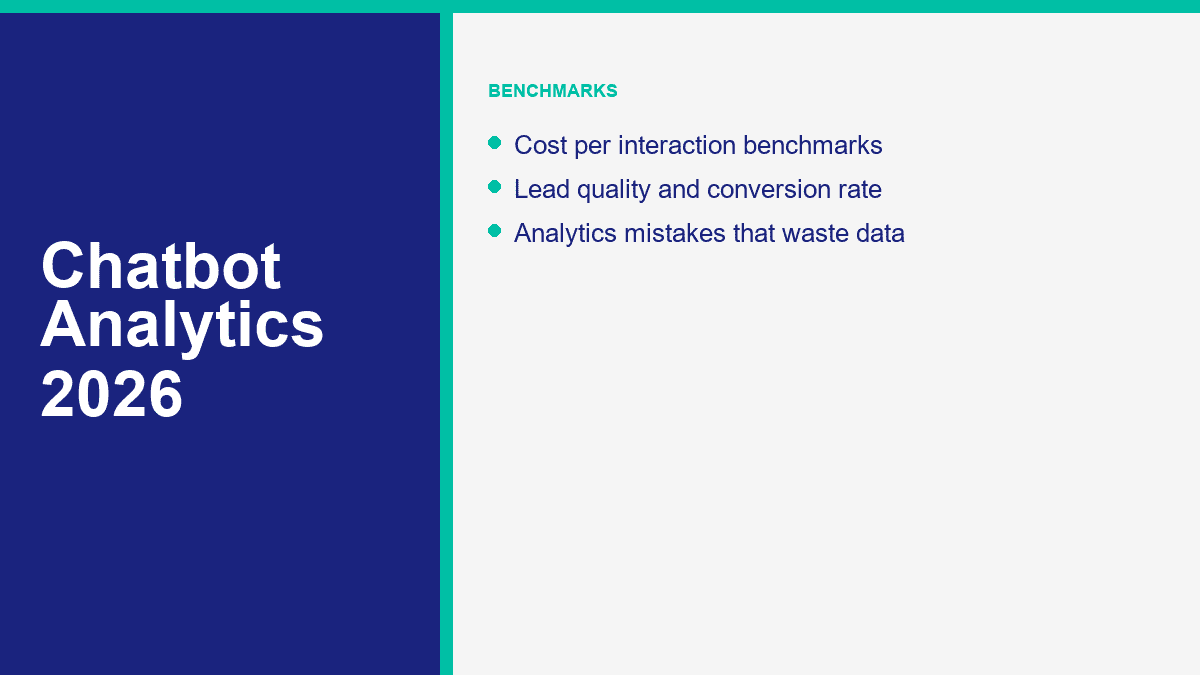
How to Measure Deflection Rate Without Lying to Yourself
Deflection rate gets abused because it sounds simple. It is not. Most inflated deflection numbers come from a bad denominator. If you count every single inbound conversation, including the ones that obviously needed a human, the metric becomes theater. The right method is to start with eligible support volume only.
Use this formula:
Deflection rate = bot-resolved eligible support conversations / total eligible support conversations
Now make eligible concrete. If a retailer gets 2,000 support conversations a month and 1,200 of them are questions about order status, delivery windows, return policy, business hours, and store location, those 1,200 conversations are eligible. If the bot fully resolves 540 of them without agent help, deflection rate is 45%. That is a real number. If you divide 540 by the full 2,000, you get 27%, which understates the bot. If you let the vendor define every greeting as automated, you might get a fake number above 60%, which overstates the bot.
The savings model then becomes straightforward:
Monthly deflection savings =
(deflected conversations x manual cost per conversation)
- (deflected conversations x bot cost per conversation)
- bot platform cost
Example: 540 deflected conversations x $4.50 manual support cost = $2,430 in avoided human cost. If bot cost per conversation is $0.15, those same conversations cost $81 on the bot side. Add a $99 monthly tool cost and net savings land at about $2,250. That is the kind of math executives understand immediately because it is tied to work avoided, not AI momentum.
A good deflection dashboard also breaks the metric by intent. Shipping questions may deflect at 70%. Billing issues may deflect at 15%. Both can be fine. The insight is not that the bot needs a higher overall rate. The insight is that one content area is bot-friendly and another still needs stronger documentation or faster handoff.
How to Measure Conversion Rate for Lead Generation Bots
Lead-gen chatbots fail in reporting for the opposite reason support bots do: teams collapse three different funnel stages into one number and call it conversion rate. You need at least three layers if you want the data to be useful. First, how many eligible visitors engaged with the bot. Second, how many engaged visitors became leads. Third, how many of those leads became qualified opportunities.
The cleanest reporting view is this:
- Page-to-chat engagement rate: how many visitors actually started a meaningful conversation.
- Chat-to-lead rate: how many engaged sessions turned into captured leads.
- Lead-to-qualified rate: how many chatbot leads became MQLs, SQLs, or booked demos.
That breakdown stops you from celebrating a lead volume increase that sales hates. It also stops you from killing a bot that captures the same number of leads as a form but produces much better qualification. If you want the playbook for building those qualification flows, read notre guide sur la génération de leads. For analytics, the most important thing is matching the chatbot lead to the downstream outcome.
Here is a simple example. A pricing page gets 4,000 visits a month. The bot is shown to everyone. 480 visitors engage, so engagement rate is 12%. Of those 480, 144 leave contact details, so chat-to-lead rate is 30%. Of those 144 leads, 43 become sales-qualified, so lead quality rate is just under 30%. If 9 of those qualified leads close at an average first-year gross profit of $2,000, the bot influenced $18,000 in gross profit. That is the number worth comparing against the cost of the software and the time spent tuning the flow.
The reason conversational capture often beats static forms is not magic. It is sequencing. Intercom’s Copper story shows a 13% higher website conversion rate than forms. Tidio has published results such as Pearl Lemon’s 30% increase in website-to-lead conversions and Integratec’s 25% improvement in qualified leads. Landbot case studies show 30% to 35% conversion lifts in several campaigns. The lesson is not that every chatbot creates those gains. The lesson is that the benchmark ceiling is real if the conversation earns the ask before requesting contact details.
How to Track CSAT Without Surveying the Wrong Users
CSAT gets distorted easily because most teams either survey too few people or survey the wrong people. If you only ask for feedback after easy FAQ answers, CSAT looks great. If you survey mostly angry escalations, CSAT looks terrible. The goal is not perfect sampling. The goal is consistent sampling across the same intent types over time.
The simple formula is:
CSAT = positive responses / total CSAT responses
What matters more is segmentation. Split CSAT by intent, by automation outcome, and by handoff outcome. A bot may score very well on order status and business hours, average on quote requests, and badly on refund requests. That does not mean the whole program is bad. It means one use case should stay automated, one needs refinement, and one should probably hand off faster.
I also recommend pairing CSAT with fallback rate and handoff rate. If CSAT drops while fallback rises, the problem is usually bot understanding or content coverage. If CSAT drops while handoff falls, the bot may be blocking users from reaching people. If CSAT stays flat while deflection rises, that is usually the healthiest possible sign.
For most teams, a good target is either 80% positive feedback or a score within about five points of the human-only baseline on repetitive intents. Any bigger gap is a warning sign. It usually means one of three things: the bot is overconfident, the knowledge base is thin, or the survey is being shown only after bad moments.
How to Connect Chatbot Touchpoints to Revenue Attribution
Revenue attribution is where chatbot analytics either becomes credible or falls apart. The hard part is not creating a revenue number. The hard part is creating one that the finance team, sales team, or founder will believe. That means defining the attribution window, the touch model, and the ID structure before the dashboard goes live.
At minimum, I want these fields attached to every meaningful chatbot conversion:
- Conversation ID: one unique thread identifier.
- User or lead ID: email, CRM contact ID, or a persistent anonymous ID that later resolves.
- Intention : what the visitor wanted, not just where they clicked.
- Channel: website chat, Messenger, Instagram, embedded widget, or paid landing page.
- Source and campaign: UTM data, referrer, or ad campaign details.
- Résultat : lead captured, meeting booked, purchase, resolved support issue, or handoff.
Then choose an attribution model and stick to it long enough to compare periods honestly. A short window works well for ecommerce and quote requests. A longer window makes more sense for B2B deals. Tidio’s own help documentation uses a seven-day conversion lookback for order attribution inside its reporting. That is a good reminder that the window is not a technical footnote. It changes what bot revenue even means.
A practical ROI formula for revenue attribution looks like this:
Chatbot ROI =
(attributed gross profit - chatbot program cost) / chatbot program cost x 100
Example: a lead-gen chatbot influences $18,000 in gross profit in a month. The tool, AI usage, and maintenance time cost $1,200. ROI is 1,400%. That sounds huge because software leverage often is huge when the funnel works. The more conservative version is to count only sourced revenue or only a portion of assisted revenue. Either approach is fine as long as the rule is explicit and stable.
Common Chatbot Analytics Mistakes That Inflate Performance and Hide Churn
The fastest way to ruin chatbot reporting is to make the bot look good at all costs. That instinct creates dashboards nobody trusts. These are the mistakes I see most often.
Counting every chat as a win. A chat started is not a value event. If the user bounced, fell into fallback, or reached a dead end, the bot created activity, not ROI.
Using one blended dashboard for every use case. Support, sales, lead capture, booking, and FAQ flows should not share the same success definition. Segment by job to be done or the averages become meaningless.
Rewarding containment instead of good escalation. A bot should not keep users inside the flow just to defend an automation target. That is how you get fake efficiency and real churn.
Skipping attribution IDs. If the conversation cannot be tied back to the CRM, help desk, or commerce layer, you will end up arguing from screenshots instead of data.
Tracking leads but not lead quality. This is the most common sales-and-marketing reporting failure. The bot looks great to marketing and terrible to sales because nobody tied the conversation to qualification or revenue.
Reading averages instead of distributions. Average session time, average CSAT, and average fallback rate all flatten the story. Use medians and intent-level cuts whenever possible.
Ignoring the knowledge gap list. Missing-answer logs are not boring maintenance. They are the roadmap for higher deflection, better CSAT, and cleaner revenue capture next month.
Measuring the bot only inside the bot. A chatbot is part of a funnel, not a separate universe. Track what users did before they opened the chat and what happened after the chat ended.
What to Track First if You Want a Chatbot ROI Dashboard That Anyone Will Trust
Start with a short scoreboard, not a giant analytics project. For support bots, track deflection rate, resolution rate, fallback rate, handoff rate, CSAT, and cost per interaction. For lead-gen bots, track engagement rate, chat-to-lead rate, lead quality rate, qualified booking rate, and revenue attribution. Then tie those numbers back to one clean operating rhythm: review the dashboard every week, review missing-answer logs every month, and keep the attribution rules fixed long enough to compare real periods. If you want the current platform options before you build that reporting stack, Voir les tarifs de MessengerBot and choose the smallest setup that can track one business goal clearly before you expand.
Questions fréquemment posées
Quels indicateurs de chatbot devrais-je suivre ?
Track the metrics that tie conversation activity to business outcomes: engagement rate, goal completion rate, deflection rate, resolution rate, fallback rate, handoff rate, cost per interaction, conversion rate, lead quality rate, CSAT, revenue attribution, and knowledge gap rate. If the bot is support-first, prioritize deflection, resolution, CSAT, and cost per interaction. If it is lead-gen-first, prioritize engagement, conversion, lead quality, qualified bookings, and attributed revenue.
Comment mesurer le ROI d'un chatbot ?
Measure chatbot ROI by comparing the value created or cost avoided against the total chatbot program cost. For support, use labor avoided from deflected or shortened conversations minus bot cost. For sales and lead gen, use attributed gross profit or pipeline value minus software, AI usage, and maintenance cost. The clean formula is: ROI = (value created – total chatbot cost) / total chatbot cost x 100.
Quel est un bon taux de déviation pour un chatbot ?
A good chatbot deflection rate depends on the use case, but 25% of eligible support conversations deflected is already meaningful. For FAQ-heavy SMB support, 40% to 60% is a strong target after tuning. Narrow flows such as order status or store hours can go higher. The key is using the right denominator: only conversations that were actually eligible for automation.
Comment suivre les conversions de chatbot ?
Track chatbot conversions in stages. Measure how many eligible visitors engage with the bot, how many engaged users complete the goal, and how many of those conversions become qualified leads, booked meetings, purchases, or resolved support outcomes. Pass conversation IDs and source data into GA4, your CRM, or your help desk so the conversion can be tied back to revenue or support savings later.
Quels outils d'analyse de chatbot sont les meilleurs ?
The best stack is usually a combination, not one tool. Native chatbot analytics are best for intents, fallbacks, and handoffs. GA4 or Mixpanel are best for funnel impact. Your CRM or help desk is best for lead quality, ticket outcomes, and revenue. Looker Studio is a strong free dashboard layer for weekly reporting. The winning setup is the one that keeps those systems tied together with shared IDs and consistent event names.



 Français
  English
  Tagalog
  简体中文
简体中文  العربية
  हिन्दी
  Português do Brasil
  Español de México
  বাংলা
বাংলা  香港中文
香港中文  繁體中文
繁體中文  Nederlands
  Deutsch
  Bahasa Indonesia
  日本語
日本語  한국어
한국어  Polski
  Русский
  Español
  Tiếng Việt