
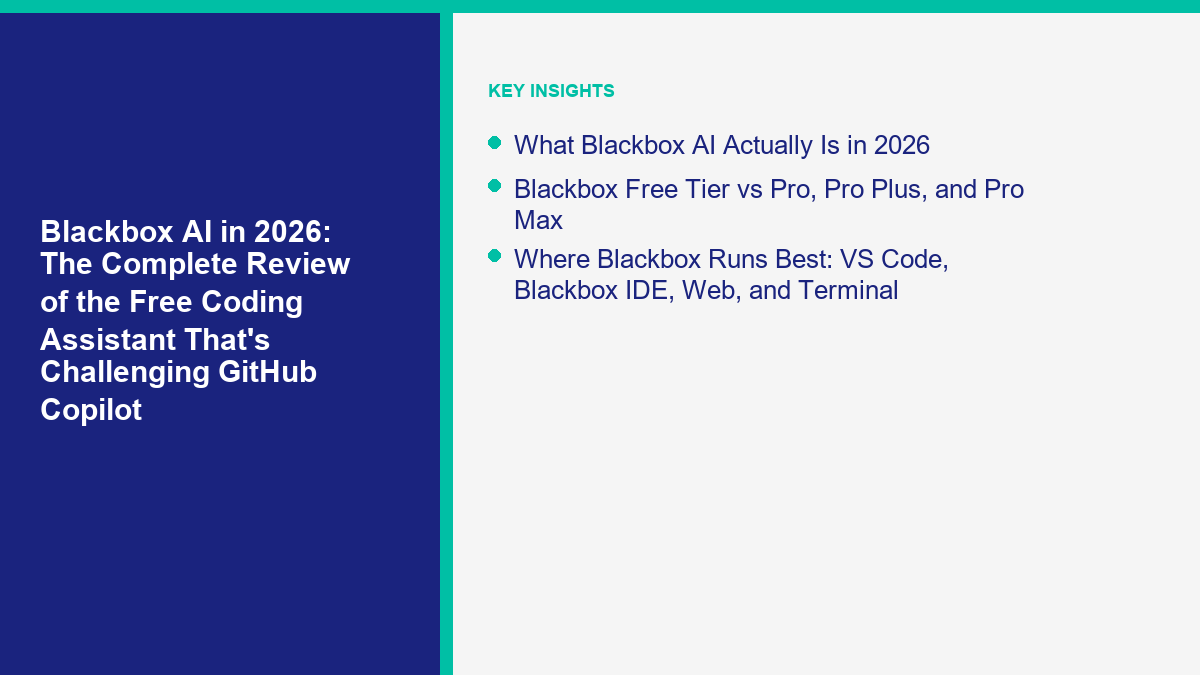
Blackbox AI en 2026 n'est pas le même produit que de nombreux développeurs se souviennent de l'ancienne phase “ copier le code des vidéos et des extraits ”. La version actuelle essaie d'être un ia de codage blackbox plateforme : agent VS Code, IDE autonome, agents distants basés sur un navigateur, outils de terminal, accès API et orchestration multi-agents qui peut acheminer une tâche à travers plusieurs systèmes de codage à la fois.[1][7] Ce changement est toute l'histoire. Si vous examinez Blackbox comme s'il ne s'agissait que d'un plugin d'autocomplétion, vous manquez ce qu'il vend réellement maintenant.
J'ai vérifié les pages de tarification officielles de Blackbox, la documentation produit, l'inscription actuelle sur le Marketplace de Visual Studio, la documentation des plans en direct de GitHub Copilot, et les pages de tarification et de sécurité actuelles de Cursor sur 13 avril 2026. Cet article est délibérément étroit. Si vous voulez la carte de catégorie plus large, utilisez notre chatbot IA plus large pour la comparaison de codage. Cette page est une revue ai blackbox: niveau gratuit vs niveaux payants, recherche de code et autocomplétion, adéquation avec VS Code, compromis en matière de confidentialité, préparation à l'entreprise, et où Blackbox se situe réellement par rapport à GitHub Copilot et Cursor.
Une note pratique de plus avant de passer à l'outil lui-même. Un assistant de codage et une plateforme de chatbot de production ne sont pas le même achat. Blackbox peut vous aider à écrire des gestionnaires de webhook, de la logique de routage de leads, des validations et des tests. Cela ne remplace pas la couche de livraison pour Facebook Messenger, Instagram ou le chat de site web. Si c'est votre chemin de construction, Parcourez nos tutoriels pendant que vous lisez, car le flux de travail propre est généralement l'IA pour le code, puis une plateforme pour le bot en direct orienté client.
Ce qu'est réellement Blackbox AI en 2026
La description précise et la plus simple est la suivante : Blackbox est désormais une couche d'orchestration pour les agents de codage, pas seulement un assistant unique. La page d'accueil indique que la plateforme fonctionne sur six surfaces : terminal, IDE, cloud, API, mobile et constructeur, et cadre le produit autour de l'exécution autonome multi-agents au lieu d'un chat à modèle unique.[1] L'annonce sur le Marketplace de Visual Studio pousse encore plus fort la même histoire : une extension, 15+ agents de codage, 300+ modèles, contrôle du navigateur, exécution terminale, support MCP, et une couche de jugement qui choisit entre les sorties.[7]
Cela compte parce que le meilleur argument de Blackbox n'est pas “ma complétion en ligne est 7% meilleure.” Son argument est “arrêtez d'acheter des abonnements de codage séparés et faites fonctionner plusieurs systèmes d'agents à travers une seule interface.” La page du marketplace positionne littéralement Blackbox comme l'endroit pour faire fonctionner Claude Code, Codex, Gemini, Goose, OpenCode et Blackbox ensemble plutôt que de choisir un seul pour toujours.[7] C'est un pitch très différent de GitHub Copilot, qui consiste toujours fondamentalement à intégrer l'IA dans GitHub et les flux de travail des IDE grand public, ou Cursor, qui est fondamentalement axé sur la création du meilleur éditeur d'abord axé sur l'IA.
Cela explique également pourquoi les opinions sur Blackbox varient autant. Si un développeur l'installe en s'attendant à un simple remplacement de Copilot, le produit peut sembler vaste. Si ce même développeur souhaite un choix de modèles, des agents distants, une vérification pilotée par le navigateur, et une surface de flux de travail plus large sans jongler avec cinq abonnements, Blackbox commence à avoir plus de sens.
L'échelle n'est pas triviale non plus. L'annonce actuelle sur le Marketplace de Visual Studio montre 2 539 409 installations et décrit l'extension comme gratuite, tandis que le site de Blackbox lui-même indique que le produit est “ tout gratuit pour commencer ” et commercialisé auprès de plus de 30 millions de développeurs.[7][1] Je considérerais le nombre d'installations comme le signal le plus concret, car il est lié à une annonce de marché en direct plutôt qu'à un chiffre de vanité sur la page d'accueil.
Donc le bon cadre pour cela ai blackbox n'est pas “ peut-il générer du code ? ” Chaque outil sérieux dans cette catégorie peut le faire. Les questions utiles sont plus précises : Blackbox facilite-t-il la gestion de l'expansion des agents, le point d'entrée gratuit est-il suffisamment réel pour tester honnêtement, le flux de travail VS Code est-il assez bon pour être maintenu, et les contrôles de confidentialité et d'entreprise sont-ils suffisamment clairs pour un travail sérieux ?
What Blackbox AI Free Actually Means Right Now
Blackbox AI currently describes its coding-agent platform as gratuite pour commencer, but that phrase should not be read as a promise that every model, agent, or usage level is unlimited. The safest interpretation is that you can begin evaluating the product without assuming that production-scale use will remain free.
Checked on August 31, 2026, the current public surfaces separate two different buying questions:
- Product access: Blackbox presents its coding tools across the IDE, command line, application interface, and agent workflows as free to start. The public pages do not currently provide a stable, detailed free-quota table that applies to every account.
- API and enterprise inference: The current API page presents a catalog of more than 300 models through one endpoint. The current pricing page describes token-based rates and enterprise commitments rather than a universal free allowance.
That distinction matters. A free entry point in the product does not prove that a particular model, automated workflow, or programmatic workload has no usage cost. It also means older screenshots or reviews that list fixed consumer plan names and prices may not describe the offer shown to a new account today.
For a fair free-tier test, record the offer displayed when the account is created, run one small task, and compare the usage view before and after. That gives you account-specific evidence without assuming that an older promotion or another user’s allowance applies to you.
Before relying on Blackbox AI free access for regular work, verify three things inside your own account: which product surface you are using, which model or agent is selected, and what usage or billing limit the dashboard shows. If you are testing the application or editor, begin with a small non-critical task and check the usage view afterward. If you are building through the API, review the current per-model rates before sending a larger workload.
L'officielle Blackbox API page explains the current programmatic model catalog and routing surface. The official Blackbox pricing page shows the current token and enterprise pricing structure. Because the public offer can change and account eligibility can differ, treat those live pages and your authenticated dashboard as the source of truth instead of assuming that a past free-tier limit or subscription price still applies.
Blackbox Free Tier vs Pro, Pro Plus, et Pro Max
La première chose que la plupart des critiques se trompent est les noms des plans. À partir de 13 avril 2026, Blackbox fait pas la promotion d'un plan littéralement appelé “Premium” sur sa page de tarification publique. L'échelle des consommateurs est gratuite pour commencer, puis Pro, Pro Plus, et Pro Max, avec l'Enterprise géré séparément.[2][3] Si vous avez recherché “Blackbox Premium,” vous regardez principalement des noms plus anciens et des critiques plus anciennes.
L'histoire gratuite est réelle, mais elle n'est pas parfaitement transparente. La page IDE de Blackbox indique que l'IDE est gratuit avec accès à Grok Code Fast. L'annonce sur le marché de VS Code indique que l'extension est gratuite, sans carte de crédit, sans clé API requise. Ce que fait la page de tarification publique pas vous donne un tableau de quotas propre pour une utilisation gratuite comme le fait GitHub Copilot Free.[3][7][8] C'est le premier inconvénient honnête de l'ensemble du produit. Vous pouvez commencer gratuitement, mais le budget du plafond est plus flou qu'il ne devrait l'être.
| Plan | Prix public le 13 avril 2026 | Ce qui se démarque | Principale difficulté | Meilleur ajustement |
|---|---|---|---|---|
| Début gratuit | Point d'entrée $0 | L'extension VS Code est gratuite à installer ; l'IDE est gratuit avec Grok Code Fast ; aucune clé API ou carte de crédit requise pour commencer | Pas de tableau de quotas public propre pour une planification sérieuse | Essayer Blackbox sur un dépôt avant de dépenser quoi que ce soit |
| Pro | $10/mois | $20 de crédits de modèle, accès à tous les modèles de chat, agent vocal et demandes d'agent gratuites illimitées avec Minimax-M2.5 | Une valeur forte, mais l'utilisation en frontière dépend toujours des crédits, pas de la magie | Développeurs solo qui veulent de la variété de modèles à bas prix |
| Pro Plus | $20/mois | $40 de crédits, exécution multi-agent, constructeur d'applications, agent de codage sur plus de 35 IDE, web et terminal, Slack, cryptage de chat E2E | C'est ici que le produit devient convaincant, ce qui signifie également que le véritable niveau utile n'est pas vraiment le plan $10 pour beaucoup de gens | Développeurs qui veulent réellement l'argumentation d'orchestration de Blackbox |
| Pro Max | $40/mois | Collaboration en équipe, facturation centralisée, contrôles de sécurité avancés, SSO SAML, analyses, support prioritaire | Maintenant, vous payez plus comme un outil d'équipe, pas un ajout de codage occasionnel | Petites équipes qui veulent un seul fournisseur pour les modèles et les agents |
| Entreprise | Personnalisé | Option de désinscription à la formation par défaut, options de déploiement sur site, support dédié, SLA personnalisés | Requires a sales process and deeper security review | Organizations with procurement, compliance, or sovereignty requirements |
The public pricing page also shows an 80% first-month promotion for Pro, which drops the first month to $2 as of April 13, 2026.[2] That is useful if you want a low-risk paid trial, but I would not base a yearly buying decision on a temporary promo. The more important number is the normal monthly rate and what it unlocks.
The bigger nuance is how Blackbox phrases “unlimited” features. The pricing page emphasizes unlimited free agent requests with Minimax-M2.5, but it also separately attaches $20, $40, or $80 of credits to Pro, Pro Plus, and Pro Max for access to the broader model pool.[2] That is not deceptive, but it does mean “unlimited” mostly applies to a specific free model path, not to every frontier model you may want during heavier coding sessions.
My practical read is simple. Free is good for evaluation, Pro is a cheap sampler, Pro Plus is the first tier where Blackbox’s real identity shows up, and Pro Max is where Blackbox starts to look like a team procurement option. If you are comparing sticker price only, Blackbox looks aggressive. If you compare the product that most serious users will actually want, the contest is really Blackbox Pro Plus at $20 versus GitHub Copilot Pro at $10 or Cursor Pro at $20.
Where Blackbox Runs Best: VS Code, Blackbox IDE, Web, and Terminal
Blackbox’s biggest product design choice is surface sprawl. That is not automatically good or bad. It just means you need to pick the right doorway.
If you already live in VS Code, the extension is the easiest way in. The live marketplace listing says the agent can create and edit files, run commands, use a browser, and work with your permission at each step. It also supports adding files, folders, Git commits, URLs, and screenshots as conversation context, which is more useful than it sounds when you are debugging across code, docs, and UI state.[7]
If you are willing to use a dedicated editor, the Blackbox IDE is the cleaner showcase. The IDE page describes a full-featured editor with inline AI chat, multi-file context, real-time code generation, real-time collaboration, project-wide indexing, and compatibility with many VS Code extensions.[3] That is important because it means Blackbox is no longer just piggybacking on another editor. It wants to own the full interaction loop.
If your work benefits from asynchronous execution, the cloud and remote agent surfaces are where Blackbox starts looking more differentiated. The homepage and cloud docs emphasize remote agents that can run in the browser, monitor progress, manage pull requests, and work without your local machine being the bottleneck.[1][15] That matters more for long-running tasks than it does for simple inline completions.
And if you are a terminal-heavy developer, Blackbox’s CLI and API story make more sense than the old extension-first positioning. The homepage explicitly pitches terminal use, automatic PR creation, and CI/CD integration, while the API docs show OpenAI-compatible chat completions and provider routing with data policy controls.[1][4]
The weakness of this multi-surface strategy is consistency. GitHub Copilot has a simpler answer: stay inside GitHub, VS Code, and mainstream IDEs. Cursor has a simpler answer too: use the Cursor editor and agent surfaces. Blackbox gives you more options, but that also means more product surface to learn and more places where feature behavior can differ.
If you want the shortest practical recommendation, it is this. Use the VS Code extension first if you are evaluating Blackbox. Switch to the Blackbox IDE only if the multi-file and collaboration layer is clearly saving you time. Jump straight to cloud or terminal workflows only when you already know you want autonomous, long-running task execution.
How Blackbox Handles Code Search, Context, and Autocomplete
The phrase “code search” means different things depending on which decade of dev tools you grew up in. If you mean literal grep replacement, that is not Blackbox’s core story. If you mean finding the right files, imports, types, tests, commits, and surrounding project context so an agent can modify code more intelligently, that is exactly what Blackbox is trying to sell.
The Blackbox IDE page says the editor indexes the entire project, including imports, types, tests, and dependencies, so suggestions respect the architecture and coding patterns of the repo.[3] The VS Code listing makes the same point in a different way by letting you attach files, folders, Git commits, web URLs, and screenshots directly to a conversation.[7] That is Blackbox’s code search story in 2026: less “search box first,” more “context retrieval for agent execution.”
Autocomplete is similar. Blackbox’s public pages now lean harder on phrases like inline AI chat, real-time code generation, et inline diffs than on old-school autocomplete branding.[3] Based on that public product surface, Blackbox is moving up-stack from token-by-token completion toward context-heavy editing and agent loops. That is good news if you want broader code transformation. It is less clear-cut if your main benchmark is “how good is the next line prediction on a fast local edit loop?”
Here is the practical split I see after reading the live pages. Blackbox is strongest when context retrieval, command execution, and multi-agent comparison matter more than microscopic completion latency. If your daily flow is mostly “type, accept suggestion, keep typing,” GitHub Copilot still feels like the more natural category benchmark because it was built around inline assistance first and still documents that surface cleanly.[8][9]
There is also a review-angle truth most vendor pages avoid: richer code search and context systems increase both upside and downside. When Blackbox has the right files, the output can feel uncannily on track. When you feed it noisy or incomplete context, the agent can confidently optimize the wrong thing and go farther in that wrong direction because it has the tools to execute, test, and self-correct against the wrong objective. That is why controllable autonomy and file approval controls matter so much in this product.[7]
So if you came here specifically asking whether Blackbox has “code search,” the answer is yes, but not in the classic standalone search-engine sense. Its modern value is semantic codebase context plus agent execution. That is a stronger promise than raw search. It is also a riskier one if you are sloppy about scope.
Which Languages and Stacks Blackbox Supports Best
The public Blackbox IDE FAQ lists the mainstream set most teams actually care about: TypeScript, Python, Go, Rust, Java, C++, Ruby, PHP, and more.[3] That is enough to tell you Blackbox is not a niche JavaScript toy. It is built for general software development, and the VS Code extension’s model-agnostic design reinforces that.
What Blackbox does pas publish, at least on the sources reviewed here, is a clean feature-by-language support matrix. GitHub does. GitHub’s language support docs explicitly list core languages such as C, C++, C#, Go, Java, JavaScript, Kotlin, PHP, Python, Ruby, Rust, Scala, Swift, and TypeScript, and then show which GitHub features support each of them.[10] That difference matters more in enterprise buying than casual testing. Procurement teams like matrices.
For a solo developer or small startup, the lack of a perfect language matrix is not fatal. If you build in common web, backend, or mobile-adjacent stacks, Blackbox is clearly aiming at you. If your work is in a niche domain language, an old legacy stack, or a specialized framework where small syntax errors waste hours, the safer move is to treat Blackbox’s public language list as a broad compatibility signal and then run a proof on your own repo.
The same advice applies to infrastructure work. Blackbox is broad enough for normal backend, frontend, API, and test-generation tasks. It is not positioned around one ecosystem the way Amazon Q is positioned around AWS or GitHub Copilot is positioned around GitHub. That flexibility is helpful, but it also means the burden of validation lands more on you.
If your stack is mostly TypeScript, Python, Go, Java, or standard full-stack web work, I would not worry much. If your stack is specialized, the product pages are not specific enough to skip a live test. That is not a dealbreaker. It is just the honest answer.
Blackbox AI Accuracy Review: Where It Feels Sharp and Where It Still Misses
There is no honest way to give you a fake universal accuracy score here. Blackbox’s public pages are feature-heavy, not eval-heavy. So the only useful accuracy review is a workflow review: does Blackbox pull the right context, make sensible edits, recover from bad first passes, and stay reliable enough that it saves more time than it creates?
Based on the live product surface, Blackbox has three clear strengths. First, it can work with richer context than a plain chat tab because the IDE indexes the project and the extension lets you attach repo artifacts directly.[3][7] Second, it can do more than suggest code. The extension can run commands, browse the app, and self-correct against outputs.[7] Third, it can compare multiple agents and models instead of betting everything on one answer path.[1][7]
That makes Blackbox look strong on jobs like:
- Drafting boilerplate across several files
- Generating tests and then rerunning them after failures
- Refactoring routine glue code with a human reviewing the diff
- Comparing more than one model’s approach to the same feature
- Working across code plus browser state in one loop
Where it still deserves caution is the exact place its marketing is most ambitious: autonomy. Once an agent can read files, edit code, run shell commands, and use a browser, a bad assumption can travel farther before you stop it. Blackbox does mitigate that with granular approval controls for file edits, file creation, command execution, and file reads in the VS Code extension.[7] That is good product design. It is also an admission that higher autonomy raises the blast radius when the model misunderstands the assignment.
My own rule for Blackbox is the same rule I use for every serious coding agent now: trust it with drafts, iteration, and repair loops; do not trust it with silent merge authority. If you keep prompts narrow and review the diff, Blackbox’s broader agent surface is an advantage. If you throw a vague request at it and hope the judge layer magically saves you, you will eventually pay for that laziness.
Compared with GitHub Copilot and Cursor, the accuracy tradeoff looks like this. Copilot is usually easier to trust in small, inline, incremental edits because its workflow is conservative and familiar. Cursor is stronger when you want a single editor to plan, inspect, debug, and execute deeply against the codebase.[11] Blackbox is most attractive when you think model diversity and multi-agent comparison will improve outcomes enough to justify the added complexity. That is a credible thesis. It is not a universal one.
Blackbox vs GitHub Copilot: Price, Workflow, and Team Fit
This is the comparison most readers actually care about, and it is tighter than the old “Blackbox is free, Copilot is paid” framing. GitHub Copilot now has a meaningful Gratuit tier with 2,000 completions and 50 chat or agent requests per month. Paid plans start at $10/mois for Pro, $39/mois for Pro+, and then scale to $19 per granted seat for Business and $39 per granted seat for Enterprise.[8][9] That means Copilot is not easy to dismiss on price anymore.
| Dimension | Blackbox AI | GitHub Copilot | My read |
|---|---|---|---|
| Free entry | Free to start, but no simple public quota table | $0 with 2,000 completions and 50 chat or agent requests per month | Copilot is much clearer if you want predictable free evaluation |
| Cheapest serious paid tier | Pro at $10, but Pro Plus at $20 is where multi-agent value really starts | Pro at $10 with cloud agent, code review, premium models, and unlimited included-model chats | Copilot Pro is the easier low-friction buy for most solo devs |
| Core product thesis | Many agents and many models, one orchestration layer | AI woven into GitHub, PRs, and mainstream IDEs | Blackbox is broader in agent strategy, Copilot is tighter in workflow placement |
| Editor and platform support | 35+ IDEs plus web and terminal on paid tiers | GitHub, VS Code, Visual Studio, Xcode, JetBrains, Neovim, Eclipse, Raycast, SSMS, Zed, and more | Both are broad, but Copilot documents platform support more cleanly |
| Model access | 300+ models and 15+ agents through one platform | Strong model roster inside Copilot, with premium-request budgeting | Blackbox wins on sheer variety, Copilot wins on tighter guardrails |
| Team admin clarity | Pro Max and Enterprise expose billing, SSO, analytics, advanced controls | Business and Enterprise are deeply documented with policy controls, audit logs, and seat-based pricing | Copilot is easier to procure if your team already lives in GitHub |
The strongest case for blackbox vs github copilot is not that Blackbox is cheaper. It is that Blackbox is more ambitious. The marketplace listing says you can run multiple coding agents in parallel, compare outputs, and even let the platform merge multi-agent workstreams.[7] Copilot, by contrast, is better when the winner is already obvious: you use GitHub, you review pull requests in GitHub, you work in VS Code or another mainstream IDE, and you want AI to sit inside that exact route.
There is also a major documentation difference. GitHub publishes a cleaner public map of what you are buying: plans, premium requests, models, supported IDEs, supported languages, policy controls, and enterprise fit are all spelled out in a way that reduces ambiguity.[8][9][10] Blackbox has rich features, but you have to stitch together pricing, docs, and marketplace pages to get the full picture.
Privacy is the other important split. GitHub’s current plans page says data is excluded from training by default, but the same live page’s FAQ also says that starting on April 24, 2026, GitHub may use interactions from Copilot Free, Pro, and Pro+ users to train and improve its models unless those users opt out in account settings.[8] That does not make Copilot unsafe. It does mean privacy-conscious teams need to read the details instead of relying on one bullet point. Blackbox’s privacy knobs are discussed later in this review, but its public story is less contradictory and more configurable, especially at the enterprise and API layers.[2][4]
If your team already lives inside GitHub, I still think Copilot is the easier default. If you want one subscription that can pit agents against each other, switch models constantly, and work across IDE, terminal, cloud, and browser surfaces, Blackbox is the more interesting bet. Interesting and easier are not the same thing.
Blackbox vs Cursor: Orchestration vs Editor Depth
The Blackbox versus Cursor decision is cleaner than the Copilot comparison because the products are trying to win in different ways.
Cursor’s product page is unapologetically editor-first. It says Cursor deeply learns your codebase, runs subagents in parallel, supports planning, design, debugging, terminal commands, MCP, plugins, skills, and cloud agents, and spans the full development lifecycle from planning to code review.[11] The pricing page backs that up with a simple ladder: Hobby free, Pro at $20/mois, Pro+ at $60/month, Ultra at $200/month, and Teams at $40/user/month with shared chats, rules, billing, analytics, privacy mode controls, RBAC, and SAML/OIDC SSO.[12]
Blackbox, by contrast, is selling breadth of agent orchestration. Cursor is selling depth of one editor and one agent system. That difference shows up everywhere.
If you want a single workspace that plans, asks clarifying questions, indexes your repo, executes in the background, debugs with runtime data, and keeps the whole loop inside one coherent editor, Cursor is the better product story.[11] If you want the freedom to dispatch tasks across several agent families and compare outputs without buying each stack separately, Blackbox has the more unusual value proposition.[7]
Pricing sharpens the comparison. Blackbox Pro Plus is $20/mois, the same nominal monthly price as Cursor Pro, and that is probably the fairest head-to-head tier because that is where Blackbox unlocks multi-agent execution and coding agent access across 35+ IDEs, web, and terminal.[2][12] At the same price, the question becomes philosophical: do you want many agents and models in one platform, or do you want the strongest AI-native editor experience?
For most full-time developers, I think Cursor still wins the “I want my editor to become the primary AI workbench” argument. The public product page is simply more coherent on repo understanding, planning, debugging, and lifecycle coverage.[11] Blackbox feels more like a control tower for agent variety. That can be powerful, especially if you like comparing models. It can also feel noisier if you just want one tool to understand the repo and help you ship.
On privacy and enterprise signaling, Cursor is more explicit. Its pricing page says privacy mode can be enabled even on personal plans, and its security page says Cursor is SOC 2 Type II certified and that privacy mode guarantees code data is never stored by model providers or used for training.[12][13] Blackbox has meaningful privacy controls too, but the public security posture is more distributed across docs rather than summarized in one buyer-friendly page.
If I had to reduce the comparison to one line, it would be this: pick Cursor if you want the best AI-first editor, pick Blackbox if you want the broadest agent marketplace inside one coding workflow.
Privacy, Zero Data Retention, and the Real Security Questions
This is where Blackbox gets more interesting than many quick reviews admit.
The API docs say Blackbox supports Zero Data Retention on a per-request basis through a zdr parameter, tracks endpoint-specific provider policies, and takes a conservative stance when provider policy is unclear by assuming the endpoint both retains and trains on data.[4] That last point is important. It means Blackbox is not pretending every provider behaves identically. The docs are explicit that privacy depends on the endpoint and routing policy.
The same ZDR page also says Blackbox itself has a ZDR policy and does not retain prompts.[4] For Codex models routed through Blackbox, the docs go further and say la boutique is enforced to false and encrypted reasoning items are used so no intermediate state is persisted.[4] That is a real technical privacy story, not just vague marketing fluff.
The desktop side goes even harder. The end-to-end encryption docs claim local encryption before transmission, private keys that never leave the computer, no server access to sensitive information, anonymous-only analytics, local audit logs, offline mode, and the ability to exclude files via .blackboxignore.[5] If those are the surfaces you plan to use, Blackbox’s privacy position looks stronger than many people expect.
But there is a real caveat, and it is the one I would put in front of any security team: Blackbox is privacy-capable, not privacy-simple. The desktop app, the API, the VS Code extension, and the cloud agent surface are not automatically identical in how they handle data, and the docs themselves make clear that provider routing policies matter.[4] So the right question is not “does Blackbox have privacy?” It is “which Blackbox surface, which provider route, and which controls are we enabling?”
The pricing page helps a little here. It says Pro Plus and above include E2E chat encryption, while Enterprise adds training opt-out by default, SAML SSO, advanced security controls, and on-prem deployment.[2] That is useful, but it also means the strongest privacy and admin features are not centered in the cheapest tier.
For comparison, Cursor’s public security posture is simpler to parse. Cursor says privacy mode can be enabled by free or Pro users, is forced on Teams, and guarantees code data is never stored by model providers or used for training. Cursor also surfaces SOC 2 Type II certification plainly on the public security page.[12][13] GitHub’s privacy story is deeply documented, but you have to read closely because the live plans page says data is excluded from training by default while the FAQ section on the same page says user interactions may be used for training starting on April 24, 2026 unless the user opts out.[8]
The practical advice is straightforward:
- Utilisez
.blackboxignorefor sensitive paths - Keep approval controls on for file and command actions on private repos
- Enable ZDR where your workflow supports it
- Do not assume desktop encryption claims automatically cover every cloud or provider path
- Make procurement and security teams review the exact surface you plan to deploy
If you follow those rules, Blackbox can be workable for serious code. If you ignore them and treat “AI coding tool” as one undifferentiated blob, you will not actually know what your privacy posture is.
Is Blackbox Ready for Enterprise Teams?
Blackbox is closer to enterprise-ready than older reviews suggest, but that does not mean every enterprise will prefer it.
The public pricing page says Pro Max includes team collaboration, centralized billing and management, advanced security controls, SAML SSO, priority support, and usage analytics.[2] The enterprise page then expands that story with RBAC, audit logging, AES-256 at-rest encryption, SSO with identity providers, flexible deployment models, private cloud, on-prem options, and uptime figures ranging from 99.9% à 99.95% depending on support tier.[6]
The deployment options are the part that will matter to regulated buyers. The enterprise docs explicitly describe cloud deployment, private cloud deployment, et on-premise deployment, including cases where data never leaves your network and air-gapped operation is possible.[6] That is a serious signal. Many AI coding tools never get beyond generic “enterprise security” language.
Blackbox also says enterprise pilots can start with a 30-day proof of concept and that enterprise plans include training opt-out by default, custom SLAs, and dedicated support.[2][6] For organizations that want one vendor sitting above several model providers, that is a plausible buying story.
The hesitation is not that the enterprise feature list is weak. It is that the public proof layer is thinner than some competitors. Cursor surfaces SOC 2 Type II plainly on its public security page.[13] GitHub’s enterprise controls and policies are documented in a deeply structured way, which helps legal, procurement, and platform teams move faster.[9] Blackbox’s public materials are rich, but they feel more like a mix of marketing, docs, and feature pages than a single clean trust center.
That does not mean Blackbox is not enterprise-capable. It means enterprise buyers will want to push past the homepage faster. Ask for the architecture review, the exact deployment path, the provider routing story, the audit trail details, and the written commitments attached to the plan you are actually purchasing. Blackbox looks promising for enterprise. It still needs the same diligence every serious AI coding platform now deserves.
How to Test Blackbox on a Real Project Before You Pay
The fastest way to waste a week with any coding AI is to evaluate it on toy prompts. “Build a todo app” is useless. You need a real task from a real repo.
- Start in VS Code, not in the abstract. Install the free extension and use the same editor you already trust. That reduces the number of variables during the test.[7]
- Pick one job with a clear finish line. Good examples are: fix a flaky test, add one API route, refactor one handler, or write validation around an existing form flow.
- Feed Blackbox explicit context. Attach the exact files, folders, or commit history that define the task. Blackbox is built around context selection. Use that advantage instead of forcing it to guess.[7][3]
- Keep permission gates on. Let the agent propose edits and commands, but review them. The product literally gives you granular approval controls. Use them during evaluation.[7]
- Ask for execution, not just explanation. Make it write the patch, run the tests, read the failure, and try again. Blackbox’s value is in the full loop, not just the chat answer.[7]
- Run the same task in one competitor. Compare the exact task against GitHub Copilot Free or Cursor Hobby so you learn whether Blackbox’s extra complexity is actually buying you anything.[8][12]
- Only pay after two useful wins. One good answer proves nothing. Two successful outcomes on real work is the better signal that a paid plan might stick.
That last step matters because Blackbox’s main value proposition, orchestration across models and agents, only pays off if it reduces actual rework for votre repo. If the extra choices just create more noise, a narrower tool might be better.
When Blackbox Is a Smart Buy for Messenger, Instagram, and Website Bot Work
Blackbox is a useful coding assistant for messaging builds when the task is technical glue. Think webhook validation, payload normalization, CRM sync logic, lead-scoring helpers, FAQ cleanup scripts, analytics transforms, or test scaffolding around message routing. Those are the kinds of jobs where a context-aware coding agent can save real time.
It is much less useful as a replacement for the live bot platform itself. A model can help you write a Messenger webhook handler. It cannot, by itself, become your production stack for channel permissions, comment automation, broadcasts, forms, inbox routing, analytics, and non-developer team management. That is where you stop shopping for a coding agent and start shopping for deployment software.
If you are pricing the customer-facing side of the project, Voir les tarifs de MessengerBot. If your rollout has already outgrown starter-level automation and you need a deeper production setup, Upgrade to MessengerBot Pro. The clean pattern is still the same: use Blackbox to speed up the code you would rather not hand-write line by line, then use a dedicated platform to run the live Messenger, Instagram, or website experience.
This distinction is exactly why this article sits next to, not on top of, the broader coding-assistant content. Blackbox can make developers faster. MessengerBot is what turns that faster code into a system customers can actually interact with.
Final Verdict: Who Should Use Blackbox AI in 2026
Blackbox AI is a serious product in 2026. It is no longer interesting only because it is cheap or because it has a free on-ramp. It is interesting because it is trying to become the control plane for multiple coding agents and model families at once.
That ambition creates both upside and friction. The upside is obvious: broad model access, multi-agent comparison, coding across IDE, terminal, browser, and cloud, and a stronger privacy story than many people expect once you read the actual docs.[2][4][5] The friction is also obvious: pricing and free usage are less transparent than GitHub Copilot, the product surface is wider than Cursor, and the public documentation requires more synthesis than some buyers will like.
Blackbox is a smart buy if:
- You want one subscription sitting above several coding agents and models
- You like comparing outputs instead of committing to one model vendor
- You want browser, terminal, IDE, and cloud agent workflows in one place
- You are comfortable reviewing diffs and managing autonomy carefully
Blackbox is probably not your best first buy if:
- Your team already lives entirely inside GitHub and wants the lowest-friction rollout
- You want the clearest free quota story and the cleanest public enterprise docs
- You mainly care about the best single AI-native editor experience
- You need a tool that feels simple before it feels powerful
My bottom line is straightforward. Blackbox is better than the old reputation suggests, but its best use case is still specific. GitHub Copilot remains the pragmatic default for GitHub-heavy teams. Cursor remains the best single-editor experience for many power users. Blackbox wins when you believe orchestration, model breadth, and multi-surface agent workflows are worth learning. For the right developer, that is a real advantage. For the wrong one, it is just more knobs.
Build the Logic Faster, Then Put the Bot Where Customers Actually Message You
Use Blackbox to speed up webhook code, integrations, test generation, and debugging. When the project needs a live Messenger, Instagram, or website chatbot with the operational layer already handled, Voir les tarifs de MessengerBot. If you build these systems for clients, teams, or audiences and want to monetize that expertise, Rejoignez notre programme d'affiliation.
Questions fréquemment posées
Blackbox AI est-il vraiment gratuit en 2026 ?
Oui, mais l'histoire gratuite est un peu confuse. L'extension VS Code est gratuite à installer sans carte de crédit, et la page de l'IDE Blackbox indique que l'IDE est gratuit avec accès à Grok Code Fast. Le hic, c'est que Blackbox ne publie pas le même type de tableau de quota gratuit simple que GitHub Copilot Free, donc le niveau gratuit est plus facile à essayer qu'à budgétiser précisément.
Blackbox AI est-il meilleur que GitHub Copilot ?
Blackbox est meilleur si vous souhaitez une plateforme unique capable de diriger le travail à travers de nombreux modèles et agents de codage, de comparer les résultats et de fonctionner sur des surfaces IDE, terminal, navigateur et cloud. GitHub Copilot est meilleur si votre équipe utilise déjà GitHub et souhaite le chemin de déploiement le plus simple, une documentation de plan plus claire et une intégration plus étroite avec les demandes de tirage et les flux de travail IDE principaux.
Est-ce que Blackbox AI fonctionne dans VS Code ?
Oui. La liste actuelle du Marketplace Visual Studio montre Blackbox comme une extension VS Code avec plus de 2,5 millions d'installations. Elle peut éditer des fichiers, exécuter des commandes, utiliser un navigateur, accepter le contexte du projet comme des fichiers et des commits, et fonctionner avec des contrôles d'approbation par action.
Blackbox AI est-il sûr pour le code de l'entreprise ?
Cela peut être le cas, si vous le configurez correctement. Blackbox documente les contrôles de rétention de données nuls, le routage ZDR par demande, le chiffrement de bout en bout pour les ordinateurs de bureau, le support .blackboxignore, et des options d'entreprise telles que l'option de désinscription à la formation par défaut et le déploiement sur site. L'important est de s'assurer que votre équipe comprend quelle surface Blackbox et quels contrôles de données sont réellement utilisés, au lieu de supposer que chaque mode se comporte de la même manière.
Devrais-je choisir Blackbox AI ou Cursor pour le développement à temps plein ?
Choisissez Cursor si vous souhaitez l'éditeur le plus puissant axé sur l'IA et une expérience unique plus cohérente pour la planification, le codage, le débogage et la révision du travail dans un seul environnement. Choisissez Blackbox si vous souhaitez une orchestration d'agents plus large, une plus grande variété de modèles et une plateforme qui peut coordonner plusieurs systèmes de codage sans vous obliger à acheter chacun séparément.
Sources Used for This Review
- Blackbox AI homepage
- Blackbox AI pricing
- Blackbox AI IDE
- Blackbox AI docs: Zero Data Retention
- Blackbox AI docs: End-to-end encryption
- Blackbox AI docs: Enterprise
- Visual Studio Marketplace: BLACKBOX AI for VS Code
- GitHub Copilot plans and pricing
- GitHub Docs: plans for GitHub Copilot
- GitHub Docs: language support
- Cursor product page
- Cursor pricing
- Cursor security
- Blackbox AI docs: Remote Agents



 Français
  English
  Tagalog
  简体中文
简体中文  العربية
  हिन्दी
  Português do Brasil
  Español de México
  বাংলা
বাংলা  香港中文
香港中文  繁體中文
繁體中文  Nederlands
  Deutsch
  Bahasa Indonesia
  日本語
日本語  한국어
한국어  Polski
  Русский
  Español
  Tiếng Việt