
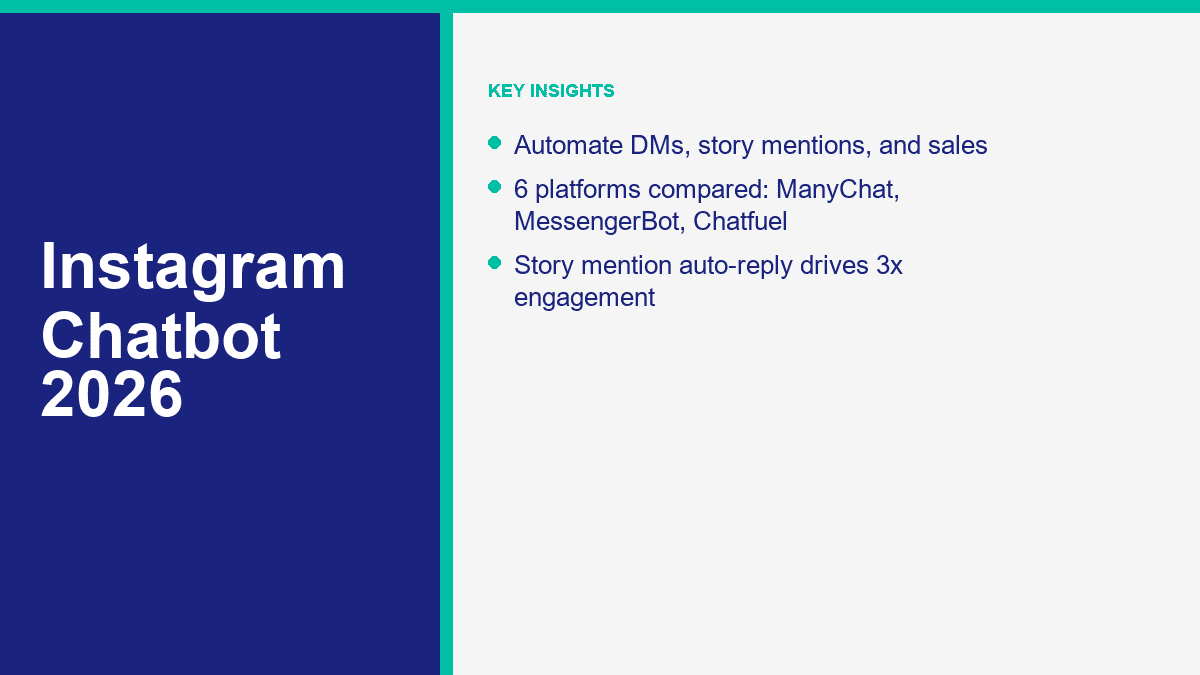
Chatbot Instagram : Comment automatiser les DMs, augmenter les abonnés et convertir des ventes en 2026

Instagram était autrefois un canal axé sur les commentaires avec des DMs en supplément. En 2026, la boîte de réception est l'endroit où se manifeste la véritable intention d'achat. Les gens demandent le lien par DMs, réagissent aux Stories, mentionnent votre marque dans leurs propres Stories, posent des questions sur la livraison, demandent des rendez-vous et essaient d'acheter pendant que votre équipe dort. Une fois que ce volume commence à grimper, les réponses manuelles cessent d'être une “tâche de service client” et deviennent un problème de rapidité.

Voici la partie que la plupart des guides omettent : un chatbot Instagram n'est pas seulement un répondeur automatique. C'est une couche de routage pour l'intention. Il attrape les questions simples, commence le bon chemin de vente, passe les questions étranges à un humain et empêche votre temps de réponse de s'effondrer au moment où un Reel, un concours ou une annonce décolle.

J'ai vérifié les prix et les détails des plans par rapport aux pages de produits publiques le 9 avril 2026, car cette catégorie change constamment. Les niveaux gratuits sont restreints, les ajouts d'IA sont reconditionnés, et un outil qui semblait bon marché le trimestre dernier peut devenir coûteux rapidement une fois que les contacts ou les conversations augmentent. Si vous hésitez encore entre les outils Instagram et les plateformes de chat d'entreprise plus larges, lisez notre comparaison complète des chatbots après cela. Ce guide reste concentré sur un seul objectif : transformer les DMs Instagram en un système de génération de leads et de ventes répétable.

Pourquoi les chatbots Instagram comptent plus que jamais pour les entreprises en 2026

Le volume des messages sur Instagram ne croît pas parce que les marques sont soudainement devenues meilleures en gestion de communauté. Il croît parce que les clients s'attendent maintenant à un chemin le plus rapide vers la confidentialité. Ils ne veulent pas chercher à travers un lien dans la bio, puis un menu, puis une page de contact, puis attendre une réponse par email demain matin. Ils veulent toucher une Story, taper une ligne, et obtenir ce dont ils ont besoin.

C'est un problème si votre équipe gère encore Instagram comme un canal de conciergerie fait main. Une personne peut suivre 20 ou 30 DM simples par jour. Au-delà de ce point, les fissures apparaissent rapidement. Les liens sont envoyés en retard. Les questions répétées s'accumulent. Les prospects qui étaient prêts à acheter se refroidissent. Vous commencez à répondre à des messages à forte intention avec les mêmes réponses copiées-collées fatiguées, ce qui est exactement le genre de travail que l'automatisation devrait éliminer.

La gestion manuelle des DM casse le moment où une campagne fonctionne réellement

Beaucoup de marques disent qu'elles veulent “plus d'engagement”, mais elles ne sont pas opérationnellement prêtes pour ce que cela signifie. Si un sondage dans une Story, un CTA dans un Reel, un giveaway, ou une annonce click-to-DM fonctionne bien, la boîte de réception se remplit des mêmes trois modèles :

  • Intention produit : “Combien ça coûte ?” “Pouvez-vous envoyer le lien ?” “Expédiez-vous au Royaume-Uni ?”
  • Intention de qualification : “Travaillez-vous avec des salons ?” “Puis-je réserver pour vendredi ?” “Est-ce pour les débutants ?”
  • Intention de support : “Où est ma commande ?” “Avez-vous des tailles restantes ?” “Puis-je changer ma réservation ?”

Ce ne sont pas des conversations difficiles. Ce sont des conversations répétitives. Et les conversations répétitives sont là où un chatbot justifie son existence. Le bot n'a pas besoin d'être intelligent. Il doit répondre instantanément, poser la prochaine question utile et collecter suffisamment de contexte pour qu'un humain intervienne uniquement si nécessaire.

Faites le calcul du temps sur un petit compte. Si vous gérez 400 messages entrants sur Instagram par mois et que chacun prend en moyenne 3 minutes entre la lecture, la réponse, la recherche du bon lien et le marquage du lead, cela représente 1 200 minutes de travail. Vous êtes à 20 heures par mois avant que quiconque ait fait un vrai suivi, créé du contenu ou assuré le succès client. C'est pourquoi l'automatisation d'Instagram passe de “nice to have” à “obvious” une fois que les DM deviennent un véritable canal de revenus.

L'automatisation des mentions dans les Stories est l'un des déclencheurs les plus intentionnels que vous puissiez utiliser

Lorsque quelqu'un mentionne votre compte dans sa Story, il a déjà levé la main. Ce n'est pas un prospect froid qui arrive de nulle part. Il parle activement de votre produit, de votre service, de votre événement, de votre marque de créateur ou de votre offre. C'est pourquoi les automatisations de mentions dans les Stories surpassent régulièrement les incitations génériques “DM us” dans de vraies campagnes. La conversation commence par une attention volontaire, pas une demande froide.

Les propres documents de messagerie Instagram de Meta rendent ce déclencheur particulièrement utile et particulièrement sensible au temps. Les mentions dans les stories sont éphémères, le contenu disparaît après 24 heures, et les mentions de comptes privés ne passent que si la personne vous suit. Cela signifie qu'un accusé de réception automatisé rapide est important. Si vous attendez jusqu'au prochain jour ouvrable, l'élan est déjà perdu.

En termes pratiques, une réponse à une mention dans une story fonctionne parce qu'elle semble native. “ Merci de nous avoir tagués, voulez-vous le lien du produit ? ” est une expérience très différente de celle d'une marque qui envoie un DM promotionnel aléatoire. L'une semble être un suivi. L'autre ressemble à du spam.

Les 6 plateformes de chatbot Instagram à comparer avant d'acheter

Il n'existe pas de chatbot Instagram sérieux “ sans inscription requise ” pour un usage professionnel. Si un outil prétend le contraire, il vous montre une démo, pas une configuration de production. L'automatisation réelle d'Instagram nécessite un compte professionnel Instagram, des autorisations Meta, une page Facebook liée dans de nombreuses configurations, et une plateforme capable de gérer les déclencheurs, les transferts et les rapports.

Instagram chatbot setup

La version courte après avoir examiné le marché actuel est la suivante : ManyChat est toujours le leader du marché si Instagram est au centre de votre entonnoir, MessengerBot.app est le meilleur choix en termes de valeur si Instagram est à côté de Facebook Messenger et du chat sur le site web, et le reste du terrain a du sens lorsque vous avez un modèle opérationnel plus étroit tel que le support de site web, les opérations de vente omnicanales ou l'automatisation de la réservation de services.

Plateforme Prix de départ public Meilleures fonctionnalités d'Instagram Profondeur de l'automatisation Niveau gratuit Meilleur ajustement
ManyChat Plan gratuit ; Pro à partir de $15/mois DMs Instagram, réponses aux commentaires, déclencheur de réponse aux Stories, déclencheur de réponse aux mentions dans les Stories, étapes AI, chat en direct Profond Oui Créateurs, coachs, marques de commerce électronique et équipes axées sur les réseaux sociaux
MessengerBot.app Essai gratuit ; Premium $19,99 par 30 jours Chatbot Instagram, réponse automatique aux commentaires, améliorateurs de réponses, constructeur de flux visuels, chat sur le site web, automatisation axée sur Messenger Profond pour les canaux Meta Essai PME qui souhaitent Instagram plus Facebook Messenger dans un seul système
Chatfuel Essai gratuit de 7 jours ; $69/mois Réponses automatiques d'Instagram aux messages et mentions, réponses aux Stories, flux de réservation, assistant AI, CRM Moyen à profond Essai Entreprises de services qui souhaitent une configuration simple et des réponses pilotées par l'IA
MobileMonkey / Customers.ai InstaChamp Niveau de cadeau gratuit ; promotion Platinum à $9,95/mois Répondeurs automatiques DM, réponses aux mentions dans les stories, réactions aux stories, réponses par mots-clés, automatisation de la croissance de l'audience Medium Accès gratuit limité Créateurs et marques axés sur la promotion qui sont à l'aise avec la transition vers Customers.ai
Respond.io Essai gratuit de 7 jours ; Starter à $79/mois Boîte de réception Instagram, flux de travail, diffusions, agents IA, capture d'annonces, routage d'équipe Très approfondi Essai Sales and support teams running multiple channels from one inbox
Tidio Free plan; Starter $24.17/mo Instagram integration, shared inbox, Flows, Lyro AI agent, website and email support Medium Oui Website-first businesses that also need Instagram covered

ManyChat Is Still the Safest First Recommendation for Instagram-First Brands

ManyChat stays on top because it understands how Instagram growth actually happens. You need comment-to-DM, story reply triggers, story mention automations, keyword triggers, lead capture, and a builder that non-technical marketers can ship quickly. The free plan is real, not fake, and the Pro tier starts low enough for creators and smaller businesses to test without a giant commitment. If Instagram is the primary sales surface, ManyChat is still the benchmark.

MessengerBot.app Is the Best Value If Instagram Is Part of a Bigger Meta Funnel

MessengerBot.app makes more sense than ManyChat when your funnel does not stop at Instagram. If you also care about Facebook Messenger, website chat, visual flows, form capture, sequences, Google Sheets, and SMB-friendly pricing, the platform becomes very attractive. Its public pricing is straightforward, the Instagram features are already listed on the pricing page, and the builder is easier to justify for businesses that want one operating layer across Meta channels instead of one tool for Instagram and another for everything else.

Chatfuel Feels Simpler Than It Used To, Which Is Mostly a Good Thing

Chatfuel has tightened its offer into a more direct AI assistant product. The current public plan is a single $69 per month package with a 7-day trial, and the product pitch is clear: automate replies across WhatsApp, Instagram, TikTok, and website chat with booking and CRM built in. That makes it cleaner than older Chatfuel pricing models, but it is no longer the cheap starter it once looked like.

MobileMonkey Still Exists in Practice, but the Brand Story Is Messy

This is where buyers get confused. The old MobileMonkey infrastructure and login path still show up inside Customers.ai, and the Instagram automation offer now lives under InstaChamp. If you are comparing tools in 2026, that means two things. First, the underlying social DM automation is still there. Second, the company has clearly pivoted harder toward ecommerce identity resolution. That does not make InstaChamp unusable. It just makes it a less clean buy than it used to be if you want a straightforward, long-term Instagram chatbot platform.

Respond.io Is Strong, but It Is Not Really a Creator Tool

Respond.io is excellent when you need an actual sales-and-support operation across Instagram, WhatsApp, email, and other channels. Workflows, AI agents, routing, inboxes, and broadcasts are all there. The tradeoff is obvious in the price. A $79 starting tier is reasonable for a real team, but it is overkill if all you want is a comment-triggered DM funnel for a small brand.

Tidio Works Best When Your Website Still Does Most of the Selling

Tidio is an inbox and support platform first, not an Instagram growth engine first. That matters. If your website, help desk, and AI support layer are central, Tidio is a strong option. If your main question is “How do I turn Instagram comments and story mentions into sales conversations?” it is usable, but it is not the sharpest specialist in the group.

How to Set Up an Instagram Chatbot Without Making the First Flow a Mess

The fastest way to waste a chatbot subscription is to build the automation before you define the path. A good first Instagram bot is narrow. It handles one sales path, one support path, and one human handoff path. That is enough to go live and start learning.

  1. Switch to a professional account and connect the right assets. Meta requires an Instagram professional account for messaging automation. In many setups you also need the account connected to a Facebook Page. If the account connection is broken, the rest of the setup does not matter.
  2. Pick one primary business goal. Do not start with ten automations. Choose one outcome such as sending product links, booking consultations, collecting leads, or answering pre-sale questions.
  3. Map the triggers before you write messages. Decide whether the conversation starts from a Story mention, Story reply, comment keyword, DM keyword, ad click, or private reply from a post comment.
  4. Design the opening flow in plain language. The first message should acknowledge intent, not dump a menu. For example: “Happy to help. Are you looking for pricing, the product link, or a quick question answered?”
  5. Add a human escape hatch immediately. Every serious bot needs a clean way to hand off. “Reply HUMAN” or “Talk to our team” is enough for version one.
  6. Test on your phone before going live. Desktop previews lie. Instagram automation has to feel good inside the actual app, with the actual message spacing, quick replies, and link behavior.

Connect Your Instagram Business Account the Right Way First

If your Instagram account is still personal, change that first. Meta’s help documentation is clear that professional Instagram accounts can be connected to a Facebook Page, and that connection unlocks cross-app tools, message management, and third-party app integrations. In plain English, your chatbot platform needs that plumbing to work.

At a minimum, confirm these five items before you touch the builder:

  • Your Instagram account is set to Business or Creator, not Personal.
  • The correct Facebook Page is connected to that Instagram account.
  • You have admin or equivalent task access to the connected assets.
  • Connected tools are enabled inside Instagram and Meta settings.
  • The platform can see the account and pass the test connection.

If your business is also running Facebook Messenger automation, use the same planning pass to align both channels. That keeps your routing, tags, and human handoff logic consistent. For the Messenger side of that setup, read our Messenger automation guide once your Instagram flow is live.

Start With Three Triggers, Not Fifteen

Most first builds should start with just three triggers:

  • Story mention reply: best for warm user-generated content and customer love.
  • DM keyword trigger: best for promos, giveaways, lead magnets, and “send me the link” campaigns.
  • Comment or private reply trigger: best for turning public interest into a private conversation.

That mix covers most real business cases without turning your automation map into spaghetti. Once those work, then add booking logic, product browsing, follow-up sequences, or multilingual branching.

Build the First Message Like a Concierge, Not a Sales Brochure

The first message is where weak flows give themselves away. If the bot opens with six buttons, a paragraph of brand voice, three emojis, and a sales pitch, users leave. If it opens with a tight acknowledgment and one useful next question, users continue.

Use this structure:

  • Acknowledge the trigger: “Thanks for the mention” or “Got your message.”
  • Offer one clear next step: “Want the link, pricing, or help choosing?”
  • Reduce typing whenever possible: quick replies beat open text for common paths.
  • Reserve open text for qualification: name, budget, date, location, or product question.
  • Hand off when confidence drops: if the user asks something unexpected, route them.

That is also where many teams overestimate AI. AI can improve classification and answer quality, but the highest-converting Instagram flows are still usually built around strong trigger design, good copy, fast links, and clean escalation. You do not need a philosophical bot. You need a fast one.

Test the Full Loop Before You Publish the Trigger

Run your own dry tests from a second account and check all of this on mobile:

  • Does the trigger fire every time it should?
  • Does the first reply arrive fast enough to feel instant?
  • Do links open correctly on iPhone and Android?
  • Do quick replies still make sense after the user chooses one?
  • Does the human handoff notify the team somewhere useful?
  • Do tags, contact fields, or CRM updates actually save?

Most Instagram automation failures are boring failures. The wrong page is linked. The trigger only fires on public mentions. The keyword is too narrow. The handoff exists but nobody is notified. Fixing those details does more for revenue than adding more bot complexity.

Instagram Chatbot Use Cases That Consistently Drive Revenue

Not every chatbot use case deserves equal effort. The ones below show up again and again because they sit close to purchase intent, save real time, or both.

Instagram bot rules

Story Mention Auto-Replies Turn User-Generated Content Into Warm Leads

This is one of the best low-friction plays in Instagram automation. A customer tags your brand in a Story, the bot replies with thanks, offers the product link, asks whether they want a discount code, or invites them into an affiliate or referral path. It feels timely because it is triggered by something the user already did.

This works especially well for beauty, fashion, food, travel, coaches, and local brands where customer Stories are normal. It also gives small teams a way to acknowledge every mention without someone manually checking the inbox all day.

DM Keyword Triggers Are Still the Cleanest Way to Capture Intent

If your content asks people to DM “PRICE,” “BOOK,” “CATALOG,” “GUIDE,” or “DEMO,” the bot should take over from there. The right automation sends the promised asset, asks one qualifying question, and records the result. That turns a fluffy engagement tactic into a measurable lead source.

Keyword flows are also the easiest place to A/B test. One version can offer a direct link first. Another can ask the qualifying question first. One can give the discount immediately. Another can trade the code for an email address. Instagram marketers love to talk about reach, but the real gains usually come from cleaning up this exact handoff.

Catalog Browsing Works When the Choice Set Is Small and Structured

Instagram DMs are great for lightweight commerce, not for dumping a giant store on someone. The winning pattern is a tight catalog path with category buttons, a short description, a hero image if the tool supports it well, and a clear route to checkout or human help. If you sell ten variants of the same product family, a bot can handle that well. If you sell 1,500 SKUs and expect the DM flow to replace search, it will feel clumsy.

The practical use case is not “browse everything.” It is “help me choose from a short shortlist.” That can still drive serious revenue when the product is visual and the buyer just needs a nudge.

Follower Growth Gets Easier When the Reward Lives Inside DM

Instagram bots do not magically create followers, but they do make follower growth campaigns easier to convert. A Reel can ask viewers to follow and DM a keyword for the checklist. A Story can invite people to mention your brand for the private link. A giveaway can use a comment trigger to move people from passive engagement into a real DM thread. The bot handles the delivery instantly, which is what keeps that spike in attention from turning into a pile of unread messages.

The important part is the exchange. Do not ask people to follow just because you want a vanity metric. Give them a reason to enter the DM: a guide, product list, sample menu, discount, booking link, early-access drop, or referral reward. That is how follower growth ties back to revenue instead of becoming empty reach.

Appointment Booking Is One of the Highest-ROI Instagram Automations

Service businesses get some of the cleanest wins from Instagram bots because the action is obvious. The customer wants availability, a price range, a service menu, or a consultation link. A bot can ask for the service type, preferred date, location, and contact details in under a minute, then hand the lead to a scheduler or a human.

Salons, clinics, trainers, agencies, home services, photographers, med spas, and consultants all fit this pattern. If your team is still manually answering “Do you have availability this week?” inside Instagram, you are spending human time on a machine-friendly task.

Meta’s Instagram Messaging Rules You Need to Respect Before You Scale

This is the section businesses ignore until a campaign stops delivering or an account gets restricted. Meta does allow meaningful Instagram automation, but it does not allow you to treat DMs like a free-for-all outbound spam channel.

You Are Usually Responding to User Intent, Not Starting Cold Conversations

The cleanest mental model is this: Instagram chatbot automation works best when the user started the interaction. They sent a DM, replied to a Story, mentioned you in a Story, commented on a post, reacted to an ad, or tapped into a thread. Meta’s messaging APIs and platform docs are built around that behavior. If your strategy depends on blasting cold promotional DMs to strangers, you are already on the wrong side of the product design.

That is why the best campaigns always begin with an explicit CTA such as:

  • “DM us BOOK for today’s availability”
  • “Mention us in your Story for the private link”
  • “Comment GUIDE and we’ll send it”
  • “Reply to this Story for the color chart”

The user initiates, the bot follows through. That is the safe and sustainable pattern.

The 24-Hour Window Still Shapes What You Can Do Next

Meta’s current Instagram Messaging docs still make the timing rules clear in the places that matter most. For private replies, you can send one message to a user who commented on a post, ad, reel, or live story, but only after the user replies can you continue inside the 24-hour messaging window. ManyChat’s current Instagram help docs reflect the same operational rule on story-based triggers: send within the allowed 24-hour period.

The practical takeaway is simple. Do not rely on slow follow-up. If someone triggers a Story mention flow, a Story reply, or a comment-to-DM entry point, your system should respond right away. Delay kills conversion and increases the chance you fall outside the safest messaging window.

Story Mentions Come With Special Privacy Rules

Meta’s Story Mention documentation includes a rule a lot of teams miss: you must not store or cache the story media on your own server. The content is ephemeral, the CDN URL can stop rendering once the Story expires or is deleted, and private-account mentions only flow through under specific visibility conditions.

If your team is building a custom inbox or using a platform with advanced rendering, treat Stories as temporary context, not permanent media assets. A good tool will reflect that reality and show a placeholder once the story is no longer available.

Comment-to-DM Is Powerful, but It Is Not Unlimited

Private Replies are one of the best bridges from public engagement to private conversation, but Meta does not give you unlimited follow-up freedom. The current docs say you can send only one private reply to the user who commented, and it has to be sent within 7 days for posts, ads posts, and reels. Instagram Live is stricter; the private reply has to happen while the live broadcast is still running.

That means comment automation works best as a hand-raiser, not as an excuse to stuff people into a long promotional sequence they never asked for. Use the first message to help, offer the asset, and invite the next step. If they respond, now you have a real conversation.

Legal Does Not Stop at Meta Policy

Platform rules are not the whole compliance picture. If you operate in the US or the UK, you still need to think about data collection, privacy notices, consent language, retention, and opt-out handling. If the bot collects names, emails, phone numbers, or purchase intent, your privacy policy should reflect that. If the bot delivers promotional offers, make the commercial nature clear. If someone wants out, give them a clean way out.

This is not legal advice, but it is practical advice: if your automation would feel sneaky, misleading, or overly aggressive to a reasonable customer, it is probably bad business even before a lawyer looks at it.

If Instagram is only one part of your Meta stack, keep the rules, tags, and handoff paths aligned with our Messenger automation guide so your team is not operating two different logic systems for customers who move between Instagram and Messenger.

How to Measure Instagram Chatbot ROI Without Lying to Yourself

A lot of businesses claim chatbot success because the bot sent a lot of messages. That is not ROI. Volume is only useful if it either saves labor, increases conversions, or both.

Métrique What to measure Pourquoi c'est important
First response time Seconds from trigger to first useful reply Instagram buyers are impatient; speed is often the win
Qualified conversion rate Percentage of bot conversations that reach booking, checkout, lead capture, or handoff This shows whether the flow is producing business outcomes, not just clicks
DM volume handled Total inbound conversations resolved or partially handled by the bot Good for capacity planning and staffing math
Human takeover rate Percentage of conversations escalated to a person Too high means the bot is weak; too low can mean the bot is trapping people
Cost saved Hours removed from manual DM handling multiplied by your actual labor cost This is where automation usually justifies itself first

Use a Simple Monthly ROI Formula First

You do not need a finance team to evaluate the first month. Start with this:

ROI estimate = (hours saved x hourly labor cost) + revenue influenced – platform cost

Exemple :

  • 350 Instagram conversations handled or pre-qualified by the bot
  • 2.5 minutes of manual work saved per conversation
  • 14.6 hours saved in the month
  • $25 per hour blended labor cost
  • $365 labor value saved
  • $600 in attributable bookings or sales from DM flows
  • $19.99 to $49.99 platform cost on a small-business tier

That is why the economics often become obvious quickly. Even a modest Instagram chatbot can pay for itself if it catches after-hours leads and removes repetitive admin.

Do Not Ignore Assisted Revenue

Some of your best Instagram chatbot conversations will not close inside Instagram. The bot qualifies the lead, sends the catalog, collects the phone number, books the call, or routes someone to the site. If you only count in-thread purchases, you will undercount the tool’s value badly. Track assisted outcomes wherever possible.

The Mistakes That Make Instagram Chatbots Feel Annoying or Pointless

Instagram bots do not fail because customers hate automation. They fail because the setup is lazy.

  • Starting with a giant menu: the more choices you show first, the lower the completion rate tends to be.
  • Ignoring trigger context: a Story mention deserves a different first message than a booking keyword.
  • No human handoff: if customers cannot reach a person when needed, the bot feels like a barrier.
  • Using one flow for support and sales: those jobs need different logic and different tone.
  • Sending the link too late: high-intent users should not be interrogated before they get the asset they asked for.
  • Not testing private-account edge cases: not every mention or reply behaves the same way.
  • Forgetting the 24-hour timing pressure: Instagram automation rewards fast follow-up, not lazy batching.
  • Leaving the bot unchanged for months: your offers, FAQs, and objections change, so the flow has to change too.

The strongest habit is a monthly review. Pull the top entry points, top drop-off messages, top unresolved questions, and top human takeovers. Then tighten the opening copy, fix the broken branches, and remove anything that slows the buyer down.

Where MessengerBot.app Fits If You Want Instagram and Messenger Working Together

If your business lives inside Meta’s ecosystem, the smartest move is often not buying the most famous Instagram specialist. It is buying the tool that lets Instagram, Facebook Messenger, website chat, forms, sequences, and team handoff work as one system. That is where MessengerBot.app makes the most sense. You get Instagram automation features, Messenger-first depth, and pricing that stays approachable for small businesses. If that sounds closer to your operating model than a creator-only stack, Voir les tarifs de MessengerBot.

Questions fréquemment posées

Puis-je utiliser un chatbot sur Instagram pour mon entreprise ?

Oui. Vous avez besoin d'un compte professionnel Instagram et d'un outil qui prend en charge l'automatisation des messages Instagram. Les meilleures configurations gèrent les DM initiés par les utilisateurs, les réponses aux Stories, les mentions dans les Stories, les réponses privées déclenchées par des commentaires et le transfert à un humain sans rendre l'expérience robotique.

Quelle est la meilleure plateforme de chatbot Instagram en 2026 ?

Pour la plupart des marques axées sur Instagram, ManyChat reste le leader du marché car ses automatisations Story, commentaire, DM et capture de leads sont matures et faciles à lancer. Si vous souhaitez Instagram plus Facebook Messenger, chat sur site et automatisation sur des canaux Meta plus larges dans une seule plateforme, MessengerBot.app est l'une des options les plus avantageuses.

Est-il légal d'automatiser les messages directs sur Instagram ?

Oui, lorsque vous utilisez des outils approuvés et suivez les règles de la plateforme et de la vie privée. Le modèle sûr est celui des messages initiés par l'utilisateur, des divulgations claires, un suivi respectueux, une gestion propre des désinscriptions et un traitement approprié de toutes les données personnelles collectées par le bot. Le comportement de message à froid et les promotions trompeuses sont les domaines où les entreprises rencontrent des problèmes.

Combien coûte un chatbot Instagram ?

Les tarifs pour les petites entreprises commencent généralement entre gratuit et environ $25 par mois pour les niveaux d'entrée, puis augmentent en fonction des contacts, des conversations, des sièges ou de la profondeur d'automatisation. ManyChat commence gratuitement et le Pro débute à $15 par mois. MessengerBot.app commence avec un essai gratuit et le Premium à $19,99 tous les 30 jours. Les outils d'équipe haut de gamme et omnicanaux peuvent coûter $79 par mois et plus.

Un chatbot Instagram peut-il m'aider à obtenir plus de followers ?

Oui, indirectement et parfois directement. Les bots sont les plus utiles lorsqu'ils transforment les mentions dans les histoires, les incitations à commenter, les concours et les mots-clés des messages directs en un engagement plus rapide. Cela maintient la conversation en cours, améliore les taux de réponse et facilite la récompense des personnes avec des liens, des offres, des rappels ou des mises à niveau de contenu qui encouragent le suivi et le partage.

Articles connexes

fr_FRFrançais


