
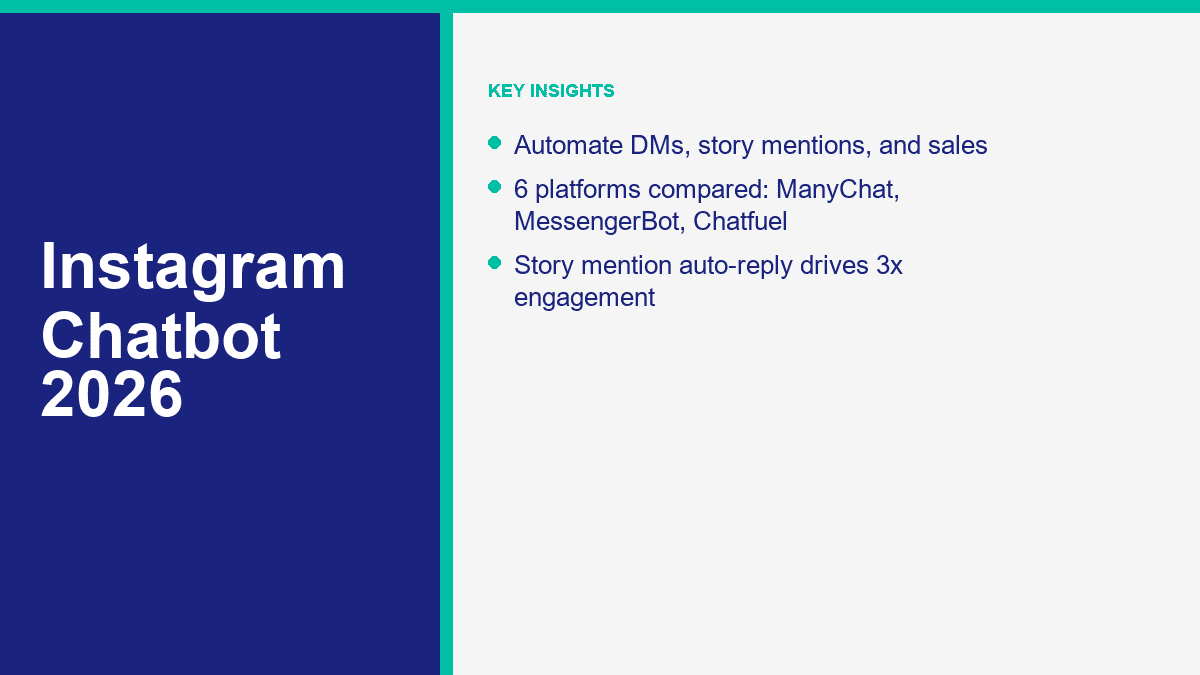
Understanding What an Instagram Chatbot Can Safely Do Immediately
Before diving into complex workflows, it is essential to understand the immediate, safe capabilities of an instagram ai chatbot in 2026. A chatbot can safely acknowledge an incoming message the moment it arrives, setting a positive expectation for the user. It can categorize the inquiry based on simple keywords or quick-reply button selections, separating a support request from a sales lead. It can deliver pre-approved static resources, such as a pricing guide or a scheduling link, to users who explicitly request them.
Crucially, a chatbot can also safely collect preliminary context. Before a human agent ever reads the thread, the bot can ask for the user’s order number, their preferred appointment date, or the specific product model they are interested in. This immediate action drastically reduces the back-and-forth friction that typically plagues manual DM handling. The bot establishes the baseline, gathers the facts, and prepares the conversation so that the human team can resolve the issue or close the sale efficiently.
Bridging Public Engagement: Comment-to-DM Routing
One of the most effective strategies for capturing intent on Instagram is comment-to-DM routing. This bridging technique turns public interest on your posts or Reels into structured, private conversations. When a user comments a specific keyword—such as “GUIDE,” “PRICE,” or “DEMO”—on a designated post, the chatbot is triggered to send a private direct message to that user automatically.
This automated transition is powerful because it capitalizes on the user’s immediate interest. Instead of waiting for a social media manager to manually reply to the comment and manually send a DM hours later, the bot delivers the requested information instantly. This immediate gratification significantly improves the user experience and captures the lead while their attention is still focused on your brand. It effectively moves the user from a passive browser in the public feed to an active participant in a private conversation.
The Process of Lead Qualification Before Human Handoff
An effective Instagram chatbot does not just talk; it listens and qualifies. The goal is not to have the bot complete every sale independently, but to prepare the lead so thoroughly that the human agent has a massive head start. Lead qualification involves asking structured, sequential questions that determine the user’s specific needs, budget, timeline, or suitability for your offerings.
For example, if a user initiates a conversation from a “Book a Consultation” ad, the bot should immediately ask for their preferred time frame, their primary business challenge, and their contact information. By collecting this context upfront, the bot filters out casual inquiries and prioritizes genuine prospects. This ensures that your sales team spends their valuable time speaking only with individuals who have already demonstrated clear intent and fit the profile of a qualified lead.
The Essential Role of Explicit Human Handoff
No matter how sophisticated a chatbot is configured to be, there are absolute boundaries to its capabilities. A critical component of any responsible automation strategy is an explicit, frictionless path to human handoff. Customers should never feel trapped in an endless loop of automated responses when they have a complex issue or an emotional concern that requires human empathy and judgment.
A well-designed flow clearly offers an “escape hatch” early in the conversation, such as a button to “Speak with a Team Member” or a designated keyword like “HUMAN.” When this trigger is activated, the bot must immediately pause its automated sequence and notify the designated support or sales team. This seamless transition is vital for maintaining customer trust and ensuring that high-stakes conversations are managed with appropriate care and expertise.
Separating Customer-Service Replies from Promotional Outreach
It is fundamentally important to distinguish between customer-service automated replies and promotional outreach workflows. These two functions serve entirely different purposes and must be structured with different logic, tone, and pacing. Customer-service flows should be built for maximum speed and clarity. When a user asks “Where is my order?” or “How do I return an item?”, the bot should prioritize delivering the precise answer or routing them to support immediately, without attempting to upsell or cross-sell in the same breath.
Conversely, promotional outreach workflows, initiated by users opting in for a discount or a guide, can be more conversational and gently guide the user toward a purchase decision. Mixing these two intentions—such as forcing a user looking for a refund to navigate through a new product catalog—creates immense friction and actively damages the customer relationship. Clear separation of these logic paths is essential for a professional bot experience.
Understanding Meta’s Permissions and Privacy Rules
Operating an Instagram chatbot requires strict adherence to Meta’s messaging policies and platform rules. A foundational rule is the 24-hour messaging window. Generally, businesses are permitted to send automated or manual responses within 24 hours of a user’s last interaction. Once this window closes, your ability to send promotional follow-up messages is severely restricted. Your automation strategy must be designed to deliver value and identify the next steps well within this active window.
Furthermore, there are specific rules governing different triggers. For comment-to-DM routing, you are typically allowed to send only one private reply to the user who commented, and this must be done within a specific timeframe (often 7 days for standard posts). Story mentions also come with privacy constraints; you must respect the ephemeral nature of the content and understand that mentions from private accounts may only trigger automations if specific visibility criteria are met. Ignoring these rules can lead to your messaging capabilities being restricted or your account being penalized.
Practical Setup Steps for Instagram Chatbots
Deploying a chatbot requires a structured approach to ensure it actually solves business problems rather than creating new ones. The first mandatory step is ensuring your Instagram account is set up as a Professional account (Business or Creator) and is correctly linked to the corresponding Facebook Page. Without this foundation, Meta’s supported connection layer will not allow third-party tools to interact with your direct messages.
Once the technical connection is established, the next crucial step is defining a single, primary business goal for your first flow. Attempting to build an intricate, multi-purpose bot from day one almost always results in a confusing user experience. Focus on automating one high-value path, such as delivering a lead magnet in exchange for contact information or routing basic customer service FAQs. Before launching, thoroughly map the trigger points and carefully design the opening message to be helpful, concise, and explicitly clear about the available options.
Following the trigger mapping, designing the conversation flow logic is the next critical phase. Resist the urge to create overly complex conversational trees that branch in dozens of directions. The most effective initial flows are highly linear and focused on a single outcome. If your goal is lead capture, the sequence should be: acknowledge the trigger, offer the incentive, ask for the email address, confirm receipt, and provide the download link. Introduce complexities like alternative product recommendations or fallback support paths only after this primary sequence has been tested, published, and proven to function reliably in a live environment. Iterative deployment is much safer than attempting a massive, multifaceted launch.
Testing is non-negotiable. Always test the complete workflow on a mobile device using a secondary account before publishing it to your main audience. This ensures the pacing feels natural, the links function correctly within the in-app browser, and the human handoff protocol reliably notifies your team.
Recognizing Current Feature Boundaries in 2026
It is vital to maintain realistic expectations about the current boundaries of chatbot features. While AI capabilities have expanded, a chatbot is not a sentient employee. It cannot independently negotiate complex enterprise contracts, accurately resolve entirely unprecedented technical support issues without prior documentation, or creatively navigate highly sensitive, emotionally charged customer complaints.
It is equally important to understand the technical limitations of integrations. While an Instagram chatbot can comfortably connect to many modern CRMs to update a contact record or log a conversation summary, it cannot seamlessly merge disparate customer identities without explicit user authentication. If a user interacts with your brand on Instagram and later on your website, the bot does not automatically know they are the same person unless they log in or provide matching, unique identifying information like an email address. Recognizing these boundaries prevents teams from overpromising technical capabilities during the setup phase and ensures that the automation is deployed for tasks it can actually accomplish reliably, such as immediate lead capture and initial triage.
Furthermore, expecting automation to automatically create an audience is a flawed strategy. A chatbot facilitates the conversation and delivers the rewards (like a checklist or a discount code) that incentivize users to follow or engage, but it does not magically conjure an audience out of thin air. The core value of the tool lies in structuring existing demand, accelerating response times for defined queries, and flawlessly executing repetitive administrative tasks so your human team can handle the exceptions.
A Practical Fit Checklist for Your Business
Not every business is ready for, or requires, an Instagram chatbot. Before investing time and resources into building an automation workflow, evaluate your operations against this practical fit checklist:
- Are you currently receiving a volume of predictable, repetitive questions in your Instagram DMs that your team struggles to answer promptly?
- Do you rely heavily on Instagram Stories or specific feed posts to drive direct-response actions, such as asking users to DM for a link or comment for a guide?
- Do you have a clear, documented process for how your team handles escalated customer support issues or complex sales inquiries?
- Is your team prepared to monitor the chatbot’s performance regularly and step in immediately when the human handoff protocol is triggered?
If you answered yes to these questions, implementing an automation layer is likely a highly strategic move. If you are struggling with low overall engagement or do not have a human team ready to support the bot, focus on your core content strategy first.
Platform Context: Navigating the Tool Landscape
Choosing the right platform to host your automation is a significant decision. For businesses that require a unified approach to messaging—where Instagram DMs sit alongside Facebook Messenger and website chat as equal pillars of a broader communication strategy—using Messenger Bot provides a cohesive, centralized environment to build and manage these workflows seamlessly.
However, if your operational requirements involve deep comparisons of pricing tiers, highly specific third-party CRM integrations, or an evaluation of different feature sets across alternative platforms in the market, you should carefully review dedicated platform breakdowns. If you are genuinely uncertain about which specific tool infrastructure fits your broader company structure, you should explore a comprehensive ManyChat review and platform comparison to evaluate the wider marketplace options objectively.
For more detailed insights on structuring your sequences, review best practices for chatbot workflow design and study safe 챗봇 스크립트 예시. Understanding the critical importance of speed to lead response timing will further underscore the value of these systems. Finally, before making any long-term commitments, ensure you evaluate the overall business impact thoroughly using an ROI calculator and setup guide.
Concise FAQ
What is the primary benefit of automating Instagram DMs?
The primary benefit is transforming a manual, slow customer service task into an instant, intelligent routing system. Automation handles repetitive inquiries instantly, qualifies leads by gathering initial context, and ensures human agents only spend time on complex, high-value conversations.
Can a chatbot safely reply to every single Instagram comment?
While technically possible, it is strategically unwise to automate a private DM reply for every generic comment. Comment-to-DM routing is most effective when used deliberately as a hand-raiser tactic, triggered by specific keywords (like “PRICE” or “LINK”) where the user has explicitly requested the automated follow-up.
How do I ensure my chatbot doesn’t violate Meta’s policies?
To stay compliant, always design your workflows to respond only to user-initiated actions. Strictly observe the 24-hour messaging window for automated follow-ups, clearly provide a human escape hatch in your flows, and never scrape or inappropriately store ephemeral Story content.
Why is a human handoff necessary if the bot uses AI?
AI is excellent at pattern recognition and routing, but it lacks genuine empathy, the ability to negotiate unique exceptions, and the nuanced judgment required for sensitive customer service issues. A clear human handoff prevents user frustration when the conversation inevitably exceeds the bot’s programmatic boundaries.



 한국어
한국어  English
  Tagalog
  简体中文
简体中文  العربية
  हिन्दी
  Português do Brasil
  Español de México
  Français
  বাংলা
বাংলা  香港中文
香港中文  繁體中文
繁體中文  Nederlands
  Deutsch
  Bahasa Indonesia
  日本語
日本語  Polski
  Русский
  Español
  Tiếng Việt