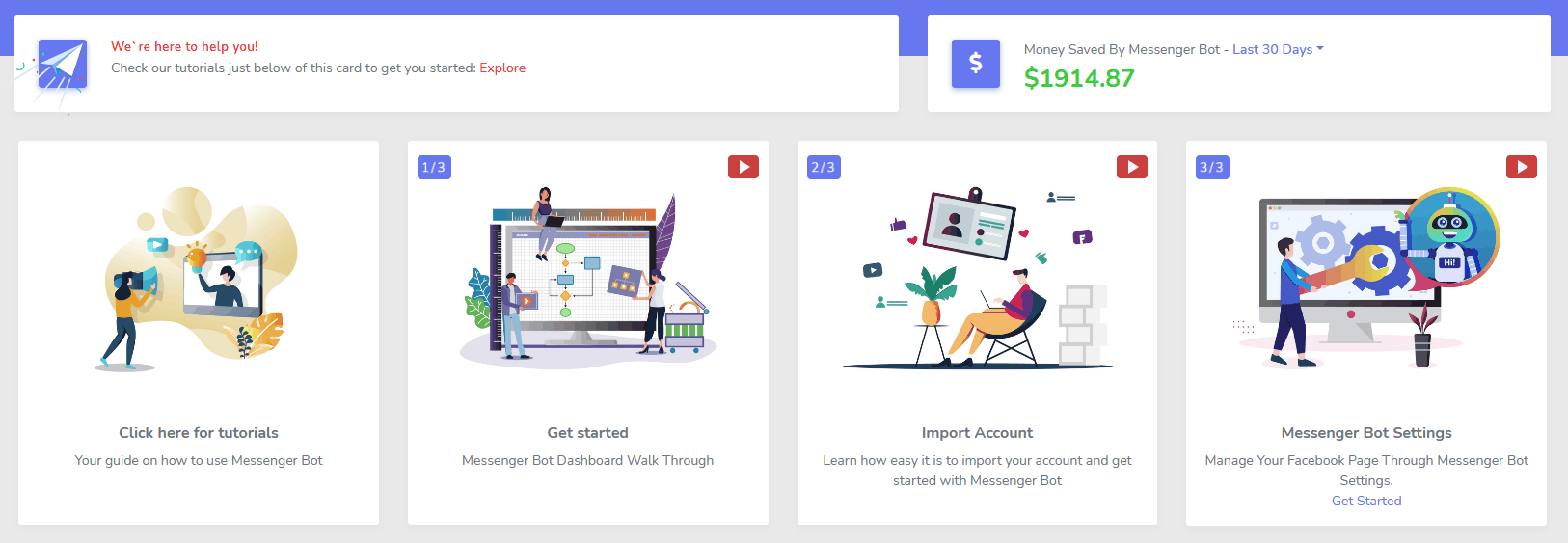
Facebook and Instagram follow-up
Turn more comments and DMs into conversations your team can close.
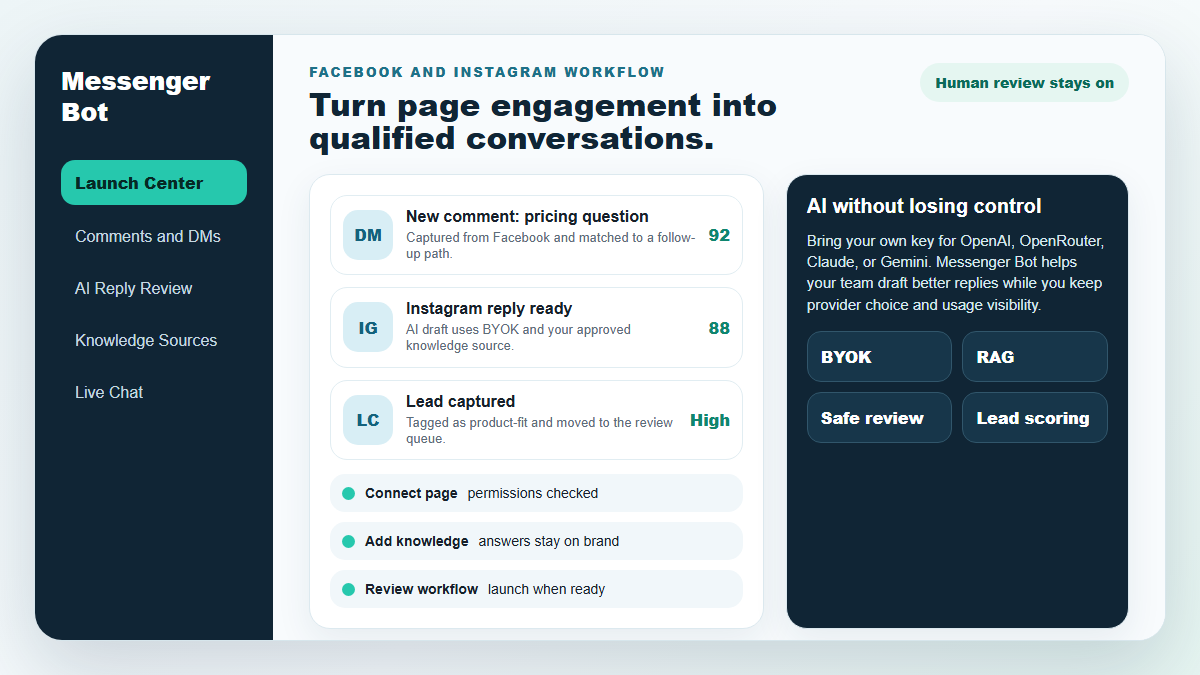
Start with one proven workflow, capture higher-intent leads, and use BYOK (Bring Your Own Key) AI drafts with human review before anything reaches a customer.
- Comment and DM capture
- BYOK AI reply drafts
- Human review controls
MESSENGER BOT
Notre IA répondra automatiquement de manière intelligente à tout commentaire ou message d'utilisateur en fonction de ce qu'ils disent !
Commencez à répondre et à envoyer des commentaires et des messages automatiques sur votre Facebook, Instagram, ou tout site en quelques clics avec des modèles préfabriqués !
Créez des flux automatisés qui interagissent avec les utilisateurs en fonction de leurs comportements et augmentez vos ventes.
Obtenez des opt-ins pour moins de 0,25 € avec des aimants à prospects de marketing Messenger !
Abonnés Illimités
Sessions de Chat Illimitées
Campagnes de Séquence Illimitées
Flux Illimités
Tags Clients Illimités
Multilingue & A l'Air
Incroyable Sur Tout Appareil
Fournissez des réponses parfaites dans la langue de votre choix ! Quelle que soit la réponse de l'utilisateur, Messenger Bot cela sera parfait !
Conforme à Facebook
Le Messenger Bot subit régulièrement des examens par Facebook et est une application Facebook conforme et approuvée.
Fonctionne avec tous les principaux navigateurs
Fonctionne bien avec Chrome, Firefox, Edge et Safari ! Aucun plugin ou application à télécharger pour utiliser Messenger Bot, tout est 100% dans le cloud.
Parfait pour tous les appareils
Messenger Bot est conçu pour avoir un aspect incroyable sur tous les appareils, y compris les mobiles, les ordinateurs de bureau et les tablettes !
Complet
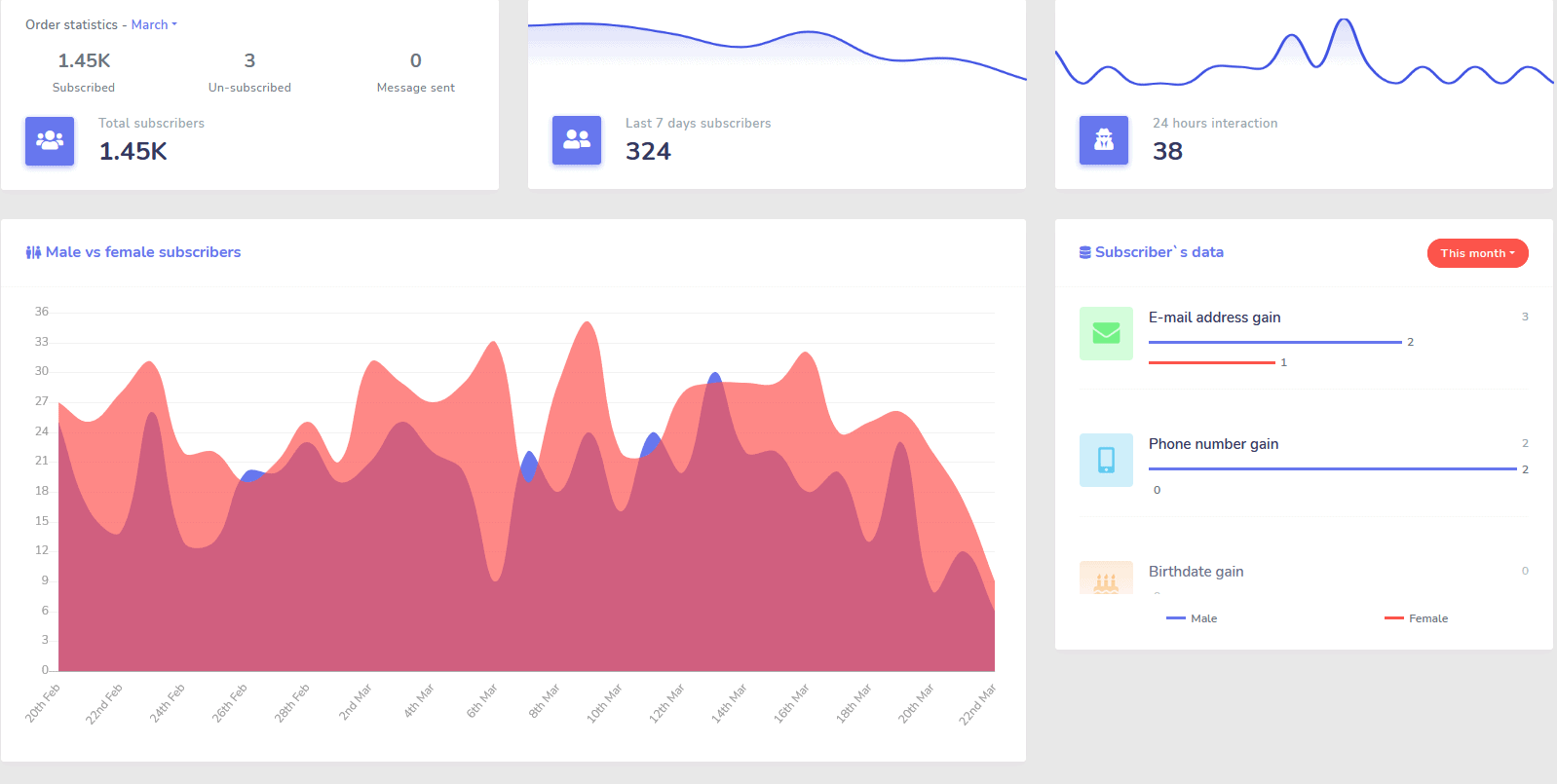
Analytique
Identifiez facilement vos canaux les plus performants et obtenez un aperçu clair de vos abonnés, de vos performances, ainsi que des endroits où vous performez le mieux/le pire et entre les deux.
Suivez facilement les abonnés, les derniers commentaires et d'autres campagnes directement depuis votre tableau de bord.
Réduction drastique
du coût par lead et par vente
Avec Messenger Bot vous pouvez être disponible 24/7 et réduire votre coût par lead et par vente en fournissant aux utilisateurs les informations qu'ils recherchent immédiatement !
De plus, utilisez Messenger Bot pour plonger dans l'API des intérêts Facebook et découvrir des audiences non révélées à d'autres annonceurs sur Facebook !
En ciblant ces audiences cachées avec des publicités Facebook, vous pouvez réduire exponentiellement votre coût par lead et votre coût par vente immédiatement.
Messager
Boutique eCommerce
Commencez à vendre directement dans Messenger et ailleurs avec votre propre boutique eCommerce personnalisable !
Conservez 100% des revenus, avec un partage de revenus de 0% et plusieurs processeurs de paiement à choisir tels que PayPal, Stripe et RazorPay !
Inclus dans TOUTES nos abonnements Messenger Bot.
Illimité
Messages séquentiels et envois en masse
Pour une durée limitée, lorsque vous commandez aujourd'hui, vous obtenez illimité des campagnes de messagerie séquentielle et des envois de messages en masse !
Soyez toujours à l'heure avec la messagerie séquentielle qui envoie vos messages souhaités à l'utilisateur en fonction d'un délai que vous définissez.
Atteignez vos clients en masse au bon moment avec des envois de messages en masse.
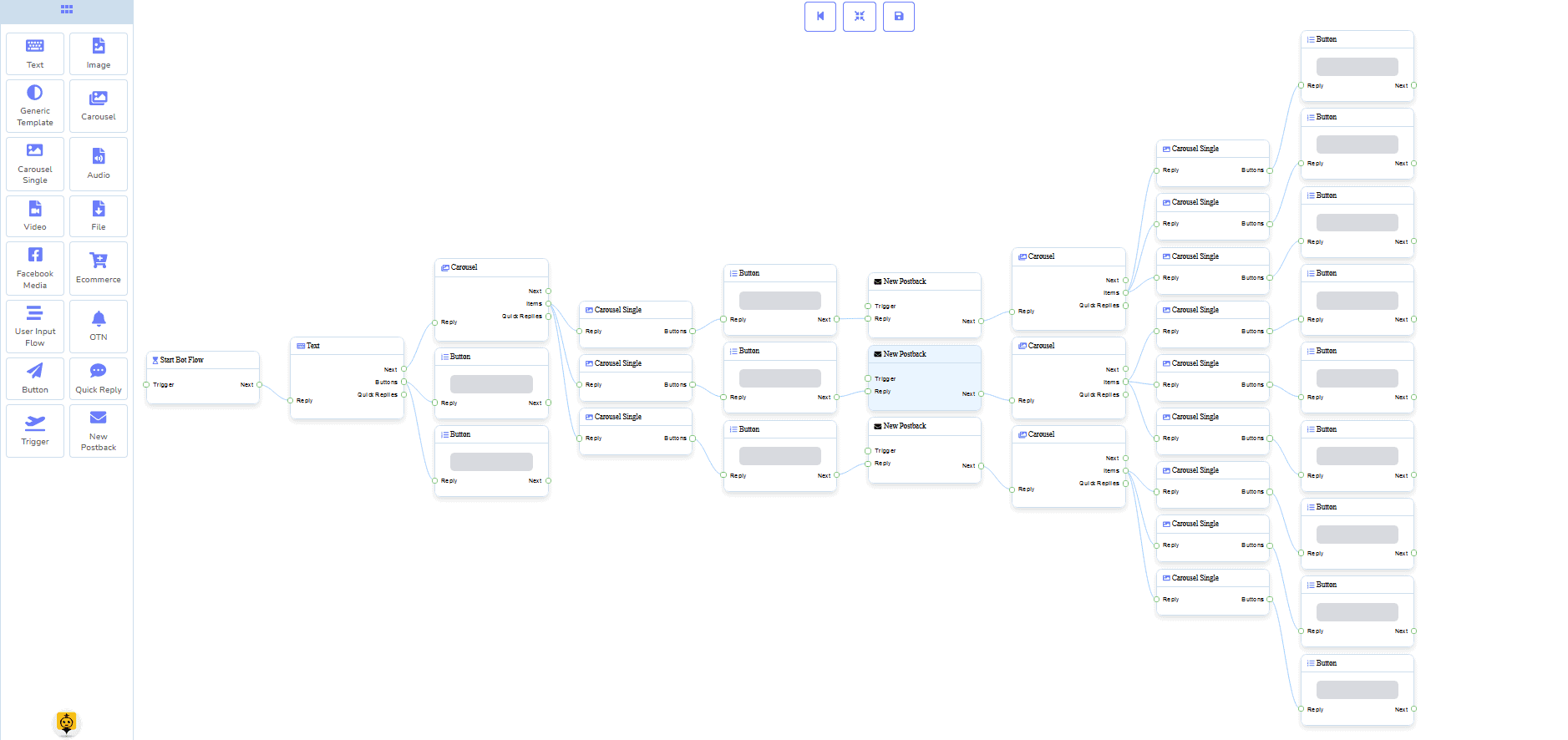
0 Code Constructeur de flux
+ Fait pour vous Modèles
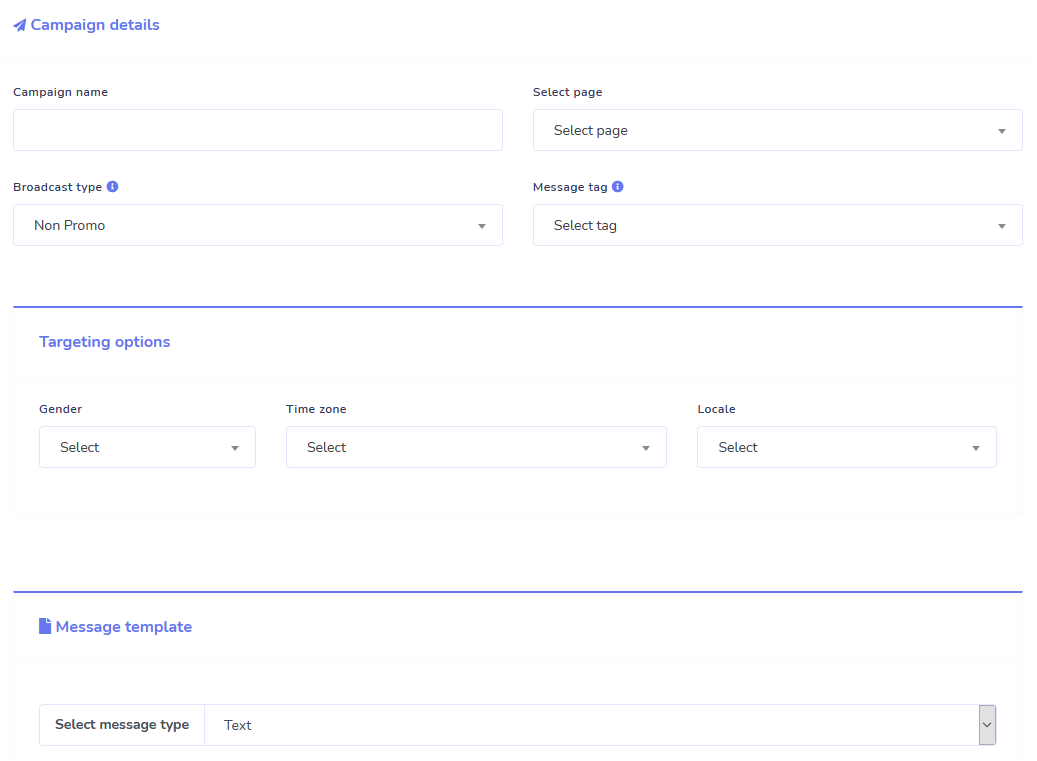
Lancez-vous en quelques clics avec nos modèles prêts à l'emploi !
Créez vos flux de travail automatisés sans aucune programmation grâce à notre constructeur visuel sans code !
Toujours trop technique ? Notre service client est à votre disposition et prêt à vous aider à le construire !
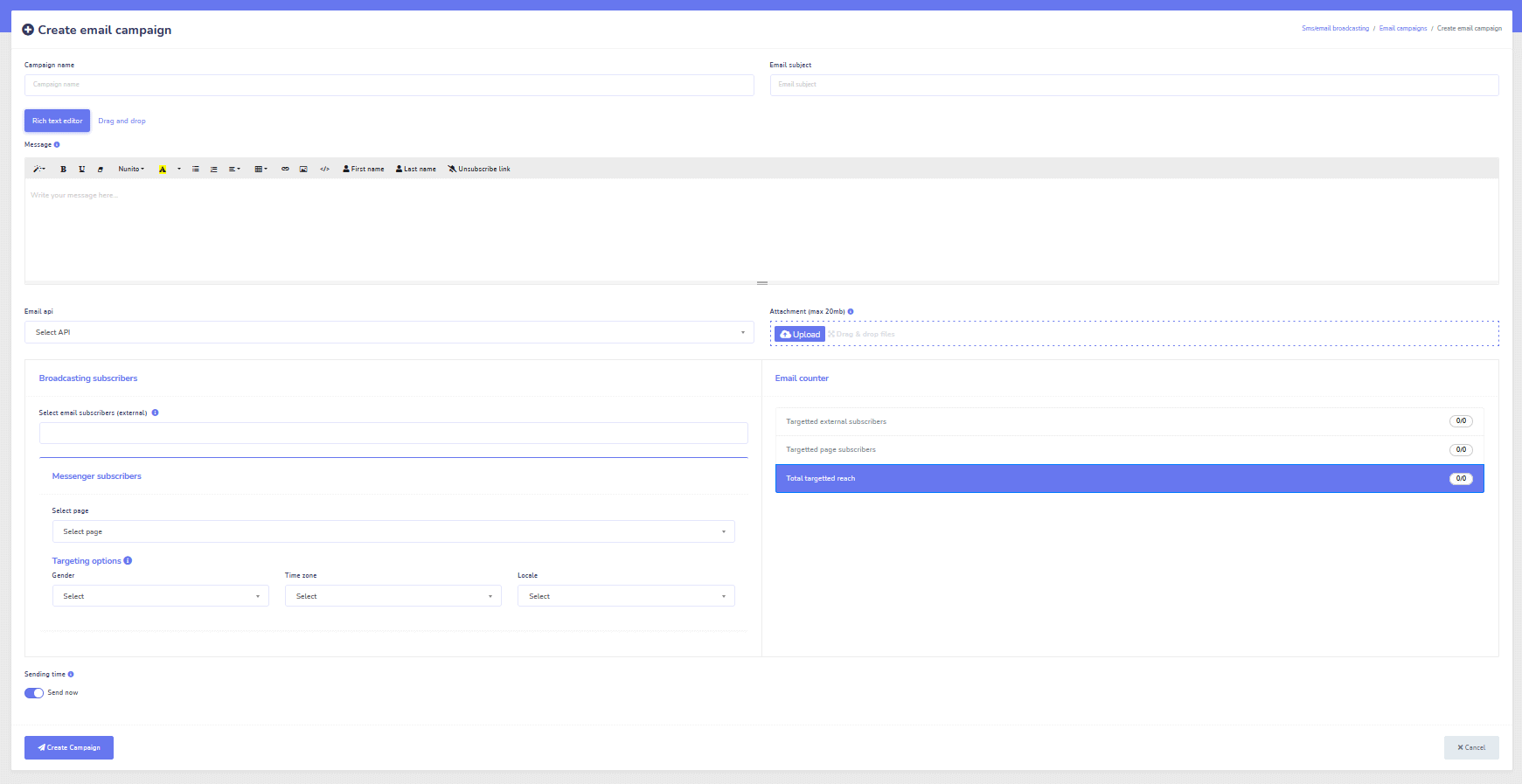
Répondeur automatique, Diffusion, Séquence, Abonnement et Modèles
Répondez automatiquement à tous les emails !
Envoyez des diffusions par email et des campagnes de goutte à goutte.
Construisez vos listes d'abonnés et créez des modèles de campagne par email avec notre constructeur visuel !
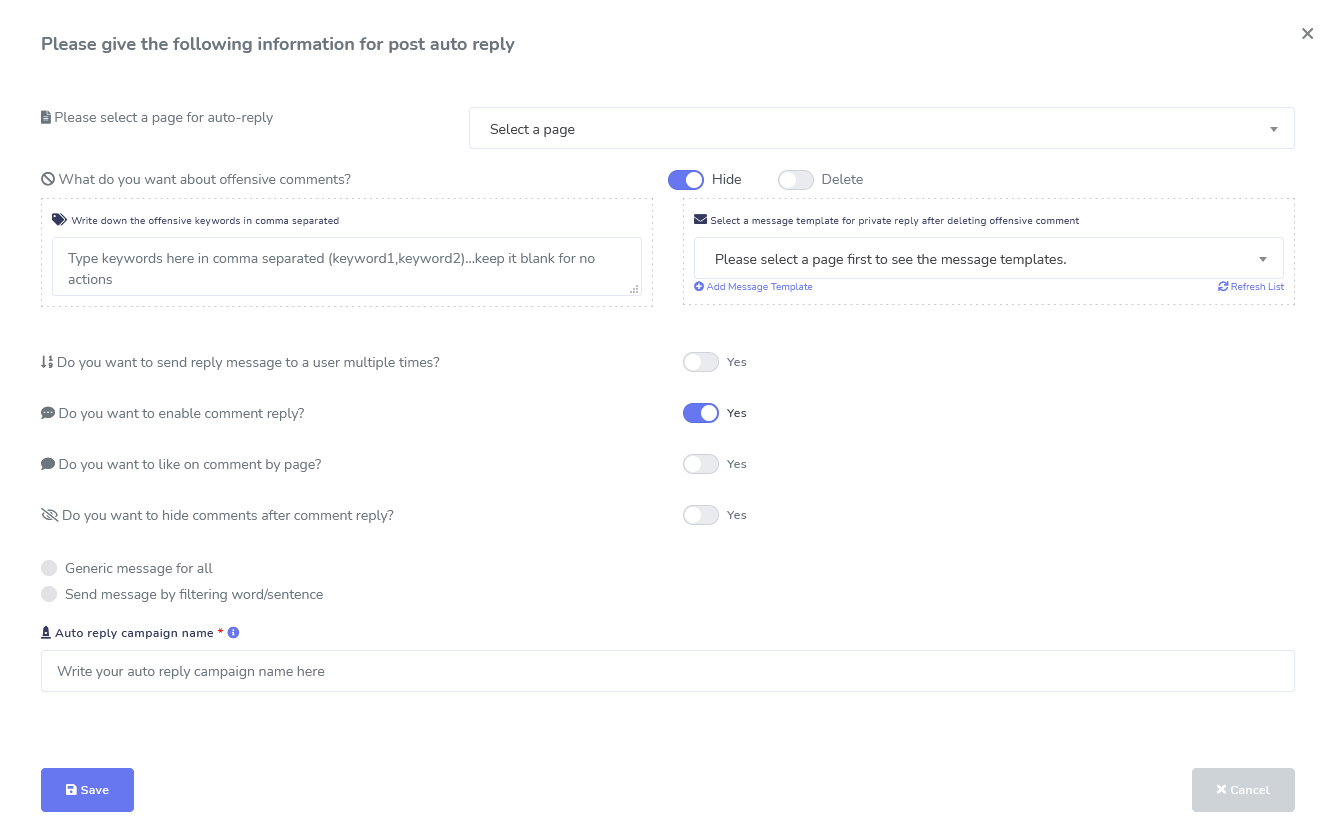
Facebook & Instagram
Modération des commentaires, Automatisation, Publication et Outils de réponse
Une suite complète de fonctionnalités d'automatisation Facebook conçue pour vous aider à créer des publications, à les programmer, à modérer les publications et à répondre automatiquement aux publications, ainsi qu'à envoyer des messages de suivi !
En direct ou automatisé
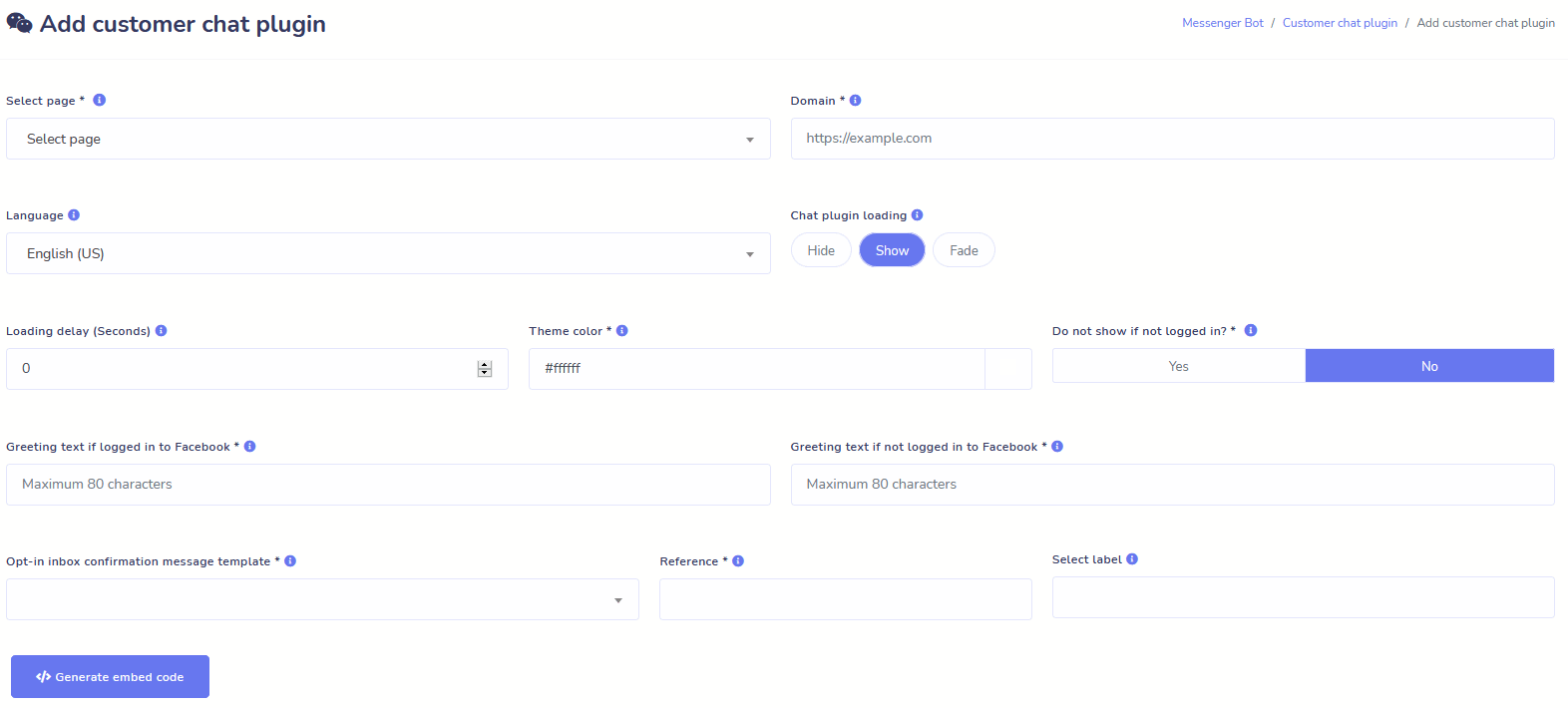
Chat sur le site web
Automatisez votre chat tout en permettant une aide humaine en direct aux visiteurs qui en font la demande.
Permettez aux utilisateurs d'obtenir les informations dont ils ont besoin à la demande et regardez votre entreprise prospérer !
Offrez à vos utilisateurs l'expérience qu'ils désirent en quelques clics.
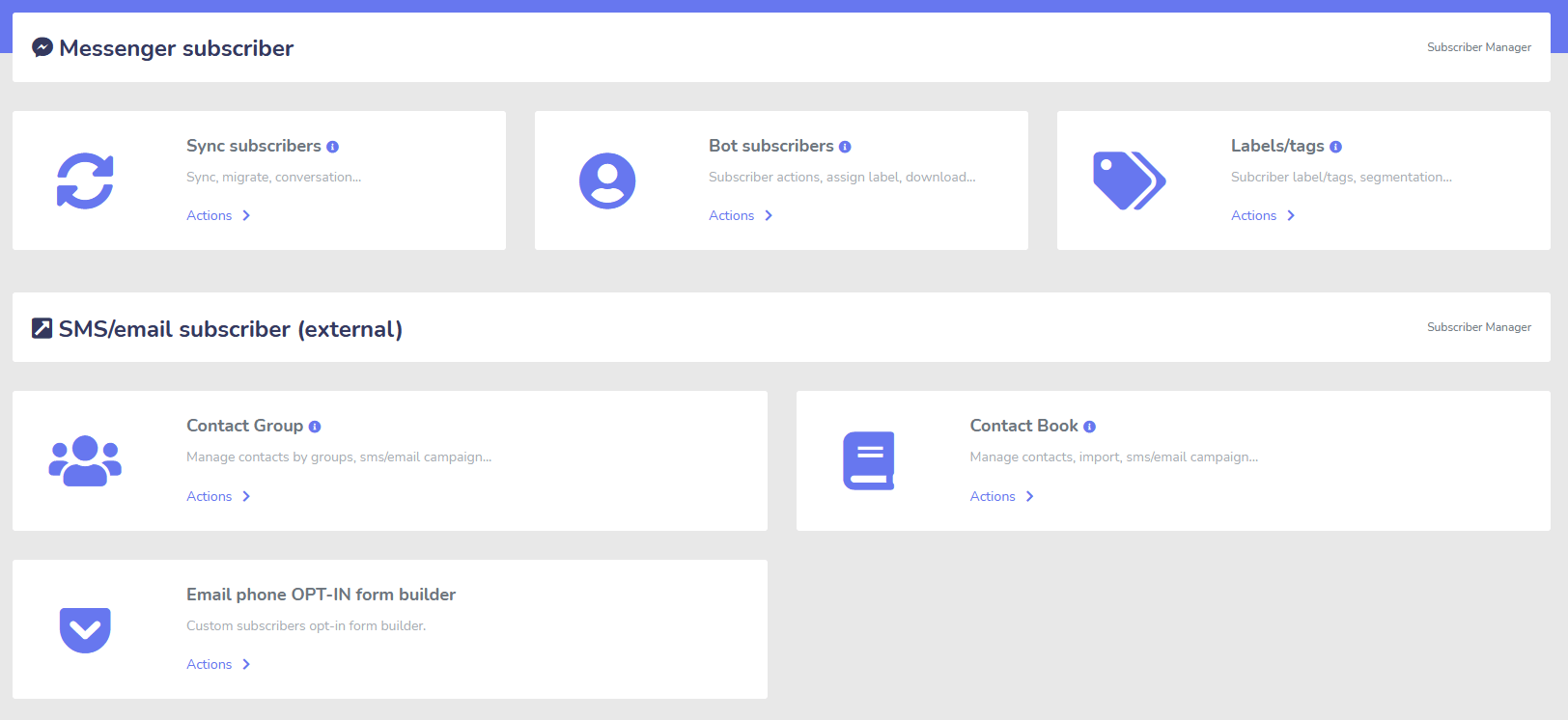
Abonné
Constructeur, Importateur, Gestionnaire et Synchronisation
Vous migrez depuis ManyChat, ChatFuel ou ailleurs ? Synchronisez facilement vos abonnés avec Messenger Bot !
Construisez facilement vos listes d'abonnés avec des liens M.Me, des opt-ins Messenger, et plus encore !
Subscriber Manager vous permet d'obtenir la synchronisation des abonnés, d'afficher les abonnés des robots, d'afficher les étiquettes et de gérer les activités de messagerie/e-mail dans différents groupes de contacts.
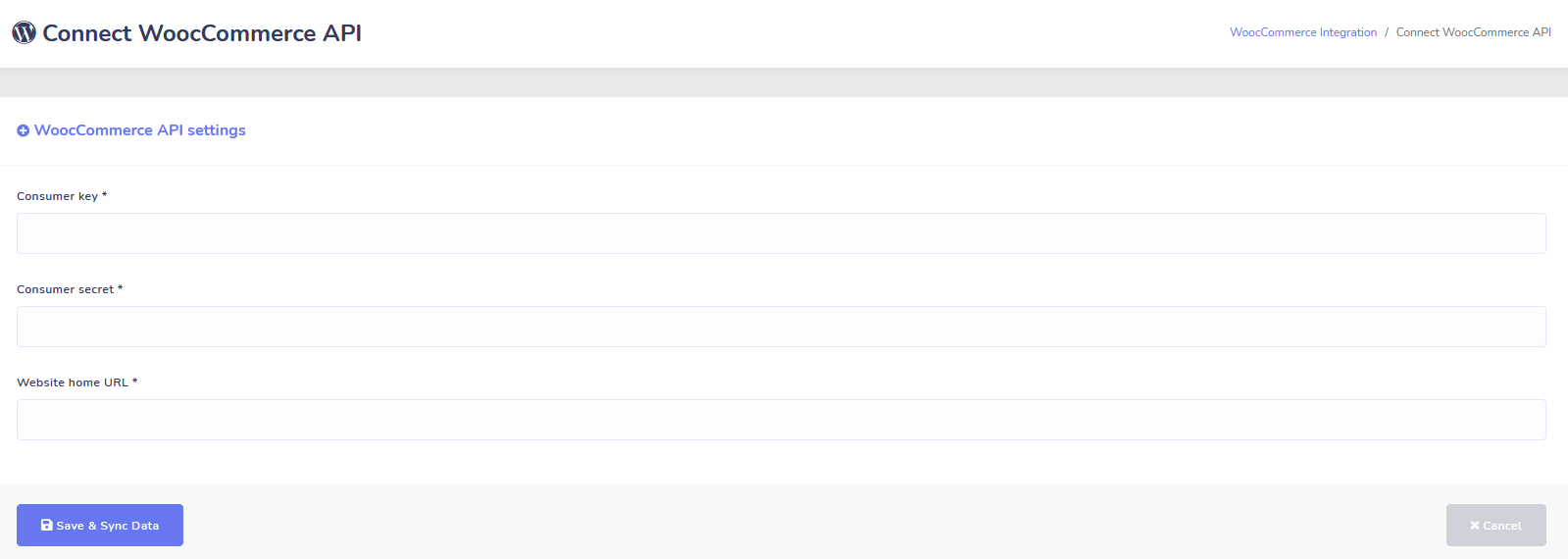
WooCommerce
Synchronisation et Récupération de panier abandonné
Synchronisez votre boutique WooCommerce en 1 clic.
Augmentez vos ventes en récupérant les utilisateurs qui ont abandonné leur panier !
Intégrations Shopify + Wix à venir bientôt !
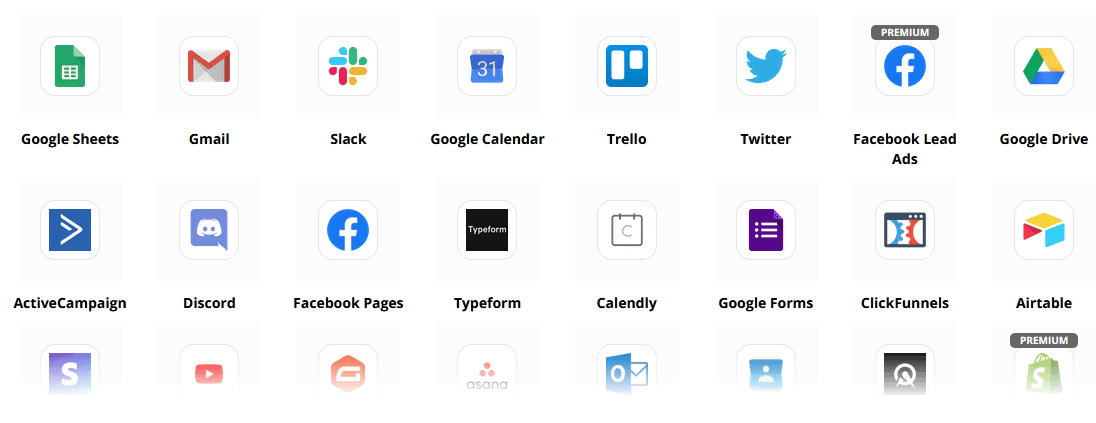
Zapier + API JSON + Google Sheets
Intégrations
Connectez-vous à plus de 3 000 applications avec notre intégration Zapier ou utilisez l'API JSON pour créer vos propres personnalisations !
Transférer automatiquement les données des abonnés vers Google Sheets.
Plus
Tellement plus !
Utilisez les éditeurs d'images intégrés pour créer des images et des publications dans votre tableau de bord.
Publiez automatiquement à partir des flux RSS !
Créez votre propre menu Messenger persistant
et tellement plus….
Voici d'autres façons d'utiliser le Bot Messenger
Le Bot Messenger est utilisé de nombreuses manières. Voici une petite liste de la façon dont les gens nous utilisent en ce moment.
Support client
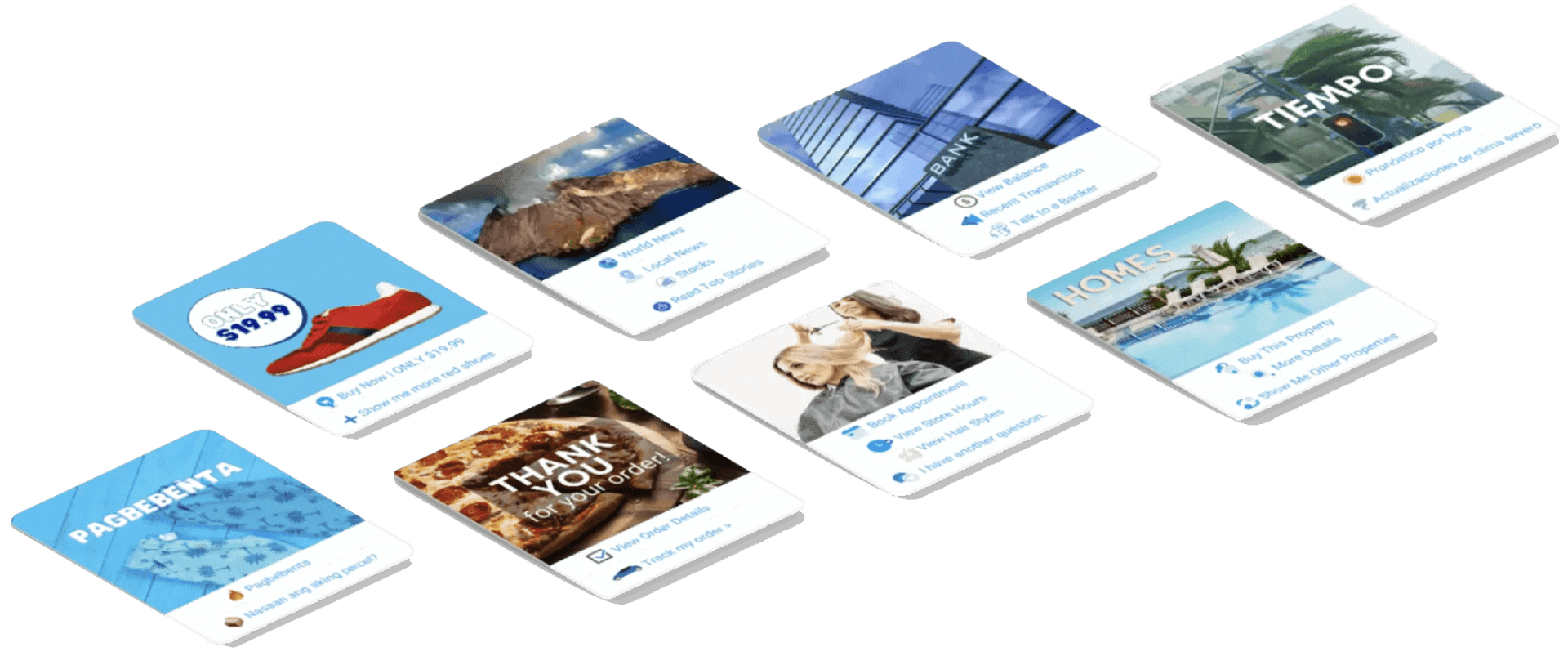
Dirigez intelligemment les clients vers leur destination souhaitée en fonction de leurs actions et comportements.
Collecter des informations auprès des clients
Obtenez toutes les informations importantes nécessaires des clients.
Questions fréquemment posées
Donnez aux utilisateurs les réponses dont ils ont besoin instantanément tout en libérant simultanément le personnel de support.
eCommerce
Vendez directement dans Messenger avec un magasin nouveau ou existant !
Génération de leads
Interagissez avec les utilisateurs et générez des prospects automatiquement !
Formulaires entièrement personnalisables
Créez des formulaires entièrement personnalisables et conversationnels dans Messenger + votre site Web !
Immobilier
Montrez des propriétés et générez des prospects qualifiés automatiquement 24/7.
Restaurant
Faites des promotions, prenez des réservations et des paiements !
Travel & Tours
Obtenez plus de réservations de voyages et de tourisme, mettez en valeur vos sorties uniques.
Concessionnaire automobile
Montrez et vendez des voitures via Messenger + votre site !
Retours et enquêtes
Créez des enquêtes et des formulaires de retour entièrement personnalisables et automatisés !
Assurance
Aidez à présenter et sélectionner des polices + donner des devis ainsi que fixer des rendez-vous.
Prix bas Pour une durée limitée
Agissez maintenant et sécurisez cette offre spéciale pour Messenger Bot avant l'augmentation de prix !
Avec Messenger Bot, vous économiserez sur les coûts de support, de vente et d'abonnement pour d'autres services que vous n'utiliserez plus !
Voir Messenger Bot En action !
Plus de 40 000 utilisateurs
Support 24/7
Satisfaction 100%

Utilisé et approuvé par plus de 40 000 utilisateurs
Rejoignez plus de quarante mille propriétaires d'entreprises qui utilisent et comptent sur Messenger Bot comme solution marketing complète de bout en bout !
Practical follow-up resources
Turn more customer conversations into clear next steps.
Use these practical guides to strengthen response speed, lead qualification, and follow-up while your team keeps ownership of every customer decision.
- missed-call text-back guide — Keep high-intent callers moving with a clear, consent-aware follow-up path.
- lead-scoring workflow — Give your team a practical way to prioritize better-fit opportunities.
- speed-to-lead guide — Shorten the gap between a new inquiry and a useful first response.
Pick the right starting point
Choose the Messenger Bot plan that matches the conversations you want to win.
Start with the workflow you need now, then upgrade when your page, team, or client load grows.
Starter
$29 /mo
For one focused page getting its first automated comment and DM follow-up live.
- Launch a guided lead-capture workflow.
- Reply faster without adding another daily dashboard.
- Keep setup simple while you prove the channel.
Pro
$99 /mo
For growing businesses that want BYOK (Bring Your Own Key), business knowledge, and better lead sorting.
- Use AI-assisted drafts with human review.
- Qualify replies before your team spends time on them.
- Keep follow-up consistent across busy launches.
Agence
$299 /mo
For teams managing multiple brands, clients, assets, and approval workflows.
- Organize client conversations by page and priority.
- Give teams cleaner review paths before replies go out.
- Scale repeatable workflows without adding extra manual work.
A payment card keeps trials focused. You stay in control of the plan before billing starts.
Questions Fréquemment Posées
Qu'est-ce qu'un bot Facebook Messenger ?
Un bot Messenger Facebook est un chatbot automatisé qui peut être utilisé pour améliorer non seulement l'expérience Messenger, mais aussi l'expérience de chat sur votre site web.
Que peut faire Messenger Bot pour mon entreprise ?
Messenger Bot vous permettra d'accueillir automatiquement de nouveaux utilisateurs, de répondre à des mots-clés ou phrases spécifiques, de syndiquer du contenu, de générer des leads, de réaliser des ventes, et plus encore !
Pourquoi ai-je besoin de Messenger Bot ?
Chaque jour qui passe, il devient de plus en plus difficile d'atteindre votre public cible. C'est un fait que de nombreuses méthodes de marketing traditionnelles ne fournissent plus les mêmes résultats qu'il y a des années.
Notre bot Messenger Facebook résout ce problème en vous permettant d'atteindre des taux d'ouverture de plus de 80% avec des messages interactifs en temps réel et des séquences de campagnes de chat.
Comment créer un bot Facebook Messenger ?
Tout d'abord, vous aurez besoin d'un compte Facebook et d'une page Facebook avec des droits d'administrateur pour la gérer.
Après cela, vous achetez votre offre (ou vous inscrivez pour un essai gratuit) puis sélectionnez « Importer un compte ».
À partir de là, utilisez notre constructeur de flux visuel pour créer et déployer votre bot en quelques minutes, pas en quelques jours ! Maintenant, vous pouvez commencer de vraies conversations avec vos clients, à tout moment.
Y a-t-il un essai ?
Yes. Use the 7-day trial to decide whether Messenger Bot fits your business. A payment card is required; review your plan and start your trial.
Quand cette offre expire-t-elle ?
Cette offre expirera bientôt, donc si vous voulez bénéficier de la meilleure réduction, vous voudrez commander maintenant.
Prêt à faire un vrai changement ? Construisons cela ensemble !
Découvrez Messenger Bot sans aucune restriction et commencez à l'utiliser pleinement seulement lorsque vous l'adorez. Nous vous attendrons.
Messenger Bot est bien plus qu'un simple chatbot !
Il est maintenant possible d'avoir des conversations complexes automatiquement !
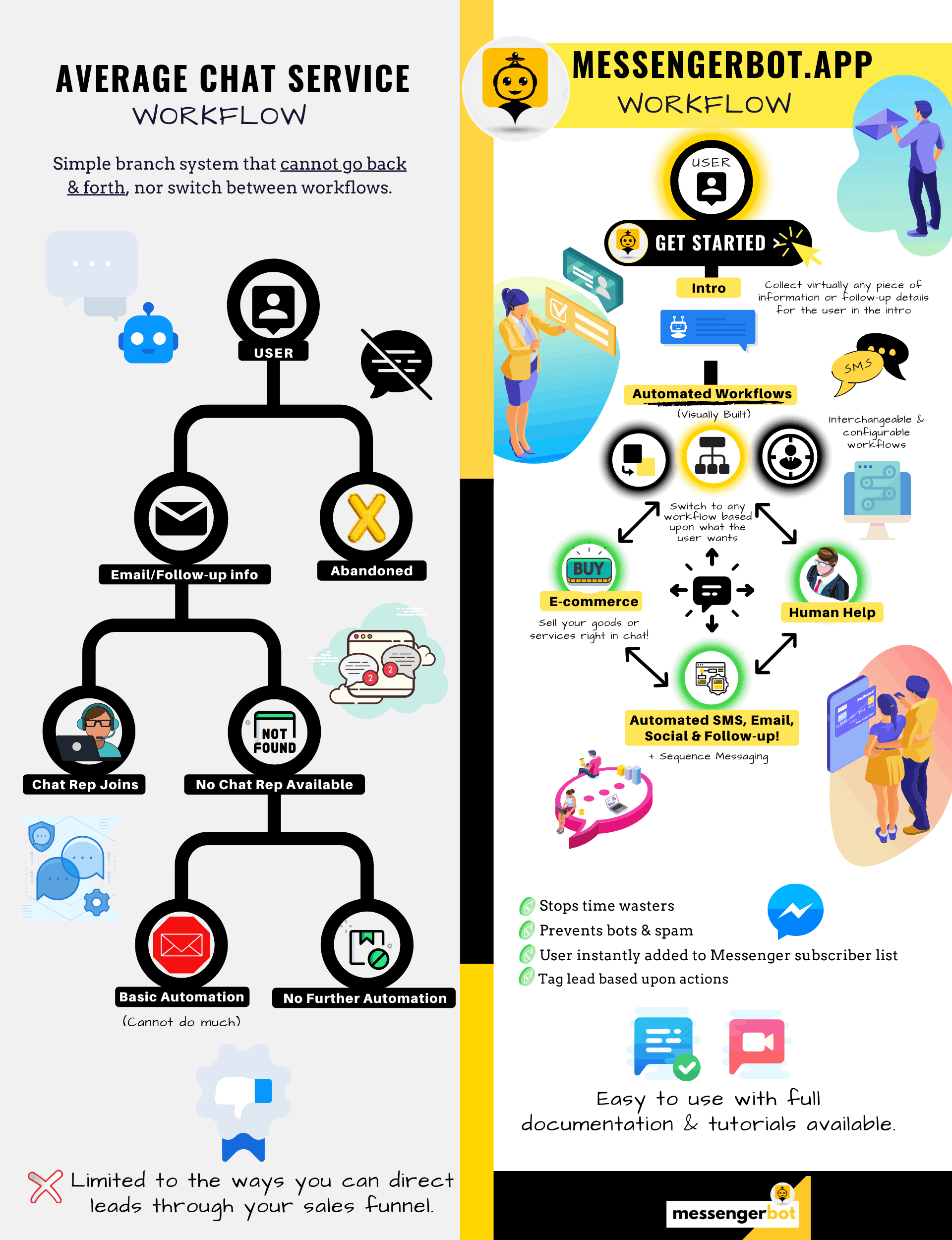
Pourquoi vous avez besoin de Messenger Bot
pour stimuler les ventes de votre entreprise
Pour les marketeurs, Facebook Messenger devient maintenant un moyen novateur et efficace d'atteindre les abonnés actuels et potentiels de votre page Facebook et de votre entreprise. Avec l'utilisation de bots Messenger, vous pouvez diffuser des informations à tout moment de la journée sans lever le petit doigt.
L'une des applications de bot les plus puissantes, Messenger Bot, est rapidement devenue un leader dans cette nouvelle industrie. Notre logiciel de marketing possède tant de fonctionnalités qui facilitent le marketing pour les entreprises grandes et petites. En utilisant le chatbot Facebook Messenger, vous pouvez désormais répondre aux discussions 24/7, envoyer des messages en grande quantité à votre public cible, et même publier des vidéos et des images sur votre page Facebook. Si vous en avez besoin pour votre entreprise, Messenger Bot l'a sans aucun doute ! À notre manière unique, nous pouvons vous offrir un niveau de service de chatbot que vous ne voyez nulle part ailleurs.
Jetons un coup d'œil à tous les services et fonctionnalités que notre fantastique application propose avant de commencer. Ce logiciel impressionnant est sûr d'être l'outil de marketing Facebook Messenger le plus idéal pour vous sans codage requis.
Qu'est-ce qu'un chatbot Facebook ?
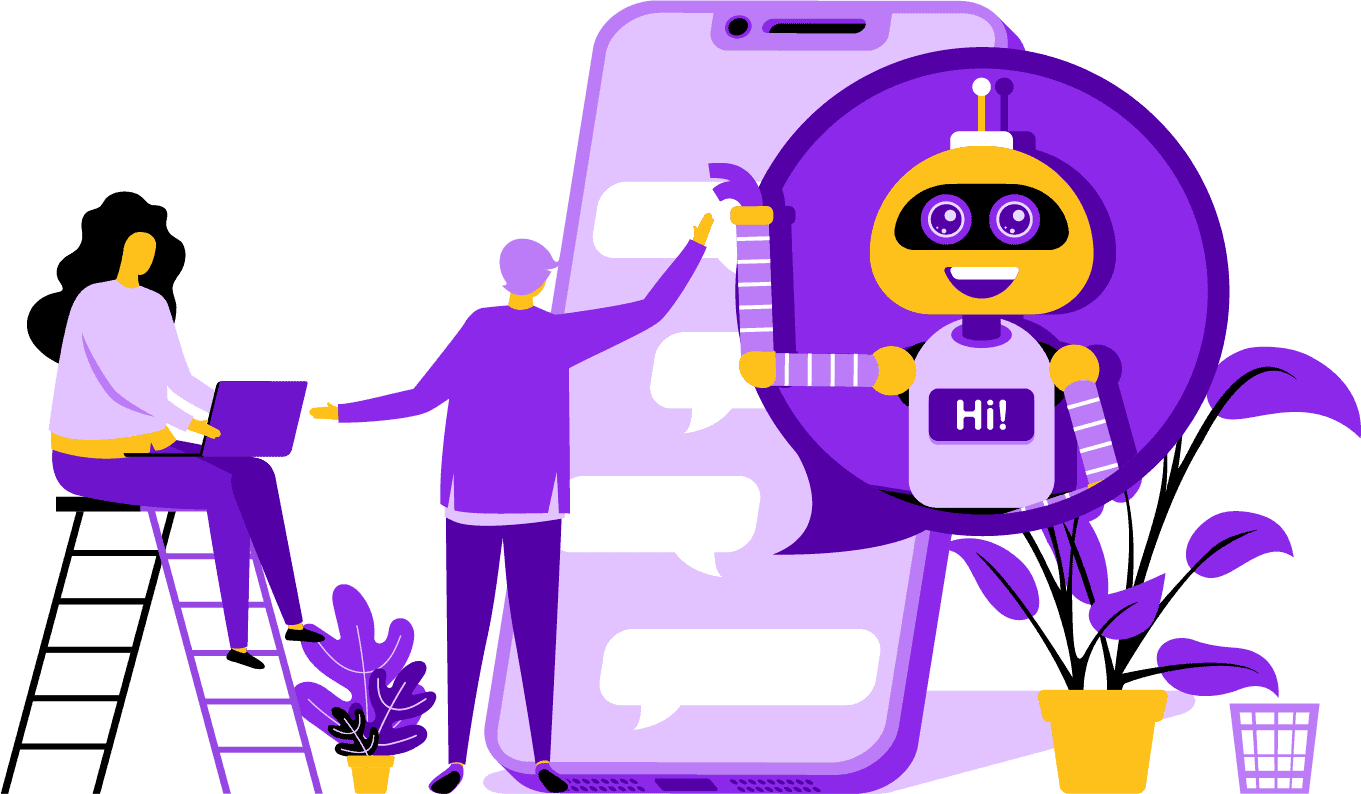
Si vous n'êtes que vaguement au courant de ce qu'est une application de bot Facebook Messenger ou Facebook chatbot fait, vous devez comprendre comment cela peut propulser votre entreprise au niveau supérieur. Le logiciel est automatisé pour envoyer des messages via Facebook Messenger en utilisant le traitement du langage naturel pour comprendre ce que la personne veut et l'intelligence artificielle pour interagir avec les gens. Lorsqu'il est mis en œuvre, il peut comprendre les questions qui lui sont posées et répondre correctement à ces demandes. Les chatbots sont comme des assistants virtuels qui peuvent améliorer l'expérience client.
Il y a des avantages stratégiques à utiliser un bot Facebook Messenger pour votre entreprise. Si vous voulez devenir un nom connu, utiliser Messenger est un moyen intelligent de mettre votre entreprise et votre mission en contact avec des milliards de personnes. Facebook Messenger est confortablement dans le top cinq lorsqu'on parle des applications les plus utilisées au monde. Dans ce cas, pourquoi ne pas utiliser Messenger pour vos besoins commerciaux ? Les clients apprécient l'application car elle offre un moyen pratique et rapide de contacter des entreprises du monde entier. Une entreprise peut croître et augmenter son exposition tout en fournissant un service client actif en même temps. Vous n'avez pas à vous soucier du support client 24/7 avec un chatbot.
Un autre avantage qu'un bot Facebook peut fournir est la génération de leads. Il est plus facile de contacter des clients potentiels avec le chatbot Facebook Messenger. Lorsque votre application de bot contacte des clients potentiels, elle peut poser des questions de base pour identifier les besoins et les désirs de la personne en utilisant le traitement du langage naturel. L'application peut diriger le prospect vers votre équipe de support client ou de vente pour prendre le relais et conclure la vente. Comme vous allez le voir, Messenger Bot peut faire tout cela et plus encore sans codage requis. Commencez avec Messenger Bot !
Messages en masse
et un bot Facebook
Lorsque vous avez une page Facebook, il y a des moments où vous souhaitez contacter des abonnés et des clients potentiels pour diffuser un message. Messenger Bot a une fonctionnalité de message en masse pour atteindre cet objectif. Pourquoi faire des messages en masse ? Pour commencer, cela peut être livré rapidement. Lorsque vous utilisez cette fonctionnalité sur Messenger Bot, vos communications peuvent atteindre n'importe qui en quelques secondes. Vous pouvez envoyer un message de masse à des milliers de personnes lorsque vous utilisez cette application et savoir qu'il sera livré comme prévu. Vos prospects peuvent converser et interagir avec vous, ce qui renforce la confiance lorsqu'ils reçoivent des réponses précises et facilement compréhensibles à leurs questions. Cette fonctionnalité exceptionnelle que Messenger Bot possède aide à fidéliser votre clientèle, qui est une partie fondamentale de la croissance des affaires. Nous sommes fiers de déclarer que nous avons été les premiers à avoir des capacités de message en masse qui peuvent atteindre tous les abonnés.
Fonctionnalités automatiques supplémentaires,
y compris le chatbot Facebook Messenger

-
Aimer les commentaires automatiquement
This feature gives you the ability to like subscriber comments that you find on your page and under your posts. This engagement can increase activity on your page as others see that you are a company that appreciates what its customers and potential customers have to say. It helps get you the attention you are looking for. Adding likes to many comments can also retain your customer base when they see your constant involvement in your business.
-
Auto Comment Private Reply
The same benefit applies to Messenger Bot’s auto comment private reply. You are going to have situations where someone reaches out to you privately to comment or ask a question about your business. Our app allows you to reply to these messages at any time of day with the response you require. The reply is designed according to your specifications, and the message can change when needed.
Facebook Posting<!–
with a Message Bot
Our message bot allows you to not only post text to your Facebook page and groups, but you can also automate posting and sharing photos, videos, and links. There simply is nothing that Messenger Bot can’t do! With this feature, you can now roll out whatever type of media you want at any given time. Using a mix of text and visual tools can re-engage your subscribers and win you new ones all at the same time.
Engagement accru
with Messenger Marketing
Our Facebook Messenger bot can help you receive better engagement from your subscribers and customers. Research has shown that when you have high engagement, you have a greater chance of leveling up your sales. You can use Messenger Bot’s many features to achieve this success. Automated rollouts of imagery and other visual content can keep your customer base interested in what you have to say. It can create a relationship that centers around the trust he or she now has for your business. We understand how vital this engagement is better than anyone else in the chatbot world. When you use us, you can see results almost immediately.
Personal Content
from FB Messenger Bot
Our software can also give your customers personalized responses to all of their comments and concerns that they may have. As a subscriber, when you have a customized experience with a company online, it can give them the view that you care about their thoughts and presence as a customer. For those with a sales and marketing background, you know that customer satisfaction is a huge part of a successful business model. At Messenger Bot, we can help you create this valuable personalization that your customers require to stay loyal.
A Big Social Media Presence
with Facebook Messenger Marketing
In today’s world, businesses need an excellent social media presence to stay ahead of the game. Facebook has steadily become a platform that can increase a company’s visibility and bring new subscribers and potential customers to your page by the hundreds. One of the best ways to interact with these Facebook users is through a chatbot app. Our Facebook messenger chatbot can help you to entertain, inform, and teach those who interact with your page regularly.
A proper marketing strategy should require the use of Facebook and social media to facilitate a company’s growth. Using our app can help you create a full and robust marketing plan that can lift your business profile to previously unattainable levels. Our messenger chatbot service is designed just for Facebook and can adapt as the social media giant makes changes. Messenger is a mostly untapped social media tool that can make you into an industry leader when you know how to use it. We can take away the guessing games and help you to achieve your business goals one step at a time.

Analyze Your
Data With Messenger Bot
As stated previously, our app can also compile reports that are meant to analyze Facebook and subscriber data. Messenger Bot’s software is designed to understand how humans work when it comes to interacting with Facebook. The analytics we provide to business enables you to dig deep when creating strategic sales and marketing protocols to use and grow your company. We give you the whole picture to look at, and from there, you can extract what is needed to make you more successful.
This in-depth data analysis can generate new sales, leads, and customers. By looking back at all interactions your Facebook page and subscribers had during any given time through machine learning, you can now create content that targets your base audience. We get rid of the extras that aren’t necessary when trying to make new and relevant content. Your focus stays where it should.

Convert Your Leads With Messenger Bot
Messenger Bot can help direct your leads to a sale. Our automation software starts the process by grabbing the attention of potential customers. We can engage with the prospect of a basic but personal level that gives them the feeling that they matter to your business. You can now better target those customers and keep in contact with them after the initial exchange.
Quick response time is essential to customer experience and conversions. With a quicker response time, your prospective customer’s satisfaction rate goes up as they receive their answers in real-time without any complication or hassle. The straightforward experience improves retention and future sales. When a new customer comes into contact with a business, first impressions mean everything. By using Messenger Bot, you get rid of any complications and unforeseen problems when trying to chat with a subscriber. Chatbots are your virtual assistants for simple tasks so you can focus more on scaling your business.

Free up Your Time With A Facebook Bot
Let Messenger Bot do all the engagement work for you and your business. That way, you can now focus on other essential tasks that demand your complete attention. With our innovative app, there is no more worrying about forgetting to post or unintentionally ignoring a comment or question. It doesn’t matter when the engagement comes in, either. Our software is designed to respond when needed. This feature means 24/7 customer support for you and your subscribers.
With our software, all you need to do is input what you need on our easy to use interface, and we take it from there. You are left with a complete campaign that we cater for you. You can rely on us to get your information out there to eager eyes and ears.
Take Advantage
of Facebook’s Popularity
Facebook is not slowing down anytime soon. The widely popular social media site is used by over one billion people around the world, and that it includes Messenger. Users of the app enjoy Messenger because it is easy to use. They don’t have to click through several links or pages to get to where they want.
This advantage is suitable for businesses who want to communicate with their base on the ground level. Messenger Bot has the same easiness and convenience that is attractive to Facebook users. When they engage with the software, they are provided with simple and easy to understand information that can give them an informative opinion on a product or company. This customer support is available when they need it and without a wait time.
New Opportunities
Abondance
Notre application de bot peut vous offrir de nouvelles opportunités que d'autres entreprises qui choisissent de ne pas utiliser un bot Messenger n'auront pas. L'application Messenger est encore considérée comme une nouvelle approche du marketing numérique, donc toutes les stratégies que vous utilisez avec nous ne seront pas usées par le temps. Nous vous fournissons la technologie de pointe qui est destinée à différencier votre entreprise des autres.
Grâce au chatbot Facebook Messenger, vous allez découvrir ce qui fonctionne et ce qui ne fonctionne pas pour vous en matière de ventes et de marketing. En utilisant nos ressources, vous pouvez rationaliser l'approche au fil du temps et vous assurer que vous mettez votre meilleur pied en avant en ce qui concerne votre marque. Les concurrents qui n'utilisent pas notre chatbot sont à un désavantage distinct en matière de masse.

Améliorer le service client
Avec le chatbot Facebook
Bien sûr, vous allez améliorer et renforcer le support client que vous fournissez actuellement avec notre application. Nous prenons en compte tous les aspects du support client en ce qui concerne notre logiciel. Nous avons des réponses de haute qualité grâce à l'apprentissage automatique et au traitement du langage naturel qui peuvent satisfaire les clients et les amener à prendre des décisions d'achat rapides. Le temps de réponse immédiat empêche l'acheteur potentiel de quitter votre page pour acheter un produit ailleurs.
De plus, lorsque notre chatbot Messenger demande des informations à votre client, cela sert de niveau de pré-qualification. Lorsque quelqu'un cherche à acheter quelque chose de votre entreprise, vous pouvez utiliser ces informations volontaires pour mieux servir les futures campagnes et lancements de produits. Vous avez maintenant éliminé le besoin de passer des heures de travail à obtenir ces simples détails.
Le chatbot vous donne également la possibilité de passer à un opérateur humain réel lorsque les questions deviennent avancées, ou si vous souhaitez prendre les rênes sur une vente potentielle. Avec Messenger Bot, vous pouvez vraiment avoir le beurre et l'argent du beurre ! Vous avez maintenant un support client personnalisable avec une communication rapide et des outils d'automatisation conçus pour faciliter la croissance et la visibilité.
Construire la marque
Connaissance
Avec juste quelques actions rapides, vous pouvez faire savoir à votre public tout ce qui concerne votre entreprise. Les questions de suivi peuvent être abordées, et votre client potentiel peut maintenant être dirigé plus profondément dans votre entonnoir de vente.
Mobile
Optimisation
Avec tant de personnes et de consommateurs utilisant leurs téléphones pour tout, Messenger Bot reconnaît le potentiel de ventes et de fidélisation des clients en utilisant Facebook Messenger pour l outreach. Notre logiciel est conçu en tenant compte des appareils mobiles. Nous avons opté pour une approche propre et simple lors de la conception de notre logiciel. Le résultat est un système de bot qui fonctionne parfaitement avec les appareils mobiles et Facebook.
Entièrement personnalisable
Bots de Messenger
Il a été mentionné précédemment que Messenger Bot est personnalisable et peut s'adapter à vos besoins commerciaux changeants. Cette fonctionnalité est précieuse pour les entreprises car il y a de la place pour changer et grandir. Nous avons construit un chatbot entièrement fonctionnel qui peut évoluer avec votre entreprise, quelle que soit la direction. Vous pouvez changer votre stratégie lorsque vous en avez besoin, et nous serons là sans interruption.
Facile à utiliser
Messenger Bot
Nous savons que votre temps est précieux. Lorsque vous souhaitez mettre en œuvre une nouvelle stratégie marketing via notre application, vous ne voulez pas y penser jour après jour. Notre service de bot s'occupe de vous. Une fois que vous nous dites ce dont vous avez besoin, nous pouvons faire le reste. En quelques minutes, vous pouvez lancer une campagne qui peut augmenter l'engagement et vous apporter des clients. Vous n'avez même pas besoin de lever le petit doigt depuis la mise en œuvre initiale si vous ne le souhaitez pas. Notre technologie complexe garantit que votre expérience utilisateur est sans tracas et facile.
Messenger Bot est conçu pour vous aider, vous et votre entreprise, à atteindre son potentiel maximal en termes de marketing et de ventes. Grâce à notre application innovante, vous pouvez extraire des informations précieuses qui peuvent augmenter votre visibilité et votre popularité sur Facebook. Votre nouvelle connexion avec les abonnés aide à fidéliser votre base et à conquérir de nouveaux clients. Il n'y a rien de tel ! Essayez-nous aujourd'hui, et vous serez émerveillé par les résultats. Créez votre premier chatbot Messenger sans codage requis.
Prêt à faire un vrai changement ? Construisons cela ensemble !
Découvrez Messenger Bot sans aucune restriction et commencez à l'utiliser pleinement seulement lorsque vous l'adorez. Nous vous attendrons.
 Français
  English
  Tagalog
  简体中文
简体中文  العربية
  हिन्दी
  Português do Brasil
  Español de México
  বাংলা
বাংলা  香港中文
香港中文  繁體中文
繁體中文  Nederlands
  Deutsch
  Bahasa Indonesia
  日本語
日本語  한국어
한국어  Polski
  Русский
  Español
  Tiếng Việt