
Facebook and Instagram follow-up
Turn more comments and DMs into conversations your team can close.
Start with one proven workflow, capture higher-intent leads, and use BYOK (Bring Your Own Key) AI drafts with human review before anything reaches a customer.
- Comment and DM capture
- BYOK AI reply drafts
- Human review controls
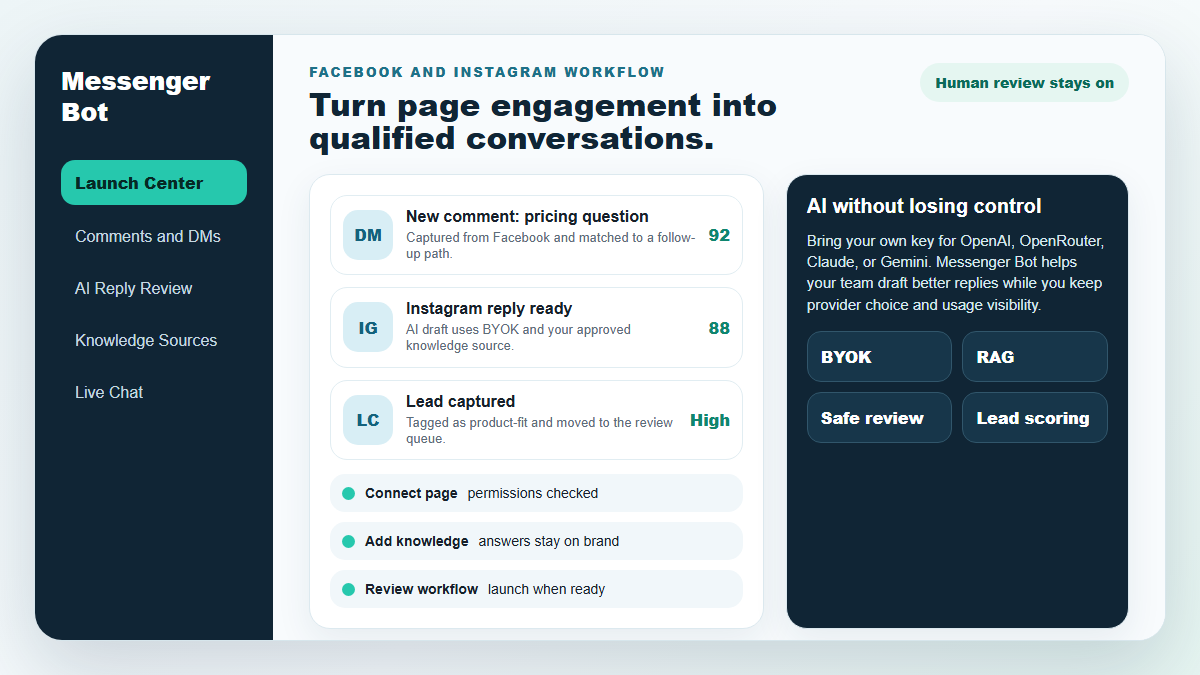
メッセンジャーボット
私たちのAIは、ユーザーのコメントやメッセージに対して、彼らの発言に基づいて自動的に知的に応答します!
応答を開始し、 自動コメントやDMを送信する Facebook、Instagram、または任意のサイトで、あらかじめ作成されたテンプレートを使って数回のクリックで!
ユーザーの行動に基づいてエンゲージする自動フローを作成し、より多くの販売を獲得します。
オプトインを取得する $0.25未満で メッセンジャー マーケティング リードマグネットを使用して!
多言語対応 & 見た目
どのデバイスでも素晴らしい
お好きな言語で完璧な応答を提供します!ユーザーの応答に関係なく、 メッセンジャーボット 完璧であることを保証します!
100%はFacebookに準拠
Messenger Botは定期的にFacebookによるレビューを受けており、100%に準拠した承認済みのFacebookアプリケーションです。
すべての主要ブラウザで動作
Chrome、Firefox、Edge、Safariでうまく動作します!Messenger Botを使用するためにダウンロードするプラグインやアプリは必要ありません。すべてはクラウド上で100%です。
あらゆるデバイスに最適
Messenger Botは、モバイル、デスクトップ、タブレットなど、すべてのデバイスで素晴らしい見た目になるように設計されています!
包括的
分析
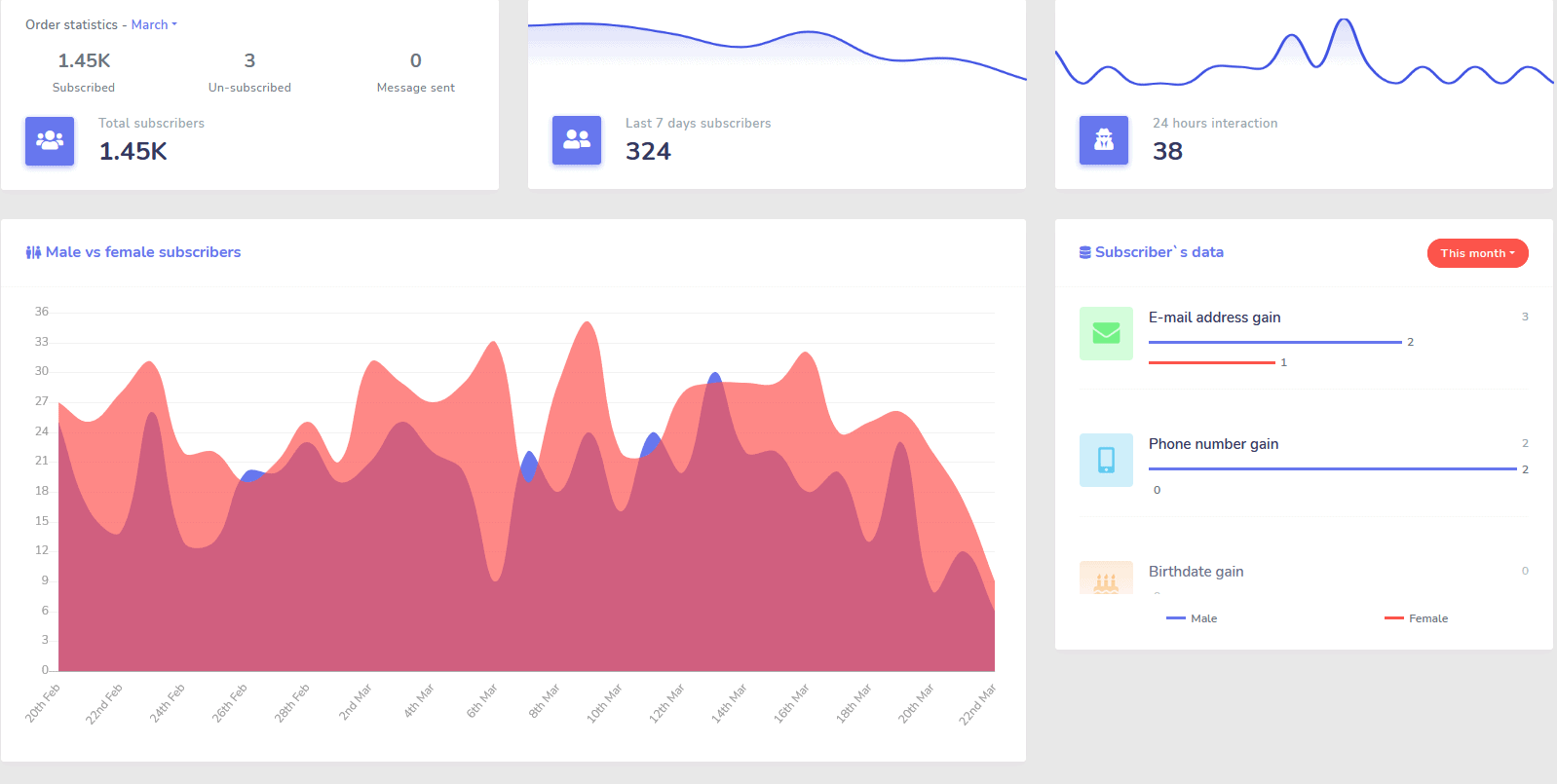
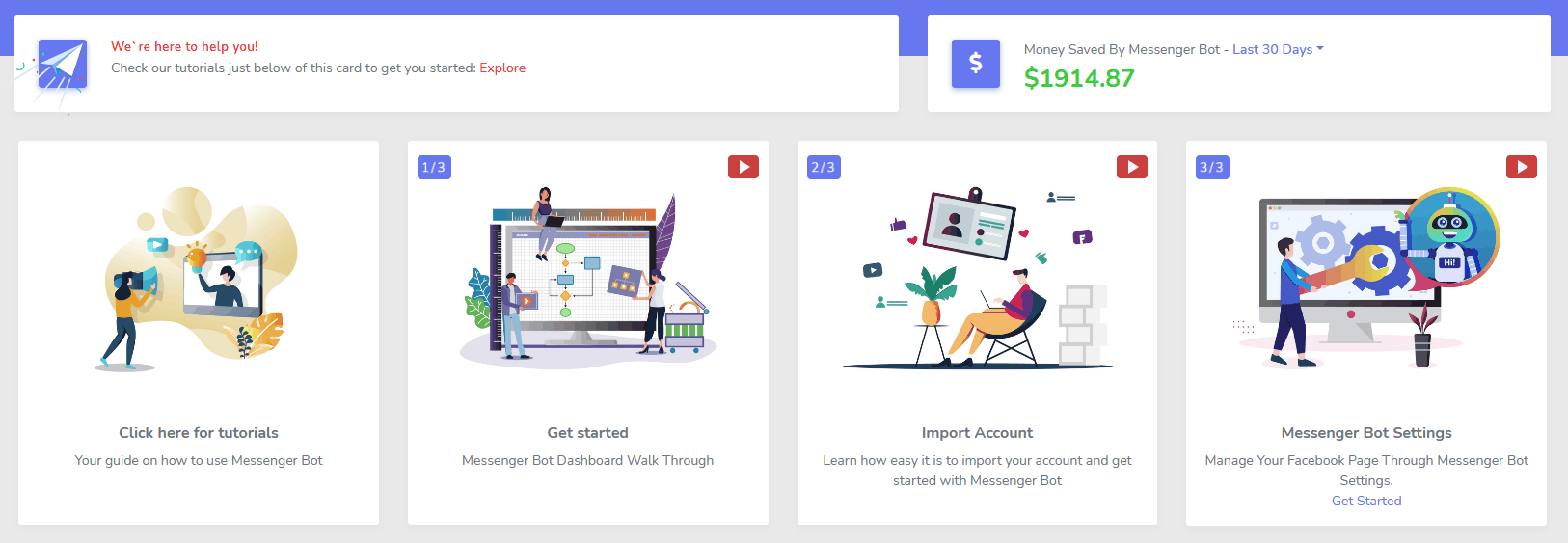
最もパフォーマンスが良いチャネルを簡単に特定し、購読者の明確な概要、パフォーマンスの状況、最も良い/悪いパフォーマンスの場所を把握できます。
ダッシュボードから購読者、最新のコメント、その他のキャンペーンを簡単に追跡できます。
劇的に低下
リードおよび販売あたりのコスト
と メッセンジャーボット 24時間365日利用可能になり、ユーザーが求めている情報をすぐに提供することでリードおよび販売あたりのコストを下げることができます!
さらに、Messenger Botを使用してFacebook Interests APIに深く入り込み、他の広告主には明らかにされていないオーディエンスを発見しましょう!
これらの隠れたオーディエンスをFacebook広告でターゲティングすることで、リードあたりのコストと販売あたりのコストをすぐに大幅に下げることができます。
メッセンジャー
eコマースストア
Messenger内および他の場所で直接販売を開始し、独自のカスタマイズ可能なeコマースストアを持ちましょう!
収益の100%を保持し、0%の収益分配とPayPal、Stripe、RazorPayなどの複数の支払い処理業者から選択できます!
に含まれています すべて 私たちのMessenger Botサブスクリプション。
無制限
シーケンスメッセージと一括送信
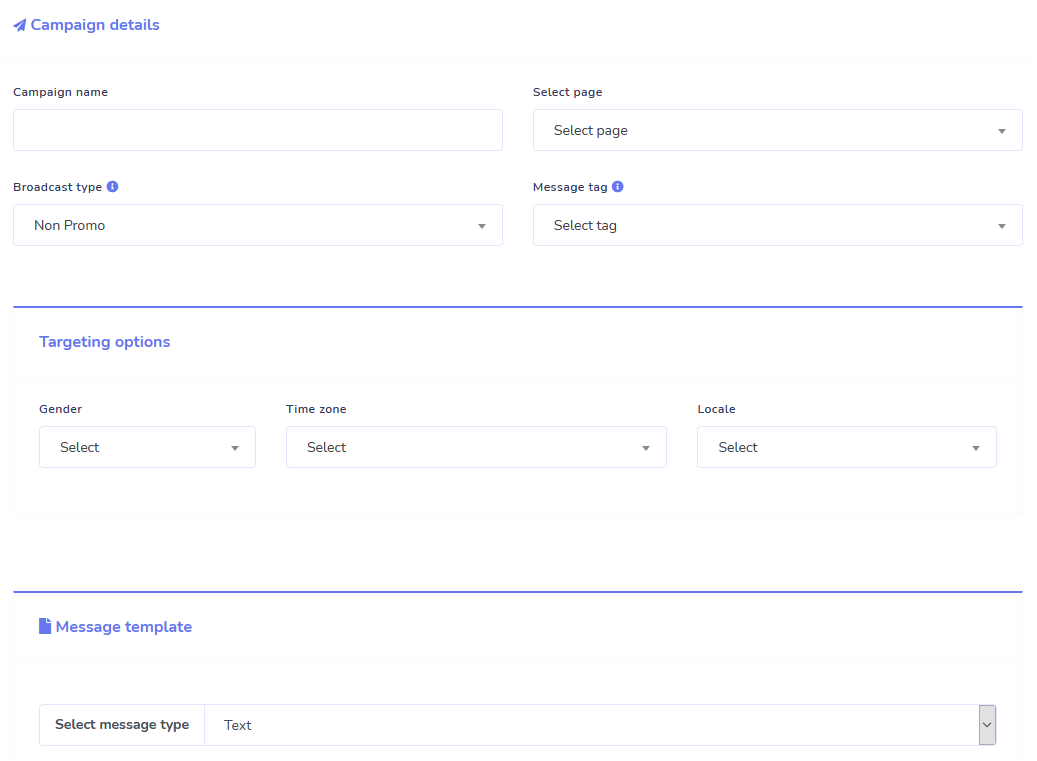
今日注文すると、期間限定で 無制限 シーケンスメッセージキャンペーンと一括メッセージ送信が手に入ります!
設定した時間遅延に基づいて、ユーザーに希望のメッセージを送信するシーケンスメッセージで、常に時間通りに。
一括メッセージ送信で、適切なタイミングで顧客にリーチ。
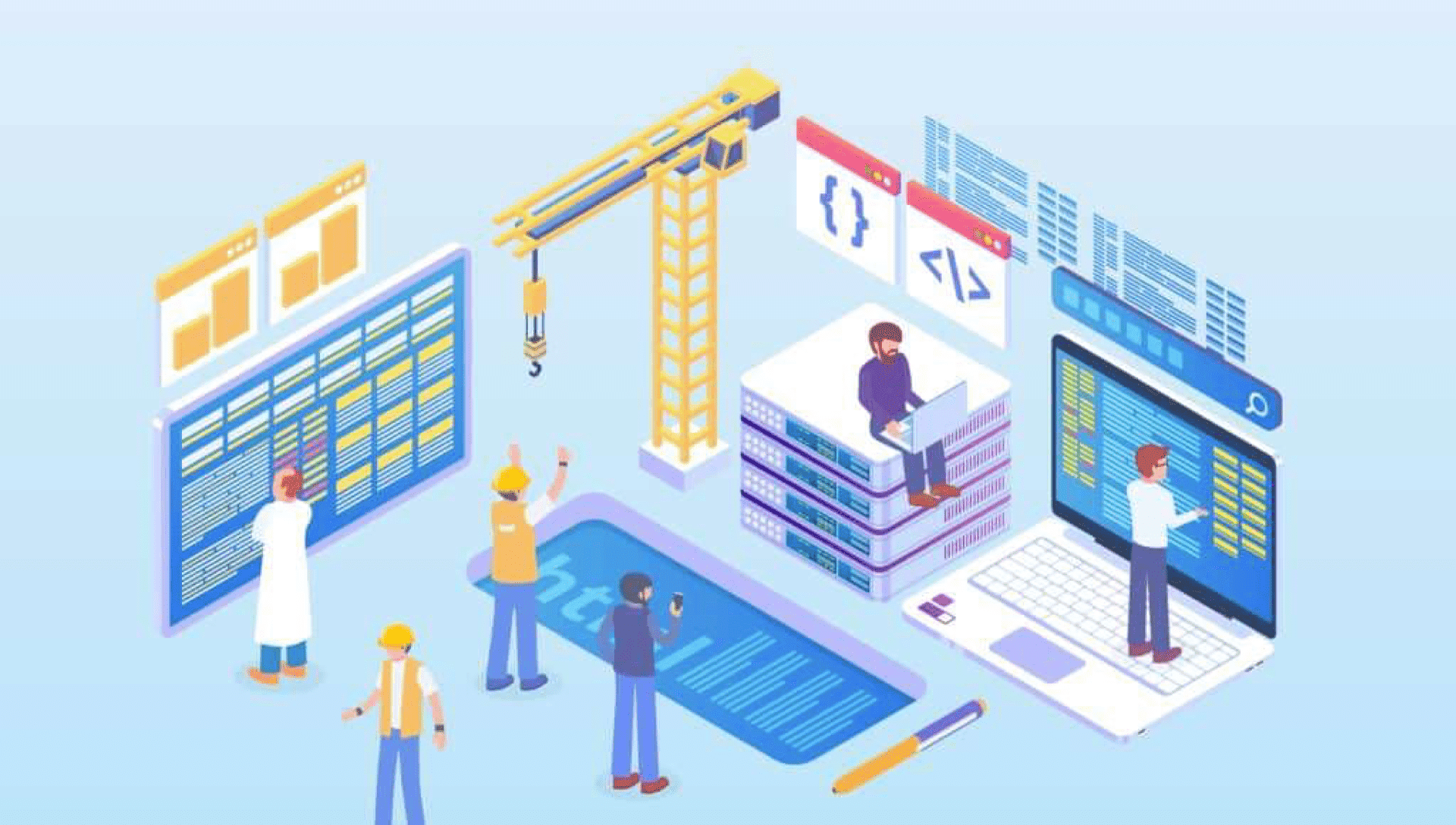
0コード フロービルダー
+ あなたのために完了 テンプレート
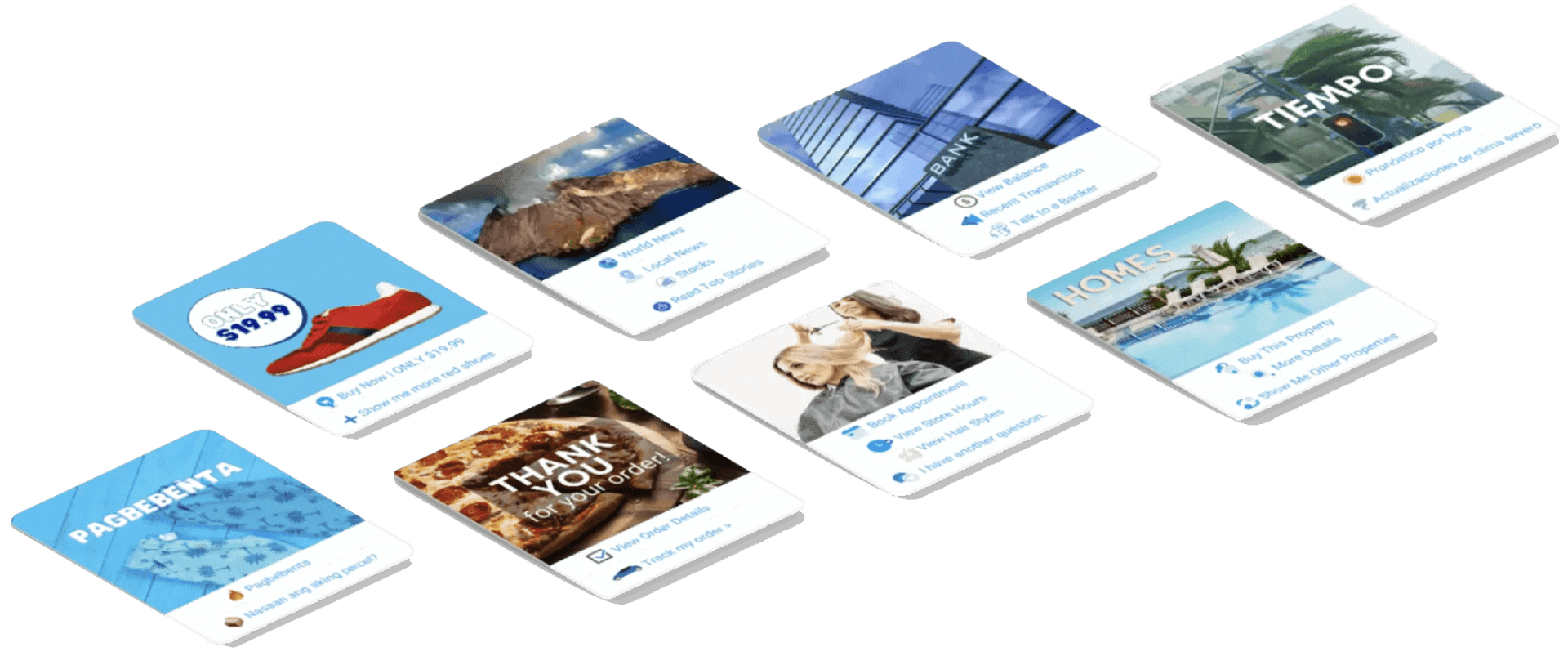
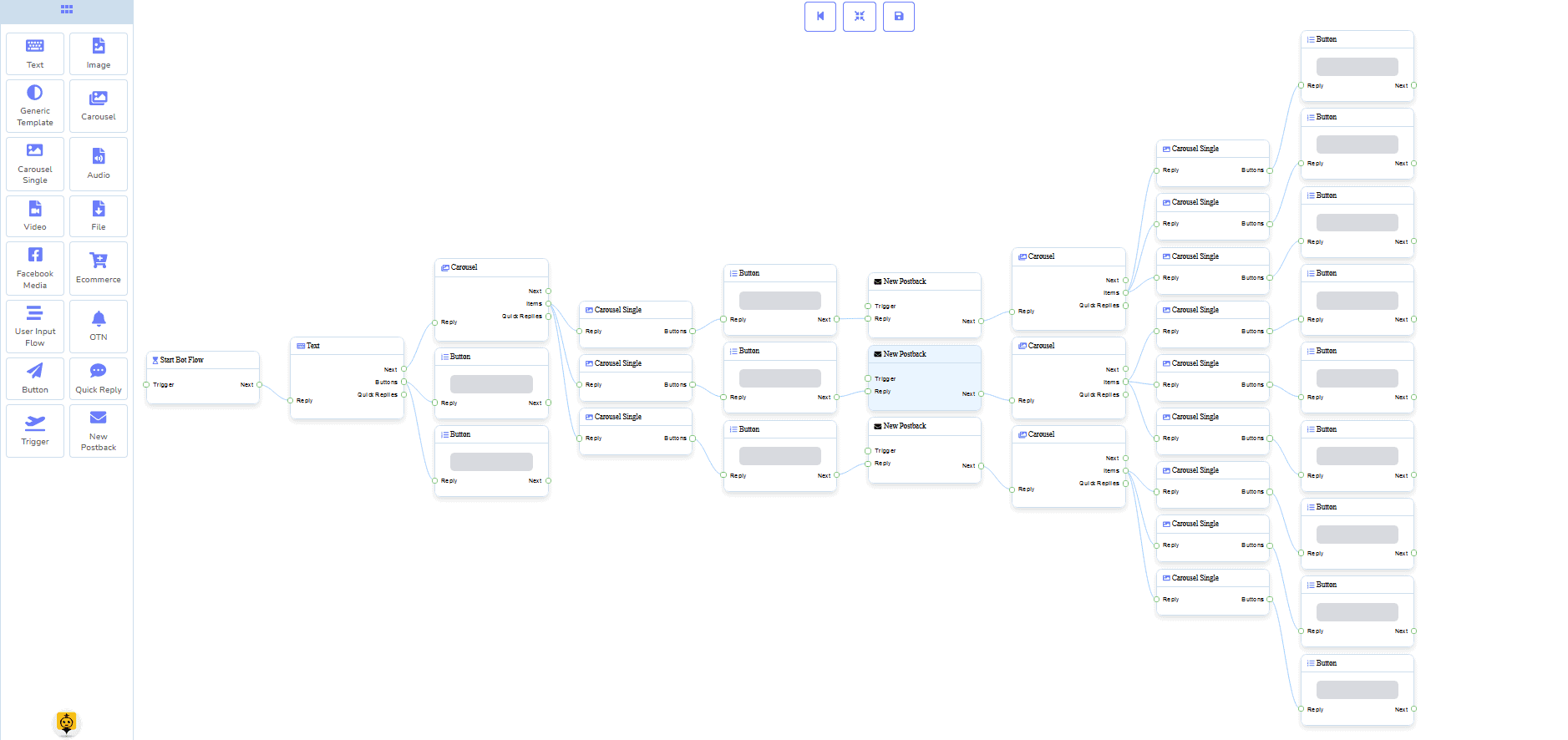
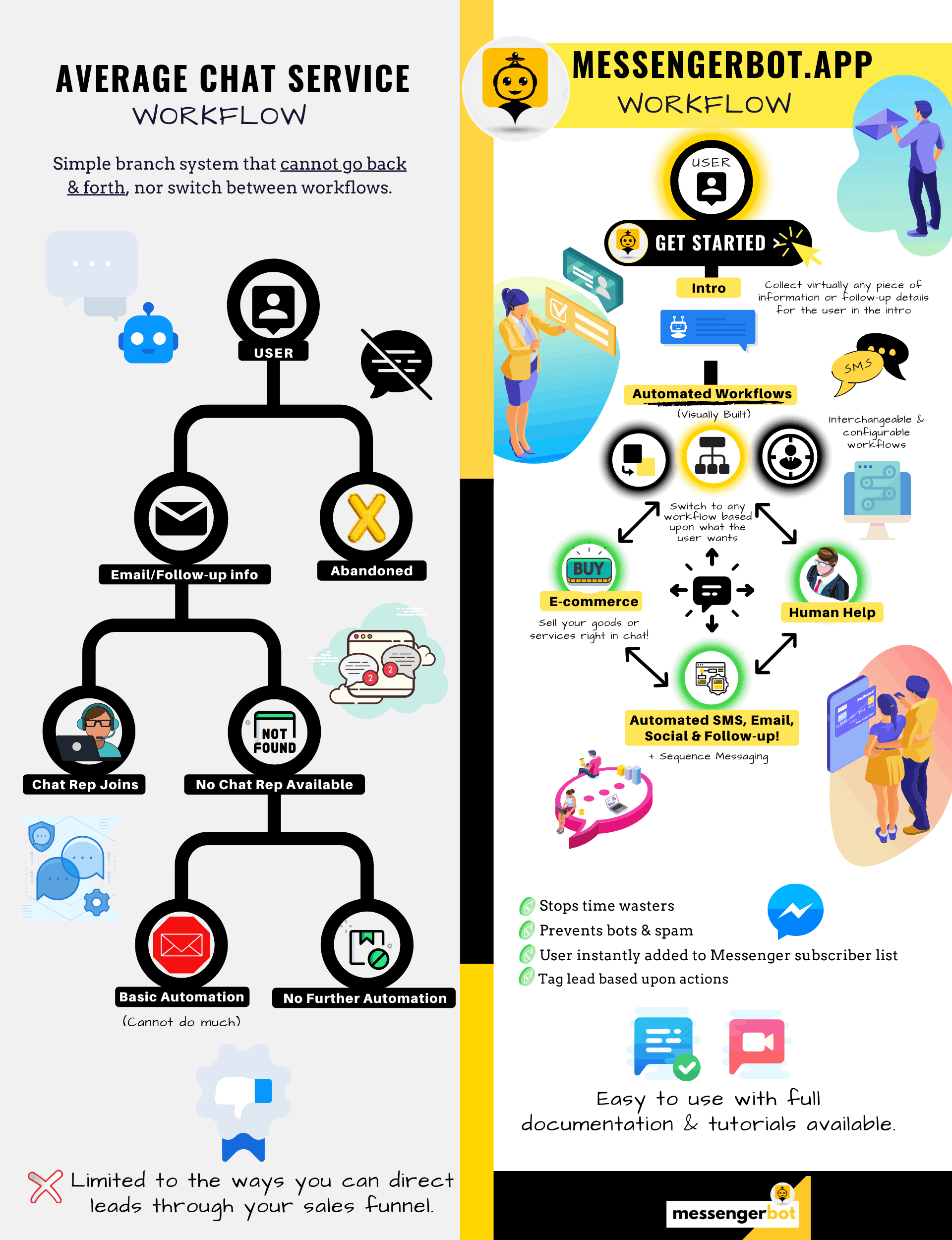
用意されたテンプレートで数回のクリックでライブに!
コード不要のビジュアルビルダーで自動化ワークフローを作成!
まだ技術的すぎますか? 私たちのカスタマーサポートが待機中で、 あなたのために構築するお手伝いをします!
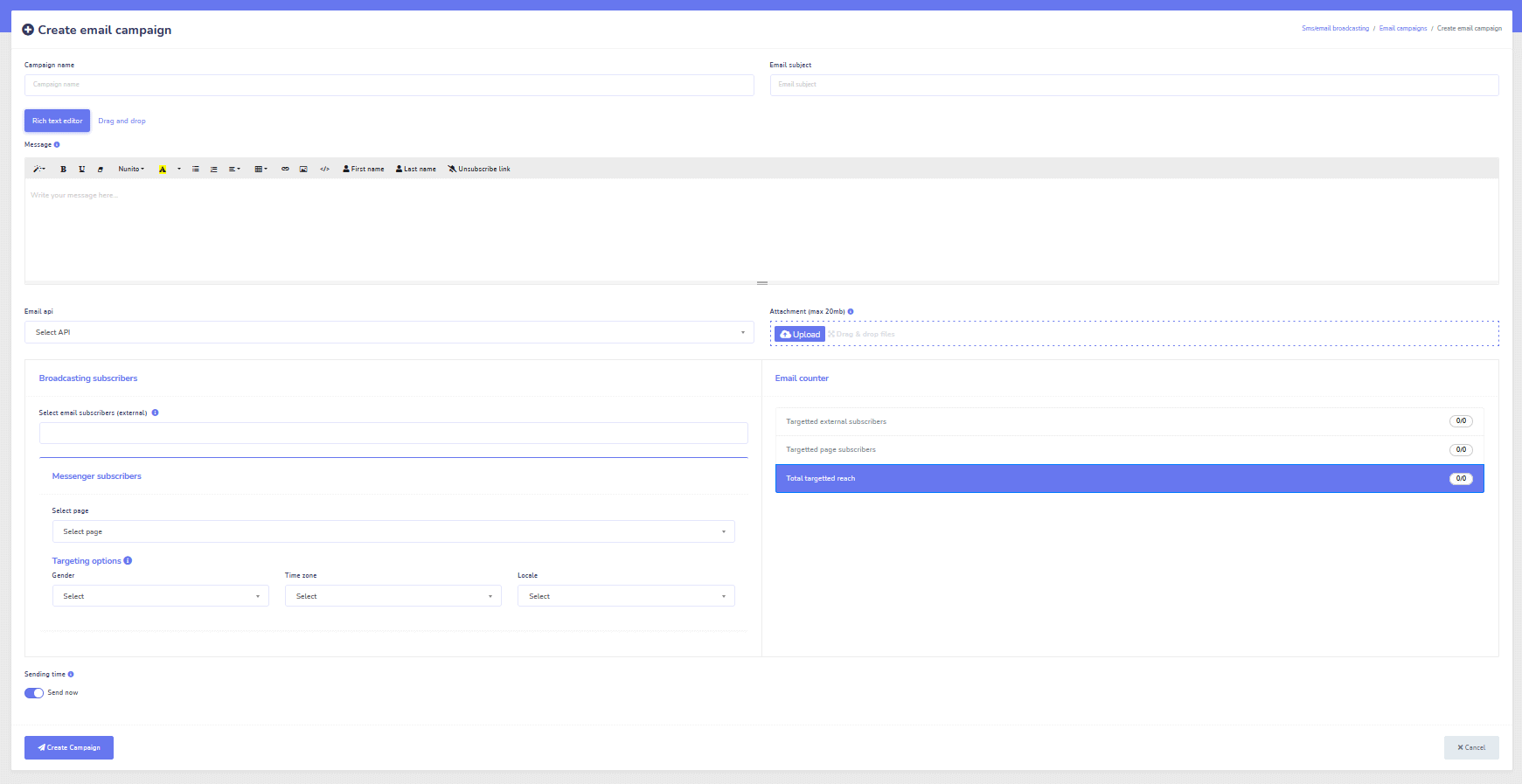
メール
オートレスポンダー、ブロードキャスト、シーケンス、サブスクライブ、テンプレート
すべてのメールに自動で応答!
メールブロードキャストやドリップフィードキャンペーンを送信。
ビジュアルビルダーを使って、購読者リストを作成し、メールキャンペーンテンプレートを作成!
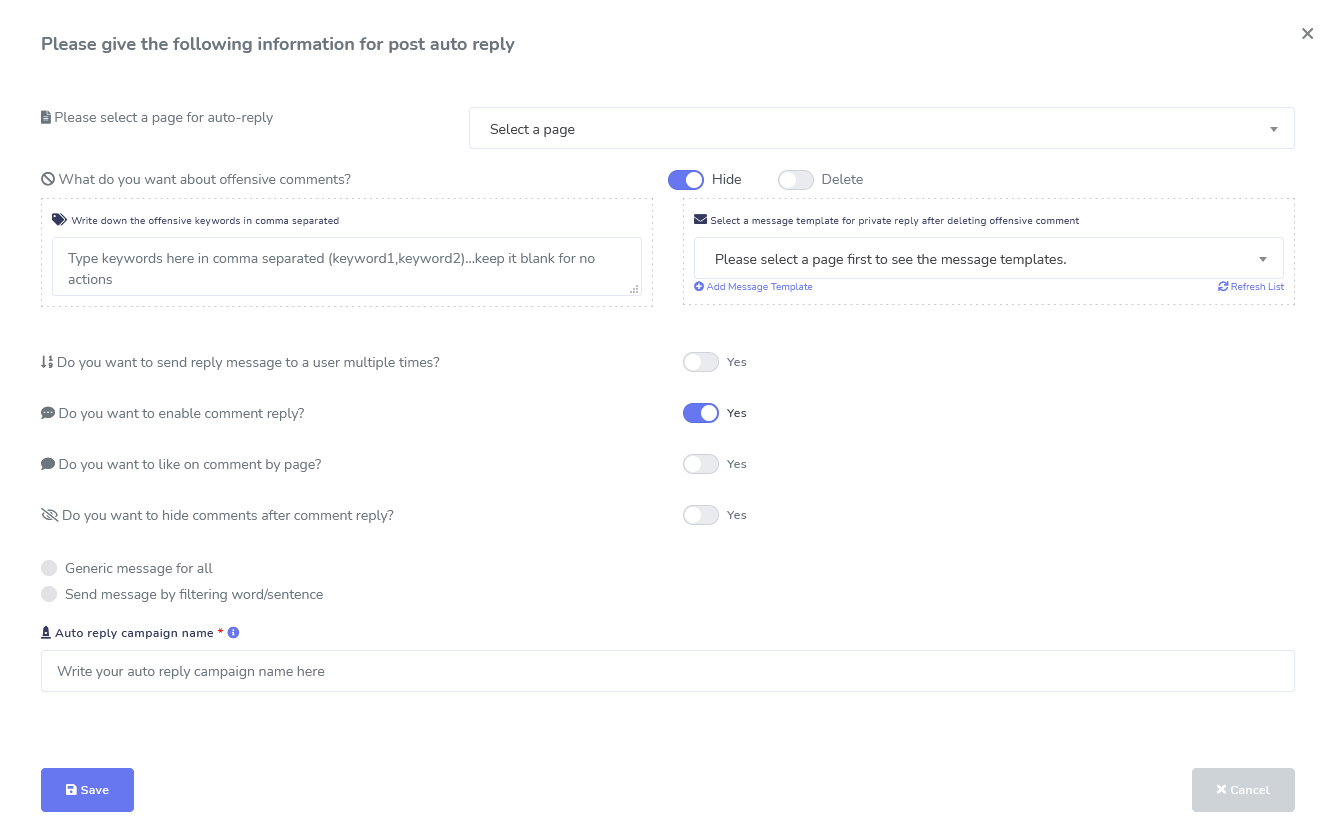
Facebook & Instagram
コメントモデレーション、自動化、投稿、返信ツール
投稿の作成、スケジュール設定、投稿のモデレーション、自動返信、フォローアップメッセージの送信を支援するために設計された完全なFacebook自動化機能スイートです!
ライブまたは自動化
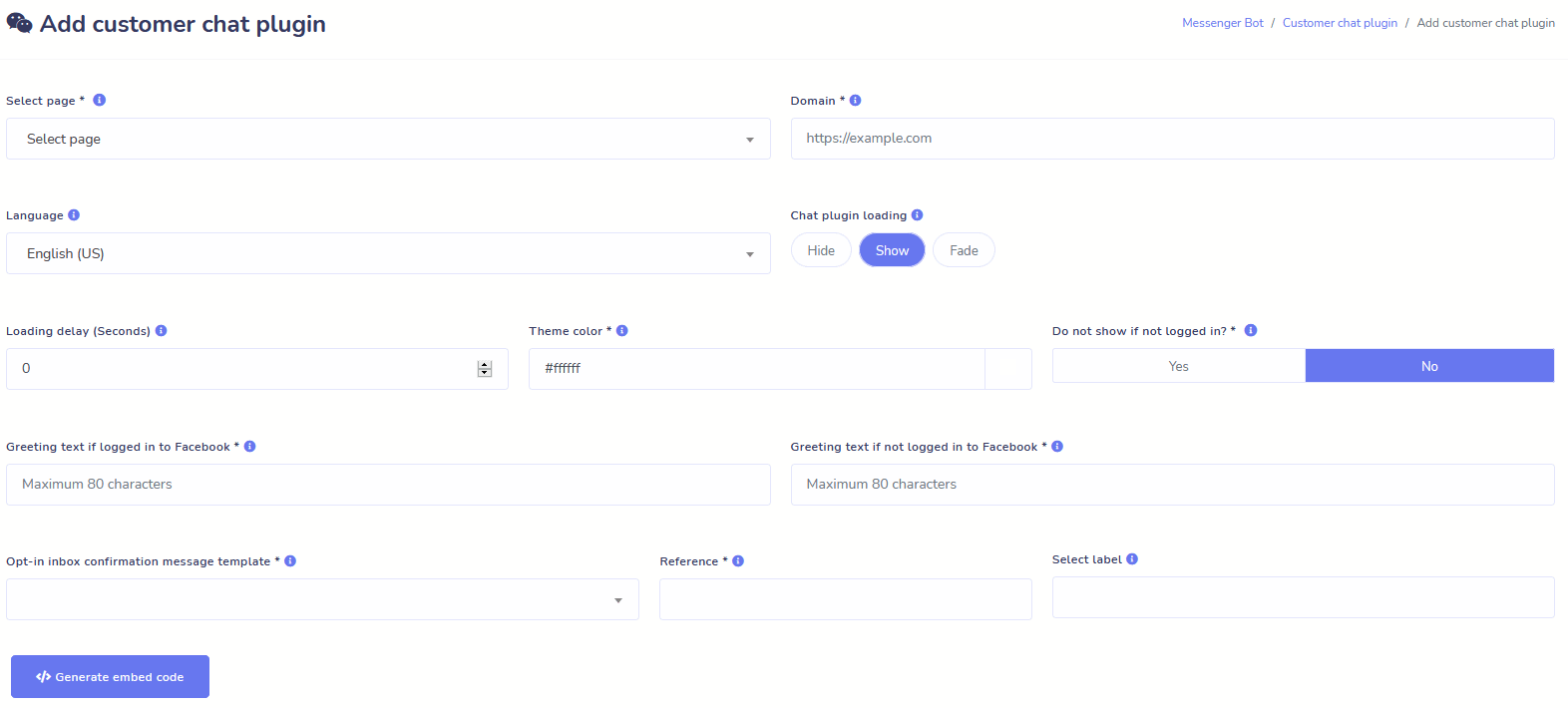
ウェブサイトチャット
チャットを自動化し、リクエストした訪問者に対してライブの人間のサポートを提供します。
ユーザーが必要な情報をオンデマンドで取得できるようにし、ビジネスが繁栄するのを見守りましょう!
ユーザーが望む体験を数回のクリックで提供します。
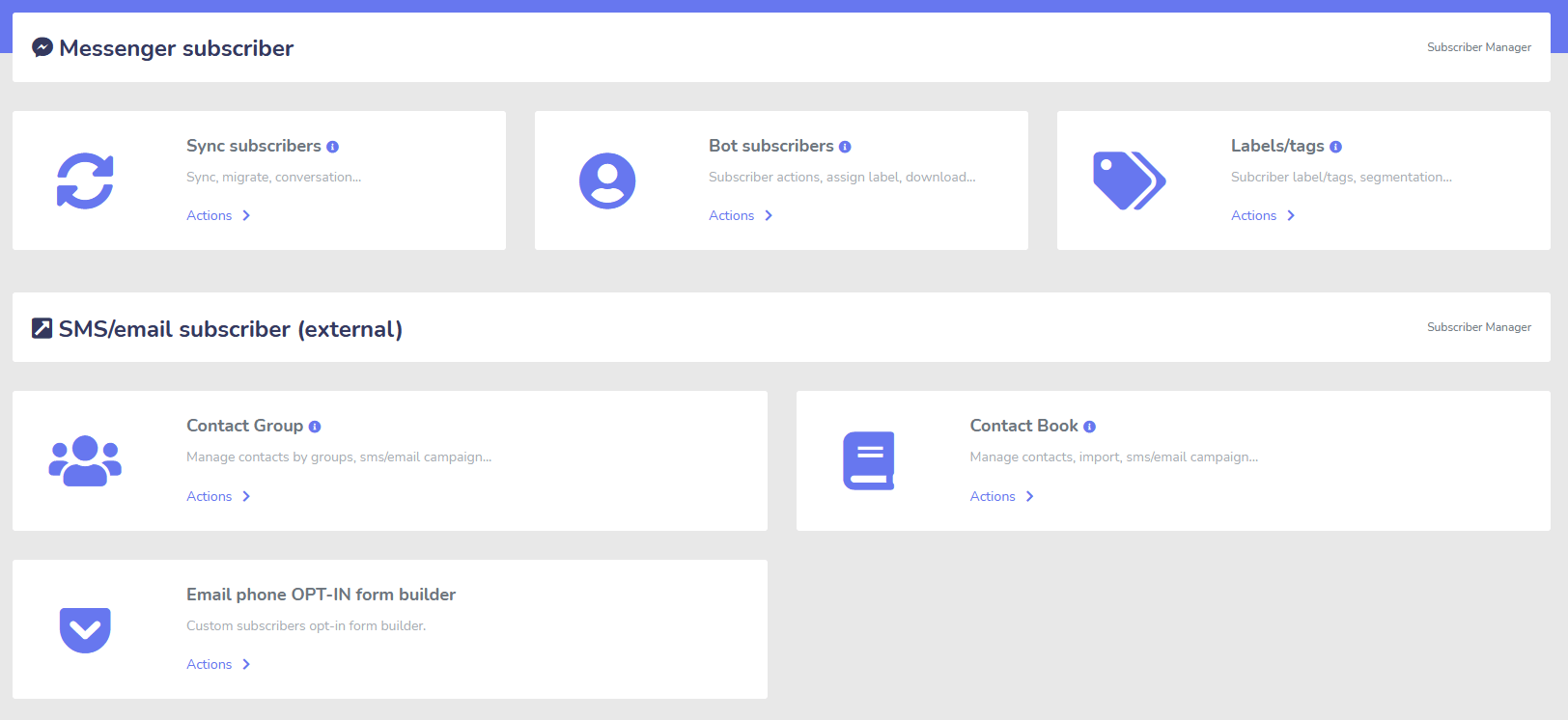
サブスクライバー
ビルダー、インポーター、マネージャー、シンク
ManyChat、ChatFuel、または他のプラットフォームから移行していますか?簡単に購読者をMessenger Botに同期できます!
M.Meリンク、Messengerオプトインなどを使って、簡単に購読者リストを構築しましょう!
購読者管理では、購読者の同期を取得し、ボットの購読者を表示し、ラベルを表示し、異なる連絡先グループでのメッセージング/メール活動を管理できます。
WooCommerce
同期と放棄されたカートの回復
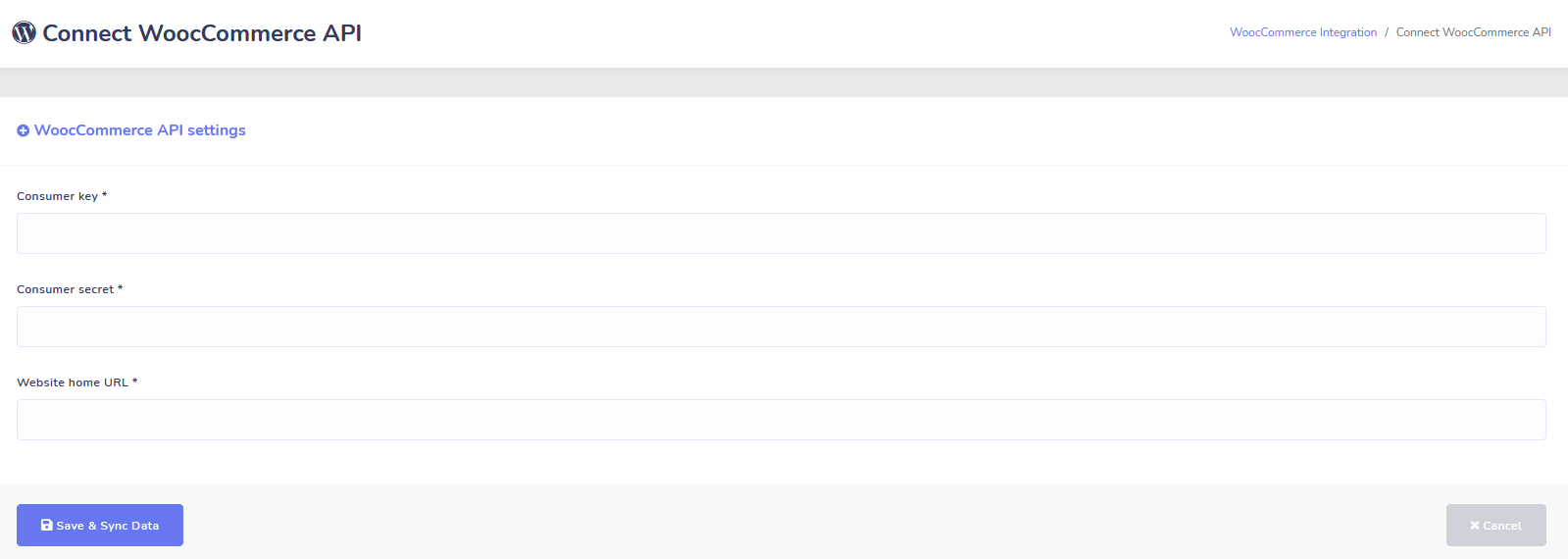
1クリックでWooCommerceストアを同期します。
カートを放棄したユーザーを回復して、より多くの売上を得ましょう!
Shopify + Wixの統合が近日登場!
Zapier + JSON API + Google Sheets
統合
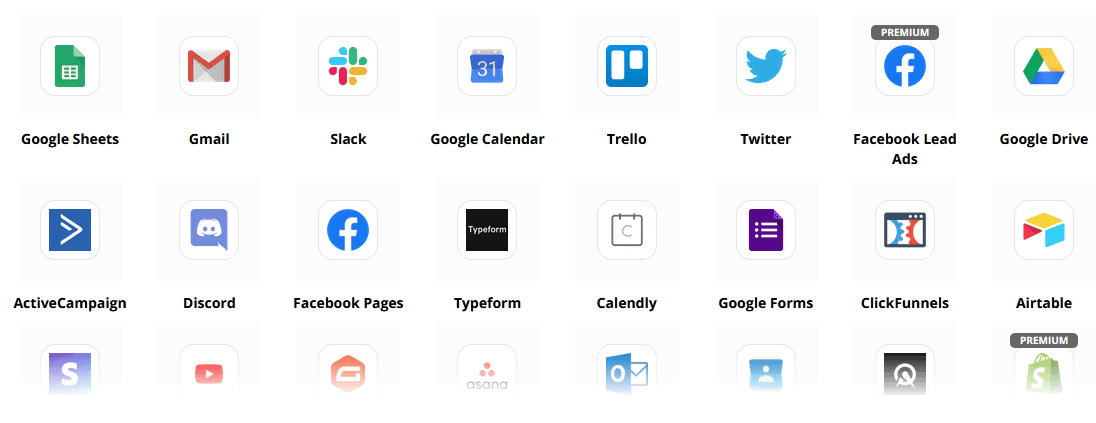
Zapier統合を使用して3,000以上のアプリにプラグインするか、JSON APIを使用して独自のカスタマイズを作成しましょう!
購読者データを自動的にGoogle Sheetsに転送します。
プラス
もっとたくさん!
ダッシュボード内で画像や投稿を作成するために、組み込みの画像編集ツールを利用してください。
RSSフィードから自動的に投稿!
独自の永続的なMessengerメニューを作成する
や もっとたくさん….
Messenger Botが使用される他の方法はこちらです
Messenger Botは多くの方法で使用されています。現在、人々が私たちをどのように利用しているかの小さなリストです。
カスタマーサポート
顧客の行動や動作に基づいて、顧客を希望する目的地に賢くルーティングします。
クライアントから情報を収集する
顧客から必要な重要な情報をすべて取得します。
よくある質問
ユーザーが必要な回答を即座に得られるようにし、同時にサポートスタッフを解放します。
eコマース
新しいストアまたは既存のストアでMessengerで直接販売!
リードジェネレーション
ユーザーと対話し、自動的にリードを生成します!
完全にカスタマイズ可能なフォーム
Messenger + あなたのウェブサイトで完全にカスタマイズ可能で会話型のフォームを作成!
不動産
物件を表示し、24時間自動的に適格なリードを生成します。
レストラン
プロモーションを実施し、予約と支払いを受け付けましょう!
Travel & Tours
より多くの旅行と観光の予約を獲得し、ユニークなアウトドアを紹介しましょう。
自動車ディーラー
Messenger + あなたのサイトを通じて車を表示・販売しましょう!
フィードバックと調査
完全にカスタマイズ可能な自動調査とフィードバックフォームを作成しましょう!
保険
ポリシーの提示と選択を手伝い、見積もりを提供し、アポイントメントを設定します。
低価格 期間限定
今すぐ行動して、価格が上がる前にMessenger Botの特別オファーを確保しましょう!
と メッセンジャーボット, サポート、販売、他のサービスのサブスクリプションコストを節約できます!
見る メッセンジャーボット アクションで!
40,000人以上のユーザー
24時間年中無休サポート
100% 満足度

40,000人以上のユーザーに使用され、信頼されています
Messenger Botを完全なエンドツーエンドのマーケティングソリューションとして使用し、頼りにしている4万人以上のビジネスオーナーに参加しましょう!
Practical follow-up resources
Turn more customer conversations into clear next steps.
Use these practical guides to strengthen response speed, lead qualification, and follow-up while your team keeps ownership of every customer decision.
- missed-call text-back guide — Keep high-intent callers moving with a clear, consent-aware follow-up path.
- lead-scoring workflow — Give your team a practical way to prioritize better-fit opportunities.
- speed-to-lead guide — Shorten the gap between a new inquiry and a useful first response.
Pick the right starting point
Choose the Messenger Bot plan that matches the conversations you want to win.
Start with the workflow you need now, then upgrade when your page, team, or client load grows.
Starter
$29 /mo
For one focused page getting its first automated comment and DM follow-up live.
- Launch a guided lead-capture workflow.
- Reply faster without adding another daily dashboard.
- Keep setup simple while you prove the channel.
プロ
$99 /mo
For growing businesses that want BYOK (Bring Your Own Key), business knowledge, and better lead sorting.
- Use AI-assisted drafts with human review.
- Qualify replies before your team spends time on them.
- Keep follow-up consistent across busy launches.
エージェンシー
$299 /mo
For teams managing multiple brands, clients, assets, and approval workflows.
- Organize client conversations by page and priority.
- Give teams cleaner review paths before replies go out.
- Scale repeatable workflows without adding extra manual work.
A payment card keeps trials focused. You stay in control of the plan before billing starts.
よくある 質問 質問
Facebook Messenger Botとは何ですか?
Facebook Messengerボットは、Messenger体験だけでなく、あなたのウェブサイト上のチャット体験を向上させるために利用できる自動チャットボットです。
Messenger Botは私のビジネスに何ができるのか?
Messenger Botは、新しいユーザーを自動的に歓迎し、特定のキーワードやフレーズに応答し、コンテンツを配信し、リードを生成し、販売を行い、その他多くのことを可能にします!
なぜMessenger Botが必要なのか?
日が経つにつれて、ターゲットオーディエンスに届くことがますます難しくなっています。従来のマーケティング手法の多くは、数年前と同じ結果をもたらさなくなっているのは事実です。
私たちのFacebook Messengerボットは、リアルタイムのインタラクティブメッセージングとチャットキャンペーンシーケンスを使用して、80%以上のオープン率を達成することを可能にします。
Facebook Messenger Botを作成するにはどうすればよいですか?
まず、Facebookアカウントとそれを管理するための管理権限を持つFacebookページが必要です。
その後、取引を購入するか(または無料トライアルにサインアップし)、次に「アカウントをインポート」を選択します。
そこから、私たちのビジュアルフロービルダーを使用して、数日ではなく数分でボットを作成して展開できます!今すぐお客様との本当の会話を始めることができます。
トライアルはありますか?
はい、クレジットカードは必要なく、購入前に無料トライアルを受けることができます こちら.
このオファーはいつまで有効ですか?
このオファーはすぐに終了するので、最良の割引を利用したい場合は、今すぐ注文することをお勧めします。
本当に変化を起こす準備はできましたか?一緒にこれを作りましょう!
Messenger Botを制限なしで知り、気に入ったときにのみ最大限に使用を開始してください。お待ちしています。
Messenger Botは単なるチャットボット以上のものです!
今では複雑な会話を自動的に行うことが可能です!
なぜMessenger Botが必要なのか
ビジネスの売上を伸ばすために
マーケティング担当者にとって、Facebook Messengerは現在、Facebookページやビジネスの現在および潜在的な購読者にアプローチするための新しく効果的な方法になりつつあります。Messengerボットを使用することで、手を動かさずにいつでも情報を広めることができます。
最も強力なボットアプリの一つであるMessenger Botは、この新しい業界のリーダーとして急速に成長しました。私たちのマーケティングソフトウェアには、大企業から小企業までマーケティングを簡単にする多くの機能があります。Facebook Messengerチャットボットを使用することで、24時間365日チャットに返信し、ターゲットオーディエンスに大量のメッセージを送信し、さらにはFacebookページに動画や画像を投稿することもできます。ビジネスに必要なものであれば、Messenger Botには間違いなくそれがあります!私たち独自の方法で、他では見られない高レベルのチャットボットサービスを提供できます。
始める前に、私たちの素晴らしいアプリが提供するすべてのサービスと機能を見てみましょう。この印象的なソフトウェアは、コーディング不要であなたにとって最も理想的なFacebook Messengerマーケティングツールになること間違いなしです。
Facebookチャットボットとは?
Facebook MessengerボットアプリやFacebookについて、あなたがぼんやりとしか知らない場合 チャットボット それを理解する必要があります。それがどのようにあなたのビジネスを次のレベルに引き上げることができるかを。ソフトウェアは、自動化されており、自然言語処理を使用して人が何を望んでいるかを理解し、人工知能を使用して人々と対話するためにFacebook Messengerを通じてメッセージを送信します。実装されると、それは尋ねられた質問を理解し、それらの問い合わせに正しく答えることができます。チャットボットは、顧客体験を向上させることができる仮想アシスタントのようなものです。

あなたの会社にFacebook Messengerボットを使用することには戦略的な利点があります。もしあなたが家庭名になりたいのであれば、Messengerを使用することは、あなたの会社と使命を何十億人もの人々と接触させる賢い方法です。Facebook Messengerは、世界で最も使用されているアプリの中で、快適にトップ5に入っています。このような状況で、なぜあなたはビジネスニーズのためにMessengerを使用しないのでしょうか?顧客は、このアプリが世界中のビジネスに連絡する便利で迅速な方法を提供するため、評価しています。企業は成長し、露出を増やしながら、同時に積極的な顧客サービスを提供することができます。チャットボットを使えば、24時間365日の顧客サポートについて心配する必要はありません。
Facebookボットが提供できるもう一つの利点はリード生成です。Facebook Messengerチャットボットを使うことで、潜在顧客にアプローチすることが容易になります。ボットアプリが潜在顧客にアプローチすると、自然言語処理を用いてその人のニーズや欲求を特定するための基本的な質問をすることができます。このアプリは、見込み客を顧客サポートや営業チームに誘導し、販売を成立させることができます。ご覧の通り、Messenger Botはこれらすべてをコーディングなしで実現できます。Messenger Botを始めましょう!
一括メッセージ
とFacebookボット
Facebookページを持っていると、メッセージを広めるために購読者や潜在顧客にアプローチしたい時があります。Messenger Botにはそのための一斉メッセージ機能があります。一斉メッセージを送る理由は何でしょうか?まず、迅速に配信できるからです。この機能をMessenger Botで利用すると、あなたのコミュニケーションは数秒で誰にでも届きます。このアプリを使えば、何千人にも一斉メッセージを送信でき、意図した通りに配信されることがわかります。リードはあなたと会話し、相互作用することができ、質問に対して正確で理解しやすい回答を受け取ることで信頼を築きます。このMessenger Botの優れた機能は、顧客基盤を維持するのに役立ち、ビジネス成長の基盤の一部となります。私たちは、すべての購読者に届く一斉メッセージ機能を最初に持っていたことを誇りに思います。
追加の自動機能、
Facebook Messengerチャットボットを含む

-
自動コメントいいね
この機能により、あなたのページや投稿の下にあるサブスクライバーのコメントにいいねをする能力が与えられます。このエンゲージメントは、他の人があなたが顧客や潜在的な顧客の意見を大切にする企業であることを見て、あなたのページでの活動を増加させることができます。あなたが求めている注目を得るのに役立ちます。多くのコメントにいいねを追加することは、ビジネスへの継続的な関与を見た顧客基盤を維持するのにも役立ちます。
-
自動コメントプライベート返信
Messenger Botの自動コメントプライベート返信にも同じ利点が適用されます。誰かがあなたのビジネスについてコメントしたり質問したりするためにプライベートに連絡を取る状況が発生します。私たちのアプリは、必要な応答でいつでもこれらのメッセージに返信できるようにします。返信はあなたの仕様に基づいて設計されており、必要に応じてメッセージを変更できます。
Facebook投稿<!–
メッセージボットを使用して
私たちのメッセージボットは、Facebookページやグループにテキストを投稿するだけでなく、写真、動画、リンクの投稿や共有を自動化することもできます。Messenger Botができないことはありません!この機能を使えば、いつでも好きなタイプのメディアを展開できます。テキストとビジュアルツールの組み合わせを使用することで、サブスクライバーを再度引き付け、新しいサブスクライバーを獲得することができます。
エンゲージメントの向上
メッセンジャーマーケティングで
私たちのFacebook Messengerボットは、サブスクライバーや顧客からのエンゲージメントを向上させるのに役立ちます。研究によると、高いエンゲージメントを持つと、売上を向上させる可能性が高くなります。Messenger Botの多くの機能を使って、この成功を達成することができます。画像やその他のビジュアルコンテンツの自動展開は、顧客基盤をあなたの言いたいことに興味を持たせ続けることができます。それは、彼または彼女があなたのビジネスに対して持つ信頼を中心にした関係を築くことができます。このエンゲージメントがどれほど重要であるかを、チャットボットの世界では私たちが誰よりも理解しています。私たちを使うことで、ほぼすぐに結果を見ることができます。

個人的なコンテンツ
FB Messenger Botから
私たちのソフトウェアは、お客様のコメントや懸念に対してパーソナライズされた回答を提供することもできます。サブスクライバーとして、オンラインで企業とのカスタマイズされた体験を持つことは、お客様の考えや存在を大切にしているという印象を与えることができます。営業やマーケティングのバックグラウンドを持つ方は、顧客満足が成功するビジネスモデルの大きな部分であることをご存知でしょう。Messenger Botでは、お客様が忠誠を保つために必要な貴重なパーソナライズを作成するお手伝いができます。
大きなソーシャルメディアの存在感
Facebook Messengerマーケティングで
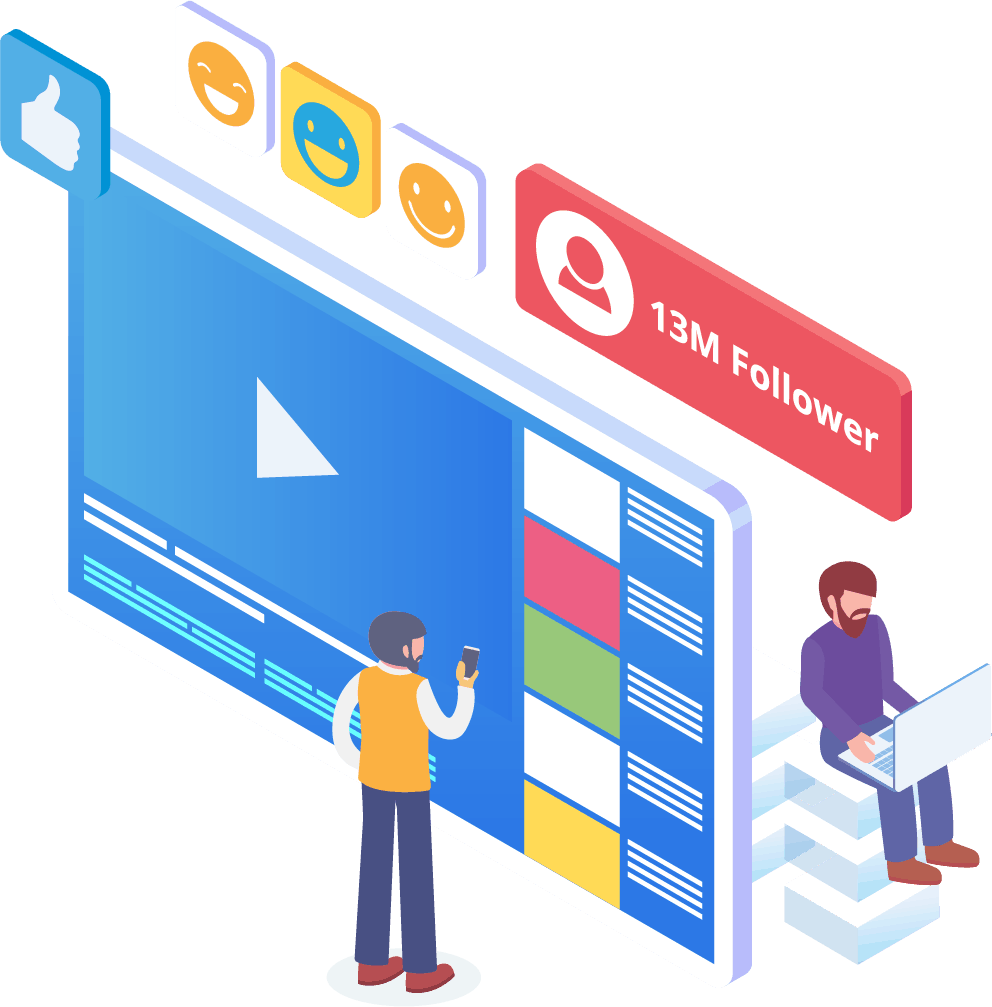
今日の世界では、企業は競争に勝つために優れたソーシャルメディアの存在感が必要です。Facebookは、企業の視認性を高め、新しいサブスクライバーや潜在的な顧客を何百人もページに引き寄せるプラットフォームとして着実に成長しています。これらのFacebookユーザーと対話する最良の方法の一つは、チャットボットアプリを通じてです。私たちのFacebookメッセンジャーチャットボットは、あなたのページと定期的に対話する人々を楽しませ、情報を提供し、教える手助けをします。
適切なマーケティング戦略は、企業の成長を促進するためにFacebookやソーシャルメディアの利用を必要とするべきです。私たちのアプリを使用することで、ビジネスプロファイルを以前は達成不可能だったレベルに引き上げることができる完全で堅牢なマーケティングプランを作成できます。私たちのメッセンジャーチャットボットサービスはFacebook専用に設計されており、ソーシャルメディアの巨人が変更を加える際に適応できます。メッセンジャーは、使い方を知っていれば業界のリーダーに変えることができる、ほとんど未開拓のソーシャルメディアツールです。私たちは推測ゲームを取り除き、一歩ずつビジネス目標を達成する手助けをします。

あなたの
データをメッセンジャーボットで分析する
前述のように、私たちのアプリはFacebookと購読者データを分析するためのレポートを作成することもできます。メッセンジャーボットのソフトウェアは、Facebookとのインタラクションに関して人間がどのように機能するかを理解するように設計されています。私たちが提供する分析は、戦略的な販売およびマーケティングプロトコルを作成し、会社を成長させるために深く掘り下げることを可能にします。私たちは全体像を提供し、そこから成功を収めるために必要なものを抽出できます。
この詳細なデータ分析は、新しい販売、リード、顧客を生み出すことができます。機械学習を通じて、特定の期間中にあなたのFacebookページと購読者が行ったすべてのインタラクションを振り返ることで、ターゲットオーディエンスに向けたコンテンツを作成できます。新しく関連性のあるコンテンツを作成する際に不要なものを取り除き、あなたの焦点があるべき場所に留まります。

メッセンジャーボットでリードをコンバージョンする
メッセンジャーボットは、リードを販売に導く手助けをします。私たちの自動化ソフトウェアは、潜在的な顧客の注意を引くことでプロセスを開始します。私たちは、顧客があなたのビジネスにとって重要であると感じるような、基本的でありながら個人的なレベルで見込み客と関わることができます。これにより、顧客をより的確にターゲティングし、初回のやり取りの後も連絡を取り続けることができます。
迅速な応答時間は、顧客体験とコンバージョンにとって不可欠です。応答時間が短くなることで、見込み顧客の満足度が向上し、複雑さや手間なくリアルタイムで回答を受け取ることができます。このシンプルな体験は、顧客の維持と将来の販売を改善します。新しい顧客がビジネスに接触する際、第一印象はすべてを意味します。メッセンジャーボットを使用することで、購読者とのチャット時に発生する複雑さや予期しない問題を排除できます。チャットボットは、シンプルなタスクのためのあなたのバーチャルアシスタントであり、ビジネスのスケーリングにもっと集中できるようになります。

Facebookボットで時間を節約する
Messenger Botにあなたとあなたのビジネスのためのすべてのエンゲージメント作業を任せましょう。そうすれば、あなたは今、完全な注意を必要とする他の重要なタスクに集中できます。私たちの革新的なアプリを使えば、投稿を忘れたり、コメントや質問を意図せず無視したりする心配はもうありません。エンゲージメントがいつ来ても問題ありません。私たちのソフトウェアは必要なときに応答するように設計されています。この機能により、あなたとあなたの購読者のために24時間365日のカスタマーサポートが提供されます。
私たちのソフトウェアを使えば、必要なことを使いやすいインターフェースに入力するだけで、あとは私たちが引き受けます。あなたは私たちが提供する完全なキャンペーンを手に入れることができます。私たちに頼れば、あなたの情報を熱心な目と耳に届けることができます。
活用する
Facebookの人気を
Facebookは今後も減速することはありません。この非常に人気のあるソーシャルメディアサイトは、全世界で10億人以上の人々に利用されており、Messengerも含まれています。このアプリのユーザーは、使いやすさからMessengerを楽しんでいます。彼らは目的の場所にたどり着くために、いくつかのリンクやページをクリックする必要がありません。
この利点は、地元の顧客とコミュニケーションを取りたい企業に適しています。Messenger Botは、Facebookユーザーにとって魅力的な同じ簡便さと便利さを持っています。彼らがソフトウェアと関わると、製品や会社に関する情報を簡単に理解できる形で提供され、情報に基づいた意見を持つことができます。このカスタマーサポートは、必要なときに待ち時間なしで利用可能です。
新しい機会
豊富にある
私たちのボットアプリは、Messengerボットを使用しないことを選択した他の企業にはない新しい機会を提供します。Messengerアプリは、デジタルマーケティングへの新しいアプローチと見なされているため、私たちを通じて使用する戦略は古くなったり、使い古されたりすることはありません。私たちは、他の企業と差別化するための先進技術を提供します。
Facebook Messenger Chatbotを通じて、販売やマーケティングに関して何が効果的で何が効果的でないかを見つけることができます。私たちのリソースを使用することで、時間をかけてアプローチを合理化し、ブランドに関して最善を尽くすことができます。私たちのチャットボットを使用していない競合他社は、大規模な市場において明らかな不利な立場にあります。

顧客サービスの向上
Facebook Chatbotを使用して
もちろん、あなたは私たちのアプリを使って、現在提供しているカスタマーサポートを強化し、改善することができます。私たちは、ソフトウェアに関してすべてのカスタマーサポートの側面を考慮しています。機械学習と自然言語処理の助けを借りて、高品質な回答を提供し、顧客を満足させ、迅速な購入決定を促すことができます。即時の応答時間は、潜在的な購入者が他の場所で商品を購入するためにページを離れるのを防ぎます。
また、私たちのメッセンジャーチャットボットが顧客から情報を求めるとき、それは事前の資格確認の一環として機能します。誰かがあなたのビジネスから何かを購入しようとしているとき、その自発的な情報を利用して、将来のキャンペーンや製品の発売をより良く行うことができます。これにより、これらの簡単な詳細を得るために何時間も働く必要がなくなりました。
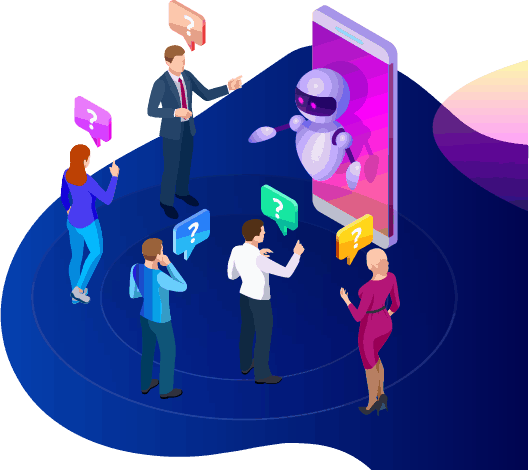
チャットボットは、質問が高度になったときや、潜在的な販売を引き継ぎたいときに、実際の人間オペレーターに切り替えるオプションも提供します。メッセンジャーボットを使えば、本当に両方を手に入れることができます!あなたは、成長と可視性を促進するために設計された迅速なコミュニケーションと自動化ツールを備えたカスタマイズ可能なカスタマーサポートを持っています。

ブランド構築
認知
ほんの数回の簡単なアクションで、あなたのオーディエンスにビジネスのすべてを知らせることができます。フォローアップの質問にも対応でき、潜在的な顧客は今やあなたの販売ファネルの奥深くに誘導されることができます。
モバイル
最適化
多くの人々や消費者がすべてのことに携帯電話を使用しているため、MessengerボットはFacebook Messengerを使用して販売と顧客維持の可能性を認識しています。私たちのソフトウェアは、モバイルデバイスを念頭に置いて作られています。私たちはソフトウェアを設計する際に、クリーンでシンプルなアプローチを重視しました。その結果、モバイルデバイスとFacebookでシームレスに動作するボットシステムが完成しました。
完全にカスタマイズ可能
メッセンジャーボット
以前に触れたように、Messenger Botはカスタマイズ可能で、変化するビジネスニーズに適応できます。この機能は、変化と成長の余地があるため、ビジネスにとって価値があります。私たちは、会社の方向性に関係なく、あなたの会社と共に進むことができる完全に機能するチャットボットを構築しました。必要なときに戦略を変更でき、私たちは中断することなくそこにいます。


使いやすい
メッセンジャーボット
あなたの時間が貴重であることを私たちは知っています。私たちのアプリを通じて新しいマーケティング戦略を実施したいとき、日々それについて考えたくはありません。私たちのボットサービスがあなたをサポートします。必要なことを教えていただければ、残りは私たちが行います。数分で、エンゲージメントを高め、顧客を引き寄せるキャンペーンを開始できます。初期の実装から指一本動かさなくても大丈夫です。私たちの複雑な技術は、ユーザー体験がストレスフリーで簡単であることを保証します。
Messenger Botは、マーケティングと販売の観点から、あなたとあなたのビジネスが最大の潜在能力に達するのを助けるように設計されています。私たちの革新的なアプリを通じて、Facebookの可視性と人気を高める貴重な情報を抽出できます。新しい購読者とのつながりは、あなたの基盤を維持し、新しい顧客を獲得するのに役立ちます。これに勝るものはありません!今日私たちを試してみてください、結果に驚かされることでしょう。コーディング不要で最初のメッセンジャーチャットボットを構築しましょう。
本当に変化を起こす準備はできましたか?一緒にこれを作りましょう!
Messenger Botを制限なしで知り、気に入ったときにのみ最大限に使用を開始してください。お待ちしています。
 日本語
日本語  English
  Tagalog
  简体中文
简体中文  العربية
  हिन्दी
  Português do Brasil
  Español de México
  Français
  বাংলা
বাংলা  香港中文
香港中文  繁體中文
繁體中文  Nederlands
  Deutsch
  Bahasa Indonesia
  한국어
한국어  Polski
  Русский
  Español
  Tiếng Việt