
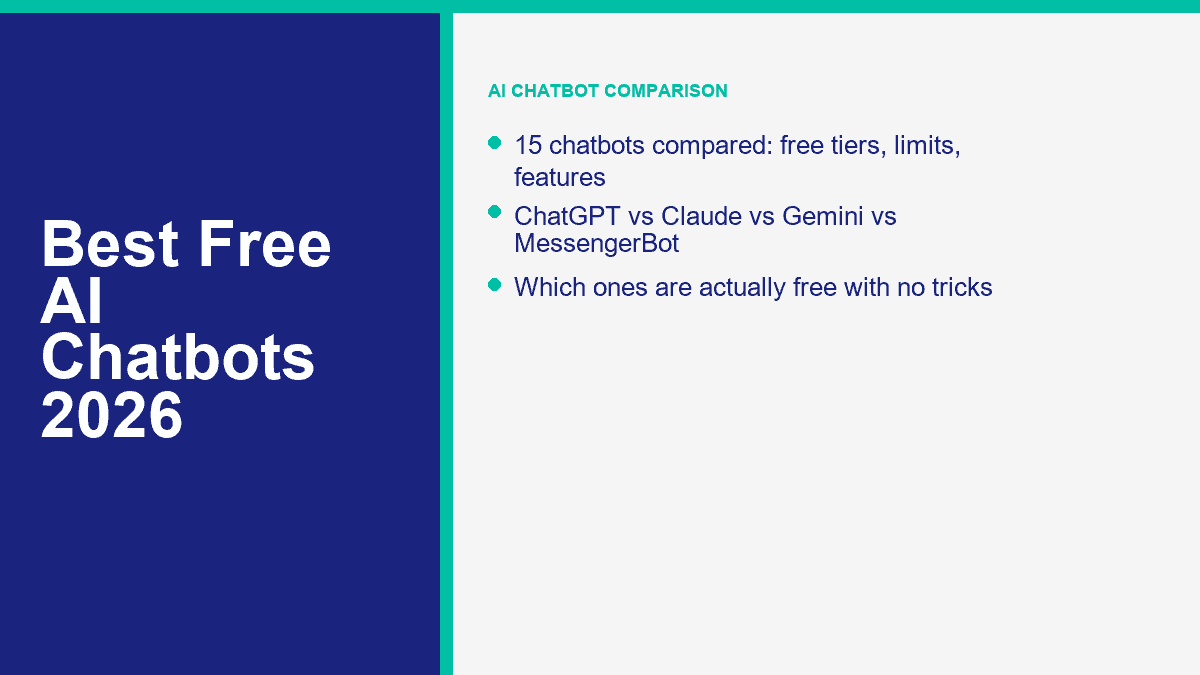
Free AI chatbots are everywhere in 2026. Truly free AI chatbots are not. That gap matters more than most roundup posts admit.
Some tools give you a real free plan you can live on for months. Some give you a useful free tier until you hit a message cap, file upload wall, or premium model lock. Others are really trials dressed up as free products. This comparison reflects public free-plan details available in April 2026. I ranked the tools below by one standard: how much useful work you can get done before the paywall starts dictating your decisions.
That means this list mixes three categories on purpose: genuinely free tools, freemium tools with meaningful value, and trial-based products that still deserve a mention because people keep searching for them as “free.” If you want a wider read on which AIs you can actually talk to for free, that companion article goes deeper on the no-sign-up and no-credit-card angle.
What “Free AI Chatbot” Really Means in 2026
The easiest way to waste time with AI tools is to assume “free” means “fully usable forever.” In practice, there are three very different offers hiding under the same label.
Free forever means the product has a real $0 tier that keeps working as long as you stay inside its limits. Character.AI, DeepAI, Replika, and the basic versions of ChatGPT, Gemini, Claude, and Copilot all fit here, although the limits can be tighter than the marketing copy suggests.
Freemium ibig sabihin ay ang base layer ay magagamit, ngunit ang pinakamahusay na modelo, mas mabilis na mga tugon, mas malalaking konteksto, mas mahusay na memorya, higit pang automation, o mas mataas na paggamit ay nasa likod ng isang subscription. Iyan ang naglalarawan sa karamihan ng seryosong merkado ng AI chat ngayon. Ang mga libreng gumagamit ay nakakapasok; ang mga bayad na gumagamit ay nakakakuha ng bersyon na tila matatag sa ilalim ng presyon.
Pagsubok lamang ibig sabihin ay hinhiram mo ang bayad na bersyon sa loob ng ilang araw. Ang Jasper at MessengerBot ay nabibilang sa kategoryang ito sa paghahambing na ito. Maaari pa rin silang maging sulit subukan, ngunit ang pagtawag sa kanila na “100% libre” ay magiging nakaliligaw.
Karaniwang nakatago ang maliliit na detalye sa apat na lugar:
- Mga limitasyon sa mensahe: Maaaring sabihin ng isang tool na “free” ngunit tahimik na pinipigilan ka pagkatapos ng maikling paggamit o sa mga abalang oras.
- Mga limitasyon sa konteksto: Kadalasang nakakakuha ang mga libreng gumagamit ng mas maiikli na pag-uusap, mas maliliit na uploads, o mas mahihinang modelo para sa mahahabang dokumento.
- Mga lock ng tampok: Ang boses, pagbuo ng imahe, pagsusuri ng file, mga custom na bot, mga tool ng ahente, at memorya ay kadalasang limitado o bahagyang naka-disable.
- Mga pagbabago sa access: Ang ilang mga vendor ay nagbabago ng mga limitasyon sa libreng serbisyo batay sa rehiyon, edad ng account, o kabuuang kapasidad.
Iyan ang dahilan kung bakit ang paghahambing ng mga libreng AI chatbot ngayon ay nangangailangan ng higit pa sa pag-check kung ang isang pahina ng pagpepresyo ay nagsasabing “$0.” Kailangan mong malaman kung ano ang mangyayari pagkatapos ng unang 10 minuto, pagkatapos ng unang na-upload na file, at pagkatapos ng unang abalang araw kapag puno ang mga server.
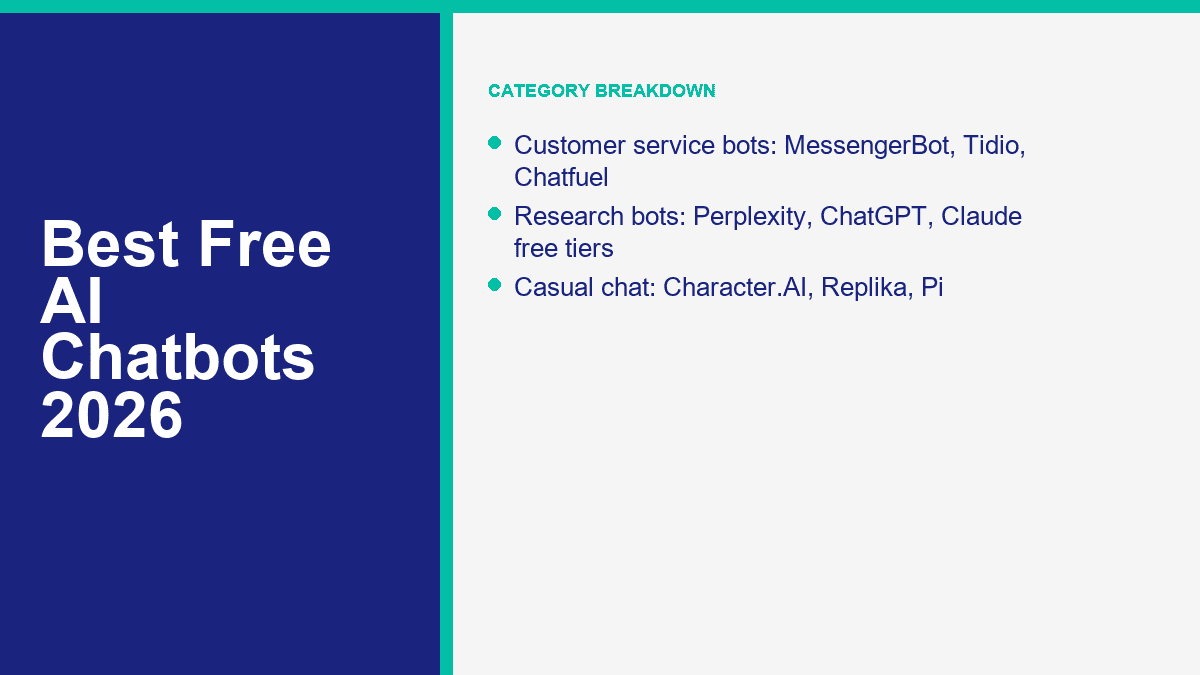
Ang 15 Pinakamahusay na Libreng AI Chatbots na Naka-ranggo para sa 2026
Ang ranggo sa ibaba ay nagbibigay-diin sa tunay na pang-araw-araw na kapakinabangan, hindi lamang sa prestihiyo ng modelo. Kung ang isang tool ay mas matalino sa papel ngunit nagiging nakakainis pagkatapos ng ilang mensahe, ito ay bumababa. Kung ang isang tool ay bahagyang hindi gaanong advanced ngunit patuloy na gumagana nang walang hadlang, ito ay umaakyat.
| Ranggo | Tool | Katayuan ng libre | Ano ang makukuha mo nang libre | Main limit or catch | Sign-up | Mobile app | Best use case | Rating |
|---|---|---|---|---|---|---|---|---|
| 1 | ChatGPT | Free tier | Core chat, web search, limited file uploads, limited image and voice tools, custom GPT browsing | Advanced tools and higher usage are capped fast for heavy users | Oo | Oo | Best all-purpose free chatbot | 9.6/10 |
| 2 | Gemini | Free tier | Fast model access, limited Pro-thinking prompts, 32K context, file uploads, image generation, some Deep Research | Limits change often and premium thinking prompts are scarce | Oo | Oo | Best free mix of chat plus document work | 9.4/10 |
| 3 | Claude | Free tier | Strong writing, web search, image analysis, artifacts, memory, code-oriented work | Five-hour rolling limits can feel tight | Oo | Oo | Best free chatbot for clean writing and thoughtful answers | 9.2/10 |
| 4 | Perplexity | Free tier | Web-grounded answers with citations and fast research summaries | Premium models and heavier Pro Search usage are paid | Optional | Oo | Best free chatbot for sourced research | 9.0/10 |
| 5 | Copilot | Free tier | Smart web-grounded chat, voice, Think Deeper, Windows and Edge integration | Paid Microsoft plans unlock higher limits and deeper app integration | Optional | Oo | Best for Microsoft users who want a free everyday assistant | 8.8/10 |
| 6 | Character.AI | Free tier | Free character chats, voice calls, and pinned memories | Waiting room delays and lower factual reliability | Oo | Oo | Best for roleplay and casual conversation | 8.5/10 |
| 7 | Poe | Free tier | One interface for many models, user-made bots, web search, and media tools | Free usage runs on points and premium bots burn through them quickly | Oo | Oo | Best for sampling many models in one place | 8.4/10 |
| 8 | You.com | Free tier | Basic Q&A, live web answers, limited custom agents, 5MB uploads, limited image generation | Basic query limits make it easy to outgrow | Oo | Oo | Best for lightweight agent-style experimentation | 8.2/10 |
| 9 | DeepAI | Free forever | Standard chat in the browser without creating an account | Best models and higher-end modes are paid | Hindi | Hindi | Best no-sign-up option for quick questions | 8.1/10 |
| 10 | HuggingChat | Free tier | Open-source model access, model routing, community tools, and broad experimentation | Free use depends on Hugging Face credits and model availability | Oo | Hindi | Best for open-source AI users | 7.9/10 |
| 11 | Pi | Free tier | Warm voice-first conversation, reminders, decision support, and companion-style chat | Weak for deep research and privacy-sensitive use | Oo | Oo | Best for emotionally natural conversations | 7.7/10 |
| 12 | MessengerBot | Libreng pagsubok | Messenger automation, templates, docs, and onboarding materials during the trial period | Not a forever-free plan | Oo | Hindi | Best for testing Facebook Messenger customer service automation | 7.6/10 |
| 13 | Replika | Free tier | Free text chat, avatar customization, and always-on companion messaging | Voice, roleplay, premium activities, and richer customization are paid | Oo | Oo | Best for a persistent AI companion | 7.3/10 |
| 14 | Nova | Freemium app | Free download with basic AI chat and cross-platform access | In-app purchases, unclear model consistency, and app-store style caps | Optional | Oo | Best for casual mobile use | 6.9/10 |
| 15 | Jasper | 7-araw na libreng pagsubok | Full access to the selected paid plan during the trial window | Credit card required and billing starts after seven days | Oo | Hindi | Best for marketers testing a premium writing workflow | 6.6/10 |
ChatGPT Still Sets the Pace for an All-Purpose Free Chatbot
What’s free: ChatGPT’s current free plan gives you core chat access plus web search, limited file uploads, limited data analysis, limited image generation, limited voice, and access to custom GPTs. OpenAI’s current pricing pages also show free mobile access and a usable everyday feature set instead of a stripped demo.
Limits: The experience changes the second you lean on heavier features. Upload too many files, push long research sessions, or rely on the strongest tools every day and you will feel the throttle. Best use case: one chatbot for writing, planning, basic coding help, and general problem-solving. Rating: 9.6/10.
Gemini Gives You the Most Transparent Free Limits Right Now
What’s free: Google is unusually clear about its free allowances. Gemini without a paid Google AI plan currently includes general access to the fast model, a 32K context window, some higher-end thinking prompts each day, up to five Deep Research reports per month, up to 100 generated images per day, and file uploads when you are signed in.
Limits: Google also says those limits can change frequently, especially for free users. That honesty is useful, but it still means you should expect moving goalposts. Best use case: school, document summarizing, spreadsheet-style tasks, and longish prompts where 32K context is enough. Rating: 9.4/10.
Claude Feels the Most Polished When the Job Is Writing or Reasoning
What’s free: Claude’s free plan now includes web, desktop, iOS, and Android access, plus web search, image analysis, memory, artifacts, and a surprisingly strong set of writing and coding features. Anthropic also supports artifacts on the free plan, which matters if you want a draft, prototype, or mini app separated cleanly from the chat thread.
Limits: Claude’s five-hour rolling usage model is the classic catch. Light users barely notice it. Heavy users hit it quickly. Best use case: thoughtful writing, editing, outlining, and answers that sound less rushed than most free-tier outputs. Rating: 9.2/10.
Perplexity Is Still the Best Free Research Chatbot With Sources
What’s free: Perplexity’s core appeal has not changed: ask a question, get a synthesized answer, and check the citations without leaving the interface. That sounds simple, but it is still the biggest time-saver in the category. For people doing product research, travel planning, market scans, or fast fact-checking, that source layer matters more than perfect prose.
Limits: The better model choices, deeper Pro Search usage, and bigger allowances live behind Perplexity Pro. File uploads are supported, but the free experience is not as generous as the paid one. Best use case: web-grounded answers you can verify fast. Rating: 9.0/10.
Copilot Has Become a Legit Free Choice, Not Just the Microsoft Default
What’s free: Microsoft keeps pushing Copilot further into the “actually useful” zone. Free users get web-grounded chat, mobile and desktop access, Copilot Voice, and unlimited access to Think Deeper. If you already live in Windows, Edge, or Microsoft apps, the friction is low enough that Copilot starts feeling like part of the operating system rather than another tab.
Limits: The smartest workflow integrations still live inside Microsoft 365 subscriptions, and business grounding is a separate conversation. Best use case: everyday research, voice interaction, and quick work support for Microsoft-heavy users. Rating: 8.8/10.
Character.AI Is Still the Best Free Chatbot When You Want Personality
What’s free: Character.AI remains free to use, and its free layer includes core character chats, voice calling on web and mobile, and pinned memories. If your goal is roleplay, language practice, improvisation, fan-fiction style conversation, or just chatting with something more animated than a standard assistant, it is still hard to beat.
Limits: The waiting room is real during busy periods, and factual accuracy is not the point of this product. Treat it as entertainment first. Best use case: creative conversation, roleplay, and low-stakes fun. Rating: 8.5/10.
Poe Makes the Most Sense When You Want Many Models Without Many Accounts
What’s free: Poe gives you access to a rotating menu of mainstream and niche models in one account, plus custom bots, web search, and media generation. That convenience is the whole pitch. You do not need to sign up with five separate companies just to compare styles.
Limits: Free usage is tied to points, and premium models burn through those points quickly. Poe is generous enough to explore, but not generous enough to replace dedicated paid plans if you use it hard. Best use case: comparing models, testing prompts, and building lightweight custom bots. Rating: 8.4/10.
You.com Is Better Than Its Visibility in Search Results Suggests
What’s free: You.com’s current free plan includes basic Q&A, real-time web answers, a context window up to 16K, limited custom agent creation, file uploads up to 5MB with up to five files per query, and limited image generation. That is more real functionality than many people assume.
Limits: The phrase to focus on is “limited basic queries.” If you plan to use it as a daily workhorse, you can outgrow the free plan fast. Best use case: experimenting with agent-style AI without spending money on day one. Rating: 8.2/10.
DeepAI Is the Best Free AI Chatbot if You Refuse to Create an Account
What’s free: DeepAI still stands out because you can explore it for free without creating an account. That matters for people who want a quick answer, a simple writing assistant, or a throwaway chat session without handing over an email address first.
Limits: The free version is basic. The better models, higher-end browsing modes, private generations, and larger allowances sit inside DeepAI Pro. It is also more ad-heavy and less refined than the top five tools on this list. Best use case: quick no-sign-up text help. Rating: 8.1/10.
HuggingChat Is the Best Free Playground for Open-Source Model Fans
What’s free: HuggingChat is where open-source chat still feels alive. The current version routes across many models, exposes community tools, and gives free Hugging Face users a practical way to test open models without setting up local infrastructure. If you care about model variety more than polished consumer UX, this is one of the most interesting free options available.
Limits: Credits and model availability can change the feel of the platform from day to day. It is better for experimentation than reliable daily production work. Best use case: testing open-source models and community-built AI tools. Rating: 7.9/10.
Pi Still Feels More Human Than Most Free Companion AIs
What’s free: Pi’s strength is tone. It is calm, supportive, and unusually good at conversational reflection, decision support, and voice-first chatting. If you want an AI that feels less like a tool and more like a patient sounding board, Pi still has a place.
Limits: Pi is not your best pick for citations, file-heavy work, or hard research. Its privacy policy also makes clear that inputs may be used to improve and train the service, so this is not where sensitive conversations belong. Best use case: reflective conversation and voice chat. Rating: 7.7/10.
MessengerBot Is a Strong Business Option, but It Is a Trial, Not a Forever-Free Bot
What’s free: MessengerBot belongs on this list because a lot of small businesses searching for a free AI chatbot are really searching for a free way to automate customer replies on Facebook Messenger. MessengerBot gives you a real product trial, documentation, templates, and onboarding materials so you can test that workflow properly.
Limits: This is not a permanent $0 tier, so it loses points in an overall free ranking. Still, for a business that specifically needs Messenger automation rather than generic AI chat, it is far more relevant than companion apps or research bots. Best use case: testing Messenger support, lead capture, and page automation. Rating: 7.6/10.
Replika Remains Free for Text Chat, but Most of the Good Extras Are Paid
What’s free: Replika says chatting will always be free, and the free layer still gives you continuous text conversation plus avatar customization. If your main goal is checking in with a familiar AI companion every day, that baseline is enough for some people.
Limits: Voice calls, richer roleplay, premium activities, and more advanced customization all sit behind paid plans. In other words, free Replika works, but it is clearly the starter version. Best use case: companion chat with persistent identity. Rating: 7.3/10.
Nova Is Convenient on Mobile, but It Feels More Like a Wrapper Than a Destination
What’s free: Nova is a mobile-first chatbot app with a free download and broad device support. If you want a phone-friendly AI assistant without caring too much which underlying model is doing the work, it is easy to start using.
Limits: This category of app usually comes with in-app purchases, variable limits, and branding that can get fuzzy about which models are actually available on your current tier. That makes Nova fine for casual use and weak for serious work. Best use case: quick mobile chats and convenience. Rating: 6.9/10.
Jasper Is Excellent for Marketers, but the “Free” Part Lasts Seven Days
What’s free: Jasper currently offers a seven-day free trial with full access to the selected plan. If you are evaluating a premium AI writing platform for a content team, that trial is enough time to learn the interface and pressure-test a workflow.
Limits: Jasper requires a credit card for the trial, and billing starts when the week ends unless you cancel. That makes it a trial product, not a true free AI chatbot. Best use case: marketers validating whether Jasper is worth paying for. Rating: 6.6/10.
Best Free AI Chatbot for Customer Service on Messenger and Other Channels
If your idea of “AI chatbot” means answering customer questions, qualifying leads, routing support, and sending follow-ups, the ranking changes. Consumer chatbots like ChatGPT or Pi are not built to run your Facebook page inbox. A business bot platform is.
For Facebook Messenger specifically, MessengerBot is the most relevant pick in this list because it is built around page automation, broadcasts, visual flow building, tags, templates, and support workflows. If you want the setup videos rather than just a feature overview, Tingnan ang Aming Mga Tutorial before you spend money. That will tell you quickly whether your use case is simple enough for a starter build or complex enough to justify a paid plan.
| Plataporma | Katayuan ng libre | What free is good for | Where free stops being enough |
|---|---|---|---|
| MessengerBot | Trial | Testing Messenger flows, templates, FAQ automations, and onboarding fit | When you need ongoing page support and production use |
| ManyChat | Free tier | Simple Instagram, TikTok, Telegram, or Messenger automations for small accounts | When you need more than 25 active contacts on the new 2026 model, or more than a few live automations |
| Tidio | Free tier + AI trial style quota | Basic live chat plus a one-off taste of Lyro AI | When the first 50 Lyro conversations are gone and you want AI to keep working |
| Chatfuel | Trial | Short-term WhatsApp or Instagram bot validation | As soon as you need a lasting live bot or higher conversation volume |
Here is the clean rule of thumb. Free is enough when you only need one or two narrow automations:
- Answer store hours, pricing, location, and appointment questions
- Collect basic lead info
- Route people to a human
- Test whether your audience will even use chat automation
Upgrade when any of these show up:
- You need multiple channels, not just one inbox
- You need tags, segments, and follow-up sequences that actually convert
- You want AI replies backed by your content, not generic fallback answers
- You need analytics, handoff rules, or more than a tiny contact limit
Free AI Chatbots for Casual Conversation That Do Not Feel Robotic
If you want a chatbot for company rather than productivity, Character.AI, Replika, and Pi are the three names that keep showing up for a reason. They are trying to be emotionally engaging, not just informative.
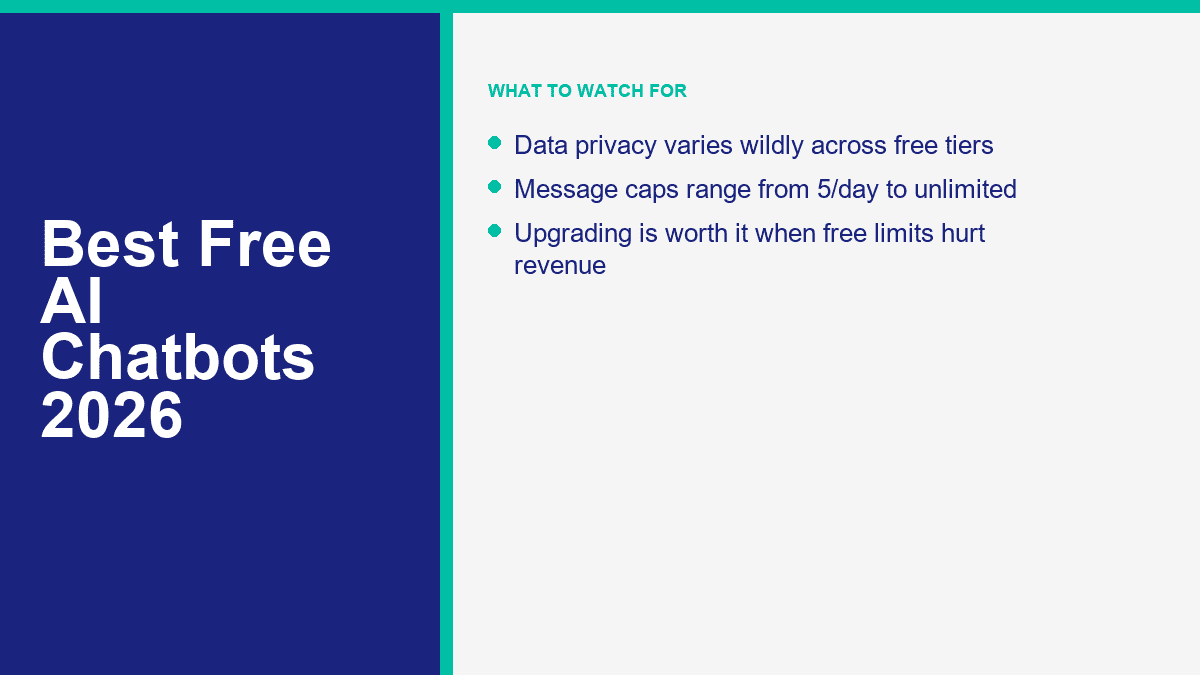
Character.AI is the most fun if you want roleplay, fictional personalities, weird scenarios, fandom chats, or something to improvise with. It is the least reliable choice for facts, but that is not really the point.
Replika works best if you want continuity. The free text chat is always on, and the product is built around the idea of an ongoing companion rather than a series of isolated prompts.
Pi is the best of the three if you want calm, natural language and a softer tone. It is less theatrical than Character.AI and less game-like than Replika.
The privacy tradeoff is easy to miss here. The more “personal” a chatbot feels, the more likely users are to overshare. That is exactly when you should slow down. Companion apps can store chat history, train on inputs, or use your conversation data to improve the product. Do not use them for therapy-grade disclosures, legal advice, financial secrets, or confidential business material.
If a no-sign-up option matters more than emotional realism, the honest answer is that the casual-companion leaders are not your best fit. DeepAI is still a better bet for anonymous quick chats, even if the conversation quality is less memorable.
Best Free AI Tools for Research, Writing, and Everyday Work
For research and productivity, three names matter most: Perplexity for citations, ChatGPT for all-around usefulness, and Claude for writing quality. Gemini deserves to be in that same group if your work involves documents, uploads, and medium-length context.
| Tool | Published or practical context note | File uploads on free tier | Research strength | Pinakamainam na akma |
|---|---|---|---|---|
| ChatGPT | OpenAI currently lists an 8K context window for Free in plan comparison | Yes, limited | Good, especially when search is enough | One tool for mixed work |
| Claude | Anthropic does not clearly publish one fixed free-plan context limit for consumer use | Yes, with usage limits | Good for synthesis, less citation-forward than Perplexity | Writing and reasoning |
| Gemini | Google currently publishes 32K context for the free Gemini app | Yes, up to 10 files per prompt, subject to rolling limits | Strong, especially for docs and multimodal inputs | Study and document analysis |
| Perplexity | Model-dependent rather than a simple public free-tier number | Yes, but better allowances on paid plans; 40MB file size guidance is published | Excellent because of built-in citations | Fast sourced research |
My practical take is simple:
- Gumamit ng Perplexity when you need sources on the screen right now.
- Gumamit ng Claude when you care how the writing sounds.
- Gumamit ng ChatGPT when you want the broadest mix of general tools.
- Gumamit ng Gemini when documents and uploads are central to the job.
If you are comparing them for file work specifically, Gemini is the most transparent on published upload limits, ChatGPT is the most balanced, Claude is often the nicest to write with, and Perplexity is the best at turning source material into something you can verify.
How to Set Up a Free Facebook Messenger Chatbot for Your Business Page
For a small business, a free or trial chatbot is usually enough to answer the boring questions that keep interrupting your team: opening hours, location, delivery zones, booking links, product availability, and simple return policies.
Here is the fastest practical setup path if you want to test Messenger automation before paying for anything serious:
- Pick one narrow goal. Start with FAQs, lead capture, booking, or after-hours replies. Do not build a giant “AI assistant” on day one.
- Connect your Facebook Page. The platform needs page access before it can automate replies, tags, greetings, and handoff rules.
- Use a proven template first. A template gets you to a working flow faster than trying to design every branch from scratch.
- Write a fallback message that sounds human. The safest fallback is a short apology, a menu of common options, and a handoff path to your team.
- Add one conversion action. That might be “book now,” “leave your email,” “get a quote,” or “talk to support.”
- Test the full journey on mobile. Most Messenger conversations start on phones, and broken mobile flows kill adoption fast.
If your business lives on Facebook and you need more than a short experiment, Tingnan ang Presyo ng MessengerBot after the test phase. That is the point where you should compare page limits, templates, automation depth, broadcasts, and handoff tools instead of obsessing over the word “free.”
And if Messenger is only one part of your channel mix, the next smart comparison is WhatsApp. The economics and platform rules are different, so it helps to read about building a WhatsApp chatbot for free before you lock yourself into one messaging stack.
The Fine Print That Makes “Free” Less Free Than It Sounds
The biggest mistake people make with free AI chatbots is judging them in a quiet test session and assuming they will behave the same way in real use. That is rarely true.
Data privacy is the first issue. Free consumer tools are often trained, improved, or monitored using at least some version of user interaction data unless you are on a business-grade or opt-out setup. Never assume a free consumer chatbot is the right place for customer PII, contracts, strategy decks, or unpublished financial data.
Unadvertised usage limits are the second issue. Some products publish exact allowances. Others just say limits apply. That means your experience can vary by time of day, region, account age, prompt length, file size, or current server load.
Quality gaps are the third issue. The free plan may run a smaller or faster model, shorten your context window, reduce memory, or restrict advanced tools. Two tools can both say “free AI chatbot” and still deliver completely different levels of usefulness.
The fourth issue is workflow fragility. If the free plan breaks the moment your volume rises, it is not really free for a business. It is just free to test.
Upgrading is worth the money when one of these statements becomes true:
- You are hitting limits often enough that you change your workflow to avoid them
- You need consistent file analysis, research depth, or higher context
- You are using AI with customer conversations and need better reliability
- You want privacy controls that consumer plans do not give you
- You need automation to produce revenue, not just answer questions
When You Are Ready to Move Beyond the Trial Stage
Testing free chatbots is useful. Building a support workflow that customers can rely on is a different job. If Facebook Messenger is part of your sales or support stack and you want the features that matter after launch, check Mga Tampok ng MessengerBot Pro and compare the automation depth against the free or trial tools above.
Mga Madalas Itanong
Mayroon bang 100% na libreng AI chatbot na walang limitasyon?
No mainstream AI chatbot worth recommending is truly unlimited on a forever-free plan. DeepAI comes closest if you want fast, no-sign-up access, and Character.AI or Replika can feel effectively free for casual chat, but serious research and productivity tools all impose limits somewhere.
Alin sa mga libreng AI chatbot ang pinakamahusay sa 2026?
For most people, ChatGPT is still the best all-purpose free AI chatbot in 2026 because it balances writing, search, uploads, and general usability. Gemini is a close second if you care more about document work and published limits. Perplexity is the best free choice if your top priority is cited research.
Mayroon bang libreng AI na mas maganda kaysa sa ChatGPT?
Yes, for specific jobs. Perplexity is better for source-backed web research, Claude is often better for polished writing, and Character.AI is better for roleplay or entertainment. There is no across-the-board free winner that beats ChatGPT at everything.
Maaari ko bang gamitin ang isang libreng AI chatbot para sa aking negosyo?
Yes, but mainly for testing, basic FAQs, lead capture, and small-volume support. Once your chatbot starts handling real customer traffic, handoffs, follow-ups, or sensitive information, free plans usually become too limited or too risky. That is when a platform built for business automation becomes the smarter choice.
Nananatiling pribado ang aking mga pag-uusap sa mga libreng AI chatbot?
Not by default. Some vendors let you opt out of model training or offer stronger privacy only on paid business plans. Free consumer chatbots are fine for everyday low-stakes prompts, but they are a poor place for confidential business data, legal documents, customer records, or anything you would not want retained or reviewed.



 Tagalog
  English
  简体中文
简体中文  العربية
  हिन्दी
  Português do Brasil
  Español de México
  Français
  বাংলা
বাংলা  香港中文
香港中文  繁體中文
繁體中文  Nederlands
  Deutsch
  Bahasa Indonesia
  日本語
日本語  한국어
한국어  Polski
  Русский
  Español
  Tiếng Việt