
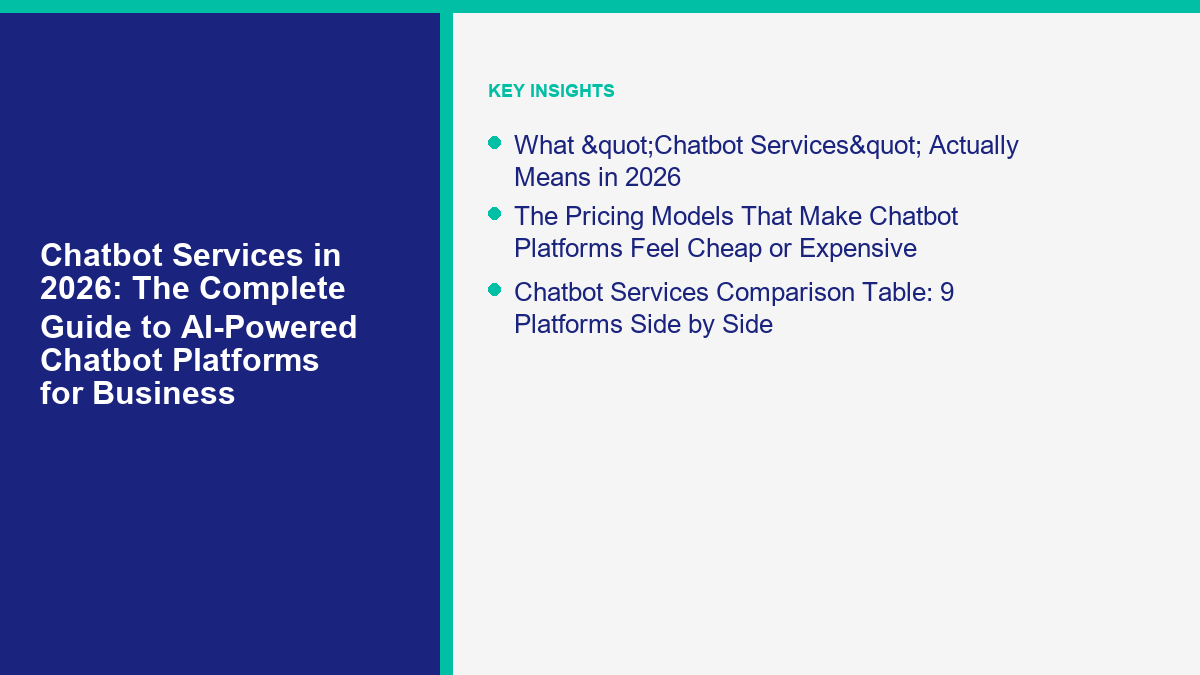
Chatbot Services: The Complete Guide to Evaluating Conversational Interfaces
In the rapidly evolving landscape of digital customer experience, chatbot services have transitioned from basic, script-following website widgets into complex organizational tools. As communication channels proliferate, organizations are researching chatbot services to manage customer inquiries and support internal operations. However, the marketplace for these tools is dense, requiring a structured approach to evaluation and procurement.
Understanding what constitutes a conversational service is the vital first step. At a foundational level, chatbot services are software solutions or managed offerings designed to facilitate text or voice-based interactions between users and organizational systems. Selecting the right solution demands careful analysis of a vendor’s capabilities, their approach to data handling, and the long-term operational requirements of maintaining a conversational interface. This comprehensive evaluation framework explores the architectural concepts behind modern conversational systems and outlines critical decision criteria for selecting a provider.
Industry context changes that evaluation. Teams handling employee questions should begin with the stricter privacy and human-review boundaries in our guide to 人力資源聊天機器人. Dealership teams can use the routing, data-minimization, and follow-up checklist in our guide to 汽車聊天機器人.
Understanding Chatbot Service Models
The marketplace for conversational interfaces offers several distinct deployment and service models. Evaluating which path aligns with your organizational capabilities is crucial for long-term success. Organizations generally choose between hosted software subscriptions, managed service partnerships, and internal custom development, each carrying distinct operational implications.
Hosted software platforms represent a common approach for teams looking to configure and deploy a solution without building infrastructure from the ground up. These vendors typically provide a graphical interface for mapping out conversations, alongside hosting the necessary background processes. While this model can accelerate initial deployment, it requires internal staff to dedicate time to design, monitor, and continually refine the conversational logic.
Alternatively, managed service providers take on the heavy lifting of conversation design and system configuration. In this model, an agency consults with the organization to understand their workflows, and then custom-builds the conversational interface. This approach reduces the immediate burden on internal staff but necessitates clear communication regarding ongoing maintenance and how new organizational knowledge is integrated into the bot.
For organizations with significant technical resources, internal development using available programming frameworks remains an option. This path offers the highest degree of customization but requires a long-term commitment to infrastructure maintenance, security patching, and interface refinement.
The Core Components of Conversational Solutions
Evaluating chatbot services requires looking beyond the user-facing chat window. The effectiveness of a conversational interface relies heavily on its underlying mechanisms for understanding input, managing the flow of dialogue, and connecting with relevant organizational information. A visually appealing chat widget is of little use if the backend architecture cannot support the organization’s intended use cases.
Language Processing Approaches
The foundational element of any conversational tool is its method for processing human language. Historically, systems relied on rigid rule sets or exact keyword matching. As technology evolved, platforms began utilizing intent-classification engines, similar to approaches discussed by technology providers like IBM, which categorize user input based on extensive lists of training phrases.
More recently, the industry has seen the introduction of generative models. Rather than matching input to a predefined intent, these systems process the context of a query and synthesize a response dynamically. When evaluating a vendor, it is critical to determine which language processing approach they employ, as this fundamentally dictates the flexibility of the bot.
Conversation Management and Context Tracking
A functional conversation involves continuity across multiple exchanges. Dialogue management mechanisms dictate how a system tracks context throughout a session. Basic implementations may treat every user message as an isolated event, which often leads to frustrating user experiences if the system forgets previously stated information.
When evaluating providers, organizations should inquire about the system’s capacity for context tracking. Does the service maintain short-term memory within a specific session? Understanding the vendor’s approach to dialogue state management can illuminate whether their tool is suitable for complex customer service interactions or better relegated to simple information retrieval tasks.
System Connectivity and Data Retrieval
A conversational interface provides the most value when it can access relevant organizational information to resolve queries. Buyers should carefully evaluate a vendor’s claims regarding integration capabilities. Rather than assuming a service can seamlessly connect with existing internal databases, buyers must verify the availability of supported integration methods.
It is important to investigate whether the platform supports standard connection protocols or requires custom middleware development. A thorough evaluation of a vendor’s documentation regarding data retrieval can prevent significant deployment delays when attempting to connect the conversational interface to the broader organizational ecosystem.
The Four Major Types of Chatbots
Chatbot services generally fall into four broad categories, each characterized by its underlying logic and appropriate use cases. Understanding these categories helps organizations align their technical requirements with the appropriate class of service.
1. Rule-Based and Menu-Driven Bots
These systems operate on predetermined decision trees. Users navigate the conversation by selecting from provided options. While they lack the fluidity of natural language conversation, rule-based systems offer high predictability. They can be particularly useful for highly structured tasks where deviation is undesirable, providing a consistent user experience.
2. Keyword Recognition Systems
Keyword-driven interfaces analyze user input for specific terms or phrases to trigger associated responses. If a user includes the word “shipping” in their message, the system might return the standard shipping policy. These systems offer more conversational freedom than strict menus but can struggle significantly when users employ synonyms or misspell words.
3. Contextual Classification Bots
These implementations use statistical models to determine the overall intent of a user’s message, even if exact keywords are absent. By analyzing the structure and context of the input, the system attempts to categorize the request and route it to the appropriate pre-written response flow. This type of bot often requires a period of training.
4. Generative Conversational Interfaces
Representing the latest shift in the market, generative interfaces use large language models to construct responses on the fly. These systems are typically provided with a corpus of organizational knowledge and instructed to generate answers based solely on that material. While offering significant flexibility, they require careful evaluation regarding how the vendor constrains the generated text to ensure accuracy.
Key Questions to Ask Prospective Vendors
The procurement process for chatbot services should involve rigorous questioning to move past marketing terminology and understand the practical reality of operating the software. A structured evaluation approach helps organizations avoid long-term commitments to platforms that do not meet their operational requirements.
Evaluating Documentation and Support
The quality of a vendor’s documentation is often indicative of the platform’s overall maturity. Buyers should request access to technical documentation before purchasing to evaluate its clarity and comprehensiveness. Furthermore, organizations must clarify the scope of the vendor’s support and determine what level of assistance is included in the base subscription.
Establishing Human-Review Boundaries
No automated system is flawless, making human oversight a mandatory component of conversational implementations. When evaluating a service, ask how the platform facilitates handoffs to human personnel. The system should ideally identify when it cannot resolve a query and pause the automated interaction smoothly.
Clarifying Ownership of Data and Logic
A critical consideration during vendor evaluation involves the ownership of the conversational data and the configured logic. Organizations must inquire about what happens if they choose to terminate the service agreement. Will the vendor provide an export of the conversation histories and customer interactions? Ensuring clear contractual language regarding data portability can prevent vendor lock-in.
Security, Privacy, and Data Protection
Conversational interfaces routinely process varying amounts of unstructured user data. Evaluating a vendor’s approach to data security and privacy is a non-negotiable aspect of the procurement process, particularly for organizations operating in regulated sectors.
Buyers should investigate the vendor’s policies regarding data retention, encryption practices, and adherence to relevant privacy frameworks. Industry resources, such as those provided by technology leaders like Microsoft Azure, often outline general principles for secure service architecture. It is important to ask vendors how they manage the data submitted through the chat interface.
Additionally, organizations should evaluate whether the platform offers tools for data redaction or filtering before information is processed by external services. Understanding the flow of information from the user’s browser, through the vendor’s infrastructure, is essential for maintaining compliance with organizational privacy standards.
Planning Your Implementation Pilot
Transitioning from vendor selection to a live environment should be managed through a carefully structured pilot program. A methodical implementation pilot allows organizations to test vendor capabilities and internal processes on a smaller scale.
The Pilot Checklist
A successful pilot begins with defining clear, measurable objectives. Rather than aiming for general improvement, organizations should identify specific workflows to automate, such as basic navigational assistance. The checklist must also include rigorous testing protocols. Internal teams should interact with the system using varied phrasing to observe how the platform handles confusion.
Verifying Vendor Capabilities
The pilot phase serves as the final verification of a vendor’s actual capabilities versus their initial proposals. During this period, organizations must evaluate the stability of the platform, the accuracy of its reporting tools, and the responsiveness of the vendor’s support team.
Budgeting and Cost Considerations
Developing a realistic budget for chatbot services requires understanding the various pricing structures prevalent in the market. A thorough evaluation goes beyond the initial quoted price to calculate the total cost of ownership over the expected lifecycle of the implementation.
Pricing models vary significantly among providers. Some vendors use flat subscription fees based on the features accessed, while others charge per active conversation or based on the volume of messages processed. When requesting pricing information, organizations must ask vendors to clarify how these metrics are calculated.
Furthermore, the budget must account for internal resource allocation. Maintaining a conversational interface is an ongoing process that requires personnel to review transcripts, refine responses, update connected knowledge bases, and monitor system performance.
Generative AI vs. Traditional Conversational Interfaces
The rapid popularization of large language models has introduced significant changes to the conversational technology market. Buyers frequently encounter terminology blending traditional chatbot features with broader AI concepts, making it important to distinguish between different types of systems.
Traditional conversational interfaces are generally characterized by their structured approach to dialogue. In contrast, systems described as AI agents or autonomous tools often imply a capacity to interpret goals and formulate multi-step plans. While some vendors may market their tools as autonomous, buyers must critically evaluate the extent of this autonomy.
The Evolving Role of Customer Support Automation
The integration of chatbot services often sits at the intersection of various organizational functions. Implementing a conversational interface inevitably affects the workflows of live human personnel. A common objective is 客戶支持自動化, aiming to route routine, easily answered questions to the automated system.
Similarly, conversational tools can play a role in information gathering and initial user engagement. In contexts related to 對話式商務, organizations might use the interface to help users navigate product catalogs or capture necessary details before connecting the user with a sales representative.
Strategic Implementation and Long-Term Value
Achieving long-term value from chatbot services necessitates viewing the deployment as an ongoing operational practice. A key aspect of this strategic implementation is analyzing user transcripts to identify areas where the system struggles. If users consistently abandon the conversation at a specific point, administrators must investigate and refine the corresponding logic. Implementing chatbot vs live chat integration effectively requires constant monitoring of these transition points.
Furthermore, organizations must ensure their knowledge bases remain synchronized with the conversational system. Outdated information provided by a bot erodes user trust and diminishes the perceived value of the service.
The Future of Conversational Interfaces
The trajectory of conversational technology points toward deeper integration with enterprise systems and the expansion of multimodal capabilities. As highlighted in general industry discourse, such as observations from Zendesk regarding customer service trends, organizations are increasingly looking for systems that unify text, voice, and visual interactions into a single cohesive platform.
Evaluate Your Options with Messenger Bot
Implementing a conversational interface requires careful consideration of your organization’s specific needs, technical capabilities, and operational constraints. If you are currently researching chatbot services and organizing pilot programs, we encourage you to review Messenger Bot’s current feature sets, documentation, and pricing structures. Please visit our website to evaluate our platform’s capabilities and determine if our service aligns with your organizational requirements.
Frequently Asked Questions (FAQ)
聊天機器人的四種類型是什麼?
The four main types of chatbots generally include: 1) Rule-based systems that rely on predetermined decision paths and menus, 2) Keyword recognition bots that scan user input for specific trigger phrases to deliver associated information, 3) Contextual systems that attempt to classify user intent based on extensive training data, and 4) Generative systems that synthesize responses dynamically based on provided knowledge guidelines.
How do I get a chatbot?
Organizations typically acquire a chatbot through one of three primary avenues: subscribing to a hosted software platform for streamlined configuration and deployment, engaging a specialized agency or managed service provider for customized, bespoke development, or dedicating internal engineering resources to build a proprietary system using available development frameworks and libraries.
聊天機器人的成本是多少?
The investment required for a chatbot service depends heavily on the chosen deployment model. Hosted platforms often use tiered subscription pricing or charge based on interaction volume. Custom developments involve significant initial capital for design, configuration, and integration, alongside ongoing operational expenses for platform maintenance, human oversight, and potentially external computation resources.
Is chatbot like ChatGPT?
They are related concepts but distinct in application. ChatGPT is a specific consumer-facing application developed for general interaction, while a “chatbot” refers to the broader category of software designed for conversational interfaces. Some modern business chatbot services may incorporate similar generative technology, but they are typically customized, constrained, and restricted to align with specific organizational requirements and knowledge bases.
Is ChatGPT a chatbot or an AI agent?
In its standard web interface, ChatGPT functions primarily as a responsive chatbot that answers questions based directly on user prompts. The concept of an AI agent typically implies a more complex system capable of proactive action, planning, and multi-step workflow execution. Developers sometimes connect generative models to external systems and APIs to build agentic workflows, moving the system beyond simple conversational responses.
聊天機器人的另一個名字是什麼?
Depending on the industry, the sophistication of the tool, and the specific use case, chatbots are frequently described using terms such as virtual assistants, conversational agents, digital assistants, automated conversational interfaces, or interactive response systems.



 繁體中文
繁體中文  English
  Tagalog
  简体中文
简体中文  العربية
  हिन्दी
  Português do Brasil
  Español de México
  Français
  বাংলা
বাংলা  香港中文
香港中文  Nederlands
  Deutsch
  Bahasa Indonesia
  日本語
日本語  한국어
한국어  Polski
  Русский
  Español
  Tiếng Việt