
Choose a chatbot service by the work your business needs done, not by how convincingly a demonstration answers a question. Helping someone find your opening hours is different from explaining a policy, collecting a sales inquiry, or changing an appointment. Each job needs a different mix of information, permissions, and staff involvement.
Chatbot services can mean software your team configures, outside help running that software, or a conversational system your own technical team builds. These choices do not tell you how the chatbot understands messages or what it is allowed to do. A hosted platform can use menus, generated answers, or both. A custom-built system can still depend on outside tools and have firm limits.
Start with one useful conversation and work backward: who is asking, what answer or next step they need, what information supports it, and when a person should take over. That gives you a more useful shortlist than a ranking of products with unrelated capabilities. If you want to understand the setup work your team might retain, Browse Our Tutorials alongside your requirements.
Choose who will run your chatbot service
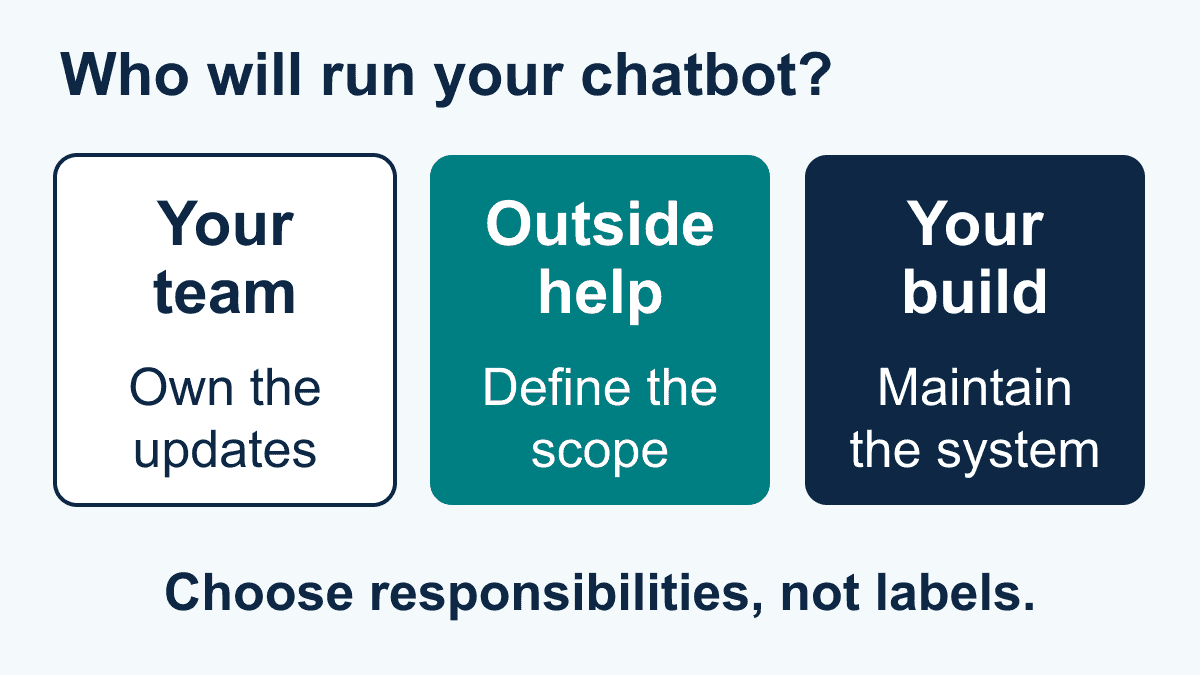
Your first choice is an operating model: who configures the conversation, updates business information, checks problems, and supports the people using it? Separate those responsibilities from the name on the software subscription. Buying access does not mean someone else will write your answers or review them when your policies change.
A software platform gives your team tools
Choose a self-managed platform for evaluation when your staff can own the conversation and the available controls fit the job. Before committing, ask a staff member who would maintain it to make a small change, such as correcting a service area. Check whether that person can find the setting, understand its effect, and verify the revised answer without unexpected assistance.
This is not a promise that a platform is simple or needs no technical help. A visual conversation editor may cover the initial greeting but not an unusual business-tool connection. Identify the point at which your ordinary administrator would need specialist support. That boundary matters more than a broad no-code label.
A managed service adds outside operating help
A managed service is worth considering when your business needs someone else to help design or maintain the experience. Treat the service label as an invitation to clarify responsibilities, not evidence that every task is included. Your business still needs someone who can approve policies, answer difficult questions, and decide which changes are acceptable.
Once you have chosen that direction, use our guide to scope a managed AI chatbot service for the written deliverables, vendor questions, and implementation responsibilities. Those are the next buying decision; first establish whether outside operating help is what you need.
An internal build gives your team more design decisions
An internal build deserves consideration when an important requirement cannot be met through the available platform options, or your team needs control over a particular part of the experience. Do not assume it offers unlimited customization or automatically stronger security. The result depends on the components, access arrangements, budget, and skills your team can sustain.
| Model to evaluate | Useful fit question | Responsibility to make explicit |
|---|---|---|
| Self-managed software | Can our staff maintain the required conversation with the available controls? | Who updates answers and checks changes? |
| Managed service | Do we need outside help running a clearly defined conversation? | Which work remains with our business? |
| Internal build | Does a specific unmet requirement justify maintaining our own solution? | Who supports the design and its dependencies over time? |
| Mixed approach | Can a platform cover ordinary needs while specialists handle a limited gap? | Who owns issues crossing the two parts? |
These are useful comparison models, not an exhaustive classification. You can also buy setup assistance without buying ongoing management. Describe the work you need rather than forcing an offer into a single category.
Compare capabilities, not four fixed chatbot types
Lists of chatbot types can be helpful shorthand, but menus, keyword matching, intent recognition, generated answers, information retrieval, and connected actions are not mutually exclusive boxes. A service can combine them within one conversation. Compare each capability separately so a strong demonstration of one does not hide a missing requirement elsewhere.
Menus and rules control defined choices
A menu offers a set of choices, while a rule defines what should happen when a condition is met. For a simple location finder, the business might offer a choice of branches and show the approved details. The benefit is an explicit path that your team can inspect. The limitation is that requests outside the designed choices still need a usable response.
During a demonstration, select an option, change your mind, and try to return to the start. A predictable path is useful only if readers can recover when they choose incorrectly. Also check how changed details reach every branch of the conversation; a tidy diagram does not establish that the information is current.
Keywords and intent recognition help interpret requests
Keyword matching looks for specified words or patterns. Intent recognition attempts to identify the purpose of a request, such as asking about hours or requesting a quote, rather than depending only on one word. Intent recognition can select a prepared response or another conversation path; it does not necessarily generate the answer.
Try ordinary variations, a misspelling, and a request containing two topics. For example, asking about a closed branch and a new appointment should not be treated as the same thing as asking only for opening hours. Look for a clarifying question or useful next choice when the request is ambiguous, not just a confident guess.
Generated answers change how replies are written
A generative model composes a reply instead of selecting only a complete prewritten answer. That can help explain supplied information in different wording, but readable language is not proof of correctness. Ask how the service distinguishes a supported business answer from a plausible response that goes beyond the information it was given.
Decide which wording your business needs to keep fixed. An explanation of available services may allow some variation; an approved policy statement may need to remain unchanged. These are design choices to verify, not reasons to assume that generated replies should replace every menu or prepared answer.
Retrieval supplies information; tools may request actions
Retrieval finds relevant material for a response. Retrieval-augmented generation combines retrieved information with text generation; it is not another name for training a model from scratch. Business documents can help supply context, but the chosen document, its access permissions, and the resulting answer still need checking.
Connected tools add a separate possibility: requesting information or a change from another business system. Reading available appointment times differs from reserving one. A service that can explain your cancellation policy has not thereby demonstrated that it can cancel an appointment safely.
A sensible design can combine these capabilities. For example, a menu can establish the topic, intent recognition can interpret a typed request, retrieval can supply the relevant policy, and a generated reply can explain it. A separate permission check must still govern any requested change. This is a design example, not a claim that every service includes those parts.

Match the chatbot to its channel and audience
Choose the place where the conversation needs to happen before comparing a long feature list. A website visitor, a person messaging a business page, and an employee asking an internal question have different access needs. Support for one channel does not establish support for another.
Write down the required entry point, the account your business controls, and the people who will answer when the chatbot cannot help. Ask for a demonstration on that channel rather than accepting a website chat example as proof of a messaging experience. Check the current channel requirements and the service’s exact supported connection before purchase.
For a public website, compare the conversation with the page it sits on. Can someone still find ordinary contact details without chatting? Does the chatbot offer a useful next step if the reader does not want to provide personal information? For a business messaging account, confirm which conversation and staff tools are actually available to the people who will use them.
An internal assistant needs a different starting point: who may see which information? A general employee handbook and an individual employee record should not be treated as interchangeable sources. Our guide to HR chatbots explains that more sensitive context. A dealership comparing inquiries about stock, servicing, and appointment requests can use the distinct scenarios in our automotive chatbot guide.
Language and accessibility also need an actual conversation check. A translated greeting does not establish that the rest of a workflow works in that language. Try the complete task with the wording your audience uses, and keep an alternative contact path available.
Separate business answers from business actions
List what the chatbot may explain, what it may collect, what it may prepare for approval, and what it may change. This gives you a clearer capability boundary than an agent label. A business may want help collecting appointment preferences while leaving confirmation to staff; another may need a verified connection that can check availability. Those are different requirements.
For information-only questions, ask where the answer came from and how recently it was checked. For a personalized answer, ask how the person’s identity and access are verified. For a requested change, ask what authorization is required and how the actual result is confirmed. Do not let a natural-sounding reply stand in for those checks.
The OWASP guidance on excessive agency recommends limiting available functions and permissions, requiring human approval for high-impact actions, and enforcing authorization in the connected systems. A business-level way to apply that advice is to keep reading information separate from changing it, then approve only the narrow action the workflow needs.
Use a fictional example: a visitor asks to move an appointment. Compare three possible outcomes. The chatbot may explain how changes work, collect a preferred time for staff, or make an authorized change after checking the relevant details. A pending request should be described as pending. Confirmation should depend on the actual booking result, not merely on recognizing the visitor’s intention.
Ask to see the same request handled when information is missing, access is denied, or the connected tool is unavailable. The useful result may be a clear explanation and a pending request for staff, not a completed action. A fluent confirmation message is not evidence that the underlying change happened.

Check data handling before sharing real conversations
Use fictional details while comparing services. You can learn how a chatbot handles an unusual question, a changed policy, or a request for another person’s information without giving it real customer or employee records.
Make a short inventory of the information the conversation genuinely needs. Finding a business location may need a city or postal code, not someone’s full address. An initial sales inquiry may need a requested service and contact preference, not documents containing financial or health details. Ask your privacy or security lead which information should stay outside the chatbot.
Then trace the information through the proposed service. Clarify who can inspect conversations, how long records are retained, whether they are used to improve models, how deletion works, and which other organizations receive the content. A claim about encryption answers only part of that discussion; it does not tell you who is authorized to view a record.
NIST’s Generative AI Profile identifies confidently incorrect output and data privacy as risks requiring attention. It also recommends evaluating capability claims and verifying generated sources. Use that as a reason to request evidence, not as a certificate that a particular chatbot is safe or suitable for your business.
For business answers, name the approved source and remove conflicting or outdated versions before comparison. Ask an unsupported question as well as an ordinary one. The useful behavior may be acknowledging a limit and directing the person to an appropriate contact. Adding more documents is not a substitute for deciding which documents the chatbot should use.
Good documentation helps you find settings and understand limits, but its appearance does not prove a service is mature or secure. Pair written descriptions with observed behavior and your team’s review of the actual proposed use.
Estimate costs beyond the subscription
A useful cost comparison starts with the same conversation, channel, and expected usage for each option. Do not compare one offer for a basic FAQ with another that includes personalized information or connected actions. The difference may be scope rather than value.
Ask each provider to define its billing unit in plain language. A message, conversation, active contact, and completed action are different measures. Check what is included, what starts an additional charge, what happens at a usage limit, and which features require another plan. Request current prices in USD for a U.S. budget rather than relying on an old example.
- Access: the software plan and required staff accounts.
- Preparation: time to approve answers, organize information, and design the conversation.
- Connections: any separately priced business tools or specialist work needed for the exact task.
- Usage: charges linked to conversations, messages, model use, or another stated measure.
- Ongoing ownership: staff review, corrections, policy updates, and support.
- Leaving: retrieving usable records and replacing work that cannot be transferred.
If a service offers BYOK (Bring Your Own Key), ask which model connections it supports, which usage charges remain separate, and who controls access. Customer-owned model access does not by itself make the full service free, private, or suitable for a sensitive workflow.
For Messenger Bot, Check Current Pricing and compare the listed plan with your required task. Confirm any uncertain capability before choosing; this guide does not establish that a plan includes every example discussed here.
Use a chooser checklist before comparing products
Prepare a one-page decision note before opening several trials. It should identify the type of service worth evaluating, not become a detailed vendor contract. Use the following checklist to turn a broad chatbot search into a specific next step.
- Name the reader’s task. Write one sentence, such as helping a visitor find the right service and request a call. Avoid an objective as broad as automating all conversations.
- Choose the operating owner. Identify the person who can maintain answers. If that capacity is missing, compare outside assistance rather than assuming a software purchase will fill the gap.
- Mark the required capabilities. Distinguish defined choices, typed requests, generated explanations, retrieved information, and connected actions. Leave capabilities out when they do not improve the chosen task.
- Name the information boundary. Separate public business information from personal or restricted records. Identify what the chatbot should not collect or disclose.
- Choose the action boundary. Decide whether the outcome is information, a captured request, a draft for approval, or a confirmed change. Keep these outcomes distinct.
- List the unresolved checks. Include the actual channel, unknown questions, changed information, staff availability, and failed connections where relevant.
- Compare like-for-like costs. Use the same task and usage assumptions, with internal time included. Keep unknown charges marked unknown until clarified.
Now make the decision smaller. If the task only needs a few stable choices, begin by comparing a defined flow. If people phrase a wider range of questions about approved material, evaluate recognition and retrieval options. If the task changes records, add a separate permissions and confirmation review. If no one can own the answers, resolve that before expanding the feature list.
Know what ChatGPT and agent labels actually tell you
A chatbot describes a conversational interface; ChatGPT is a specific product. The terms do not tell you whether a business’s approved answers are connected, whether a person is authorized to see a record, or whether an action has been completed.
ChatGPT should not be described as only a reply box. Current official OpenAI documentation describes ChatGPT Work using approved tools and files to retrieve information and carry out reviewable work. The available behavior depends on the enabled tools, permissions, and product access. That does not mean every ChatGPT account, or every chatbot using a language model, can perform the same work.
Likewise, an AI agent label is not proof of useful autonomy. Ask which decisions the system can make, which tools it can use, and where approval is required. A narrowly controlled conversation may be the better fit for a simple task. More independent behavior is not automatically a better business outcome.
Choose the next evaluation path
Keep your shortlist tied to the conversation you actually need. Prefer evidence of the required capability over a broad promise about AI, and keep a person responsible for exceptions and changed business information.
If your staff can own setup, use the decision note to compare the available controls. If you need outside help, move to a written managed-service scope. If a specific requirement calls for an internal build, have your technical team explain the ongoing ownership before work begins.
For a business considering Messenger Bot, bring that same focused task to your evaluation. See Our Plans, then confirm the relevant features and responsibilities before committing. Choose the smallest useful conversation your team can maintain and verify.
Frequently Asked Questions
What are the four types of chatbots?
There is no single exhaustive four-type classification. A four-label comparison can distinguish rule-based, keyword-based, intent-based, and generative approaches. A service can combine these approaches with information retrieval and connected tools. Compare what the chatbot understands, how it produces answers, and which actions it is allowed to request rather than treating the labels as exclusive categories.
How do I get a chatbot?
Start with one conversation you want to improve and decide who will maintain its answers. You can evaluate a software platform, outside setup or management help, an internal build, or a combination. Check the required channel, information access, staff fallback, and actual demonstrated capabilities before choosing an option.
How much does a chat bot cost?
There is no single price for a chatbot. Compare a current quote for your required scope, including software access, preparation, connections, usage, staff review, and support. Ask how the billing unit is counted and what happens at a limit. A low starting price does not establish the total cost of your intended workflow.
Is chatbot like ChatGPT?
ChatGPT is a specific conversational AI product; chatbot is a broader term for software people interact with through conversation. Some business chatbots use generative models, while others use prepared flows or a combination. A familiar chat interface does not prove access to your business information or permission to act on it.
Is ChatGPT a chatbot or an AI agent?
ChatGPT supports conversation and can also support tool-assisted work. The behavior depends on the product features, tools, access, and permissions available in the particular setting. It is misleading to classify every ChatGPT interaction as reply-only or to assume every account has the same agent capabilities. Check the specific task and approval boundaries.
What is another name for a chatbot?
Related terms include conversational agent, virtual assistant, and digital assistant. These labels are not interchangeable capability guarantees: an assistant may offer a narrow prepared flow or a wider set of tools. Ask what it can answer, which information it can access, and what requires a person’s approval.



 English
  Tagalog
  简体中文
简体中文  العربية
  हिन्दी
  Português do Brasil
  Español de México
  Français
  বাংলা
বাংলা  香港中文
香港中文  繁體中文
繁體中文  Nederlands
  Deutsch
  Bahasa Indonesia
  日本語
日本語  한국어
한국어  Polski
  Русский
  Español
  Tiếng Việt