
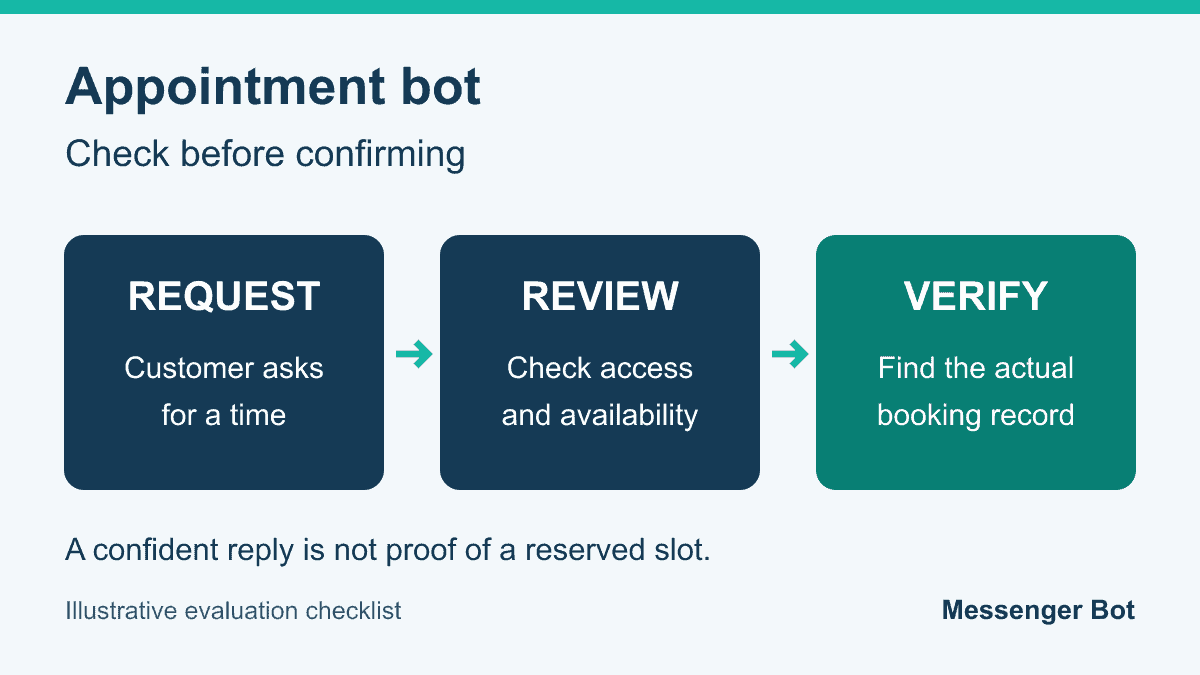
A customer asks for Tuesday afternoon. The reply sounds helpful: “You are booked.” But can anyone find the appointment? Before choosing an appointment bot, decide what evidence your team will require before it tells a customer that a time is confirmed. A pleasant conversation and a reserved slot are different results.
This is a practical evaluation checklist for U.S. small-business owners, not a promise that Messenger Bot provides calendar booking, phone scheduling or healthcare compliance. Use it to ask better questions, inspect a bounded demonstration and keep uncertain requests with a person. The goal is fewer misleading confirmations, not more automated messages.
- Separate a request, an offered time and a verified booking.
- Check the exact calendar account and permitted actions.
- Test conflicts and uncertain results before trusting a success message.
- Keep sensitive requests and unresolved exceptions with responsible staff.
Appointment requests and confirmed bookings
Start by naming the states your team actually uses. The following model is a suggested way to communicate them; it is not a description of every scheduling product. Some businesses use temporary holds, while others accept requests for staff confirmation. Ask which model applies before deciding what a customer message means.
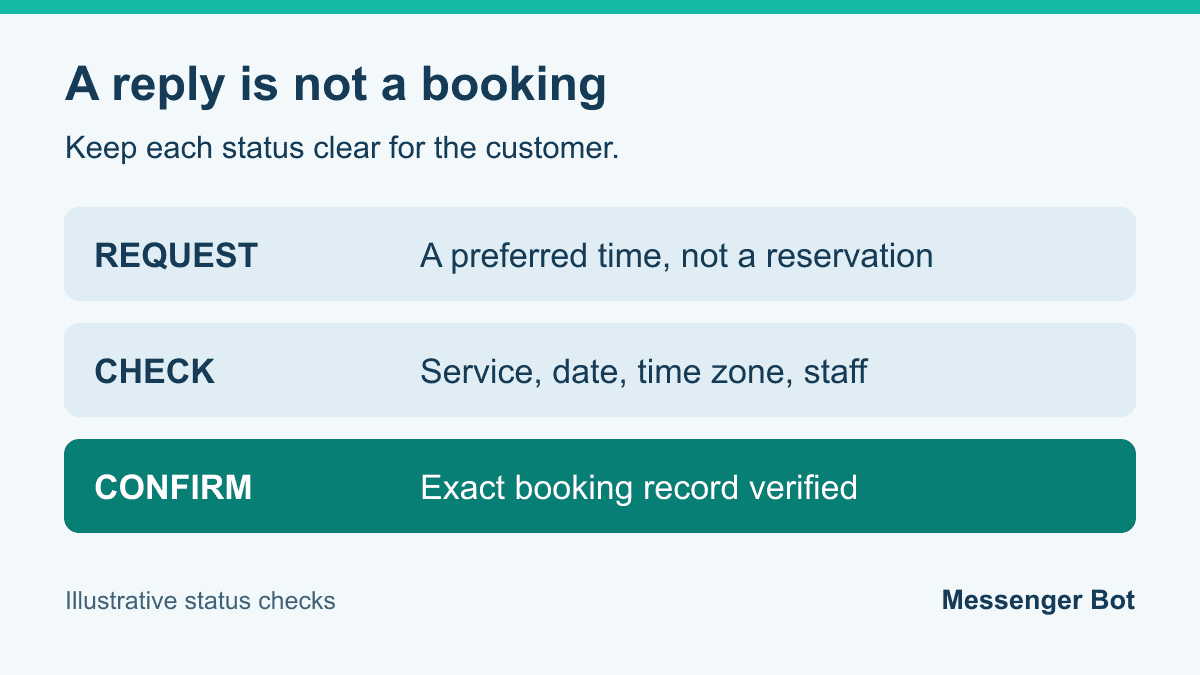
A request records what the customer wants. An offered time is an option the team or booking tool has checked, but it may not yet be reserved. A verified booking is a commitment the business can find in its chosen scheduling record. A requested change is not a completed reschedule. A cancellation is not complete merely because somebody typed the word “cancel.”
For a hypothetical consultation, the customer might request October 15 at 2:00 PM, America/New_York. Staff would check the service, duration, responsible person and current schedule before confirming. The customer should receive the same date, time and location that staff see. If the system uses a booking reference, show that reference consistently; do not invent one because the chat response looks more convincing with a code.
| State | What to tell the customer | What staff should check |
|---|---|---|
| Request | The preferred time is being checked. | Required details and next owner. |
| Offered time | An option is available; selection may still be needed. | Whether a hold exists and when it ends. |
| Verified booking | The exact appointment is confirmed. | A matching current scheduling record. |
| Change requested | The proposed change is not yet confirmed. | The existing and proposed appointments. |
| Cancellation verified | The specific appointment is canceled. | The correct record and released capacity. |
Agree on who can move a request from one state to another. A receptionist may confirm straightforward appointments, while an unusual service requires another staff member. Give the customer a clear next step when review is needed: who will respond, what information is missing and how to contact the business if the request is urgent. Do not invent a response deadline your team cannot meet.
Pay attention to the wording of the confirmation itself. “Your request was received” is appropriate for intake. “Your appointment is confirmed” should be reserved for the result your team has verified. Keep an easy correction path if the customer notices a wrong service, location or time. Helpful intake must not become an accidental business commitment.
ChatGPT and the authority to change a calendar
A conversation can help phrase a question or summarize a preferred time. That does not establish that the current account is authorized to create an appointment. When assessing a ChatGPT-based demonstration, ask to see the actual connected tool, its permitted actions and the resulting calendar record. Do not infer access from the quality of the answer or from another account having a similar connection.
The documented custom-tool connection workflow separates read and write actions, with confirmation required by default for writes. Review the exact proposed action before allowing a calendar change. This limited point from the OpenAI tool-connection guidance does not establish booking availability for every ChatGPT plan, account or interface, or any calendar integration in Messenger Bot.
For a demonstration, use an authorized test account and fictional appointment details, not a real customer or a live service slot. Ask the demonstrator to show which calendar is selected. Then ask what the tool may read, create, change or cancel. Permission to view availability is different from permission to change it. A name on a settings screen alone does not prove the selected account is the right business calendar.
Inspect the final result independently of the conversation. If the demonstration says a booking was created, find it in the schedule. Check the service, date, local start time, time zone and responsible staff member. If any of those details differ, record the mismatch rather than treating a successful-looking response as a pass. If the result is uncertain, leave it uncertain until somebody verifies it.
Also ask how access can be removed when a staff member changes roles or the business changes tools. The account owner should understand who controls the connection and which actions remain available. These are evaluation questions, not instructions to broaden permissions. A vendor unable to explain the connection boundary has not supplied enough evidence for you to rely on its booking claim.
For your purchase notes, record what was demonstrated and what remains untested. “Read one selected calendar successfully” is narrower than “can manage our appointments.” It is entirely reasonable to accept a useful request-only workflow while leaving calendar changes with staff. Choose that boundary openly so customer copy matches the actual service.
Compare capabilities before comparing tools
Write down the problem before making a shortlist. Collecting appointment requests, reserving times, handling changes, preparing reminders and recording meeting notes are separate jobs. A tool that does one well may not do the others. Ask for evidence for the specific job you need instead of accepting an all-in-one label.
If customers cannot find the correct booking link, a clear reply pointing to the existing booking page may be enough. If staff spend time clarifying incomplete requests, structured intake may help. If the difficulty is competing reservations across several people, the calendar and conflict-handling behavior deserve closer inspection. The right next step depends on your current process, not on which tool calls itself the most intelligent.
Google Calendar is one documented scheduling example. Its setup includes duration, availability, time zone, scheduling windows, buffers and booking-form options. Some features require an eligible subscription, and co-host availability is not checked by default. Review the relevant account and settings in the Google Calendar documentation; do not assume a chat tool adds these capabilities or checks every calendar automatically.
Separate the buying checklist into required, optional and unverified capabilities. A required capability needs a demonstrated result before purchase. An optional capability can remain with staff. An unverified capability must not appear in customer-facing promises. Keep that distinction in your notes when a sales demonstration moves quickly from one feature to another.
- Request intake: What information is collected, and who receives it?
- Booking: Where is the commitment recorded, and how is a conflict handled?
- Changes: How is the existing appointment identified before it moves?
- Reminders: Which confirmed appointment and preferences does the message use?
- Meeting notes: Is recording necessary, separately authorized and appropriate?
Do not let a low monthly price hide other questions. Ask for the current plan, relevant usage limits, support arrangements and cancellation terms from the supplier. Record the date of the information and the scope it covers. This guide does not quote vendor prices or label a plan free, because those details must match the exact product and account under consideration.
For Messenger Bot specifically, verify the current feature and plan information rather than treating this educational guide as a feature offer. Check Current Pricing when considering the service, and ask for clarification where your required workflow is not documented. Keep appointment software evaluation separate from any assumption about automatic reminders or booking integration.
Time zones and availability checks
A useful booking demonstration should make the appointment understandable to both sides. Use a named month, explicit year where needed and a local time with a time-zone label. A shorthand date such as “6/7” or a time such as “3:00” leaves room for misunderstanding. Ask the customer to confirm the displayed details before the request becomes a commitment.
For a U.S. business serving several regions, check how America/New_York and America/Los_Angeles are displayed. These are examples of explicit identifiers, not an instruction to assign every customer to one of those zones. Do not make a conversion from memory. Verify the appointment date and the displayed local times in the scheduling tool, including any seasonal clock change relevant to that date.
Check the calendar against the actual service. An available staff member may still need a room, vehicle or equipment that is already in use. Ask how those constraints are handled, or keep that check with a person if the software does not cover it. Avoid promising availability from one calendar view when the service needs more than one resource.
Choose buffers to fit the work rather than assuming a universal interval. A business may need preparation, travel or cleanup time; another may not. Ask whether the tool represents those gaps in the offered times, and inspect an example near a boundary. Include an opening-time and closing-time request in the demonstration so a duration does not accidentally extend past the hours you intend to offer.
Review exceptions such as holidays, staff leave and a temporary closure. Find out who changes availability and how quickly that change reaches the customer-facing booking experience. If there is a delay, decide what the customer should see while the status is being checked. An old list of open times should not be treated as an assurance that a slot remains available.
Use the appointment request and confirmation checklist to connect these questions to an intake workflow. This evaluation guide asks whether a tool has demonstrated the needed capability; the workflow guide helps organize the request and human confirmation steps. Neither makes a scheduling connection appear merely because a link is present.
Avoid a hidden fallback when access fails. If the selected calendar is disconnected, the response should explain that staff need to check the request, not quietly use another account or pretend a cached time is confirmed. Include the chosen page, account and calendar in your private evaluation record so the next reviewer can reproduce the same scope.
A booking test that catches misleading success
Use a small, controlled test with fictional details and appointments that cannot inconvenience customers. The following cases are suggested checks, not a tested product benchmark. Define the expected result for the tool you are considering. A request-only tool should not be failed for needing staff confirmation, but it should be failed if it claims to have booked something it cannot verify.
- Ordinary request: Supply clear service, date and time details. Find the resulting record, or verify that the response accurately says staff review is needed.
- Occupied time: Request a slot already unavailable in the test schedule. Check that it is not confirmed and that the next step is clear.
- Ambiguous date: Ask for “next Tuesday afternoon.” Check that necessary details are clarified rather than guessed.
- Competing requests: Test two requests for the same exclusive slot. Verify that the final records do not contain two incompatible commitments.
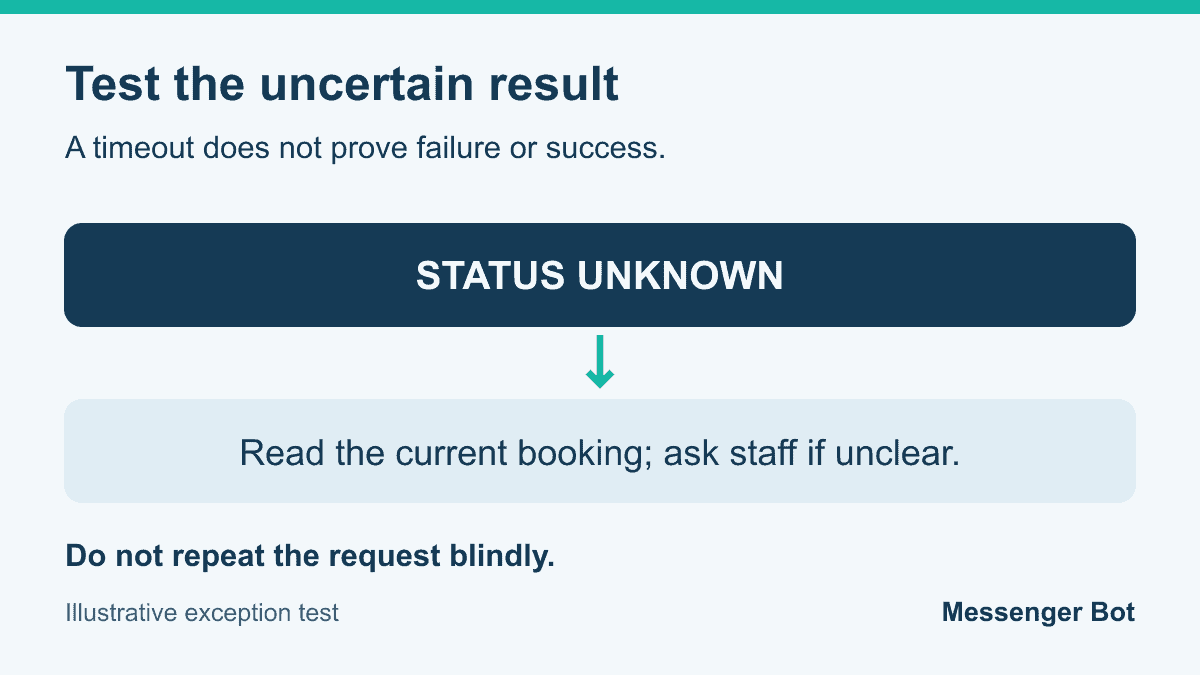
- Uncertain response: Simulate an interrupted request in the permitted test setup. Check current booking status before repeating it.
- Repeated request: Repeat the same intended booking. Verify whether the result is one appointment, and record how duplicates are resolved.
- Removed access: Disconnect the test connection through its supported controls. Check that no misleading confirmation or foreign-calendar fallback occurs.
- Staff handoff: Request a service the workflow does not cover. Verify that the responsible person receives only the appropriate information and the customer gets an honest next step.
Record actual results, not just whether a chat message appeared. For example, a hypothetical test might contain ten distinct attempts: eight verified bookings, one pending request and one failure. The verified booking rate for those attempts is eight divided by ten, or 80%. It is not 100% because all ten received a reply. These numbers are an illustration only, not results from Messenger Bot or another supplier.
Keep the denominator stable. A repeat of one intended appointment is useful for duplicate testing, but it is not automatically another customer booking. A pending result should stay pending until checked. When you report the test, show the counts for verified, pending and failed attempts separately. Do not combine a helpful intake response with a verified booking simply to improve the rate.
A timeout deserves particular care. It can leave the outcome unknown: the request may have reached the scheduling system even though the response did not return. Read the current appointment record, or ask responsible staff to check it, before another attempt. If the tool cannot establish status, it should say so. A second friendly confirmation does not repair missing evidence.
For each failed case, capture only the information needed to explain the issue in the authorized test record. Avoid copying customer details into a public report or unrelated support ticket. Ask the supplier to demonstrate a correction and repeat the affected case. Keep the original failed result in your private notes so a later pass does not erase the problem you observed.
Privacy and sensible human review
Decide which information is actually needed to arrange the service. A general appointment request may need a name, preferred contact method and service category. It should not invite payment-card details, account passwords or confidential records in an open conversation. Ask how unnecessary information is avoided and where sensitive questions go instead.
Set a boundary for staff handoff before the demonstration. An unusual service, an access dispute, a payment issue or a request involving sensitive information may need a responsible person. Do not ask the assistant to diagnose a condition, decide a refund or make a legal judgment merely to keep the conversation automated. A useful workflow can stop and ask for help.
For covered healthcare organizations, HHS appointment-message guidance describes limited communications, safeguards and reasonable confidential-communication requests. That does not certify an AI tool or the legality of an entire workflow. Healthcare and other regulated use needs the organization’s own qualified privacy, security and legal review; this business checklist is not compliance advice.
Do not use a fixed “30% rule” as an approval test. This guide does not adopt a universal automation quota. Decide which actions need human review from the evidence available for that action and the consequences of an error. A simple clarification and a cancellation of an important service should not receive identical treatment just because they occur in the same chat.
Check what staff see when a handoff arrives. They should be able to understand the request and its status without unnecessary private detail. Confirm who can access that information, how the business handles correction or deletion requests and what the supplier documents about retention. Unanswered governance questions belong in the decision record, not in reassuring public copy.
Keep appointment communications distinct from optional promotion. Someone asking for a service should understand what response to expect. A later marketing message is a separate decision requiring the appropriate preference and policy review. Do not turn every booking request into an assumption that the person wants recurring promotional contact.
Choose a next step your team can support
Finish the evaluation with a decision, not a vague impression. State the capability you are willing to use, the account and calendar it covers, the cases demonstrated successfully and the exceptions still handled by people. If the useful result is request intake followed by staff confirmation, say that. It is better than advertising unattended booking without evidence.
Give staff a short checklist they can use again: correct account, current availability, clear appointment details, verified result and an accessible human next step. Name the person responsible for maintaining it. A procedure nobody owns will not stay current when hours, services or staff change.
Prepare appointment reminder templates only after the appointment state and communication preferences are clear. Review the exact date, time, location and change instructions before a reminder is used. The templates are copy examples, not evidence that your selected tool has sent or delivered a message.
If you also want to calculate an appointment no-show rate, keep canceled, rescheduled and missed appointments distinct. That attendance measure answers a different question from whether the booking test passed. A change in attendance alone cannot establish that a new tool caused the result.
Ask for a fresh demonstration when an essential connection, permission or workflow changes. Recheck the affected cases rather than declaring every old result invalid or blindly trusting it. Keep customer-facing promises aligned with what is currently verified, and leave unresolved work with a person who can give an accurate answer.
Appointment bot questions
What does an appointment bot need to confirm a booking?
It needs the appropriate authority, the correct appointment details and a verified result in the business’s scheduling record. Ask to see that result independently of the chat reply. If the tool only collects requests, its message should say that staff confirmation is still needed.
Can ChatGPT book an appointment on its own?
A conversation alone is not proof of a booking. Check the actual account’s connected tool, permitted actions, required confirmation and resulting calendar record. The documented custom-tool workflow does not establish that every ChatGPT account has appointment-booking access.
Which scheduling AI is best for a small business?
Choose against your specific needs: request intake, verified booking, changes, reminders or notes. Review current account limits and demonstrate the required cases. This guide does not rank suppliers or promise that one tool is best for every business.
Is a fixed 30% automation rule useful for booking decisions?
This guide does not use a fixed automation percentage. Define review boundaries for each action from the available evidence and the consequences of an error. Keep uncertain or sensitive decisions with a responsible person.
What should happen when a booking request times out?
Treat the result as unknown until the current appointment record is checked. Do not repeat the request blindly or send a confirmation without evidence. Ask responsible staff to resolve it when the tool cannot establish the outcome.



 English
  Tagalog
  简体中文
简体中文  العربية
  हिन्दी
  Português do Brasil
  Español de México
  Français
  বাংলা
বাংলা  香港中文
香港中文  繁體中文
繁體中文  Nederlands
  Deutsch
  Bahasa Indonesia
  日本語
日本語  한국어
한국어  Polski
  Русский
  Español
  Tiếng Việt