
لم تعد روبوتات المراسلة مشروعًا جانبيًا للعلامات التجارية التي ترغب في الظهور “مبتكرة”. بالنسبة للعديد من الشركات الصغيرة، أصبحت الآن أرخص وسيلة للإجابة على الأسئلة الروتينية بسرعة، والتقاط العملاء المحتملين بعد ساعات العمل، والحفاظ على حركة المشترين دون جعل العميل ينتظر حتى يتوفر إنسان آخر.
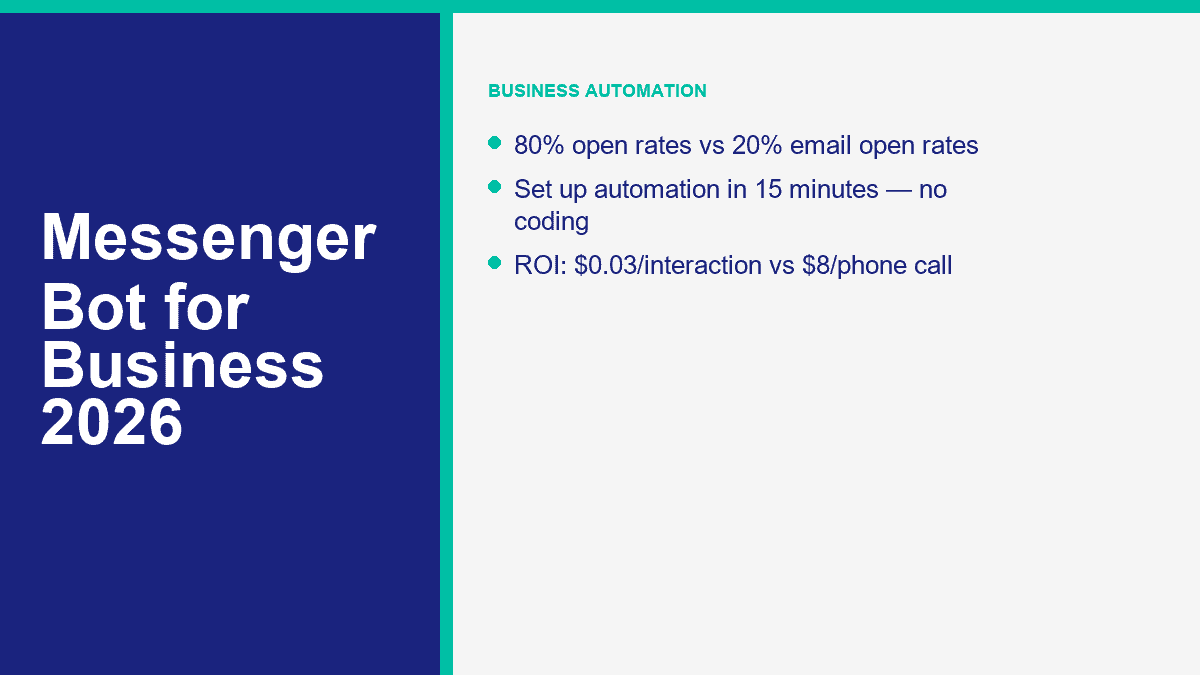
هذا مهم لأن ماسنجر لا يزال موجودًا حيث يقضي المشترون وقتهم بالفعل. لا يزال نظام المراسلة الخاص بـ ميتا ضخمًا، وماسنجر نفسه يصل إلى حوالي 1.3 مليار مستخدم حول العالم. والأهم بالنسبة لمالك العمل، أنه صندوق بريد يتحقق منه الناس بالفعل. لا يزال المسوقون يخططون حول معايير تفاعل ماسنجر في نطاق 80%، بينما تعيش متوسطات البريد الإلكتروني غالبًا بالقرب من العشرينات المنخفضة. عندما يريد العميل سعرًا، أو رابط حجز، أو تحديث تسليم، أو استدعاء بشري، فإن ماسنجر غالبًا ما يكون أقصر طريق بين الاهتمام والعمل.
تكتب معظم الصفحات التي تحتل مرتبة عالية في هذا الموضوع من قبل بائعي الروبوتات الذين يشرحون لماذا أداتهم الخاصة هي الحل. هذا مفيد إلى حد ما، لكنه لا يساعد عندما تحتاج إلى اتخاذ قرار بشأن ما إذا كانت منصة تركز على ماسنجر، أو منصة دعم مواقع الويب، أو نظام متعدد القنوات هو الأنسب لعملك. يأخذ هذا الدليل المسار العملي: ما تكلفته الأدوات، وأين تناسب، وأين لا تناسب، وكيفية إطلاق روبوت ماسنجر في حوالي 15 دقيقة دون بناء شيء تكرهه فريقك في صيانته.
تم التحقق من تفاصيل التسعير والسياسة في هذه المقالة مقابل صفحات المنتجات والمساعدة العامة في 9 أبريل 2026. إذا كنت لا تزال تقرر ما إذا كنت ستبدأ باستخدام سير عمل Messenger الكامل أو منشئ دردشة بدون كود أكثر عمومية،, فإن دليل بناء الدردشة خطوة بخطوة لدينا هو القطعة الأفضل المرافقة.
لماذا انتقلت أتمتة Messenger من كونها ميزة إضافية إلى بنية تحتية أساسية للأعمال
أسهل طريقة لفهم عائد الاستثمار من بوت Messenger هي التوقف عن التفكير في “الذكاء الاصطناعي” والبدء في التفكير في العمل المتكرر. كل عمل لديه نفس مجموعة الطلبات المتكررة: ساعات العمل، مناطق الخدمة، نطاقات التسعير، روابط الحجز، نوافذ الاسترداد، تحديثات الطلب، تذكيرات المواعيد، أسئلة الشحن، ورسائل “هل هناك أحد؟” في الساعة 9:40 مساءً. يقوم بوت Messenger بتحويل تلك الطلبات إلى نظام.
عندما يتم تنفيذ هذا النظام بشكل صحيح، تحدث ثلاث أشياء بسرعة. أولاً، ينخفض وقت الاستجابة من ساعات إلى ثوانٍ. ثانياً، يقضي فريق الدعم وقتًا أقل في كتابة نفس الإجابة طوال الأسبوع. ثالثًا، العملاء الذين كانوا سيغادرون لأن لا أحد رد على الفور يستمرون في الانتقال عبر القمع.
لا تزال المعايير التي يهتم بها أصحاب الأعمال تبدو جذابة في عام 2026:
- الوصول إلى الجمهور: لا يزال Messenger يمنح الشركات الوصول إلى قاعدة مستخدمين كبيرة مثبتة، وهو أمر مهم إذا كان عملاؤك يعيشون بالفعل على فيسبوك وإنستغرام.
- الاهتمام: تُعتبر معدلات فتح الرسائل في تطبيق Messenger عادةً حوالي 80%، مقابل متوسطات البريد الإلكتروني التي تبلغ حوالي 20%.
- كفاءة الدعم: غالبًا ما تقلل الروبوتات المصممة جيدًا للأسئلة الشائعة والتوجيه من حجم تذاكر الدعم بنسبة 30% إلى 40% بمجرد أتمتة الأسئلة الأكثر شيوعًا.
- تكلفة التفاعل: عادةً ما تتراوح تكلفة تفاعل الروبوت بين $0.01 إلى $0.05. وغالبًا ما يتم نمذجة تفاعل دعم الهاتف المباشر عند $6 إلى $12 بمجرد تضمين تكاليف العمل والنفقات العامة.
هذه الفجوة في التكلفة هي السبب في أن أتمتة Messenger تتوقف عن كونها اختيارية بمجرد أن يصبح حجم صندوق الوارد لديك قابلاً للتنبؤ. إذا كانت شركتك تتعامل مع حتى 100 استفسار عبر Messenger أو صفحة فيسبوك شهريًا، فإن الحسابات تصبح واضحة بالفعل:
| حجم الاستفسارات الشهرية | تكلفة الروبوت المقدرة عند $0.03 لكل واحد | تكلفة دعم الهاتف المقدرة عند $8 لكل واحد | توفير محتمل شهري |
|---|---|---|---|
| 100 | $3 | $800 | $797 |
| 300 | $9 | $2,400 | $2,391 |
| 500 | $15 | $4,000 | $3,985 |
هذه أرقام تخطيطية، وليست وعدًا بأن كل استفسار يمكن أتمتته بالكامل. لا تزال بعض المحادثات بحاجة إلى شخص. لكن حتى الأتمتة الجزئية تغير الاقتصاديات. إذا تعامل الروبوت مع أول 50% من الحجم الوارد وقام بتوجيه الباقي مع تحديد نية العميل بالفعل، فإن فريقك لا يزال يحصل على ساعات من الوقت كل أسبوع.
The other reason Messenger bots matter now is channel behavior. Customers increasingly start with a DM before they ever call, fill out a form, or open email. That makes Messenger automation one of the few places where customer service, lead capture, and sales support all meet in the same thread.
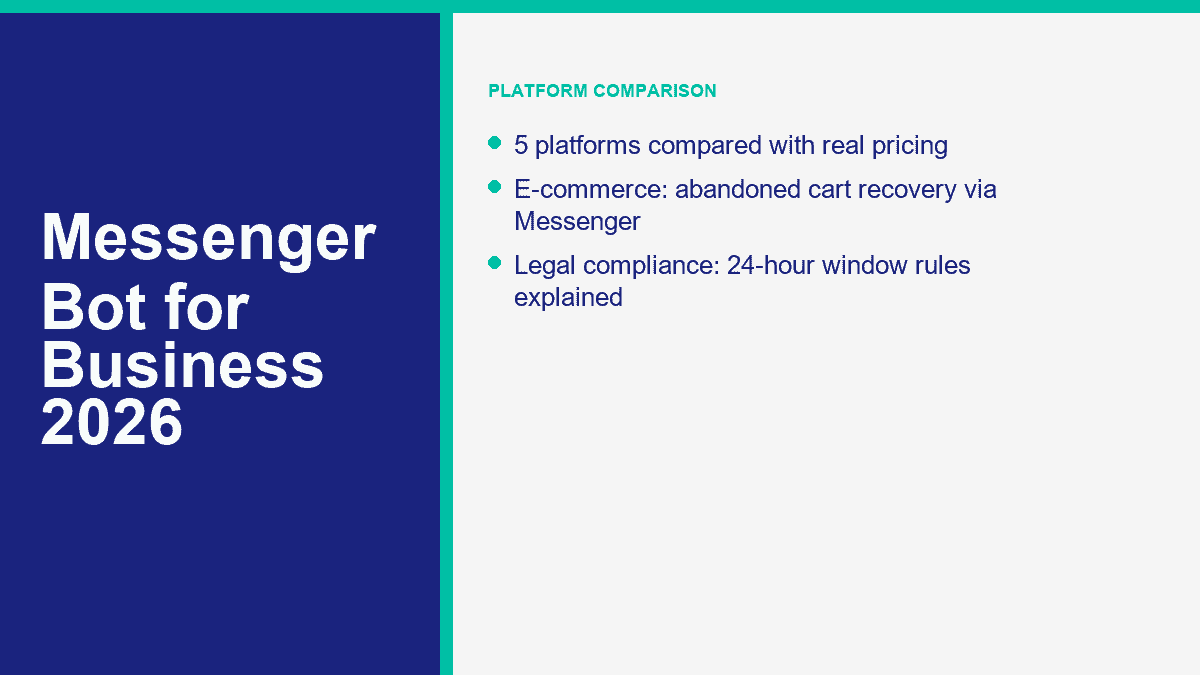
The 5 Messenger Bot Platforms Worth Comparing Before You Spend a Dollar
Here is the honest version: there is no serious business Messenger bot platform with a meaningful “no sign up required” experience. If you see that promise, you are looking at a demo, not a production workflow. For an actual business deployment, these are the five names worth comparing first.
| المنصة | Public entry pricing | طبقة مجانية أو تجربة | AI capability | التكاملات | سهولة الاستخدام | أفضل توافق |
|---|---|---|---|---|---|---|
| تطبيق MessengerBot | Premium from $19.99 per 30 days on current promo pricing; Pro from $49.99; Agency from $299.99 | تجربة مجانية | Visual flow builder, FAQ automation, ecommerce flows, lead capture, website chat | Zapier, JSON API, Google Sheets, WooCommerce, SMS, email, website widgets | Easy for Messenger-first teams | Small businesses that want Facebook Messenger automation first, not as an afterthought |
| العديد من الدردشة | الخطة المجانية؛ الأساسية $17 شهريًا؛ المحترفة $39 شهريًا؛ المتقدمة $199 شهريًا | الطبقة المجانية وتجارب لمدة 14 يومًا على الخطط المدفوعة | أتمتة مدعومة بالذكاء الاصطناعي على المحترفة وما فوق | Messenger وInstagram وWhatsApp وSMS والبريد الإلكتروني وGoogle Sheets وأدوات CRM والتجارة | سهل جدًا للتعلم | الشركات التي تقسم انتباهها بين Messenger وInstagram |
| شات فيول | Facebook Business من $23.99 شهريًا؛ Enterprise من $400 | تجربة مجانية | ميزات وكيل الذكاء الاصطناعي، معالجة الأسئلة الشائعة، التقاط العملاء المحتملين، تدفقات الحجز | Google Sheets وStripe وZapier وJSON API وأتمتة محددة بالقناة | سهل للاعتدال | Businesses that want AI-heavy messaging across Facebook, Instagram, and WhatsApp |
| Tidio | Free plan; Starter $24.17 per month; Growth from $49.17 per month; Lyro AI from $32.50 per month | Free plan plus trial-style AI quota | Lyro AI agent with FAQ and website knowledge training | Website widget, Messenger, Instagram, WhatsApp, email, Zendesk, Salesforce | Easy for support teams | Businesses that want website chat and Messenger in one inbox |
| MobileMonkey / Customers.ai | Current Customers.ai pricing starts at $600 per month | تجربة مجانية لمدة 7 أيام | AI and data tools now focus on visitor identity and list growth, not classic Messenger bots | Klaviyo, Meta Ads, Shopify, CRM and data sync tools | Harder fit for SMB Messenger use | Agencies and ecommerce brands using visitor ID and audience enrichment more than Messenger automation |
MessengerBot.app Is the Best Fit When Facebook Messenger Is the Actual Priority
This is the platform I would start with if your business goal is straightforward: automate Facebook page messages, build FAQ flows, capture leads, route people to a human, and keep the setup inside a builder that already understands Messenger mechanics. The public pricing page is also unusually clear for this category. Premium starts at $19.99 per 30 days on the current offer, Pro at $49.99, and Agency at $299.99. That gives small businesses a real ramp instead of forcing them into enterprise math too early.
MessengerBot also bundles the extras most businesses end up needing anyway: web forms, persistent menus, website chat, comment automation, Google Sheets sync, JSON API and Zapier support, abandoned cart recovery, and higher-tier Instagram tools. If you want the live plan limits before you choose, عرض تسعير MessengerBot.
ManyChat Is Still the Safest Beginner Pick for Social DM Automation
ManyChat remains strong because the learning curve is low and the free tier is still useful. The March 2026 pricing refresh gives new accounts a free plan with 25 active contacts and up to 4 live automations, an Essential plan at $17 per month, Pro at $39 with AI-powered automation, and Advanced at $199 for scale. If your team cares as much about Instagram as Messenger, ManyChat deserves a serious look.
The limitation is focus. ManyChat is excellent for creators, marketers, and social-first brands, but a Messenger-first business sometimes ends up paying for a broader social automation stack than it really needs.
Chatfuel Is Stronger Than Its Brand Memory Suggests
A lot of people still think of Chatfuel as an older Facebook bot builder. That undersells where it sits in 2026. Chatfuel’s public pricing for Facebook starts at $23.99 per month, with conversation-based pricing and Enterprise from $400. It now leans hard into AI agents, lead qualification, booking workflows, and multichannel support across Facebook, WhatsApp, and Instagram.
If your business wants more AI-led conversation handling than rigid menu flows, Chatfuel is a credible option. The tradeoff is that pricing can climb fast once conversation volume grows.
Tidio Makes Sense When Messenger Is Only One Piece of Customer Support
Tidio is not a pure Messenger bot platform. It is a customer support platform with Messenger support. That distinction matters. If most of your traffic starts on your website and Messenger is just one inbound path, Tidio can be the smarter buy because the inbox, live chat, ticketing, and Lyro AI agent all work together. Public pricing currently starts with a free plan, then Starter at $24.17 per month and Growth from $49.17. Lyro AI starts at $32.50 per month and every account gets 50 free AI conversations to test it.
The downside is channel fit. If Facebook page automation is your whole strategy, Tidio can feel broader than necessary.
MobileMonkey Is Now Customers.ai, and That Changes the Recommendation Completely
This is the comparison most roundup posts skip. MobileMonkey is no longer really a Messenger bot platform in the old sense. The company openly explained its pivot away from Messenger automation because Meta controlled too much of the product surface and the space became intensely competitive. In 2026, Customers.ai’s public pricing starts at $600 per month for identity resolution and ecommerce audience growth. That is a very different product, and a very different buyer.
So yes, MobileMonkey belongs in the conversation because people still search for it. But for a small business looking for a practical Messenger bot today, it is no longer the obvious fit.
How to Set Up a Facebook Messenger Bot for Your Business in About 15 Minutes
The fastest successful build is never the fanciest one. The winning first version handles the top questions customers already ask, gives them 3 to 5 clear choices, captures leads where it makes sense, and sends edge cases to a human.
- Create or clean up your Facebook Business Page. Use a Page, not a personal profile. Make sure your hours, phone, website, location, and service description are current before the bot starts answering on your behalf.
- Choose the platform based on your real channel mix. If Messenger is the main channel, use a Messenger-first builder. If the website widget matters more, use a support-led platform.
- Connect the Page and approve the correct permissions. In MessengerBot, that means importing the Facebook account, selecting the right Page, and activating the connection after import.
- Write a welcome message that answers something immediately. Do not open with a vague greeting. Open with help.
- Build FAQ branches from real inbox questions. Start with hours, pricing, booking, shipping, returns, availability, or quote requests.
- Add one lead capture path. Collect the minimum useful data, usually name plus email or phone and the reason for contact.
- Add one human handoff path. Customers need an escape hatch for anything sensitive, urgent, or unusual.
- Test the full flow on an actual phone. Desktop previews lie. Messenger is a mobile-first experience.
Start With the Business Goal, Not the Menu Tree
Ask one blunt question before you touch the builder: what do you want the bot to do more often this month? If the answer is “everything,” the bot will probably fail. If the answer is “book more demos,” “answer after-hours questions,” or “qualify property inquiries,” you can build something useful quickly.
The first version should usually solve one of these jobs:
- Answer frequently asked questions after hours
- Send visitors to the booking page
- Capture quote requests
- Route support issues to the right team
- Handle order status and delivery questions
Connect Your Facebook Page Correctly the First Time
If you are using MessengerBot, the setup flow is direct. Sign in, import the Facebook account, select the business Page, approve the requested permissions, and activate the connection on the imported Page. The usual setup failures are mundane: wrong Facebook login, not enough Page access, or skipped permissions during the import.
Once the Page is connected, open the Visual Flow Builder and create a new flow for that Page. This is where small businesses save themselves weeks of future cleanup. Build with triggers, text blocks, quick replies, buttons, and user-input nodes in a way that feels obvious on a phone screen. If you want the platform-specific walkthroughs for menus, forms, flows, and handoff rules, تصفح دوراتنا التدريبية.
Write a Welcome Message That Feels Useful in the First Two Lines
A weak welcome message sounds like this: “Hi! Welcome to our Messenger. How can we assist you today?” A better one sounds like this: “Hi, thanks for messaging Northfield Dental. I can help with appointments, pricing questions, insurance info, or speaking to the front desk.”
The difference is not personality. It is clarity. The customer should immediately understand what the bot can do, what the likely next tap is, and whether a human option exists.
Keep the opening menu narrow. Three to five choices is usually enough:
- Book appointment
- التسعير
- ساعات العمل
- Order help
- Talk to a person
Turn FAQs Into Branches, Not Essays
Most first-time bots fail because the owner writes long paragraphs instead of short actions. Customers do not want a brochure inside Messenger. They want the next useful answer.
Build one short branch for each common request. For example:
- التسعير: share a starter range, link to a quote or pricing page, then ask if the customer wants a custom quote.
- Booking: send the booking link, then offer a fallback if the customer wants a callback instead.
- Order tracking: ask for order number or email, then route to a status response or human help.
- Human support: set expectations for response hours and invite the customer to leave the issue now.
The simplest rule is this: every branch should end in an answer, an action, or a handoff. If a branch ends in confusion, it needs to be rewritten.
Add Lead Capture Without Turning Messenger Into a Bad Form
Lead capture belongs in a Messenger bot when the customer already has intent. It does not belong in the first five seconds of every conversation. Ask for contact details after you have helped them, not before.
A clean lead-capture flow usually asks for:
- اسمًا
- Email or phone
- The service or product they want
- One qualifying detail, such as timeline, location, or budget range
That is enough to route a real lead. If you later want more advanced routing, comment automation, sequence logic, or multi-page growth tools, that is where ميزات MessengerBot Pro become relevant.
Test on Mobile, Then Launch Narrow
Always run the bot from the actual Messenger app before launch. Tap every quick reply. Trigger the fallback. Ask an off-script question. Request a human. Make sure every screen is readable without turning into a wall of text.
Then launch only the narrow version first. Let the bot absorb live traffic for a week. Review where people tap, where they stop, and which questions still escape the flow. That real-world data is more valuable than another hour of guessing on the canvas.
Messenger Bot Use Cases That Generate Revenue Instead of Just Looking Automated
The most profitable Messenger bots are not the ones with the most branches. They are the ones that remove friction in a buying moment. That looks different by industry, but the pattern stays the same: answer quickly, narrow intent, collect the right information, and move the customer toward the next action.
Ecommerce Bots Recover Revenue That Would Otherwise Go Silent
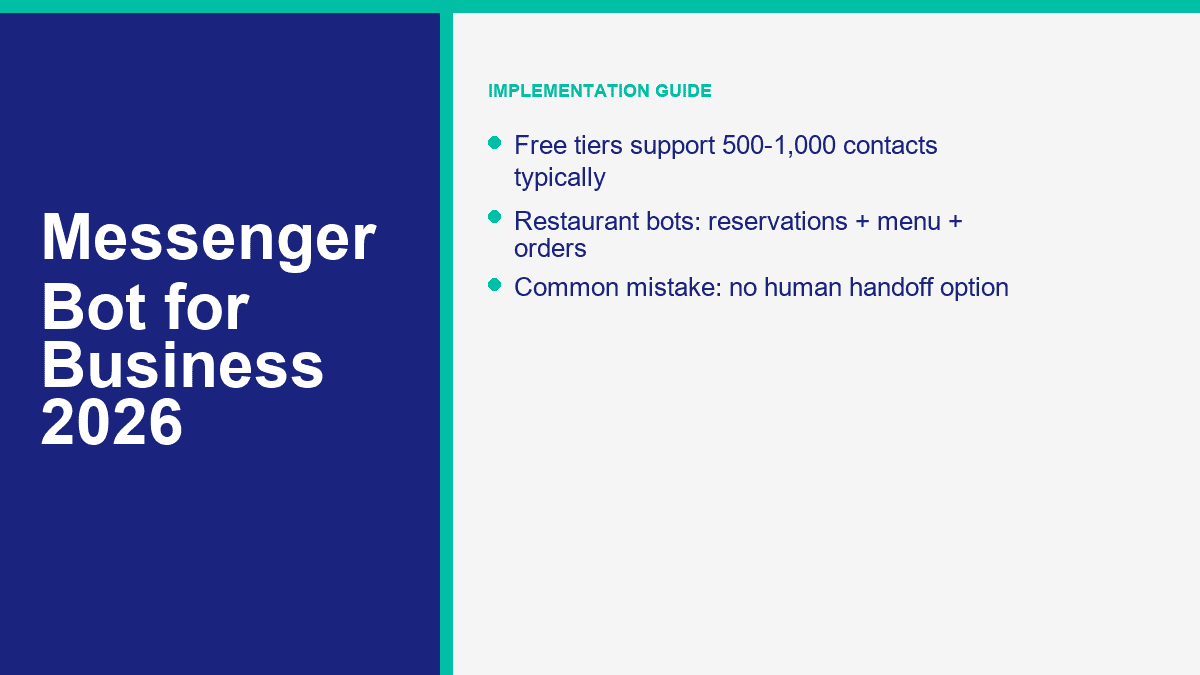
For online stores, the best Messenger flows usually center on abandoned carts, order tracking, delivery questions, product recommendations, and post-purchase upsells. A customer asking “where is my order?” should not have to wait for an agent if the bot can collect the order number and return the right status path. A shopper who asks which product fits a need can be guided into a short recommendation branch instead of leaving the site to keep searching.
One practical ecommerce stack looks like this: ad click or site visit, Messenger opt-in, product FAQ flow, abandoned cart reminder, order updates, then a human handoff for anything billing-related. That is a cleaner use of automation than trying to replace the entire store with a bot.
Restaurant Bots Turn DMs Into Reservations, Menu Views, and Repeat Orders
Restaurants get huge value from simple utility flows. A Messenger bot can handle reservations, opening hours, menu links, delivery zones, event bookings, and common dietary questions with almost no friction. The bot does not need to act like an AI sommelier. It just needs to answer faster than the next restaurant in the search results.
If you run multiple locations, Messenger automation also reduces a common support problem: customers messaging the wrong Page. The bot can immediately route them to the right location, hours, or booking number instead of making staff answer the same redirect question all night.
Real Estate Bots Pre-Qualify Leads Before an Agent Ever Calls
Real estate is one of the cleanest Messenger bot use cases because most inbound questions are qualification questions anyway. A bot can ask whether the customer wants to buy, rent, or sell, what area matters, what budget range they are considering, and when they want to move. That trims a cold inquiry into a real lead before the agent steps in.
Showing requests also fit Messenger well. A short bot flow can propose time slots, collect contact details, and pass the conversation with context attached. That is not just convenience. It improves agent follow-up because the lead is no longer arriving as an unstructured DM.
Professional Service Firms Use Bots Best as Triage, Not Replacement
For law firms, accountants, consultants, dental practices, gyms, salons, and home service companies, the highest-value use cases are appointment booking, quote requests, FAQ handling, document-request prep, and after-hours triage. A prospective client who messages at 8:15 p.m. does not need a fully autonomous advisor. They need a clear next step and reassurance that someone will pick it up.
This is the category where businesses often outgrow starter flows fastest. Once the bot becomes a real lead-gen asset across several client accounts or multiple locations, operational controls matter more. That is the point where MessengerBot for Agencies becomes relevant for teams managing many Pages instead of one.
The Compliance Rules That Keep Your Messenger Bot Legal and Your Page Safe
The short answer to “is a Messenger bot legal?” is yes. The more useful answer is yes, if you stay inside Meta’s messaging rules and treat customer data like something you are responsible for, not something a bot platform magically handles for you.
The 24-Hour Messaging Window Still Drives the Whole Channel
Meta’s standard messaging rules still revolve around the customer’s last interaction. If a person messages your business, you generally have a 24-hour window to send standard replies, including promotional content inside that active conversation. Once that window closes, your options narrow fast.
This matters because one of the most common bot mistakes is assuming a Page can blast subscribers whenever it wants. It cannot. In 2026, the outside-the-window rules are stricter and more fragmented than most old Messenger tutorials suggest. Meta’s recurring notification model is being phased out, message-tag behavior has tightened, and newer Marketing Messages on Messenger features are paid, opt-in based, and still rolling out. The safe operational rule is simple: if the customer has not engaged recently, do not assume you are allowed to send them a promotional message.
Utility Updates Are Different From Marketing Messages
There is a real distinction between “your order shipped” and “here is our weekend promo.” Utility-style updates such as order confirmations, shipping updates, account alerts, and appointment reminders can qualify for non-promotional messaging paths outside the normal window when they meet Meta’s approved use cases. Promotional follow-up is a separate category and needs the right opt-in structure and delivery path.
That is why a Messenger bot should always separate support, utility messaging, and marketing logic inside the flow design. If you blur those categories, you create compliance risk and a worse user experience at the same time.
Opt-In and Opt-Out Need to Be Obvious
If your bot collects an email address, phone number, or permission for future follow-up, say what the customer is agreeing to receive. That is basic compliance and basic trust. The opt-out should be equally easy. “Reply STOP,” “tap unsubscribe,” or a simple menu option is better than hiding the exit.
For UK and EU traffic, GDPR and UK GDPR rules still apply to the personal data your bot collects. That means you need a lawful basis for processing, a privacy notice, data minimization, and a practical way to honor deletion or access requests. If your business operates in a regulated sector or serves both US and UK customers at scale, run the flow and consent language past counsel before launch.
One more practical note: bots are not a loophole around privacy obligations. If your customer would reasonably expect a human to handle sensitive information, build the handoff path instead of forcing the entire issue through automation.
What a Messenger Bot Really Costs for a Small Business
The search result answer is usually “it depends.” The real answer is more useful: most small businesses can test Messenger automation for free or very cheaply, run a real production setup for somewhere between about $20 and $100 per month, and move into agency or enterprise spend once volume, team size, or channel complexity increases.
Free Tiers Are Good for Testing, Not for Running a Serious Inbox Forever
ManyChat still has the most usable true free tier for this category: $0, 25 active contacts, and 4 live automations. Tidio’s free plan is useful too, but the AI side is really a capped test because the free Lyro quota is 50 lifetime conversations, not a monthly renewable AI allowance. MessengerBot and Chatfuel both lean more on trials than free-forever production use, which is often the better trade if the goal is a real business workflow rather than hobby experimentation.
The important part is the real limit, not the word “free.” A free plan that stops being useful the moment you get traction is a testing plan, not an operating model.
Paid Plans Usually Land in the $10 to $100 Range for SMBs
Here is what that looks like today for a typical small business:
- MessengerBot Premium: $19.99 per 30 days on current promo pricing
- MessengerBot Pro: $49.99 لكل 30 يومًا
- ManyChat Essential: $17 شهريًا
- ManyChat Pro: $39 شهريًا
- Chatfuel Facebook Business: from $23.99 per month
- Tidio Starter: $24.17 شهرياً
- Tidio Growth: from $49.17 per month
That is why the typical SMB bot budget lands inside the $10 to $100 range. You can spend more, but you do not need enterprise software to answer FAQs, capture leads, and route customers correctly.
Enterprise and Agency Spend Starts Around $200 and Climbs Fast
Once you need multi-account management, larger teams, deeper analytics, white labeling, or heavy conversation volume, costs move into a different bracket. ManyChat Advanced starts at $199 per month. MessengerBot Agency is $299.99 per 30 days on current promo pricing. Chatfuel Enterprise starts at $400. Tidio Plus starts at $749. Customers.ai starts at $600 because it now sells a very different ecommerce data product.
This is where a lot of agencies make the wrong comparison. They compare a $300 tool to a $20 tool and call the cheaper one “better value.” That misses the operational question. If you are managing multiple client Pages, a cheaper plan that creates manual work is not actually cheaper.
The Small-Business ROI Calculation Is Usually Obvious by Month One
Use the example most owners can relate to. Say your bot handles 100 inquiries this month. If the automated interaction cost is about $0.03 each, that is $3. If those same inquiries would otherwise be handled by phone support at $8 each, that is $800. Even if only half the volume is fully handled and the rest just gets routed better, the savings are still material.
That makes the decision less about whether a bot is “cheap” and more about whether the flow is actually doing work. A $19.99 or $49.99 plan that prevents missed leads, shortens response time, and removes repetitive staff labor is easy to justify. If you want the exact current breakdown across Premium, Pro, and Agency, عرض تسعير MessengerBot.
The Mistakes That Make Messenger Bots Feel Annoying, Expensive, or Useless
The technology is rarely the problem. Bot performance usually falls apart because the setup is sloppy.
- No human handoff path: This is the fastest way to make automation feel hostile. Customers tolerate bots until they need judgment.
- Too many opening options: Eight buttons on the first screen is not “helpful.” It is clutter.
- Ignoring the 24-hour reply window: Many businesses discover Messenger policy the hard way, after broadcasts fail or delivery errors start showing up.
- Testing only on desktop: A flow that looks clean on a large screen can feel unreadable in the actual Messenger app.
- Collecting too much lead data too early: If the bot asks five fields before helping, users leave.
- Setting and forgetting: Pricing, services, promotions, and FAQs change. Bots need a monthly review.
- Trying to sound too clever: A bot does not need a personality gimmick. It needs to solve the customer’s next problem.
The best maintenance habit is simple: once a month, review your top support questions, look at where conversations drop off, update outdated answers, and test the handoff path. That one habit does more for bot performance than adding more AI buzzwords ever will.
Where Most Businesses Should Start This Week
If your inbox volume is real but your team is still answering the same questions by hand, start with one narrow Messenger workflow and get it live. Build FAQs, add one lead-capture path, add one human handoff path, then test it on a phone. From there, compare limits and channels against عرض تسعير MessengerBot, review ميزات MessengerBot Pro if you need more automation depth, and use تصفح دوراتنا التدريبية for the builder walkthroughs.
الأسئلة الشائعة
هل من القانوني استخدام روبوت Messenger لعملي؟
Yes, if you follow Meta’s messaging rules and treat customer data properly. The big guardrails are the 24-hour messaging window, correct use of utility versus promotional messages, clear opt-in and opt-out handling, and GDPR or UK GDPR compliance if you collect personal data from UK or EU users.
كم يكلف بوت فيسبوك ماسنجر؟
For most small businesses, a real Messenger bot setup lands somewhere between about $20 and $100 per month. ManyChat starts free and then $17 to $39 for most SMB use. MessengerBot starts at $19.99 on current promo pricing. Tidio starts free and then around $24.17 and up. Agency and enterprise plans usually begin around $200 per month and rise from there.
هل يمكن لروبوتات الماسنجر أن تساعد حقًا الشركات الصغيرة في كسب المال؟
Yes, when they reduce response time and capture intent at the right moment. The biggest revenue drivers are lead capture, booking flows, abandoned cart recovery, order support, and after-hours replies that stop good prospects from going cold before your team is back online.
ما هي أفضل منصة بوت لمراسلة للمبتدئين؟
For a true beginner who wants broad social automation, ManyChat is usually the easiest starting point. For a business that is specifically focused on Facebook Messenger and wants a more direct business setup, MessengerBot.app is often the cleaner fit because the platform is built around Messenger-first workflows instead of general creator automation.
كم من الوقت يستغرق إعداد روبوت ماسنجر للأعمال؟
A basic version can be live in about 15 minutes if your Facebook Page is ready and you already know your top support questions. A better first version, with mobile testing, lead capture, and human handoff, usually takes 30 to 60 minutes. The difference between those two versions is often what determines whether the bot actually helps your business.



 العربية
  English
  Tagalog
  简体中文
简体中文  हिन्दी
  Português do Brasil
  Español de México
  Français
  বাংলা
বাংলা  香港中文
香港中文  繁體中文
繁體中文  Nederlands
  Deutsch
  Bahasa Indonesia
  日本語
日本語  한국어
한국어  Polski
  Русский
  Español
  Tiếng Việt