
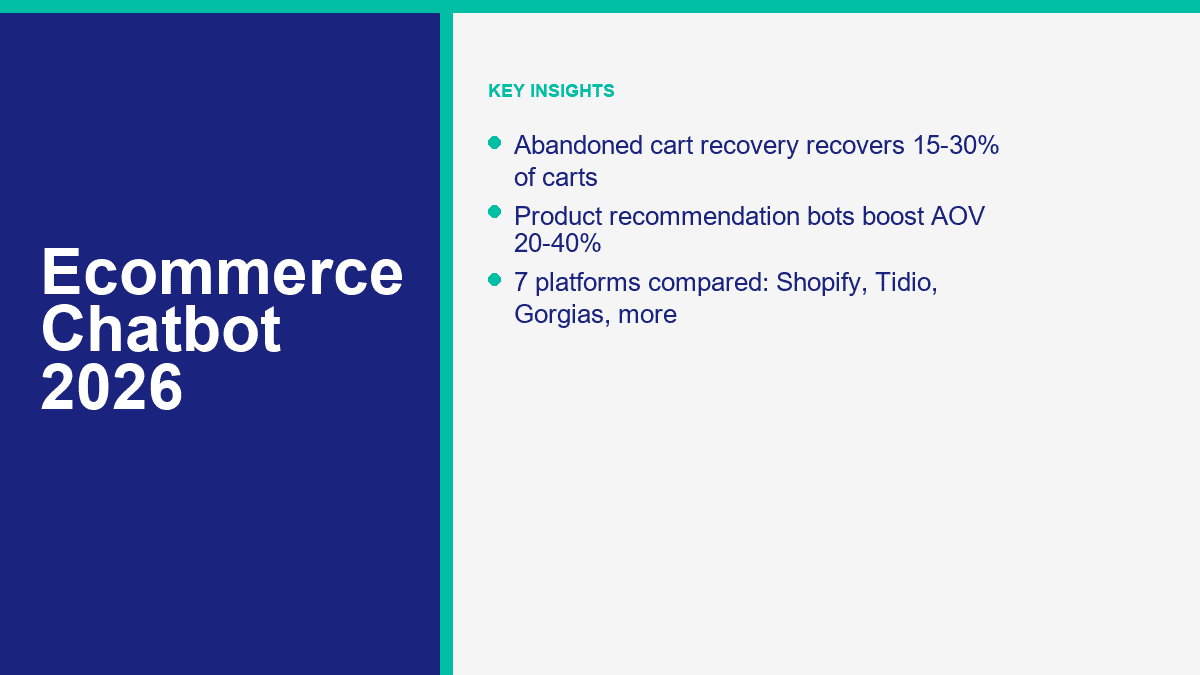
La façon la plus simple de gaspiller le trafic e-commerce en 2026 est toujours la plus ancienne : amener les gens dans votre magasin, les laisser ajouter des produits au panier, puis ne leur donner aucune raison de revenir lorsque la vie interrompt l'achat.
C'est pourquoi les chatbots e-commerce ont quitté la catégorie des “nice extra” pour entrer dans la pile de revenus. Un bon bot ne reste pas dans un coin à répondre aux questions sur les heures d'ouverture du magasin. Il récupère les paniers, recommande le bon produit au lieu d'un best-seller aléatoire, gère le suivi des commandes avant qu'un acheteur n'ouvre un ticket, et empêche le support après-vente de grignoter votre marge.
À partir du 10 avril 2026, les pages produits publiques et les documents d'aide de Baymard, Shopify, Tidio, Gorgias, ManyChat, Chatfuel et MessengerBot pointent tous vers la même conclusion : les magasins qui réussissent avec l'automatisation ne cherchent pas à remplacer les opérations e-commerce par un énorme assistant IA. Ils automatisent les moments à fort volume qui existent déjà dans l'entonnoir.
Si votre magasin fonctionne sur Shopify, WooCommerce ou BigCommerce, cela compte car votre pile vous offre maintenant trois opportunités pratiques d'augmenter les revenus sans acheter plus de trafic : récupérer une part des paniers abandonnés, augmenter la valeur moyenne des commandes avec des recommandations guidées, et réduire les frictions de support afin que plus d'acheteurs complètent réellement le processus de paiement. Lorsque les propriétaires de magasins parlent d'un levier de 30% grâce à l'automatisation, c'est généralement de là que vient le calcul.
Pourquoi les chatbots e-commerce valent enfin le budget en 2026
Le dernier benchmark de Baymard place toujours l'abandon de panier moyen à environ 70.22%. Ce chiffre à lui seul explique pourquoi les logiciels de chatbot pour le commerce électronique continuent d'obtenir des approbations budgétaires. Vous n'avez pas besoin d'un bot pour inventer la demande. Vous en avez besoin pour arrêter de perdre la demande pour laquelle vous avez déjà payé.
Voici une manière plus utile d'y penser. Un chatbot devient rentable lorsqu'il améliore l'un des quatre chiffres : les commandes complétées, la valeur moyenne des commandes, le coût de support par conversation, ou le taux d'achat répété. S'il ne fait pas bouger l'un de ceux-là, c'est de la décoration.
| Cas d'utilisation | Ce que cela change | Plage de planification | Pourquoi c'est important |
|---|---|---|---|
| Récupération de panier abandonné | Récupère des paiements autrement perdus | 15% à 30% de paniers abandonnés accessibles | Vous monétisez le trafic que vous avez déjà acheté |
| Flux de recommandations de produits | Augmente la valeur des commandes assistées | Élévation de 20% à 40% de la valeur moyenne des commandes sur les commandes assistées par chatbot | Des paniers plus grands augmentent les revenus sans plus de sessions |
| Automatisation du suivi des commandes | Dévie les tickets “ où est ma commande ? ” | Automatisation de 40% à 70% sur les questions répétitives après achat | Votre équipe passe moins de temps à copier les liens de suivi |
| Flux de service après achat | Accélère les retours, échanges et changements d'adresse | Temps de traitement réduit et première réponse plus rapide | Le support cesse d'être un frein à la marge et aux achats répétés |
Cette deuxième ligne nécessite une clarification car de nombreux articles brouillent les chiffres. Lorsque les gens disent que les bots de recommandation peuvent augmenter le AOV de 20% à 40%, ils parlent généralement de commandes touchées par des flux de recommandation, pas de la moyenne de votre magasin entier du jour au lendemain. C'est tout de même un bon résultat. Si votre bot regroupe de manière fiable des accessoires, pousse les acheteurs au-delà d'un seuil de livraison gratuite, ou les aide à choisir le produit le mieux adapté au lieu d'abandonner la page, l'augmentation est réelle.
L'autre chose que la plupart des guides omettent est la suivante : il n'existe pas de catégorie sérieuse de chatbots e-commerce où “aucune inscription requise” est la caractéristique déterminante. Les bots de production ont besoin d'accès au catalogue, d'identité client, de données de commande et d'autorisations de canal. Les options gratuites qui comptent sont celles qui vous permettent de tester des flux de travail en direct sans tarification entreprise. Dans ce marché, cela signifie généralement Shopify Inbox pour le chat natif Shopify, le plan d'entrée gratuit de Tidio, et le niveau de départ gratuit de ManyChat. Tout le reste est un essai, un plan payant ou une configuration dirigée par les ventes.
La question pratique n'est pas de savoir si les chatbots fonctionnent. C'est de savoir si votre magasin a suffisamment de volume de panier, suffisamment de complexité de produit, ou suffisamment de support répétitif pour justifier l'automatisation de la conversation. Pour la plupart des magasins établis, la réponse est oui bien avant qu'ils ne s'en rendent compte.
Les 7 plateformes de chatbots e-commerce à tester avant de vous engager
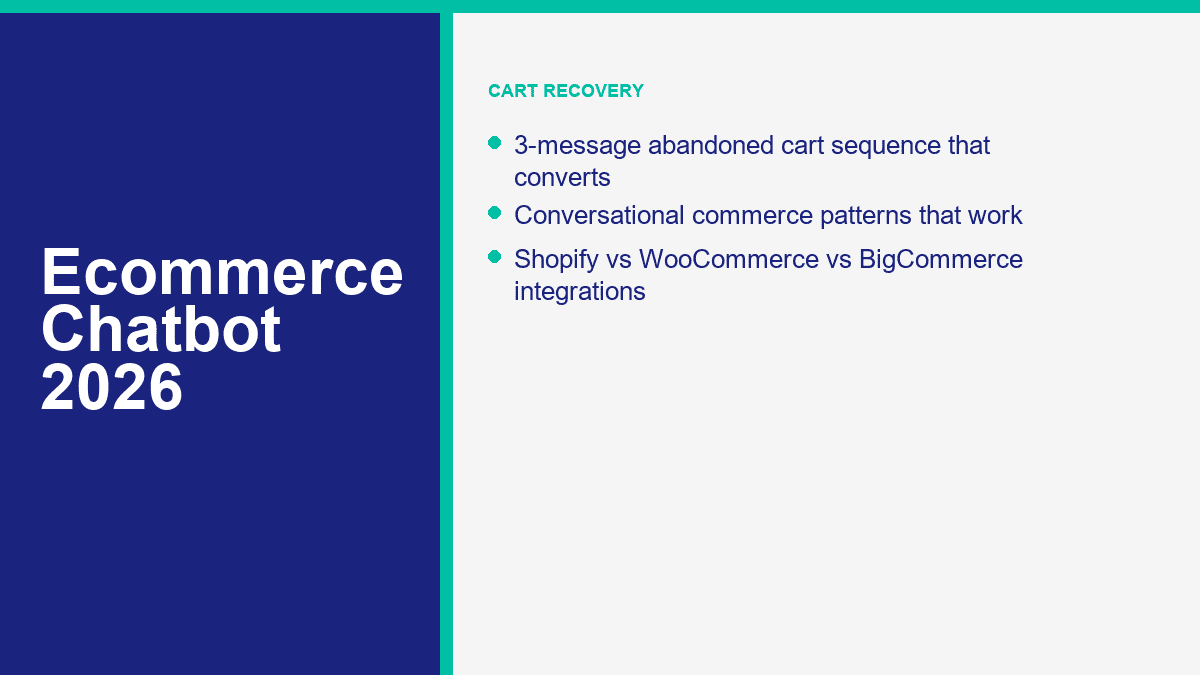
Les détails des prix et des plans ci-dessous ont été vérifiés sur les pages de produits publiques le 10 avril 2026. Je ne les classe pas en tant qu'outils d'IA abstraits. Je les classe pour des emplois en ecommerce : récupération de panier, découverte de produits, suivi de commandes, déviation de support et vente multicanale.
| Plateforme | Prix de départ | Meilleure adéquation de la plateforme | Ce qu'elle fait le mieux | Principale contrepartie |
|---|---|---|---|---|
| MessengerBot.app | Premium $19,99 par 30 jours | Meilleur pour les magasins axés sur Messenger ; la page publique fait clairement la publicité de la synchronisation WooCommerce | Automatisation Messenger, chat sur le site, outils de panier abandonné, tarification forfaitaire | Moins natif au ecommerce que Tidio ou Gorgias pour les équipes de support axées sur le site |
| Shopify Inbox | Gratuit | Shopify uniquement | Chat Shopify natif, liens de produits, réductions, FAQ, mises à jour de commandes | Pas de chemin WooCommerce ou BigCommerce, et la profondeur de l'automatisation est plus légère |
| Tidio | Gratuit ; Starter $24.17 par mois ; Lyro AI à partir de $32.50 | Fort sur Shopify, WooCommerce et BigCommerce | Chat sur le site, support AI, recommandations de produits, flux de récupération de panier | Vous devez faire attention à l'accumulation des plans à mesure que le support et l'utilisation de l'IA augmentent |
| Gorgias | Starter $10 par mois ; Basic $50 par an ou $60 par mois ; Agent AI en supplément | Meilleur pour Shopify à grande échelle ; également fort sur WooCommerce et BigCommerce | Support après achat, modifications de commande, assistant d'achat AI, attribution des revenus | C'est d'abord un logiciel axé sur le support, pas le bot de démarrage le moins cher |
| ManyChat | Gratuit ; Essentiel $17 par mois ; Pro $39 par mois | Meilleur lorsque Shopify est associé à Messenger, Instagram, SMS ou WhatsApp | Entonnoirs DM sociaux, rappels de panier abandonné, messages de catalogue de produits | Pas un service d'assistance e-commerce complet et les prix augmentent avec les contacts actifs |
| Chatfuel | Affaires à partir de $23,99 € par mois plus les dépassements | Meilleur pour Shopify plus la vente sur WhatsApp ou Instagram | Récupération de panier en priorité WhatsApp, réponses de support, recommandations de produits | Tarification basée sur la conversation et profondeur d'assistance site web plus faible |
| Drift | Tarification personnalisée | Meilleur pour les sites de commerce à prix élevé ou B2B | Qualification avant-vente, réservation de réunions, routage de l'équipe de revenus | Habituellement le mauvais choix pour le suivi des commandes de routine et le support DTC |
MessengerBot.app s'adapte aux magasins qui vendent réellement via Messenger
MessengerBot a le plus de sens lorsque Facebook Messenger n'est pas une réflexion après coup mais un véritable canal de vente et de support. Sa page de tarification publique est exceptionnellement directe sur ce qui préoccupe les propriétaires de commerce électronique : outils de récupération de panier abandonné, chat sur le site, intégrations de paiement, API JSON plus Zapier, et une synchronisation WooCommerce en un clic. C'est pourquoi je le placerais près du sommet pour les marques WooCommerce et les magasins axés sur les services qui vivent déjà dans les conversations de pages Facebook. Si vous voulez la répartition la plus claire des niveaux de plan, Voir les tarifs de MessengerBot.
Shopify Inbox est le meilleur point de départ gratuit pour Shopify
Pour les commerçants qui souhaitent un outil Shopify natif avant d'acheter quoi que ce soit d'autre, Shopify Inbox est toujours la première installation évidente. Il est gratuit, vous permet d'envoyer des liens de produits et des codes de réduction dans le chat, prend en charge les FAQ et les réponses instantanées, et inclut des flux de travail de mise à jour de commande comme “ Suivez ma commande. ” Le piège est tout aussi évident : c'est une réponse uniquement Shopify, et il ne vous donnera pas l'automatisation inter-canaux plus profonde que les plus grands magasins veulent finalement.
Tidio est le meilleur choix polyvalent pour le chat sur site plus l'automatisation du commerce électronique
Tidio has become one of the easiest recommendations because it works across Shopify, WooCommerce, and BigCommerce without pretending every store wants the same thing. Its Shopify pages emphasize order management, cart previews, refunds, and shipping-address edits. Its WooCommerce integration pulls product cards into chat. Its BigCommerce integration focuses on cart recovery, product suggestions, and support automation. If your main storefront is your website rather than Messenger or Instagram, Tidio is usually the most balanced option in this list.
Gorgias Wins When Support and Revenue Need to Share One System
Gorgias is what ecommerce operators buy when they are tired of flipping between a storefront, shipping dashboard, and help desk all day. Its Shopify, WooCommerce, and BigCommerce pages all lean into the same value: order context inside the ticket, real-time sync, AI handling for repetitive support, and revenue tracking from conversations. That makes it one of the few chatbot-adjacent tools that can honestly justify a higher price with workflow savings.
ManyChat Still Owns Social DM Selling Better Than Most Support Suites
ManyChat is not the best website-support chatbot here. It is the best social-conversation seller for brands running Instagram, Messenger, SMS, and WhatsApp campaigns that tie directly into Shopify activity. The product is excellent for cart reminders, click-to-message ads, product catalog nudges, and subscriber capture. If your bigger problem is acquiring and nurturing leads before checkout rather than handling complex support after purchase, read our lead generation chatbot guide après celui-ci.
Chatfuel Is a Practical WhatsApp-First Ecommerce Option
Chatfuel deserves more attention from ecommerce teams running WhatsApp. Its Shopify integration page is unusually blunt about the outcomes it is chasing: abandoned cart recovery, personalized notifications, shipping updates, live chat, and product recommendations in a back-and-forth conversation. If WhatsApp is already a meaningful customer channel, Chatfuel can be a simpler revenue play than buying a bigger support suite too early.
Drift Is Best for High-Intent Buying Journeys, Not Routine Order Questions
Drift still belongs in the comparison because some ecommerce businesses are really selling consultations, demos, custom quotes, or higher-ticket products where the chat job is qualification, not support. That is where Drift is strong. If your customers mostly ask about sizing, shipping, returns, or order status, it is too sales-shaped for the average direct-to-consumer store.
If you want the shortest buying advice possible, use this rule. Choose Shopify Inbox for a free native Shopify baseline. Choose Tidio when your website is the main selling surface. Choose Gorgias when support complexity is already real. Choose MessengerBot when Messenger is the core channel. Choose ManyChat or Chatfuel when DM selling is the growth engine. Choose Drift only when the bot is really part of a sales team.
The 3-Message Abandoned Cart Sequence That Brings Back Shoppers Without Feeling Pushy
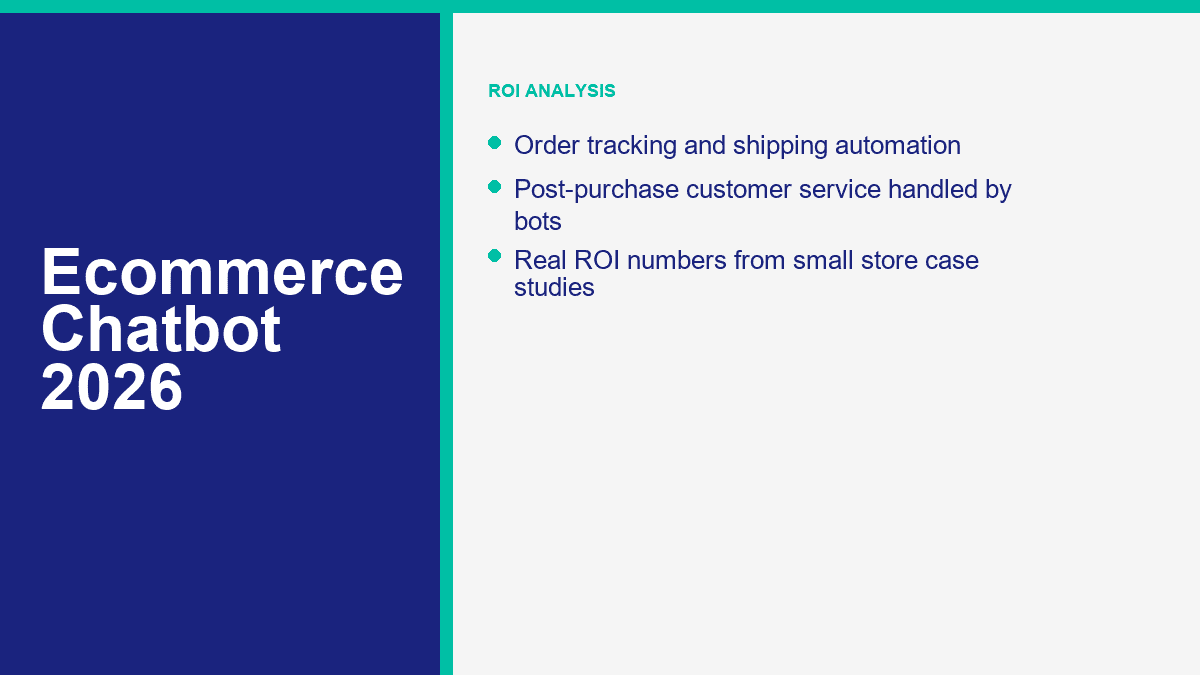
The highest-return ecommerce chatbot flow is still abandoned cart recovery, but most stores get it wrong by firing one generic reminder and calling it automation. The better approach is a short sequence tied to intent, friction, and timing.
This is the framework I would start with for Shopify, WooCommerce, and BigCommerce stores that have consent, channel permission, and an identifiable shopper:
- Message 1 at 1 hour: remind, do not discount. Show the product image, price, and a single button back to checkout. This catches distraction, not resistance.
- Message 2 at 24 hours: reduce hesitation. Answer the most likely objection with shipping clarity, social proof, or product-fit help. Only use an offer if margin allows it.
- Message 3 at 72 hours: create a final decision point. Add urgency, a small incentive, or a support handoff so the shopper can finish or ask a question.
That sequence works because it mirrors the real reasons people abandon. At one hour, many shoppers were interrupted. At twenty-four hours, they are comparing alternatives or thinking about total cost. At seventy-two hours, they are either gone or waiting for a reason to act.
| Timing | Objectif | What to include | Ce qu'il faut éviter |
|---|---|---|---|
| 1 hour | Recover distracted shoppers | Product image, checkout link, short reminder | Discounting too early |
| 24 hours | Handle objections | Shipping clarity, review snippet, product-fit help | Walls of copy |
| 72 hours | Force a decision | Time-bound incentive, low-stock note, human help | Another generic “you forgot something” message |
Here is what that looks like in plain English:
The First Message Should Feel Helpful, Not Desperate
A good first message sounds like a quiet nudge: “You left this in your cart. Want to pick up where you stopped?” That is enough. If you teach customers that a coupon always lands in the first follow-up, you train them to abandon on purpose.
The Second Message Should Answer the Thing That Blocks Checkout
This is where the chatbot earns its keep. For apparel, the blocker might be sizing. For beauty, it might be product fit. For home goods, it might be shipping cost or delivery timing. The best second reminder does not shout harder. It resolves the friction that made the shopper pause.
The Third Message Should Either Close the Sale or Open a Human Conversation
If the shopper still has not bought after three days, stop pretending one more reminder will magically do it. Give them a clear final reason to act or a direct path to ask a question. Stores often recover 15% to 30% of reachable abandoned carts when this sequence is live, but only if the messages are tied to real checkout friction and sent through a channel the shopper actually checks.
A quick checklist before you launch the flow:
- Use product images and direct checkout links in every reminder.
- Segment by cart value so you do not hand out the same discount to everyone.
- Suppress buyers instantly once the order completes.
- Test one offer variable at a time: free shipping, 10% off, or urgency copy.
- Track recovered revenue, not just clicks.
How Product Recommendation Bots Turn Browsers Into Bigger Baskets
Most stores say they have product recommendations when what they really have is a generic “You may also like” widget showing the same products to everybody. A recommendation chatbot is different because it can ask, compare, explain, and narrow the catalog in real time.
That matters most when your shopper is thinking one of these thoughts: “Which one fits me?”, “What goes with this?”, “What do I buy if the thing I wanted is out of stock?”, or “How much more do I need for free shipping?” Those are conversation problems, not just merchandising problems.
The integration side is straightforward now. Shopify-native tools can pull products, cart contents, and order context directly. WooCommerce bots usually connect through a plugin, API, or one-click sync. BigCommerce bots lean heavily on open integrations and order data access. The stronger the product data, the better the bot gets at upselling without sounding random.
| Recommendation pattern | Where it works best | Why it lifts AOV |
|---|---|---|
| Guided product finder | Homepage, category pages, landing pages | Shortens time to the right product and reduces drop-off |
| Bundle completion | Product page and cart | Adds natural accessories instead of forcing unrelated upsells |
| Alternative recommendation | Out-of-stock or low-stock moments | Saves the order instead of losing the shopper |
| Free-shipping threshold nudge | Cart and checkout | Pushes shoppers to add one more item profitably |
| Post-purchase cross-sell | Order confirmation and follow-up chat | Monetizes the highest-intent moment after trust is established |
The stores that get the best AOV lift do not ask the bot to “sell more.” They give it a concrete job. Here is a better way to set it up:
- Ask two or three qualification questions before recommending anything.
- Show no more than three products at once.
- Explain why each product was suggested.
- Use accessories, refills, and bundles that actually belong together.
- Keep free-shipping thresholds visible during the conversation.
That is how recommendation bots produce the 20% to 40% AOV lifts store owners like to talk about. Not by flooding the shopper with inventory, but by acting more like a competent in-store associate. On many stores, the lift shows up most clearly in assisted orders, not across every transaction. That is still an excellent result because it compounds on traffic you already have.
The other quiet benefit is zero-party data. When the bot asks whether the shopper wants dry-skin skincare, wide-fit shoes, vegan protein, or a gift under $50, it is not just helping the current order. It is learning how to sell the next one better.
Why Order Tracking Bots Pay for Themselves Faster Than Almost Any Other Flow
If your support inbox is full of “Where is my order?” messages, you do not have a customer-service quality problem. You have a self-service gap. Order tracking is the most obvious chatbot use case in ecommerce because customers want the answer immediately, the data already exists, and human empathy is usually not required.
Shopify Inbox includes a native “Track my order” instant answer. Tidio positions order-status, shipping, and return questions as one of its main ecommerce automation jobs. Gorgias goes further by letting support teams pull order context and handle edits inside the help desk. Chatfuel pushes the same workflow into WhatsApp, which is useful for customers who would rather follow delivery updates there than by email.
Here is the simple math. Suppose your store handles 900 post-purchase tickets a month, et 55% of them are order-status requests. That is 495 tickets that mostly ask for the same answer. If your blended cost to handle a chat or email ticket is $4, that slice of the queue costs about $1,980 a month.
Now automate 60% of those order-status tickets. You have just removed 297 manual touches, or about $1,188 in monthly handling cost, before you count faster response times or the fact that your team can now focus on refunds, exchanges, and pre-sale questions that actually need a person.
That is why order tracking is usually the first support automation I would ship after cart recovery. It is easy for customers to understand, easy for staff to measure, and hard to argue against once the ticket queue gets quieter. If support cost is the bigger pain point in your business, read our customer service chatbot guide next, because that is where the operational savings get even clearer.
Post-Purchase Automation Is Where Good Stores Protect Margin
A lot of ecommerce brands still think of chatbots as pre-sale widgets. That is too narrow. Post-purchase automation is where you protect margin, customer trust, and repeat-purchase behavior all at once.
The smartest post-purchase flows usually handle five jobs:
- Order tracking and delivery updates
- Address changes before fulfillment locks
- Return and exchange routing
- Proactive delay communication
- Replenishment or complementary product follow-up
That first group lowers cost. The second group prevents avoidable mistakes. The last one creates revenue. Put together, they are why post-purchase automation matters more than a clever homepage chatbot greeting.
There is also a customer-experience reason to prioritize this stage. Buyers are most emotionally exposed right after they pay. If shipping slips, the package goes missing, or the wrong item arrives, silence feels expensive. A chatbot that can immediately confirm status, collect the missing detail, or escalate with the full order context does not just save agent time. It stops uncertainty from turning into distrust.
For subscription, refill, and repeat-purchase businesses, post-purchase automation also doubles as retention. A bot can remind a customer when it is time to reorder, offer a complementary product based on the last basket, or direct VIP buyers into a faster support lane. Those are not “support” conversations in the narrow sense. They are revenue preservation conversations.
Real Ecommerce Chatbot ROI Numbers: What a 30% Revenue Lift Actually Looks Like
The title number only makes sense if you understand what is being stacked together. Stores do not usually get a 30% lift from a single FAQ bot sitting on the homepage. They get it from multiple small gains working at once: recovered carts, higher assisted AOV, better pre-sale conversion, and lower post-purchase support drag.
Here is a realistic planning example for a mid-sized store:
| Référence | Monthly result |
|---|---|
| Completed orders | 500 |
| Valeur moyenne de commande | $70 |
| Current monthly revenue | $35,000 |
Now layer in chatbot-driven improvements:
| Automation gain | Assumption | Impact mensuel |
|---|---|---|
| Récupération de panier abandonné | 347 reachable abandoned carts, 23% recovered, $70 AOV | $5,600 |
| Recommendation bot lift | 150 assisted orders, 30% AOV lift | $3,150 |
| Post-purchase repeat purchase lift | 25 extra repeat orders at $72 AOV | $1,800 |
| Support savings | 300 repetitive tickets automated at $4 each | $1,200 |
| Total monthly gain | Revenue plus cost impact | $11,750 |
Against a $35,000 monthly revenue baseline, that is a combined lift of roughly 33.6%. Even if you haircut the model aggressively, you are still in the zone where a bot stack can justify itself quickly.
Here is a second example for a support-heavy store that already converts well but drowns in post-purchase tickets:
- 1,200 monthly support conversations
- 65% repetitive questions about tracking, shipping, returns, and policy
- $4.50 average handling cost per conversation
- 60% automation rate on repetitive volume
The repetitive slice of that queue is 780 tickets. At $4.50 each, that is $3,510 in monthly handling cost. Automating 60% of it saves about $2,106 a month. If the store also recovers just 40 abandoned orders à $82 AOV, that adds another $3,280 in revenue. Suddenly the same chatbot is contributing over $5,000 in monthly value before you count faster response time or better customer retention.
This is also where platform choice matters. A Shopify store with simple workflows can do a lot with Shopify Inbox plus one additional sales bot. A WooCommerce brand that relies on Messenger can justify MessengerBot quickly because the setup is direct and the pricing is easy to understand. A support-heavy BigCommerce store may get more net value from Tidio or Gorgias because the order context and help-desk workflows are deeper.
The honest version of ROI is not hard. Use this formula:
Monthly chatbot ROI =
+(Recovered revenue from abandoned carts)
+(Incremental revenue from assisted recommendations)
+(Incremental revenue from repeat purchases or retained buyers)
+(Support cost avoided)
- (Software cost + message fees + setup time)
If you run that math using your own order count, AOV, cart volume, and ticket volume, the answer becomes obvious fast. The stores that struggle to prove ROI usually are not tracking the right events, not using the catalog well, or not separating chatbot-assisted revenue from general store revenue.
What Most Ecommerce Stores Should Do Next
Start with one revenue job, not ten. If your store is leaking checkouts, build abandoned cart recovery first. If shoppers ask product-fit questions all day, launch a recommendation flow. If your inbox is buried in delivery questions, automate order tracking before anything else. For Messenger-first stores that want flat pricing and strong Facebook workflow depth, compare Fonctionnalités de MessengerBot Pro avec Voir les tarifs de MessengerBot and launch the narrowest workflow that solves a real bottleneck. That is the fastest path to measurable ROI.
Questions fréquemment posées
Combien de revenus un chatbot e-commerce peut-il générer ?
It depends on your traffic, order value, and how many repetitive conversations you automate, but the numbers can move quickly. A store doing $35,000 a month can realistically add $5,000 to $10,000 in monthly value by combining cart recovery, recommendation-assisted AOV lift, and post-purchase automation. The biggest mistake is expecting one generic website bot to do all of that by itself. Revenue gains usually come from stacking several focused flows.
Quel est le meilleur chatbot pour les boutiques Shopify ?
If you want a free native starting point, Shopify Inbox is the easiest first install. If you need broader ecommerce automation on your website, Tidio is usually the strongest all-around option. If post-purchase support and order operations are already complex, Gorgias is stronger. If Facebook Messenger or social DMs drive a large share of sales, ManyChat, Chatfuel, or MessengerBot can be the better fit depending on your channel mix.
Un chatbot peut-il vraiment récupérer des paniers abandonnés ?
Yes, when the shopper is reachable and the sequence is built well. Strong abandoned-cart chatbot flows regularly recover 15% to 30% of reachable abandoned carts by sending a reminder at one hour, handling objections at twenty-four hours, and creating a final decision point at seventy-two hours. Recovery rates drop fast when the messages are generic or sent through a channel the shopper does not use.
Comment connecter un chatbot à ma boutique WooCommerce ?
The cleanest route is to choose a tool with a WooCommerce plugin, one-click sync, or official integration path. MessengerBot publicly advertises one-click WooCommerce sync, Tidio has an official WooCommerce integration for product sharing, and Gorgias offers WooCommerce order and customer sync inside the help desk. In practice, setup usually means installing the plugin, authorizing store access, syncing your catalog, and testing one live workflow such as cart recovery or order tracking.
Les clients font-ils confiance aux chatbots pour leurs achats ?
They trust useful chatbots far more than gimmicky ones. Customers are generally happy to use a bot for product discovery, order tracking, shipping updates, store policy questions, and simple recommendations. Trust falls apart when the bot hides the human option, gives vague answers, or pushes discounts without understanding the shopper’s question. The best ecommerce bots feel like fast assistance, not a barrier.



 Français
  English
  Tagalog
  简体中文
简体中文  العربية
  हिन्दी
  Português do Brasil
  Español de México
  বাংলা
বাংলা  香港中文
香港中文  繁體中文
繁體中文  Nederlands
  Deutsch
  Bahasa Indonesia
  日本語
日本語  한국어
한국어  Polski
  Русский
  Español
  Tiếng Việt