
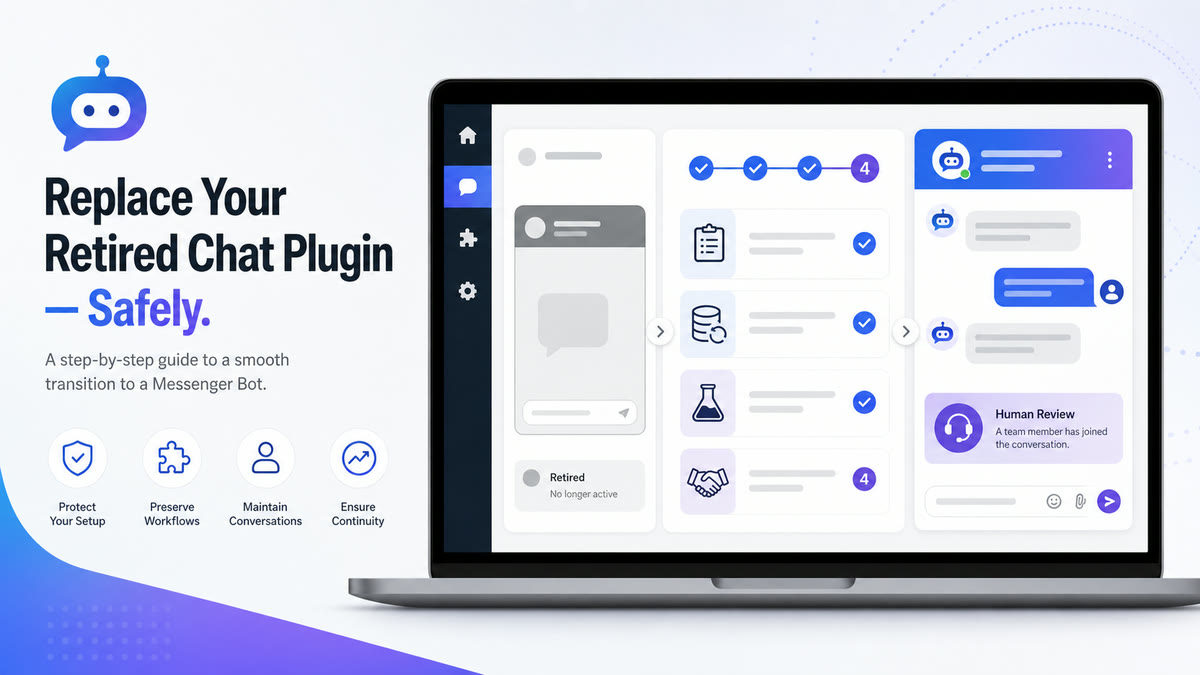
If the old Facebook Chat Plugin has left a blank widget, broken button, or confusing setup screen on your WordPress site, the practical fix is to remove the retired path safely and give visitors a contact option your team can actually support. This guide explains what changed, how to protect the site while removing old components, and how to evaluate a replacement without making promises your workflow cannot keep.
This transition is not merely a matter of swapping one piece of software for another. The older methods of embedding communication interfaces directly into a WordPress page are increasingly being replaced by alternative approaches. This guide will walk you through exactly what has changed, how to safely remove the remnants of the old system, and how to logically select a replacement that aligns with your team’s operational capabilities.
Understanding the Facebook Chat Plugin Retirement for WordPress
This retirement matters because an old installation screen or plugin-directory page is not proof that the underlying service still works. Separate the dated service status from the code that may remain on your site before troubleshooting or choosing a new contact path.
What Happened to the Official Plugin?
Meta’s dated notice said access to Chat Plugin functionality would end on May 9, 2024. That makes repeated reinstall attempts the wrong response to a service-retirement problem. A site may still contain a plugin, snippet, placeholder, or styled button even though the retired widget itself is no longer an available setup path.
Website owners who have heavily relied on this specific integration must understand that the official support channels and updates for this exact implementation have ceased. A dated Meta notice preserved in a support thread states that Chat Plugin functionality ended on May 9, 2024. Furthermore, the corresponding official integration on the WordPress Plugin Directory remains stale, shows version 2.5, and warns that it has not been tested with the latest three major WordPress releases.
Continuing to run deprecated software provides a poor user experience. For a broader context on when these changes were implemented and how they affect the wider ecosystem, you can review the Facebook Chat Plugin retirement timeline.
Why Your Existing Widget Stopped Working
A blank area, missing bubble, or non-working trigger can have several local causes, but the retired Chat Plugin cannot be restored through cache clearing or reinstallation. First identify whether the page contains the retired Meta widget, a simple Messenger link, or a different third-party tool. If it is the retired widget, preserve a backup and remove only the component you can identify.
If another contact tool is also failing, treat that as a separate diagnosis. Verify its current vendor documentation, WordPress compatibility, account connection, and page-specific placement before changing it.
How to Safely Remove the Retired Facebook Chat Plugin from WordPress
Removing the retired tool must be done carefully. Follow this safe sequence to deactivate and clean up your site.

Inventory How the Widget Was Added
Before making any changes, take an inventory of how the widget was added to your site. Was it via the official plugin, a third-party plugin, or a snippet management tool? Once you know what you are looking for, create a complete, verified backup of your WordPress site. This ensures you can easily restore your site if anything goes wrong during the removal process.
Deactivate One Component and Test
Navigate to your WordPress administrative dashboard and access the plugins section. Locate the specific plugin associated with the deprecated chat functionality and deactivate it. If the tool was added via a snippet manager, disable that specific snippet. After deactivating, immediately test your site’s critical functions—such as checkout pages, contact forms, navigation menus, and media galleries—to ensure no other features were disrupted. It is often helpful to clear your local browser cache or test in an incognito window during this phase so that you are seeing the live, updated version of your site exactly as a new visitor would see it.
Escalate Custom Implementations
If the widget was added through custom code or you cannot identify its exact source, do not make broad changes to site files or stored settings. Escalate to a qualified WordPress administrator, give them the backup and inventory, and ask them to remove only the identified component. Test the critical customer paths again before closing the change.
Evaluating Your Current WordPress Chat Strategy
Once the legacy code has been safely removed, the next phase is not simply to install the first alternative you find. This transition presents a valuable opportunity to critically evaluate your entire approach to visitor communication. Simply replacing one tool with another without analyzing your actual needs often leads to recurring problems and missed opportunities.
Mapping the Visitor Journey
Before implementing any new solution, you must understand exactly how visitors navigate your WordPress site and at what specific points they require assistance. Do they typically need help on your product pages, during the checkout process, or when reading your documentation? Mapping this journey helps you determine what kind of interaction is most appropriate.
Consider the typical questions asked by your visitors. Are they simple, repetitive inquiries about shipping policies, or do they require complex, personalized troubleshooting? If the majority of inquiries are repetitive, you might benefit more from a robust FAQ section or a guided knowledge base rather than immediately forcing visitors into a live conversation. Understanding this journey ensures that the solution you eventually choose is aligned with the actual behavior and needs of your audience.
Identifying the Real Problem You Need to Solve
What fundamental business problem were you attempting to solve with your previous widget? Was it to increase sales conversions, reduce support ticket volume, or build stronger customer relationships? Often, website owners implement direct interaction tools simply because they seem like a standard requirement, without defining a clear objective.
If your goal is to reduce support volume, perhaps better documentation is the answer. If your goal is to capture leads, a carefully structured form might be more effective and less intrusive than an immediate live prompt. By defining the precise problem, you establish clear criteria for evaluating potential replacements and ensuring they deliver measurable value to your operations.
Selecting a Replacement for WordPress Visitors
The right path depends on your team’s capacity, the questions visitors ask, and the contact experience you can maintain. Compare a small shortlist against one written test plan instead of choosing from a feature list alone.
Criteria for a Modern Chat Solution
Check whether visitors can leave the page after starting a conversation, whether your team can assign ownership, and whether unsupported questions reach a human. Verify each behavior with a non-customer test account; do not assume a feature label proves the full workflow.
Measure representative page speed before and after a staging install. Review the exact data collected, the notice shown to visitors, available retention controls, accessibility behavior, and the documented removal path with the people responsible for your site policies.
When to Route Visitors to External Platforms Instead
In many scenarios, maintaining an on-site widget may not be the optimal strategy. Instead, intentionally routing visitors to an established, external platform may provide a useful alternative. This approach relies on an interface that users might already be familiar with.
This off-site routing strategy can be considered for teams that cannot provide 24/7 immediate responses. By shifting the conversation to an asynchronous environment, it may help manage expectations. Tell readers to verify that their chosen external platform retains conversations and sends notifications for their exact destination and account, as features vary. For a detailed breakdown of how to execute this strategy effectively, consult our comprehensive WordPress-to-Messenger handoff workflow.
Best Practices for Connecting WordPress to External Chat Platforms
If you facilitate a handoff from WordPress to another platform, make the destination and expected next step clear before the visitor clicks. Test the path on desktop and mobile and keep an alternate contact method available while the new workflow is evaluated.
Managing Business Hours and Expectations
The most critical aspect of any communication strategy is managing visitor expectations. If your team only operates during specific business hours, this must be explicitly communicated before the visitor initiates contact. Do not allow users to send a message into a void, expecting an immediate reply that will not arrive until the following morning.
Use concise copy near the contact point to state when messages are reviewed and what happens next. Publish only a response window your team has measured and can reliably meet; otherwise say that a team member will review the message during the posted business hours.
Integrating with Your Existing Customer Service Tools
Decide where a new conversation will be reviewed and who owns it. If your chosen setup claims to transfer page context or connect with another customer-service tool, verify the exact fields, permissions, failure behavior, and removal controls before relying on that connection.
Ask only for context needed to answer the request. Test whether the receiving team can see that approved context, and provide a clear fallback when it is missing rather than assuming every platform carries it automatically.
Advanced Considerations for High-Volume WordPress Sites
Sites with more inquiries need clear ownership and capacity limits. Test a representative volume away from customer traffic and define what happens when the team cannot review every conversation within the published window.
Implementing Effective Triage Mechanisms
Start with visible documentation for routine questions and a short set of fit choices if the selected setup supports them. Keep billing, account access, privacy, safety, and other sensitive requests on a defined human-review path.
Test each route with non-customer examples, including an unsupported question and an explicit request for a person. Confirm that a failed classification does not strand the visitor or send a sensitive issue down an automated path.
Ensuring Accessibility and Compliance
Test the contact path with a keyboard, zoom, and appropriate assistive technology. Keep labels, focus order, and the alternate contact method usable on small screens and common page templates.
Document what information is collected, where the visitor is sent, who can review the conversation, and how records can be managed. Have the responsible privacy or legal reviewer assess the exact workflow for the regions and audiences you serve.
Use a One-Page Replacement Scorecard
Record each candidate in the same short scorecard: visitor entry point, destination, supported hours, human owner, sensitive-topic route, mobile and keyboard result, page-speed change, information collected, unavailable-state fallback, and exact removal steps. Mark an item unverified until someone has completed the customer path with a non-customer test account. This keeps a polished demo or long feature list from standing in for evidence.
Run the scorecard on a limited set of representative pages before changing the whole site. Include a normal content page, a high-intent page, and any transaction-adjacent template where a floating control could cover an important action. Record the pre-change state and the person responsible for the decision. If the candidate fails a critical check, remove only that candidate, restore the saved state, and keep the existing alternate contact method visible while the team evaluates another option.
Frequently Asked Questions
Is there a way to restore the exact functionality of the retired widget?
The dated Meta notice said Chat Plugin functionality ended on May 9, 2024. Reinstalling or clearing a cache cannot restore that retired service; identify and remove only the old component after a backup.
Will removing the old plugin break my website?
Any plugin change can affect a site. Take a restorable backup, deactivate one component at a time, test critical templates and forms, and restore or escalate if the result is unexpected.
Should I replace the widget with another live chat tool immediately?
No. Write down the visitor need, team owner, response expectation, sensitive-topic boundary, measurement plan, and rollback before comparing replacement options.
How do I handle inquiries when my team is offline?
State the hours when messages are reviewed and provide an alternate contact method. If a chosen platform claims to send confirmations or notifications, verify those behaviors on the exact account before promising them.
Can I still use external platforms to communicate with my WordPress audience?
Yes. Transitioning from on-site widgets to handoffs to external communication platforms is an alternative strategy that may work well for some teams.
To explore how structured communication workflows can streamline your customer interactions, Check Current Pricing.



 English
  Tagalog
  简体中文
简体中文  العربية
  हिन्दी
  Português do Brasil
  Español de México
  Français
  বাংলা
বাংলা  香港中文
香港中文  繁體中文
繁體中文  Nederlands
  Deutsch
  Bahasa Indonesia
  日本語
日本語  한국어
한국어  Polski
  Русский
  Español
  Tiếng Việt