
Facebook and Instagram follow-up
Turn more comments and DMs into conversations your team can close.
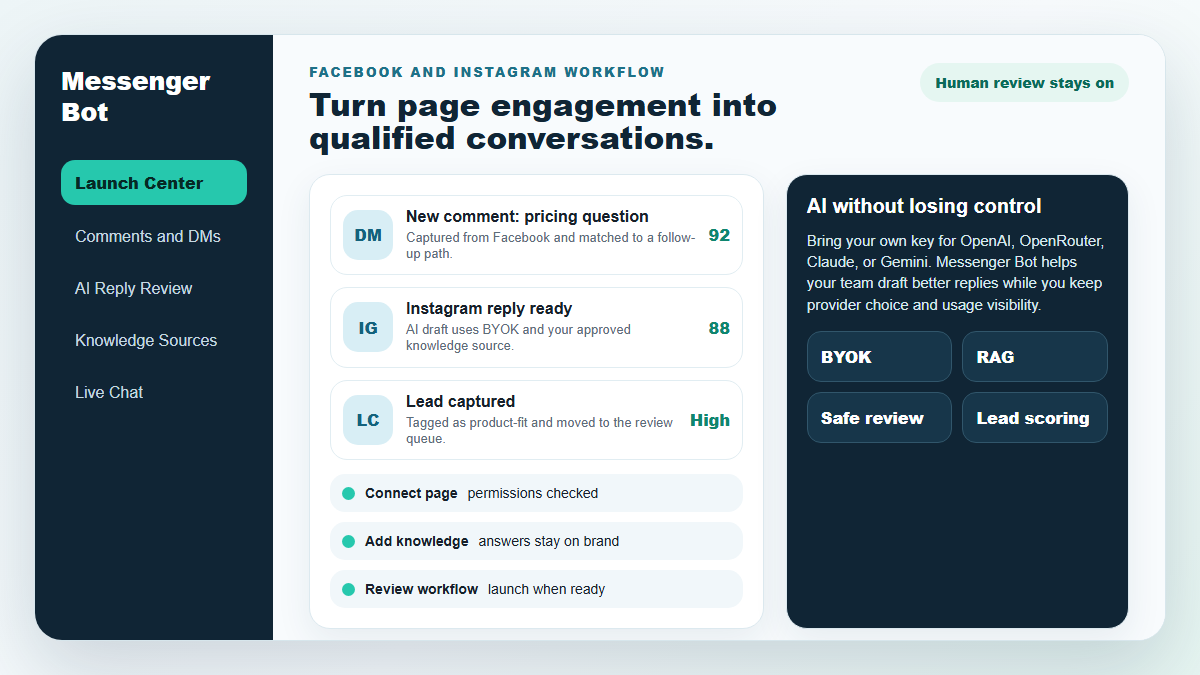
Start with one proven workflow, capture higher-intent leads, and use BYOK (Bring Your Own Key) AI drafts with human review before anything reaches a customer.
- Comment and DM capture
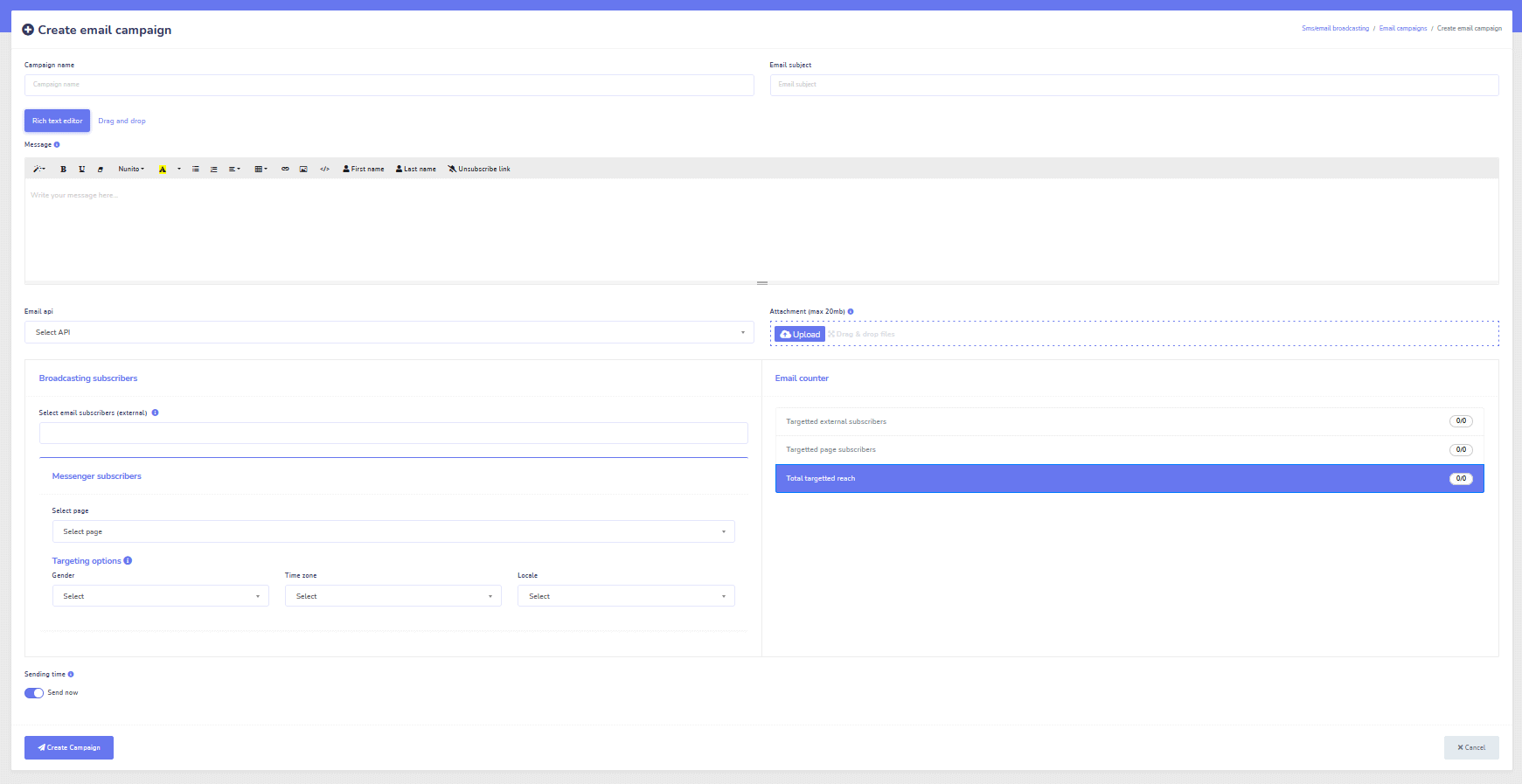
- BYOK AI reply drafts
- Human review controls
MESSENGER BOT
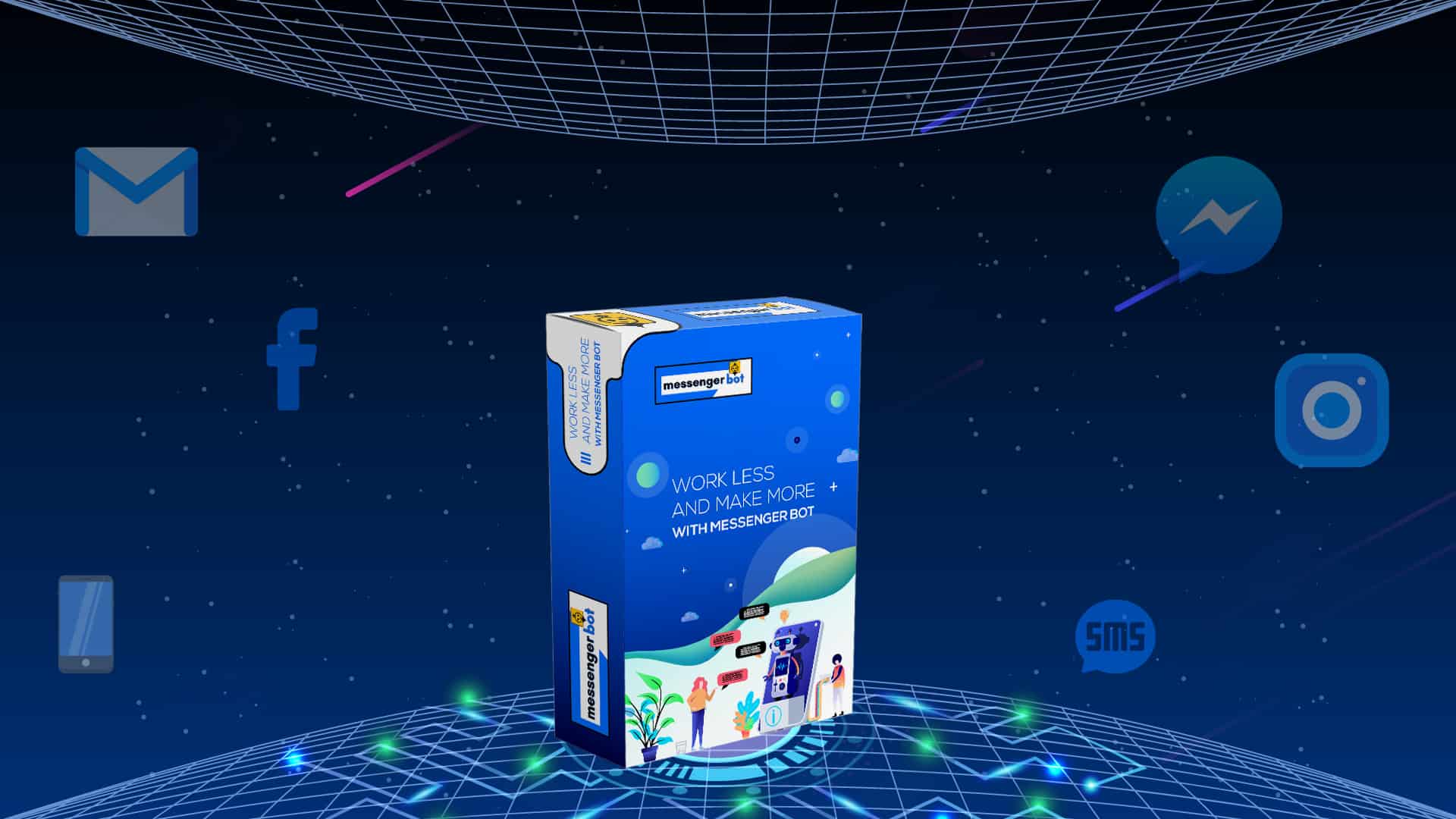
Ang aming AI ay awtomatikong tutugon nang may talino sa anumang komento o mensahe ng gumagamit batay sa kanilang sinasabi!
Simulan ang pagtugon at magpadala ng mga awtomatikong komento at DM sa iyong Facebook, Instagram, o anumang site sa ilang mga pag-click gamit ang mga pre-made na template!
Lumikha ng mga awtomatikong daloy na nakikipag-ugnayan sa mga gumagamit batay sa kanilang mga pag-uugali at makakuha ng higit pang benta.
Kumuha ng opt-ins para sa mas mababa sa $0.25 gamit ang Messenger marketing lead magnets!
Walang limitasyong Subscriber
Walang limitasyong Chat Sessions
Walang limitasyong Sequence Campaigns
Walang limitasyong Flows
Walang limitasyong Customer Tags
Multilingual at Mukhang
Kahanga-hanga sa Anumang Device
Magbigay ng perpektong mga tugon sa wika ng iyong pinili! Anuman ang tugon ng gumagamit, Messenger Bot tut確in namin na ito ay perpekto!
100% Sumusunod sa Facebook
Ang Messenger Bot ay regular na sumasailalim sa pagsusuri ng Facebook at ito ay isang 100% na sumusunod at aprubadong aplikasyon ng Facebook.
Gumagana Sa Lahat ng Major Browsers
Magandang gumana sa Chrome, Firefox, Edge, at Safari! Walang kailangang i-download na plugin o app para magamit ang Messenger Bot, lahat ay 100% sa cloud.
Perpekto Para sa Anumang Device
Ang Messenger Bot ay dinisenyo upang magmukhang kamangha-mangha sa bawat device kabilang ang mobile, desktop, at tablets!
Komprehensibo
Analitika
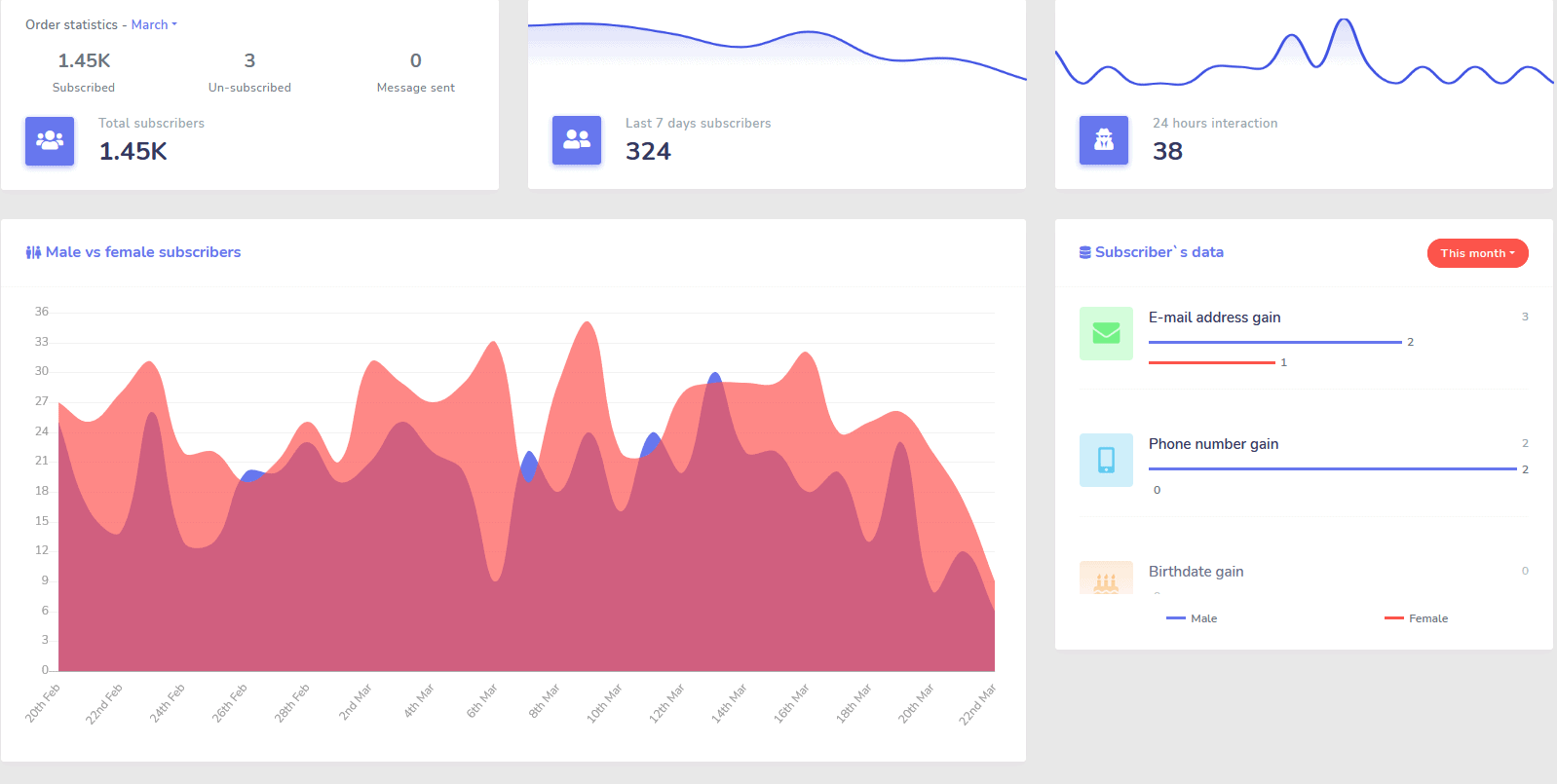
Madaling matukoy ang iyong pinakamahusay na performing channels at makakuha ng malinaw na overview ng iyong mga subscriber, kung paano ka nagpeperform, pati na rin kung saan ka nagpeperform ng pinakamabuti/pinakamasama at sa pagitan.
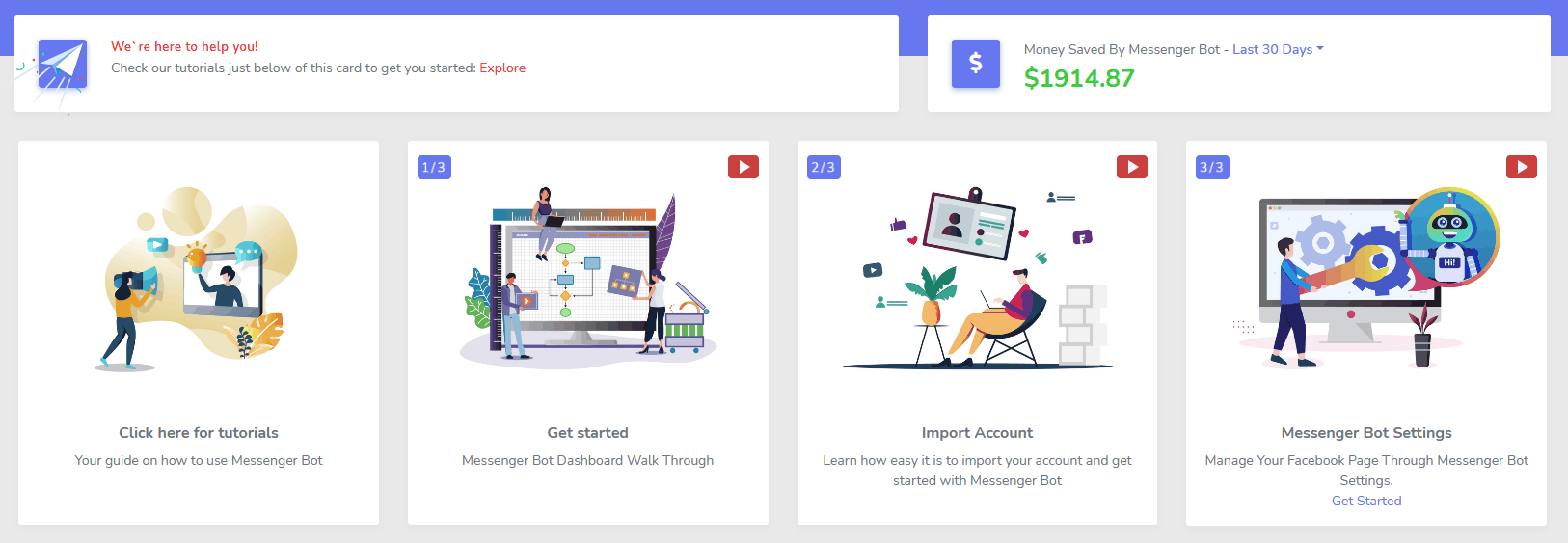
Madaling subaybayan ang mga subscriber, huling komento, at iba pang kampanya mula sa iyong dashboard.
Malaking Bawasan
Gastos Bawat Lead at Benta
Sa pamamagitan ng Messenger Bot maaari kang maging available 24/7 at bawasan ang iyong gastos bawat lead at benta sa pamamagitan ng pagbibigay sa mga gumagamit ng impormasyong hinahanap nila kaagad!
Dagdag pa, gamitin ang Messenger Bot upang masusing suriin ang Facebook Interests API at tuklasin ang mga audience na hindi ipinakita sa ibang advertisers sa Facebook!
Sa pamamagitan ng pagtutok sa mga nakatagong audience gamit ang Facebook Ads, maaari mong lubos na bawasan ang iyong gastos bawat lead at gastos bawat benta kaagad.
Messenger
eCommerce Store
Simulan ang pagbebenta nang direkta sa Messenger at kahit saan pa gamit ang iyong sariling customizable eCommerce store!
Panatilihin ang 100% ng kita, na may 0% revenue share at maraming payment processors na mapagpipilian tulad ng PayPal, Stripe, at RazorPay!
Kasama sa LAHAT ng aming mga subscription sa Messenger Bot.
Walang Hanggan
Sequence Messages at Bulk Sends
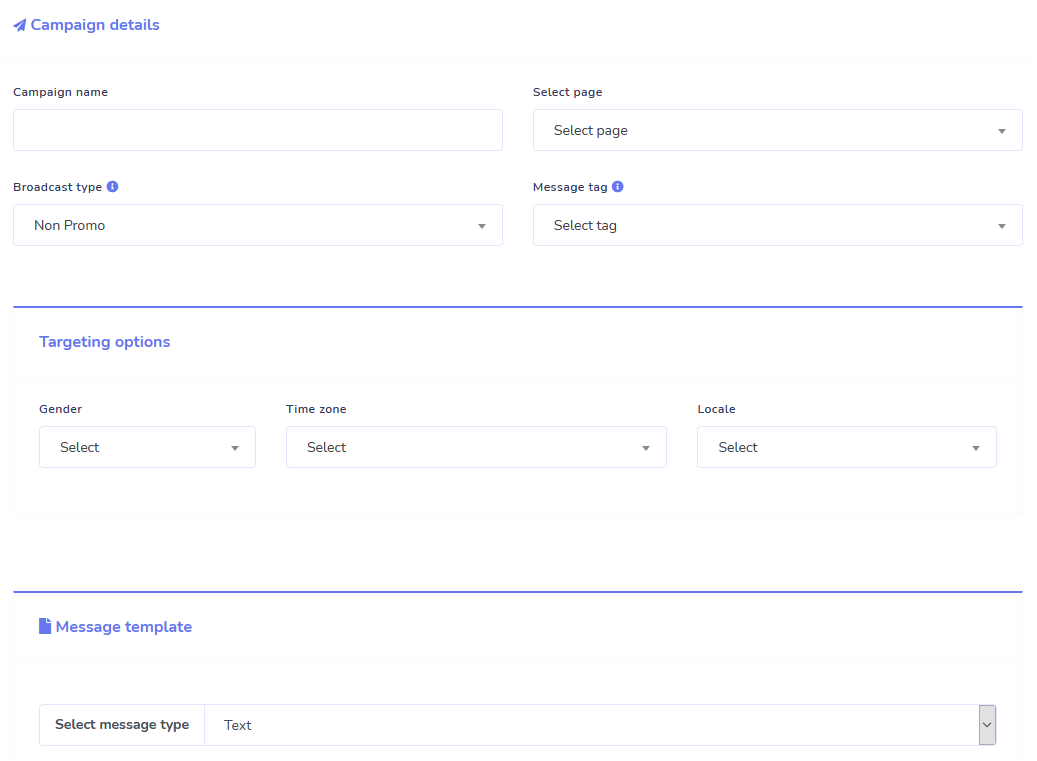
Sa loob ng limitadong oras kapag umorder ka ngayon, makakakuha ka ng walang limitasyon na sequence messaging campaigns at bulk message sends!
Laging nasa oras gamit ang sequence messaging na nagpapadala ng iyong mga nais na mensahe sa gumagamit batay sa isang time delay na iyong itinakda.
Maabot ang iyong mga customer nang maramihan sa tamang oras gamit ang bulk message sends.
0 Code Flow Builder
+ Tapos na Para sa Iyo Mga Template
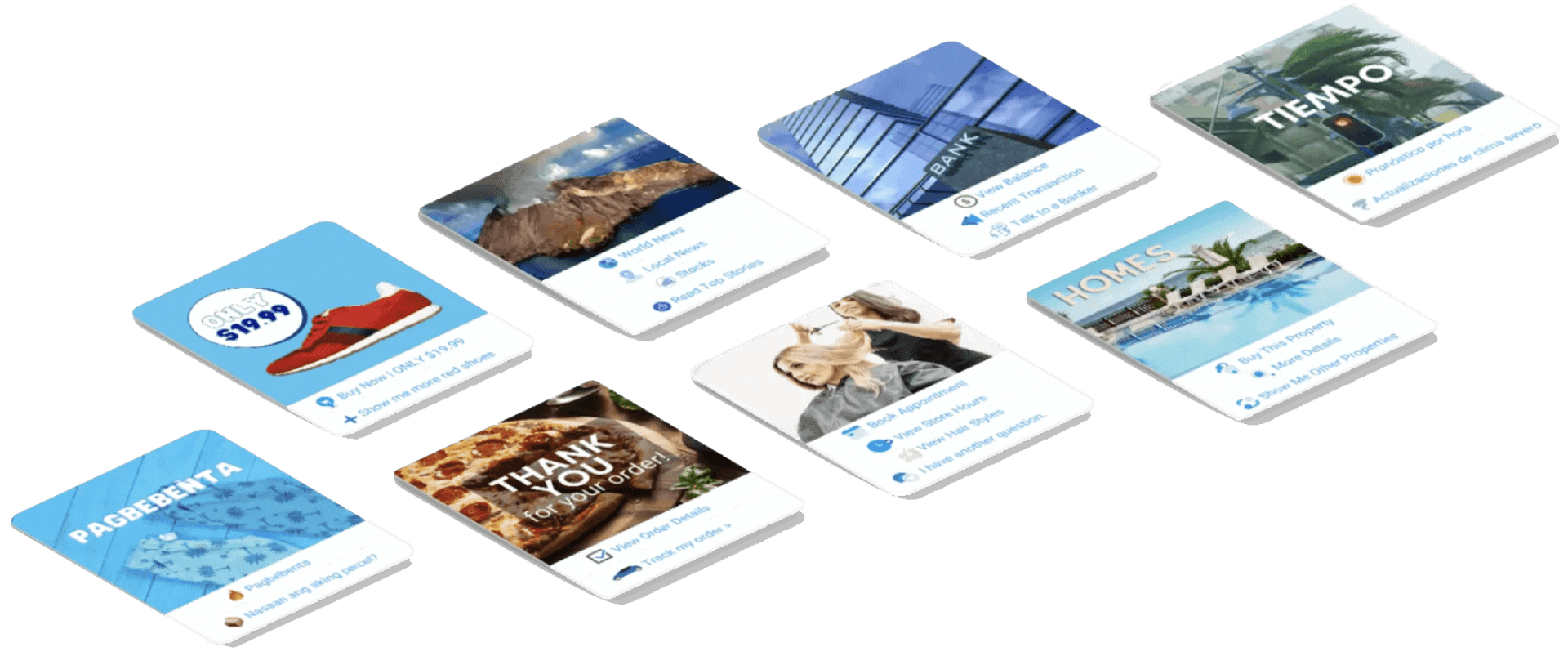
Maging live sa ilang pag-click gamit ang aming mga template na tapos na para sa iyo!
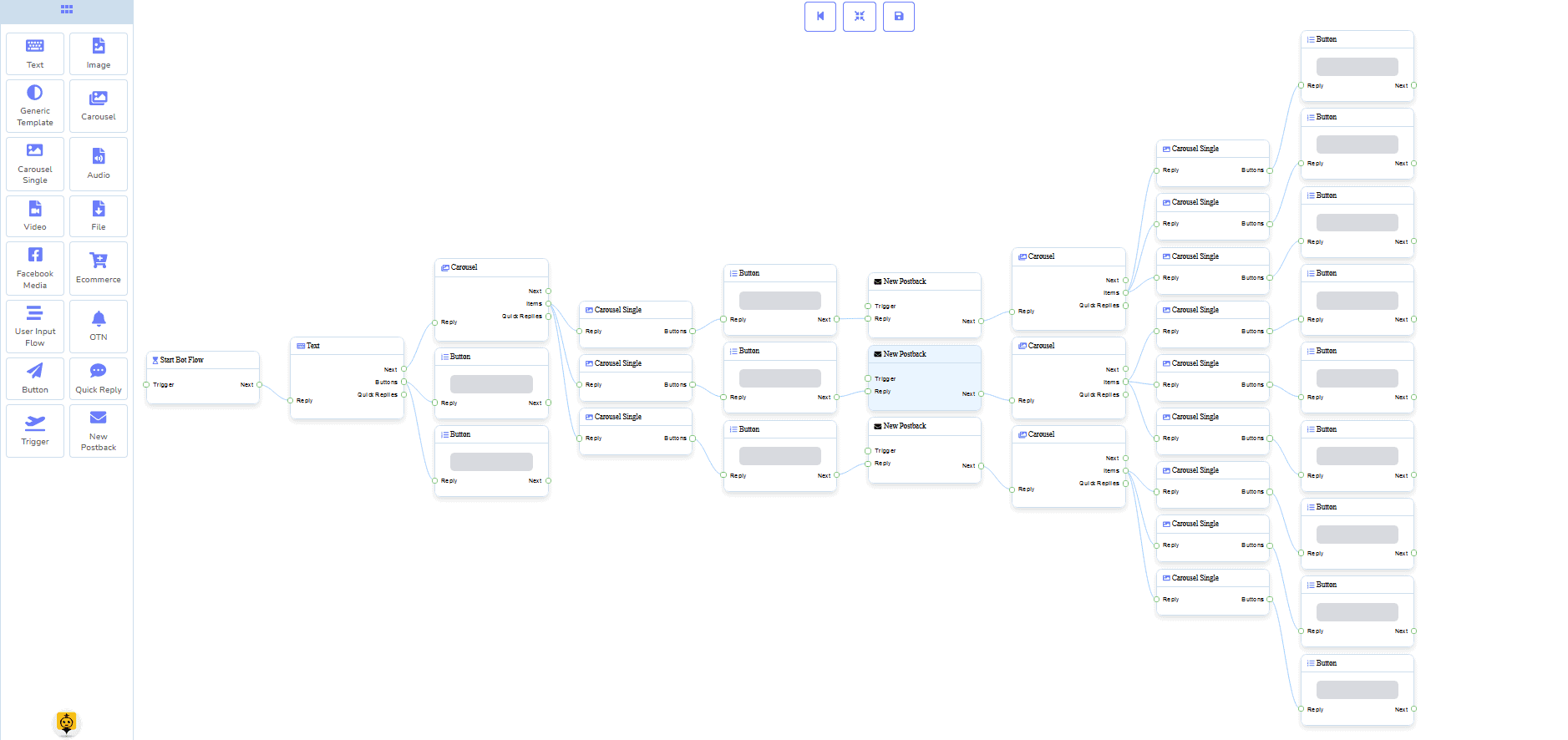
Gumawa ng iyong mga automated na daloy ng trabaho na walang kinakailangang coding gamit ang aming no code visual builder!
Masyado bang teknikal? Ang aming suporta sa customer ay handang tumulong at handa nang tulungan kang buuin ito!
Auto-Responder, Broadcast, Sequence, Subscribe, at Templates
Tumugon sa anumang at lahat ng email nang awtomatiko!
Magpadala ng email broadcasts at drip feed campaigns.
Bumuo ng iyong mga listahan ng subscriber at lumikha ng mga template ng email campaign gamit ang aming visual builder!
Facebook & Instagram
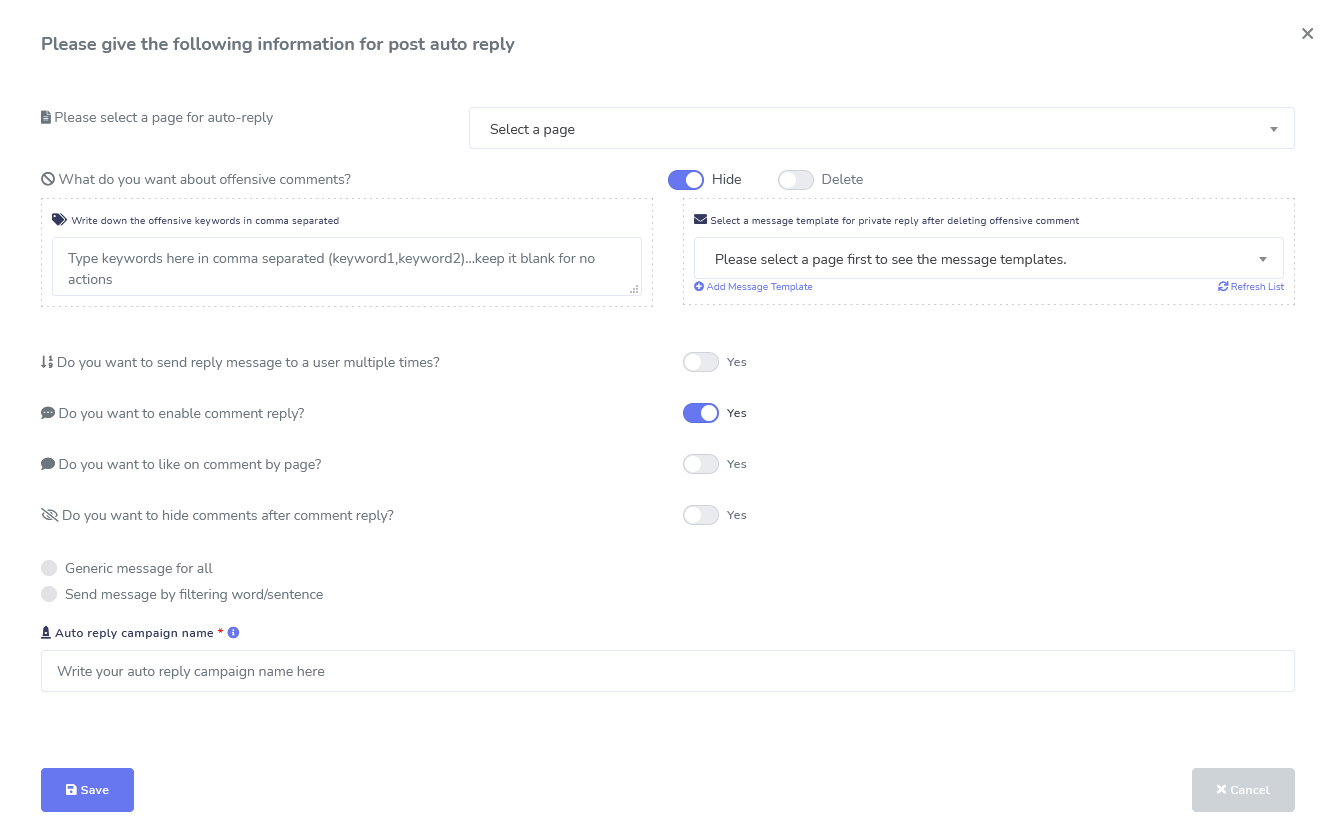
Comment Moderation, Automation, Post, & Reply Tools
Isang kumpletong suite ng mga tampok sa automation ng Facebook na dinisenyo upang tulungan kang lumikha ng mga post, mag-iskedyul ng mga post, mamahala ng mga post, at awtomatikong tumugon sa mga post, pati na rin ang pagpapadala ng mga follow up na mensahe!
Live o Automated
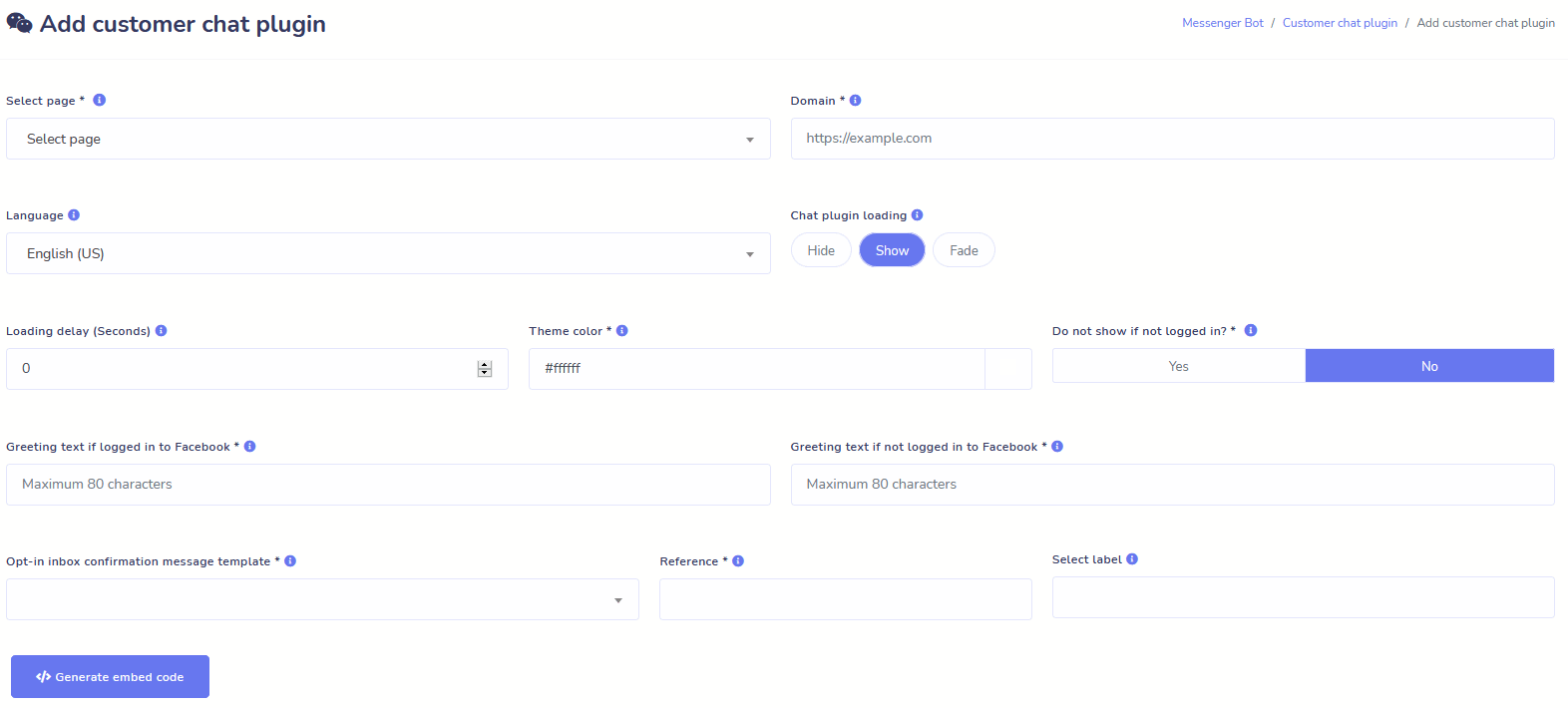
Website Chat
I-automate ang iyong chat at payagan ang live na tulong mula sa tao sa mga bisita na humihiling nito.
Payagan ang mga gumagamit na makuha ang impormasyong kailangan nila sa demand at panoorin ang iyong negosyo na umunlad!
Bigyan ang iyong mga gumagamit ng karanasang nais nila sa ilang pag-click.
Subscriber
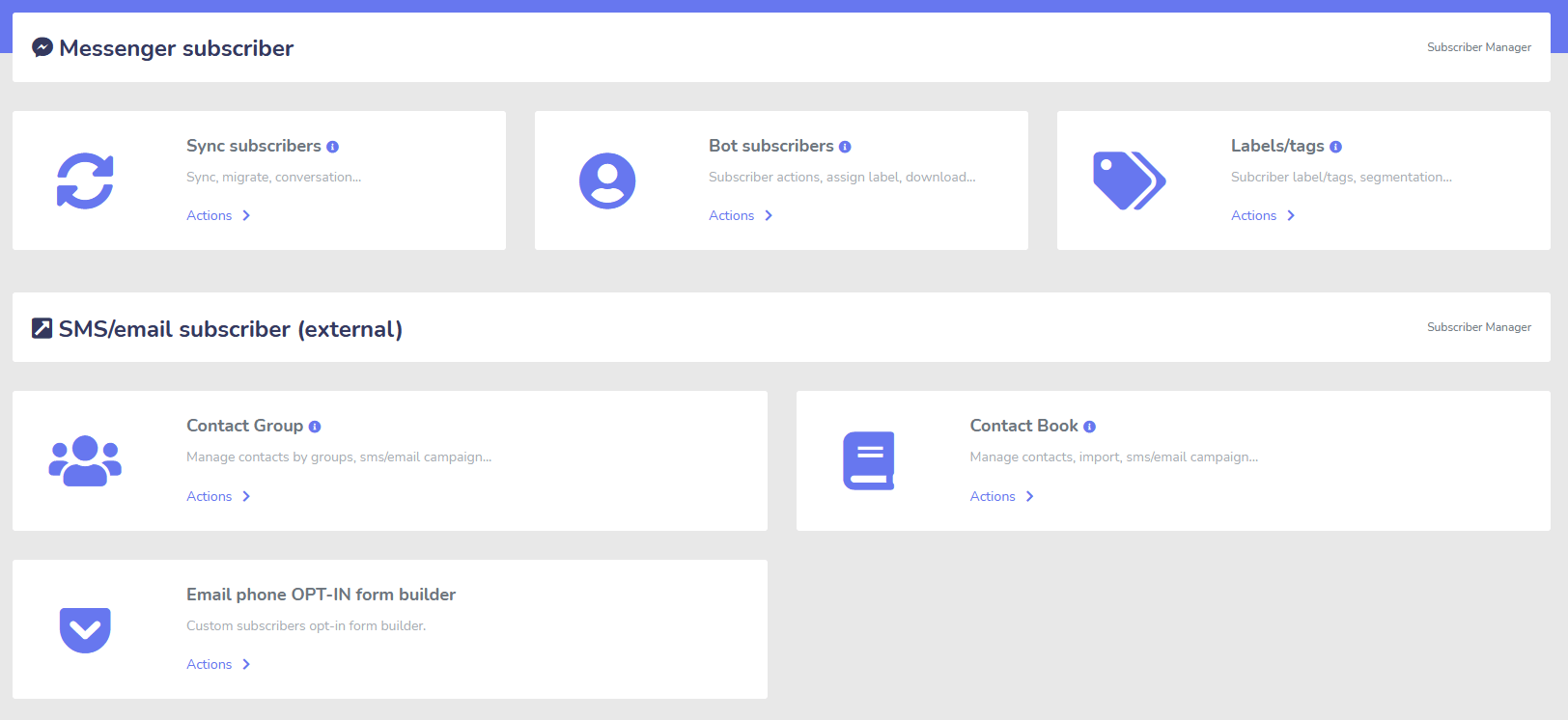
Builder, Importer, Manager, at Sync
Lumilipat mula sa ManyChat, ChatFuel, o saanman? Madaling i-sync ang iyong mga subscriber sa Messenger Bot!
Madaling bumuo ng iyong mga listahan ng subscriber gamit ang M.Me links, Messenger opt-ins, at iba pa!
Ang Tagapamahala ng Subscriber ay nagbibigay-daan sa iyo upang makuha ang pagsasabay ng mga subscriber, tingnan ang mga bot subscriber, tingnan ang mga label, at pamahalaan ang mga aktibidad sa pagmemensahe/pag-email sa iba't ibang grupo ng contact.
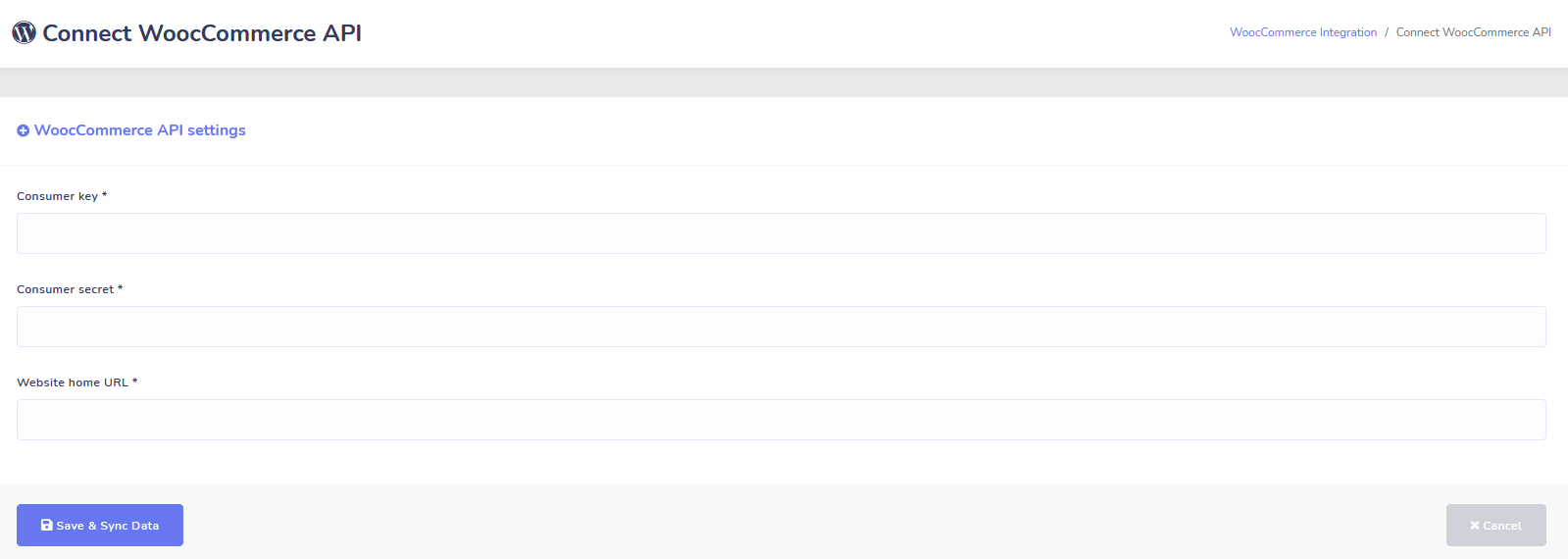
WooCommerce
Sync at Abandoned Cart Recovery
I-sync ang Iyong WooCommerce Store sa 1 Click.
Kumuha ng mas maraming benta sa pamamagitan ng pagbawi ng mga gumagamit na iniwan ang kanilang mga cart!
Mga Integrasyon ng Shopify + Wix Na Darating!
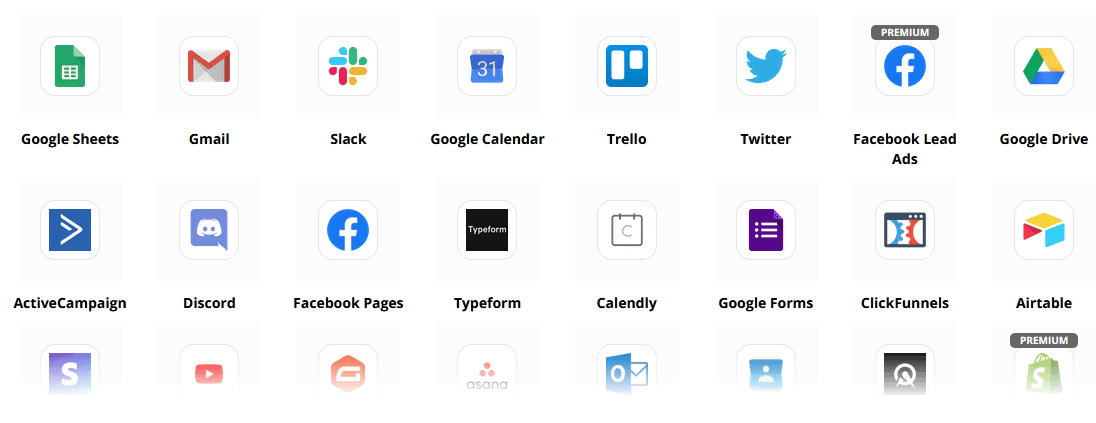
Zapier + JSON API + Google Sheets
Mga Integrasyon
Mag-plug-in sa higit sa 3,000+ apps gamit ang aming Zapier integration o gamitin ang JSON API upang lumikha ng iyong sariling mga customizations!
Awtomatikong ilipat ang Data ng Subscriber sa Google Sheets.
Dagdag pa
Napakarami pang iba!
Gamitin ang mga built-in na image editor upang lumikha ng mga larawan at mga post sa loob ng iyong dashboard.
Awtomatikong mag-post mula sa mga RSS feed!
Lumikha ng iyong sariling persistent na menu ng Messenger
at napakarami pang iba….
Narito ang iba pang mga paraan kung paano ginagamit ang Messenger Bot
Ang Messenger Bot ay ginagamit sa maraming paraan. Narito ang isang maliit na listahan kung paano kami ginagamit ng mga tao ngayon.
Suporta sa Customer
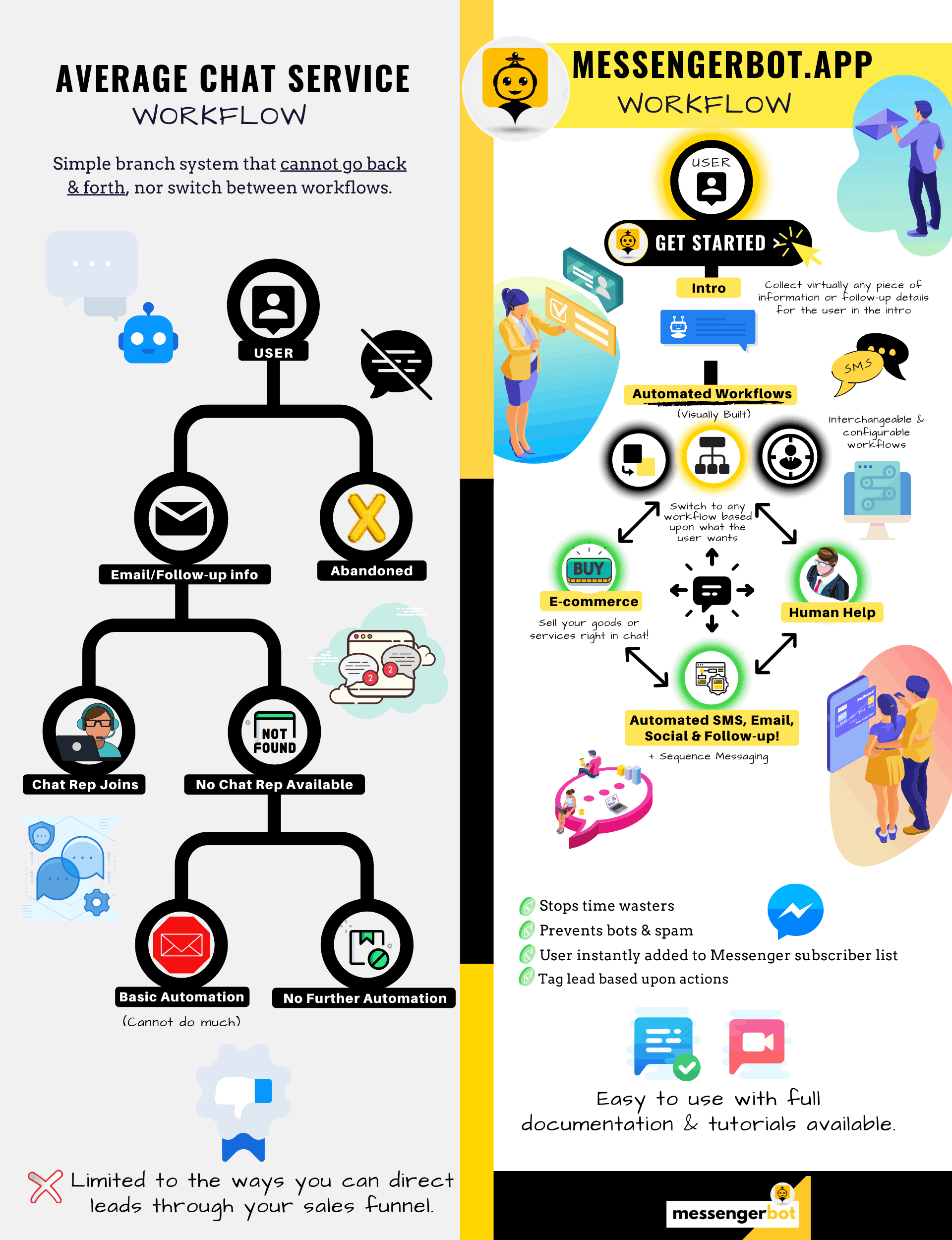
Matalinong i-route ang mga customer sa kanilang nais na destinasyon batay sa kanilang mga aksyon at pag-uugali.
Kolektahin ang Impormasyon Mula sa mga Kliyente
Kunin ang lahat ng mahalagang impormasyon na kinakailangan mula sa mga customer.
Mga Madalas Itanong
Bigyan ang mga gumagamit ng mga sagot na kailangan nila agad habang sabay na pinapalaya ang mga tauhan ng suporta.
eCommerce
Magbenta nang direkta sa Messenger gamit ang isang bagong tindahan o umiiral na tindahan!
Pagbuo ng Lead
Makipag-ugnayan sa mga gumagamit at awtomatikong bumuo ng mga lead!
Ganap na Na-customize na mga Form
Lumikha ng ganap na na-customize at nakikipag-usap na mga form sa Messenger + sa iyong Website!
Real Estate
Ipakita ang mga ari-arian at awtomatikong bumuo ng kwalipikadong mga lead 24/7.
Restawran
Magpatakbo ng mga promosyon, tumanggap ng mga reservation at bayad!
Travel & Tours
Kumuha ng mas maraming booking sa paglalakbay at turismo, ipakita ang iyong natatanging mga outing.
Tindahan ng Sasakyan
Ipakita at ibenta ang mga sasakyan sa pamamagitan ng Messenger + ang iyong site!
Feedback at Mga Survey
Gumawa ng ganap na nako-customize na mga automated na survey at mga form ng feedback!
Seguridad
Tumulong sa pagpapakita at pagpili ng mga polisiya + magbigay ng mga quote pati na rin ang magtakda ng mga appointment.
Mababang Presyo Sa Limitadong Panahon
Kumilos ngayon at siguraduhin ang espesyal na alok na ito para sa Messenger Bot bago tumaas ang presyo!
Sa pamamagitan ng Messenger Bot, makakatipid ka sa suporta, benta, at mga gastos sa subscription para sa iba pang mga serbisyo na hindi mo na gagamitin!
Tingnan Messenger Bot Sa Aksyon!
40,000+ Gumagamit
24/7 Suporta
100% Kasiyahan

Ginagamit at Pinagkakatiwalaan ng Mahigit 40,000 Gumagamit
Sumali sa mahigit sa apatnapung libong may-ari ng negosyo na gumagamit at umaasa sa Messenger Bot bilang isang kumpletong solusyon sa marketing mula simula hanggang katapusan!
Practical follow-up resources
Turn more customer conversations into clear next steps.
Use these practical guides to strengthen response speed, lead qualification, and follow-up while your team keeps ownership of every customer decision.
- missed-call text-back guide — Keep high-intent callers moving with a clear, consent-aware follow-up path.
- lead-scoring workflow — Give your team a practical way to prioritize better-fit opportunities.
- speed-to-lead guide — Shorten the gap between a new inquiry and a useful first response.
Pick the right starting point
Choose the Messenger Bot plan that matches the conversations you want to win.
Start with the workflow you need now, then upgrade when your page, team, or client load grows.
Starter
$29 /mo
For one focused page getting its first automated comment and DM follow-up live.
- Launch a guided lead-capture workflow.
- Reply faster without adding another daily dashboard.
- Keep setup simple while you prove the channel.
Pro
$99 /mo
For growing businesses that want BYOK (Bring Your Own Key), business knowledge, and better lead sorting.
- Use AI-assisted drafts with human review.
- Qualify replies before your team spends time on them.
- Keep follow-up consistent across busy launches.
Ahensya
$299 /mo
For teams managing multiple brands, clients, assets, and approval workflows.
- Organize client conversations by page and priority.
- Give teams cleaner review paths before replies go out.
- Scale repeatable workflows without adding extra manual work.
A payment card keeps trials focused. You stay in control of the plan before billing starts.
Madalas Na Mga Tanong
Ano ang Facebook Messenger Bot?
Ang Facebook Messenger bot ay isang automated chatbot na maaaring gamitin upang mapabuti hindi lamang ang karanasan sa Messenger, kundi pati na rin ang karanasan sa chat sa iyong website.
Ano ang magagawa ng Messenger Bot para sa aking negosyo?
Ang Messenger Bot ay magbibigay-daan sa iyo upang awtomatikong batiin ang mga bagong gumagamit, tumugon sa mga tiyak na keyword o parirala, mag-syndicate ng nilalaman, bumuo ng mga lead, gumawa ng mga benta, at higit pa!
Bakit kailangan ko ng Messenger Bot?
Habang lumilipas ang bawat araw, nagiging mas mahirap na maabot ang iyong target na madla. Isang katotohanan na marami sa mga tradisyunal na pamamaraan ng marketing ay hindi na nagbibigay ng parehong resulta tulad ng dati.
Ang aming Facebook Messenger bot ay lumulutas sa problemang ito sa pamamagitan ng pagpapahintulot sa iyo na makamit ang higit sa 80% na open rates gamit ang real-time interactive messaging at mga chat campaign sequences.
Paano ako gagawa ng Facebook Messenger Bot?
Una, kakailanganin mo ng Facebook account at isang Facebook page na may mga karapatan sa pamamahala.
Pagkatapos nito, bibilhin mo ang iyong deal (o mag-sign up para sa isang libreng pagsubok) at pagkatapos ay piliin ang “Import Account.”
Mula doon, gamitin ang aming Visual Flow Builder upang lumikha at i-deploy ang iyong bot sa loob ng ilang minuto, hindi araw! Ngayon maaari ka nang magsimula ng totoong pag-uusap sa iyong mga customer, anumang oras.
May trial ba?
Oo, maaari mong makuha ang iyong libreng trial bago bumili nang walang kinakailangang credit card dito.
Kailan mag-eexpire ang alok na ito?
Ang alok na ito ay mag-eexpire na, kaya kung nais mong makuha ang pinakamahusay na diskwento, nais mong umorder ngayon.
Handa ka na bang gumawa ng tunay na pagbabago? Itayo natin ito nang magkasama!
Kilalanin ang Messenger Bot nang walang anumang mga limitasyon at simulan lamang ang paggamit nito sa buong potensyal kapag ito ay iyong nagustuhan. Naghihintay kami para sa iyo.
Ang Messenger Bot ay higit pa sa isang simpleng Chat Bot!
Ngayon ay posible nang magkaroon ng kumplikadong pag-uusap nang awtomatiko!
Bakit Kailangan Mo ng Messenger Bot
upang Magdala ng Benta sa Iyong Negosyo
Para sa mga marketer, ang Facebook Messenger ay nagiging isang bagong at epektibong paraan upang maabot ang mga kasalukuyan at potensyal na subscriber ng iyong Facebook page at negosyo. Sa paggamit ng mga Messenger bot, maaari mong ipakalat ang impormasyon anumang oras ng araw nang hindi gumagalaw.
Isa sa mga pinakamakapangyarihang bot apps, ang Messenger Bot, ay mabilis na naging lider sa bagong industriyang ito. Ang aming marketing software ay maraming mga tampok na ginagawang madali ang marketing para sa malalaki at maliliit na kumpanya. Sa paggamit ng Facebook Messenger chatbot, maaari ka nang tumugon sa mga chat 24/7, magpadala ng mensahe sa malaking dami sa iyong target na madla, at kahit na mag-post ng mga video at larawan sa iyong Facebook page. Kung kailangan mo ito para sa iyong negosyo, tiyak na mayroon ito sa Messenger Bot! Sa aming natatanging paraan, maaari naming ibigay sa iyo ang mataas na antas ng serbisyo ng chat bot na hindi mo makikita saanman.
Tingnan natin ang lahat ng mga serbisyo at tampok na ibinibigay ng aming kamangha-manghang app bago ka magsimula. Ang kahanga-hangang software na ito ay tiyak na magiging pinaka-ideyal na Facebook messenger marketing tool para sa iyo na walang kinakailangang coding.
Ano ang Facebook Chatbot?
Kung ikaw ay bahagyang may kaalaman tungkol sa kung ano ang Facebook Messenger bot app o Facebook chatbot gawin, kailangan mong maunawaan kung paano ito makakapagpasulong sa iyong negosyo sa susunod na antas. Ang software ay awtomatikong nagpapadala ng mga mensahe sa pamamagitan ng Facebook Messenger gamit ang natural language processing upang maunawaan kung ano ang nais ng tao at artificial intelligence upang makipag-ugnayan sa mga tao. Kapag naipatupad, maaari nitong maunawaan ang mga tanong na itinataas dito at sagutin ang mga iyon nang tama. Ang mga chatbots ay parang mga virtual assistants na maaaring mapabuti ang karanasan ng customer.
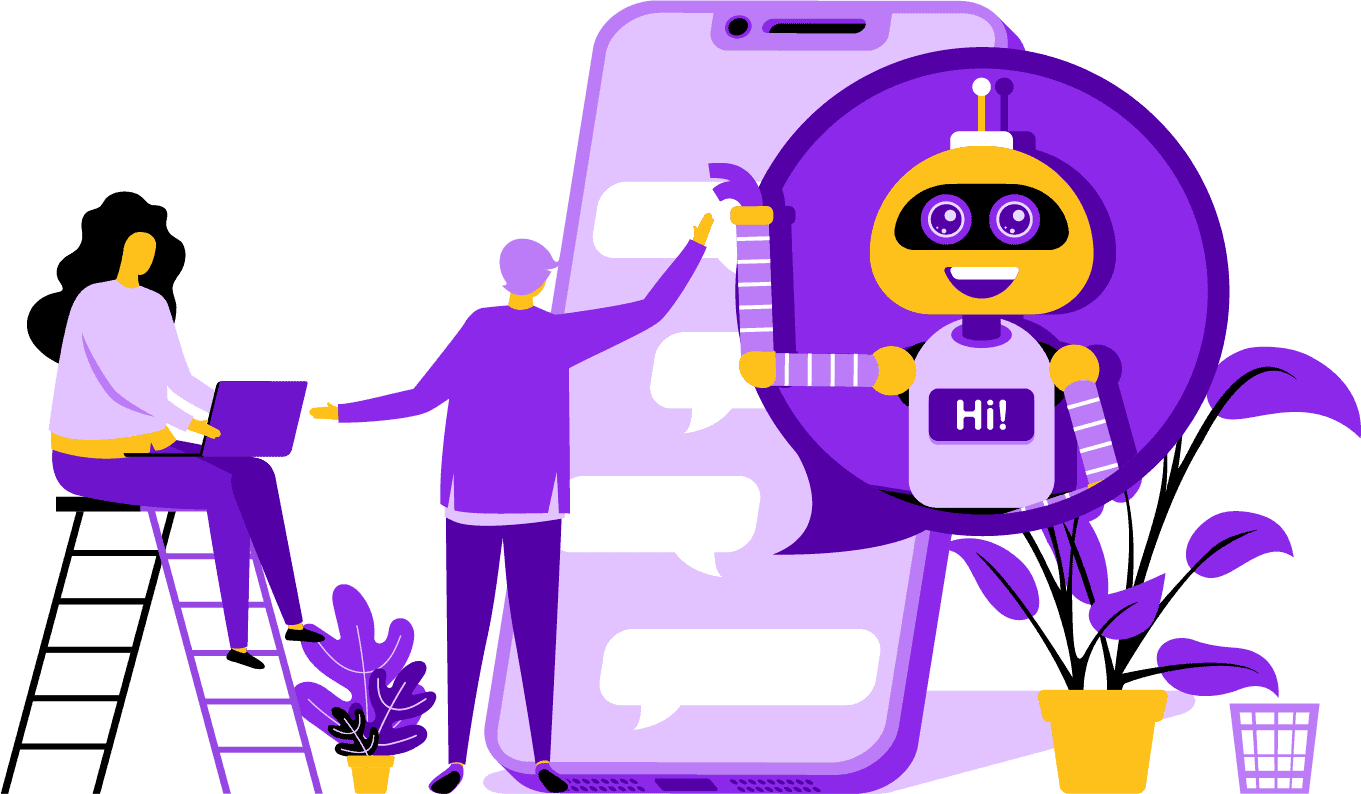
May mga estratehikong bentahe sa paggamit ng Facebook Messenger bot para sa iyong kumpanya. Kung nais mong maging kilalang pangalan, ang paggamit ng Messenger ay isang matalinong paraan upang makipag-ugnayan ang iyong kumpanya at misyon sa bilyun-bilyong tao. Ang Facebook Messenger ay nasa top five kapag pinag-uusapan ang pinaka ginagamit na apps sa mundo. Sa ganitong kalagayan, bakit hindi mo dapat gamitin ang Messenger para sa iyong mga pangangailangan sa negosyo? Pinahahalagahan ng mga customer ang app dahil nagbibigay ito ng maginhawa at mabilis na paraan upang makipag-ugnayan sa mga negosyo sa buong mundo. Ang isang kumpanya ay maaaring lumago at madagdagan ang exposure habang nagbibigay ng aktibong serbisyo sa customer sa parehong oras. Hindi mo kailangang mag-alala tungkol sa 24/7 customer support gamit ang isang chat bot.
Isa pang bentahe na maibibigay ng isang Facebook bot ay ang lead generation. Mas madali nang makipag-ugnayan sa mga potensyal na customer gamit ang Facebook Messenger chatbot. Kapag ang iyong bot app ay nakikipag-ugnayan sa mga potensyal na customer, maaari itong magtanong ng mga pangunahing tanong upang matukoy ang mga pangangailangan at nais ng tao gamit ang natural language processing. Ang app ay maaaring i-direkta ang prospect sa iyong customer support o sales team upang ipagpatuloy at makuha ang benta. Tulad ng makikita mo, ang Messenger Bot ay kayang gawin ang lahat ng ito at higit pa nang walang kinakailangang coding. Magsimula na sa Messenger Bot!
Mga Bulk na Mensahe
at isang Facebook Bot
Kapag mayroon kang Facebook page, may mga pagkakataon na nais mong makipag-ugnayan sa mga subscriber at potensyal na customer upang ipakalat ang isang mensahe. Ang Messenger Bot ay may tampok na bulk message upang makamit iyon. Bakit kailangan ng bulk messaging? Una, maaari itong maipadala nang mabilis. Kapag ginamit mo ang tampok na ito sa Messenger Bot, ang iyong mga komunikasyon ay maaaring umabot sa sinuman sa loob ng ilang segundo. Maaari kang magpadala ng mass message sa libu-libong tao kapag ginamit mo ang app na ito at malaman na ito ay maipapadala ayon sa nais. Ang iyong mga lead ay maaaring makipag-usap at makipag-ugnayan sa iyo, na nagtatayo ng tiwala kapag nakatanggap sila ng tumpak at madaling maunawaan na mga sagot sa kanilang mga tanong. Ang kahanga-hangang tampok na ito na mayroon ang Messenger Bot ay tumutulong upang mapanatili ang iyong customer base, na bahagi ng pundasyon para sa paglago ng negosyo. Ipinagmamalaki naming sabihin na kami ang unang nagkaroon ng kakayahan sa bulk message na makakaabot sa lahat ng mga subscriber.
Additional Auto Features,
Including Facebook Messenger Chatbot

-
Auto Comment Like
This feature gives you the ability to like subscriber comments that you find on your page and under your posts. This engagement can increase activity on your page as others see that you are a company that appreciates what its customers and potential customers have to say. It helps get you the attention you are looking for. Adding likes to many comments can also retain your customer base when they see your constant involvement in your business.
-
Auto Comment Private Reply
The same benefit applies to Messenger Bot’s auto comment private reply. You are going to have situations where someone reaches out to you privately to comment or ask a question about your business. Our app allows you to reply to these messages at any time of day with the response you require. The reply is designed according to your specifications, and the message can change when needed.
Facebook Posting<!–
with a Message Bot
Our message bot allows you to not only post text to your Facebook page and groups, but you can also automate posting and sharing photos, videos, and links. There simply is nothing that Messenger Bot can’t do! With this feature, you can now roll out whatever type of media you want at any given time. Using a mix of text and visual tools can re-engage your subscribers and win you new ones all at the same time.
Increased Engagement
with Messenger Marketing
Our Facebook Messenger bot can help you receive better engagement from your subscribers and customers. Research has shown that when you have high engagement, you have a greater chance of leveling up your sales. You can use Messenger Bot’s many features to achieve this success. Automated rollouts of imagery and other visual content can keep your customer base interested in what you have to say. It can create a relationship that centers around the trust he or she now has for your business. We understand how vital this engagement is better than anyone else in the chatbot world. When you use us, you can see results almost immediately.

Personal Content
from FB Messenger Bot
Our software can also give your customers personalized responses to all of their comments and concerns that they may have. As a subscriber, when you have a customized experience with a company online, it can give them the view that you care about their thoughts and presence as a customer. For those with a sales and marketing background, you know that customer satisfaction is a huge part of a successful business model. At Messenger Bot, we can help you create this valuable personalization that your customers require to stay loyal.
A Big Social Media Presence
with Facebook Messenger Marketing
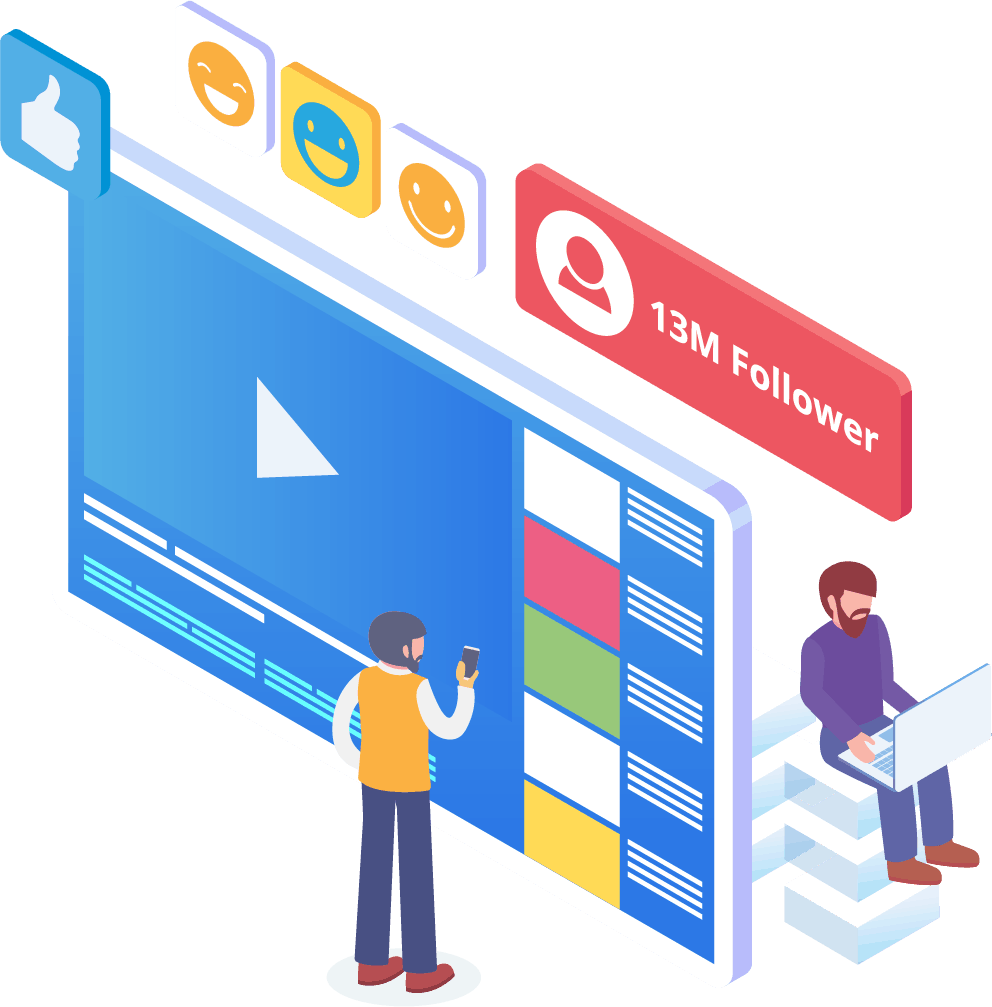
In today’s world, businesses need an excellent social media presence to stay ahead of the game. Facebook has steadily become a platform that can increase a company’s visibility and bring new subscribers and potential customers to your page by the hundreds. One of the best ways to interact with these Facebook users is through a chatbot app. Our Facebook messenger chatbot can help you to entertain, inform, and teach those who interact with your page regularly.
A proper marketing strategy should require the use of Facebook and social media to facilitate a company’s growth. Using our app can help you create a full and robust marketing plan that can lift your business profile to previously unattainable levels. Our messenger chatbot service is designed just for Facebook and can adapt as the social media giant makes changes. Messenger is a mostly untapped social media tool that can make you into an industry leader when you know how to use it. We can take away the guessing games and help you to achieve your business goals one step at a time.

Analyze Your
Data With Messenger Bot
As stated previously, our app can also compile reports that are meant to analyze Facebook and subscriber data. Messenger Bot’s software is designed to understand how humans work when it comes to interacting with Facebook. The analytics we provide to business enables you to dig deep when creating strategic sales and marketing protocols to use and grow your company. We give you the whole picture to look at, and from there, you can extract what is needed to make you more successful.
This in-depth data analysis can generate new sales, leads, and customers. By looking back at all interactions your Facebook page and subscribers had during any given time through machine learning, you can now create content that targets your base audience. We get rid of the extras that aren’t necessary when trying to make new and relevant content. Your focus stays where it should.

Convert Your Leads With Messenger Bot
Messenger Bot can help direct your leads to a sale. Our automation software starts the process by grabbing the attention of potential customers. We can engage with the prospect of a basic but personal level that gives them the feeling that they matter to your business. You can now better target those customers and keep in contact with them after the initial exchange.
Quick response time is essential to customer experience and conversions. With a quicker response time, your prospective customer’s satisfaction rate goes up as they receive their answers in real-time without any complication or hassle. The straightforward experience improves retention and future sales. When a new customer comes into contact with a business, first impressions mean everything. By using Messenger Bot, you get rid of any complications and unforeseen problems when trying to chat with a subscriber. Chatbots are your virtual assistants for simple tasks so you can focus more on scaling your business.

Free up Your Time With A Facebook Bot
Let Messenger Bot do all the engagement work for you and your business. That way, you can now focus on other essential tasks that demand your complete attention. With our innovative app, there is no more worrying about forgetting to post or unintentionally ignoring a comment or question. It doesn’t matter when the engagement comes in, either. Our software is designed to respond when needed. This feature means 24/7 customer support for you and your subscribers.
Sa aming software, ang kailangan mo lang gawin ay ilagay ang iyong mga pangangailangan sa aming madaling gamitin na interface, at kami na ang bahala sa natitira. Maiiwan ka na may kumpletong kampanya na aming inaalagaan para sa iyo. Maaari kang umasa sa amin upang maiparating ang iyong impormasyon sa mga sabik na mata at tainga.
Samantalahin
ang Kasikatan ng Facebook
Hindi bumabagal ang Facebook sa anumang oras. Ang tanyag na social media site ay ginagamit ng higit sa isang bilyong tao sa buong mundo, at kasama na rito ang Messenger. Ang mga gumagamit ng app ay nasisiyahan sa Messenger dahil ito ay madaling gamitin. Hindi nila kailangang mag-click sa maraming link o pahina upang makarating sa gusto nila.
Ang bentahe na ito ay angkop para sa mga negosyo na nais makipag-ugnayan sa kanilang base sa antas ng lupa. Ang Messenger Bot ay may parehong kadalian at kaginhawaan na kaakit-akit sa mga gumagamit ng Facebook. Kapag nakipag-ugnayan sila sa software, binibigyan sila ng simpleng impormasyon na madaling maunawaan na makapagbibigay sa kanila ng kaalaman tungkol sa isang produkto o kumpanya. Ang suportang ito sa customer ay available kapag kailangan nila ito at walang oras ng paghihintay.
Mga Bagong Oportunidad
Ang Dumarami
Ang aming bot app ay makapagbibigay sa iyo ng mga bagong oportunidad na wala ang ibang mga negosyo na piniling hindi gumamit ng Messenger bot. Ang Messenger app ay itinuturing pa ring bagong diskarte sa digital marketing, kaya anumang estratehiya na gagamitin mo sa amin ay hindi magiging lipas at pagod na. Binibigyan ka namin ng nangungunang teknolohiya na nilalayong ihiwalay ang iyong negosyo mula sa iba.
Sa pamamagitan ng Facebook Messenger Chatbot, malalaman mo kung ano ang gumagana at ano ang hindi para sa iyo pagdating sa benta at marketing. Sa paggamit ng aming mga mapagkukunan, maaari mong ayusin ang diskarte sa paglipas ng panahon at matiyak na inilalagay mo ang iyong pinakamahusay na paa pasulong pagdating sa iyong brand. Ang mga kakumpitensya na hindi gumagamit ng aming chatbot ay nasa isang malinaw na kawalan pagdating sa masa.

Pagbutihin ang Serbisyo sa Customer
Sa Facebook Chatbot
Siyempre, mapapabuti at mapapalakas mo ang anumang suportang ibinibigay mo ngayon gamit ang aming app. Isinasaalang-alang namin ang lahat ng aspeto ng suporta sa customer pagdating sa aming software. Mayroon kaming mataas na kalidad na mga sagot sa tulong ng machine learning at natural language processing na makakapagbigay kasiyahan sa mga customer at magdadala sa kanila upang gumawa ng mabilis na desisyon sa pagbili. Ang agarang oras ng pagtugon ay pumipigil sa potensyal na mamimili na umalis sa iyong pahina upang bumili ng produkto sa ibang lugar.
Gayundin, kapag humihingi ang aming messenger chatbot ng impormasyon mula sa iyong customer, nagsisilbi itong antas ng pre-qualification. Kapag may naghahanap na bumili ng isang bagay mula sa iyong negosyo, maaari mong gamitin ang boluntaryong impormasyong iyon upang mas mahusay na paglingkuran ang mga hinaharap na kampanya at paglulunsad ng produkto. Naalis mo na ngayon ang pangangailangan na gumugol ng oras upang makuha ang mga simpleng detalye.
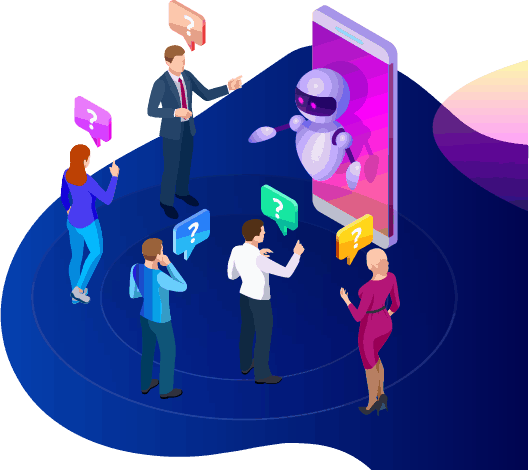
Ang chatbot ay nagbibigay din sa iyo ng opsyon na lumipat sa isang aktwal na tao kapag ang mga tanong ay umuusad, o nais mong hawakan ang isang potensyal na benta. Sa Messenger Bot, talagang maaari mong makuha ang lahat ng gusto mo! Ngayon ay mayroon ka nang nako-customize na suporta sa customer na may mabilis na komunikasyon at mga automation tool na idinisenyo upang mapadali ang paglago at visibility.
Pagbuo ng Kamalayan sa Brand
Ang aming Messenger bot ay nagbibigay-daan sa iyo upang ipaalam sa mga potensyal na customer kung ano ang ginagawa ng iyong negosyo at kung ano ang iyong pinaninindigan. Ang kaalamang ito ay lalong kapaki-pakinabang para sa mga bagong nakarinig tungkol sa iyo o sa iyong industriya at naghahanap ng karagdagang impormasyon. Maaari mong makuha ang interes sa loob ng ilang segundo mula sa unang interaksyon. Sa paggamit ng mga nakakaengganyong salita at parirala, maaari mong mabilis na painitin ang isang malamig na madla at bumuo ng isang relasyon na maaaring tumagal. Ang pinakamagandang bagay tungkol sa pagbuo ng kamalayan sa iyong brand sa pamamagitan ng aming app ay ang aming software ay madaling umangkop sa iba't ibang negosyo at industriya. Napakaraming paraan upang gawin ang iyong brand sa amin!
Sa ilang mabilis na aksyon, maaari mong ipaalam sa iyong madla ang lahat tungkol sa iyong negosyo. Ang mga follow-up na tanong ay maaaring matugunan, at ang iyong potensyal na customer ay maaari nang i-direkta sa mas malalim na bahagi ng iyong sales funnel.
Mobile
Optimization
Sa napakaraming tao at mamimili na gumagamit ng kanilang mga telepono para sa lahat, kinikilala ng Messenger Bot ang potensyal para sa benta at pagpapanatili ng customer sa pamamagitan ng paggamit ng Facebook Messenger para sa outreach. Ang aming software ay ginawa na may mobile devices sa isip. Nagpokus kami sa isang malinis at tuwirang diskarte nang idinisenyo namin ang aming software. Ang resulta ay isang bot system na walang putol na gumagana sa mga mobile device at Facebook.
Ganap na Nako-customize
na Messenger Bots
Nabanggit na dati na ang Messenger Bot ay nako-customize at maaaring umangkop sa iyong nagbabagong pangangailangan ng negosyo. Ang tampok na ito ay mahalaga para sa mga negosyo dahil may puwang para sa pagbabago at paglago. Nakabuo kami ng isang ganap na gumaganang chatbot na maaaring umusad kasama ng iyong kumpanya anuman ang direksyon. Maaari mong baguhin ang iyong estratehiya kapag kailangan mo, at nandiyan kami nang walang pagka-abala.


Madaling Gamitin
Messenger Bot
Alam namin na mahalaga ang iyong oras. Kapag nais mong ipatupad ang isang bagong estratehiya sa marketing sa pamamagitan ng aming app, ayaw mong isipin ito araw-araw. Sakop ka ng aming bot service. Kapag sinabi mo sa amin kung ano ang kailangan mo, maaari naming gawin ang natitira. Sa loob lamang ng ilang minuto, maaari mong ilunsad ang isang kampanya na makakapagpataas ng pakikipag-ugnayan at makapagdadala sa iyo ng mga customer. Hindi mo na kailangang gumalaw mula sa paunang pagpapatupad kung ayaw mo. Tinitiyak ng aming kumplikadong teknolohiya na ang iyong karanasan bilang gumagamit ay walang abala at madali.
Ang Messenger Bot ay dinisenyo upang tulungan ka at ang iyong negosyo na maabot ang pinakamataas na potensyal nito pagdating sa marketing at benta. Sa pamamagitan ng aming makabagong app, maaari mong kunin ang mahalagang impormasyon na makakapagpataas ng iyong visibility at kasikatan sa Facebook. Ang iyong bagong koneksyon sa mga subscriber ay tumutulong upang mapanatili ang iyong base at makuha ang mga bagong customer. Walang katulad nito! Subukan kami ngayon, at mabibigla ka sa mga resulta. Bumuo ng iyong unang messenger chatbot na walang kinakailangang coding.
Handa ka na bang gumawa ng tunay na pagbabago? Itayo natin ito nang magkasama!
Kilalanin ang Messenger Bot nang walang anumang mga limitasyon at simulan lamang ang paggamit nito sa buong potensyal kapag ito ay iyong nagustuhan. Naghihintay kami para sa iyo.
 Tagalog
  English
  简体中文
简体中文  العربية
  हिन्दी
  Português do Brasil
  Español de México
  Français
  বাংলা
বাংলা  香港中文
香港中文  繁體中文
繁體中文  Nederlands
  Deutsch
  Bahasa Indonesia
  日本語
日本語  한국어
한국어  Polski
  Русский
  Español
  Tiếng Việt