
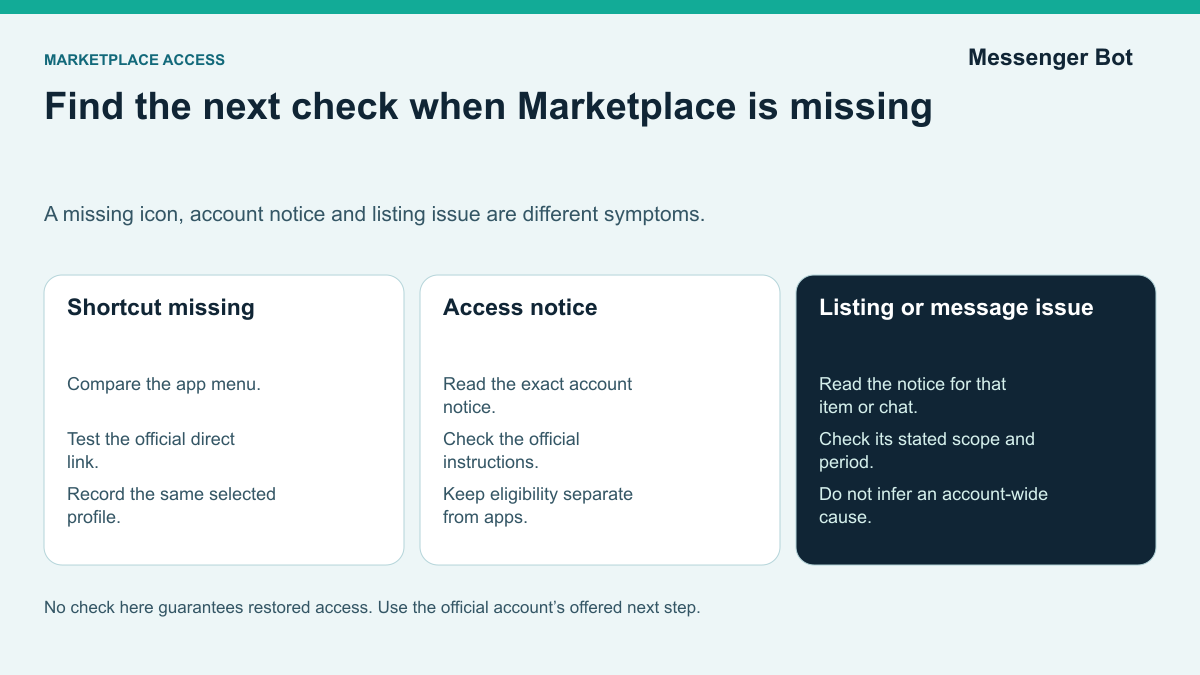
If Facebook Marketplace is missing, first identify the symptom: a missing shortcut, an access notice, a rejected listing, or a message or listing limit. Those need different checks. Compare what happens in the app and at facebook.com/marketplace, then follow the notice shown for your account. No setting in this guide can guarantee restored access.
Use Meta’s Marketplace eligibility page and Meta’s access troubleshooting page to check the requirements that apply to your account and country. Start from the official Facebook app or Help Center, especially if identity or age confirmation is requested. Do not send an ID, password, or verification code to a buyer, seller, or someone claiming they can restore access.
The other thing people mix up is the symptom. Fb marketplace gone, marketplace on facebook gone, and marketplace facebook disappeared can all mean different failures. Sometimes the icon is hidden but the direct link still works. Sometimes you can browse but you cannot list. Sometimes your listing is blocked while Marketplace itself still exists. Sometimes your Messenger thread still works even though the Marketplace tab does not. If you need the wider messaging context while you sort that out, this complete Messenger app guide helps separate Messenger problems from Marketplace access problems.
Work through the checks in a useful order: identify what is missing, compare the app and browser, review the selected profile, and read any account or listing notice. Keep notes on the symptom and each test so an unresolved problem can be explained clearly when a review option is available.
Identify What Is Missing Before Changing Settings
A missing shortcut, an access notice and a rejected listing call for different checks. Start by recording what changed and where it happened. That keeps a device test separate from an account or listing review.
Use these observable symptoms to choose a next check:
No Marketplace icon in the app
- What to inspect
- The app menu, direct link and any account notice
- A useful next check
- Open Menu and search for Marketplace, then test
facebook.com/marketplace
“Marketplace isn’t available to you”
- What to inspect
- An eligibility, confirmation, selected-profile or policy notice
- A useful next check
- Read the exact account notice and compare the selected profile
Listings keep failing or say “There are issues with your product”
- What to inspect
- The notice for the exact listing, separate from account access
- A useful next check
- Review the rejected listing and compare it against Commerce Policies
You can browse but cannot message or create new listings
- What to inspect
- The exact message or listing notice and its stated scope
- A useful next check
- Read the message or listing notice and its stated period
A description such as why does my Facebook not have Marketplace today does not identify a cause. Note the exact screen, notice and result before changing settings.
Account and device checks answer different questions. Note which profile is selected and what Facebook actually says about access. Compare the same account on another device before treating a missing shortcut as proof of a policy restriction. A successful browser test is useful evidence, but it does not explain every app or account issue.
Before changing settings, ask which layer is affected: the shortcut, account access, a listing, or messaging. This keeps a device check separate from a request to review an access decision.
When the Marketplace Shortcut Is Missing
A missing icon is a visibility symptom, not a diagnosis. Check the app menu and direct link before deciding whether the issue is navigation, the device, or account access. Keep the exact notice if a test fails.
When the icon vanished after an app update
Check whether Marketplace appears in the app menu even when it is absent from the shortcut bar. Compare that result with the direct browser link. This tests visibility without assuming that Facebook has removed your access.
Start with checks that do not remove data or change the account:
- Open the Facebook app and tap Menu.
- Search the menu for Marketplace or tap See more if it is collapsed.
- Type
facebook.com/marketplacein your browser while logged in. - If the direct link works, record that result separately from the missing shortcut; it does not prove every listing or messaging action is available.
If the direct link opens but the shortcut is missing, record those different results. Opening Marketplace in the browser does not prove that every listing or messaging action is available.
Try Low-Disruption App Checks First
If the menu and direct-link checks are inconclusive, consider the following tests. Stop before signing out or reinstalling if you cannot safely sign back in. Do not repeat a device change after it has failed to explain the symptom.
- Close and reopen the Facebook app. Record whether the shortcut or notice changes.
- Check that you can safely sign back in before signing out. If you retry the session, keep the selected profile and test consistent.
- Check for an official app update. Retest the same symptom after updating; do not assume an update changes account eligibility.
- Consider the device’s cache controls. Read what each control removes before using it. Do not clear account data or saved access information as an access workaround.
- Consider reinstalling only after less disruptive checks. Use the official app store and confirm you can sign back in first; reinstalling does not override an account decision.
- Compare the browser and app. Keep the same account and selected profile, then record the exact result on each without inferring a cause.
Do not create another account or install an unofficial app as an access workaround. Use the official app, your existing account and any review option Facebook offers. This avoids adding an unverified tool or identity to the problem.
Work from the least disruptive check to the most disruptive one. Record the menu and direct-link results, then test the official app version. None of these device checks replaces an account decision or review.
If the device checks do not explain the symptom, continue to the account and profile checks. An unresolved shortcut test alone does not tell you why access changed.
Check the Selected Profile and Account Notice
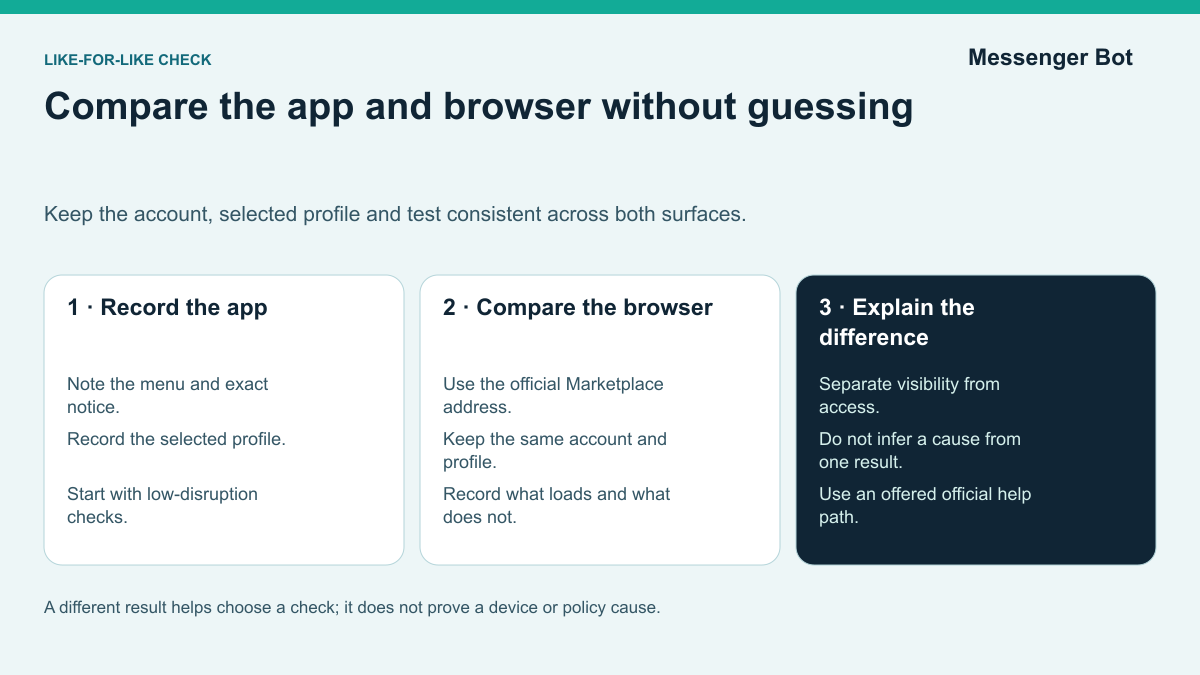
Check the eligibility and access notices for the account you are using. Age, country, profile selection and any account restriction are relevant checks; the exact requirements and review options should come from the current official Help Center and your own account screens.
Use the Requirements Shown for Your Account
Check the age and country requirements shown by Facebook rather than relying on a fixed age or country list in a third-party guide. If your account is not eligible, reinstalling the app is not a way around that requirement.
Also check which profile you selected and whether Facebook shows an account or listing restriction. If a notice mentions eligibility, account activity or policy, record that wording instead of guessing which condition caused the problem.
Profile selection is worth checking. In its September 2023 additional-profile announcement, Meta said Marketplace was unavailable to additional profiles at launch. That is historical context, not proof that every feature remains unchanged. Compare the controls currently shown on your main profile and any additional profile before choosing the next check.
Read any age or identity confirmation prompt carefully
If Facebook offers an age or identity check, read the instructions within the official app or Help Center and review what information is requested before deciding how to proceed. The methods offered may differ. This guide does not ask you to upload an ID here and cannot complete or override Facebook’s verification.
Use the account screen to guide these checks:
- If the official app offers an age check, read its instructions and privacy information before deciding how to proceed.
- Compare the selected profile with the profile on which Marketplace previously worked, and record any difference.
- If Facebook shows an account-activity notice, read the stated reason instead of inferring a hidden trust score.
If an account notice refers to a new or inactive account, do not assume there is a fixed waiting period that guarantees Marketplace access. Keep your information accurate and use the account normally; do not create extra accounts or manufacture activity as an access workaround.
A useful diagnostic question is: What does the current account screen say about my eligibility, selected profile and any confirmation request? Save that information before changing device settings. The notice is more useful than a guess about a hidden account rule.
Separate Listing Review from Account Access
If marketplace gone from facebook appears alongside a listing or account notice, read each notice separately. Do not assume that the account owner’s behavior caused a restriction, or that every missing shortcut is a policy decision.
Read the Notice for the Exact Listing
An access notice and a rejected listing are not the same decision. Read the reason Facebook gives and compare the item with the relevant Commerce Policies. A policy problem may affect access, but this guide cannot predict what one listing will do to a particular account.
When reviewing a rejected listing, check the policy for its exact category. The following are questions to investigate, not a current list of universal prohibitions or exceptions:
- Is there an actual item for sale, with an accurate category and description?
- Does the policy permit this type of service or non-physical offer?
- Are there specific rules for an animal-related, health-related or safety-sensitive item?
- Has the product been recalled or otherwise restricted?
- Does the listing notice identify an additional requirement or exception?
Use the categories above as prompts for a policy check, not a complete list of every rule or exception. Read the policy that applies to the exact item before editing or submitting a listing. A restriction is a reason to investigate, not a reason to blame the account owner.
Do not assume the same selling options apply to every personal account or business. Meta’s July 2026 Marketplace update discussed tools for frequent sellers and exploration of small-business listings. That does not establish eligibility for your account. Check the current listing controls and applicable rules instead of treating business use as universally allowed or universally prohibited.
Keep a listing decision separate from account access
If a listing displays an issue or review notice, open the explanation for that listing. Record what it says and whether the listing is visible. Do not infer an account-wide restriction from a listing decision, or assume that a missing shortcut means the listing failed review.
Repeatedly reposting the same unresolved listing does not explain the decision. Check the original notice and the applicable item policy before making another change.
Before changing a rejected listing, consider these steps:
- Open the rejected listing and see whether Facebook named a policy issue.
- Compare the exact item with the policy and reason shown for that listing.
- Read the stated issue and the consequences of any offered edit, removal or review before deciding what to do.
- If a review option is offered and you believe there is an error, explain the specific item and notice.
Keep the listing issue and any account-access issue separate. If a review option is offered and you believe the decision is mistaken, explain the specific item and notice without repeatedly posting the same unresolved listing.
A listing-creation limit can be different from losing Marketplace access. If Facebook shows a limit, read the notice for the affected category, threshold and period before planning another listing. This guide does not claim a universal monthly allowance or reset date, and it does not recommend deleting and reposting to bypass a limit.
Record each listing decision separately so you can explain what changed and which review options are available.
Compare the App and Browser
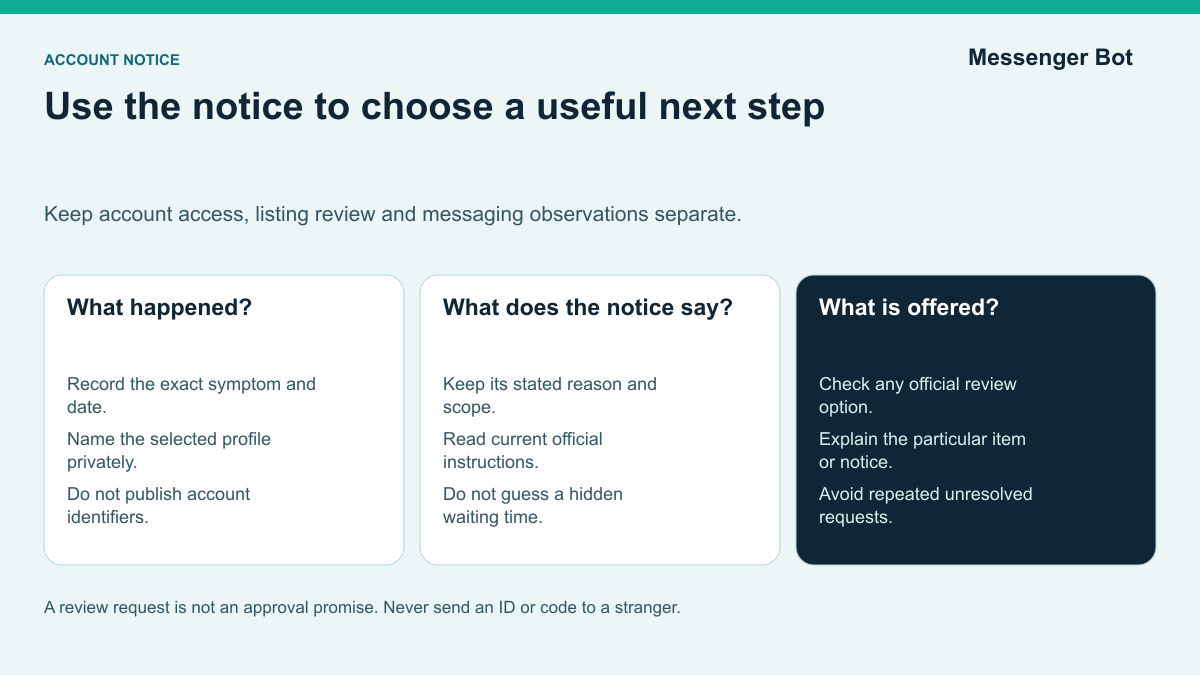
If marketplace facebook disappeared in one place but not another, compare the same account and selected profile in the app and browser. Record the results rather than inferring a device fault or an account decision.
If Marketplace works on desktop but disappeared on your phone
If Marketplace opens in the browser but not in the app, compare the selected profile and exact result on each. That difference helps choose the next check without proving the cause.
On Android, consider the following only as device checks, not as a way to change account eligibility:
- Check for an update in the official app store, then compare the same account and selected profile.
- Close and reopen the app and record whether the symptom changes.
- Read the device’s cache-control description before using it; do not clear saved account data as an access workaround.
- Check the app menu and direct browser link again, keeping the test consistent.
- Consider reinstalling only after less disruptive tests, and only if you can safely sign back in and understand what local data may be removed.
On iPhone, consider these limited tests without treating reinstalling as a guaranteed fix:
- Check the official app store for an update and compare the app menu with the direct browser link.
- Close and reopen the app before considering a more disruptive change.
- Before signing out, confirm that you can safely sign back in; do not remove access information needed for that step.
- Consider deleting and reinstalling only if you understand the local-data effects and can sign back in. Repeat the same test afterward without assuming that the result overrides an account notice.
If access works again in the browser, retest the official mobile app and record whether the result changes. A device difference can help you explain the problem; it does not prove why it occurred.
If Marketplace works on your phone but disappeared on desktop
If the browser and phone give different results, keep the account and selected profile consistent while considering these checks:
- Open
facebook.com/marketplacedirectly instead of looking for the left sidebar shortcut. - Refresh the page first. Consider signing out only after confirming that you can safely sign back in.
- Use a clean browser tab or a different browser profile.
- If you test an extension, note the original setting, change one thing at a time and restore it after the test.
- Confirm the same selected profile on the web version.
Refresh the browser page after an account or app check, then repeat the same direct-link test. Compare like-for-like results rather than treating a page refresh as an access guarantee.
When marketplace facebook disappeared on one device but not another, record the selected profile, app or browser version and exact result on each device. That narrows the next test without diagnosing a permanent restriction from appearance alone.
If the feature is missing in both places, record the results and read any access notice. If the results differ, compare the selected profile and device details. Neither pattern alone proves an eligibility decision or app fault.
Review Your Listings and Reply Settings
If Marketplace becomes available again, review the account notices and listing details before resuming activity. Keep profile selection, confirmation requests, item policy and buyer replies as separate checks. This is a practical review sequence, not a promise that restrictions cannot recur.
A Checklist After Access Becomes Available
- Confirm the selected profile. Keep the profile consistent between tests and compare any differing feature controls.
- Open Marketplace in the official app and browser. Record the exact notice and any offered next step.
- Read any official confirmation request. Check its instructions and privacy information before proceeding; this guide does not prescribe a particular verification method.
- Retest after an official app update or browser refresh. Compare the same account and profile without treating either action as a guaranteed fix.
- Review recent listing notices. Check the exact category and policy before deciding whether an edit, removal or offered review is appropriate.
- Set your local selling basics correctly. Confirm pickup area, item category, condition, pricing, and whether you are doing local meetup or shipping if eligible.
- Check the notification controls available to you. In your current Marketplace or Messenger experience, choose any available alerts that suit your needs. If an expected alert does not appear, check the app and device settings rather than assuming that every account has the same controls.
- Clean up old listings. Mark completed sales as sold or pending instead of leaving them active and creating unnecessary message noise.
- Check rating information without treating it as proof. Read the current display rules, and do not use ratings alone to judge a transaction.
- Record only measurements actually available to your account. Name the metric and period, and keep missing measurements marked as unknown.
Keep Listing Details and Buyer Replies Clear
A useful check is that the intended profile can open Marketplace, the account notices are understood, and each listing has accurate item details and a clear next step. Update sold or pending items as appropriate and keep buyer replies human-reviewed. This checklist is a recommended process, not a guarantee against future restrictions.
Keep the Marketplace reply and any separate business follow-up clearly distinguished. Answer the listing question where it arrived. If the person chooses to contact your business on a supported Page or other business channel, the Messenger Bot tutorial can help you evaluate that separate workflow. It is not a way to restore Marketplace access or take over a personal listing thread.
Treat ratings as one piece of information, not proof of ownership, payment or a safe transaction. Read the item details and conversation, and make the checks needed for the particular purchase rather than relying on the star score alone.
If you offer shipping, remember that shipping and checkout are not available to all users or all locations. So do not confuse "I still cannot offer shipping" with "Marketplace is still missing." Those are separate availability layers in Meta’s help system.
Review the details before a new listing
Before posting another item, check the exact category, item details and current account controls. Reviewing one listing at a time can make it easier to keep your notes and changes organized; it does not promise approval or stable access.
Review these details before submitting a listing:
- A specific title that names the item instead of sounding like ad copy
- Clear photos of the real item from multiple angles
- An accurate condition field and honest defect notes
- A realistic local price instead of bait pricing
- A category that matches the actual item instead of chasing exposure
- A description that answers size, pickup, included parts, and payment expectations
Use the listing details as a completeness checklist: can a buyer find the current availability, size, condition, included parts and proposed next step? Accurate details give a person better information for a reply. This does not predict fewer messages or easier approval.
If a previous listing was restricted, keep its notice available while reviewing the next item. Check the applicable policy and explain the item accurately rather than assuming that a simple-looking listing is automatically allowed.
Match Each Symptom to the Next Check
Use this table to choose a check from the symptom you can observe. It is not a ranking of causes or a promise that a particular action will restore access.
Marketplace icon is gone from the app
- Information to collect
- App-menu and direct-link results for the same profile
- A useful next check
- Check both surfaces before considering an official app update
- What not to assume
- A missing shortcut does not prove lost access or a device fault
“Marketplace isn’t available to you”
- Information to collect
- The exact account notice and any offered confirmation or review
- A useful next check
- Read the current official instructions for that account
- What not to assume
- Reinstalling does not override an eligibility or access decision
Marketplace is missing on another profile
- Information to collect
- The selected profile and its current feature controls
- A useful next check
- Compare controls without assuming equal access
- What not to assume
- A historical at-launch rule is not a universal current policy
A listing shows an issue or review notice
- Information to collect
- The notice for that item and its stated reason
- A useful next check
- Read the item policy and any offered edit or review option
- What not to assume
- The notice alone does not prove the listing’s public visibility or an account-wide restriction
You cannot send a Marketplace message
- Information to collect
- The message notice, selected account and affected conversation
- A useful next check
- Use the official help or review option if one is offered
- What not to assume
- Do not send repeated messages or infer a cause from an assumed rate limit
You cannot create another listing
- Information to collect
- The threshold, category and period shown by the account
- A useful next check
- Read the current notice before changing or resubmitting an item
- What not to assume
- There is no universal allowance or reset date asserted here
A seller rating is not visible
- Information to collect
- The current display rules and rating information available
- A useful next check
- Check the account’s instructions; do not manufacture ratings
- What not to assume
- No number of transactions is promised to produce a public rating
Access works in one place but not another
- Information to collect
- The same-account results, selected profile and device details
- A useful next check
- Refresh the page or retest an official app update; confirm safe sign-in before signing out
- What not to assume
- A different result does not by itself prove a cache, session or policy cause
Check a Message Notice Separately
If browsing works but messaging does not, keep that symptom separate from shortcut visibility. Read the exact message notice and the Marketplace message help for any offered check or review. Do not send repeated messages to test a restriction.
That matters because it feels different from a missing icon. You open Marketplace, see listings, and still assume everything is fine. Then you try to send a message and hit a wall. In practical terms, that is still a Marketplace problem even if the homepage loads.
For a messaging problem, record the following details without repeatedly sending messages to test a restriction:
- Did you recently send a very high number of similar messages to many sellers or buyers?
- Did you recently get any Marketplace or Community Standards warning?
- Does the problem happen with every listing or just with one region or one account?
If Facebook offers a listing review, use the timing and instructions shown for that case. A suggested recheck time is not a guaranteed response deadline or a promise of restored Marketplace access.
When a notice refers to account activity
If Facebook’s notice refers to account activity or eligibility, use that notice as the starting point. The guide cannot infer a hidden trust score from an account’s age or appearance. Record the stated issue and check whether an official review or help option is offered.
Do not manufacture activity, create extra accounts or send repeated messages to force access. Keep your profile information accurate and use only the official verification or review paths offered to you. These are safety recommendations, not a way to predict approval.
Keep an account notice, a selected-profile difference and a listing notice as separate observations. They may need different next steps. Do not attribute a cause to the age or appearance of the account unless the notice states it.
Avoid unverified access workarounds
Avoid these unverified workarounds:
- Creating another account to avoid the notice on the existing account.
- Assuming another profile has the same features without checking its current controls.
- Repeatedly reposting rejected items without fixing the policy issue.
- Mass-messaging buyers or sellers with copy-paste spam.
- Using unofficial app builds instead of the official app and its current support path.
Keep a short record of each check and stop when the next step requires information or review that only Facebook can provide. Clear notes are useful for an unresolved case; they do not guarantee a decision.
Other Selling Options to Evaluate
If Marketplace stays unavailable for a while, you still have other routes. The right replacement depends on what you were using Marketplace for in the first place.
| Option to evaluate | Question to check before using it | What remains unverified here |
|---|---|---|
| Craigslist | Does its current local category permit the item and show a suitable contact path? | Current audience, fees, rules and transaction safeguards |
| OfferUp | Are the item, location and proposed pickup arrangements supported? | Current local availability, audience and transaction safeguards |
| eBay | Do its current listing, delivery and checkout rules fit the item? | Current fees, category rules and buyer demand |
| Nextdoor | Do the current community and selling rules fit the location and item? | Current membership, local demand and transaction safeguards |
| Facebook buy-and-sell groups | Do the group’s rules and your account’s current controls permit the listing? | Group approval, visibility and any account restrictions |
Compare an alternative against the item, location, contact method, costs and rules that apply today. The table is a checklist for your own evaluation, not a claim that one platform has a larger audience, safer transactions or a better outcome.
Follow-up is a separate decision from finding a selling platform. You can write a human-reviewed reply template without giving a tool access to a personal Marketplace thread. For related reading, see the free AI chatbot guide and chatbot platform comparison; verify any current capability for the exact channel before using it.
A reply template does not restore access or replace a selling platform. Keep the listing answer human-reviewed, and distinguish it from any separate business conversation the buyer chooses to start.
For a repeat business workflow, check whether the chosen service permits the category and supports the records, delivery and customer contact you need. Do not treat a different platform as a way around an unresolved policy issue, or assume that its current rules match Facebook’s.
Safety, Privacy, and What to Watch Out For
Account access and transaction safety are separate questions. Even when Marketplace opens, check the item details, payment request and contact information before agreeing to the next step.
Pause for payment requests you cannot verify
Meta describes advance-payment and false-overpayment risks in its payment-scam guidance. Check payment in the actual payment service rather than trusting a screenshot, and pause if someone asks for an unexplained refund or pressures you to release an item before you can verify payment.
Pause and check a request if any of the following is unclear:
- The buyer says "text me instead" before any real conversation happens.
- The seller says the payment failed and sends you a sketchy link.
- The buyer sends a screenshot and asks you to release the item before the money exists in your account.
- The buyer "accidentally" overpays and asks you to refund the difference.
- The price is absurdly low and the seller pressures you to send a deposit now.
Before paying, check the protection terms for the exact purchase method. Do not assume a local meetup or person-to-person payment has the same protections as an eligible checkout transaction. Meta’s education material distinguishes these cases, but eligibility and claims must be checked against the terms applying to your transaction.
For a high-value item, consider how you can verify the item and the seller’s description before paying. A video call, in-person inspection or another agreed check can help you gather information, but none proves ownership or guarantees a safe transaction. Pause if the details or payment request do not add up.
Check Privacy Before Posting
Do not treat a visibility toggle as a promise of confidentiality. Check the current listing audience and privacy information before posting. As a precaution, leave private addresses, account information and sensitive documents out of public item descriptions and photos.
Before sharing information from your home, check the audience controls and privacy explanation actually shown for that listing. If visibility is unclear, leave sensitive details out and use these precautions:
- Do not post your home address in the listing.
- Meet in a public place when possible.
- Use a pickup location that is not your private residence for small items.
- Inspect what photos reveal in the background before you post them.
- Keep communication inside Facebook and Messenger unless there is a strong reason not to.
Consider agreeing on a public meeting place and sharing your plan with someone you trust. If the location or person changes unexpectedly, pause and confirm the arrangements. These are practical safety precautions, not a guarantee about another person.
If a rating, listing history or profile detail conflicts with the seller’s explanation, pause and ask a clear question. None of those signals alone verifies the item or the person. Use them to decide what else needs checking, not as a safety guarantee.
If an item, price or payment request seems inconsistent, stop and review it before continuing. Use the reporting options in the official interface where appropriate. Your own checks matter even when the listing page or conversation looks familiar.
Keep Marketplace Troubleshooting Current
Match the next check to the symptom you can actually observe. Keep shortcut visibility, account access, listing review and messaging restrictions separate. A guide cannot predict a future Meta policy or guarantee that an account will regain access.
- Read the current notice for your account and selected profile.
- Record what works in the app and browser before changing settings.
- Check the official instructions before supplying identity information or requesting a review.
- Use only selling and messaging options available to your account; do not bypass a restriction with another tool.
When access works again, keep replies accurate and human-reviewed. A separate business messaging workflow should begin only when the customer knowingly chooses a supported business channel. Faster follow-up is useful only when the information and next action are correct.
Plan clearer follow-up on supported business channels
For a business managing customer conversations on a supported Page or business channel, Messenger Bot is a separate option to evaluate for clearer follow-up and human handoff. It does not restore Marketplace access or take over personal listing chats. Check Current Pricing to review the plans against the workflow you actually need.
Frequently Asked Questions
Why has the Marketplace shortcut disappeared?
Fb marketplace gone describes a missing shortcut, unavailable access or another Marketplace symptom. Test the direct link and app menu, then read any account, listing or messaging notice. A missing icon alone does not explain the cause.
Why is Marketplace missing on one profile or device?
Marketplace on facebook gone can describe an issue on a particular account, profile or device. Compare the selected profile and current official access guidance. Do not infer a universal eligibility rule or a product-wide shutdown from one result.
Does a missing Marketplace icon mean my account is restricted?
Facebook marketplace is gone is a symptom rather than a diagnosis. Separate shortcut visibility, account access, listing review and messaging. Retest the same account in the app and browser before choosing the next check.
What should I check when Facebook says Marketplace is unavailable?
This question asks why Marketplace is not appearing for an account today. Record the profile, device, direct-link result and exact notice. Follow any current official confirmation or review option; a third-party guide cannot guarantee restored access.
Can reinstalling Facebook restore Marketplace access?
No facebook marketplace means the feature is not available in the place being checked. Compare the direct link, app menu and selected profile, then read the account notice. Device changes do not override eligibility or an access decision.



 English
  Tagalog
  简体中文
简体中文  العربية
  हिन्दी
  Português do Brasil
  Español de México
  Français
  বাংলা
বাংলা  香港中文
香港中文  繁體中文
繁體中文  Nederlands
  Deutsch
  Bahasa Indonesia
  日本語
日本語  한국어
한국어  Polski
  Русский
  Español
  Tiếng Việt